

Blackboard vs Canvas: What’s the Difference and Which Should You Choose?
Make the right choice with our Blackboard vs Canvas guide. See each platform’s strengths, weaknesses, and which suits teachers, trainers, or businesses.


Run your own branded LMS with unlimited learners
When comparing Blackboard vs Canvas, choosing the right learning management system (LMS) can make a big difference in online learning and training. Both platforms offer powerful tools for course creation, communication, assessments, and learner engagement. This article breaks down key features, strengths, and considerations for each.
I’ve been evaluating LMS platforms for classrooms, corporate training, and internal enablement, and Blackboard vs Canvas is one of the most common comparisons that comes up. What I’ve noticed is that the “best” choice often depends less on features and more on how instructors and learners actually use the platform day to day.
What is Blackboard?
Blackboard Learn is a versatile learning management system (LMS) used by schools, universities, and businesses to deliver online courses, training programs, and educational content. Designed to replicate and enhance classroom experiences, Blackboard allows instructors to post course materials, create assignments and tests, track student progress, and facilitate discussions, all in one centralized platform.
With tools like Blackboard Collaborate for live video sessions, discussion boards for interactive learning, and the cloud-based Blackboard Ultra interface, the platform offers flexible options for fully online, hybrid, or web-enhanced courses. It also prioritizes accessibility, ensuring students with disabilities can engage with content seamlessly through screen readers, captions, high-contrast modes, and keyboard navigation.
In practice, Blackboard tends to shine in environments where institutions need structure, compliance, and detailed control. However, it can feel heavy for instructors who just want to get a course live quickly.
What is Canvas LMS?
Canvas LMS, developed by Instructure, is a cloud-based learning management system that simplifies online, in-person, and blended learning for students, educators, and organizations. It offers a centralized platform to create, share, and manage courses, assignments, quizzes, and multimedia content while tracking learner progress with detailed analytics.
Canvas has a highly intuitive interface, mobile-friendly design, and integration capabilities, allowing instructors to connect third-party tools, content repositories, and apps through the Canvas App Center.
Features like Canvas Studio enable interactive video content, while SpeedGrader lets instructors provide fast, actionable feedback. The platform also supports scalable learning, making it suitable for K-12 schools, universities, and corporate training programs.
Many instructors I’ve seen adopt Canvas are productive within days, largely because the interface feels familiar and removes friction during course setup.
Blackboard vs Canvas: 5 Key Differences Explained
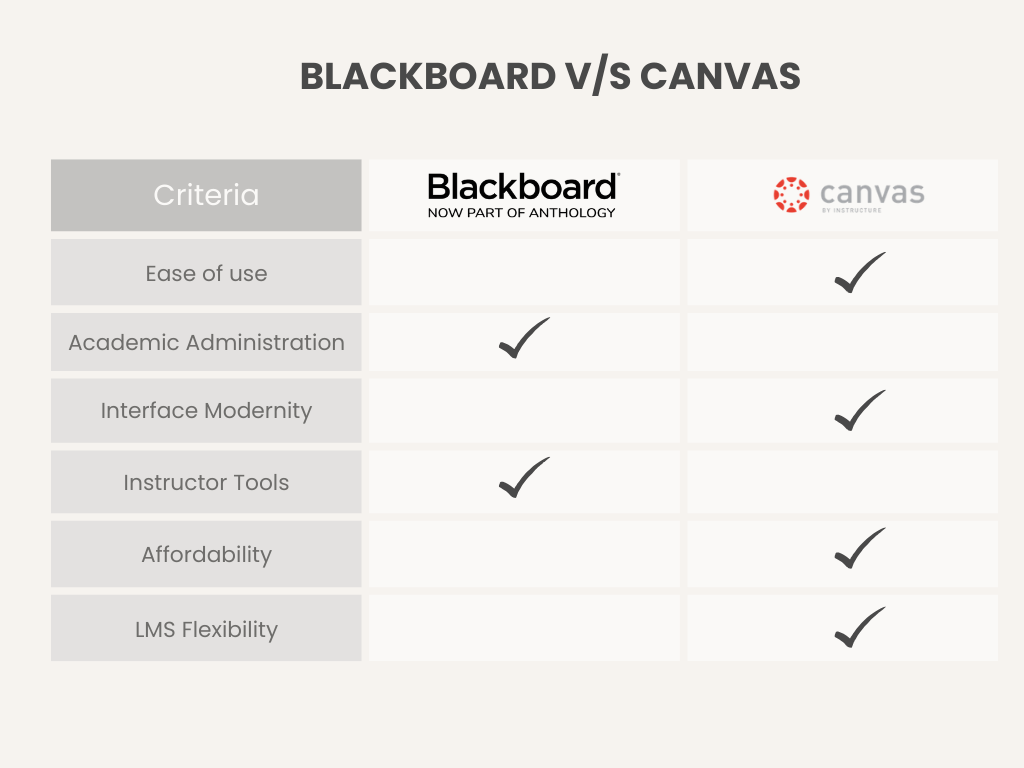
When teams compare Blackboard and Canvas, the discussion usually starts with modern features, but it quickly shifts to workflow, setup time, and how much ongoing support instructors actually need. Here’s a quick view of the key differences that most often influence real adoption.
1. Ease of Use & Interface
Clean menus, predictable navigation, and minimal friction can boost adoption and reduce training needs.
Blackboard Experience
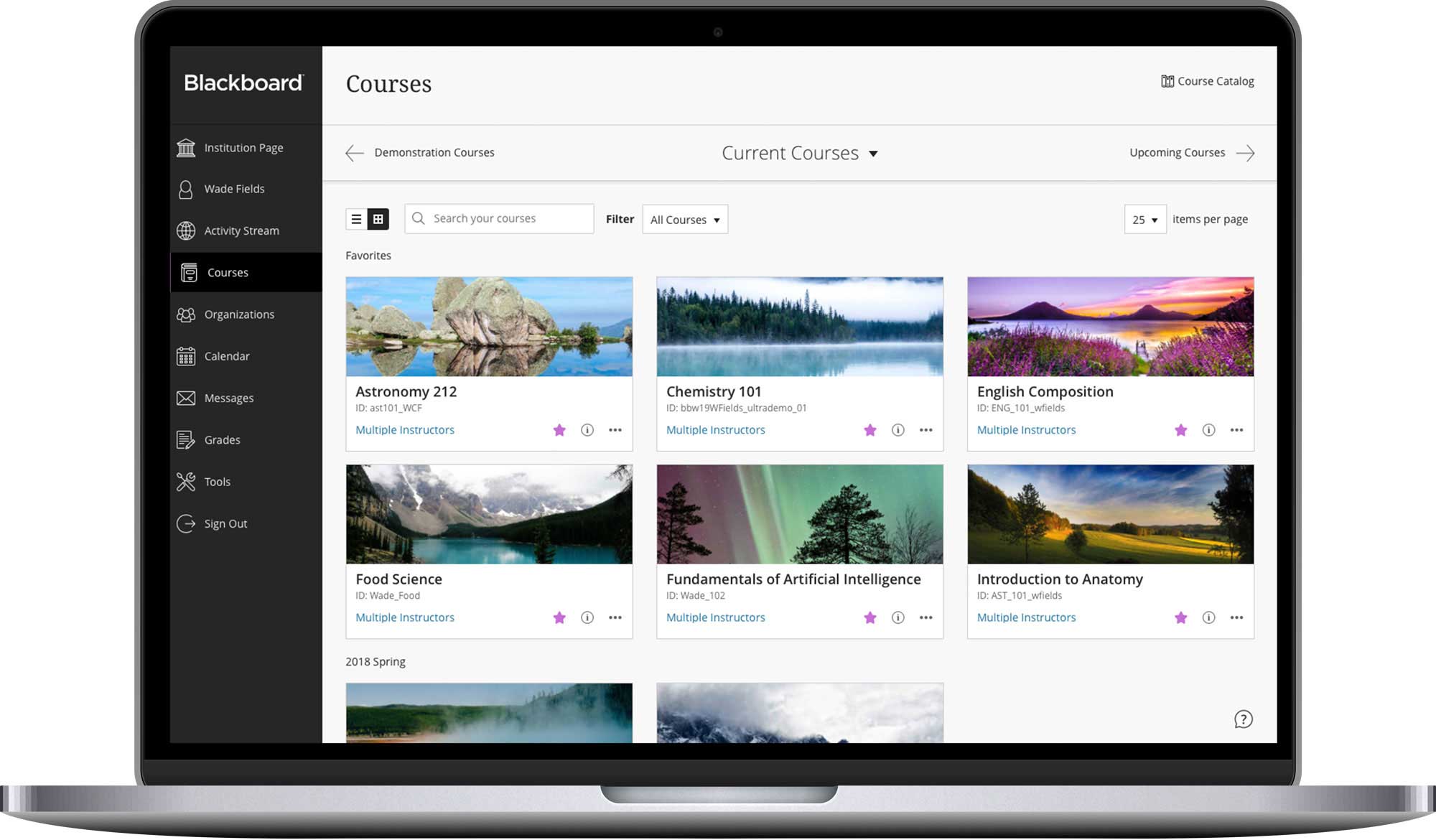
Blackboard provides extensive tools and high configurability, but screens can feel crowded. New users may need time to navigate training modules, discussions, and grading workflows. Blackboard Ultra improves clarity with a responsive interface, a great activity stream for consolidated updates, and mobile access.
Canvas Experience
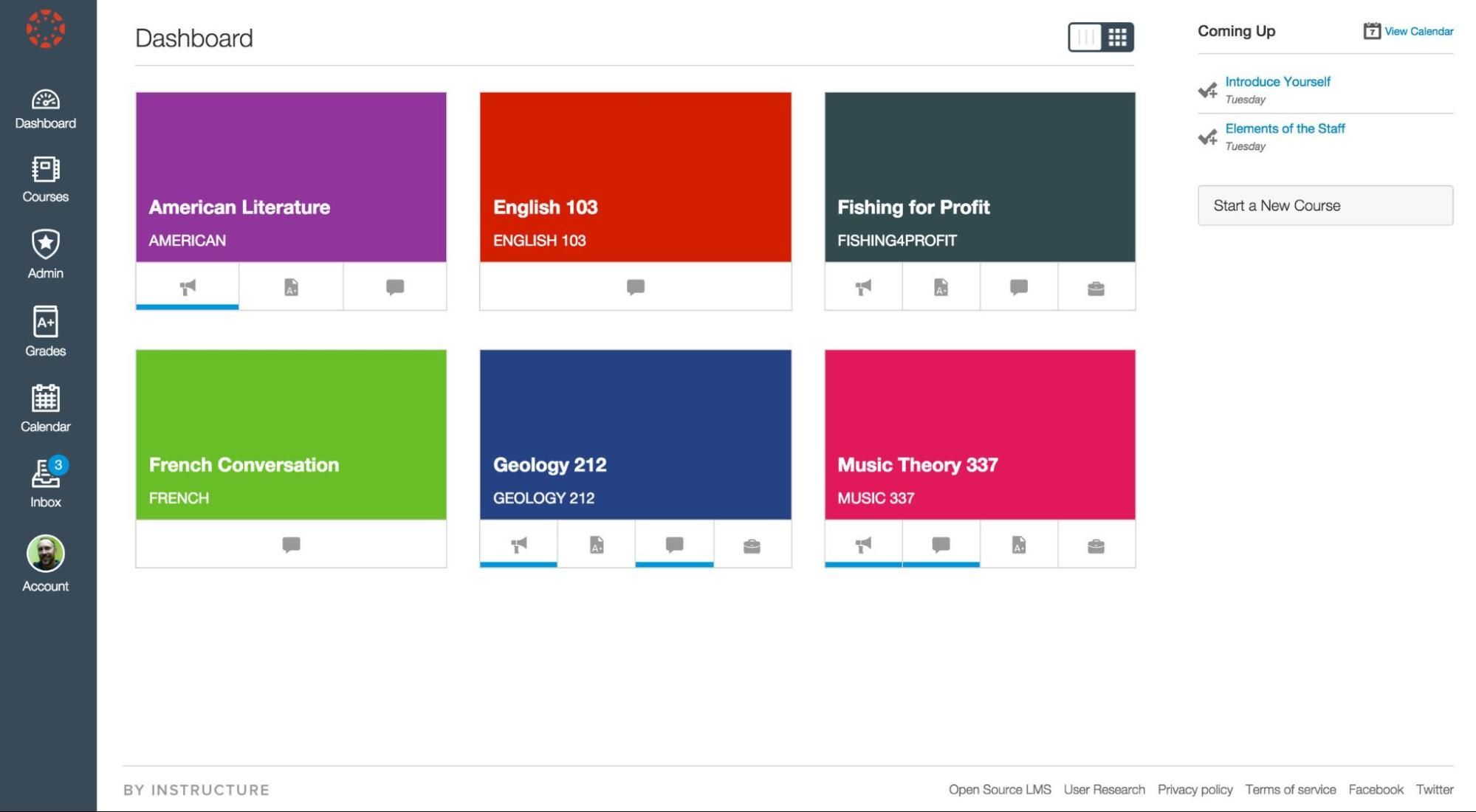
Canvas focuses on clarity and simplicity. Modern layouts, intuitive menus, and streamlined dashboards let instructors create courses quickly. Students move between modules, interactive quizzes, and discussions without confusion.
UI Comparison:
Blackboard is a powerful but complex platform, often requiring technical setup for themes, workflows, and plugin management. In contrast, Canvas is ready to use immediately, offering minimal configuration and a standardized look across courses.
2. Course Management & Creation
Easy content uploading, organization, and automated grading support better learning outcomes.
Blackboard Course Building
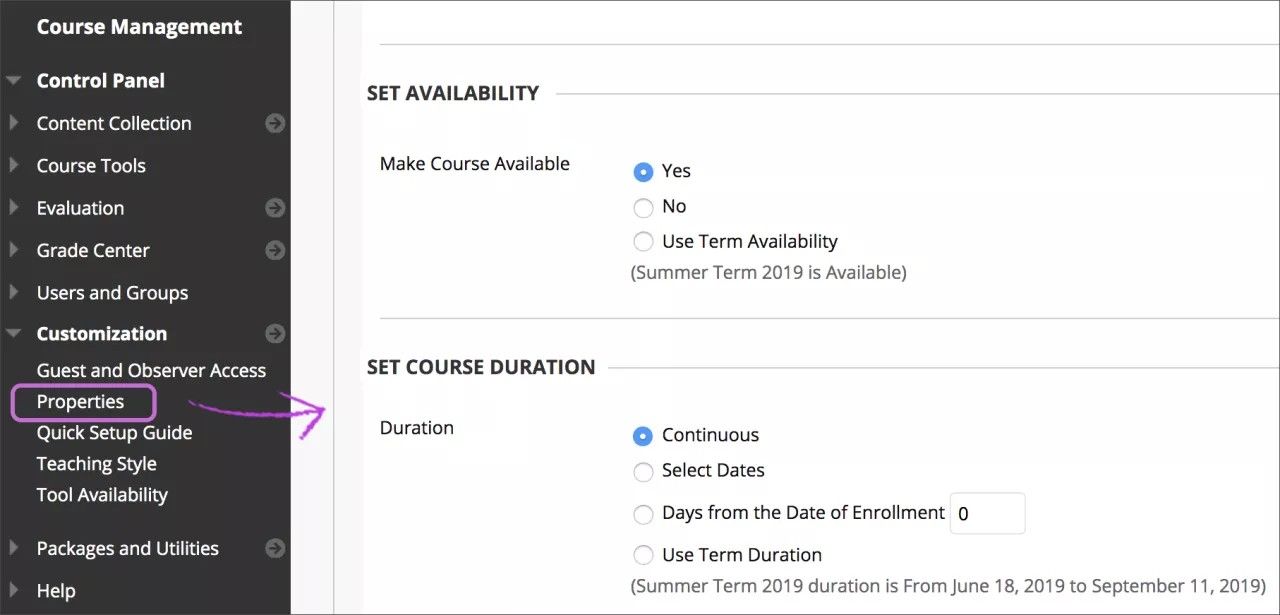
Supports multiple content formats, including text, video, audio, SCORM packages, and lesson modules. Instructors can organize assignments, tests, and surveys into flexible learning paths. Ultra’s activity stream and cloud tools streamline updates across courses.
Canvas Course Building
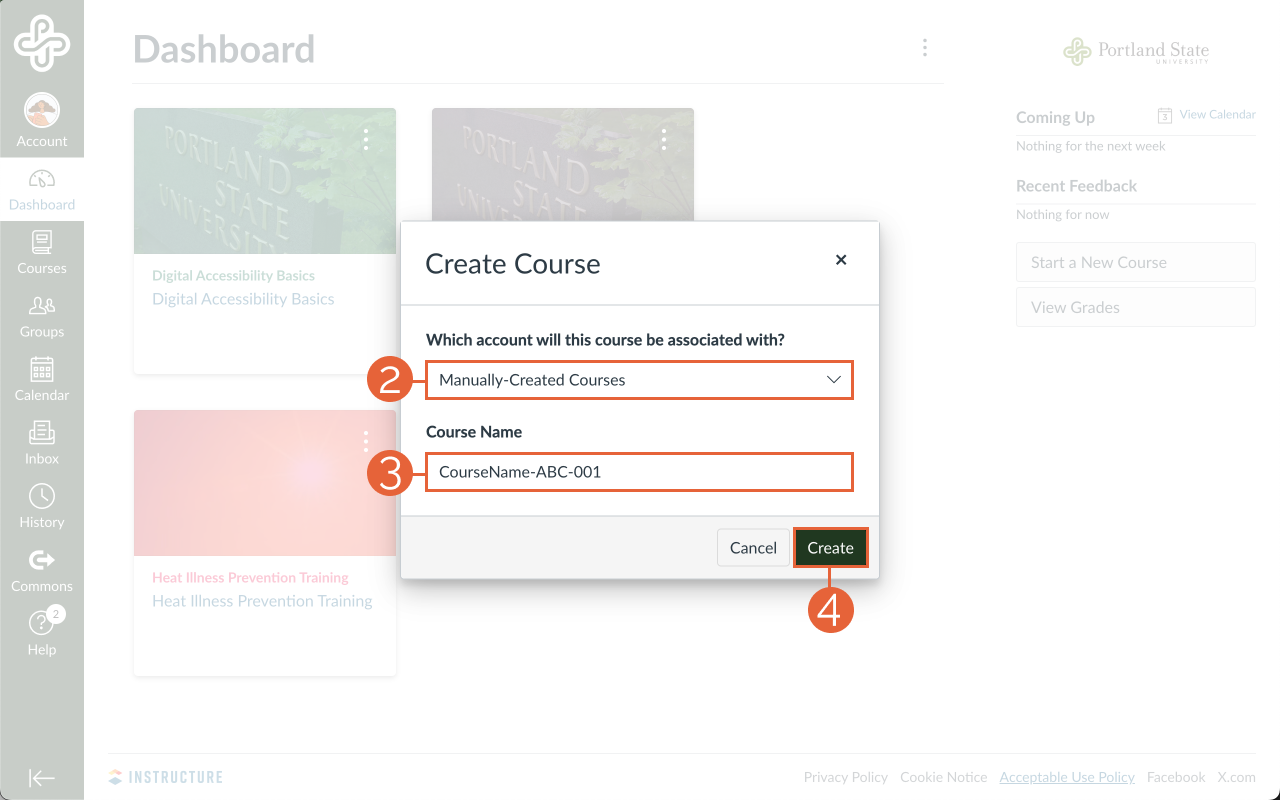
Canvas uses a simple drag-and-drop system with modules that can be arranged quickly. Tools like Canvas Studio add interactive video, while SpeedGrader streamlines assignment scoring. Canvas sacrifices some deep customization for speed and ease of use.
Grading & Assessment
Blackboard supports a comprehensive suite of tools including rubrics, timed exams, and surveys, though its powerful system may require additional setup for automated grading. Conversely, Canvas facilitates quick feedback and consistent scoring through streamlined features like SpeedGrader and outcome-based grading.
3. Engagement & Collaboration
Interaction boosts learning outcomes and participation. Both platforms provide tools for synchronous and asynchronous engagement.
Blackboard Tools
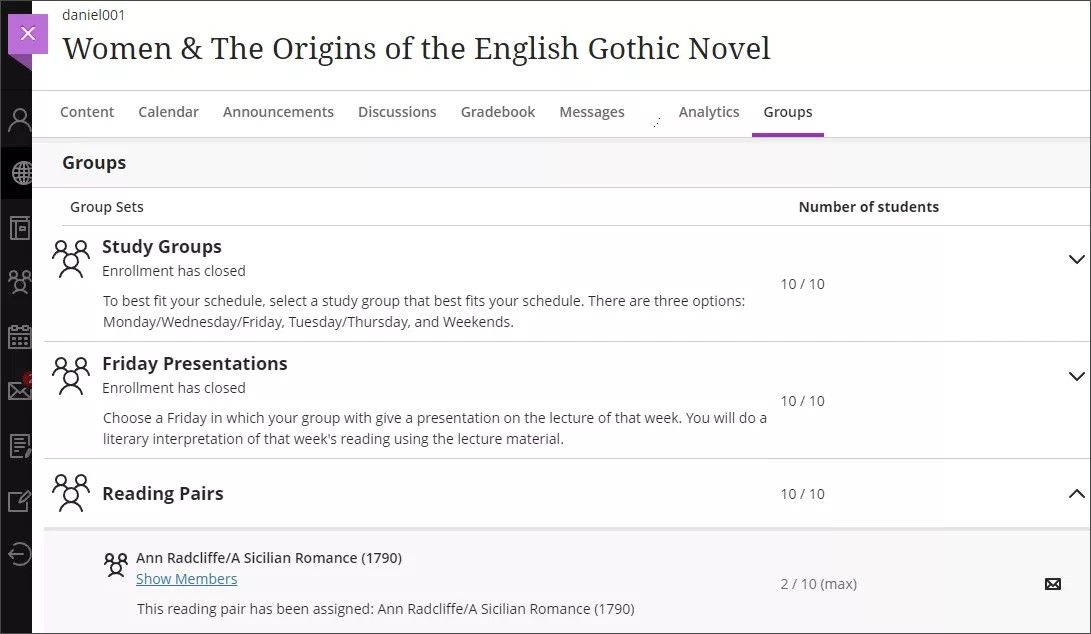
Includes discussion boards, group projects, messaging, and Blackboard Collaborate for live sessions. Journals allow private feedback between instructors and learners. Setup can require multiple tools to fully integrate collaboration.
Canvas Tools
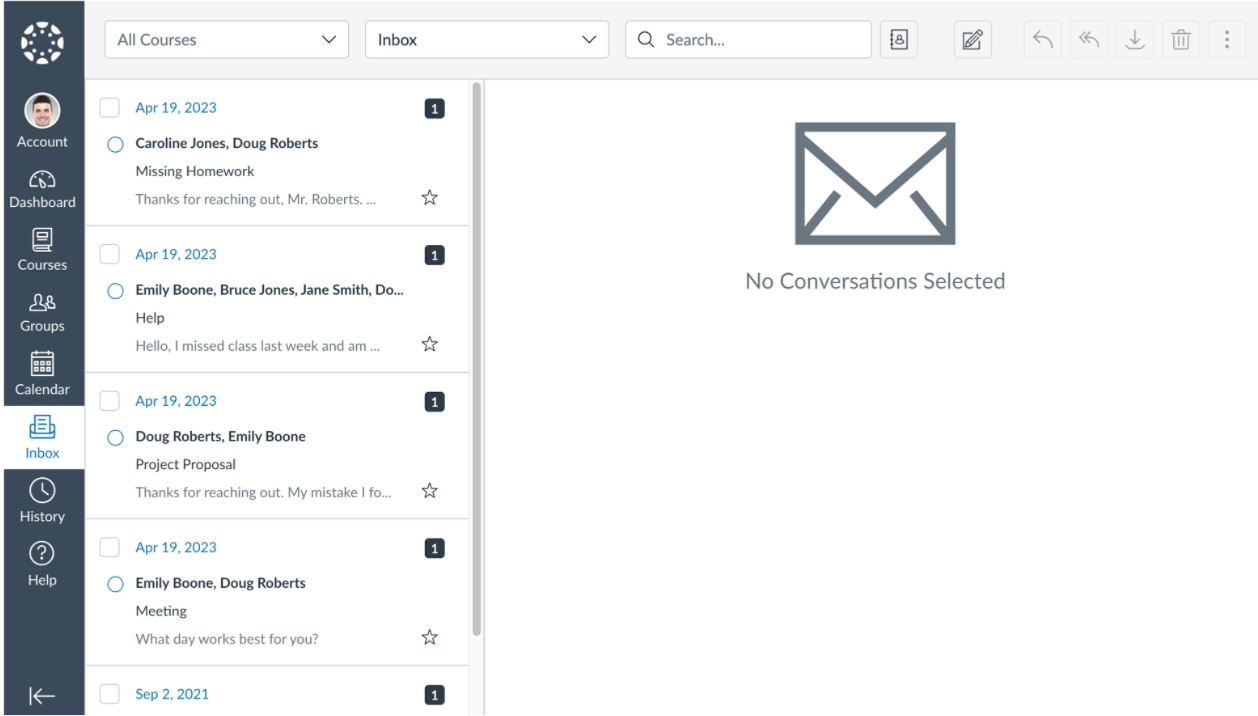
Built-in messaging, group discussions, video conferencing, and announcements simplify engagement. Canvas for Professional Education extends collaboration to corporate training and tracks employee completion rates efficiently.
4. Customization & Integrations
Flexibility supports LMS branding, workflow efficiency, and tool compatibility.
Blackboard Customization
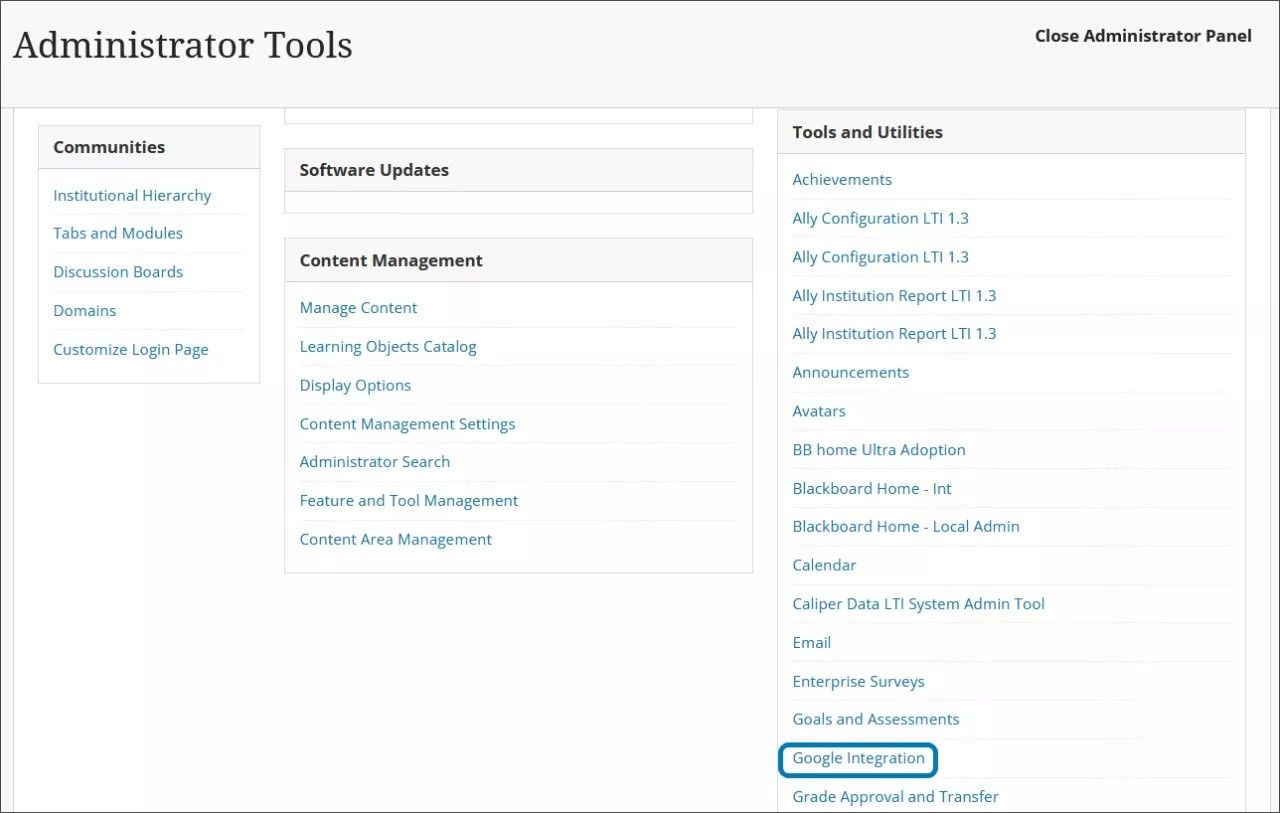
Highly configurable across themes, layouts, and course structure. Integrations with external tools exist but may require additional configuration. Best suited for institutions with dedicated admin teams.
Canvas Customization
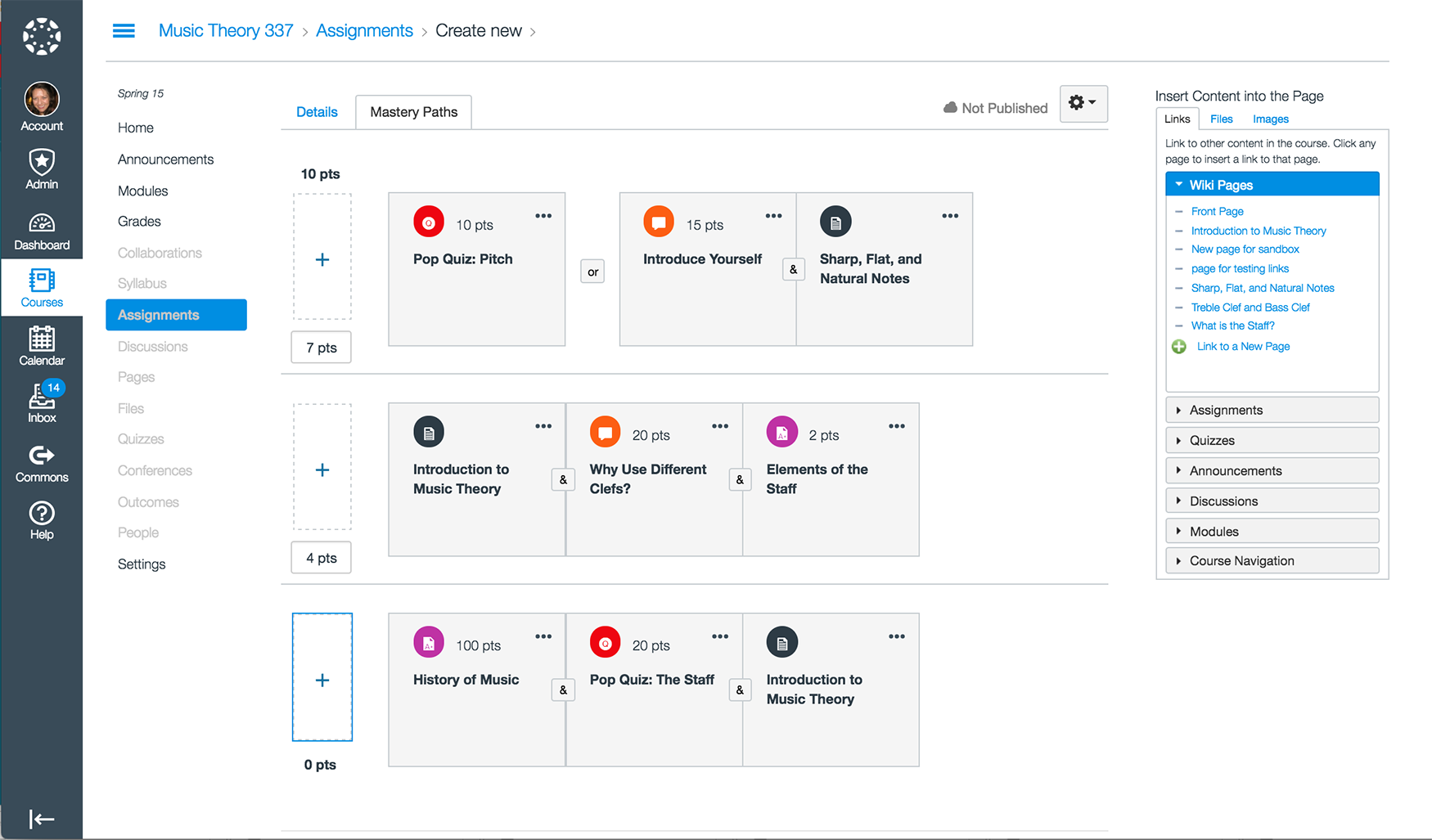
Course-level adjustments are possible, while global changes remain limited. Consistent interface appeals to schools seeking standardization. Integrates smoothly via LTI tools, Google Workspace, Microsoft Teams, and publisher platforms.
This is often where institutions with limited IT resources lean toward Canvas, while organizations with dedicated LMS administrators tend to favor Blackboard’s flexibility.
5. Pricing & Customer Support
Budgeting involves more than subscription fees. Hosting, maintenance, support, and implementation all factor in.
Blackboard Pricing
- Quote-based and often higher, suited for large institutions.
- Free 30-day trial allows testing features.
- Costs include setup, admin resources, and optional premium support.
Canvas Pricing
- The Free-for-Teacher plan gives essential features at no cost.
- Paid institutional plans are quote-based.
- Typical ranges for universities: $5–$15 per user per year, with setup fees varying.
- Cloud hosting reduces IT workload and eliminates patching responsibilities.
I’ve seen teams underestimate long-term LMS costs by focusing only on license fees. Support hours, instructor training, and maintenance time often make a bigger difference over several years.
Now, let’s talk support and security because strong support and robust security keep learning environments safe and reliable.
Blackboard Support
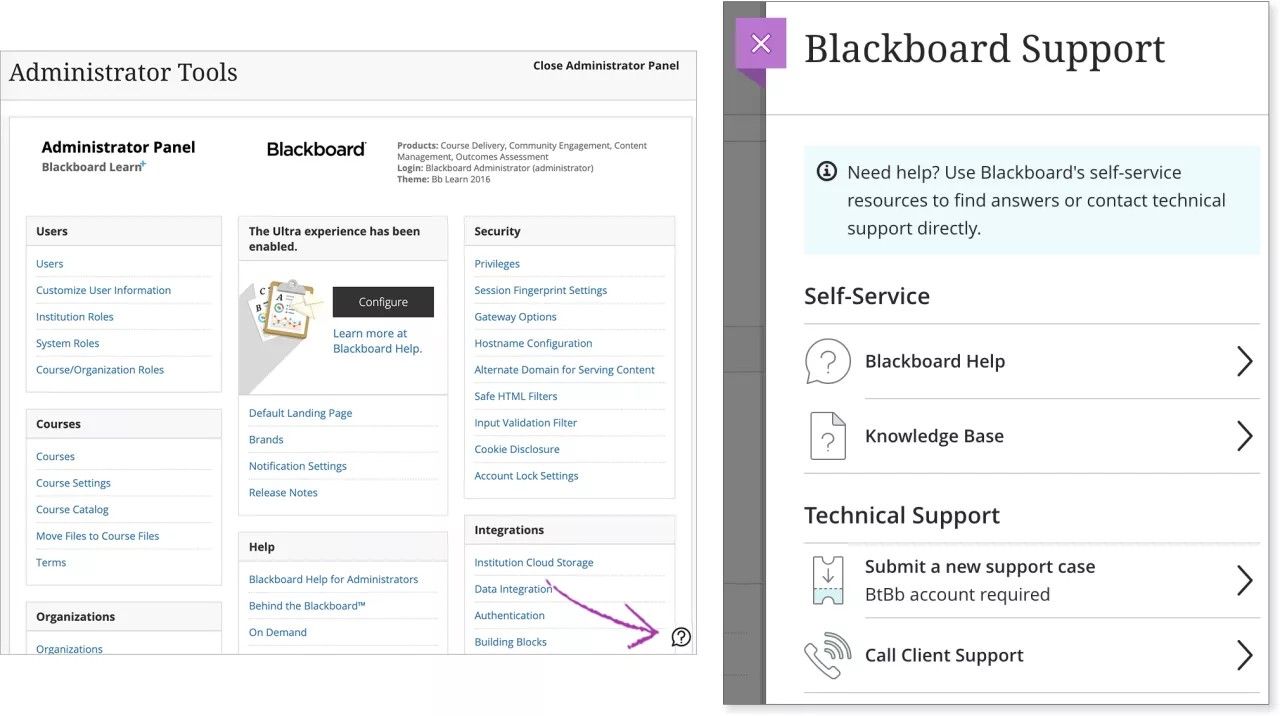
Support quality depends on hosting. Certified partners offer professional assistance. Updates and backups may require technical intervention.
Canvas Support
Cloud-hosted updates, patches, and compliance standards (FERPA, GDPR) handled automatically. Free users access community support, while institutional plans include priority assistance, onboarding, and training resources.
Blackboard vs Canvas: Which is Better?
There’s no universal winner here. Here’s a quick comparison of their features:
| Feature | Blackboard | Canvas |
|---|---|---|
| Best For | Large schools, colleges, and corporate programs needing deep tools | Schools, training teams, and businesses wanting intuitive LMS |
| Ease of Use | Powerful but complex; steeper learning curve | Simple, clean, intuitive for fast adoption |
| Course Creation | Flexible content types, detailed module setup | Drag-and-drop builder, interactive video, quick setup |
| Grading & Assessment | Rich assessment options; flexible rubrics | SpeedGrader, streamlined feedback, quick scoring |
| Engagement Tools | Discussion boards, Collaborate, group work | Built-in messaging, groups, and video features |
| Customization | Deep layout control, branding options | Limited global changes; easy, consistent look |
| Integrations | Integrates with many teaching tools | App Center with LTI tools, third-party integrations |
| Pricing | Quote-based, higher institutional costs | Free‑for‑Teacher + quote-based plans |
| Support & Security | Partner support; may need internal IT | Cloud-hosted updates, compliance handled |
Choose Blackboard if you want deep customization, flexible content workflows, robust grading tools, and broad support for large institutions. Choose Canvas if you prefer simplicity, intuitive navigation, strong integrations, and a platform that scales from K‑12 to corporate training with minimal friction.
How Users Rate Blackboard vs Canvas
Overall Ratings:
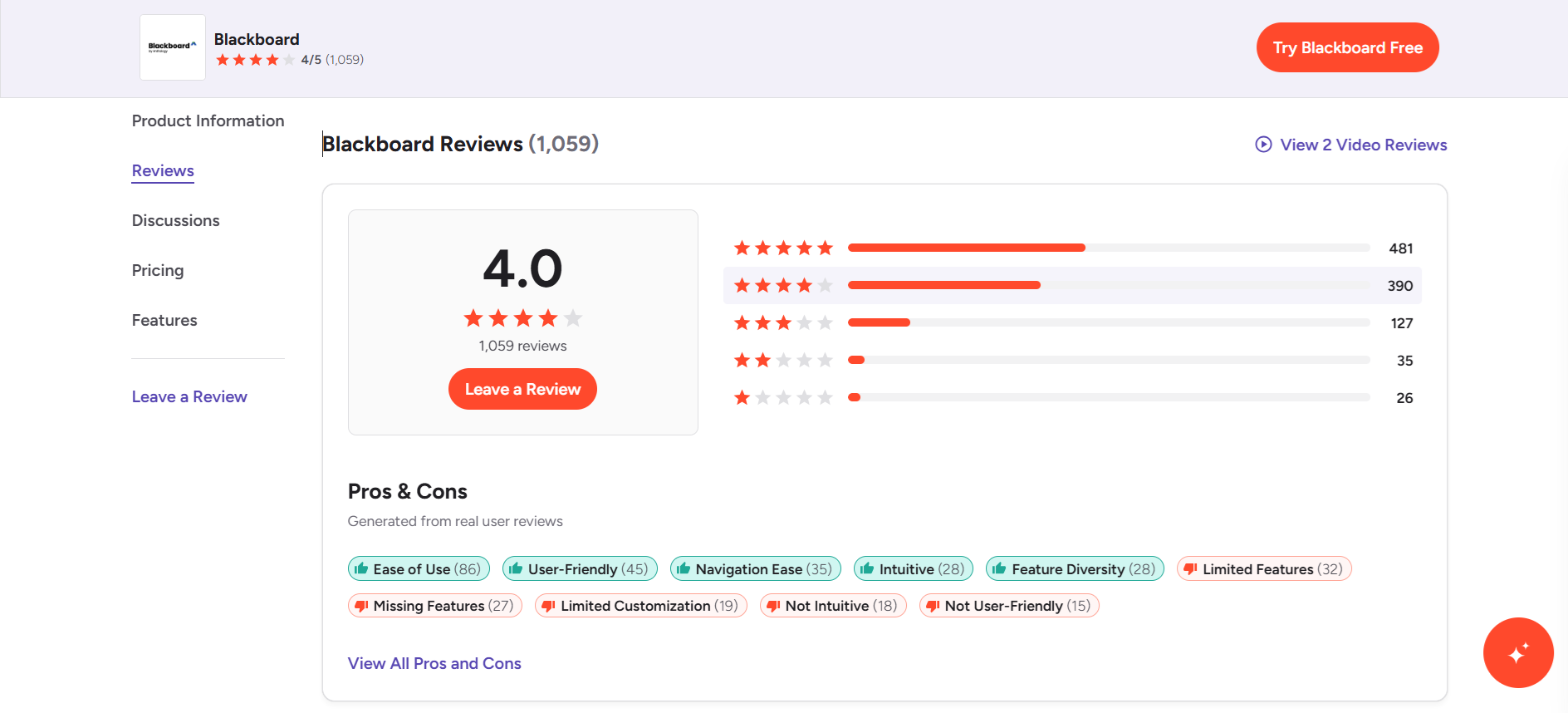
Blackboard: Mixed reviews (~4/5), valued for depth and enterprise control.
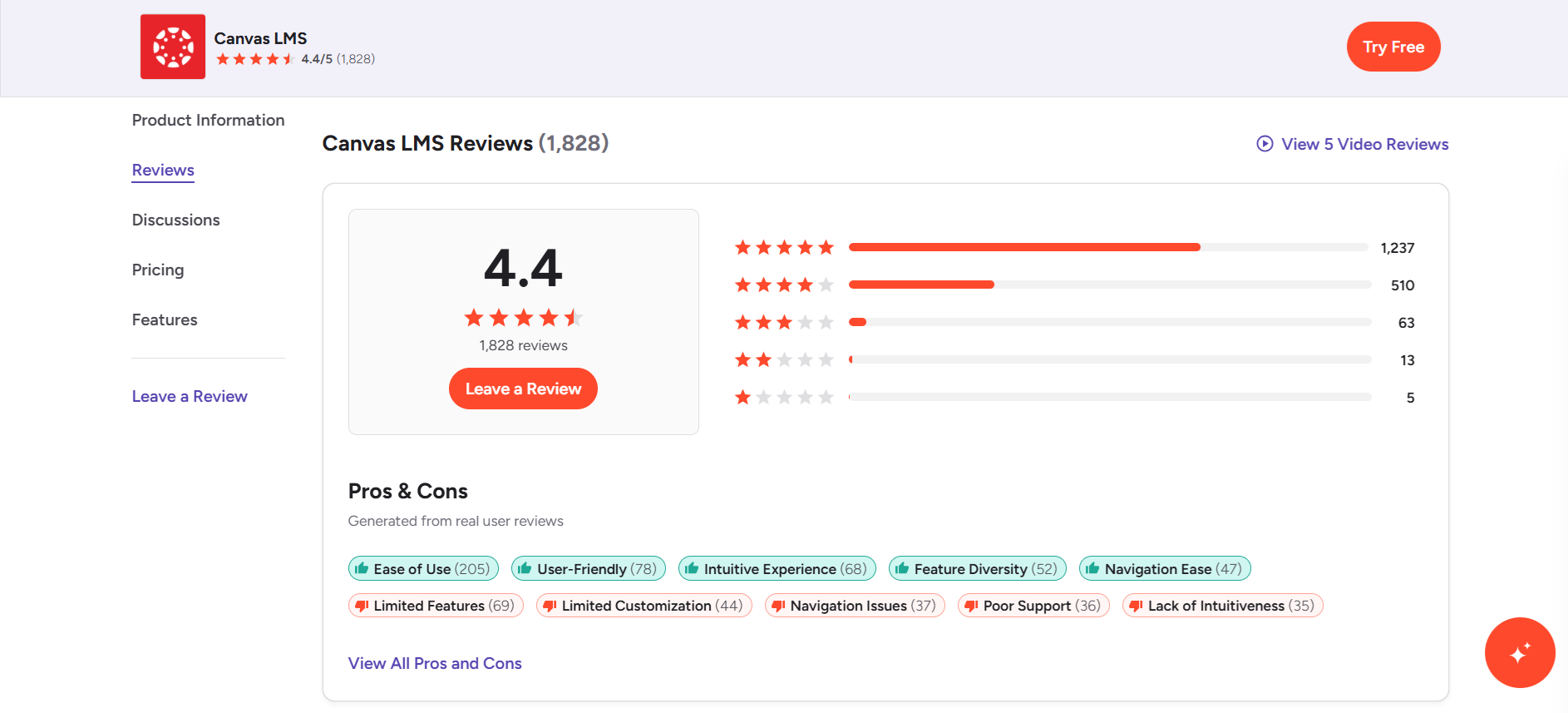
Canvas: Higher ratings (~4.4/5), praised for usability and modern design.
What People Like About Blackboard:
- Robust assessment, grading, and reporting tools.
- Strong institutional controls and compliance features.
What People Dislike About Blackboard:
- Dated interface and steeper learning curve.
- Slower updates compared with competitors.
What People Like About Canvas:
- Clean, intuitive interface favored by instructors and students.
- Strong integrations and collaboration tools.
What People Dislike About Canvas:
- Advanced analytics require add-ons.
- Less customizable at enterprise level.
Coursebox AI Leads the Pack
After evaluating traditional LMS platforms, many teams start looking for tools that reduce setup time and ongoing administration without sacrificing flexibility. This is where newer, AI-powered platforms begin to stand out.
Blackboard offers powerful tools, and Canvas focuses on simplicity, yet both leave gaps for course creators and training teams. Blackboard can feel overwhelming for new users, while Canvas limits deeper customization and reporting options.
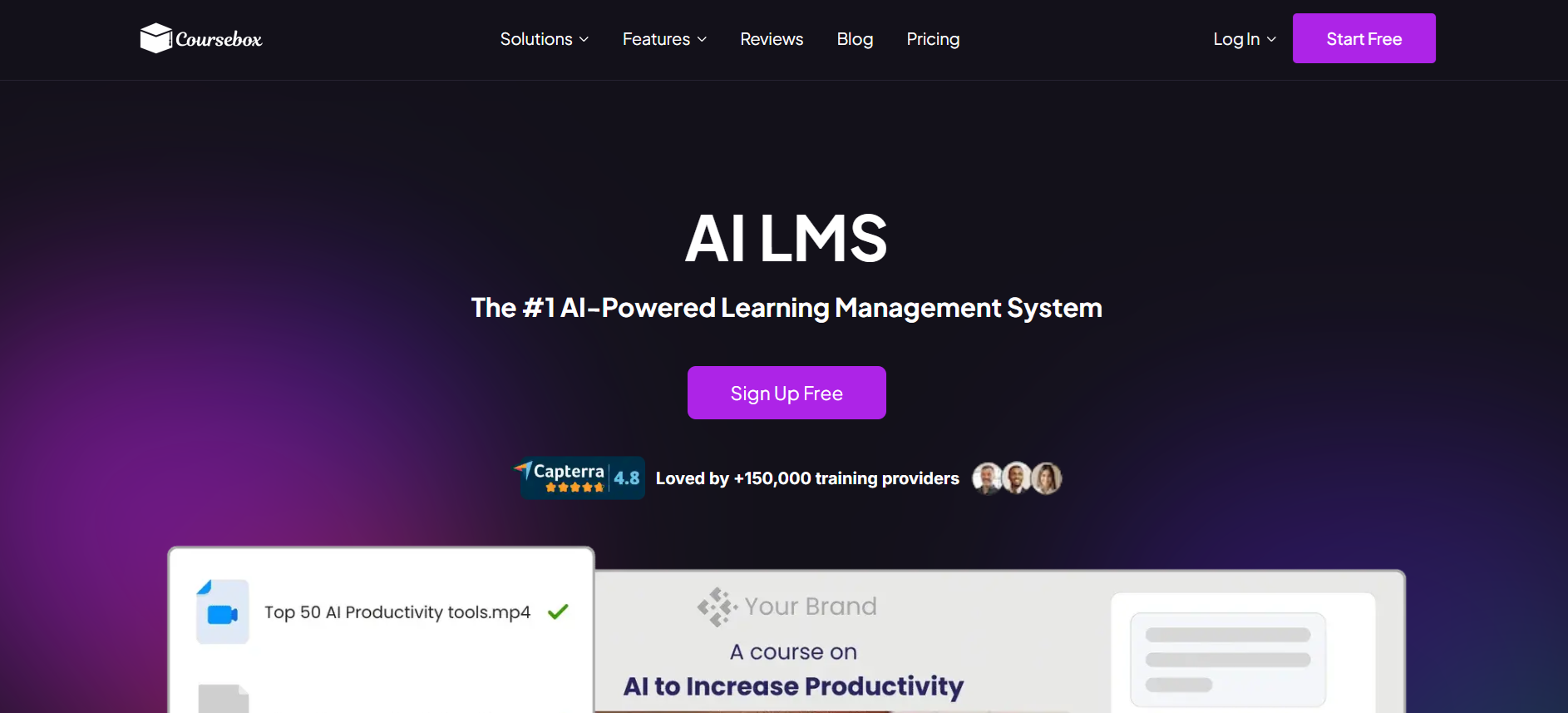
Coursebox AI solves these challenges with fast course building, AI-assisted content creation, automated grading, engagement tracking, seamless integrations, and smart reporting that saves time and boosts results.
The best part? Coursebox AI has a free forever plan with no credit card required.
Affordable paid plans include:
- Starter Plan (~$16.58/month): 50 branded AI courses, private publishing, unlimited learners, AI topic writing, chat & assessments, certificates, bulk enrollments, and LMS reporting.
- Pro Plan (~$33.25/month): Everything in Starter plus 200 courses, learner groups, subscription selling, Zapier integrations, newsletters, events, and 2GB storage.
- White-Label Plan (~$99/month): Custom domain, advanced user permissions, super admin controls, onboarding, commission management, marketplace tools, and SCORM uploads.
- Enterprise/Custom: Tailored solutions for large organizations or specialized needs (contact for pricing).
Start creating engaging, efficient courses today. Explore Coursebox AI and experience a smarter way to deliver training and education.
FAQs
How much does Blackboard cost?
Blackboard pricing depends on plan and institution size. Typically, schools request quotes based on users, courses, and hosting type. Blackboard Learn offers a 30-day free trial, while Blackboard Ultra subscription costs vary for enterprise clients.
Is there something wrong with Blackboard?
Blackboard works well, but some users face occasional interface issues, mobile app errors, and slow loading. Frequent updates aim to fix problems, yet new users may require training to navigate the system confidently.
Is Blackboard better than Moodle?
Blackboard offers smoother updates, more built-in collaboration tools, and cloud options. Moodle provides open-source flexibility and unlimited customization but requires technical support. Preference depends on how much control, resources, and support a team has for managing the LMS.
What are the pros and cons of Canvas?
The pros of Canvas include intuitive navigation, quick course creation, built-in grading tools, mobile-friendly, scalable, and reliable updates. However, it’s not a perfect platform. Some downsides include limited customization, minor app glitches, and less advanced features if you go with the free version.
How much does Canvas cost per year?
Canvas pricing varies by institution size and support level. Free-for-Teacher version offers core functionality with no cost. Paid institutional or enterprise plans require custom quotes, usually billed annually. Costs depend on the number of users, features, and integrations required.
Is Canvas really free?
Yes, the Canvas Free-for-Teacher version gives access to course creation, quizzes, assignments, grading tools, and mobile apps at no cost. Paid versions unlock advanced reporting, analytics, and admin features for institutions and organizations.
Travis Clapp
Educational technologist and instructional designer

