

Create AI Training Videos in Minutes: Step-by-Step Guide
Create AI training videos fast and easily. Turn knowledge into clear, engaging, and interactive learning that employees actually use.


Create polished training videos instantly
Training once took long sessions, big budgets, plus slow edits. Now, AI training videos give teams quick ways to turn real know-how into clear clips that hold attention.
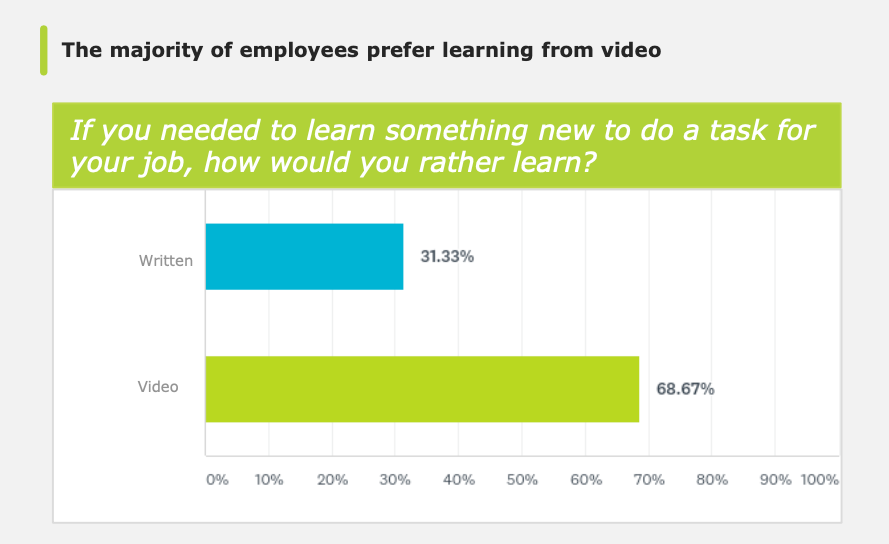
Many workers even learn faster with short, focused video content, with one recent study linking stronger engagement to better learning results. In this guide, you will learn the benefits of AI training videos and how to create them quickly and easily.
Can AI Make a Training Video?
Absolutely. AI can create engaging training videos without long shoots, complex tools, or video skills. Most teams start with simple materials like slides, process notes, quick recordings, or steps someone knows by memory.
The real challenge usually comes later, when that knowledge needs to turn into something clear, structured, plus easy to follow. AI lifts that weight by speeding up every technical task while you stay focused on content.
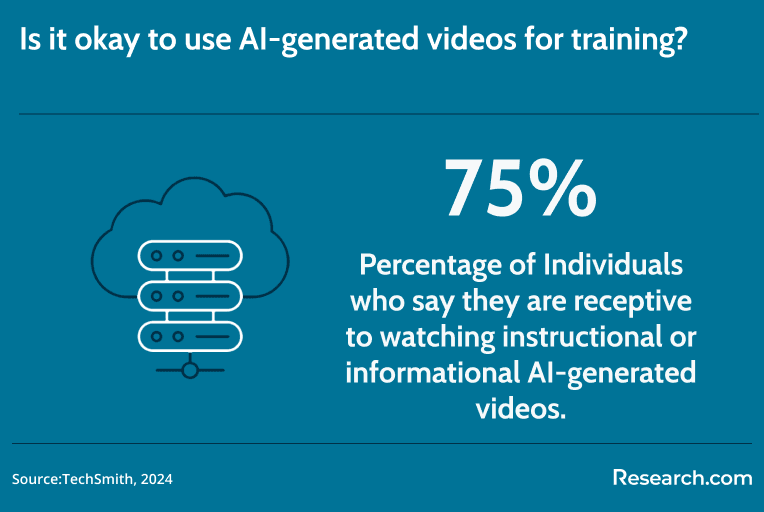
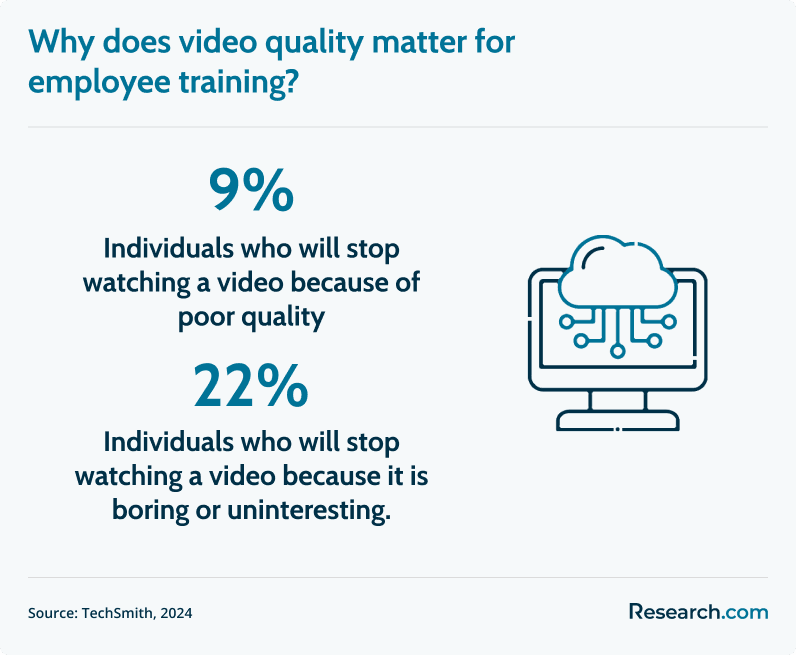
Why Short Videos Work Better
This shift supports modern learning habits. Quick videos help people solve problems faster. Microlearning fits into busy schedules. Knowledge moves from one person to many without long production cycles.
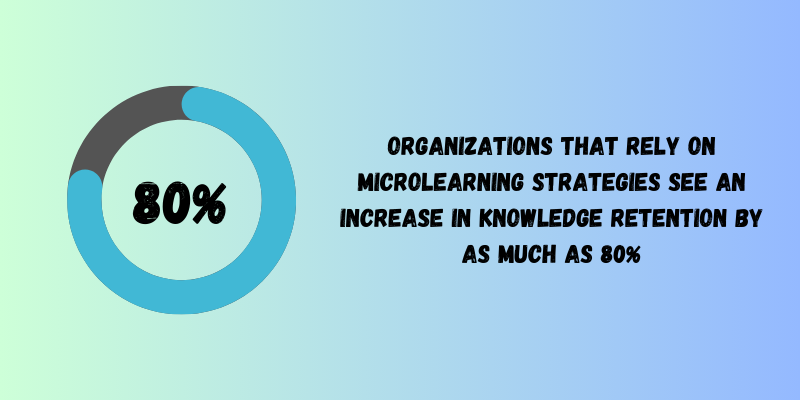
Fun Fact: A recent study links short, targeted learning content to higher engagement levels in workplaces.
What AI Can Do for Your Content
AI tools for employee training cannot decide what should be taught. You still choose what matters, what steps to show, plus what context learners need. AI simply cuts the time from idea to finished video. Think of it like a production assistant that handles scripts, voiceovers, subtitles, plus edits within minutes.
How Coursebox AI Makes it Simple
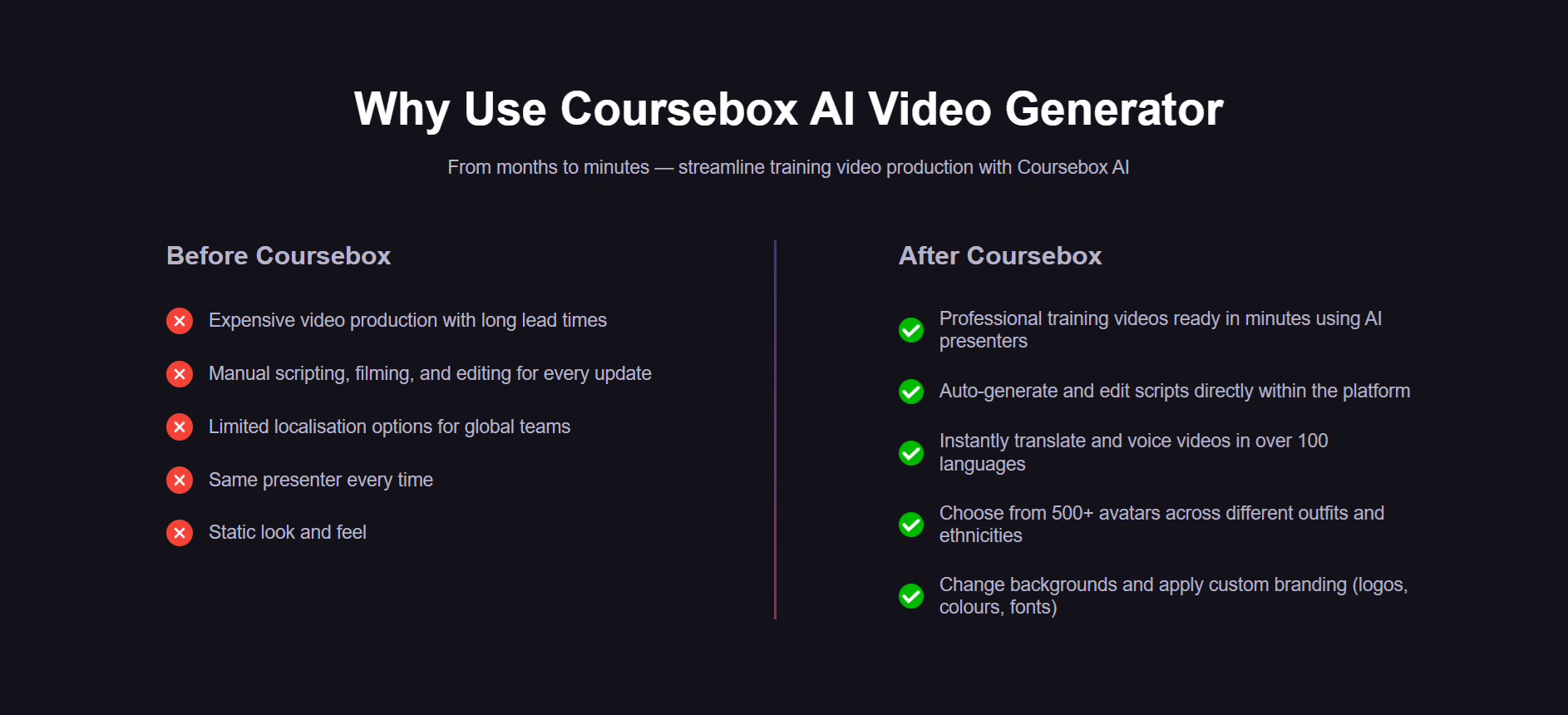
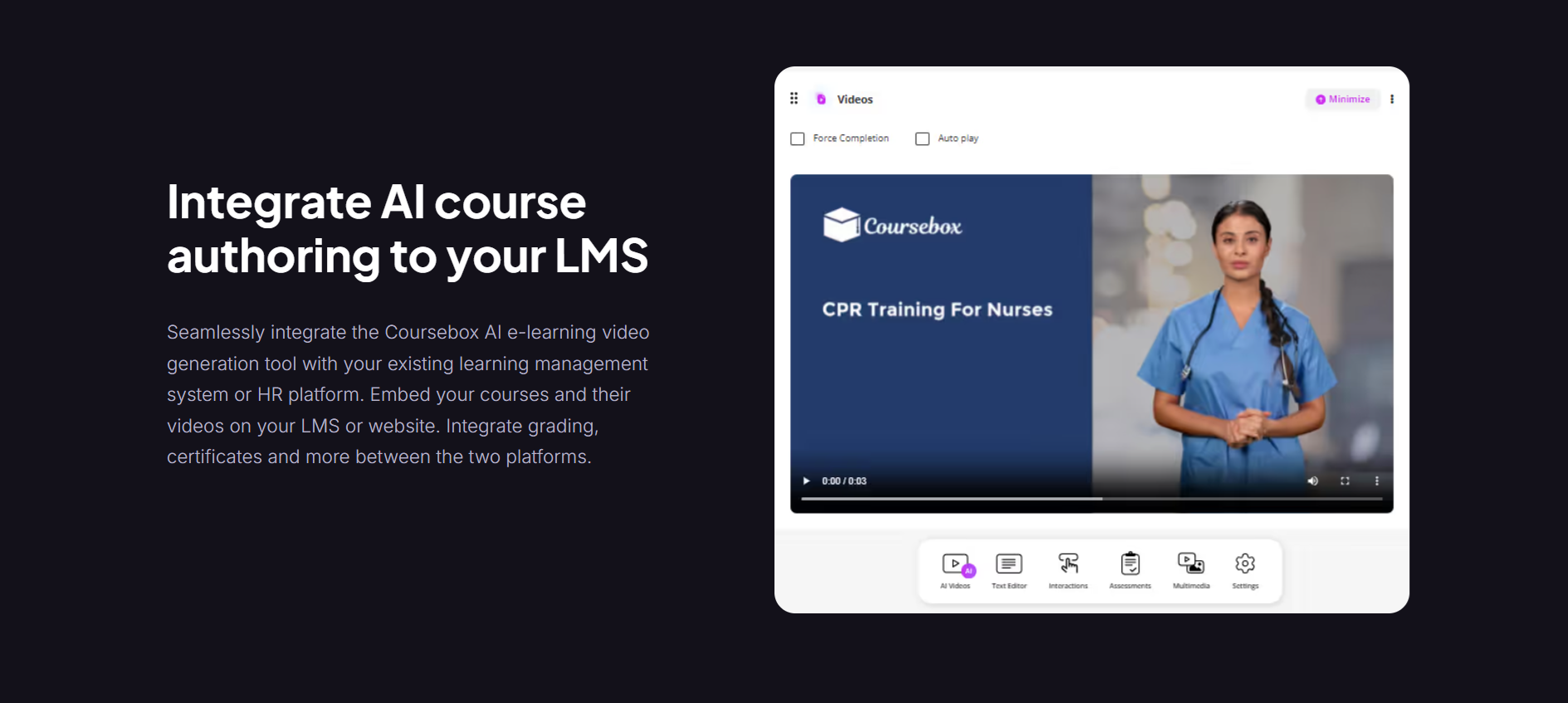
Coursebox AI fits this workflow perfectly. You simply place your outline or slides in the tool. Coursebox AI builds a script, creates voiceovers, applies subtitles, localizes content, plus produces clean clips without extra software. That speed helps learning and development teams spend more time shaping meaning and less time fighting with editing tools.
AI Keeps Quality High Without Extra Work
This method lifts quality, not lowers it, which is why it’s the future of eLearning.
- Teams produce consistent content faster.
- Subject-matter experts add insights without slowing the process.
- Updates take minutes.
- Training stays useful, current, plus simple to maintain.
In summary, AI makes training video creation easier, faster, and more practical for any team. You bring the knowledge. AI helps you turn it into clear video content that people will use.
How to Create Effective AI Training Videos: Step-by-Step
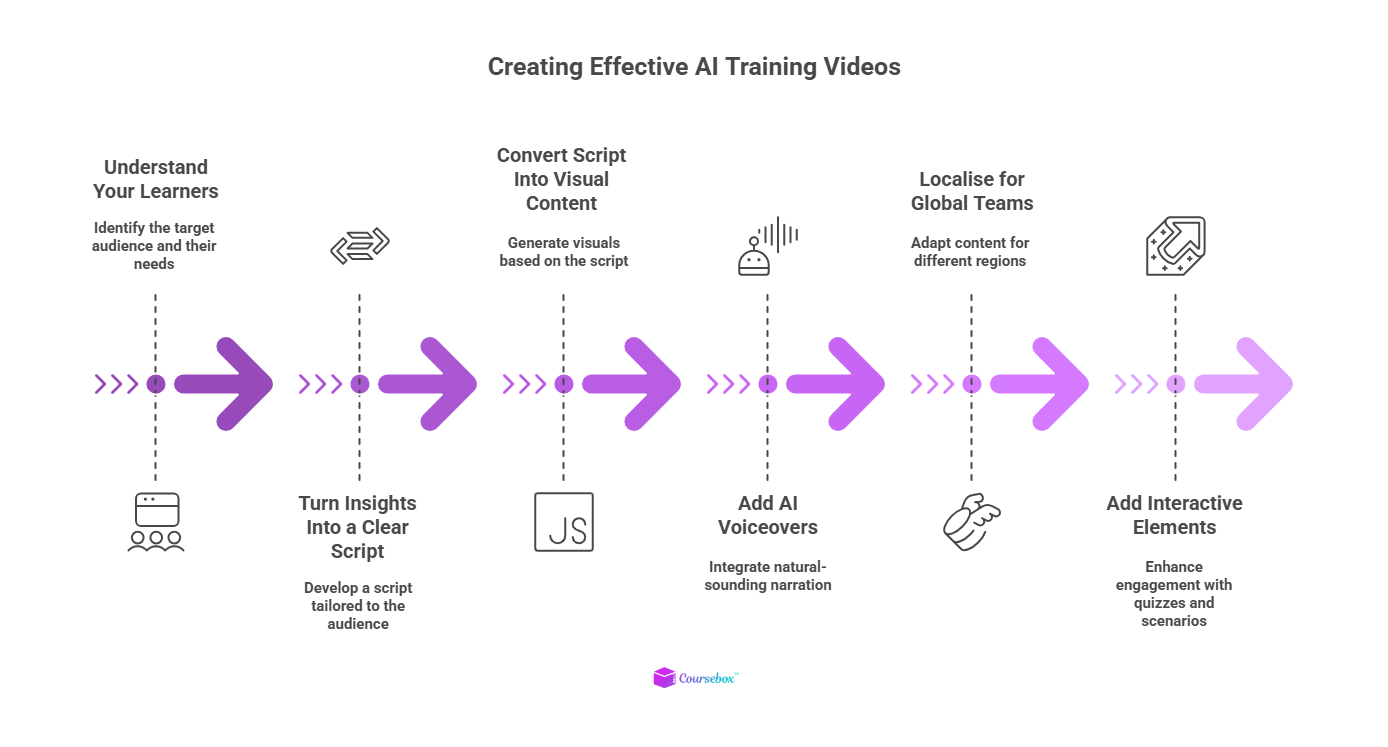
Creating AI training videos doesn’t have to feel technical or overwhelming. With the right tools and a clear workflow, anyone can turn complex training topics into engaging, easy-to-follow video lessons. Here’s how to do it right:
1. Start by Understanding Your Learners
Before creating anything, you need to know who the training is for. AI makes this easier by analyzing roles, experience levels, and common knowledge gaps.
What to look for:
- New hires → need basics, onboarding steps, safety rules
- Experienced staff → need updates, deeper explanations, advanced workflows
AI insights help you decide what each group actually needs, so your videos don’t feel too simple or too advanced.
How to get started:
Collect data from surveys, job roles, performance feedback, or previous training results. AI tools can highlight patterns, skill gaps, and content priorities so you build training programs that feel relevant from day one.
2. Turn Insights Into a Clear Script With AI
Once you know your audience, the next step is writing a script, which is the foundation of every effective training video.
How AI helps:
AI script generators can turn your topic, goals, and audience type into a ready-to-use script. It adjusts tone and complexity automatically, so you don’t have to write multiple versions manually.
Script examples:
- For new employees → simple wording, step-by-step explanations
- For experienced staff → deeper detail, policy updates, advanced examples
How to get started:
Enter your topic, learning goals, and learner description into a reputable AI writing tool to generate a clean, structured script in minutes.
3. Transform Your Script Into Visual Content
Now it's time to turn your words into something learners can see. AI tools can generate visuals, scene layouts, or full animations that match your script.
For different learner groups:
- Beginners → clear visuals, simple animations, high-level overviews
- Experienced teams → detailed diagrams, process walkthroughs, hands-on examples
This keeps the content both understandable and useful.
How to get started:
Choose scenes or templates in your chosen tool and let AI map the script to relevant visuals. You can customize colours, icons, or layouts based on your brand.
4. Add AI Voiceovers for a Professional Feel
Audio is a big part of how “real” and polished your training video feels. AI voiceover tools let you pick from natural-sounding voices and tones that match your audience.
Tone examples:
- Office teams → calm, instructional
- Manufacturing or field workers → clear, firm, and easy to follow
AI also syncs the narration with your visuals, so you don’t have to edit timing manually.
How to get started:
Select a voice style, paste your script, and export a ready-to-use audio file. Most tools also support multiple accents and languages.
5. Localize Your Video for Global Teams
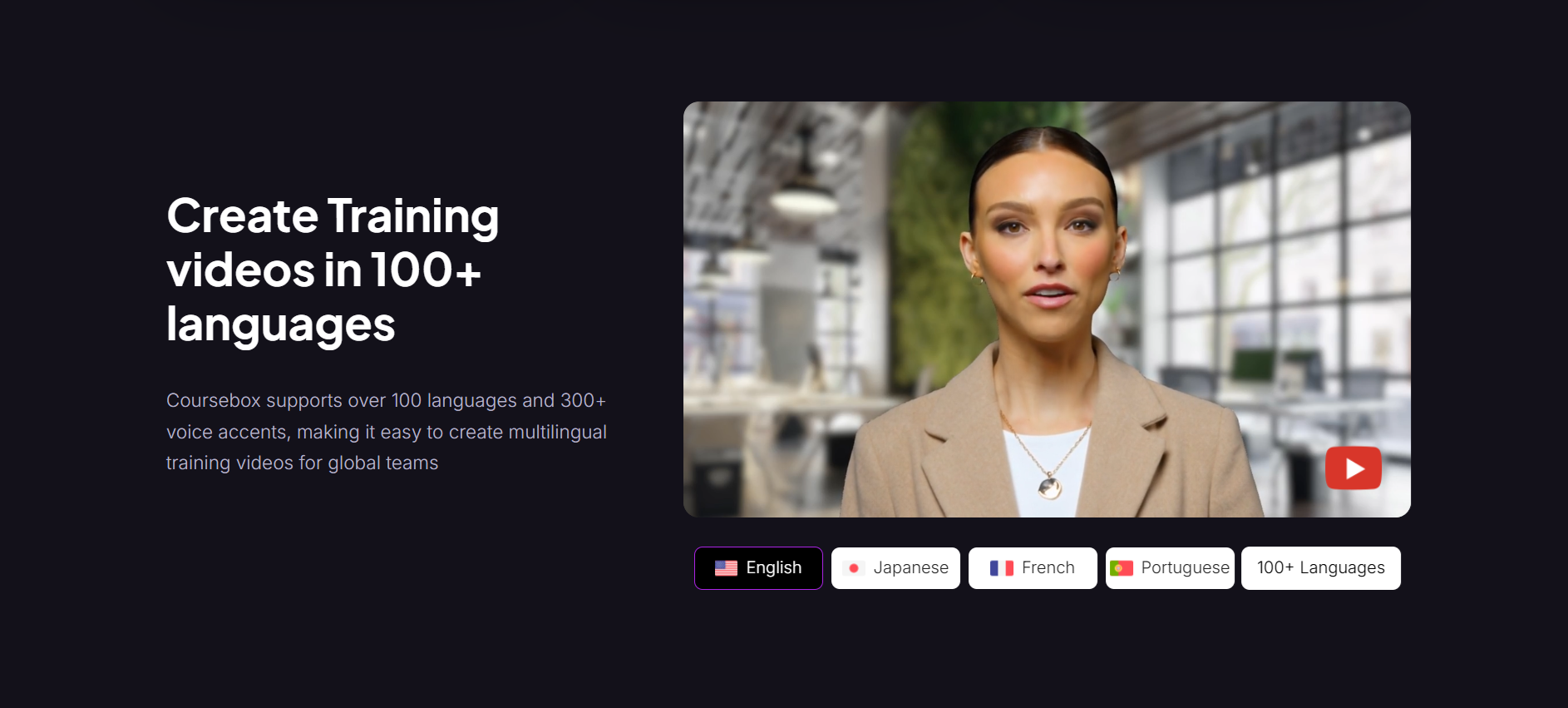
If your company operates across different regions, you can use AI to translate and localize your training videos.
AI can:
- Translate scripts
- Adjust subtitles
- Generate region-specific voiceovers
- Adapt cultural references so the content feels natural
This makes global training much faster and far more consistent.
How to get started:
Upload your script or video to a trusted AI translation/localization tool or a multilingual LMS and select your target languages. Review the output and adjust any region-specific examples.
6. Add Interactive Elements to Make Learning Stick
Modern AI training videos aren’t just “watch and leave.” AI can turn them into interactive experiences that boost engagement.
Interactive options include:
- Auto-generated quizzes
- Real-world branching scenarios
- Knowledge checks that adapt to learner answers
- Instant feedback or follow-up recommendations
This helps employees apply what they learn right away.
How to get started:
Use a personalized learning platform that lets you embed quizzes, clickable paths, or scenario choices directly into your video.
Where Coursebox AI Fits Into This Workflow
To make the process even easier, Coursebox AI handles many of these steps in one place:
- Audience-ready scripts: Generate clear training scripts based on your topic and audience.
- Instant video creation: Turn your script into videos with AI visuals, animations, and voiceover.
- Built-in localization: Translate training videos into multiple languages with natural AI voices.
- Interactive learning: Add quizzes and assessments directly inside the platform.
- Easy updates: Update text or scenes and regenerate the video in seconds.
It’s ideal for teams who want to create consistent, scalable training without using five different tools.
Pros and Cons of AI Training Videos
AI training videos bring huge benefits to L&D teams, but they also come with a few limits worth knowing. Here’s a balanced look to help you decide when and how to use them.
The Pros
1. Big Time and Cost Savings
AI speeds up every part of video creation, including scripting, editing, subtitles, translations, and more. Teams can update training in minutes instead of re-recording everything. This cuts production costs and frees time for more strategic work.
2. More Effective Learning
AI helps tailor videos to different roles, skill levels, and learning needs. When people get training content that fits their job, they pay attention longer and remember more. This leads to better engagement and stronger on-the-job results.
3. Easy to Scale Across Teams and Languages
Once your video is created, AI tools can adjust it for different regions, roles, or departments. That includes new versions, new languages, new voice-overs, and updated steps. This makes it easy to support global teams without rebuilding content from scratch.
4. Smarter Production With All-in-One Tools
Modern platforms combine scriptwriting, text-to-video, voice-overs, and instant localization in one place.
The Cons
1. Needs Clear Input to Work Well
AI can speed up production, but it still needs accurate steps, examples, and context from subject-matter experts. If the input is vague, the output will also be vague.
2. Not Ideal for Highly Emotional or Human-Sensitive Topics
AI can explain processes and skills well, but it may fall short for training that relies on human emotion, real stories, or nuanced communication.
3. Risk of Overusing Templates
AI tools can make videos fast, but relying too heavily on the same templates for employee training may cause content to feel repetitive over time. Adding a human touch keeps training fresh.
4. Requires Some Quality Checking
AI often gets you 80–90% of the way there, but the final polish still needs a human touch to check accuracy, tone, and company standards.
Create Engaging AI Training Videos with Coursebox AI
AI is reshaping workplace training by helping teams create clearer, more relevant content in less time. Instead of one-size-fits-all courses, learners now get videos that match their roles, needs, and daily tasks, which leads to higher engagement and better results.
With the right AI tools, you can transform your existing knowledge into highly engaging training videos. Ready to try it yourself? Start creating AI training videos for free today.
FAQs
Can AI learn from a video?
AI can analyze videos to recognize speech, actions, and patterns. This allows it to extract key insights, generate summaries, or create new content such as automated training videos, subtitles, or visual guides.
Are AI videos legal?
Yes, creating AI-generated videos is legal as long as you own the rights to the input content and respect copyright rules. Using licensed media or your original materials ensures compliance.
Can ChatGPT create a video?
ChatGPT alone cannot produce videos. It can generate scripts, outlines, or prompts, which can then be used with AI video tools like Coursebox AI to turn ideas into full training or educational videos.
What is the 30% rule for AI?
The 30% rule suggests using AI to handle roughly a third of your work, keeping humans in control for quality, accuracy, and context. For videos, this could mean AI drafts scripts or edits clips, while humans review and finalize the content.
Is AI able to make videos?
Yes, AI can produce videos from scripts, images, or text prompts. It can generate voiceovers, add animations, subtitles, and even localize content, making training video creation faster and easier for organizations.
How to use AI to make educational videos?
Start by drafting a script, then use AI tools to add visuals, voiceovers, and subtitles. Personalize content for different learner groups, localize if needed, and review the output. Platforms like Coursebox AI simplify every step of the process.
Is there AI that can make videos?
Yes, several AI platforms can create videos automatically. They can generate scripts, produce voiceovers, add visuals, and even localize content, making it easy to produce professional-quality training or educational videos without advanced editing skills.
Can AI make workout videos?
Yes, AI can create workout videos by combining exercise instructions, visuals, and voice guidance. It can also tailor routines for different fitness levels and formats, making personalized, easy-to-follow exercise content quickly.
Travis Clapp
Travis Clapp is the original founder and CEO of Coursebox. As an experienced instructional designer, he has lived through the process of building high quality courses. These experiences brought about his idea to upload all your documents and ideas into a virtual box that could convert those magically into a course. Prior to Coursebox, he successfully founded and built a social based LMS. Travis has 15+ years of experience designing courses and EdTech platforms from university MOOCs to enterprise LMS. Travis has built training for reputable companies like Johnson & Johnson, Electrolux, Michael Hill and SA Health. One of his courses reached 20,000+ learners which was a flagship edX course. He is based in the Adelaide, South Australia office and passionately works on customer support, sales and bringing the original product vision to life every day.

