

What are LMS Integrations & Their Types
The right LMS integrations can enhance your platform’s capabilities. Check out these top 10 LMS integrations to make your training smoother and more connected.


Run your own branded LMS with unlimited learners
Your learning management system (LMS) forms the basis of most organizational training. But if it stands alone, it can increase the workload for teams. They now have to handle project platforms, HR tools, reporting dashboards, and emails simultaneously.
LMS integrations bring all of these processes to the same place. They vary from company to company, although a few have become staples across most training programs. Email services, video meeting tools, HR systems, course builders, and content libraries sit near the top of that list.
In this guide, we will cover some robust LMS integrations that support everything from analytics to mobile access, and so on. Let’s discuss them in detail.
What Are LMS Integrations?
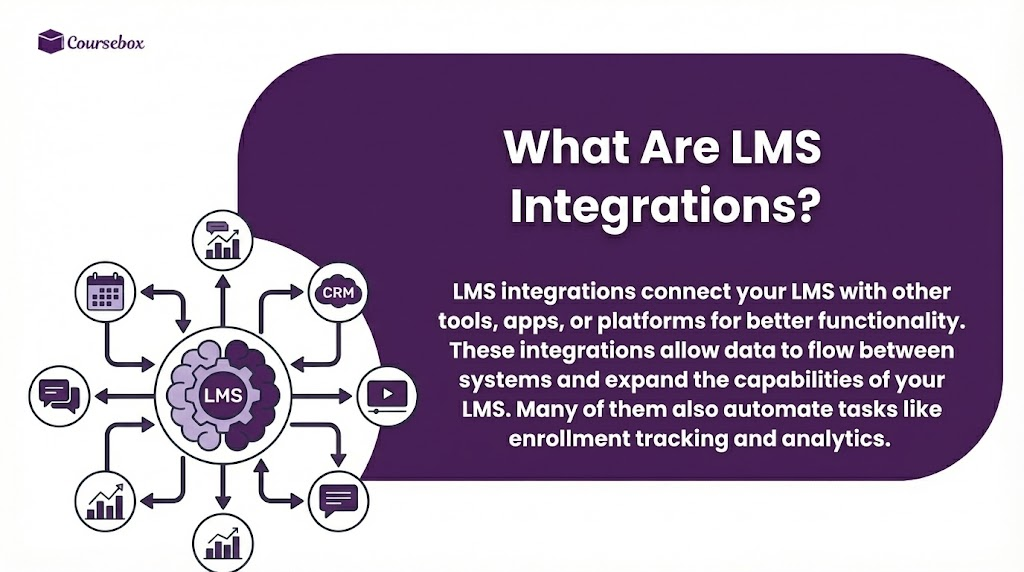
LMS integrations connect your LMS with other tools, apps, or platforms for better functionality. These integrations allow data to flow between systems and expand the capabilities of your LMS. Many of them also automate tasks like enrollment tracking and analytics.
Integrations can cover a wide range of needs, from payments and customer support to productivity tools, video conferencing, project management, and marketing platforms. The most notable benefits of LMS integrations are:
- Reduction in manual work
- Improved operational efficiency
- Automated user management
- Accurate reporting and analytics
- Access to learning resources from other tools
Your choice of LMS integration comes down to your needs. For example, if you want to manage student communication and collaboration, tools like Slack or Microsoft Teams fit perfectly.
Similarly, HubSpot and Trello provide visibility for tracking learner progress and engagement. Selling courses requires payment gateways like PayPal, while companies delivering interactive content benefit from platforms like Coursebox or LinkedIn Learning.
10 Types of LMS Integrations
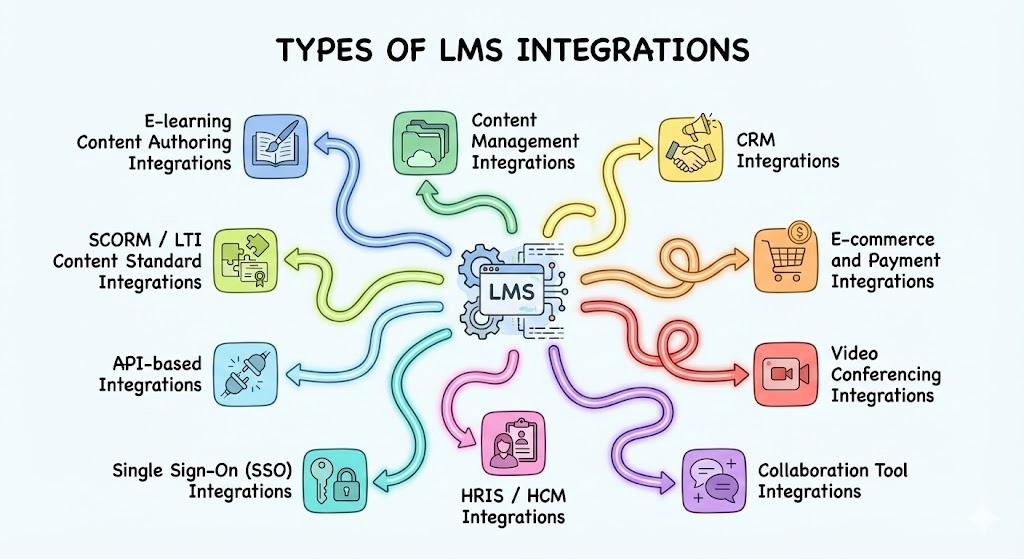
Here are some common types of LMS integrations that support a wide range of purposes:
1. E-learning Content Authoring Integrations
Many training teams use course authoring software because it gives them room to shape lessons without touching the LMS until the material is ready. The integration shortens the path from creation to delivery and keeps updates consistent across courses.
These links help instructors adjust files in the authoring tool while the LMS pulls in the latest version, which reduces repetitive upload cycles. It also protects teams from broken files, missing images, or outdated slides that often appear when material moves through too many steps.
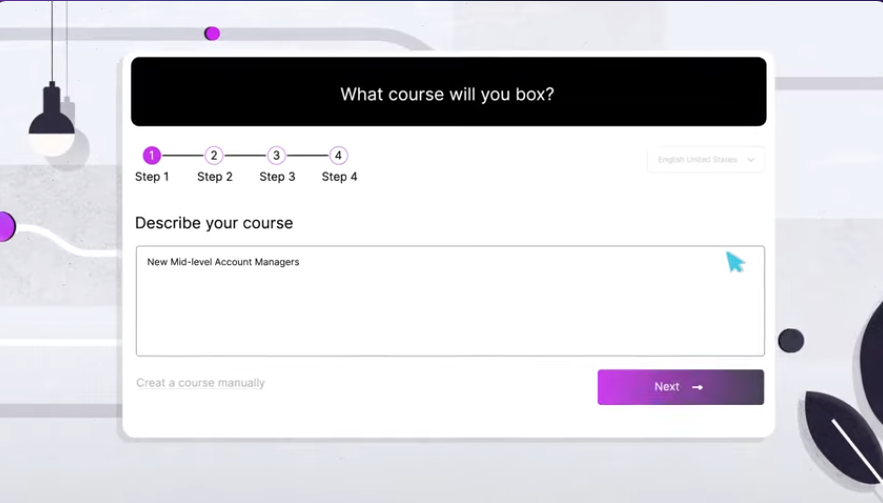
Example: Coursebox is an AI-powered course-builder that lets you use files or links to create structured courses filled with lessons, quizzes, assessments, automatic rubrics, and visuals. Its integrations cover LTI 1.3 connections with major LMS platforms like Canvas, Moodle, OpenLMS, and BrightSpace.
Coursebox also handles branding and multi-language delivery with little setup. So, you can create proprietary content for your teams.
2. Content Management Integrations
Content management integrations connect an LMS with external libraries or storage platforms so teams can bring material into one place without re-uploading files. These integrations are must-haves for organizations that keep resources across several systems and want everything to appear inside the LMS for smoother access.
Learners get access to a single hub for lessons, reference files, short tutorials, or long-form materials. It also helps instructors update content in one system instead of replacing files in multiple spots.
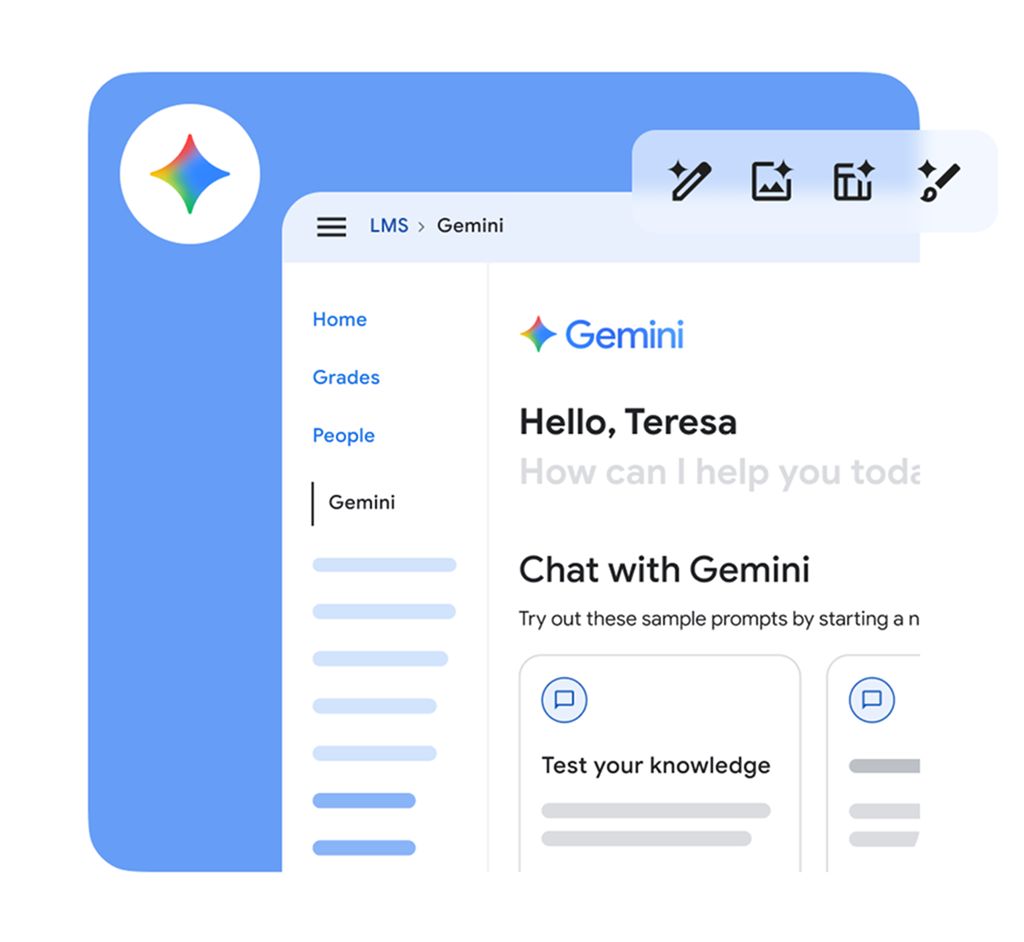
Example: An LMS connected to Google Workplace can display training videos, worksheets, manuals, and slides directly inside each course. The suite also offers Assignments LTI, which helps instructors distribute work and grade with rubrics inside the LMS.
3. CRM Integrations
CRM integrations link an LMS with customer data so training teams can connect learning activities to real sales tasks. Many organizations use them to align training with role changes.
These integrations help teams match course material with skill gaps that appear in CRM activity. For example, a rep who handles new accounts might get access to onboarding modules, while the one handling renewals might receive courses shaped around calls or client retention. The LMS reacts to updates inside the CRM without extra manual work.
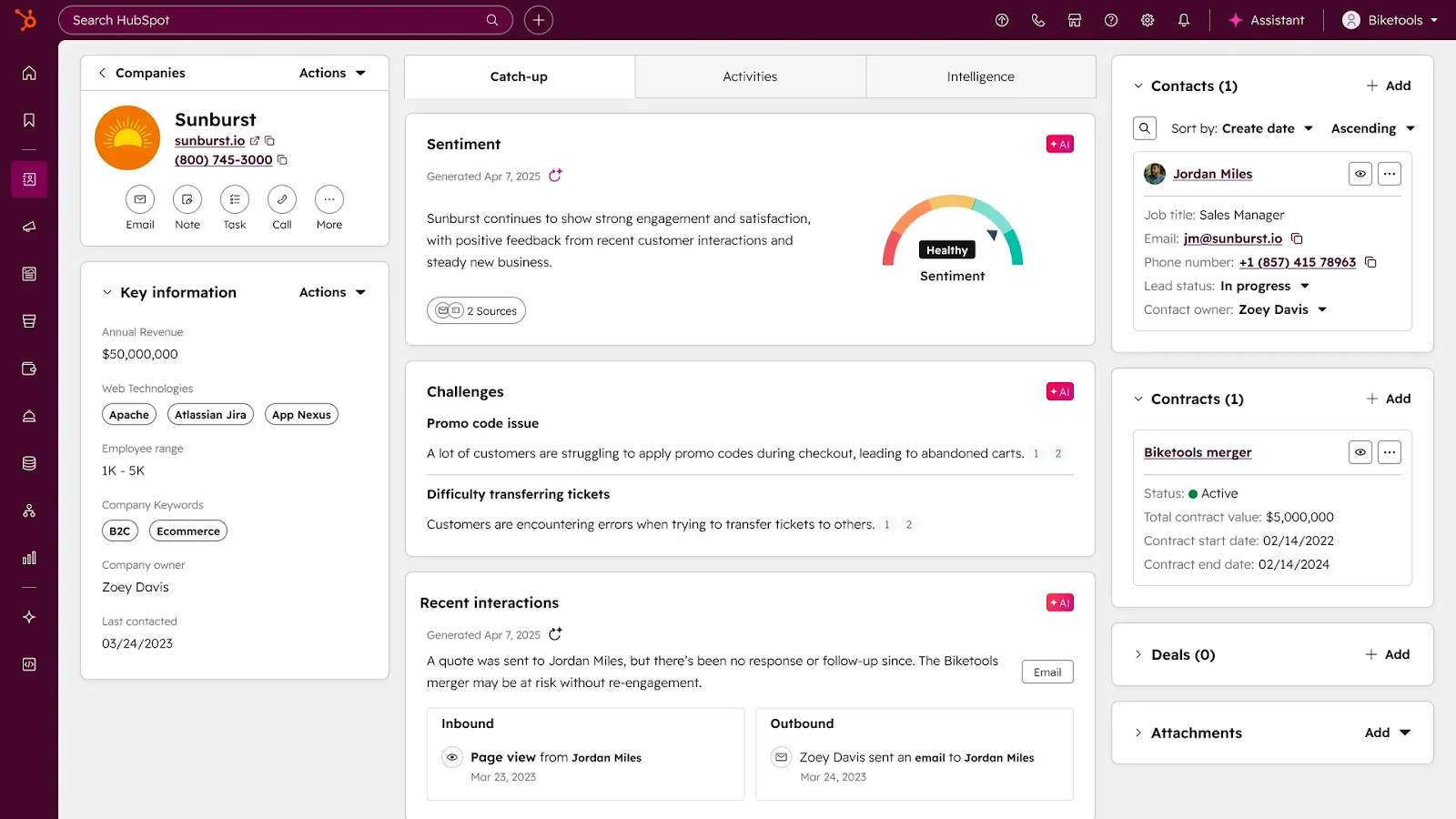
Example: A HubSpot connection can enroll reps in product update modules when their pipeline includes items tagged as “new release,” “beta,” “upgrade,” or “migration.” Here is what HubSpot’s CRM integration looks like:
4. E-commerce and Payment Integrations
E-commerce and payment integrations help organizations that sell courses or run paid programs inside their LMS. They connect the system to trusted gateways so learners can check out easily. The setup works best for training businesses, associations, or academies that handle paid access.
Payment integrations manage orders, subscriptions, renewals, and receipts. Since every purchase ties to the learner profile, manual verification isn’t always needed.
Plus, course creators can see sales patterns and activity peaks. The data helps them adjust programs, bundle materials, organize promotions, or handle high-demand seasons.
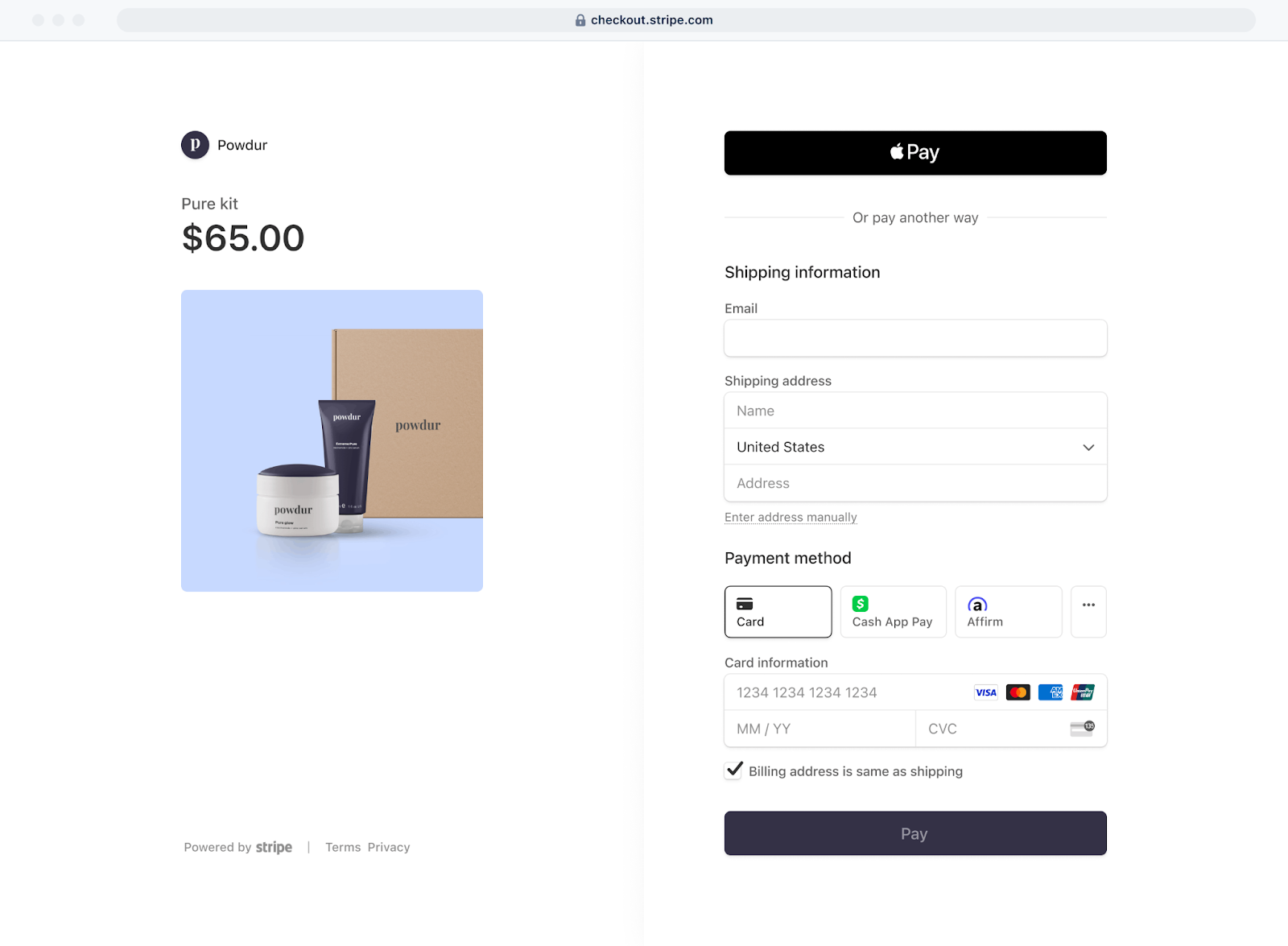
Example: A Stripe integration can handle one-time payments, renewals, and multi-seat orders inside the LMS.
5. Video Conferencing Integrations
Video conferencing integrations connect live sessions to the LMS so learners can join meetings and classes within the platform. The connection can sync session details with course pages.
Attendance records, learner activity, and session notes can appear inside the LMS once the call ends. This way, training teams can track participation without manual logs. More importantly, instructors can focus on the session rather than setup issues.
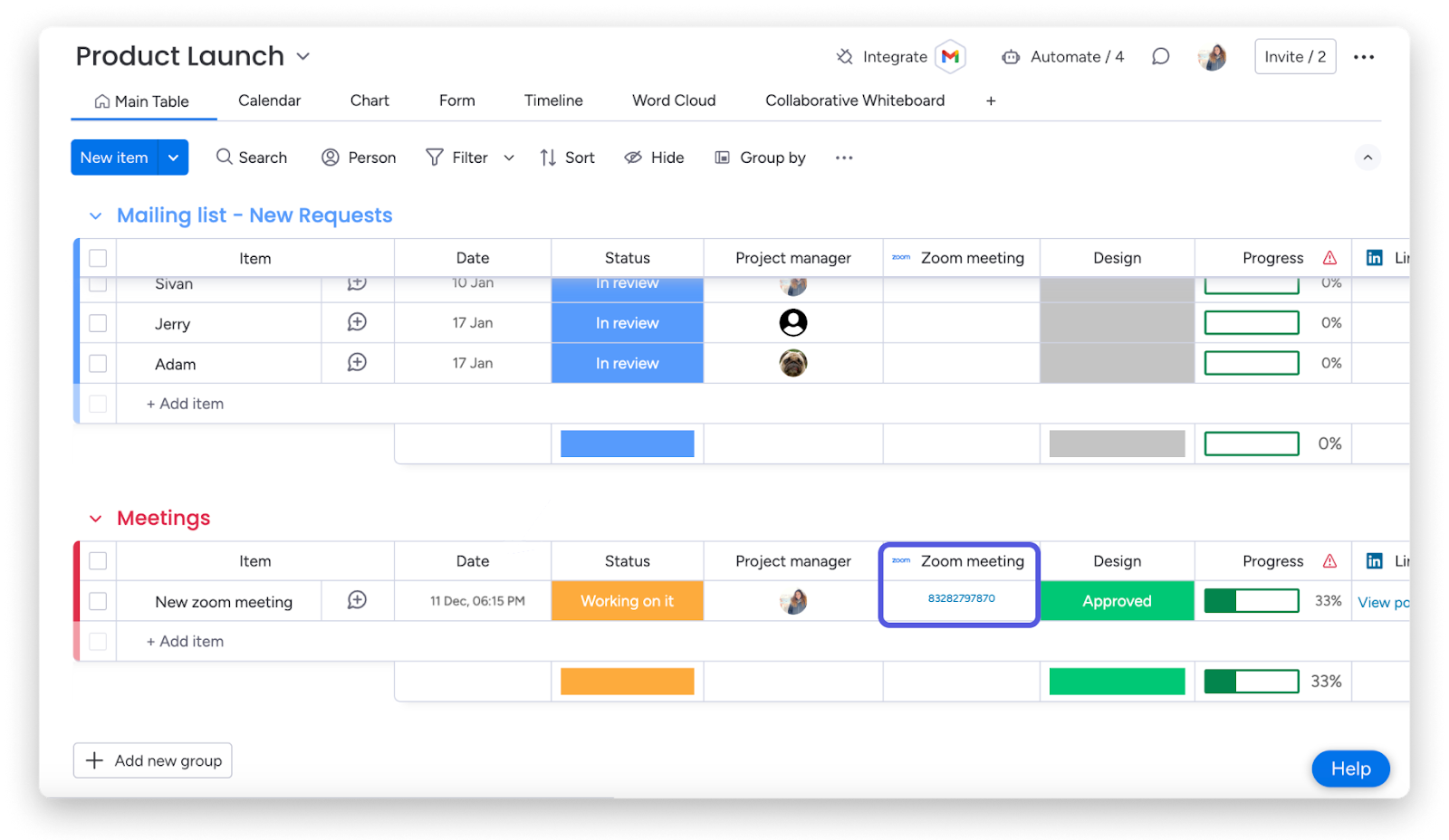
Example: A Zoom integration lets students join meetings from within the LMS. Instructors can also see attendance data and share class recordings on the same platform. Here is an example of Zoom’s integration in monday.com:
6. Collaboration Tool Integrations
Most teams already have an everyday communication platform. What if the LMS also integrates with it?
These integrations let learners and instructors work through tasks without jumping between several apps. They also help coordinate projects, share notes, send reminders, or hold quick discussions about assignments.
Courses that include team exercises, shadowing tasks, project submissions, ongoing feedback, or branching scenarios need continuous communication. Such integrations keep all messages from instructors in the same place. Plus, they bring structure to programs that run across several locations or departments.
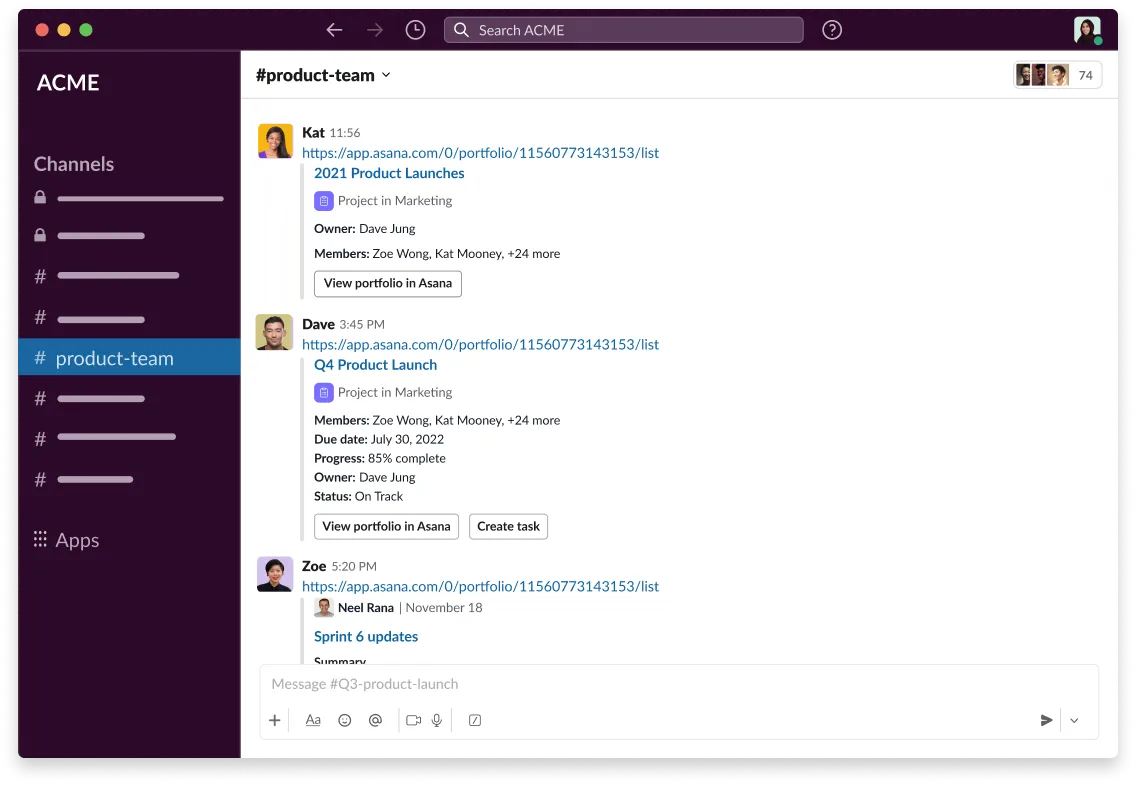
Example: Slack integration gives instructors a space to run discussions and share announcements without relying on long email chains. Channels keep everything organized by topic so students can find what they need. Check out Slack’s integration into Asana’s CRM:
7. HRIS / HCM Integrations
HRIS and HCM integrations connect the LMS with core employee data so training programs stay aligned with hiring cycles, promotions, department changes, and compliance requirements. A clean sync is particularly useful for organizations with large, shifting workforces.
These integrations pull fields like job titles, start dates, manager assignments, and department structures into the LMS. This allows automatic enrollment rules to match real situations. Learners receive the right material as soon as their role changes. Similarly, managers can monitor training needs across the board.
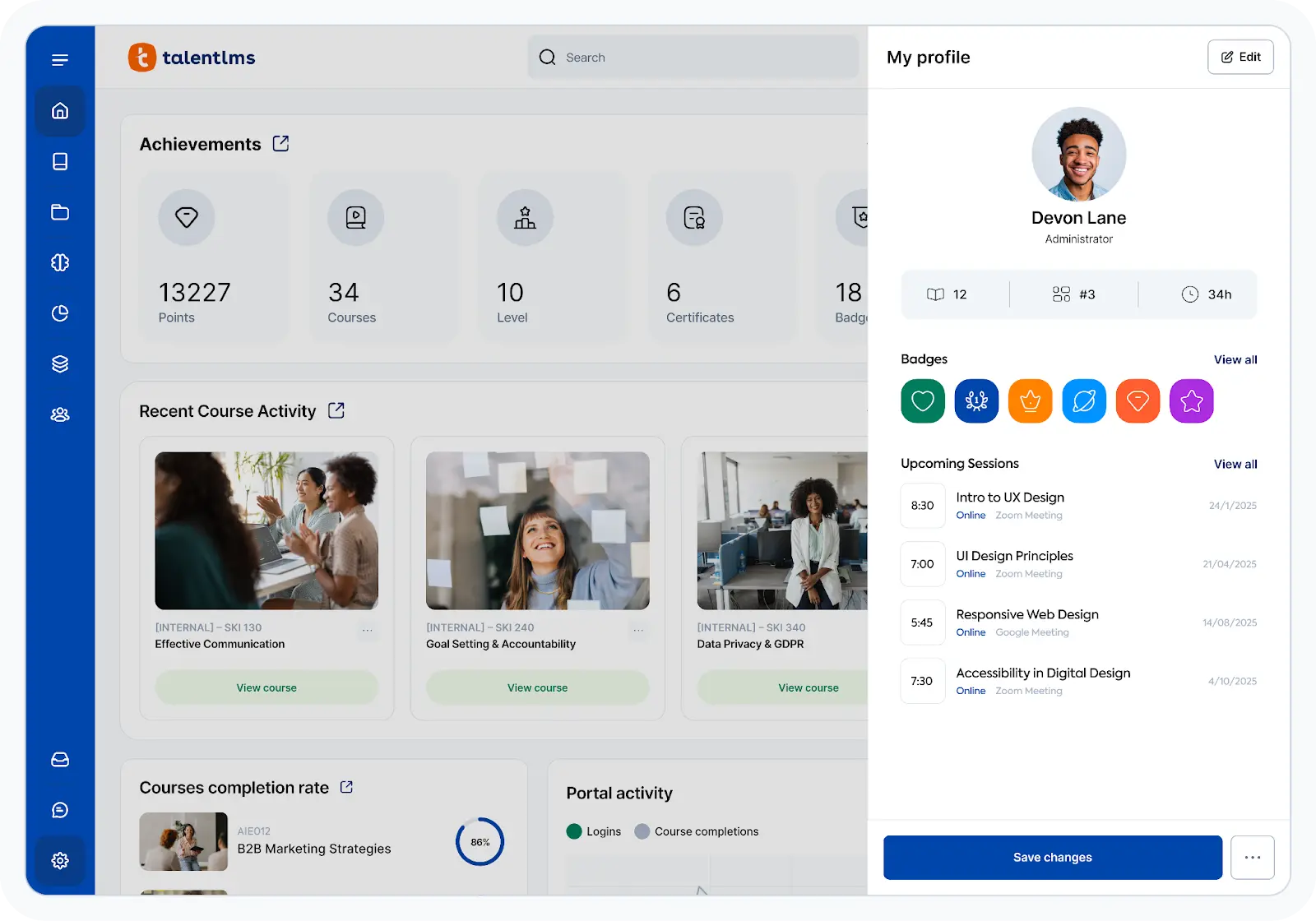
Example: You can integrate BambooHR within your LMS to sync new hire profiles and department assignments. Completion data is also automatically updated in both systems. This is how BambooHR’s integration into LMS looks like:
8. Single Sign-on (SSO)
Single sign-on integrations connect the LMS with an identity system so learners use one set of login details across all approved platforms. In simple words, learners don’t have to remember half a dozen passwords.
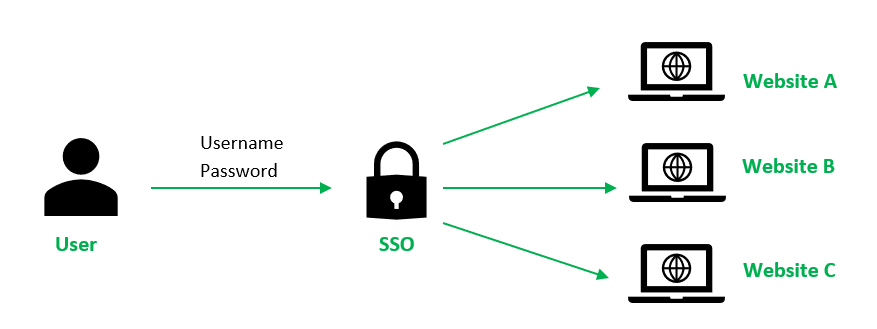
SSO ties the LMS to a central database that handles access rights. Once a user logs in through the identity provider, the LMS trusts that verification and opens the correct learner profile.
It cuts password reset requests and lowers the time spent on account management. The latter is quite important during onboarding cycles.
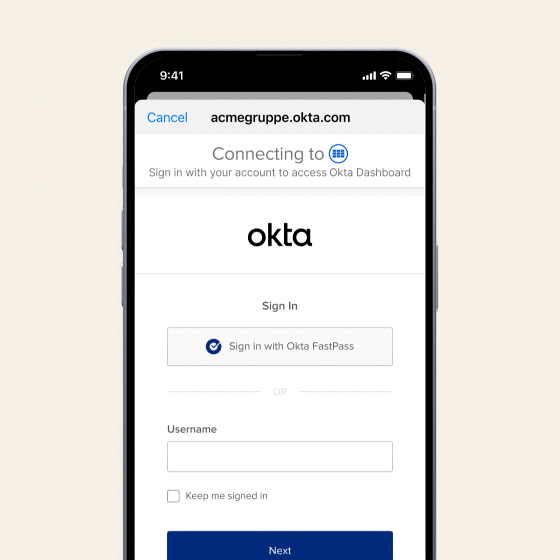
Example: An Okta connection can authenticate users and match them to LMS roles. It can also update access as learners move across roles or rotate through different training programs.
9. API-Based Integrations
API-based integrations connect the LMS with external systems through direct data pathways. Many organizations prefer this approach because it gives them flexibility without forcing changes to their entire setup.
APIs support tasks such as syncing user records, sending course progress to other platforms, updating enrollments, or pulling files from storage tools. The structure lets teams choose what flows through the link. So, they can match the integration to their own workflow.
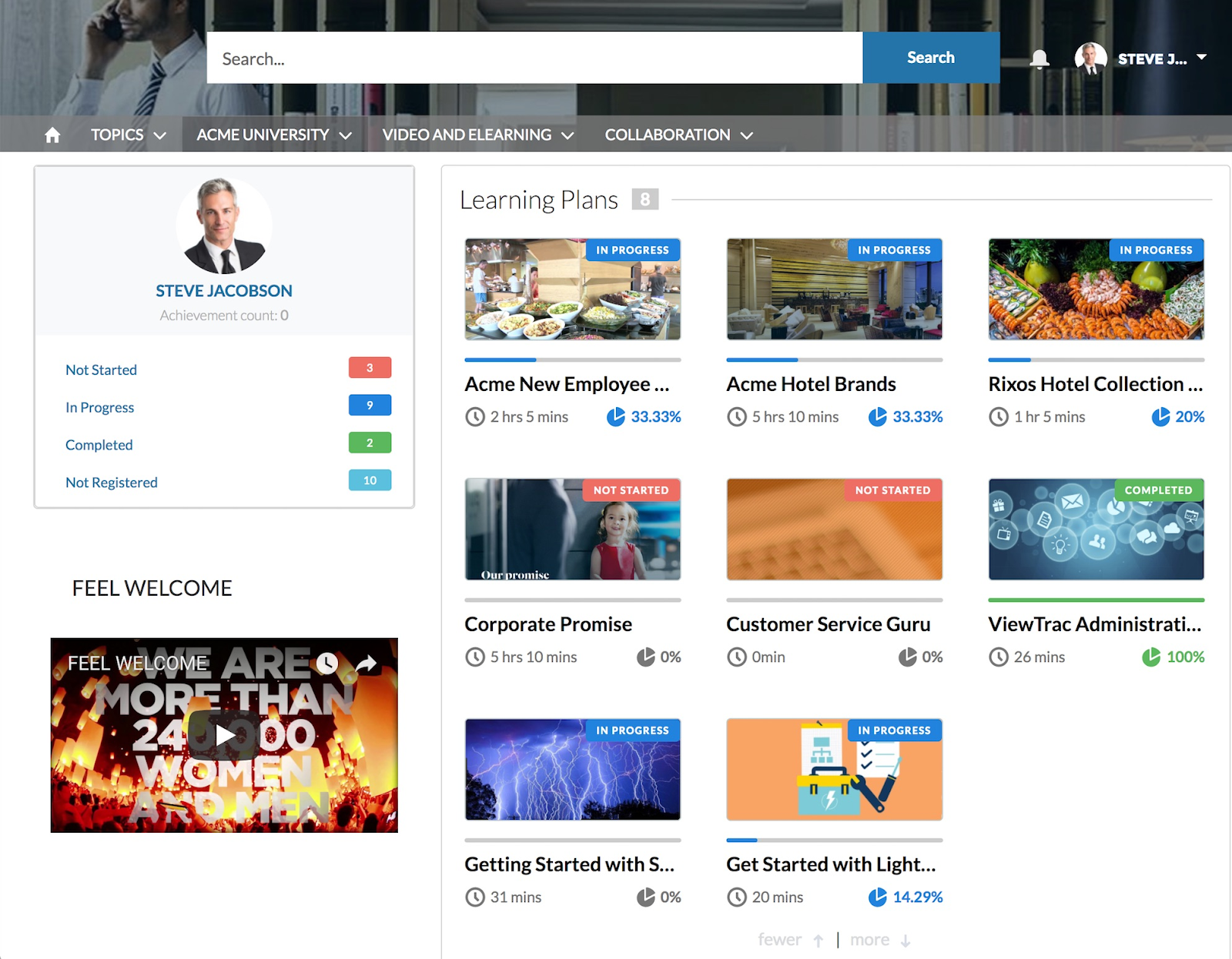
Example: If you use a Salesforce API connection, you can share course completions, training milestones, and other data with the LMS.
10. SCORM / LTI Content Standards
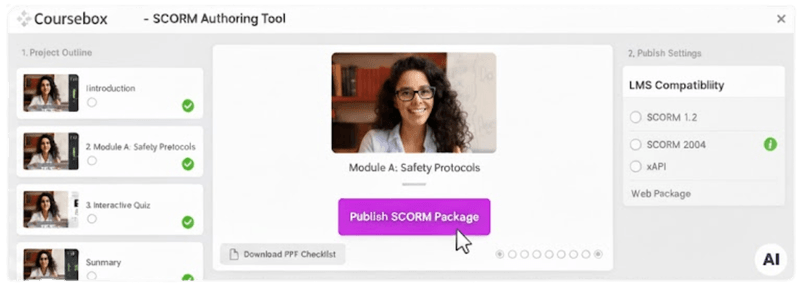
SCORM and LTI integrations help the LMS read course packages built in external tools. These standards create a common structure, so lessons load the same way across different platforms. SCORM packages track completions, scores, quiz attempts, and time spent, while LTI links extend this by allowing the LMS to open entire tools from inside the course shell.
Instructors can update lessons in the authoring tool while keeping the LMS aligned with the latest version. As a result, there are fewer file conflicts every time material changes.
Example: A Coursebox export sends a clean SCORM package straight into the LMS. You can build the course in Coursebox, add interactions like flipcards or quizzes, adjust colors and layout, and then produce a package that loads correctly in Moodle, Canvas, Blackboard, TalentLMS, and many others.
Want to explore some great LMS integrations? Sign up for free on Coursebox to get started!
FAQs About LMS Integrations and Their Types
What are LMS integrations?
LMS integrations connect your learning platform with other tools such as CRM, payment gateways, collaboration apps, and productivity software. They reduce manual tasks and keep learner data synchronized.
Are LMS integrations secure?
Most integrations, including Coursebox and Google Workspace LTI, use secure APIs, encrypted data transfers, and industry-standard authentication to keep your learner information safe. You don’t have to worry about learner or customer data getting into the wrong hands.
How do LMS integrations improve course management?
LMS integrations reduce manual updates, automate enrollments, centralize learner data, and provide access to tools like assessments and knowledge bases. They keep courses organized and instructors focused on teaching rather than administration.
What types of LMS integrations are available?
You can integrate your LMS with a number of tools, such as project management tools, payment gateways, CRM platforms, content libraries, communication apps, video conferencing tools, and productivity suites.
Are there LMS integrations for learner engagement tracking?
Many LMS integrations, including Slack, Notion, Coursebox, Trello, and HubSpot, allow you to monitor engagement, quiz results, assignment completion, and interactions. You can then use the insights to adjust content or provide timely support to learners.
Travis Clapp
Educational technologist and instructional designer

