

How to Create a Skills Matrix in 5 Steps (Free Template for 2026)
Learn how to create a skills matrix step by step with a free downloadable template. Map employee competencies, identify gaps, and plan targeted training for 2026.


Go from storyboard to an interactive course in minutes
Every organization needs a clear picture of what its people can do. Without a reliable way to track employee skills, certifications, and experience, managers risk misallocating talent—overloading some team members while underusing others.
A skills matrix solves this. It maps every team member’s competencies in one visual grid so you can see strengths, gaps, and development opportunities at a glance. With skills-based hiring on the rise—the World Economic Forum predicts 39% of current job skills will become outdated by 2030—having a living skills inventory is more important than ever.
In this guide, you’ll learn how to build a skills matrix in five clear steps, with a free downloadable template to get started right away.
What Is a Skills Matrix?
A skills matrix is a tool that helps you track and visualize the skills, qualifications, competencies, and experience of your employees. It's usually in the form of a table or grid, with the employees' names listed on one axis and their skills on the other.
The intersections of these two axes show which employees possess which skills, making it easy for managers to identify the right person for a specific task. A skills matrix is also sometimes called a capability or competency matrix.
The best part about using a skills matrix is that it's not complicated. You don't need fancy software to make a skills matrix. A simple spreadsheet can also do the trick.
Components of a Skills Matrix
Here's what you need for skill mapping on a matrix:
- Skill or Capability: The main component in a skills matrix is the employee competency list. It could be anything like technical skills or a certification.
- Proficiency: The proficiency level shows how skilled an employee is for a particular skill. It is usually represented in levels such as beginner, intermediate, and expert. You can also use a numerical scale, like 1 to 5.
- Interest: It is an indication of the motivation level of the employee to learn or improve a particular skill. You can also represent this in levels, such as low, medium, and high.
When you put all this information on a grid, it becomes easy to see your organization's overall skills. It's also simpler to point out employees best for certain roles or gaps in your company's skill set.
How to Create a Skills Matrix: A Step-Wise Approach
Now, let's learn how to create a skills matrix in a few simple steps.
Step 1: Determine the Relevant Skills
The first step is deciding which skills you need for a project or a task. Whoever is creating the skills matrix should get input from managers and team leaders. It's best if feedback comes from someone who has done a similar project in the past or has experience in that field.
However, focus on relevant skills only. It's easy to stray off and add skills that aren't necessary. Keep the matrix focused on the most relevant skills for the task at hand.
Step 2: Evaluate Employee Skill Level
Now that you've listed the relevant skills, it's time to assess where each team member stands. It helps you understand who's a pro, who's learning, and who might need extra training.
Some ways to evaluate employee skills are:
- Self-Assessments: You can simply ask employees to rate their proficiency in every skill. They can mark their proficiency on a scale going from beginner to advanced.
- Manager Evaluations: Team leads or supervisors can provide a more objective assessment based on performance and past experience.
- Practical tests or assessments: If needed, you can conduct skill-based assessments to get a clearer picture of their actual capabilities.
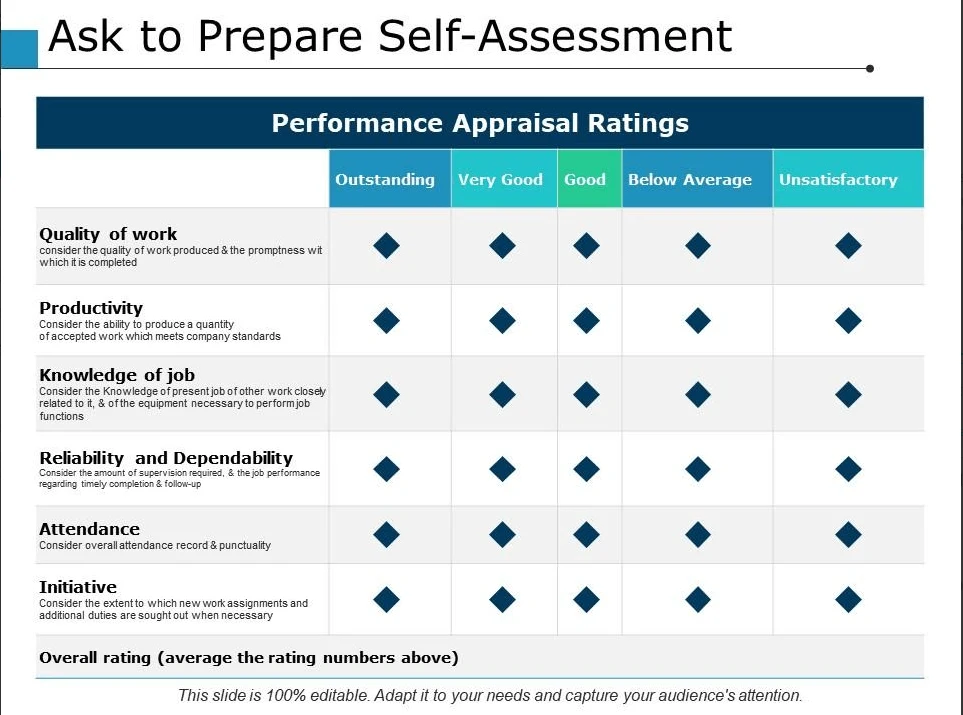
Keep the rating system simple and consistent. A common approach is using a 1-5 scale, where 1 means "Needs Training" and 5 means "Expert."
Step 3: Gauge Employee Interest Levels
Not every employee will have the same level of interest or enthusiasm for every skill. Some may have a natural aptitude and passion for certain skills, while others may find them uninteresting or challenging.
For example, an employee who has moved from customer service to marketing may possess the skills for the former but may not be interested in using them due to their new role. Again, you can ask employees to rate their interest in each skill on the same 1 - 5 scale.
Step 4: Plot the Data
Now, you can plot all this information on a self-made spreadsheet or a template. Simply enter the names of each employee and their corresponding ratings for skills and interest levels.
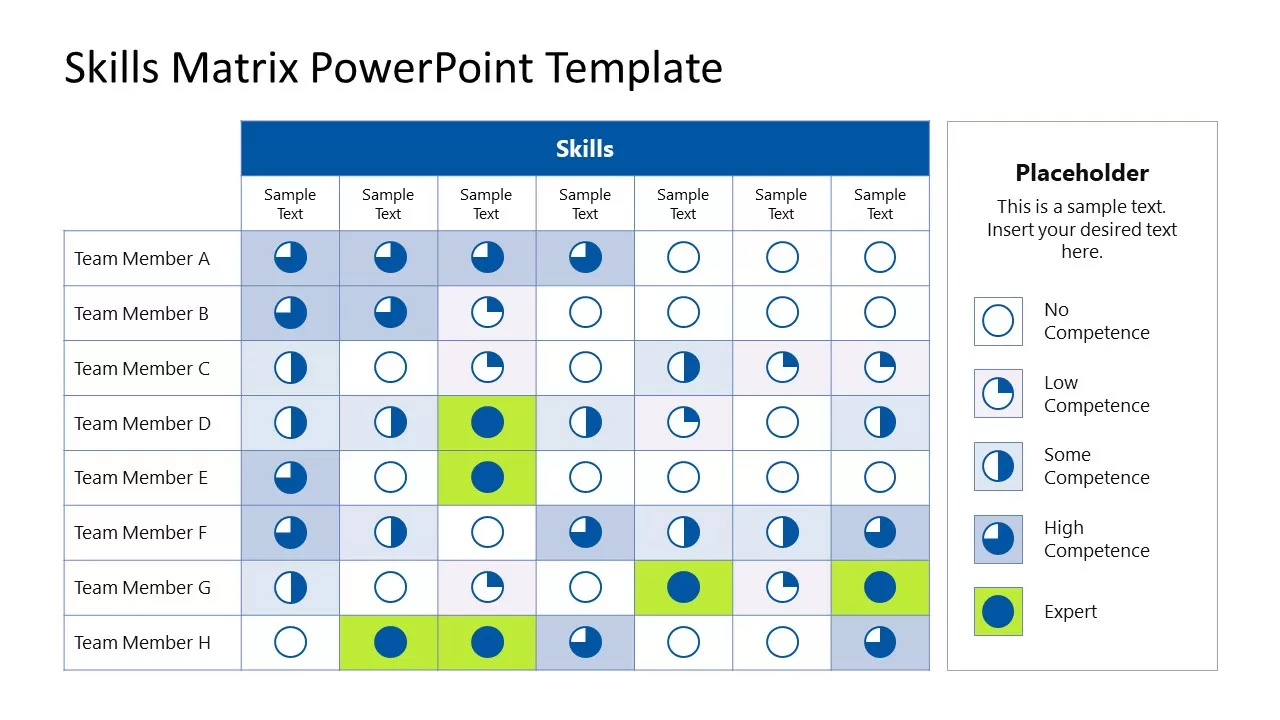
Based on the data, you can identify three types of employees:
- High Performers: These individuals have a high proficiency rating for most skills and a high interest level. These employees are your top performers who can excel in various areas.
- Emerging Talent: Although they have a moderate proficiency rating for some skills, these employees boast a high interest level. They have untapped potential and may benefit from further training and development opportunities.
- Development Areas: These are the employees with low proficiency levels and/or interests. You'll have to provide them with additional support and guidance to improve their skills. Alternatively, you can assign them other tasks that align with their interests and strengths.
Step 5: Use the Matrix
Now, you can use this matrix to determine employee skills gaps and best-fit roles. You don't necessarily have to create a new skills matrix every time you start a new project. The same matrix can provide insights for many projects to come.
Pro Tip: Create a comprehensive skills matrix where you plot skills from every project you do. This way, you'll have a consolidated view of every employee's strengths and weaknesses, and you can extract data from it every time you initiate a new project.
Understanding the different types of training modules available helps you choose the right format for closing each gap your matrix identifies.
You can download the free template here.
When to Use a Skills Matrix
Typically, you can use a skills matrix whenever you want. Maybe you're looking for the best employees for a certain project, or you want to see if you need to create training programs for your team to hone their skills.
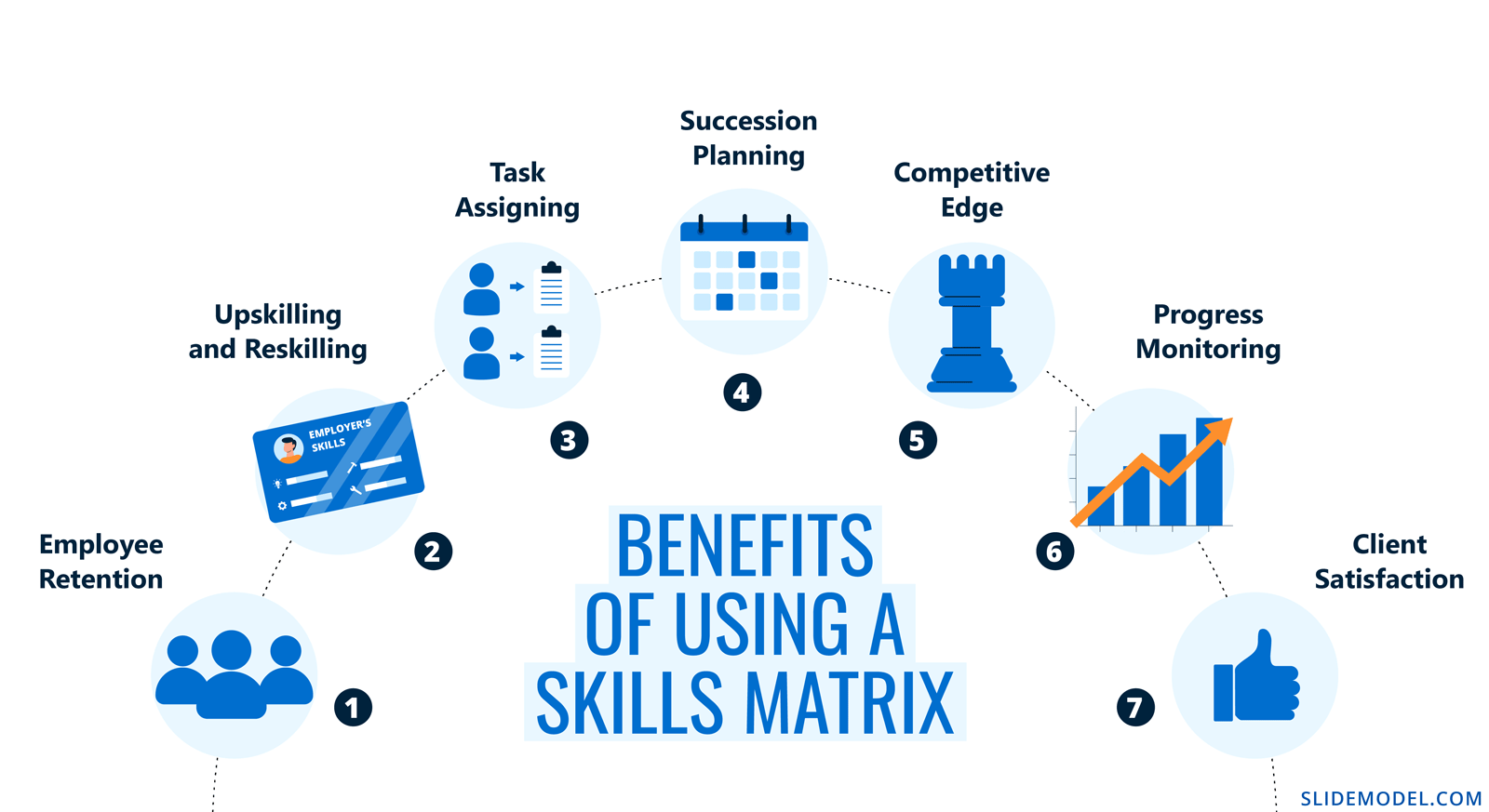
Here are some situations in which you may use a skills matrix.
Product Management Skill Selection
A product manager has to coordinate many departments to keep the product pipeline going smoothly. For that, they'd want the best people for every role. They can create and use a skills matrix to make sure they've assigned the right people to the right tasks.
Board Skill Gap Analysis
The board members in the organization may want to allocate funds to employee development. However, they first need to know where to put this money.
They can use a skills matrix to find the competencies currently missing or underdeveloped in the company. The analysis can help them decide which programs to prioritize and fund when creating employee training systems.
IT Skills Assessment
IT is now an integral part of every organization. On top of that, it's a highly dynamic field where individuals need to keep upskilling to stay relevant.
Your organization may use a skills matrix to gauge the current and missing skills. You can then create technical skills training courses to bridge the gap. The good news is that creating these courses doesn't take too much time or effort.
An AI tool like Coursebox can simplify and speed up the process by letting you upload existing documents or files to create a course. You can then use the platform's AI to add quizzes and assessments to the course.
Meanwhile, its AI grader checks the learners' answers to the criteria you provided, and the AI tutor chatbot acts as a real-time guide for them.
If your matrix reveals technical skill gaps, computer-based training offers a flexible, self-paced way for employees to build those competencies without disrupting their workflow.
Best Practices for Creating a Skills Matrix
Do you want to make the most of your skills matrix? The following best practices will help.
- Keep It Focused: Only include skills relevant to the project or role to avoid clutter.
- Get Input From Multiple Sources: Combine self-assessments, manager feedback, and performance data for accuracy.
- Update Regularly: Skills evolve, so revisit your matrix periodically to keep it relevant. Employee interests and proficiency may also change over time, so it's important to stay on top of these shifts.
- Make It Accessible: Store it in a shared space so managers and employees can refer to it easily.
If you're creating a skills matrix for the first time, it's best to use a simple template like the one we've shared. You'll come across many complicated template options, but they can seem daunting and may defeat the whole purpose of creating a matrix in the first place.
Skills Matrix vs. Competency Matrix: What’s the Difference?
You’ll often see the terms “skills matrix” and “competency matrix” used interchangeably, and in practice they work the same way. However, there’s a subtle distinction worth noting.
A skills matrix typically focuses on specific, measurable abilities — things like proficiency in Python, a project management certification, or equipment operation. A competency matrix is broader and may include behavioral traits such as leadership, communication, and problem-solving alongside technical skills.
For most HR and L&D teams, the best approach is a hybrid: list both hard skills and key behavioral competencies in a single matrix. This gives managers a complete view of each employee’s capabilities and potential growth areas.
Once you’ve identified gaps, the next step is building targeted training. An AI-powered platform like Coursebox lets you create custom training courses in minutes by uploading existing documents, then automatically generating lessons, quizzes, and assessments tailored to the gaps your matrix reveals.
Pairing your skills matrix with structured employee development programs creates a cycle of continuous improvement that benefits individuals and the organisation alike.
Common Skills Matrix Mistakes to Avoid
Even a well-intentioned skills matrix can fall flat if you make these common errors:
- Listing too many skills: If your matrix has 50+ skills per role, it becomes unmanageable. Stick to the 10–15 most critical competencies per team or project.
- Relying only on self-assessments: Employees tend to over- or under-rate themselves. Combine self-assessments with manager evaluations and practical tests for a balanced view.
- Treating it as a one-time exercise: Skills change as roles evolve and new technologies emerge. Schedule quarterly or biannual reviews to keep your matrix current.
- Ignoring employee interest: Proficiency without motivation leads to disengagement. Always track interest levels alongside skill ratings so you can match people to work they’re energised by.
Conclusion
You've learned how to create a skills matrix and which best practices to follow. However, a skills matrix is only as good as the data it contains, so keep updating the matrix periodically.
If you're using a color-based system, create a key and include it in the spreadsheet. As we've mentioned, you want the skills matrix to be accessible, and that's only possible if everyone can understand it. Most importantly, use the skills matrix to make informed decisions about recruitment, employee training, role assigning, and overall organizational development.
Alex Hey
Digital marketing manager and growth expert

