

Skills Mapping: How to Build a Skills Map, With a Worked Example
Skills mapping shows which skills you need, who has them and where you are thin. Build one in six steps, with a worked example and a free template.

Skills mapping is the process of listing the skills your organisation needs, recording who has each one and at what level, and showing where those skills sit across roles, teams and people.
- Use a public taxonomy as a starting point, then adapt a manageable skills list to observable work in the function. Ten to twenty entries is a planning suggestion, not a validated limit.
- Review higher self-ratings against suitable evidence. A quiz can show knowledge; independent task performance and teaching ability need evidence of those actions, not just a note beside a number.
- Stop at the map: read it for coverage, single points of failure, hidden skills and interest, then hand the prioritising to a gap analysis.

Train teams faster and more effectively with AI
A product manager asks the support team lead a simple question: who here can set up the new integration for a customer? The lead doesn't know without asking around, and asking around turns up three different answers. That moment is why organisations map skills.
Skills mapping is the process of listing the skills your organisation needs, recording who has each one and at what level, and showing where those skills sit across roles, teams and people.
Instructional designers like me usually get handed a skills map after it is finished, because I'm the person who has to turn it into training. I work on AI tools for employee training at Coursebox, and the first thing I check on any map is whether the skills are written as things someone does. A map is only as good as the skills list you build before anyone rates themselves. By the end of this guide you'll have a skills list, a role map, a people map and a one-page summary, plus a workbook to build your own.
What is skills mapping?
Skills mapping is the process of listing the skills your organisation needs, recording who has each one and at what level, and showing where those skills sit across roles, teams and people.
A finished map answers three questions:
- Which skills do we need?
- Who has each one, and at what level?
- Where are we thin?
Skills mapping vs competency mapping, skills matrix and gap analysis
These terms overlap in practice and organisations use them differently. This guide uses the following working meanings to connect role expectations, people and development decisions.
| Tool | The question it answers | What it looks like | Who usually owns it |
|---|---|---|---|
| Competency framework | What does good look like for this role? | Observable behaviours by level for each role | HR or L&D |
| Skills map | Where do our skills sit across roles and people? | Skills list, required levels by role, ratings by person | L&D with managers |
| Skills matrix | Who on this team can do which task today? | One team's task ratings, with tickets and expiry dates | The team lead |
| Gap analysis | Which gaps do we close first, and how? | Prioritised gaps with a training, hiring or mobility plan | L&D and the business |
Competency mapping sits on the role side: it defines what each level of a role looks like in behaviour, and our competency mapping guide covers how to write those levels. A skills matrix is the operational grid one team runs day to day, with dates and certificates, as in this free skills matrix template. A gap analysis takes what the map shows and decides what to close first, using a skills gap analysis template.
This guide stops at the map.
Why map skills now
The World Economic Forum's employer survey for its Future of Jobs Report 2025 puts a number on how fast the skills inside jobs are changing.
Deloitte's 2022 research on skills-based organisations found a wide gap between intent and investment.
You can't plan training, internal moves or hiring for skills you have never written down. A skills map is that written record, and it is the first practical step towards becoming a skills-based organisation.
How to build a skills map in six steps
I'll carry one illustrative example through every step. A software company's customer support function has 32 people in four roles: 18 frontline support agents, 8 technical support agents, 4 onboarding specialists and 2 team leads. The company is about to launch an integrations product, and the head of support has to tell leadership whether the team can support it from day one or needs to hire. That decision is what the map is for.
Step 1: Decide the question the map must answer
- What you do: write one question the map has to answer, and name the decision it feeds.
- Decide: map one function before a known change, or the whole organisation for workforce planning. I'd start with one function. You learn how your skills list and rating scale behave on 30 people before you send them to 3,000.
- In the example: "Can we support the new integrations product from day one, or do we need to hire?"
Step 2: Build the skills list from a public taxonomy
Starting from a blank page can produce vague entries such as communication or technical skills. Two people may give them the same rating while judging very different work. A public taxonomy can help you begin, then the wording needs checking against the actual role.
- What you do: start from a public taxonomy, take the skills that apply to the function, and rewrite each one as work someone does.
- Where to start: the US O*NET content model sets out skill descriptors, from essential skills such as reading and writing to broader transferable skills, and its database is free to reuse under a Creative Commons licence. The EU's ESCO skills pillar lists 13,939 skills, covering knowledge, skills and competences. Either gives you a tested starting list to cut down.
- Choose a useful level of detail: people using the same rating should be judging comparable work. Start with a manageable list, perhaps 10 to 20 skills for one function, then split or combine entries where the work requires it. A specific interface action can be relevant when that action is the task.
- In the example: 12 skills in three clusters.
| Cluster | Skill, written as work |
|---|---|
| Product and technical | Diagnose single sign-on login failures |
| Product and technical | Read an API error log and name the failing call |
| Product and technical | Configure a standard integration for a customer |
| Product and technical | Write a SQL query to pull account usage |
| Customer | De-escalate an upset customer on a call |
| Customer | Explain a plan or billing change in writing |
| Customer | Run a 30-minute onboarding call |
| Customer | Write a help-centre article a customer can follow |
| Team | Triage the queue by priority and SLA |
| Team | Coach a new agent through a live ticket |
| Team | Spot a ticket trend and report it to product |
| Team | Run a weekly queue review |
The Australian Skills Classification was decommissioned by Jobs and Skills Australia in December 2023 and removed from its website in January 2025. Older guides still point to it. Use O*NET or ESCO as your starting list instead.
Step 3: Map skills to roles
- What you do: for each role, set the level it needs on each skill, using a five-level scale: 0 None, 1 Aware, 2 With help, 3 On my own, 4 Can teach.
- Decide whether each role needs the skill. In the role map, 0 means not required for that role. In the people map, 0 means no demonstrated experience on this scale. Leave an unassessed rating blank and follow it up; a blank is not a zero.
- In the example: the head of support and the two team leads set these levels.
| Skill | Frontline | Technical | Onboarding | Team lead |
|---|---|---|---|---|
| Diagnose single sign-on login failures | 3 | 4 | 2 | 3 |
| Read an API error log and name the failing call | 2 | 3 | 2 | 2 |
| Configure a standard integration for a customer | 0 | 3 | 3 | 0 |
| Write a SQL query to pull account usage | 0 | 2 | 0 | 0 |
| De-escalate an upset customer on a call | 3 | 2 | 3 | 4 |
| Explain a plan or billing change in writing | 3 | 2 | 2 | 3 |
| Run a 30-minute onboarding call | 0 | 0 | 4 | 2 |
| Write a help-centre article a customer can follow | 1 | 2 | 3 | 2 |
| Triage the queue by priority and SLA | 3 | 3 | 1 | 4 |
| Coach a new agent through a live ticket | 1 | 2 | 2 | 4 |
| Spot a ticket trend and report it to product | 2 | 3 | 1 | 3 |
| Run a weekly queue review | 0 | 0 | 0 | 4 |
This is the role side of the map. Reuse compatible requirements from an existing competency framework, but check the scale and meaning before transferring a level. A 3 on one framework need not mean the same thing on another.
Step 4: Assess current skills, with evidence
Each person rates themselves on every skill. The trouble is that self-ratings are a weak measure on their own. A review by Dunning, Heath and Suls (2004) found the link between self-rated skill and actual performance is "moderate to meager" in many domains, and that employees tend to overestimate their skill.
- Ask for a self-rating and review it against evidence relevant to the claimed level. For independent performance, observe representative work or inspect a suitable work sample; a knowledge quiz alone is insufficient. A Can teach rating also needs evidence that the person can explain, demonstrate and support another learner. One evidence note is a starting record, not automatic validation.
- Anchor each level: write what level 2 and level 3 look like for each skill. For the API log skill, level 2 is "reads an API error log and names the failing call with a colleague guiding" and level 3 is "reads an API error log and names the failing call alone".
- Add an interest column: a yes or no for "wants to learn this". It turns the map from an audit into a development tool.
- Help people rate: if people find it hard to describe their own work in specifics, share these self-evaluation examples first.
- Explain what you collect, who can see it and how it will be used, including any connection with development or performance decisions. Make the process safe enough for people to report uncertainty, and provide a route to question or update a rating.
- In the example: all 32 people self-rated, and a team lead added one evidence note to each rating of 3 or 4.

Case study: Mapping skills across the US public health workforce
Public health agencies in the US had studied their staff's skills one discipline at a time, so no one could say how well the whole workforce handled skills that cut across jobs, such as budgeting or managing change. The 2017 Public Health Workforce Interests and Needs Survey (PH WINS) mapped those skills across state and local health departments.
- The build: the survey team scanned the field, picked five existing frameworks and competency models to work from, chose eight focus areas, and wrote two to four skills per area for each of three tiers: non-supervisors, supervisors and managers, and executives. The items were cognitively tested and piloted before launch.
- The evidence: 47,604 staff responded in late 2017, a 47% response rate, and the analysis covered 41,817 permanent employees. Each person rated how important each skill was to their work and their own proficiency, from "unable to perform" to "expert". A skill rated important with low proficiency counted as a training need, as reported in the Journal of Public Health Management and Practice (2019).
- The result: the largest need was budgeting and financial management, where 55% of staff had at least one skill gap, followed by systems and strategic thinking at 49%.
- The limitation: every rating was self-reported. The authors note that this does not necessarily reflect job performance, and that people with limited proficiency often overestimate it, so the real needs may be wider.
- The lesson: the build is the part to copy. Borrow from existing frameworks, write skills for each tier, and test the wording before launch. Then add evidence to the ratings, which PH WINS did not do.
Step 5: Read the map
- What you do: read the people map against the role map and write a one-page summary with four outputs.
- Candidate coverage: how many people are recorded at level 3 or above, against the estimated need. Verify the supporting evidence, availability, shifts and workload before treating this as operational cover.
- Concentrated ratings: skills where only one person is recorded at level 3 or above, or only one is rated 4. Check the evidence and availability before treating this as a confirmed operational dependency.
- Hidden skills: people rated 3 or above, with evidence, on a skill their role doesn't need at all.
- Interest: how many people want to learn each skill.
- In the example: the four outputs are in the example section below.
Deciding which gap to close first, and whether to train, move or hire, is a separate job for a skills gap analysis.
Step 6: Turn it into development and keep it current
- What you do: turn each person's interest and gaps into a development plan, and build training for the clusters where the team is thin. These employee development plan examples show the format, and a training needs analysis questionnaire helps scope the training.
- Decide how often to review. Update ratings when relevant evidence or the role changes, and check the map before a launch or staffing decision. A twice-yearly review is a planning suggestion; choose an interval that fits how quickly the work changes.
- In the example: the actions the head of support took are at the end of the next section.
Skills mapping example: a 32-person support team
Here is the finished summary for the example above. It is illustrative: the team, the people and the ratings are invented to show the method. The workbook below holds the full people map behind it, one row per person per skill.
The question was whether the 32-person support team can support the integration launch. The summary organises four inputs to that decision; it does not replace checking the work, workload or available time:
- Coverage: the head of support estimates launch needs 8 people who can configure a standard integration on their own. The map shows 3 at level 3 or above, so the team is 5 short. Another 10 people, 6 technical agents and all 4 onboarding specialists, are at level 2: they can do it with help.
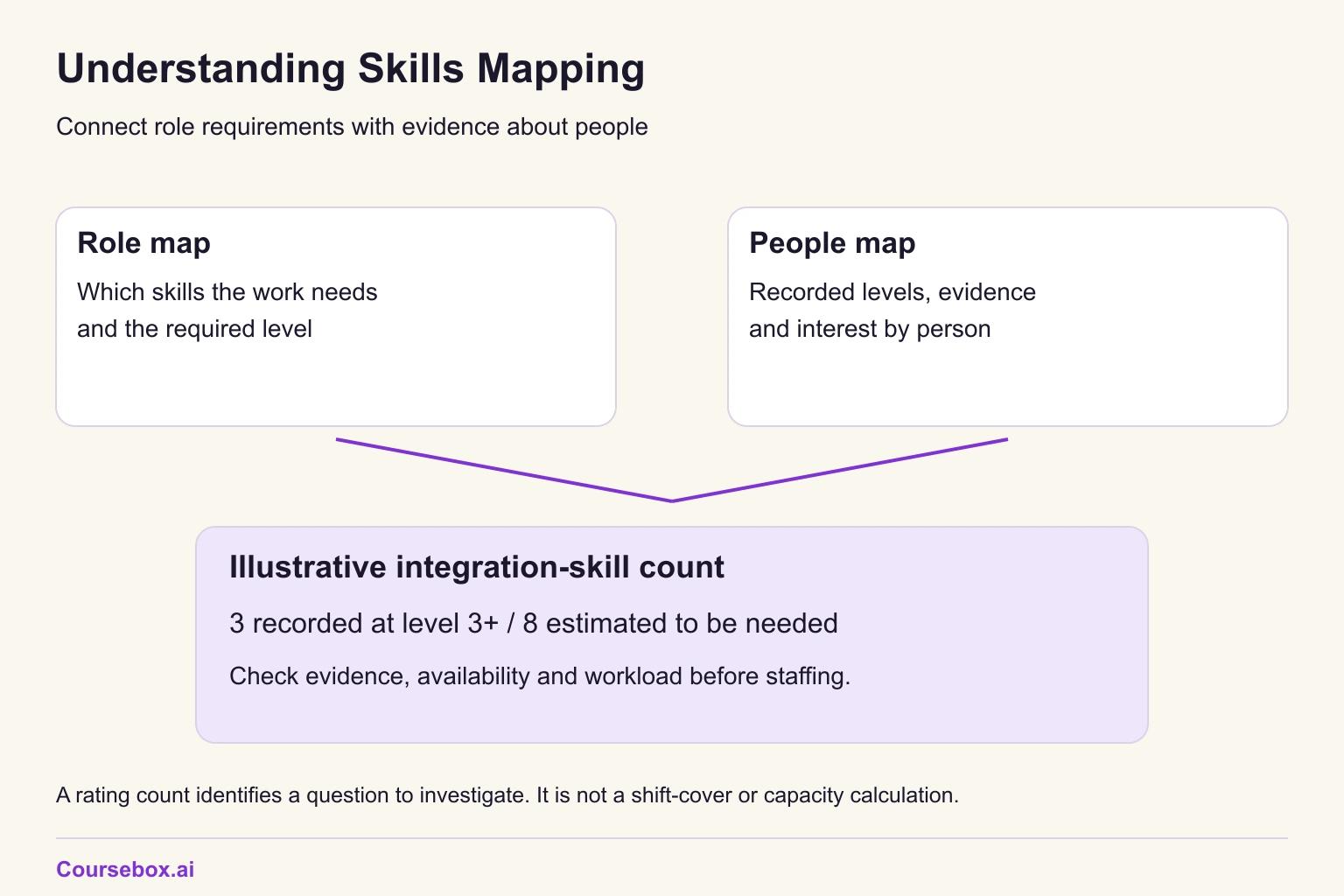
- Single points of failure: one technical agent is the only person rated 4 on API error logs, and one onboarding specialist is the only person rated 3 or above on help-centre articles. These ratings flag a concentration to investigate; confirm performance, coaching ability and availability before relying on either person.
- Hidden skills: one team lead rates 3 on configuring integrations from a previous job, though the team lead role needs 0, and is one of the 3 counted above. Two frontline agents rate 3 on writing SQL usage queries, backed by work samples, though their role needs 0.
- Interest: 7 frontline agents flagged that they want to learn to read API error logs.
Hidden skills are easy to miss when work is organised by job title. Deloitte's survey of workers and executives found few people can shape their work around the skills and interests they have.
The map identifies a launch risk, not a hiring answer. Three recorded independent integration skills against a target of eight leave five candidate places to fill. The ten level-2 ratings suggest people to assess for development, but one scale step does not establish the time needed. Check evidence, learning needs, workload and launch dates before choosing training, reassignment or hiring. The head of support can now investigate these actions:
- Launch pod: check whether the three people rated 3 can demonstrate the required integration work and are available for launch. The SQL-capable agents may support usage queries if their work and availability fit; their SQL ratings do not establish integration competence.
- Development option: investigate what the seven interested frontline agents need to learn about API logs and whether it supports the launch or their next role. Check the recorded level-4 agent's coaching ability and availability before asking them to coach two colleagues.
- Gap analysis: which of the 10 people at level 2 to train first on integrations, and how fast, goes to the gap analysis.
Skills mapping template
The workbook holds the skills list, role map, people map and summary, with the fictional support-team example and blank copies. It flags ratings of 3 or 4 without evidence. Its formulas count rows, so keep one row per person per skill and check duplicates before interpreting coverage. Verify the evidence and availability separately.
It is a different tool from the skills matrix template, which tracks one team's tasks with ticket and expiry dates.
An Excel workbook with a Read Me sheet, four example sheets and four blank sheets: skills list, role map, people map and summary. The example holds the fictional 32-person support team. Formula counts help identify ratings, evidence gaps and interest; verify the evidence and availability before using counts as workforce cover. No email required.
What I learned building training from a skills map in Coursebox
Turning a skills map into training is my part of the job, so I tested it on the example. I gave Coursebox's course agent, the AI that builds a course from a prompt, one skill from the map and asked for a course to move a learner up one level. This was one course in a test workspace.
What I asked the course agent. I used the agent's "Add files" control to upload the skills map as a CSV. It was a sample I wrote for this test, the same 12 skills, level descriptors and role map as this guide, not a customer's data. Then I asked: "Build a short course that takes a frontline support agent from level 2 to level 3 on 'Read an API error log and name the failing call', with a knowledge check for each lesson. Use the attached skills map CSV." Before planning, the agent asked a question my prompt hadn't answered: the skills map defined the target but contained no API logs or log format, so what should the lessons use? I picked its recommended option, a vendor-neutral course with fictional logs.
What it produced. One section of 3 lessons, about 24 minutes: "Recognise the Evidence of a Failed Call", "Trace the Request That Failed" and "Name the Failing Call on Your Own", each with its own ungraded knowledge check. The lessons stayed on the level 3 descriptor rather than drifting into API theory. Lesson 1 opens on the step from reading a log with a colleague guiding to naming the failing call alone, with a citation back to my uploaded skills map. Every example was a fictional log line, such as "POST /v1/orders status=404 request_id=req-7f31", and the course named a failing call as its HTTP method plus endpoint.
What was wrong. Two of the three knowledge checks tested a sub-step of the level 3 behaviour. Lesson 1 asked "In this fictional entry, which HTTP method was used?", which reads one field off one line. Lesson 2 asked which correlation ID to use to keep the entries for a trace together. Neither asked the learner to name the failing call. Lesson 3's check was right first time: a fresh log excerpt with a distractor line, and the question "Which API call failed?" The checks also don't name the skill or level; the link back to the map sits only in the lesson text.
The fix, and how I checked it. I sent one message to the AI editor: replace the Lesson 1 and Lesson 2 checks with a four to six line fictional log excerpt containing a distractor, ask "Which API call failed?", and keep Lesson 3 as it was. Three things are still weak. Each log excerpt displays as one run-on line, which is harder to read than a real log. Lesson 2 still teaches correlation IDs that its check no longer tests. And I only rechecked the replaced item in each lesson. I also haven't had someone outside the team answer the questions yet, so I can't say whether a newcomer finds them clear. But after a reload, the fix itself held. The old method and correlation ID questions are gone. Lesson 1's first check item is now a five-line log in which "GET /v2/customers/42" returns a 500, and Lesson 2's is a five-line log with a "completed with warning" distractor and "POST /v1/preferences" as the answer. Both ask "Which API call failed?", so the first item in each lesson's check now tests the level 3 behaviour from the map.
Coursebox also has an AI quiz generator that builds knowledge checks on their own; I didn't use it in this test.
Common skills mapping mistakes
- Skills written as traits. "Good communicator" can't be rated or trained. "Explain a plan or billing change in writing" can.
- Self-ratings with no evidence. Without one piece of evidence, a rating tells you how confident someone feels.
- Mapping everyone at once. A whole-organisation first attempt multiplies every flaw in the skills list.
- Unclear use of ratings. Explain whether and how the map informs development, staffing or performance decisions. People need a route to record uncertainty and question a rating; do not promise that the data will never affect another decision unless that is the actual policy.
- Never updating it. A map from last year describes last year's team.
Putting your skills map to work
Map skills when a decision depends on who can do what across a function, such as a launch, a restructure or a hiring plan. For one team's daily cover, a skills matrix is enough. Even with evidence notes, the ratings start as self-reports, so treat a lone 3 on a skill you are about to rely on as a lead to confirm before you plan around it.
Your next step: open the workbook, copy the blank skills list, and write 10 to 20 skills for one team as things someone does. Test the list with two people from that team before anyone rates themselves. Then take what the map shows into a gap analysis to decide what to close first.
Frequently Asked Questions
Skills mapping is the process of listing the skills your organisation needs, recording who has each one and at what level, and showing where those skills sit across roles, teams and people.
A skills mapping exercise is one round of building or refreshing the map: agree the question, build the skills list, set the levels each role needs, collect self-ratings with evidence, and read the result. For one function of around 30 people, it is a manageable first project.
The terms overlap. In this guide, competency mapping defines role behaviours by level, while skills mapping connects required skills with recorded levels across people and teams. Check how your organisation uses each term.
Update a rating when relevant evidence or the role changes. Set a review interval that fits the work, and check the map before a launch, restructure or staffing decision. Twice a year is a planning suggestion, not a universal requirement.
Yes, for one function. A spreadsheet like the workbook in this guide handles a few dozen people and 10 to 20 skills well. Once you are mapping several functions, updating ratings often, or need people to edit their own rows, a skills or HR system is easier to keep current.
Carolina Martin
Carolina is a highly experienced learning designer with tech start-up experience. She is based in Sydney and previously designed courses alongside Coursebox founder Travis in a previous job. She is passionate about delivering engaging learning experiences and brings the same perspective to customer experience too. She manages our customer support documentation and product testing processes.

