

Canvas vs Google Classroom: What’s the Difference and Which One Should You Choose?
The right LMS can take your learning and teaching experiences to the next level. Check out this Canvas vs Google Classroom comparison to make the best choice.


Run your own branded LMS with unlimited learners
When educational and corporate teams search for a learning management system (LMS), Canvas and Google Classroom are often the first two platforms that come up. Both are widely used for their user-friendly interfaces and comprehensive online learning features.
In fact, Canvas and Google Classroom also support instructors in managing learning activities and students’ progress. However, they’re built for very different environments, so their purposes are also distinctive.
In this guide, we break down Canvas vs Google Classroom in detail, comparing their features, usability, customization, and scalability. This way, you can choose the one that best fits your needs.
What Is Canvas?
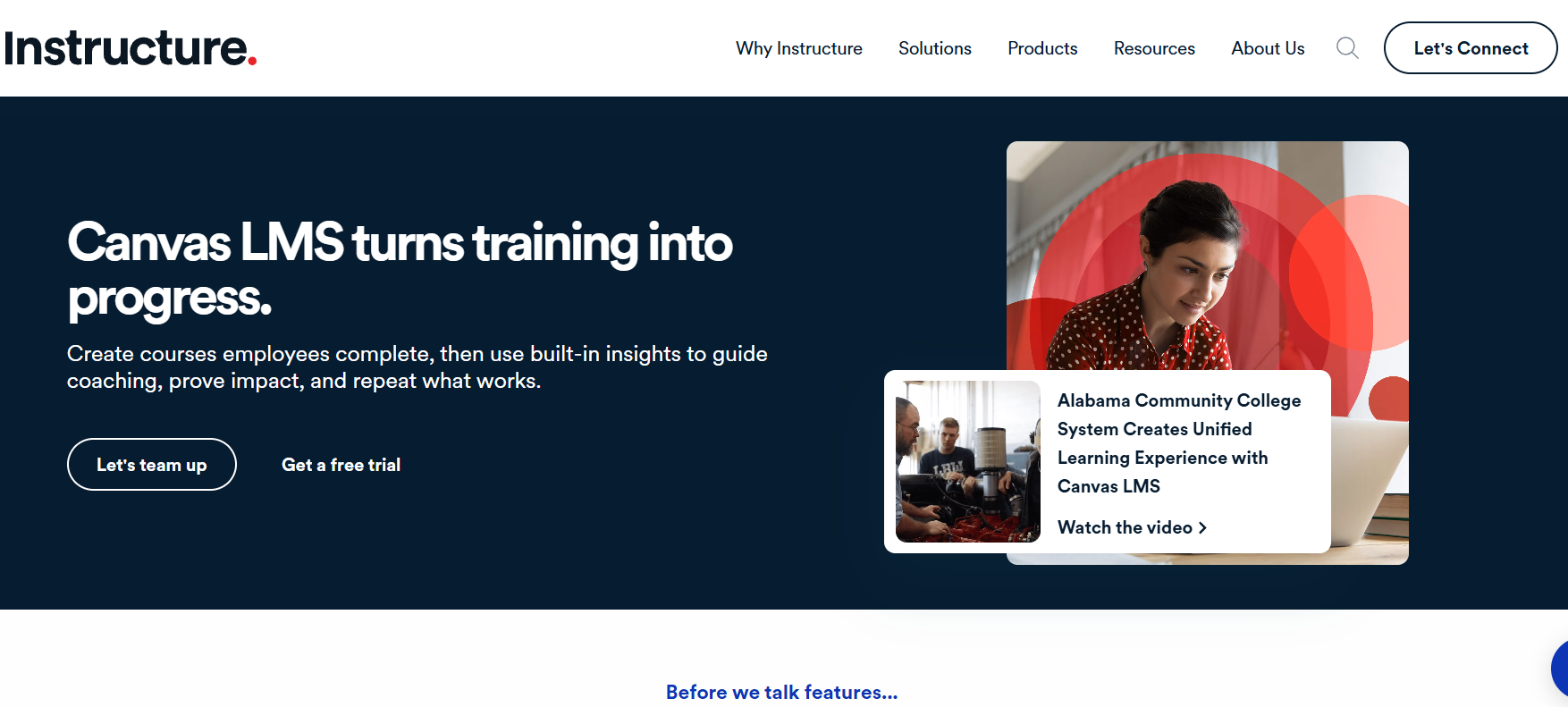
Canvas is a full-featured learning management system developed by Instructure. It’s widely used by universities, colleges, and large educational institutions to deliver structured courses at scale.
Canvas supports complex course design, including modules, assignments, quizzes, grading workflows, learning outcomes, and detailed analytics. It also integrates with hundreds of third-party tools, making it a flexible option for institutions with advanced academic and administrative needs.
Canvas is commonly used in universities, colleges, and large school districts. The LMS is also quite popular in professional training organizations and institutions with formal assessment requirements.
What Is Google Classroom?
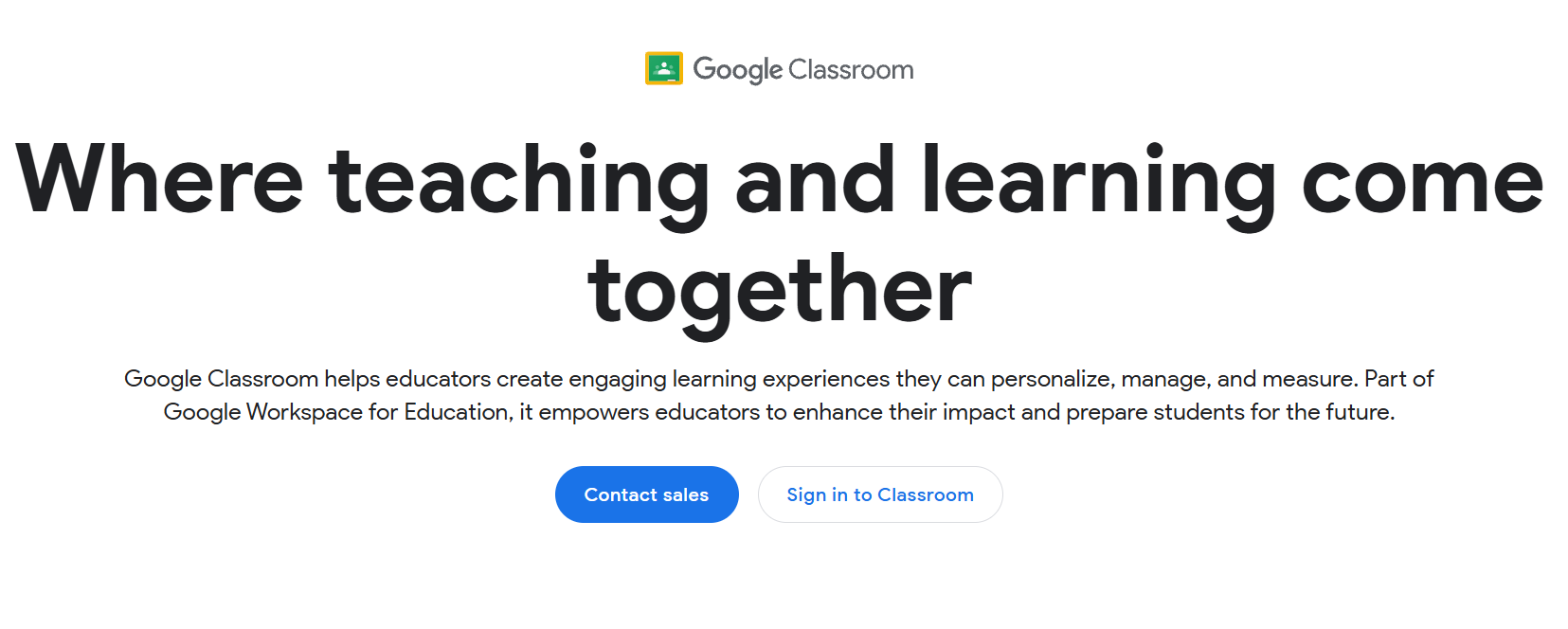
Google Classroom is a lightweight learning platform designed to simplify classroom management. It’s tightly integrated with Google Workspace tools like Docs, Drive, Slides, and Meet, making it easy for teachers to assign work, collect submissions, and communicate with students.
Unlike Canvas, Google Classroom focuses on simplicity rather than depth. It works especially well for K–12 classrooms and small groups that want a quick way to organize learning without a complex setup.
Google Classroom is more common among K–12 teachers and educators who want minimal setup. It is also popular in schools already using Google Workspace and classrooms with basic assignment needs.
Canvas vs Google Classroom: 7 Key Differences Explained
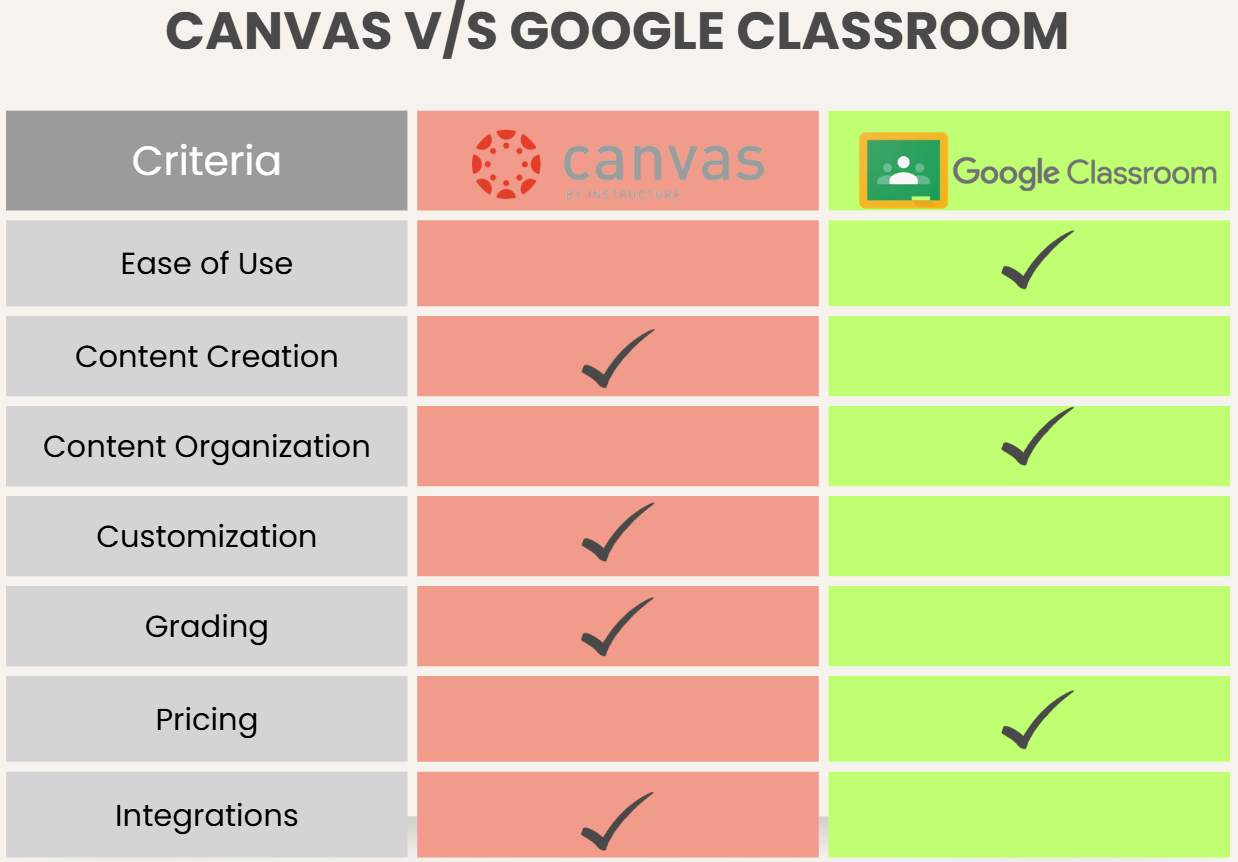
While Canvas and Google Classroom both support online learning, they differ significantly in how much structure, control, and scalability they offer. These differences become especially important as class sizes grow or learning programs become more complex.
1. Ease of Use & Interface
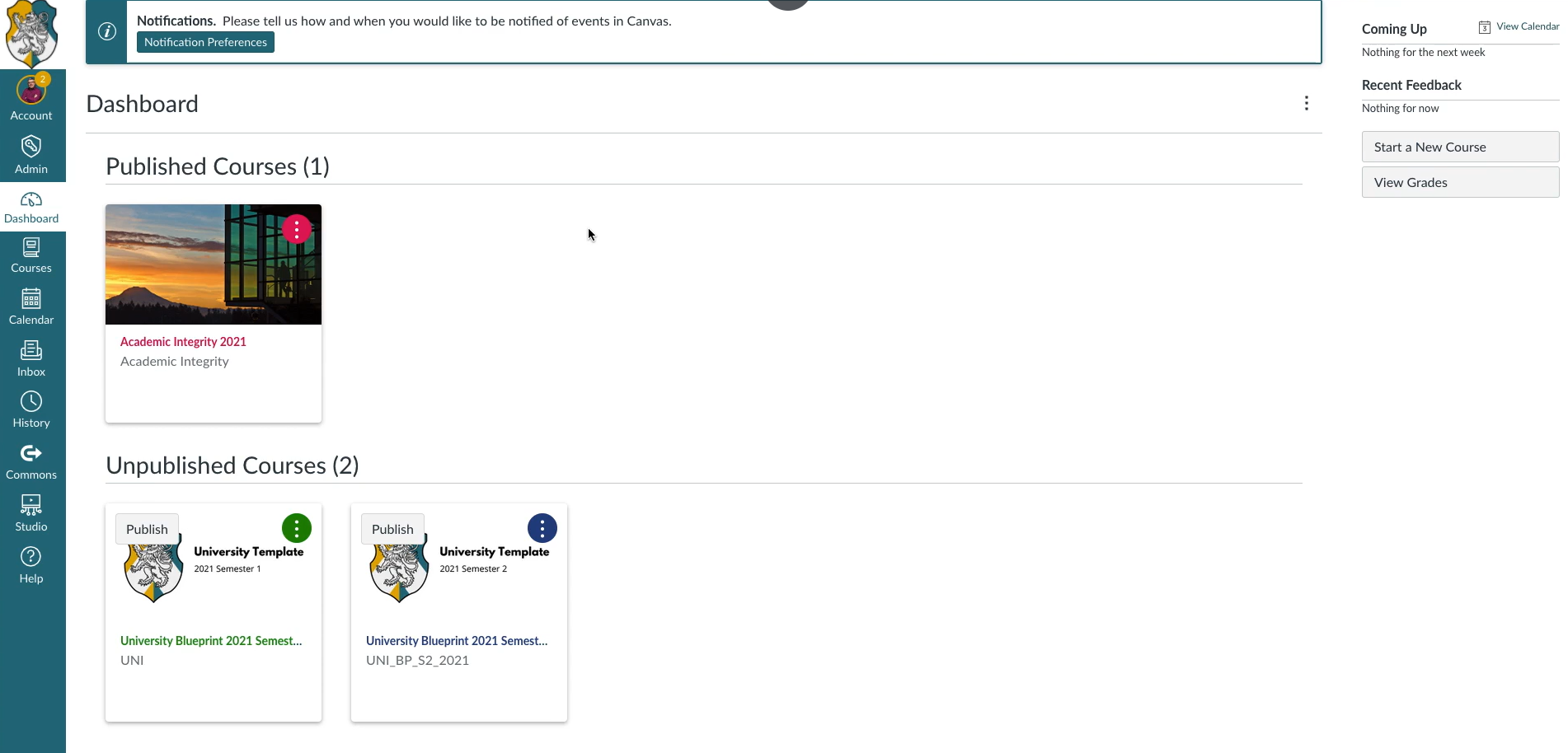
Google Classroom is designed to be immediately usable. Teachers can create a class, invite students, and start posting assignments within minutes. The interface is clean and familiar, especially for users already comfortable with Google tools.
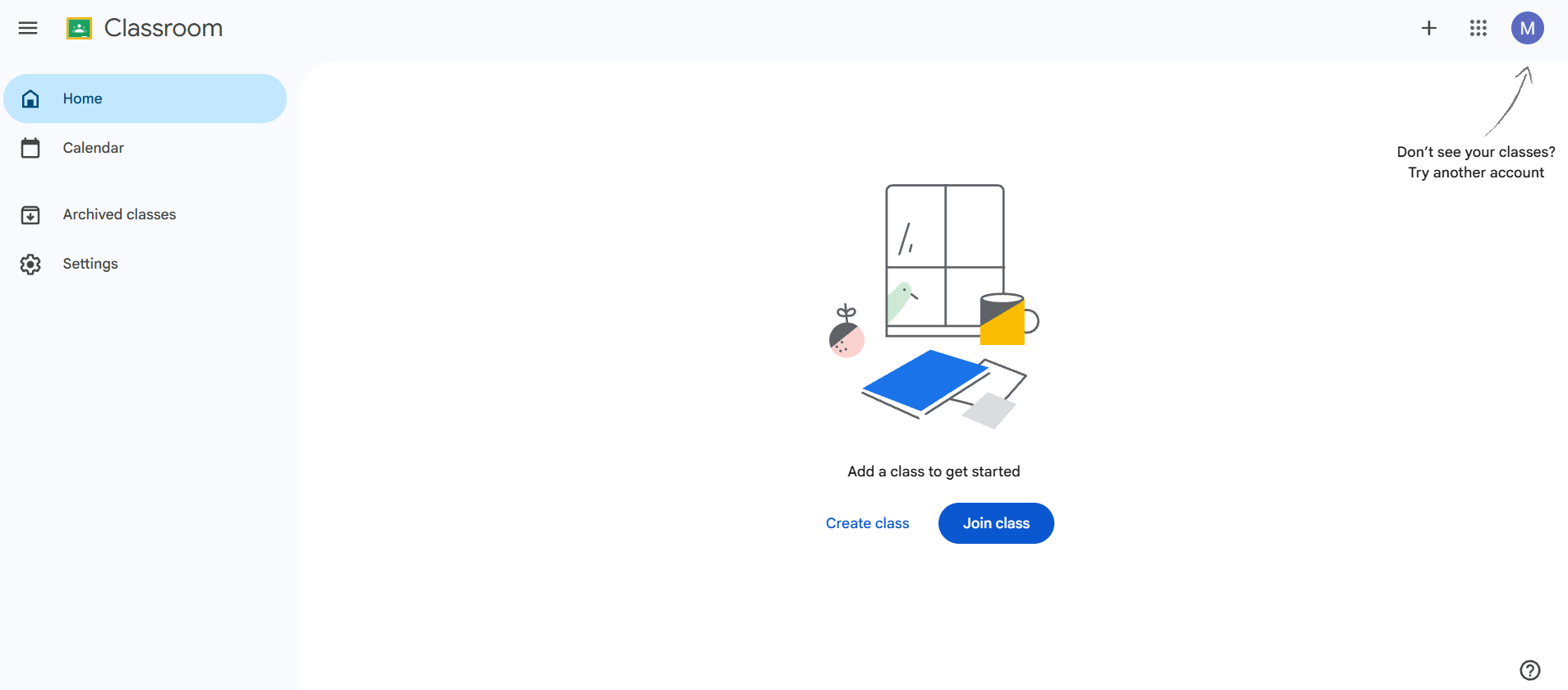
Canvas has a more complex interface because it offers far more features. Instructors need time to understand modules, gradebooks, assignment settings, and analytics. While the learning curve is higher, the payoff is greater control over how courses are structured and delivered.
2. Course Creation vs Organization
Canvas allows instructors to design highly structured courses. You can organize content into modules, control release conditions, set prerequisites, and align lessons with learning outcomes.
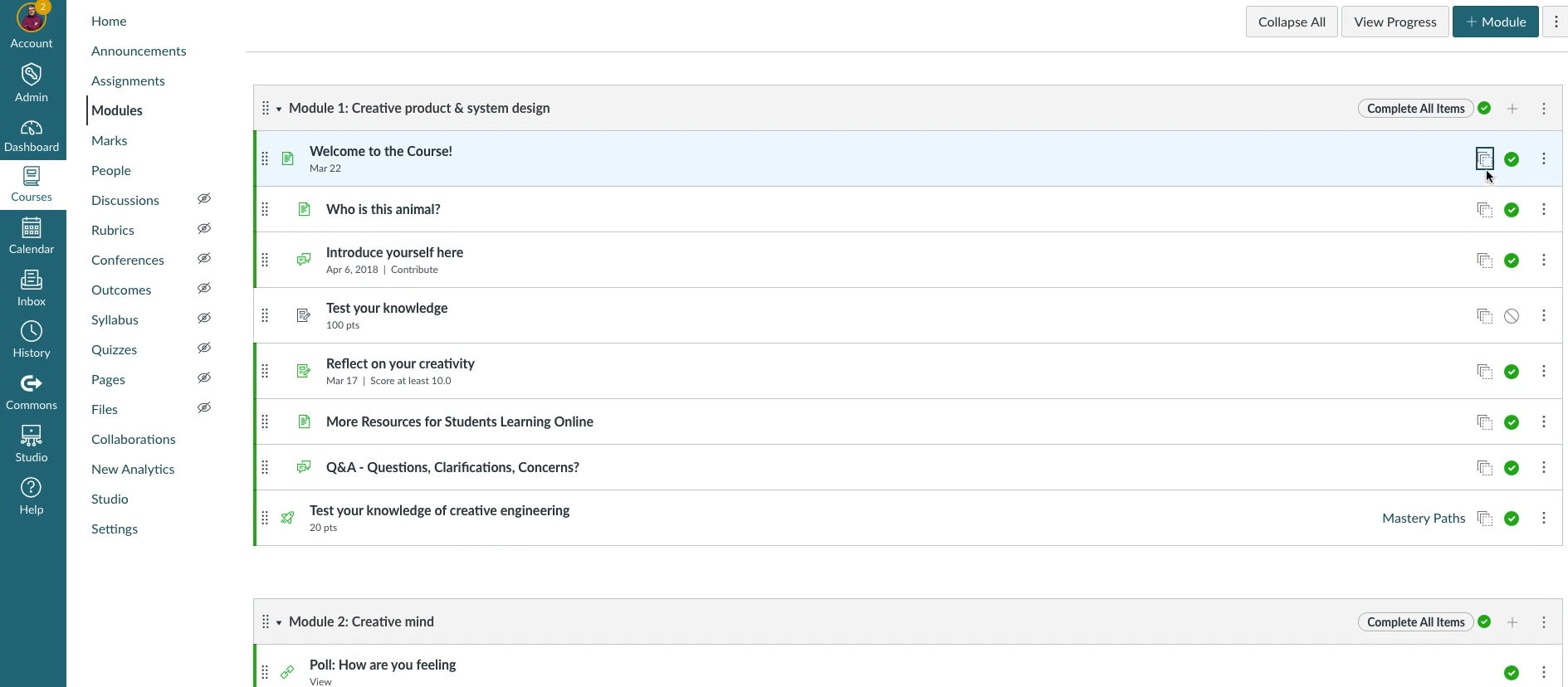
This level of structure is essential for higher education and formal training environments where consistency and assessment matter.
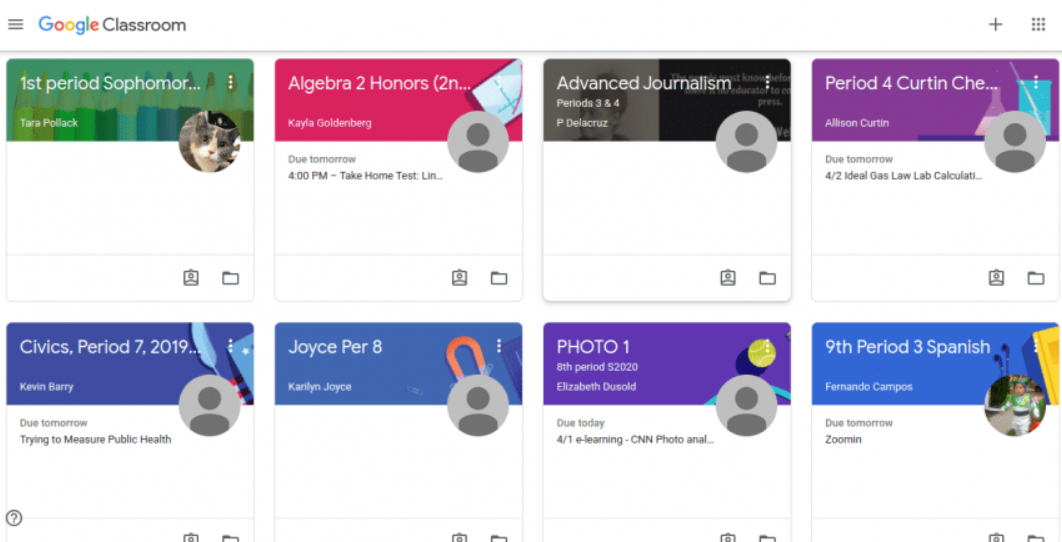
Google Classroom does not support traditional course creation. Instead, it focuses on organizing assignments and materials within a class stream. While teachers can group content using topics, the platform is not designed for long-term course structure or formal learning paths. The content is organized primarily through posts and assignments rather than structured modules.
3. Assignments, Grading & Assessment
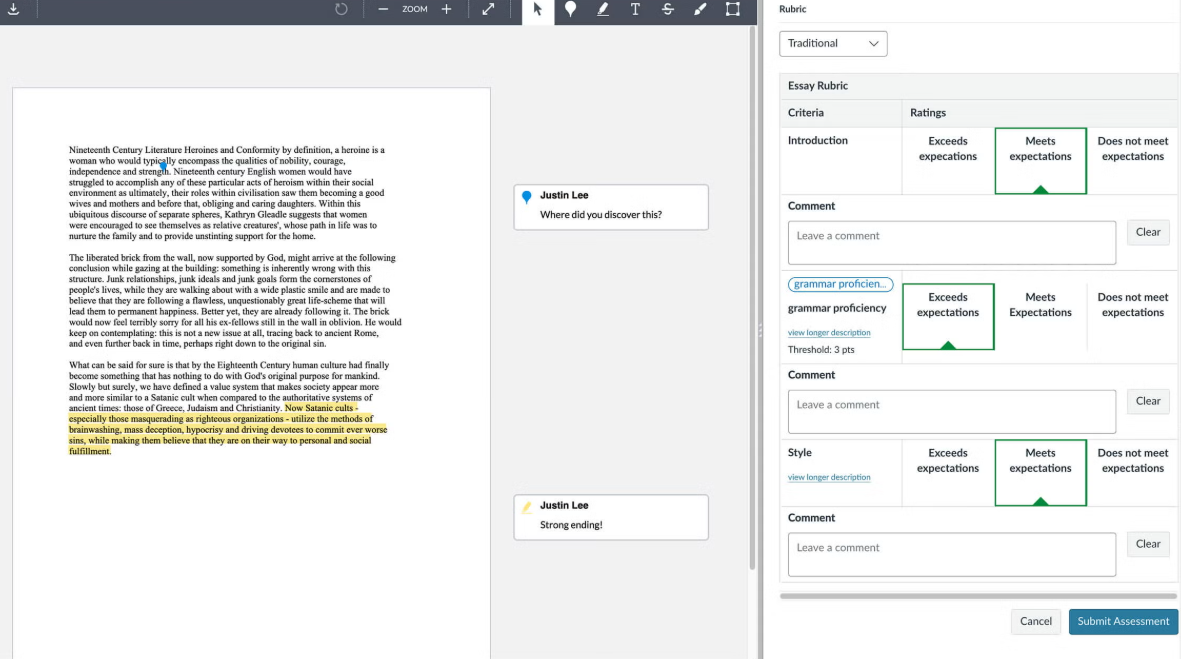
Canvas offers advanced grading tools, including rubrics, outcomes-based grading, quizzes, and detailed feedback workflows. Instructors can track performance at both the individual and course level, making it suitable for institutions with strict assessment requirements.
Google Classroom simplifies grading by integrating directly with Google Docs and Forms. Teachers can comment on assignments, assign grades, and return to work quickly.
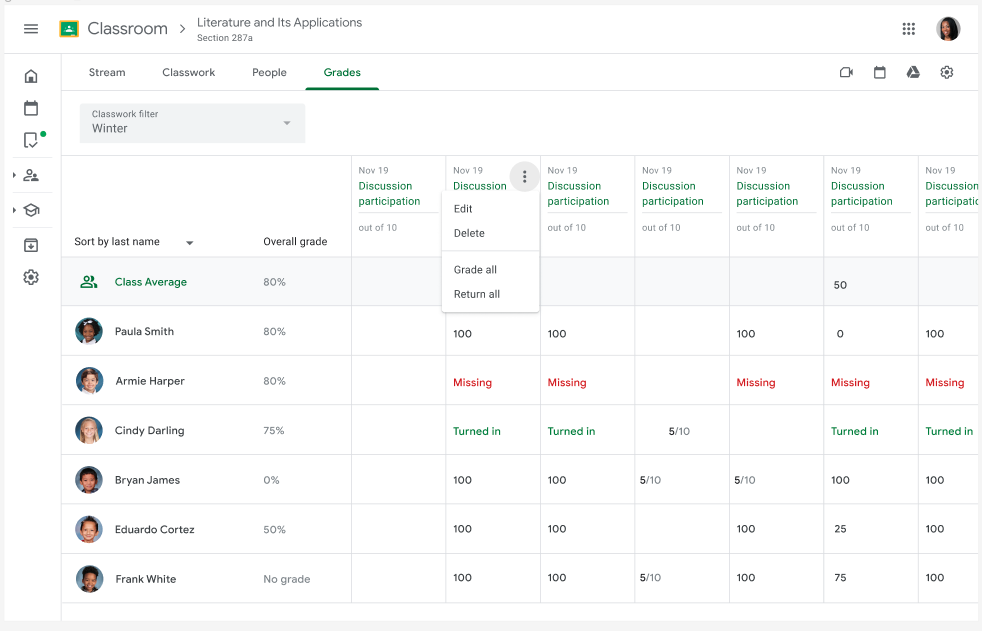
However, reporting and analytics are limited compared to Canvas, which may be a drawback for large-scale or data-driven programs.
4. Customization & Branding
Canvas allows institutions to customize the learning environment extensively. From course layouts to navigation menus and integrations, Canvas can be tailored to match institutional branding and workflows. This makes it a strong choice for organizations that need a consistent, branded learning experience.
Google Classroom offers minimal customization. Classes follow a standard layout, and branding options are limited. This simplicity is intentional, but it can be restrictive for organizations that want more control over the learner experience.
5. Integrations
When it comes to Canvas vs Google Classroom, Canvas has one of the largest integration ecosystems in the LMS space. It connects with student information systems, assessment tools, content libraries, and analytics platforms. This makes it highly adaptable for complex educational environments.
Google Classroom relies heavily on Google Workspace integrations. While this works extremely well within the Google ecosystem, it offers fewer options outside of it. Schools that already use Google tools often see this as a benefit rather than a limitation.
6. Scalability & Maintenance
Canvas is built to scale. It supports large numbers of students, multiple instructors, and institution-wide deployments. However, this scalability comes with ongoing maintenance and administrative overhead, often requiring dedicated IT or instructional design support.
Google Classroom scales more informally. It works well across many classrooms but lacks the centralized controls and reporting needed for large institutions. Maintenance is minimal, which appeals to schools with limited technical resources.
7. Pricing
Canvas Pricing
Canvas pricing typically varies by institution size, number of users, and feature requirements. Larger universities and school districts often pay subscription or licensing fees based on enrollment or usage, which can be significant but include advanced LMS features and support.
To get pricing, contact the company for a quote.
Google Classroom Pricing
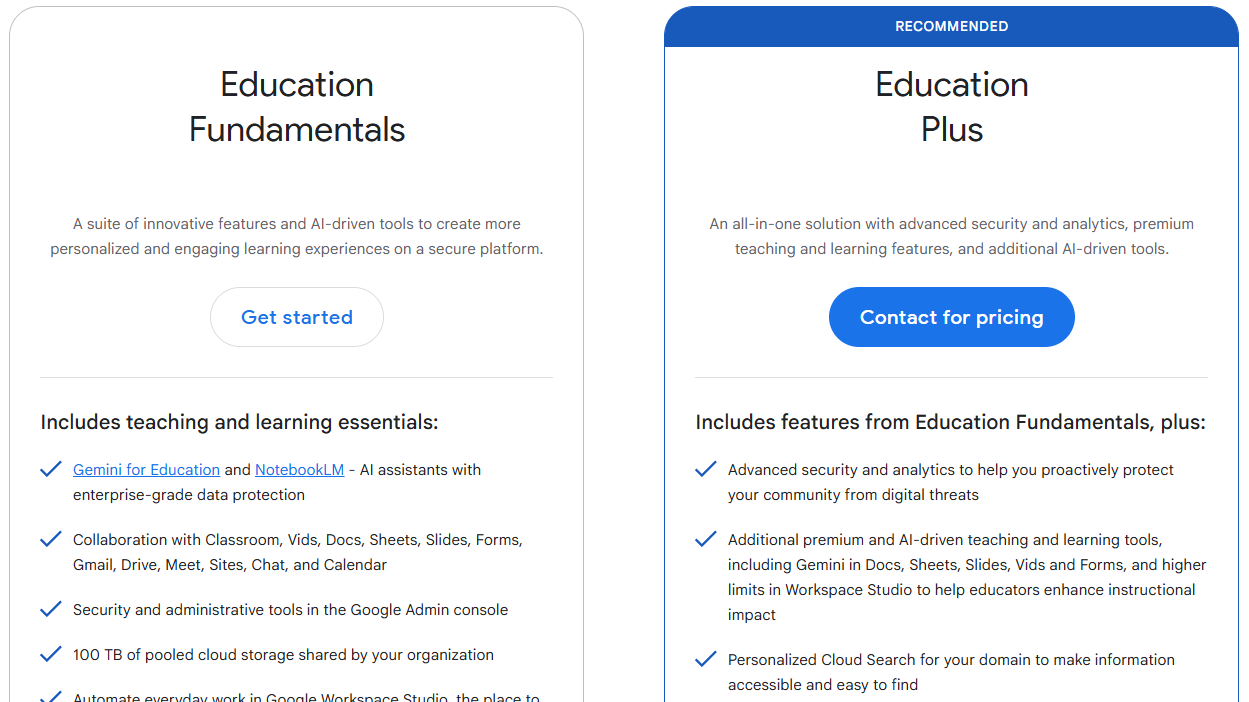
Google Classroom, in contrast, is free for schools using Google Workspace for Education, making it very accessible for K–12 classrooms and small groups. However, it comes with limited advanced LMS functionality.
You can find advanced features and AI tools in the paid Google Workspace for Education plan called Education Plus. For pricing, you’d need to contact the company.
Canvas vs Google Classroom: Which Is Better?
Both platforms are widely used, but they’re built for different learning environments. The table below highlights where each one fits best.
| Feature | Canvas | Google Classroom |
|---|---|---|
| Best For | Higher education and large institutions | K–12 classrooms and small groups |
| Ease of Use | More complex, feature-rich interface | Very simple and intuitive |
| Setup Time | Longer due to configuration and structure | Extremely fast setup |
| Customization | Extensive course and system customization | Reasonable customization for learning activities |
| Maintenance | Requires admin and ongoing management | Minimal maintenance |
| Pricing | Institution-based licensing | Free with Google Workspace |
- Choose Canvas if you need a robust LMS with structured courses, advanced grading, detailed analytics, and deep integrations. Canvas is better suited for higher education, professional training, and institutions with formal learning requirements.
- Choose Google Classroom if you want a simple, fast way to manage assignments and communication. Google Classroom is ideal for K–12 environments and educators who value ease of use over advanced features.
Where an AI LMS Like Coursebox Fits In
Canvas and Google Classroom support learning in very different ways. Canvas focuses on structured, institution-level course delivery, while Google Classroom simplifies day-to-day classroom management. However, both platforms rely heavily on manual setup when creating learning content.
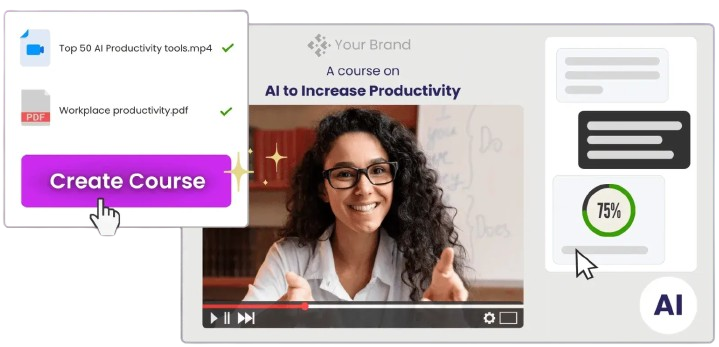
An AI LMS like Coursebox fits in where speed, automation, and scalability matter. Instead of building courses or classes from scratch, educators and training teams can use AI to generate course structure and lessons from existing materials, such as documents, slides, or videos.
This approach reduces preparation time and helps standardize learning experiences across teams or classrooms. It also offers interactive elements, such as quizzes and assessments, to boost learner engagement.
Coursebox doesn’t replace Canvas or Google Classroom in every scenario. Instead, it offers an alternative for organizations that want to create and update learning content faster, especially for training, onboarding, or skills development, where efficiency and consistency are critical.
The platform is also reasonably priced, starting from $35/month. Try Coursebox AI today to get started with instant course creation and management.
FAQs About Canvas vs Google Classroom
Canvas vs Google Classroom: Which platform is better for higher education?
Canvas is generally better suited for higher education environments. It supports complex course structures, learning outcomes, and institutional reporting. Google Classroom is more commonly used in K–12 settings for class management and communication.
Can Google Classroom replace Canvas?
Google Classroom can work for basic classroom management and assignment sharing. However, it lacks the structured course design, advanced assessments, and reporting tools found in Canvas. For higher education or formal training, Canvas is usually the better option.
Is Canvas harder to use than Google Classroom?
Canvas has a steeper learning curve because it offers more features and configuration options. Instructors need time to understand modules, grading tools, and analytics. Google Classroom is much easier to use but offers fewer advanced capabilities.
Does Google Classroom support assessments and grading?
Google Classroom supports basic grading and feedback through assignments and Google Forms. Teachers can review work, leave comments, and assign grades efficiently. However, it does not offer advanced assessment analytics or outcomes-based grading.
Can Canvas and Google Classroom be used together?
Some institutions use both platforms for different purposes. Google Classroom may be used for quick classroom communication, while Canvas handles formal coursework. Managing two systems can increase complexity, but it may suit certain workflows.
Is Canvas or Google Classroom suitable for corporate training?
Canvas can be adapted for corporate training, especially in organizations that need structured learning and reporting. Google Classroom is generally less suitable due to its limited customization and assessment features. Many businesses instead look toward AI-powered LMS platforms for faster training setup, such as Coursebox. It offers graded quizzes, assessments, and quick course creation tailored to specific corporate training needs.
Alex Hey
Digital marketing manager and growth expert

