

10 Best Online Learning Platforms in 2026 (From Someone Who Actually Takes the Courses)
The 10 best online learning platforms for 2026, compared by what you learn, cost, certificates and how it feels to learn, from someone who actually takes the courses.

There is no single best online learning platform, because they do different jobs. For university-backed credentials, Coursera or edX; for cheap specific skills, Udemy; for free academic foundations, Khan Academy; for coding, Codecademy or Pluralsight; for inspiration, MasterClass. I take courses on most of these, and I pick by what I am learning, not by a leaderboard.
- Only Khan Academy is genuinely free end to end. Coursera and edX let you audit courses free but paywall the certificate, Codecademy has a real free tier, and everyone else is a subscription or pay-per-course.
- The certificate is what you are really paying for on Coursera and edX. If an employer does not need to see it, Udemy, Skillshare or Codecademy get you the skill for far less.
- Course quality is uneven on the open platforms. On Udemy and Coursera, read the reviews and use the free preview or audit before you commit, because there is no consistent quality gate.
- Match the platform to the subject: Khan Academy for maths, Codecademy for code, Skillshare for creative, Udacity for a serious tech pivot, and MasterClass for perspective rather than practical skills.
Answer three quick questions and I will point you to the right pick for what you are trying to learn.

Learn faster with AI powered courses, quizzes, and flashcards
I take a lot of online courses. Not for a job that requires it, but because I like picking up a new skill and actually using it, so over the years I have paid for, audited, finished and abandoned courses across most of the platforms on this list. The first thing I learned is that "which is the best online learning platform" is the wrong question.
These platforms are not competing for the same job. Coursera sells you a credential with a university name on it. Udemy is a marketplace of cheap, specific skills. Khan Academy gives away the foundations for free. MasterClass is two cinematic hours with someone brilliant. So the real question is not which is best, it is which one fits what you are trying to learn, and how much you want to pay to prove you learned it.
I'm Parshad. I run growth at Coursebox, and I am the person on the team most likely to be halfway through three courses at once. None of these platforms is ours, and Coursebox is not on the list, because Coursebox is for building and selling courses, not taking them. This is simply where I actually go to learn.
How I compared these online learning platforms
I judged every platform on the same five things, in the order a learner feels them:
What you actually learn. The real subject and depth, from accredited university courses to a weekend creative class. This matters most, so I weighted it heaviest.
The cost, and whether free is real. Genuinely free, free-to-audit, a subscription, or pay-per-course. I flag which "free" is a real free tier and which is a trial.
Does the certificate matter. Whether the credential means anything to an employer, or is just a completion badge.
How it feels to learn. Passive video lectures, hands-on interactive practice, real projects with mentor feedback, or a community you learn alongside.
Who it is for. Career switchers, hobbyists, students, or people who just want to think bigger.
Online learning platforms at a glance
The whole list in one view. Prices are as of August 2026, verify live before you subscribe.
| Platform | Best for | Cost | Free option | Certificate |
|---|---|---|---|---|
| Coursera | University credentials for your career | Plus $59/mo or $399/yr | Audit free (no cert) | University-backed, paid |
| Udemy | Cheap, specific one-off skills | Per course, often $10-20 on sale | A few free courses | Completion certificate |
| edX | Courses and certificates from Harvard, MIT | Free audit; certs ~$50-300 | Audit free | University-backed, paid |
| LinkedIn Learning | Professional skills that show on your profile | $19.99/mo (billed annually) | 30-day trial | Certificate on your profile |
| Skillshare | Creative, project-based classes | ~$14/mo (billed annually) | 7 to 30-day trial | Completion certificate |
| Khan Academy | Free academic foundations | Free | Free, all of it | None |
| Codecademy | Interactive, hands-on coding | Pro $29.99/mo (annual); free tier | Free tier | Completion certificate |
| Udacity | Serious tech Nanodegrees with mentors | $249/mo or $999 per Nanodegree | 100+ free courses | Nanodegree |
| Pluralsight | Structured tech and dev skill paths | Complete $29/mo or $299/yr | 10-day trial | Completion + Skill IQ |
| MasterClass | Inspiration from world-class experts | From about $10/mo (annual only) | No trial (30-day refund) | None |
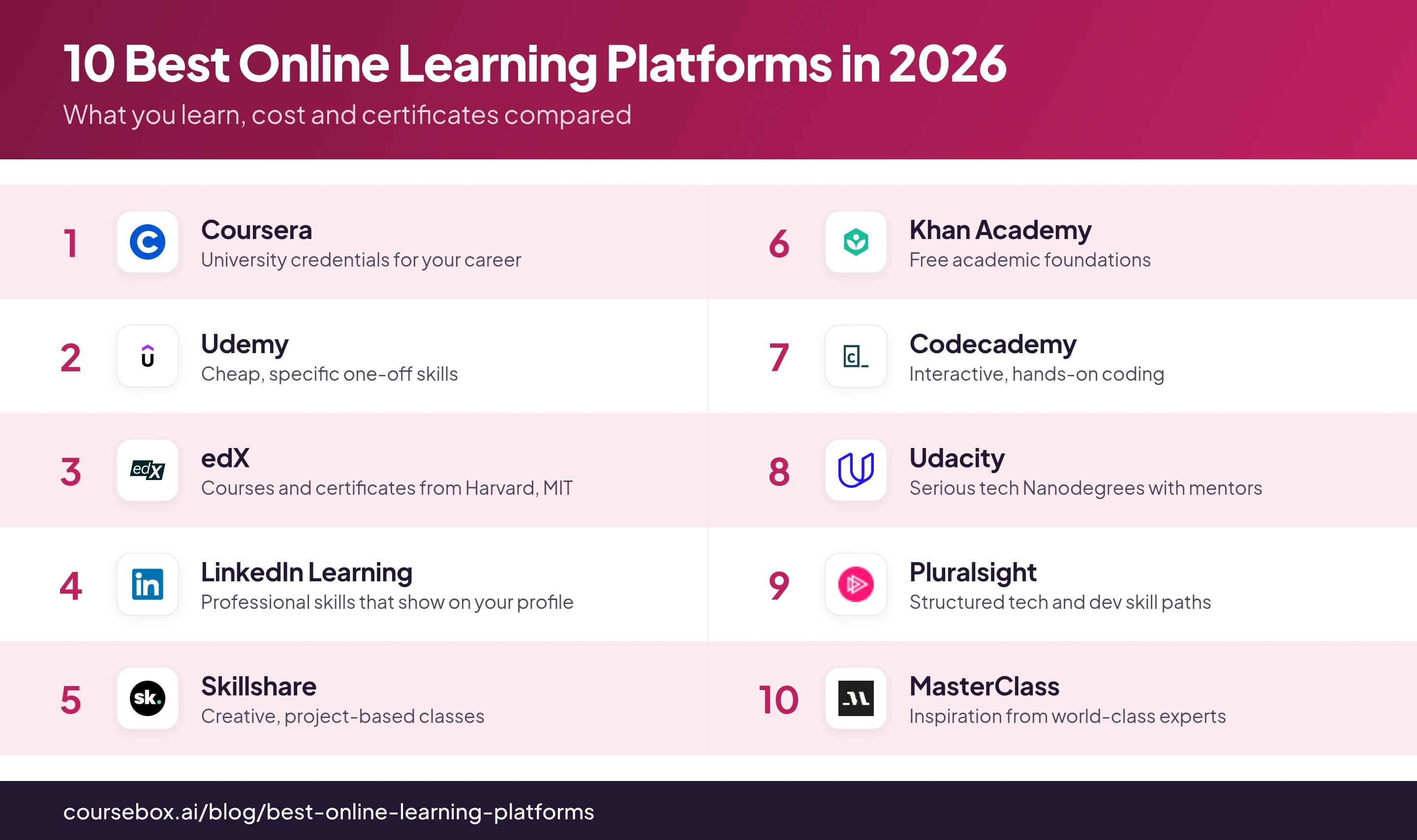
Ranked below, each on the job it does best.
Before you pay for a subscription or a certificate, use the free audit or trial to test whether you will actually finish. On the platforms I have used, the money wasted is almost never the course fee, it is the annual subscription I stopped using in week three, or the certificate I paid for and never completed. Commitment and engagement, not features, is what decides whether online learning pays off.
The 10 best online learning platforms
1. Coursera
Best for: Career switchers who want a credential with a recognised name attached.
Coursera partners with universities and companies like Stanford, Google and IBM to deliver structured courses, professional certificates and even full degrees.
What you learn: Academic and career subjects at real depth, from data science to public health, taught by institutions you have heard of.
Cost: Coursera Plus is $59/month or $399/year for most of the catalogue. You can audit many courses free, but auditing strips out graded assignments and the certificate.
Certificate: The strong point. Professional Certificates from Google or IBM carry real weight with employers.
The catch: The library is uneven, and the certificate is what you are paying for, so a free audit gives you the videos but not the credential.
Thoughts after learning from there: After years on Coursera, my honest read is that the quality swings hard. Some courses, usually the Stanford ones, are genuinely excellent; others are theory-heavy or a little dated, so I always read the reviews before I start. And the offline downloads I relied on for flights vanish the moment my subscription lapses.
Verdict: The one to pick when the certificate has to mean something on a CV, and you will actually use the graded work rather than just watching.
2. Udemy
Best for: Learning one specific, practical thing as cheaply as possible.
Udemy is an open marketplace where independent instructors sell individual courses on almost any topic, from Excel to woodworking to Kubernetes.
What you learn: Anything, at wildly varying depth, because anyone can publish. You buy a single course and keep it for life.
Cost: Per course, listed at $10 to $200 but almost always on sale for $10 to $20. A $20/month Personal Plan covers a curated top-rated subset.
Certificate: A completion certificate that no employer takes seriously. You come for the skill, not the credential.
The catch: There is no quality gate, so the burden is on you to pick well.
Thoughts after learning from there: I have spent enough on Udemy to say the range is real. I have sat through a course where the instructor just reads the slides, then taken another on the same topic that was full of hands-on demos and genuinely excellent. The reviews and the free preview lessons are the only way to avoid the duds, so never buy at full price and never buy without previewing.
Verdict: Unbeatable when you want a specific skill fast and cheap. Just treat the star rating and preview as compulsory.
3. edX
Best for: University-grade courses from top institutions, free to explore.
edX offers courses, professional certificates and MicroMasters from Harvard, MIT and other universities, with a free audit track and paid verified certificates.
What you learn: Rigorous, academic content, especially strong in computer science, engineering and the sciences.
Cost: Audit most courses free. Verified certificates run roughly $50 to $300, professional certificate programs into the hundreds, and full degrees into five figures.
Certificate: University-backed and credible, when you pay for the verified track.
The catch: The free audit often has a time limit and no graded work, and the serious credentials get expensive fast.
Thoughts after learning from there: The thing I noticed is that paying changed my behaviour. When I audited for free I drifted off after a couple of weeks; when I put a couple of hundred dollars down for the certificate, I actually finished the assignments. If you know you need the external push to complete something, the paid track is not just for the certificate, it is for the follow-through.
Verdict: Go here for academic depth from a name-brand university, whether you want to explore for free or commit to a credential.
4. LinkedIn Learning
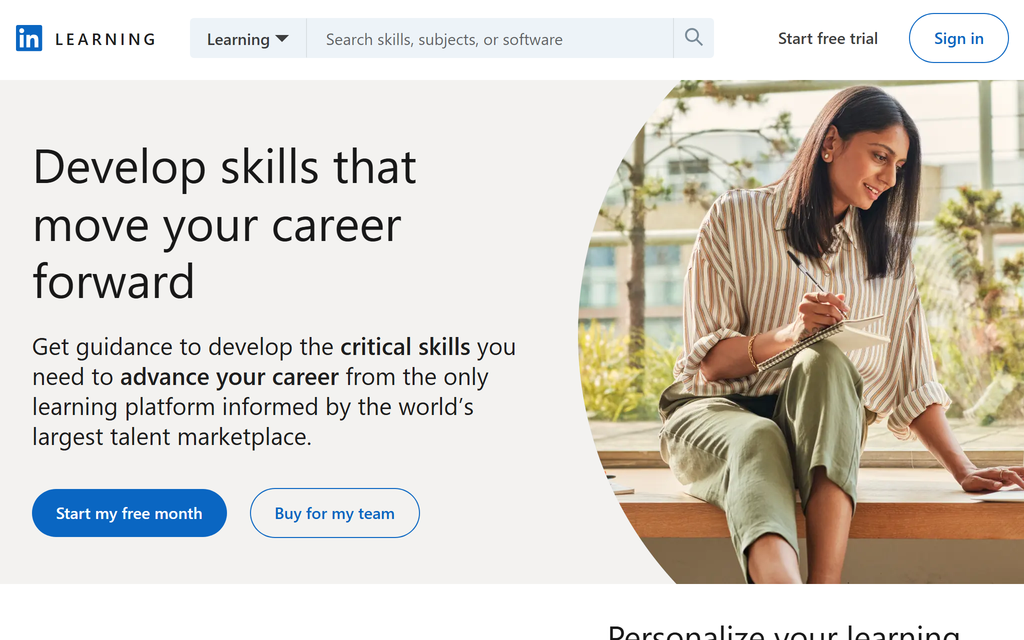
Best for: Working professionals who want skills that show up where recruiters look.
LinkedIn Learning offers thousands of expert-led video courses across business, tech and creative skills, tied directly to your LinkedIn profile.
What you learn: Broad professional and software skills, more breadth than depth, geared to the workplace.
Cost: $19.99/month billed annually (or $29.99 monthly), with a 30-day trial, and it is included free if you already pay for LinkedIn Premium.
Certificate: The differentiator. Completed courses appear on your LinkedIn profile automatically, where employers and recruiters can see them.
The catch: The courses are designed to be finished, which cuts both ways.
Thoughts after learning from there: After a dozen courses here, I noticed a small paradox. The courses are easy enough that you can skip the checkpoints and still pass the end quiz, so the learning can be shallow, but the certificate still lands on your public profile where it counts. Treat it as a way to signal breadth to recruiters, not as deep training.
Verdict: Worth it, especially if you already have LinkedIn Premium, when the goal is visible professional credentials over deep mastery.
5. Skillshare
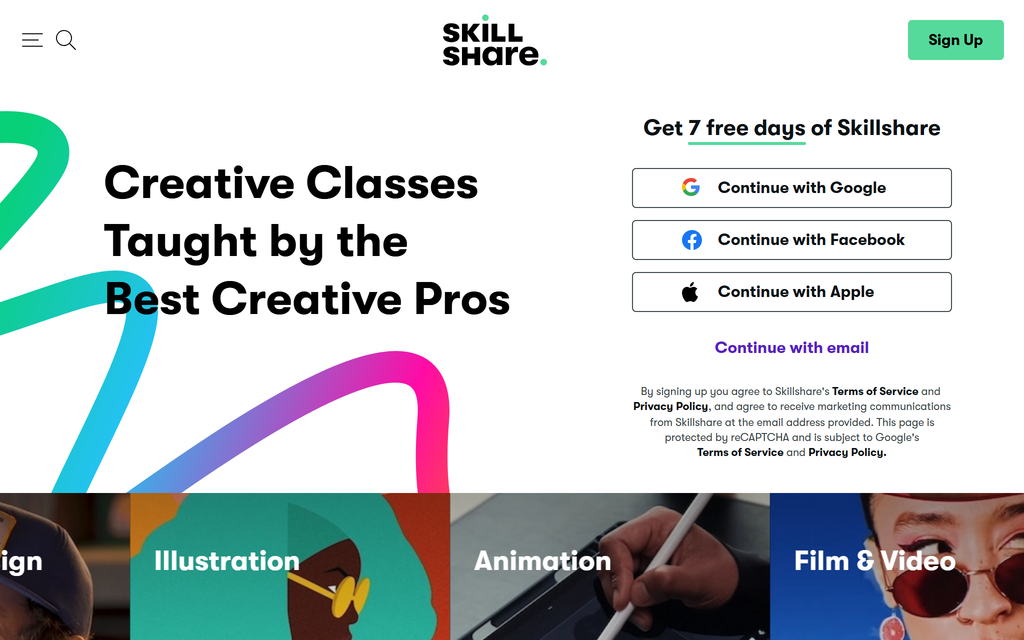
Best for: Creative and project-based skills you learn by making something.
Skillshare is a subscription platform of short, practical classes focused on creative fields, design, illustration, photography, writing, with a project at the centre of most classes.
What you learn: Hands-on creative skills in bite-sized 20 to 60-minute classes, taught by working creatives rather than academics.
Cost: About $14/month billed annually ($167.88/year), more month to month, with a 7 to 30-day free trial.
Certificate: A completion badge with no real currency. Nobody hires on a Skillshare certificate.
The catch: It is light on rigorous or technical subjects, and depth is shallow by design.
Thoughts after learning from there: What changed the experience for me was doing the class projects and posting them. The lessons alone are pleasant but passive; the actual learning happened when I shared a project and other students gave feedback. Skip the project and you are just watching short videos.
Verdict: The pick for creative hobbies and side projects you learn by doing. Do the projects or you are wasting the subscription.
6. Khan Academy
Best for: Free, foundational academic learning, especially maths and science.
Khan Academy is a non-profit offering a full, free curriculum across maths, science, economics and more, for school-age learners and adults filling gaps.
What you learn: Core academic foundations, taught patiently and thoroughly, from arithmetic to calculus and beyond.
Cost: Genuinely free, forever. It is a non-profit funded by donations, with no paid tier and no upsell.
Certificate: None, and that is the point. This is for understanding, not credentials.
The catch: It stops at foundations. There are no career certificates, no advanced professional tracks and no hand-holding into a job.
Thoughts after learning from there: I have not found a genuine hands-on video review to lean on here, which fits Khan's reputation more than it undercuts it. What I can say plainly is that when I have needed to relearn a maths concept from scratch, nothing else has been this clear or this free. Use it to build the foundation, then go elsewhere for the credential.
Verdict: The best free resource on this list, full stop, as long as you understand it teaches fundamentals, not job-ready specialisations.
7. Codecademy
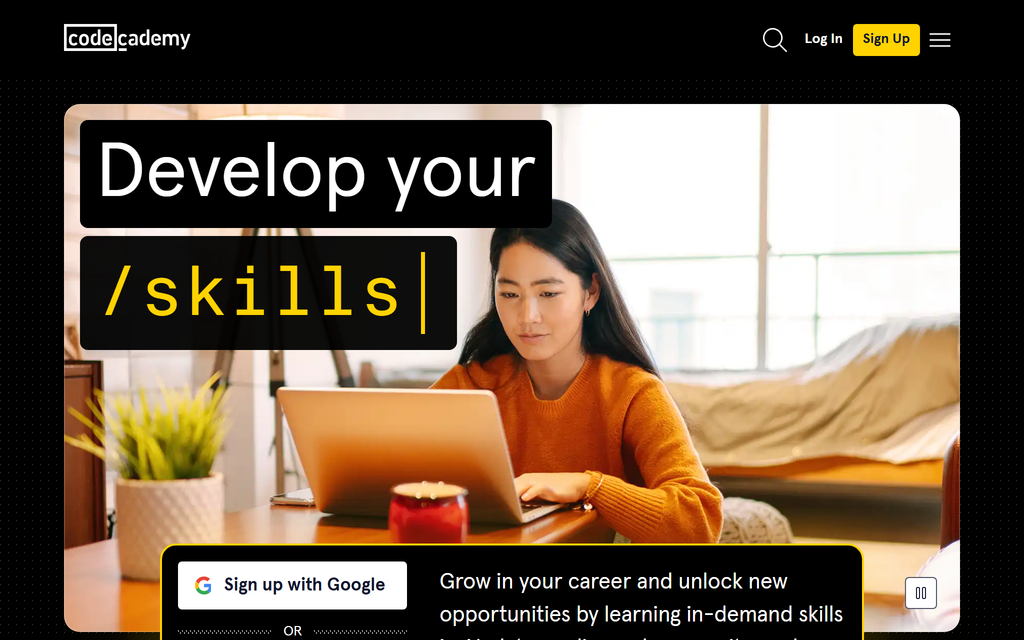
Best for: Absolute beginners who learn to code by writing code, not watching it.
Codecademy teaches programming through interactive, in-browser lessons where you write and run code as you go, rather than watching lecture videos.
What you learn: Coding fundamentals across many languages, with immediate hands-on practice built into every lesson.
Cost: A genuinely free tier covers basic courses. Pro is $29.99/month billed annually ($39.99 monthly) and unlocks projects, quizzes and paths.
Certificate: A completion certificate for Pro paths, useful for a portfolio rather than as a formal credential.
The catch: The interactive sandbox is not a real development environment.
Thoughts after learning from there: The interactive practice is genuinely the best way I have found to start coding, because you cannot passively coast through it. The gap I hit was afterwards: the tidy in-browser sandbox is nothing like setting up a real project on your own machine, so there is a real jump when you leave Codecademy and try to build something for real.
Verdict: The best on-ramp for your first steps in code. Plan to graduate to real tools once the fundamentals click.
8. Udacity
Best for: Career changers serious about a tech role, with time and money to invest.
Udacity offers Nanodegree programs in tech fields like AI, data and cloud, built around real projects and human mentor review, with industry partners like Google and AWS.
What you learn: Job-focused tech skills through substantial, portfolio-worthy projects, reviewed by people rather than an autograder.
Cost: Steep. A subscription is around $249/month, or roughly $999 for a Nanodegree paid up front. There are 100+ free standalone courses to sample first.
Certificate: The Nanodegree, which carries some weight in tech and comes with a real project portfolio.
The catch: It is expensive and demanding, and the marketing runs ahead of the experience.
Thoughts after learning from there: Going in, the pitch is mentors and cutting-edge content; the reality I found is that you need to commit 10 to 15 hours a week, the mentor support is reactive rather than proactive, so you have to chase it, and some of the curriculum lags the industry despite the big partner logos. The projects are the real value, not the videos.
Verdict: Worth the price only if you will genuinely put in the hours and you want project feedback from a human. Otherwise the cost is hard to justify.
9. Pluralsight
Best for: Developers and IT professionals building skills along a structured path.
Pluralsight is a subscription platform for technology and development, with skill assessments (Skill IQ), guided paths and hands-on labs.
What you learn: Deep, career-oriented tech and dev skills, with assessments that tell you where your gaps actually are.
Cost: The Complete plan is $29/month or $299/year; Core Tech is $45/month or $449/year. A 10-day free trial includes labs and assessments.
Certificate: Completion certificates plus the Skill IQ score, useful signals more than formal credentials.
The catch: Much of the library is still video-only, and old courses linger next to current ones.
Thoughts after learning from there: The Skill IQ assessments and the guided paths are the reason to be here, because they aim you at the right content instead of leaving you to browse. The frustration was that the labs are only on some content and a fair bit of the library is dated, so you have to actively check a course's date and hunt for the current material.
Verdict: Right for a working technologist who wants a structured path and honest skill assessment, if you are disciplined enough to self-direct.
10. MasterClass
Best for: Inspiration and big-picture thinking from people at the top of their field.
MasterClass sells beautifully produced, cinematic classes taught by famous experts, from filmmakers to chefs to athletes.
What you learn: How exceptional people think about their craft, delivered as polished, documentary-quality video.
Cost: Annual only, from about $10/month (Individual) up to Family tiers, with no free trial but a 30-day money-back guarantee.
Certificate: None. This is not about credentials at all.
The catch: It is inspiration, not instruction, so it is thin on step-by-step, do-this-next teaching.
Thoughts after learning from there: The production quality is genuinely stunning and the sessions are a pleasure to watch. What I kept noticing is that they teach you how a brilliant person thinks, not what to actually do on Monday morning. I finished a few feeling inspired but without a single concrete next step, so I treat it as motivation, not training.
Verdict: Worth it for inspiration and perspective from the best in the world. Do not expect to come out with a hard, practical skill.
How to choose an online learning platform
Start from what you are actually trying to get, not the brand.
Decide if you need the certificate to mean something
If an employer has to respect it, that is Coursera, edX or a Udacity Nanodegree. If the certificate is just for you, Udemy, Skillshare or Codecademy are cheaper and faster. LinkedIn Learning is the middle ground: shallow courses, but the badge sits on your profile.
Match the platform to the subject
Maths and academic foundations go to Khan Academy. Coding goes to Codecademy or Pluralsight. Creative skills go to Skillshare. A specific one-off skill goes to Udemy. A serious tech career pivot goes to Udacity.
Work out what "free" really means
Only Khan Academy is genuinely free end to end. Coursera and edX let you audit free but paywall the certificate. Codecademy has a real free tier. Everyone else is a subscription or per-course, and several "free" options are just trials.
Be honest about whether you will finish
The most expensive course is the one you abandon in week two. If you know you need a push, the paid track and a real deadline beat a free audit you will drift away from.
A note if you want to build courses, not take them
Every platform above is for learning. If you landed here because you want to create and sell your own courses, that is a completely different category, an authoring and course-selling tool rather than a learning marketplace. That is what we build at Coursebox, and our guide to online course platforms for creators compares the real options for that job.
Which online learning platform should you actually use?
Honestly, most people I know end up using two or three. I audit something academic on Coursera or edX, keep a cheap Udemy course open for a specific skill, and fall back on Khan Academy whenever I need to relearn a fundamental. If I could only keep one, it would be the one that matches what I am learning this month, not a single winner, and that is the honest answer to a question that assumes there is one.
Frequently Asked Questions
There is no single best one, because they do different jobs. For university-backed credentials, Coursera or edX. For cheap, specific skills, Udemy. For free academic foundations, Khan Academy. For coding, Codecademy or Pluralsight. Pick by what you are learning and whether the certificate needs to impress an employer.
Khan Academy is the only one that is genuinely free from end to end, with a full curriculum and no paywall. Coursera and edX let you audit courses free but charge for the certificate and graded work, and Codecademy has a real free tier for basic coding.
Coursera and edX (through their university and company partners) and Udacity Nanodegrees carry the most weight. LinkedIn Learning certificates are lighter but appear on your profile where recruiters see them. Completion certificates from Udemy or Skillshare carry little formal value.
Yes, if you match the platform to the goal and actually finish. The waste comes from paying for a subscription you barely use or abandoning a course in week two, not from the platforms themselves. Use free audits to test your commitment before you pay.
Codecademy is best for absolute beginners because you write code from the first lesson. Pluralsight suits developers who want structured paths and skill assessments, and Udacity is the pick for a serious, project-heavy career pivot if you can afford it.
Parshad Desai
Parshad is a full stack technical marketer based in our Perth office. He began his Coursebox career as a marketing intern. After impressing the founders with his incredible work, he later transitioned into a full time position coordinating digital marketing. His focus lies in managing our website, product analytics, and email marketing. Recently he has taken a keen interest in applying AI to digital marketing and growth.

