

The 7 Best SCORM-Compliant LMS Platforms Ranked Honestly
The 7 best SCORM-compliant LMS platforms for 2026, compared: iSpring, Docebo, Litmos, LearnUpon, Absorb, Moodle and Coursebox, with real pricing and SCORM support.

The best SCORM-compliant LMS depends on what you need: iSpring Learn suits small-to-mid teams wanting broad standards support and offline mobile; Coursebox is the standout if you want to create SCORM courses with AI and host, deliver and track them in one platform; Docebo and Litmos fit large enterprises; LearnUpon suits training companies with multiple audiences; Absorb suits mid-market L&D; and Moodle is the free, self-hosted option.
- A SCORM-compliant LMS imports, plays and tracks SCORM packages (usually SCORM 1.2 and 2004). Confirm the exact versions, plus xAPI and cmi5 if you need richer or offline tracking.
- iSpring Learn has the broadest confirmed standards support (SCORM 1.2, 2004, AICC, xAPI and cmi5) and the best offline mobile app.
- Moodle is free and open-source, but its core supports only SCORM 1.2, native SCORM 2004 sequencing requires the paid Rustici SCORM Cloud plugin.
- Pricing is quote-only for most enterprise SCORM LMS (Docebo, Litmos, LearnUpon, Absorb); expect annual contracts and few public list prices.
- Hosting SCORM and authoring SCORM are different jobs. Connected (dynamic) SCORM keeps live features but stays hosted; offline (standalone) packages run anywhere but drop interactivity.
Answer three quick questions and we'll point you to the best fit from this list.

Run your own branded LMS with unlimited learners
A SCORM LMS has one core job that sounds simple and is not: take a SCORM package built in an authoring tool, host it, launch it reliably for every learner, and track completion and scores back. Where the platforms differ is how well they do that at your scale, which SCORM versions and extra standards they support, and what they cost. That last part is the hardest to pin down, because most of them do not publish a price.
I am Travis, founder of Coursebox, and I spend a lot of time helping teams wire SCORM content into an LMS, and fielding the support tickets when it breaks. So I compared the SCORM-compliant platforms teams usually shortlist, with verified pricing and real standards support, and I have kept the honest catches in, including on my own product, which is on this list.
Full disclosure up front: Coursebox is one of the seven, and I did not rank it first. I placed each tool by genuine fit and flagged where every one of them, ours included, falls short. And if you are trying to *build* SCORM packages rather than host them, that is a different job, see our guide to the best SCORM authoring tools.
How I ranked these
I ranked these the way I would choose one myself, in this order of priority:
- Playback and compliance first. Can it import and reliably launch and track both SCORM 1.2 and 2004? That is the whole job, so it outweighs everything else.
- Tracking and reporting depth. How detailed is the completion, score and per-learner reporting, and can you export it for your records?
- Standards breadth. Does it also handle xAPI and cmi5 for richer or offline tracking?
- Delivery features. Offline mobile, multi-portal delivery and branding.
- Price transparency. Whether you can actually find out what it costs.
What makes an LMS SCORM-compliant (and what to actually check)
SCORM is the standard that lets a course package and an LMS talk to each other, so any conformant LMS can import, launch and track the same package. If you want the deeper background, scorm.com explains it well. But "SCORM-compliant" is a loose label, and three things decide whether a platform fits you:
- Versions: SCORM 1.2 is the old workhorse; SCORM 2004 adds sequencing and richer completion status. Packages are usually one or the other, so your LMS should handle both. (Note: Moodle core does not do native SCORM 2004.)
- Beyond SCORM: if you need richer or offline tracking, look for xAPI (Tin Can) and cmi5. iSpring Learn and LearnUpon confirm cmi5; several others do not.
- Tracking depth: compliance only guarantees completion and score pass-back. If you report to regulators, check per-learner and per-activity reporting and CSV export before you commit. Our guide to course completion rates covers what is worth tracking.
This is the demo question I answer the most! Exported SCORM comes in two flavours. A connected (or "dynamic") package calls back to the host platform at runtime, which keeps live features working (AI tutors, text-to-speech, short-answer grading, assignments) but means the content stays hosted and the course must stay published. A standalone (self-hosted) package is fully self-contained and runs anywhere with no callback, but it drops those interactive features and you need somewhere to host it.
Neither is "better". If you want every feature to keep working, use connected. If you need a package that runs independently in another LMS, use standalone, and expect a plainer experience.
One thing the vendor brochures never mention: a connected SCORM package has to reach its host server from wherever it is launched, and locked-down corporate LMS environments can block that. We have seen courses load to a blank screen inside hardened enterprise platforms (SuccessFactors is a common one) because the corporate firewall blocks the package's callback or the host domain. If you are deploying into a big enterprise LMS, ask two questions early: does it need a self-contained/standalone package, and which domains must be whitelisted? It will save you a launch-day support ticket.
SCORM LMS comparison at a glance
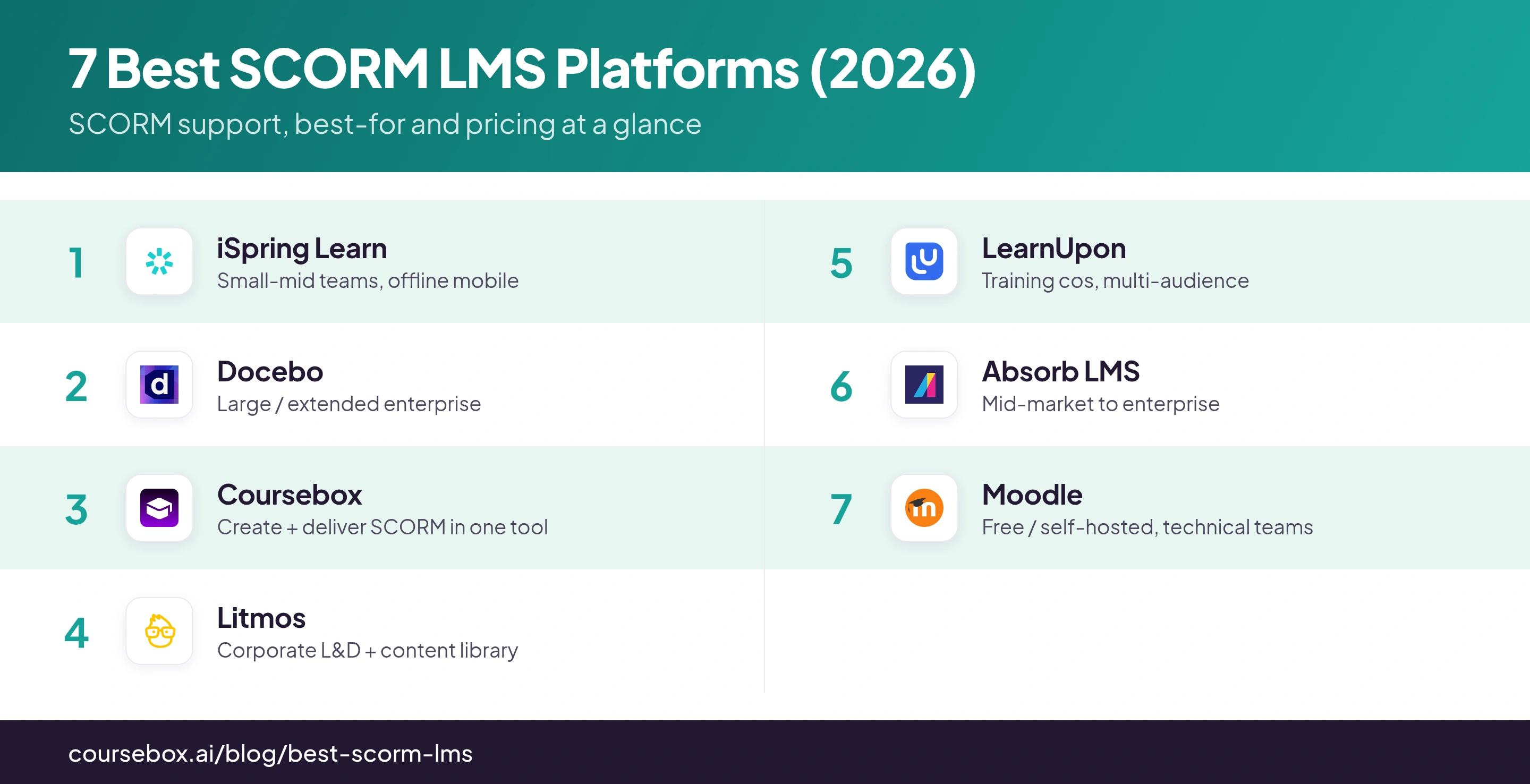
| Platform | SCORM versions | Also supports | Best for | Starting price |
|---|---|---|---|---|
| iSpring Learn | 1.2 + 2004 | AICC, xAPI, cmi5 | Small-mid teams, offline mobile | ~$2.86–3.58/user/mo (reported) |
| Docebo | 1.2 + 2004 (3rd) | AICC, xAPI | Large / extended enterprise | Quote-only (~$25k+/yr) |
| Coursebox | 1.2 + 2004 | AI authoring + delivery | Create + deliver SCORM in one tool | Free plan; paid tiers |
| Litmos | 1.2 + 2004* | xAPI, AICC | Corporate L&D + content library | Quote-only (~$4–15/learner) |
| LearnUpon | 1.2 + 2004 (3rd/4th) | xAPI, cmi5 | Training cos, multi-audience | Quote-only (from 100 users) |
| Absorb LMS | 1.2 + 2004 | AICC, xAPI | Mid-market to enterprise | Quote-only |
| Moodle | 1.2 only (core) | AICC; 2004/cmi5 via plugin | Free / self-hosted, technical teams | Free (self-host); Cloud from ~$130/yr |
*Litmos lists SCORM 2004 but does not document the edition clearly, confirm with their sales team if 2004 sequencing matters to you.
The 7 best SCORM LMS platforms for 2026
1. iSpring Learn
Best for: Small-to-mid corporate teams that want the broadest standards support and genuinely good offline mobile, with fairly transparent pricing.
iSpring Learn is the most complete SCORM host of this group. It handles the widest set of standards, imports packages cleanly, and pairs with the iSpring Suite authoring tool if you build your own content.
- Price: Pay-per-active-user, billed annually in bands (300 / 500 / 1,000). iSpring does not publish per-band rates; third-party listings put it around $2.86 to $3.58 per active user per month, with an effective ~300 active-user minimum. Enterprise is quote-only.
- SCORM support: The broadest confirmed set here: SCORM 1.2, SCORM 2004, AICC, xAPI (Tin Can) and cmi5. Imports SCORM packages for hosting and tracking.
- Standout: The native offline mobile app: learners download a SCORM or xAPI course, complete it fully offline, and results sync on reconnect. The strongest option here for deskless and field teams.
- The catch: The pay-per-active-user model has an effective 300-user floor, so very small teams pay for headroom they will not use, and the admin interface looks dated next to newer platforms.
My testing experience: I uploaded a SCORM 2004 package and it launched cleanly, with completion and score tracking working straight away. The offline app is the highlight: I downloaded a course, finished it with the wifi off, and the results synced when I reconnected. The interface looks dated in places, but it handled SCORM with the fewest problems of any tool here.
My take: The most complete SCORM host for most small-to-mid buyers: broadest standards, best offline, and the closest thing to a published rate. My default recommendation unless you specifically need enterprise scale.
2. Docebo
Best for: Large enterprises and extended-enterprise (partner and customer) programs that need multi-tenant SCORM delivery and deep analytics.
Docebo is the enterprise heavyweight on this list. Its Extended Enterprise feature delivers the same hosted SCORM content across many separately branded audiences from one instance, with segmented tracking and AI-driven analytics.
- Price: Quote-only. Docebo publishes no list price; reported entry contracts start around US$25,000 per year (roughly $5 to $10 per user per month at volume), rising into six figures for larger enterprise deployments.
- SCORM support: SCORM 1.2 and SCORM 2004 (3rd Edition), plus AICC and xAPI. Imports SCORM easily, which it markets as a migration selling point.
- Standout: Extended Enterprise multi-tenancy: one instance, many branded portals, with AI-driven analytics and recommendations layered on top of your SCORM tracking.
- The catch: It is heavy to run. The setup and terminology assume you have a dedicated admin, and cmi5 is a known weak spot, with users reporting that cmi5 packages fail to load. If you rely on cmi5, test it before you commit.
My testing experience: Docebo feels built for scale. Importing a SCORM package was straightforward, and the reporting is genuinely deep once content is live. The trade-off is that the platform really needs a dedicated admin to run well, so budget for that. It is powerful, not lightweight.
My take: The enterprise pick when you need multi-tenant delivery and deep analytics and have both the budget and an admin to run it. Overkill for a single small team.
3. Coursebox
Best for: Teams that want to create SCORM courses with AI and host, deliver and track them in one place, without buying a separate authoring tool and LMS.
Coursebox is the AI-first entry here: it builds the SCORM course from your documents, then hosts, delivers and tracks it as a branded LMS. Its Dynamic SCORM export keeps interactive pieces like the AI Tutor and short-answer questions working inside your package.
- Price: Free plan to start, with paid Creator, Pro and Business tiers. Standalone (fully offline) SCORM export sits on Pro and Business; see pricing for current figures.
- SCORM support: Imports and exports SCORM 1.2 and SCORM 2004. Two export modes: Dynamic SCORM (API-connected, keeps AI Tutor, listen mode, short-answer and assignments live) and Standalone / Self-hosted SCORM (fully offline, runs anywhere, but drops those connected features).
- Standout: One tool that authors the SCORM with AI and delivers it: Dynamic SCORM is the only export here that keeps an AI tutor live inside the package, and the platform doubles as a white-label training portal with per-learner reporting.
- The catch: Since this is my own product, I will be clear about the trade-off. Coursebox builds the SCORM course with AI and hosts and tracks it, and Dynamic SCORM keeps the interactive pieces working, which most exported packages cannot. The honest catch is that fully offline Standalone SCORM is on our paid tiers, and connected packages depend on the destination LMS allowing the callback. If you want one tool to create and deliver SCORM, it fits; if you only need to host packages built elsewhere, a pure LMS above may suit you better.
My take: The pick if you want to create SCORM with AI and deliver it reliably via SCORM, especially for internal training, training companies and corporate L&D. Less so if you only need to host packages made elsewhere.
4. Litmos
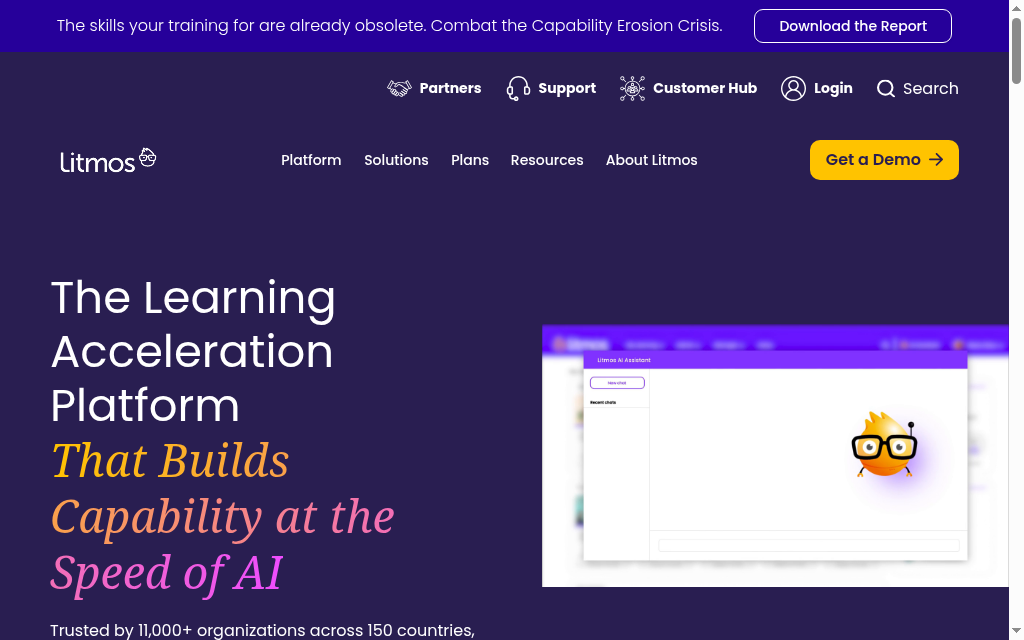
Best for: Mid-to-large corporate L&D that wants a polished, ready-to-go LMS, often with a bundled off-the-shelf content library.
Litmos (formerly SAP Litmos) is the fast-to-deploy corporate option. You can get a SCORM course live quickly, and its off-the-shelf content library is a real draw for teams that do not want to build everything themselves.
- Price: Quote-only. Two published plan tiers (Foundation and Platinum, the latter adding AI, advanced analytics and API); no public per-seat price. Third-party estimates land around $4 to $15 per active learner per month depending on volume and whether the content library is bundled.
- SCORM support: SCORM 1.2 confirmed; SCORM 2004 is listed but the edition-level detail (2nd/3rd/4th) is not cleanly documented. xAPI and AICC (HACP) supported; cmi5 not confirmed. Imports SCORM .zip via the course content tab.
- Standout: Polish and speed to live, plus a mature REST API and strong out-of-box reporting that pushes imported SCORM and xAPI tracking into enterprise HR and analytics systems.
- The catch: The SCORM 2004 edition support is only vaguely documented, so if you rely on 2004 sequencing, confirm the exact edition with their sales team rather than the marketing claim. Pricing is quote-based.
My testing experience: Litmos is polished and quick to get a SCORM course live, and the bundled content library is the genuine differentiator for corporate L&D. However, the AI authoring the courses was not very sophisticated and needed heavy editing.
My take: A strong, ready-to-go choice for corporate L&D that values a content library, as long as you pin down the 2004 and pricing details first.
5. LearnUpon
Best for: Training companies and extended-enterprise teams delivering the same SCORM content to multiple distinct audiences (customers, partners, members).
LearnUpon is built around a multi-portal architecture: separate branded, access-controlled portals per audience from one top portal, delivering and tracking the same SCORM and xAPI content centrally.
- Price: Quote-only, annual. LearnUpon does publish seat minimums (Employee training from 100 users, Associations from 150, Customer Education from 300); reported contracts commonly start around $15,000 to $31,000 per year.
- SCORM support: SCORM 1.2 and SCORM 2004 (3rd and 4th editions), plus xAPI and cmi5. A standout for import: bulk upload of up to 100 SCORM or xAPI files at once (~2.5 GB), with validation during upload.
- Standout: The multi-portal / sub-portal model: stand up separate branded portals per audience and track the same content centrally, plus a handy SCORM override capability.
- The catch: One reporting limit worth knowing: no Exams or Interactions transcript for SCORM 2004 content. AICC is not prominently listed, so treat it as unconfirmed if you need it.
My testing experience: The multi-portal setup is the standout. You can create separate branded portals for different audiences and deliver the same SCORM content to each, all tracked in one place. Bulk import is a real strength too: it checks files as they upload, so you catch problems early. It is clearly built for training companies, not a single internal team.
My take: The best fit for training companies and extended-enterprise teams delivering one library of SCORM content to many audiences, with clean portal separation and central control.
6. Absorb LMS
Best for: Mid-market-to-enterprise L&D wanting a polished, well-supported commercial SCORM host with strong reporting and mobile/offline delivery.
Absorb LMS is the clean, well-supported commercial middle ground: a modern admin experience, solid SCORM reporting, and full offline playback through its native mobile app.
- Price: Quote-only, based on active learners, term and tier. No public list price; reported SMB deployments start in the four figures per month, with third-party contract averages around $34,000 per year for SMB. Treat all figures as reseller estimates, not vendor-published.
- SCORM support: SCORM 1.2 and SCORM 2004 (edition not stated), plus AICC, xAPI and HTML5. Imports SCORM ZIP directly. cmi5 is not referenced, so treat it as unconfirmed.
- Standout: Full offline SCORM playback and tracking via the native Absorb mobile app: download, complete offline, sync scores on reconnect, backed by a clean admin and strong reporting.
- The catch: Pricing is entirely quote-led with no public figure, and cmi5 support is not documented. Add both to your sales questions if they matter to you.
My testing experience: Absorb has one of the cleaner admin experiences here, and SCORM upload and reporting looked reliable in the walkthroughs. Like iSpring, offline playback through the mobile app is a real strength. The one frustration is that the price is hidden behind a quote, so it is hard to compare against the others.
My take: A polished mid-market-to-enterprise SCORM host with excellent mobile, if you are comfortable with waiting for sales-led pricing and can confirm the standards you need.
7. Moodle
Best for: Budget-conscious institutions with technical resources (or a partner) that want a free, self-hostable, endlessly extensible SCORM platform.
Moodle is the free, open-source option, and the only one here with no per-seat licence. Self-host it and every SCORM interaction stays on your own servers, with a huge plugin ecosystem to extend it.
- Price: Free and open-source (GPL) to self-host, you pay only for your own server and admin time. MoodleCloud (the official SaaS) is paid, with public tiers reported from roughly $130 per year (50 users) up to around $2,000 per year (750 users). Moodle Workplace (enterprise, multi-tenant) is partner-quoted.
- SCORM support: Core supports SCORM 1.2 and AICC and passes ADL 1.2.7 conformance. The critical caveat: SCORM 2004 sequencing and navigation are NOT implemented in core. For true 2004 or cmi5 you need the official Rustici SCORM Cloud plugin (a paid external service). xAPI is via plugins, not core-native.
- Standout: Total data ownership and unlimited scale on self-hosted infrastructure: unlimited learners, no per-seat licence, all SCORM data on your own servers, extensible via the plugin and LRS ecosystem.
- The catch: The SCORM 2004 gap is the big one, if your packages use 2004 sequencing, core Moodle will not run them properly and you must bolt on the paid Rustici plugin. "Free" also means you own the hosting, upgrades and support.
My testing experience: Moodle is powerful, but it feels dated. Self-hosting means your SCORM data stays yours entirely and you can add as many learners as you want with no per-seat fees. But the core module only properly supports SCORM 1.2, so I would only run 2004 or cmi5 content with the external Rustici plugin added. Free to licence, but you pay in hosting and admin time.
My take: The free, own-your-data choice for technical teams, as long as you can live within SCORM 1.2 or add the Rustici plugin for 2004.
My final take
There is no single best SCORM LMS, only the best one for your scale, your content and your budget. Here is how I would choose:
- Most small-to-mid teams: iSpring Learn, for the broadest standards, best offline and closest thing to a real published price.
- Create and deliver SCORM in one tool: Coursebox, especially if you want AI to build the course and keep an AI tutor live in the package.
- Large or extended enterprise: Docebo for multi-tenant delivery and analytics, or Litmos for a polished, content-library-backed rollout.
- Training companies with many audiences: LearnUpon, for clean multi-portal separation and strong bulk import.
- Mid-market wanting polish and mobile: Absorb LMS.
- Free and technical: Moodle, if you can live within SCORM 1.2 or add the Rustici plugin.
Whichever you choose, remember the two-step reality: something has to *build* the SCORM package, and something has to *host and track* it. This guide is about the hosting side. If you are choosing the build side, see our ranking of the best SCORM authoring tools, and if you are weighing broader options, our best LMS platforms for corporate training guide goes wider.
Disclosure: I'm the founder of Coursebox, which is one of the seven platforms ranked above. I deliberately did not rank Coursebox first, placed each tool by genuine fit, and flagged the honest catch on every one, ours included. Pricing was checked against each vendor's own site in August 2026; five of the seven publish no list price, so those figures are marked reported or estimated rather than presented as vendor rates. Standards support reflects each vendor's own documentation at the time of writing.
Frequently Asked Questions
A SCORM-compliant LMS is a learning platform that can import, launch and track SCORM course packages built in an authoring tool. It reads the package, delivers it to learners, and records completion and quiz scores back through the SCORM runtime. Most support SCORM 1.2 and SCORM 2004; the differences between platforms are scale, tracking depth, extra standards (xAPI, cmi5) and price.
It depends on your content. SCORM 1.2 is the older, simpler and most widely compatible version; SCORM 2004 adds sequencing, navigation rules and richer completion status. Most packages are built for one or the other, so the safest choice is an LMS that supports both. Note that Moodle core supports only SCORM 1.2, and needs the external Rustici plugin for true 2004.
An authoring tool (like iSpring Suite or Coursebox) builds the SCORM package; a SCORM LMS hosts it, delivers it to learners and tracks their results. They are two different jobs, and many teams use one tool for each. If you are choosing the build side, see our guide to the best SCORM authoring tools.
Some platforms let you export a fully self-contained package that runs in another LMS with no callback to the host. The trade-off is that offline (standalone) packages usually drop interactive features that rely on the host server, such as AI tutors, text-to-speech and short-answer grading. Connected (dynamic) packages keep those features but require the content to stay hosted.
Moodle is a strong free option if you have technical resources and your content uses SCORM 1.2. It is open-source, self-hostable and keeps all your data on your own servers. The catch is that Moodle core does not support native SCORM 2004 sequencing, so 2004 or cmi5 content needs the paid Rustici SCORM Cloud plugin, and you own the hosting, upgrades and support.
Among the platforms compared here, iSpring Learn and LearnUpon confirm cmi5 support (iSpring also covers AICC and xAPI). Docebo and Absorb support xAPI but do not clearly document cmi5, and Moodle handles xAPI only through plugins. If cmi5 is a requirement, ask the vendor to confirm it in writing and test a package before committing.
Travis Clapp
Travis Clapp is the original founder and CEO of Coursebox. As an experienced instructional designer, he has lived through the process of building high quality courses. These experiences brought about his idea to upload all your documents and ideas into a virtual box that could convert those magically into a course. Prior to Coursebox, he successfully founded and built a social based LMS. Travis has 15+ years of experience designing courses and EdTech platforms from university MOOCs to enterprise LMS. Travis has built training for reputable companies like Johnson & Johnson, Electrolux, Michael Hill and SA Health. One of his courses reached 20,000+ learners which was a flagship edX course. He is based in the Adelaide, South Australia office and passionately works on customer support, sales and bringing the original product vision to life every day.

