

Thinkific vs Podia: What’s the Difference and Which One Should You Choose?
Want to sell your online course? This Thinkific vs Podia comparison will help you choose the best platform based on your preferences and budget. Read now!


Build high quality courses that actually sell
If you’re looking for a platform to sell online courses, you may already have a list of options to choose from. Thinkific and Podia are both popular tools for creators, but they’re built with very different priorities in mind. The right choice comes down to how much control you want versus how quickly you want to launch the course.
You might also be thinking of trying an AI course creator before choosing where to host or sell your course. In this Thinkific vs Podia comparison, we will address all your concerns to help you choose the best platform.
Let’s explore how Thinkific and Podia work, where each excels, and which one makes sense depending on your goals.
What Is Thinkific?
Thinkific is a robust learning platform designed for creators, businesses, and educators who want to build structured online courses. It supports video lessons, quizzes, assignments, certificates, and community features.
One of Thinkific’s strengths is its focus on course structure. Creators can organize content into chapters and lessons, control learner access, and track progress through detailed analytics. This makes it popular for professional courses, coaching programs, and certifications.
Thinkific also integrates with a wide range of third-party tools, which allows creators to extend functionality as their business grows.
What Is Podia?
Podia is an all-in-one platform built around simplicity. It allows creators to sell courses, digital downloads, webinars, and memberships from a single dashboard. Podia’s appeal lies in how easy it is to use, even for people with no technical background.
Course creation in Podia is intentionally lightweight. You upload content, organize it into sections, and publish. There are fewer advanced learning features, but setup is fast, and maintenance is minimal.
For creators who want to focus more on selling than instructional design, Podia offers a smooth experience. The platform also includes built-in email marketing and checkout tools, reducing the need for external services.
Thinkific vs Podia: 6 Key Differences Explained
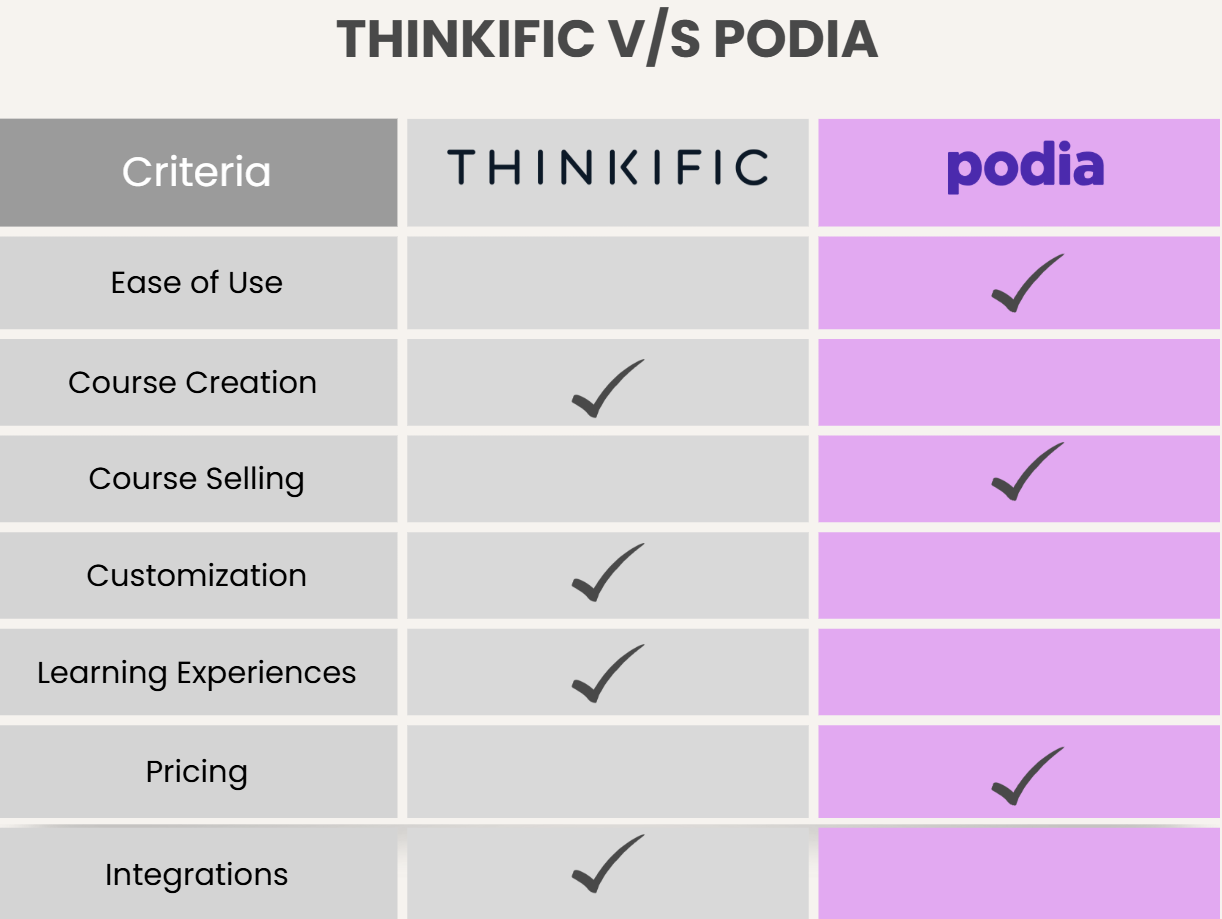
Although both platforms let you build and sell online courses, the differences between Thinkific vs Podia become clear once you dig deeper. Here is a detailed comparison of their structure, customization, and long-term scalability.
1. Ease of Use & Interface
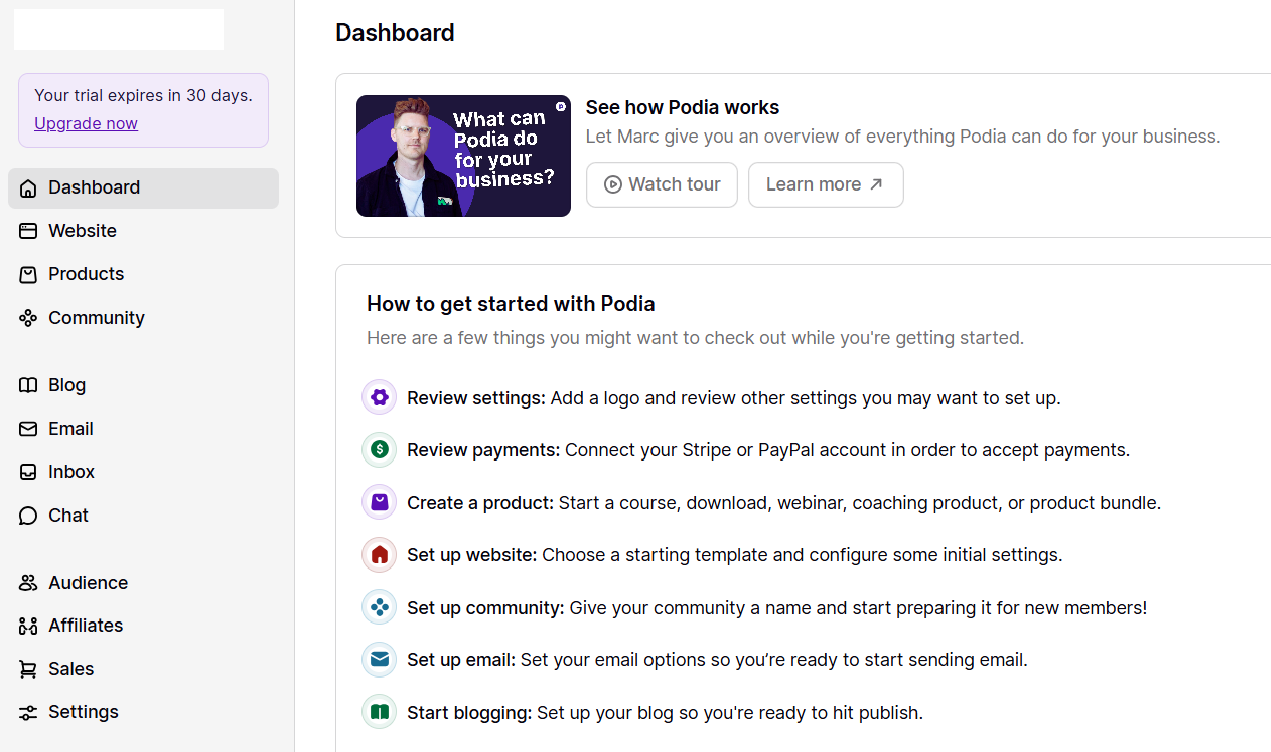
Podia is one of the easiest platforms to navigate. The dashboard is clean, uncluttered, and beginner-friendly. Most users can create and publish a course within a few hours, making Podia appealing to first-time creators.
Thinkific’s interface is still user-friendly, but it offers more options and settings. This adds flexibility, but it also means a slightly steeper learning curve. Creators who want more control usually appreciate this trade-off.
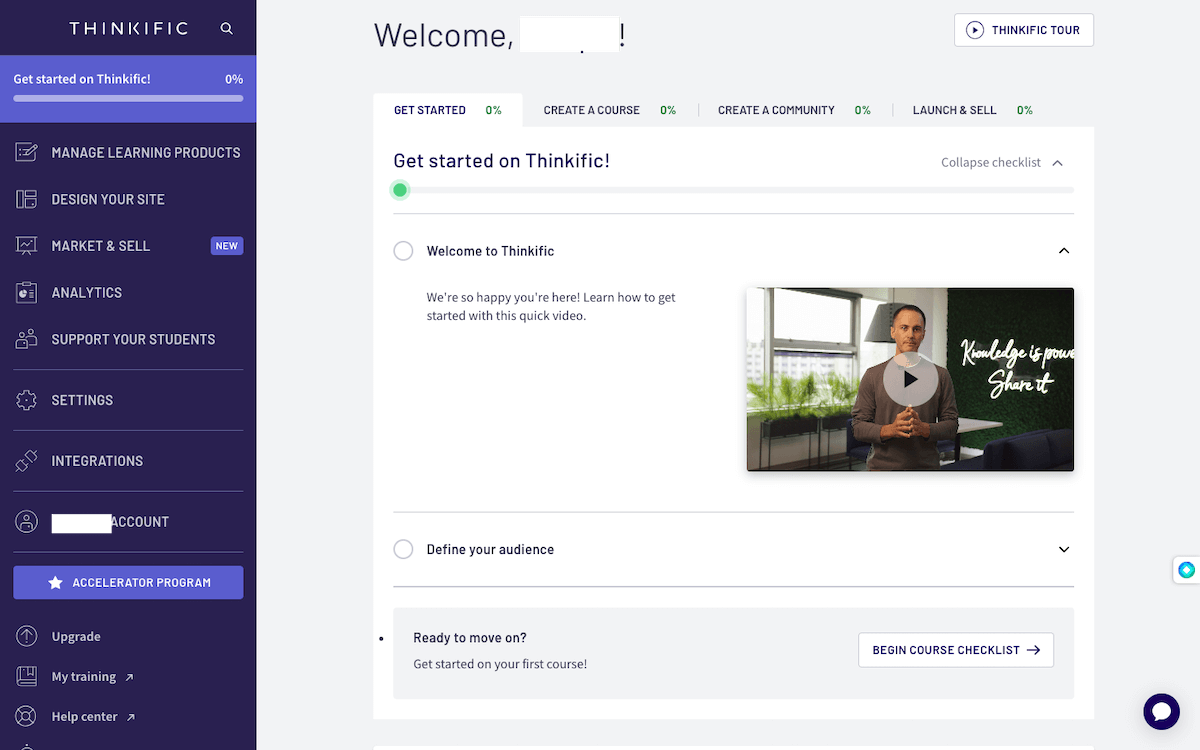
In short, Podia prioritizes simplicity, while Thinkific balances usability with depth.
2. Course Creation & Selling
The main difference between Thinkific vs Podia lies in their course creation and sales processes.
Course Design and Organization
Thinkific allows creators to build well-structured courses with chapters, lessons, quizzes, assignments, and completion rules. You can design learning paths that guide students step by step, which is ideal for skill-based or professional education.
Podia takes a simpler approach. Courses are organized into sections and lessons, but there’s less emphasis on instructional design. This works well for straightforward courses, workshops, or content libraries where a rigid structure isn’t required.
Course Selling and Monetization
Course monetization is an area where Thinkific and Podia take noticeably different approaches. Thinkific focuses on structured course sales, allowing creators to set pricing tiers, offer bundles, create coupons, and manage enrollments with more control. This makes it well-suited for users who sell education as a core product.

Podia takes a more streamlined approach to course selling. Pricing options are easy to set up, and the platform includes built-in checkout and email marketing, which reduces the need for third-party tools.
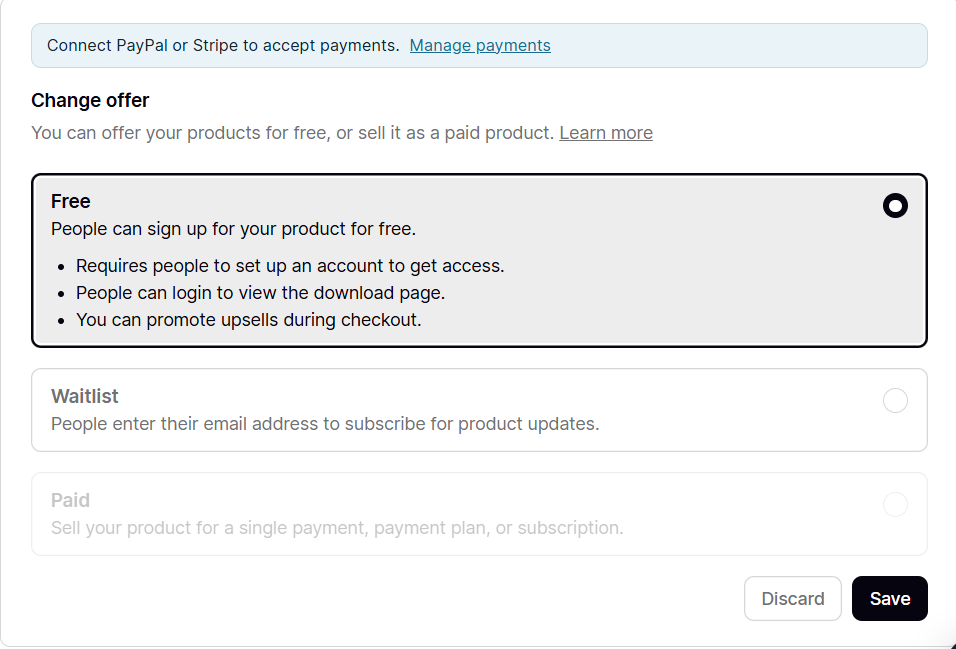
While Podia doesn’t offer as many advanced sales configurations as Thinkific, it makes it very easy for creators to start selling quickly.
3. Customization & Branding
Thinkific offers more customization options for course pages, player layouts, and branding. You can adjust themes, add custom pages, and create a learning environment that feels tailored to your brand.
Podia keeps customization intentionally limited. While you can add logos, colors, and basic branding, design flexibility is not its main focus. This simplicity helps creators avoid design decisions, but it may feel restrictive for brands that want a unique look.
4. Learning Experience & Engagement
Thinkific includes features designed to support engagement and assessment, such as quizzes, certificates, and learner analytics. These tools help instructors measure progress and improve course outcomes.
Podia focuses more on content delivery than engagement tracking. While learners can easily access materials, there are fewer built-in tools for measuring learning outcomes. For many creators, this is acceptable if the goal is content consumption rather than formal learning.
5. Integrations
Thinkific integrates with a wide range of tools, including CRM systems, email marketing platforms, analytics tools, and payment gateways. This makes it adaptable for businesses that want to build complex ecosystems around their courses.
Podia offers fewer integrations, but it covers the essentials. Its built-in email marketing and checkout tools reduce the need for external software, making it attractive to solo creators.
6. Pricing
Pricing is where many course creators get confused. Most LMS and course-creation platforms offer a range of paid subscriptions with different features, making it hard to choose one that fits your needs.
Here is how Thinkific vs Podia stands out in terms of pricing:
Podia Pricing
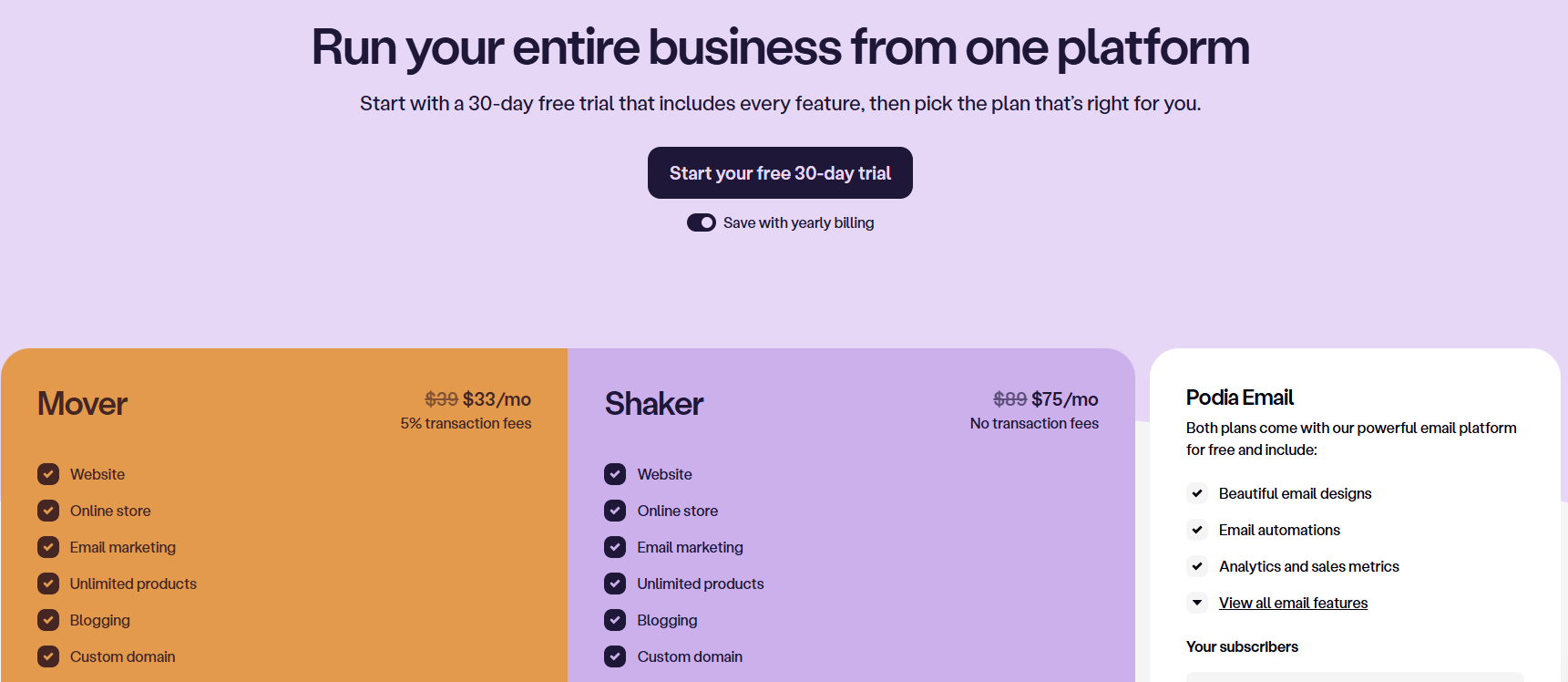
Podia is generally more affordable and predictable, with flat pricing and no transaction fees on paid plans. This makes it appealing for creators who want to control costs.
Podia offers three subscription plans with a wide range of features besides course selling:
- Mover: $33/mo with 5% transaction fees (billed annually)
- Shaker: $75/mo with no transaction fees (billed annually)
- Podia Email: Custom pricing
Thinkific Pricing
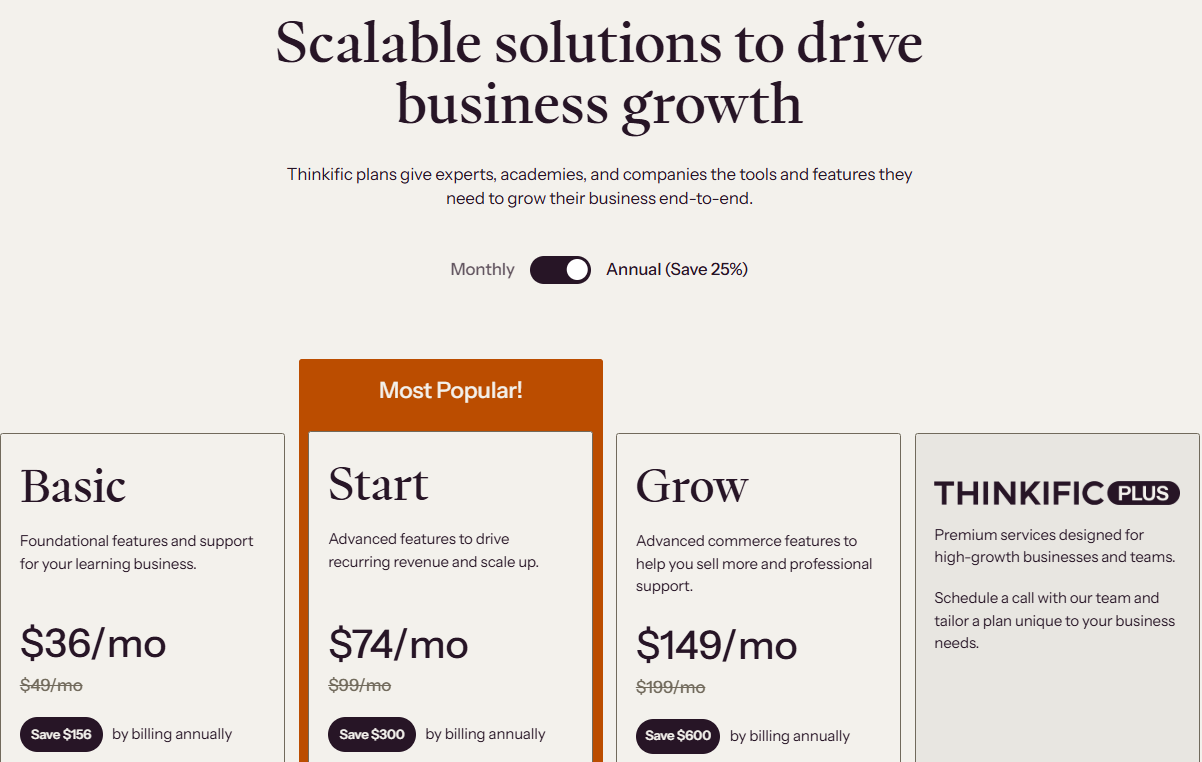
Thinkific’s pricing scales with features and usage. While it can be more expensive, it offers advanced tools that justify the cost for professional or business use cases. Thinkific offers four plans, including:
- Basic: $36/mo, billed annually
- Start: $74/mo, billed annually
- Grow: $149/mo, billed annually
- Thinkific Plus: Custom plan
Thinkific vs Podia: Which Is Better?
Here’s a quick side-by-side overview of Thinkific and Podia:
| Feature | Thinkific | Podia |
|---|---|---|
| Best For | Structured, professional courses | Simple course and digital product sales |
| Ease of Use | Moderate learning curve | Extremely beginner-friendly |
| Setup Time | Extremely beginner-friendly | Very fast |
| Customization | Strong branding and structure | Limited customization |
| Maintenance | Higher for large catalogs | Low maintenance |
| Pricing | Scales with features | Simple, flat pricing |
- Choose Thinkific if you want to build structured courses with assessments, certificates, and detailed analytics. Thinkific is a strong choice for professional education, coaching programs, and training businesses that plan to scale.
- Choose Podia if you want to launch quickly and sell courses alongside digital products or memberships. Podia works best for creators who value simplicity and minimal setup.
Where an AI Course Creator Like Coursebox Fits In
Thinkific and Podia both focus on building, hosting, and selling courses manually. That means instructors still need to plan lessons, write content, and structure courses on their own before uploading anything on the platform.
This is where an AI course creator like Coursebox fits naturally. Instead of starting with a blank page, creators can use AI to generate course outlines, lessons, and learning materials from documents, slides, or videos. This speeds up course development and improves consistency.
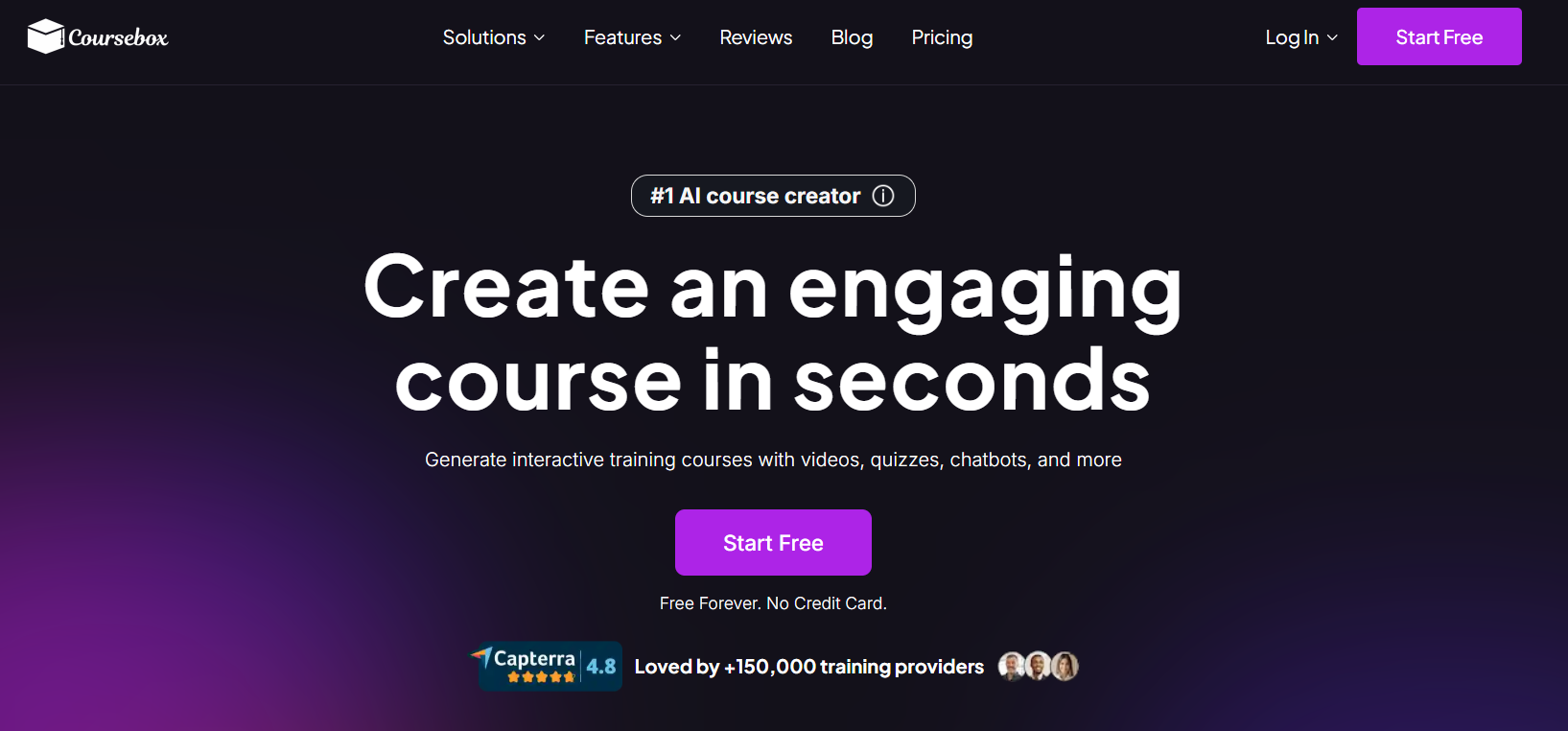
Coursebox doesn’t replace Thinkific or Podia. Instead, it works upstream, helping creators build high-quality courses faster before choosing where to publish them. For teams and educators focused on efficiency, an AI course creator can dramatically reduce preparation time.
Try Coursebox today to let AI create courses that you can sell for great money!
FAQs About Thinkific vs Podia
Thinkific vs Podia: Which platform is better for beginners?
Podia is generally better for beginners because of its simple interface and minimal setup. Thinkific offers more advanced features that can feel overwhelming at first, but they provide greater long-term flexibility.
Do Thinkific and Podia support certificates?
Thinkific supports course completion certificates natively. Podia does not offer built-in certificates, so creators would need third-party tools if certificates are required.
Can I use an AI course creator with Thinkific and Podia?
Yes. An AI course creator like Coursebox can be used before uploading content to either Thinkific or Podia. You can create and design structured courses in a few minutes on Coursebox, regardless of where you choose to host them.
Is Thinkific or Podia better for long-term course growth?
Thinkific is generally better for long-term growth because it supports structured courses, learner analytics, and advanced integrations. As course libraries expand, its features help manage content and learners more effectively. Podia can still scale, but it’s better suited for smaller catalogs and creators who prefer simplicity over complexity.
Can you sell memberships on both Thinkific and Podia?
Yes, both platforms support memberships, but Podia makes them easier to set up and manage. Thinkific’s membership features are more structured and better suited for learning programs, while Podia’s memberships are simple and content-focused.
Can you migrate courses between Thinkific and Podia?
Yes, courses can be moved between Thinkific and Podia, but the process is manual. Content such as videos and files must be re-uploaded, and the course structure often needs to be recreated. Using an AI course creator beforehand can make migration easier by keeping course content organized and reusable across platforms.
Travis Clapp
Travis Clapp is the original founder and CEO of Coursebox. As an experienced instructional designer, he has lived through the process of building high quality courses. These experiences brought about his idea to upload all your documents and ideas into a virtual box that could convert those magically into a course. Prior to Coursebox, he successfully founded and built a social based LMS. Travis has 15+ years of experience designing courses and EdTech platforms from university MOOCs to enterprise LMS. Travis has built training for reputable companies like Johnson & Johnson, Electrolux, Michael Hill and SA Health. One of his courses reached 20,000+ learners which was a flagship edX course. He is based in the Adelaide, South Australia office and passionately works on customer support, sales and bringing the original product vision to life every day.

