

10 Best LMS for Selling Courses, Ranked by a Course Creator
Ten platforms for selling online courses, ranked on the marketing tools, the cut they take, whether buyers worldwide can actually pay you and who owns your list.

The best LMS for selling courses comes down to the cut it takes and whether you keep the customer. Teachable and Thinkific lead for most creators; Coursebox is the pick if you want AI to build the course before you sell it. We ranked 10 platforms on marketing, transaction fees, checkout and audience ownership.
- Thinkific takes 0% on its own payments, the smallest cut here, so you keep the most from every sale.
- Kajabi is the pick when marketing is the bottleneck, with funnels, email and upsells built in, but it is the most expensive place to start.
- Udemy hands you buyers you do not have yet, but you rent the customer and give up a large share of each sale; owned platforms keep the relationship.
- Coursebox is best when building the course is the slow part: it turns your material into a sellable course with AI, and you can start from a free tier.
Answer three quick questions and we'll point you to the best fit from this list.

Build, launch and sell quality courses in minutes
I sold my own online courses before I worked in this industry. The harsh reality is that the platform never made a single one of those sales. My audience did.
Social posts, an email list and a lot of unglamorous follow-up did.
What the platform decided was how much of each payment reached my bank account, and how many steps sat between an interested follower and a finished purchase.
So I ranked these ten platforms on four things:.
- The marketing. What the platform gives you to bring in sales: email, coupons, affiliates, upsells and a sales page. This is the part that grows revenue, so it is weighted heaviest.
- The cut. What the platform takes per sale, and what it costs to remove that fee.
- The checkout. Whether buyers can actually pay you: card and wallet options, currencies, the countries you can collect from, and who handles the tax.
- The audience. Whether your buyers are yours, and whether they come with you if you leave.
A note on selling internationally, because it catches people out. Taking money from a buyer in another country is harder than the pricing pages suggest, and a platform that only really works for US sellers will cost you sales you never see. I have flagged the reach of each one below.
The best LMS for selling online courses, compared
| Platform | The marketing | The cut | The checkout | The audience |
|---|---|---|---|---|
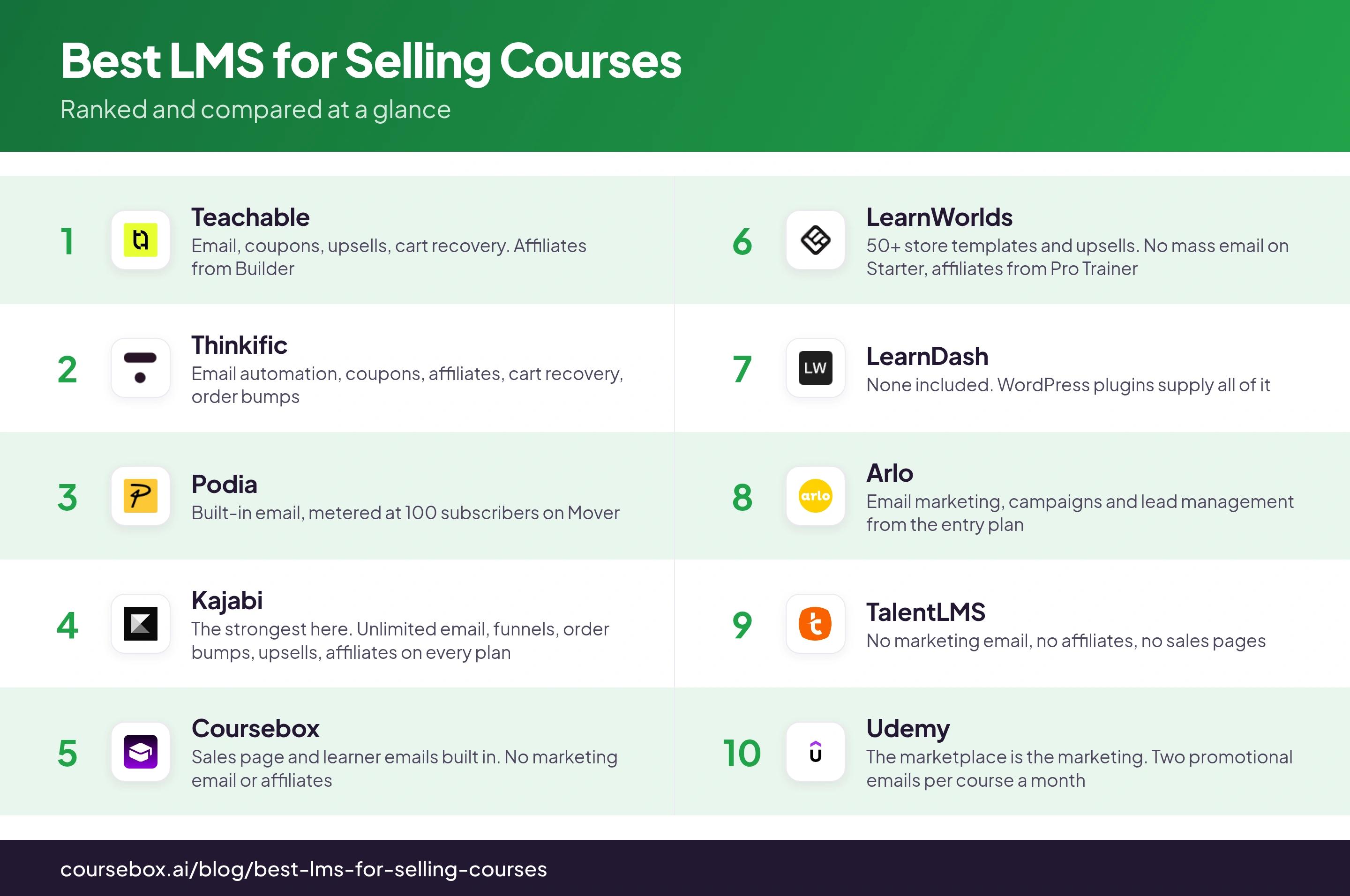
| 1. Teachable | Email, coupons, upsells, cart recovery. Affiliates from Builder | 7.5% on Starter, 0% from Builder at $89/$69 a month | Merchant of record, 180 countries. The only one that both charges the tax and files it | Users and transactions export to CSV |
| 2. Thinkific | Email automation, coupons, affiliates, cart recovery, order bumps | 0% on Thinkific Payments. 5% / 2% / 1% by plan on your own gateway | Own processor in 36 countries. Remits US and Canadian tax, hands EU VAT back | CSV export, but subscriptions do not follow you out |
| 3. Podia | Built-in email, metered at 100 subscribers on Mover | 5% on Mover, 0% from Shaker at $84 a month | Collects tax through Quaderno on the buyer's location, remits none of it | Money lands in your own Stripe. List export not published |
| 4. Kajabi | The strongest here. Unlimited email, funnels, order bumps, upsells, affiliates on every plan | 0% on Kajabi Payments or PayPal, 2% / 1% / 0.5% on anything else | Calculates and collects tax, files none of it. Surcharges stack to 5.1% | Contacts export, capped by plan. No published way out for subscriptions |
| 5. Coursebox | Sales page and learner emails built in. No marketing email or affiliates | 0% on every paid plan. 30% on the free plan | Stripe, PayPal and Paystack on all plans, plus Shopify and WooCommerce. No tax handling | Own gateway and own domain. Bulk list export not documented |
| 6. LearnWorlds | 50+ store templates and upsells. No mass email on Starter, affiliates from Pro Trainer | $5 per course enrolment on Starter, 0% from Pro Trainer at $99/$79 | iDEAL, Bancontact, Klarna, Boleto and more. Tax needs Quaderno or Stripe Tax | Full CSV and XLS export. Your own Stripe is the merchant |
| 7. LearnDash | None included. WordPress plugins supply all of it | 0% structurally. $259 to $599 a year, plus hosting | Your WordPress site, your gateway. No tax handling published | Total. Your database, your site, your merchant account |
| 8. Arlo | Email marketing, campaigns and lead management from the entry plan | USD 2.39 per paid registration, 1.19 per free one, monthly billing | First-party cart with Stripe, PayPal, Authorize.net and Windcave | Full CRM records, but every registration is billable |
| 9. TalentLMS | No marketing email, no affiliates, no sales pages | 0% structurally. The cost is the registered-user band | Buying creates a registered account. No VAT handling published | CSV export, but past buyers keep consuming seats |
| 10. Udemy | The marketplace is the marketing. Two promotional emails per course a month | 3% on your own coupon link, 63% on everything else | The best buying experience here, and none of it is yours | No buyer email address at all |
Thinkific says its customers have earned USD 4.23 billion on the platform across 214 million learners. Teachable claims USD 10 billion earned, though that figure covers Teachable and its parent Hotmart together rather than Teachable alone. Those totals do not tell you what you will make, but they do tell you these are proven places to run a paid course rather than experiments.
I put the checkout first because that is where sales quietly die. On our own platform in a given period of time, 634 checkouts were started and 183 were completed. Most people who decide to buy do not finish. That gap is the cheapest thing on this list to fix.
1. Teachable
Best for: creators outside the United States selling to buyers in several countries.
Teachable is a hosted platform for selling courses, coaching and digital products. You get a course player, a sales page builder, a checkout and a back office that handles affiliate and author payouts. It is the closest thing here to a business in a box, and it is a big one: Teachable says 150,000 creators and businesses use it, serving more than 100 million students across 180 countries.
- The marketing. A drag-and-drop sales page builder, coupons, order bumps, upsells and abandoned-cart emails, all on every plan including the cheapest. That combination is rare down here: most platforms make you upgrade before you can recover an abandoned cart. The affiliate program is the exception and starts at Builder.
- The cut. Starter is $39 a month ($29 billed annually) and takes 7.5% of every sale. Builder is $89 ($69 annually) and takes nothing. Card processing is separate at 2.9% + $0.30 in the US and 3.9% + $0.30 on international cards.
- The checkout. Teachable is the merchant of record, so buyers in 180 countries pay in their own currency. It is also the only platform here that both charges the tax and files it, US sales tax and EU VAT alike.
- The audience. Users and transaction reports export to CSV. Students opt in to your emails at enrolment and can opt out themselves.
If you are selling from outside the United States, this is the one I would start with. It is the only platform here that both collects your tax and remits it, in the US and in the EU, and it says it serves buyers in 180 countries. Being the merchant of record also means a buyer in Brazil or Japan sees a price in their own money, which converts better than asking them to guess. Two things to weigh against it. Starter’s 7.5% is the highest subscription-plan cut here, and it stops being the cheap option once you are selling around $667 a month. Payouts are also withheld once earnings pass USD 500 until the required tax forms are submitted, which is a US rule applied to sellers everywhere.
Thoughts after trying it out: When I set up payment options like pay-in-full versus payment plans, I found Teachable requires separate checkout URLs for each. You can't display multiple price points on a single checkout page, so you need to create buttons on your sales page linking to different checkout URLs. Something to keep in mind.
2. Thinkific
Best for: sellers who want a complete selling stack and will use the platform's own payment processor.
Thinkific is a hosted course platform built around commerce. Checkout, coupons, order bumps, gifting, bundles, memberships, communities and B2B group orders with invoicing are all first-party. It is one of the more complete selling toolkits on this list, and the one with the clearest track record. Thinkific is publicly listed and says its 35,000 customers have earned USD 4.23 billion from 214 million learners.
- The marketing. Email automation on every tier, plus coupons, affiliates and abandoned-cart emails. Order bumps start on Basic. Upsells, bundles and memberships start on Start, and so do B2B group orders with invoicing, which is the one thing here built for selling a course to a company rather than a person.
- The cut. 0% on Thinkific Payments. On your own Stripe or PayPal it is 5% on Basic ($54, or $40 annually), 2% on Start ($109/$82) and 1% on Grow ($219/$164), applied to the first USD 1M of sales a year. Recurring charges add another 0.7% and international cards another 1.5% in the US.
- The checkout. Thinkific Payments is open to creators in 36 countries. It remits US and Canadian sales tax under its own registration, but hands UK and EU VAT back to you, and the tax service costs 0.5% of every taxable transaction even when the rate works out at zero.
- The audience. Users and orders export to CSV. The catch is subscriptions. Student subscriptions taken on Thinkific Payments do not move to Stripe automatically when you switch, and switching also turns the gateway fee back on and takes the tax service with it.
Read "0% transaction fees" as "0% if you use our processor". On Basic with your own Stripe, Thinkific takes 5% and Stripe still takes 2.9% and 30 cents. If you sell memberships, the subscriptions are the bigger problem. The fee you can price around. The stuck subscriptions you cannot. Money moves into Thinkific Payments automatically and only leaves by request, one customer at a time.
Thoughts after trying it out: When I tested Thinkific's order bumps, I found each upsell has to be created as a full product first, even a simple PDF template or coaching link. This means building throwaway course entries to set up what should be a quick upsell, which clutters your product library unnecessarily.
3. Podia
Best for: sellers who want every payment to land in their own account with nothing held back.
Podia is a creator storefront. One site sells courses, digital downloads, coaching, community and events, with a website builder and email included. There is no free plan. Podia retired it in 2024, and the pricing page now shows three paid plans and a 30-day trial.
- The marketing. Built-in email with broadcasts and campaigns, metered by subscriber count. Mover includes 100 subscribers, Shaker 500 and Earthquaker 1,000. Beyond the allowance, sending stops until you pay for a bigger email tier, which starts at $7 a month. Affiliates and upsells begin at Shaker.
- The cut. Mover is $42 a month and takes 5%. Shaker at $84 and Earthquaker at $150 take nothing. Podia never holds the money either. Payments go straight into your own Stripe or PayPal account.
- The checkout. Stripe on every plan, PayPal only from Shaker up, and more than 20 currencies. Podia calculates and collects sales tax on the buyer's location across the US, Canada and Europe, then files and remits none of it.
- The audience. The payment relationship is direct, so the buyer is yours. Podia does not publish a list export.
On money, Podia is the most honest platform here. Nothing is held, nothing is withheld pending a form, and the 5% ends at $84 a month. The sting is somewhere else. Your list is your audience, and Podia prices your list. A hundred included subscribers on the entry plan is a demo. If you are weighing this against the marketing-led option, our Kajabi and Podia comparison goes deeper on that split.
Thoughts after trying it out: I set up payment plans on a $150 course, splitting it into $50 monthly charges. Several customers had cards decline, and Podia stopped retrying after a few attempts. I had to manually chase each customer and negotiate another payment method, which felt awkward and scattered a few sales.
4. Kajabi
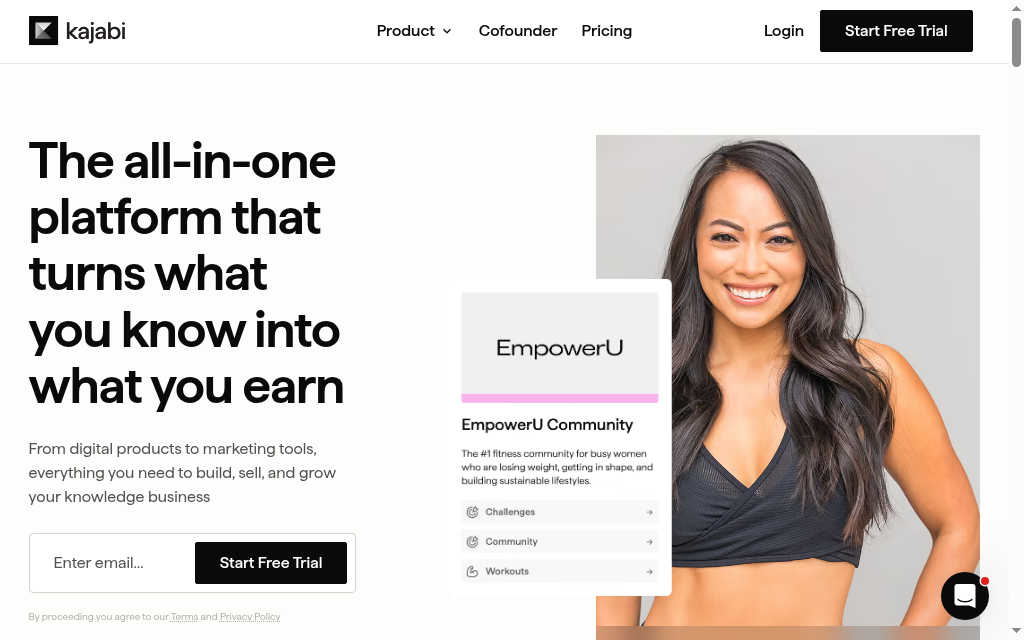
Best for: sellers whose actual bottleneck is marketing.
Kajabi is a marketing platform that also hosts courses. Every plan includes unlimited marketing emails, landing pages, sales funnels, a community and an affiliate program, with behaviour-based automation behind them. Course delivery is the smaller half of the product.
- The marketing. The best on this list, and it is not close. Unlimited marketing emails, landing pages, sales funnels, order bumps, upsells, downsells, a community and an affiliate program, on every plan, with behaviour-based automation wired through all of it. Kajabi is built to turn a browser into a buyer, and its own case studies name creators who have earned USD 10 million and more on the platform.
- The cut. The pricing page headline reads "No hidden fees. No revenue sharing." Further down the same page, any third-party payment provider costs 2% on Basic, 1% on Growth and 0.5% on Pro, with PayPal and Kajabi Payments excluded. Plans are $179, $249 and $499 a month, or $143, $199 and $399 annually.
- The checkout. Kajabi calculates and collects sales tax and VAT through a Quaderno partnership, then states plainly that it does not file or remit. You are the merchant of record and the paperwork stays with you.
- The audience. Contacts export to CSV, but the audience is capped by plan at 2,500, 25,000 and 100,000. Kajabi documents how to migrate Stripe subscriptions in and publishes no route for taking them out.
If email and funnels are the thing you are missing, Kajabi is worth the money and I would not talk you out of it. I would go in with the full fee picture, though. On top of 2.9% + $0.30, Kajabi's own US fee page adds 1.5% for international cards, 0.7% for subscriptions and payment plans, then 1% for currency conversion. A recurring charge on a non-US card is 5.1% plus 30 cents, on a platform whose pricing headline says no revenue sharing. The floor is also $179 a month before you have sold anything, and you still own every line of the VAT paperwork.
Thoughts after trying it out: Testing the enhanced checkout builder, I found order bump tweaks force you to bounce between the checkout editor and offer settings. Change the bump text, go back to preview it. It's tedious when you're iterating fast on your monetisation funnel.
5. Coursebox
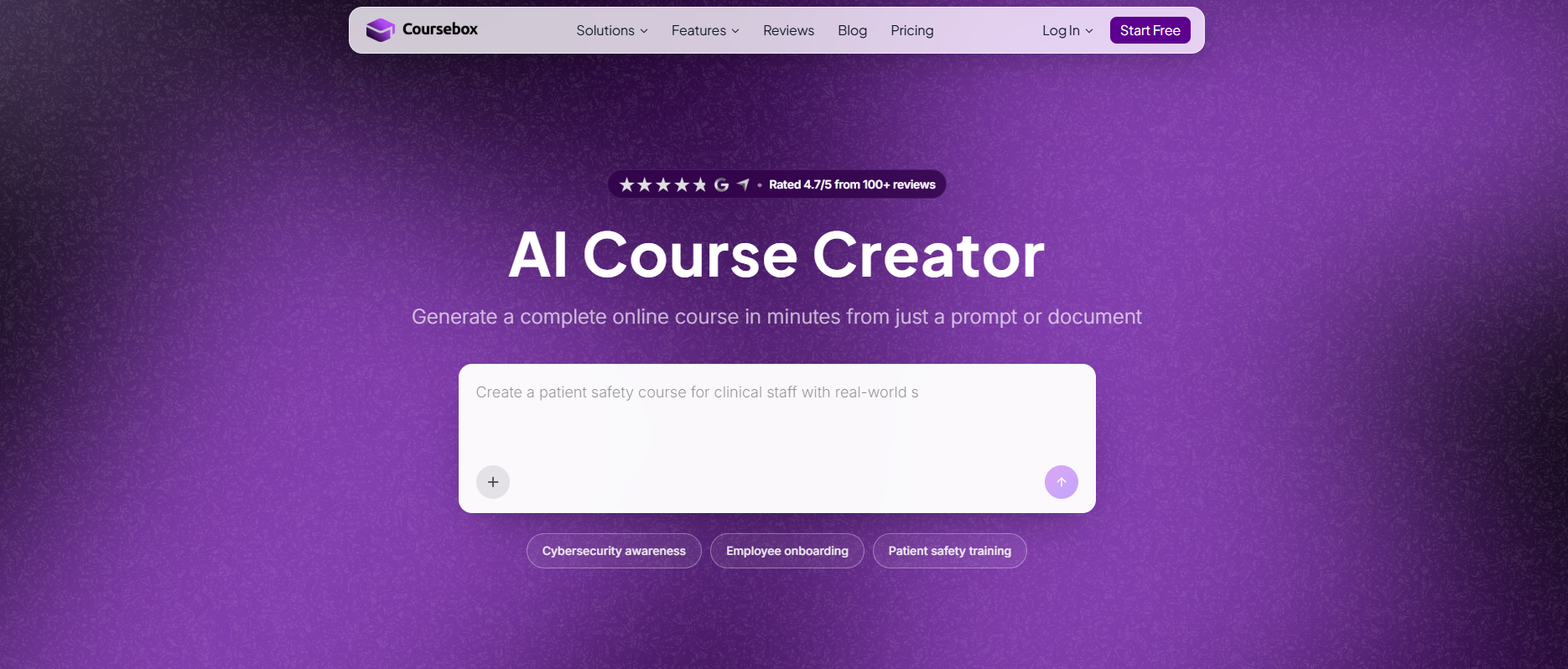
Best for: people whose bottleneck is building the course.
Coursebox is ours, so weigh this accordingly. It turns videos, documents and web pages into structured courses, writes quizzes and assessments, builds AI training videos and translates into more than 100 languages, then delivers all of it as a full AI LMS. Selling is a setting inside that product.
- The marketing. A course sales and enrolment page is built in, and it carries the buyer from viewing the course to paying to instant access. The learner emails also work well and include a registration confirmation, a course invitation on enrolment, a certificate on completion and an email when a submitted assessment is marked. Marketing email is the gap. No nurture sequences, no affiliate module and nothing for the top of the funnel is currently built though. Our own help centre tells you to pair Coursebox with Mailchimp, ConvertKit or HubSpot for that part through Zapier.
- The cut. 0% on every paid plan, with unlimited learners on all of them. Plans are A$0 free, A$50 for Creator, A$400 for Pro and A$1,000 for Business. The free plan takes 30% of anything you sell through Stripe. That rate is published in our help centre and not on our pricing page, which is the wrong way round.
- The checkout. Stripe, PayPal and Paystack, all three on every plan including the free one, and Coursebox never holds your funds. Paystack is the one worth flagging. It covers Nigeria, Ghana, Kenya and South Africa, and almost nothing else on this list will take money from those buyers. You set the price and the currency per course, and one-off prices, subscriptions, free previews and VIP access codes all work. If you already sell somewhere else, the Shopify app and the WooCommerce plugin list your courses as products and enrol the buyer automatically when they pay. Tax is the hole: no calculation, no collection, no remittance, just a manual percentage field you fill in yourself.
- The audience. Your own gateway, your own domain and your own branding from Pro up, so the buyer relationship is direct and nothing is metered. Academy Xi runs its website, shop and LMS on Coursebox, and Skills SSC sells through Shopify into a Coursebox learner portal, so the model is proven at size. A bulk learner or customer list export is not itemised on any of our pages.
This is why we are fifth and not higher. We do well on the money and the plumbing. 0% on a A$50 plan beats a five-dollar enrolment fee and an annual licence, and our 0% is unconditional because we have no processor of our own to route you into. Three gateways plus Shopify and WooCommerce means most sellers can take payment the way they already do. Where we fall short is the thing I weighted heaviest. There is no marketing email, no affiliates and no upsells. We give you the machinery to take a sale and almost nothing to create one. Kajabi and Teachable do both. That is the whole gap between fifth and first. And a 30% cut on the free plan belongs on our pricing page, where you would look for it.
Coursebox is the fastest way I know to get a quality course built. Once it is built, the checkout and the learner emails are handled. Finding the buyer is the part we do not do. If you have an audience and no course, we are a good answer, and selling with Coursebox sets out what that looks like. If you have a course and no sales, Kajabi or Teachable will do more for you than we will.
Coursebox vs Kajabi or Teachable is a game of tradeoffs between course authoring quality and marketing capabilities.
Thoughts after trying it out: I will be honest since it is ours. On the selling side, Coursebox keeps the cut simple: 0% on paid plans, and you can start on a free tier, so more of each sale stays with you. The honest trade-off is that our marketing is lighter than a funnel-first tool like Kajabi, so if paid ads and email are your growth engine, pair us with that. Where we win is turning your material into a finished, sellable course fast, then hosting and charging for it in one place.
6. LearnWorlds
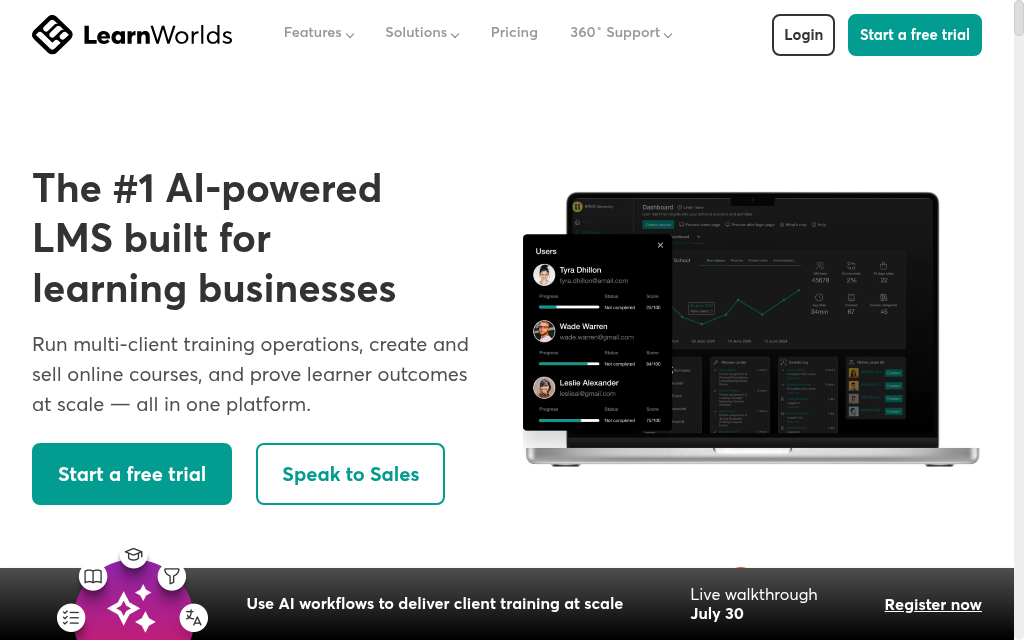
Best for: selling into Europe, where buyers expect their own local payment method.
LearnWorlds is a course platform with an unusually strong storefront. Interactive video, a proper assessment builder, more than 50 site templates and a white-label mobile app builder that needs no code. It is built for people who care about how the school looks as much as how it teaches, and it says more than 13,000 learning businesses run on it.
- The marketing. The storefront is the strength: more than 50 site templates, a page builder, order bumps and upsells available low down the range. The gap is everything that reaches a buyer who has not arrived yet. Starter has no mass email and no affiliate management at all, and both only arrive at Pro Trainer.
- The cut. Starter is $29 a month ($24 annually) and charges $5 for every course enrolment. Pro Trainer at $99 ($79) and Learning Center at $299 ($249) charge nothing per sale. LearnWorlds never touches the money, so card fees go to your own gateway.
- The checkout. Stripe, PayPal and Shopify, plus Apple Pay, Google Pay, Klarna, Afterpay, iDEAL, Bancontact, Przelewy24, giropay and Boleto. That is the best local-method coverage in this comparison, and it is the reason to pick it. Tax stays yours, through Quaderno or Stripe Tax, billed separately.
- The audience. Users, sales records, activity logs and affiliate commissions all export to CSV or XLS. Your own Stripe account is the merchant, so the payment relationship is direct.
The fee shape is the whole decision on this one. $5 an enrolment reads like a line item and behaves like a percentage. On a $29 course it is about 17% of the sale before card fees, which is more than double the worst percentage cut here. It hides because LearnWorlds does not write it as a percentage. The arithmetic turns at about fourteen sales a month. Past that, Starter costs you more than the upgrade would, and you go without email and affiliates while you pay it.
Thoughts after trying it out: I tested LearnWorlds with multiple courses and noticed the platform automatically filled in checkout pages, sales pages, and course layouts once I entered basic info like title and price. This saves me time because I'm not retyping the same information each time I launch a new course.
7. LearnDash
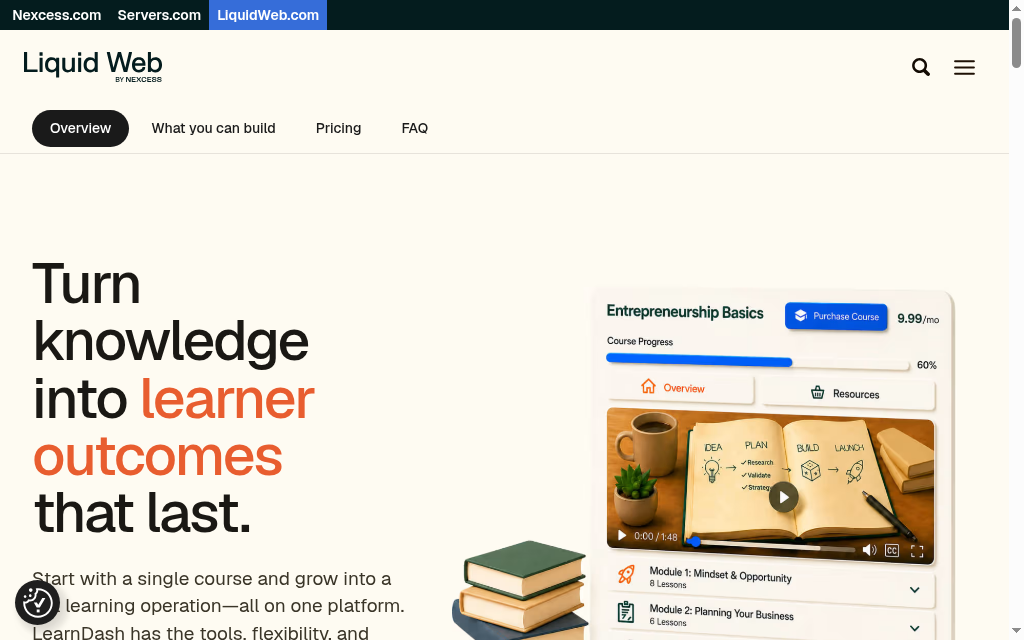
Best for: people already running a WordPress site who want to own every part of the sale.
LearnDash is a WordPress plugin. It turns a site you already own into a course platform, with a course builder, a quiz builder, certificates and the MemberDash membership tool bundled into every plan for tiers, subscriptions and bundles.
- The marketing. There is none. LearnDash sends learner notifications and nothing else. Email, affiliates, landing pages and cart recovery are all plugins or separate subscriptions, so budget for a stack you assemble and maintain yourself. WordPress means you can build anything; it also means nothing arrives working.
- The cut. Zero, structurally. The money goes from the buyer's card into your account and LearnDash never sees a transaction. Licences are $259, $399 and $599 a year. Hosting, domain, backups and a theme are separate bills the headline price does not include.
- The checkout. Your site, your own Stripe, PayPal, Razorpay or any WooCommerce gateway. That is the widest country coverage here: anywhere your gateway works, you can sell. No VAT, GST or sales tax handling of any kind.
- The audience. The best on this list. Learner records are WordPress users in your own database, on your own host, alongside your own revenue history.
I rate this one purely on volume. At ten sales a year it is the most expensive option in the comparison. At a thousand it is comfortably the cheapest. People expect the hard part to be technical. It is administrative, and that is what catches people out. You are also the person who has to work out EU digital-goods VAT, keep the evidence for it and file it, with nothing in the product to help. Our LearnDash alternatives piece covers where people land when that becomes the deciding factor.
Thoughts after trying it out: I tested it and found WooCommerce is standard for selling LearnDash courses, but there's a setup gotcha: WooCommerce defaults to guest checkout, which breaks course access since students need accounts to view lessons. You must disable guest checkout and install both WooCommerce and the separate 'WooCommerce for LearnDash' add-on.
8. Arlo
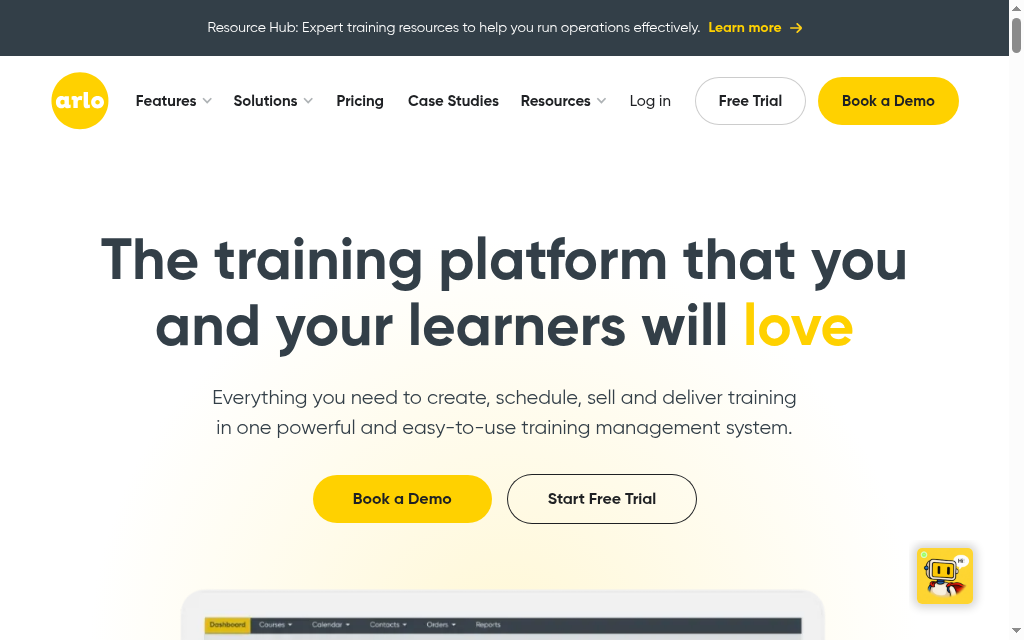
Best for: training providers running scheduled courses and events, especially outside the United States.
Arlo is training management software from New Zealand. It runs course scheduling, registrations, invoicing, a public website and a checkout, and syncs to Xero. Elearning authoring and SCORM delivery are paid add-ons at USD 150 a month each, or USD 225 bundled.
- The marketing. Better than you would expect from an operations tool. Email marketing, newsletters, campaign management and lead management are all included from the entry plan.
- The cut. Not a percentage. Arlo charges USD 2.39 for every paid registration and USD 1.19 for every free one on monthly billing, or USD 2.15 and USD 1.07 annually. Private-event registrations count as free ones and are billable too. Licences are USD 132, 227 and 302 a month per administrator.
- The checkout. Arlo ships its own website, shopping cart and registration forms from the entry plan, with Stripe, Authorize.net, Windcave and PayPal behind them. Windcave and six published currencies tell you this was not built on US assumptions. Multiple regions and tax rates are an Enterprise feature.
- The audience. Contacts, organisations, orders and invoices are yours, and payments settle into your own gateway. But every registration costs money, so your audience is a running expense.
The per-registration fee is regressive, and that is the whole story for anyone selling cheap courses. On a USD 500 seat, USD 2.15 is about 0.4% of the sale and you would never notice it. On a USD 29 self-paced course it is the same USD 2.15, which works out at about 7.4%, plus 50 cents an enrolment if the SCORM add-on is running. Those rates are also not printed in the page copy anywhere. They sit inside the pricing calculator, so get the number on your quote in writing.
9. TalentLMS
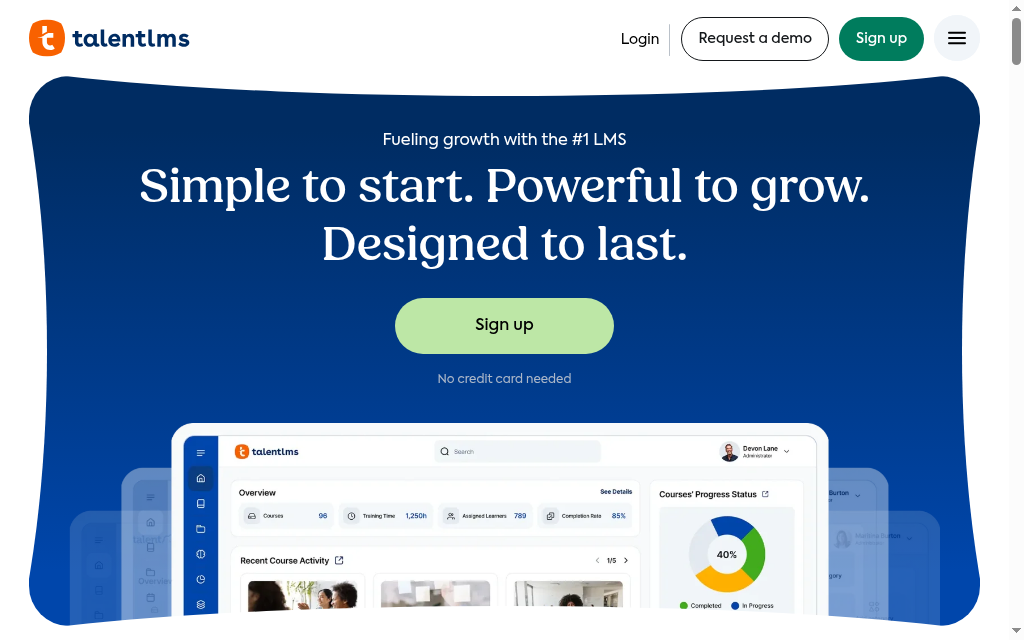
Best for: organisations selling training to other businesses.
TalentLMS is a corporate LMS with an ecommerce module attached. You get a course catalogue, bundles, subscriptions, separate portals for employees, partners and customers, plus TalentLibrary with more than 1,000 ready-made courses. It sells training the way a training department buys it.
- The marketing. The weakest here for anyone selling to individuals. No marketing email, no affiliate module and no landing page or sales page builder. Your selling pages have to live on your own site.
- The cut. Zero per sale, structurally, on every plan including the free one. The cost sits in the seat band instead. Core is $119 a month for 1 to 40 registered users, Grow is $229 for up to 70 and Pro is $449 for up to 100. Enterprise starts at 1,000 users.
- The checkout. You connect your own PayPal or Stripe, the buyer is redirected to pay and is auto-enrolled on success. There is no guest checkout, because buying creates a registered account. TalentLMS publishes no VAT or sales tax handling for course sales.
- The audience. Users and reports export to CSV cleanly. But every buyer is a registered user on your seat count, so a customer who bought once and never came back is still on the invoice until you delete them.
Reading TalentLMS as "no transaction fees" is technically right and practically misleading. You pay per person who ever bought from you, however long ago that was. On a cheap course with a lot of buyers that is far more expensive than 5%. On a small number of high-value corporate seats it is cheaper than anything else on this list. That is the entire decision, and your price decides it. Our ecommerce LMS comparison covers this org-selling end in more detail.
Thoughts after trying it out: I tested selling courses through TalentLMS and the checkout works smoothly, but you'll quickly hit a wall: there's no email marketing or funnel-building built in. You can sell them, but TalentLMS leaves you to handle course promotion separately, which tools like Kajabi do as standard.
10. Udemy
Best for: reaching people who would never have found you, on Udemy's terms.
Udemy is a marketplace. You do not run it. There is no subscription and no hosting fee, so it costs nothing to publish. You choose a price from a fixed ladder running from USD 19.99 to USD 199.99, and while you are enrolled in the Deals Program, which you are by default, Udemy sets the actual selling price and discounts it during promotions.
- The marketing. The marketplace is the marketing, and it is genuinely enormous reach you could not buy yourself. That is the whole reason to be here. What you cannot do is own any of it: two promotional emails per course per month through Udemy's own system, no list, no segmentation and no export.
- The cut. You keep 97% when the buyer arrives through your own coupon or referral link, and 37% when they do not. Both are calculated on the amount left after taxes and after Apple's or Google's 30% on mobile. A $100 organic sale on iOS returns $25.90.
- The checkout. The best buying experience in this comparison. Local currency, local payment methods, tax handled and a buyer who probably already has an account. None of it belongs to you.
- The audience. The floor of this whole comparison. The student list you can export carries a username, enrolment date, progress, questions asked and the last lecture viewed. There is no email address column anywhere in it.
Udemy's own pricing makes my argument for me. It takes 3% when you brought the buyer and 63% when it did. That is a company telling you exactly what it thinks an audience is worth, and it is not wrong. Budget for the wait as well, because payment lands in month three and only once your balance clears USD 25. Treat Udemy as a discovery channel if the reach is worth it, and build the list somewhere you own. Our Teachable and Udemy comparison runs the same trade-off side by side.
Thoughts after trying it out: I uploaded a course to Udemy and discovered the revenue split is brutal if you rely on their promotion. Udemy keeps most of the money when they market for you, but you earn far more when you promote it yourself. Without your own marketing engine, you'll struggle to hit meaningful income.
How I would choose
Start with the honest question: do you have an audience or not? If people already read your emails or watch your videos, almost any platform here will convert them, so buy on fees and pick the cheapest one that takes your money cleanly. If you do not have an audience yet, no amount of 0% will save you, and you should buy the marketing tools instead. That single question separates Kajabi from everything else on this list.
Check that your buyers can actually pay you. This is the one people skip and regret. If you are selling into Europe, buyers expect iDEAL, Bancontact or Klarna and will abandon a card-only checkout. If you are selling into Africa, you need Paystack or you are not selling at all. If your buyers are spread across countries, being the merchant of record matters, because a price shown in the buyer’s own currency converts better than one they have to work out themselves.
Then work out what you will actually sell in a year, and do the sums at your own price. A percentage and a flat fee behave nothing alike. $5 an enrolment is trivial on a $2,000 programme and brutal on a $29 one. Ten sales a year and a percentage barely registers. A thousand sales and a fixed annual licence is the cheapest thing here by a mile. Guess your volume before you read a single pricing page, because the right answer flips completely depending on it.
Read the 0% twice, then ask what it depends on. On Thinkific and Kajabi, the zero holds only while you use their processor. On Teachable, Podia and LearnWorlds it is unconditional, and it starts one plan above the cheapest. Then ask what happens to your paying subscribers if you leave, because exporting a list of email addresses is not the same as taking your revenue with you.
Then be clear about what the platform is for. The platform processes the sale. It does not create it. Our guide to selling online courses covers the part that does, which is the audience.
Tax matters, but later than you think. It becomes a real job once the sales are steady, and at that point Teachable is the only one here that both collects and remits it for you. Until then, do not let it pick your platform for you. If I had to give one answer, it is Kajabi when the problem is that nobody is buying, because marketing is what fixes that and Kajabi is the best at it here. Teachable if you are selling from outside the US and want the tax and the currencies handled. LearnDash if you already run WordPress, sell in volume, and plan to be doing this for years.
The one I would avoid is Udemy, unless you are treating it as advertising. It keeps 63% of a sale it sources, and you never get the buyer's email address, so every course you put there builds Udemy's audience instead of yours.
Frequently Asked Questions
No. You can sell a course with a payment link and a folder of videos. What an LMS buys you is a proper checkout, progress tracking, certificates, drip content and somewhere for a buyer to log back in. Reach for one when the admin of doing it manually costs you more than the subscription does. Our walkthrough on how to sell online courses covers what to have in place first.
Published entry prices here run from $29 a month for LearnWorlds Starter to $179 for Kajabi Basic, with LearnDash charging $259 a year instead. The entry plan is rarely the real price, though. On most of these platforms the plan that removes the per-sale fee is one or two tiers up. Budget for Builder on Teachable, Shaker on Podia and Pro Trainer on LearnWorlds.
LearnDash, TalentLMS and Coursebox take nothing per sale on their paid plans, because none of them processes the payment. Money goes from the buyer's card into your own Stripe or PayPal account. Teachable, Podia and LearnWorlds all reach 0% one plan above their cheapest. Thinkific and Kajabi advertise 0% but charge a percentage the moment you use your own gateway instead of theirs.
By having an audience before they have a product, in almost every case I have seen. The platform handles the transaction, and the transaction is the last thing to happen. It is never the thing that made it happen. Pricing, the offer, the email list and the follow-up do the real work. That is why I grade these tools on what they take and what they get in the way of. The feature count does not come into it.
Your email list, usually yes. Your recurring revenue, often no. Thinkific states that student subscriptions taken on Thinkific Payments will not automatically migrate to Stripe when you switch processors, and a support-assisted migration is the only route. Kajabi documents how to bring Stripe subscriptions in and publishes no path for taking them out. On Udemy you cannot even take the email addresses, because they are not in the export.
Teachable is the only one here that acts as merchant of record and remits, charging EU VAT on EU purchases and paying it through the OSS system. Thinkific remits US and Canadian sales tax but hands UK and EU VAT back to you, and charges 0.5% per taxable transaction for the service. Kajabi, LearnWorlds and Podia will calculate and collect the tax for you, then leave you to register, file and remit it yourself.
Disclosure: Coursebox is the AI course platform we build, so we compete in this category. I have placed it seventh, which is where these four criteria put it, and every fee and price above was read on the vendor's own pages on 23 July 2026. Reviews were research input only. No star ratings, review counts or customer quotes appear anywhere in this piece.
By Alexandra Cserta, Senior Social Marketing Manager, Coursebox
Alexandra Cserta
Manages influencer marketing, case studies, webinars and community and Coursebox AI

