

HeyGen vs Synthesia: I tested Their AI Avatars (2026)
I tested HeyGen and Synthesia's AI avatars with one script on their free plans: timed both renders, priced every plan, and hit a paywall I did not expect.

HeyGen suits creators and marketing teams who iterate fast and want to make their own custom avatars: voice cloning and 600 monthly credits sit on its $29 plan. Synthesia suits teams building a structured corporate training library with governance behind it.
- HeyGen wins on price per minute. Its $29 Creator plan's 600 monthly credits buy up to 150 minutes on the standard avatar model, while Synthesia's $29 Starter buys 120 minutes for the entire year.
- Synthesia wins on how polished the finished video looks. I ran six side-by-side tests with the same presenter and voice on both platforms, and Synthesia's output looked better in four of them; HeyGen's avatars moved more naturally and rendered faster.
- HeyGen wins on script fidelity for locked wording. Its script field carries your text as narration verbatim, while Synthesia's default assistant rewrote my pasted script into its own three-section outline.
- Neither tool's SCORM export (the format that lets an LMS deliver a video and track who completed it) is cheap, but only HeyGen lists a price: $149 a month on its Business plan, against Synthesia's custom-priced Enterprise tier. Cheaper tiers on both export an MP4 only.
- Neither HeyGen nor Synthesia turns a video into tracked training. A rendered clip carries no quiz, no completion record and no per-learner reporting; that layer needs a course platform around the video.
Answer 3 quick questions to figure out in seconds

Create polished training videos instantly
I pasted the same training script into HeyGen and Synthesia and generated a video on each free plan on the same morning. HeyGen took my script word for word, rendered it in ten minutes, and spoiled the frame with nine watermarks. Synthesia queued me for eleven minutes, came back cleaner than HeyGen did, then refused to let me download my own video!
The avatars themselves were the most interesting part. HeyGen handed me its newest avatar model and a 500+ presenter library on the free plan, which was a nice surprise; Synthesia's free cast was exactly nine presenters with one outfit each.
In this article, I share my testing experience on both the platforms.
The short version
Pick HeyGen if:
- You want the cheapest minutes. Its $29 Creator plan carries 600 credits a month, up to 150 minutes on the standard avatar model. Synthesia's $29 Starter buys 120 minutes for the whole year.
- The presenter should be you. Voice cloning and unlimited photo avatars sit on the $29 plan. Synthesia's personal avatars start on its $89 Creator plan.
- You iterate fast for marketing or social. My free render finished in ten minutes with live progress; paid plans add faster processing, credit rollovers and an API.
Pick Synthesia if:
- You are building a structured training library. Its editor works like a slide deck, scene by scene, with training templates, and most of my head-to-head tests went its way.
- Governance decides your tools. SSO, brand kits, a dedicated customer success team and SOC 2 sit on its enterprise tier, and the whole product is built for corporate training.
- You want text choreographed to the narration. On-screen text enters and exits on specific script words. I did not see an equivalent on HeyGen.
Cannot decide? Both have free tiers, with different catches. HeyGen's renders are downloadable but carry a tiled watermark; Synthesia's carry one corner mark but cannot be downloaded at all. An afternoon with your own script on each will settle it.
How I compared HeyGen and Synthesia
- What each tool did with a finished script
- What the free renders actually look like, from my own runs
- How the avatars and voices held up head to head
- What a minute of video costs, in credits and in dollars
- Which gates need an upgrade, and which need a sales call
I ran the same test on both, on our own accounts, on 3 September 2026, then paid for both and put them head to head six more times.
We build in this space as well. Coursebox is an AI-powered learning management system whose AI training video generator puts avatar video inside full courses with completion tracking. It is not one of the two tools here and it is not what I recommend below, so treat that as a disclosure rather than a pitch.
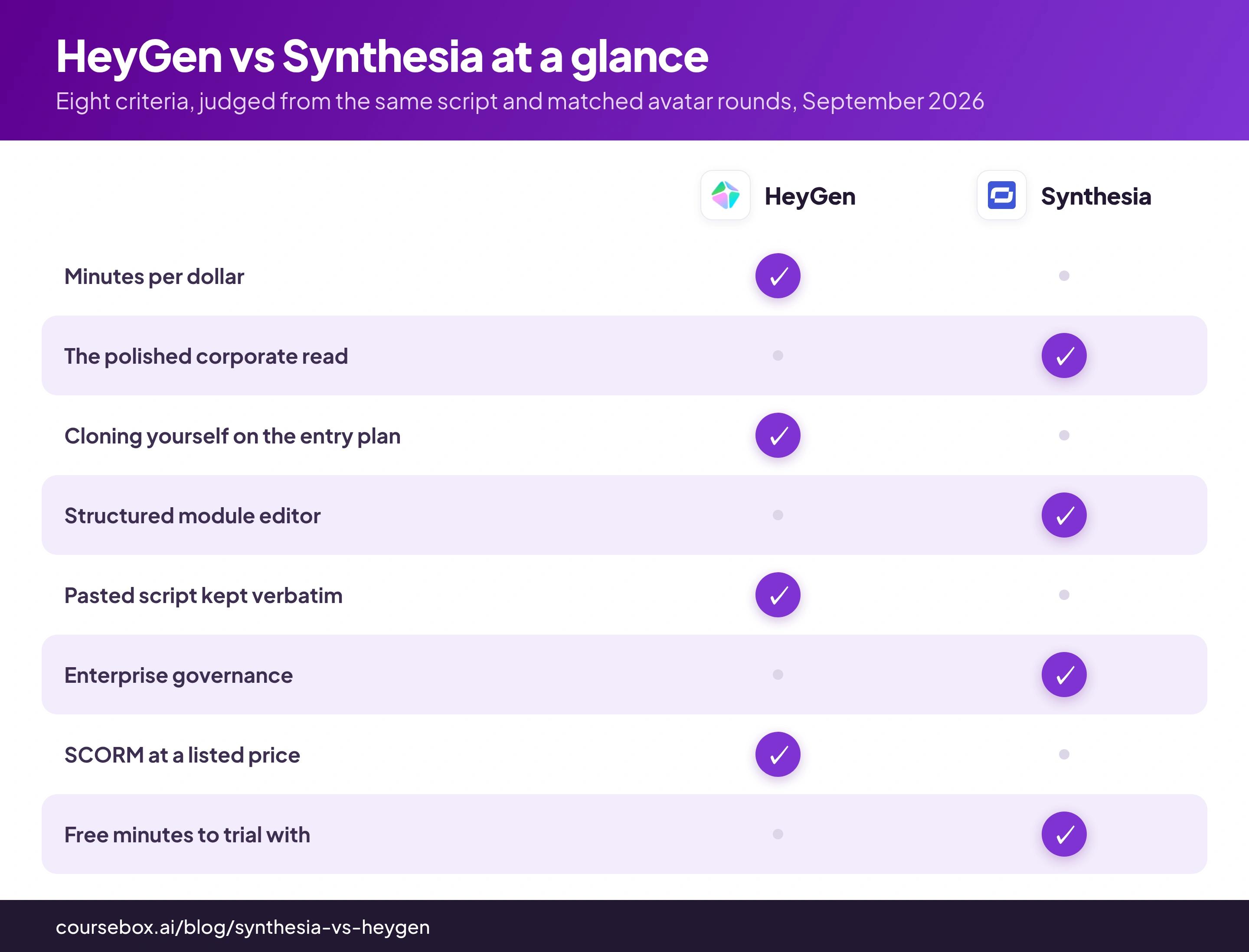
HeyGen vs Synthesia at a glance
| HeyGen | Synthesia | |
|---|---|---|
| Free plan | 3 videos a month, up to 1 minute each | 10 minutes a month, 25 assets |
| My free render | 43 seconds ready in ~10 minutes, downloadable, watermark tiled across the frame | ~45 seconds ready in ~15 minutes (11 queued), one corner watermark, download paywalled |
| Cheapest paid plan | Creator, $29/mo, or $24/mo billed yearly ($288) | Starter, $29/mo, or $18/mo billed yearly ($216) |
| What that buys | 600 credits a month: 150 min on Avatar III, about 19 min on Avatar IV | 120 minutes of video for the whole year |
| You as the presenter | Voice clone + unlimited photo avatars at $29 | Personal avatars from the $89 Creator plan; studio-grade is a $1,000/yr add-on |
| The editor | Script-first studio; my pasted text became the narration verbatim | Slide-deck scenes; the default Assistant rewrote my script, the editor path kept it |
| Languages | 175+ with lip-synced translation on paid plans | 160+; 1-click translation is enterprise-only |
| SCORM and LMS integrations | Business plan, $149/mo listed | Enterprise plan, custom price, sales call |
| G2, checked 3 September 2026 | 4.8 from 1,967 reviews | 4.6 from 2,804 reviews |
| Best for | Creators and marketing teams moving fast | Structured corporate training at scale |
What you get on HeyGen: your script, verbatim, and a credit meter
HeyGen's dashboard opened on a Create menu over a row of video-prompt cards for ads, education and explainers. I skipped the templates and started a blank landscape video, so nothing pre-written would touch my script.
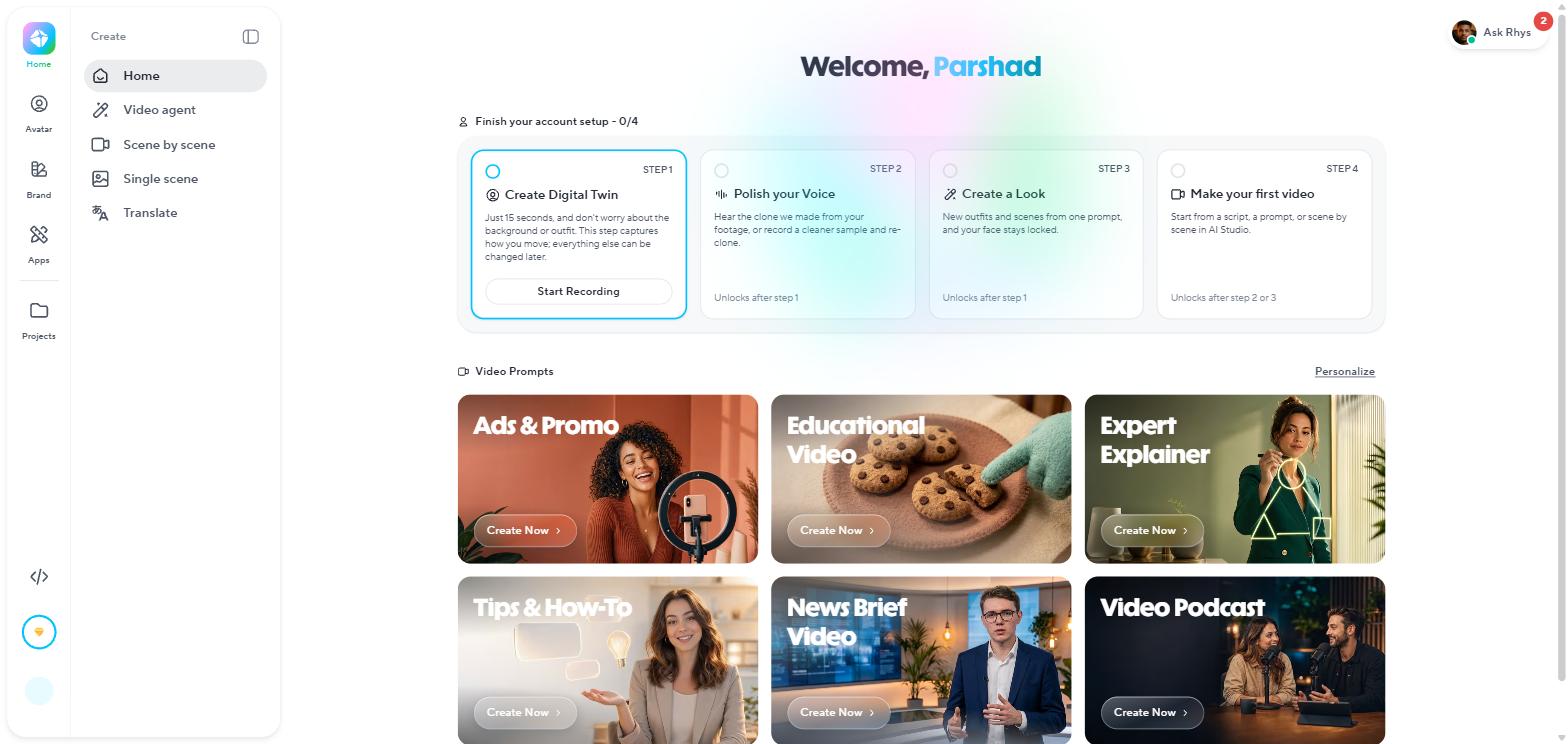
HeyGen's free-plan dashboard: a Create menu and prompt cards, with training templates one click in.
The editor opened with everything already set: a presenter on the canvas, a voice picked, the Motion Engine on Avatar IV. This made my testing easy and removed friction.
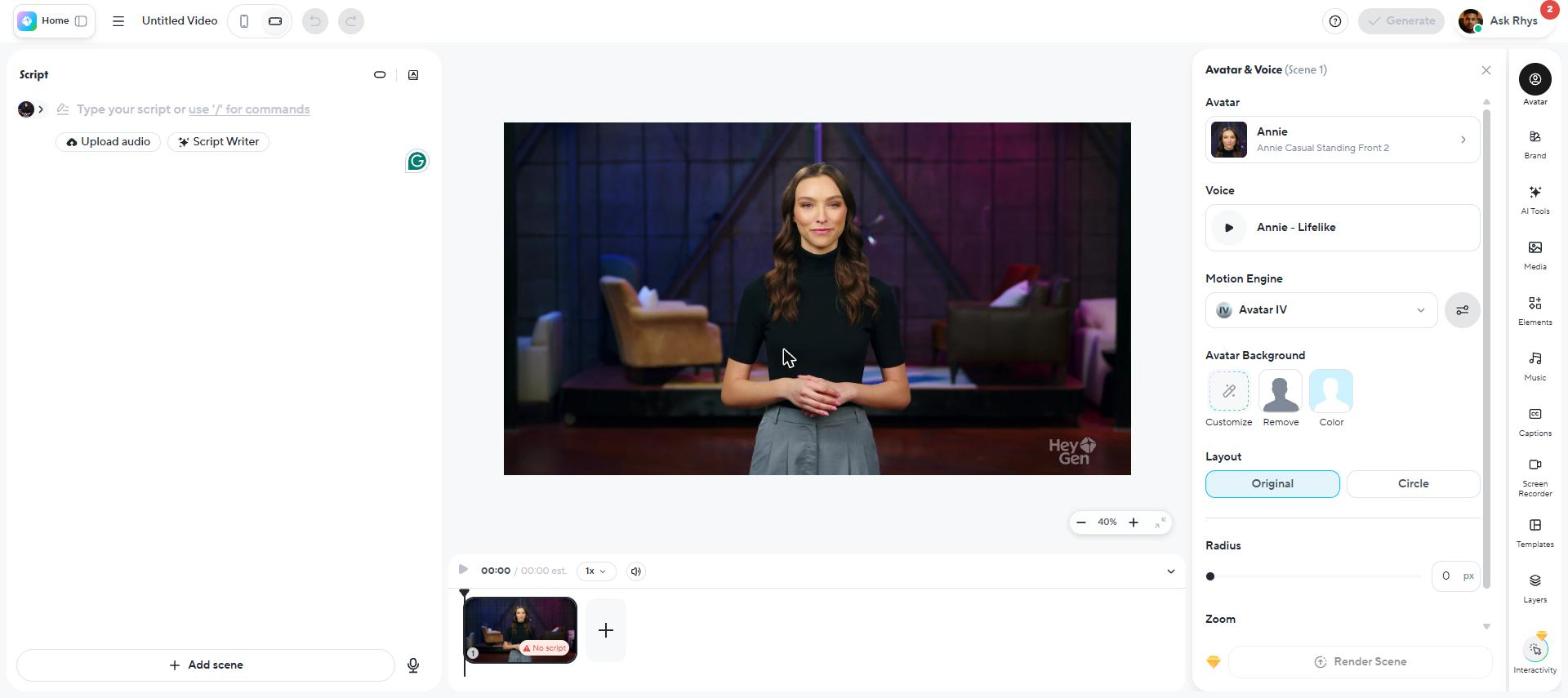
The editor opens ready to go: presenter, voice and Avatar IV already chosen for you.
I pasted the whole script in and HeyGen kept every word; the timeline immediately estimated 64.4 seconds. I read the script panel back against my source before generating, and every word was unchanged. Nothing in the flow rewrote a word, which is exactly what I want when the script is already approved.
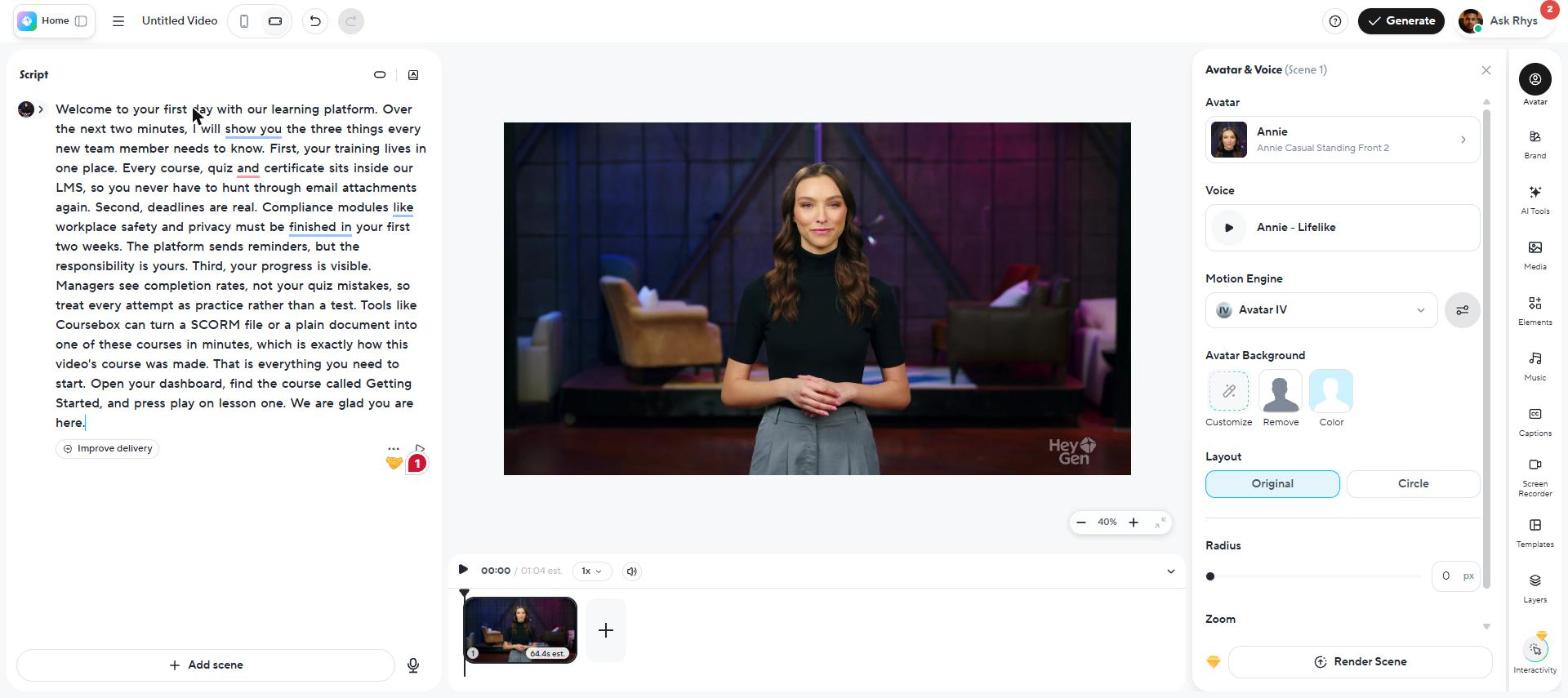
My script, word for word, estimated at 64.4 seconds. Four seconds too long, it turned out.
Pressing Generate raised a blocking modal: "Your video is longer than 1min, which exceeds the free plan limit. Please upgrade your plan or shorten your script." The only paths forward were the upgrade button or a shorter script. So I trimmed to 135 words and 49 seconds and resubmitted, slightly annoyed. Losing a quarter of the script was fine for judging the look and the voice, but useless for shipping the real thing.
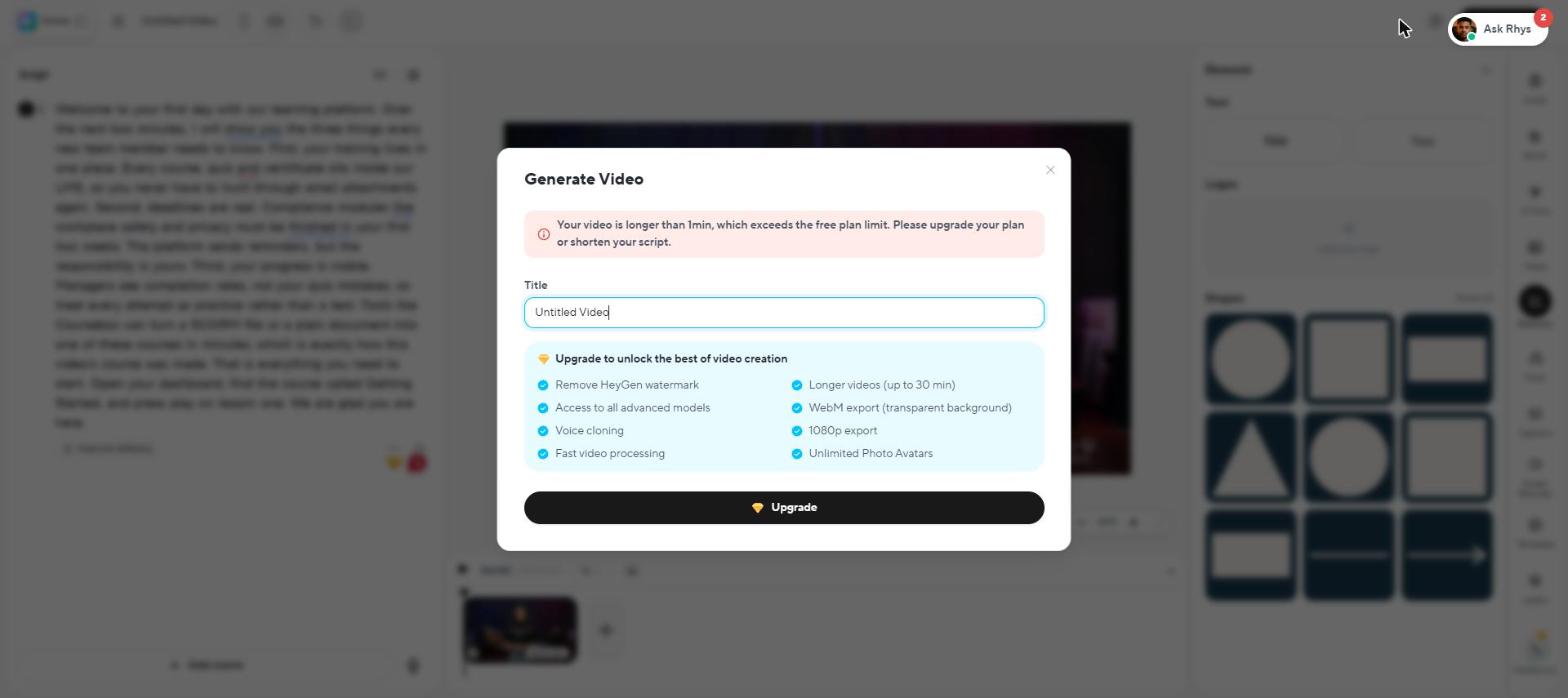
The free cap in action: over one minute means upgrade or cut the script.
HeyGen queued the render and dropped me on the Projects page, where the card printed live percentages, with an upsell for faster processing sitting on the rendering card itself. To my surprise, my 43-second video was ready before I had finished reading the pricing page in another tab.
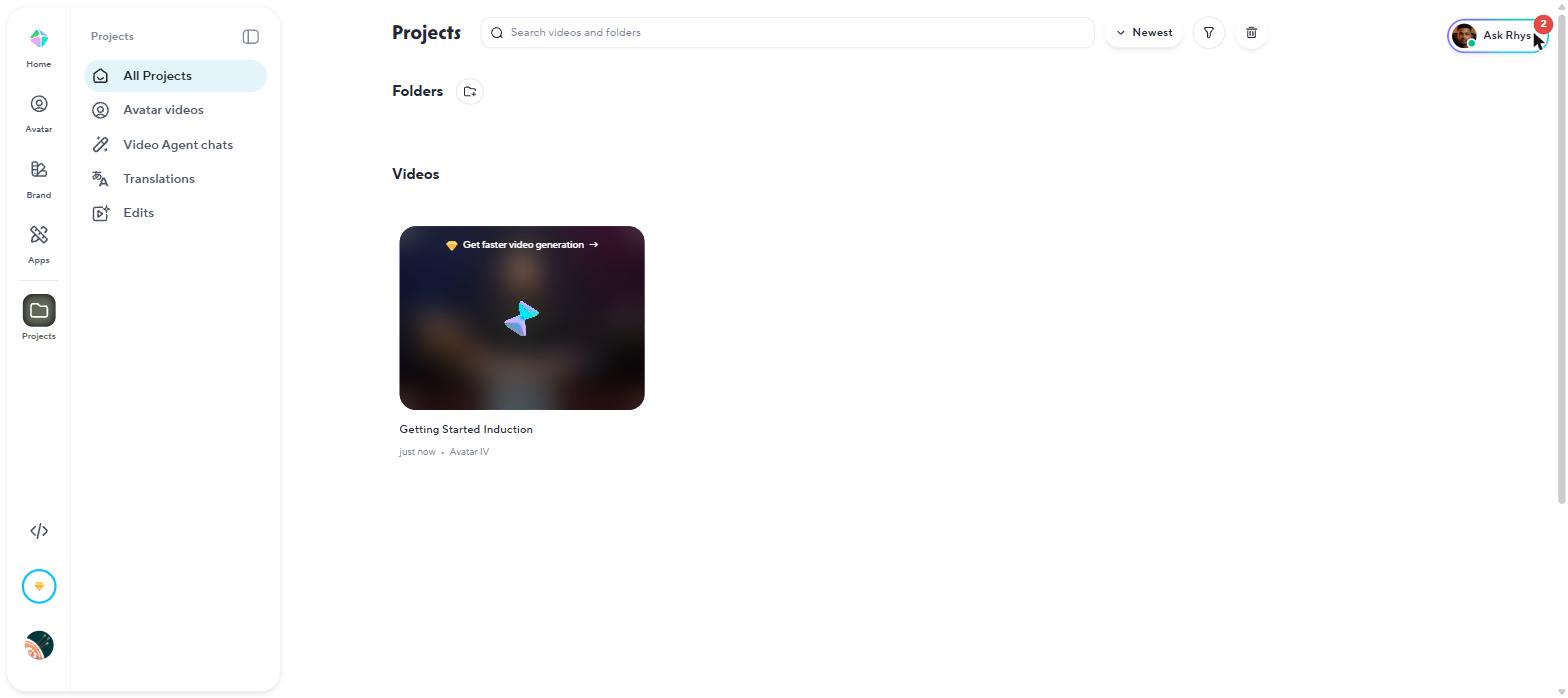
HeyGen queues the render on Projects and prints its progress; mine took about ten minutes.
The render came back with the HeyGen watermark tiled across the entire frame, roughly nine marks deep, which honestly ruins the footage for anything client-facing. Underneath the watermarks, I was impressed: lip movement and gestures stayed clean frame to frame, and my text callout rendered exactly where I put it.
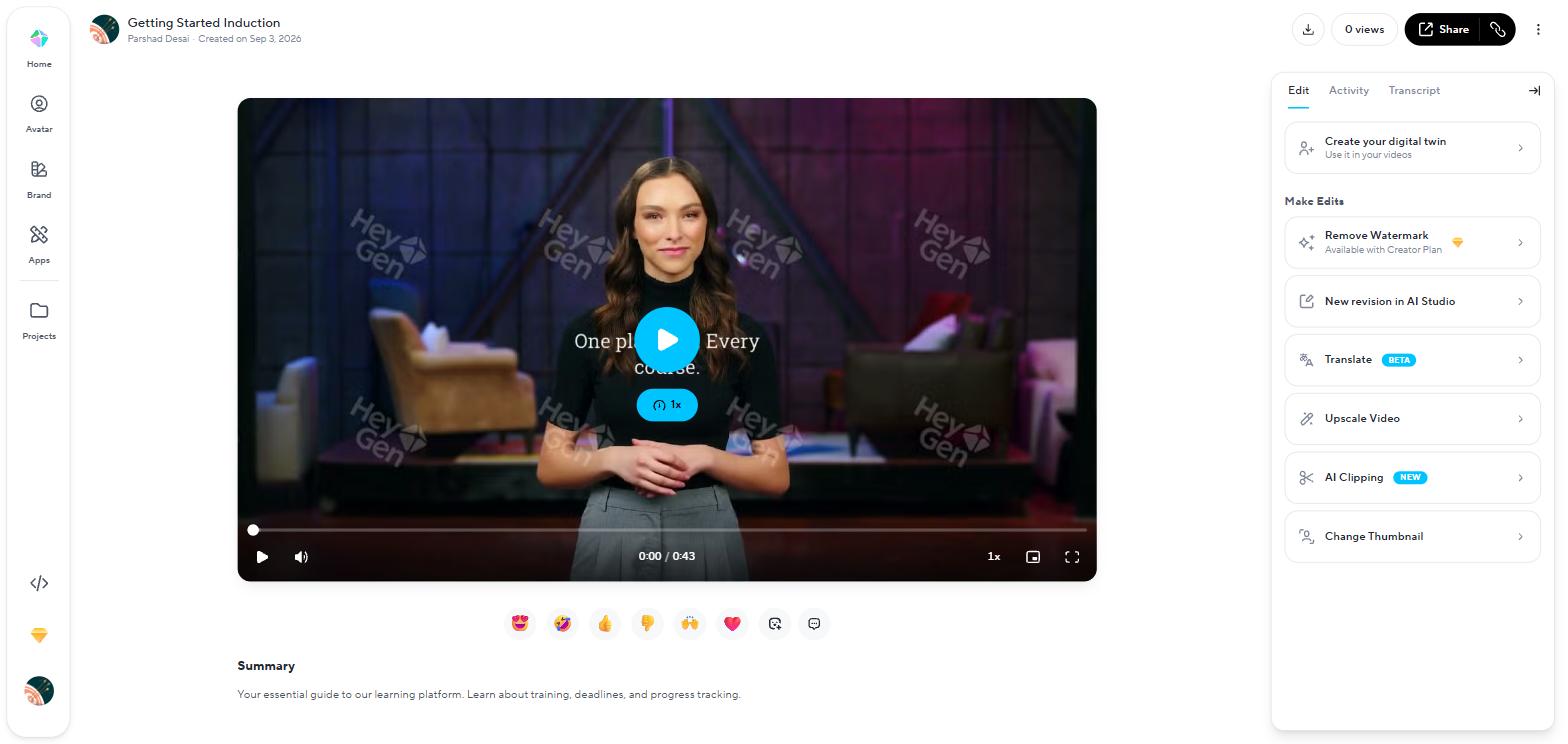
The finished free render: nine watermarks, and removal priced at the Creator plan.
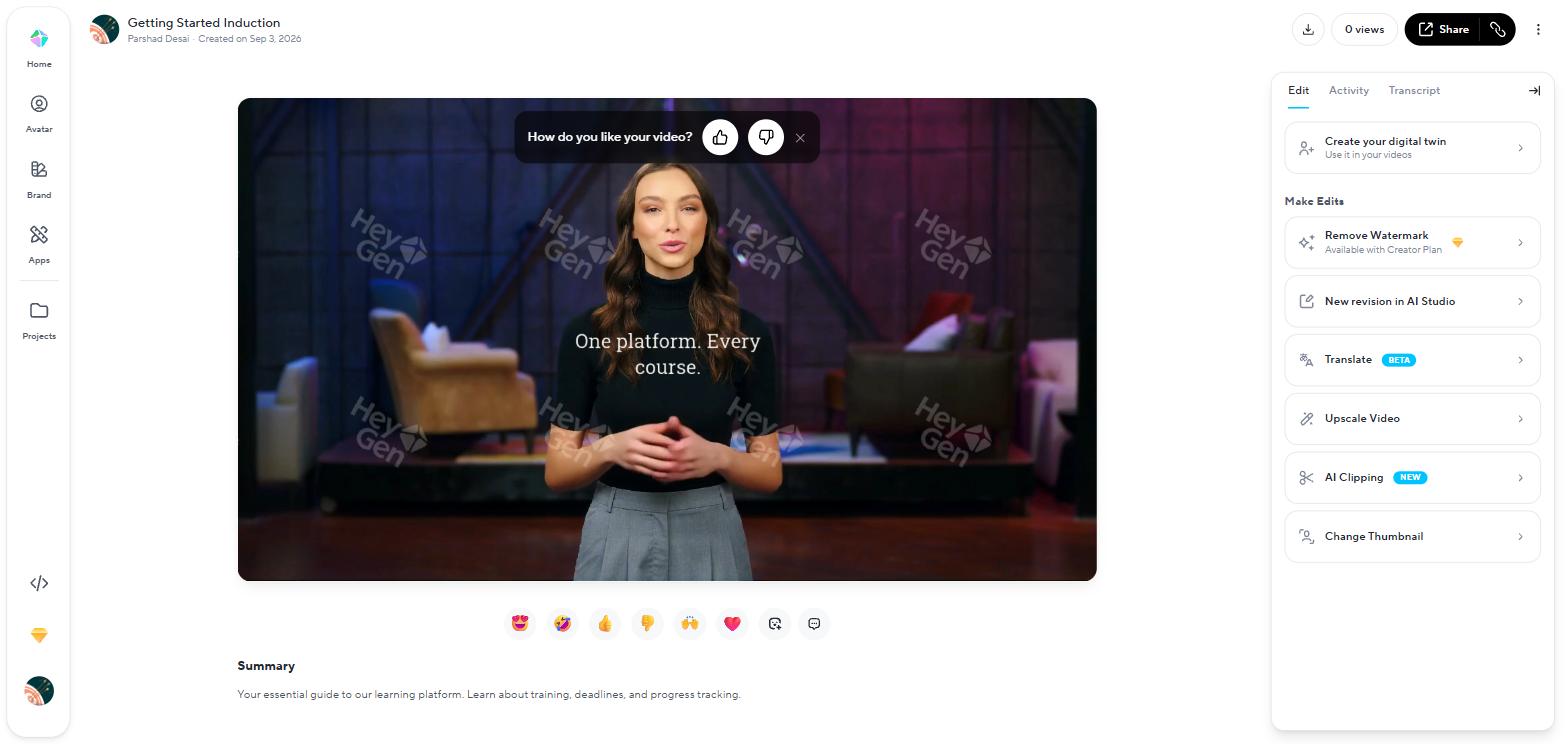
Mid-sentence in my render, the callout exactly where I placed it.
The default voice seemed very high quality: real intonation across the sentences rather than a flat AIesque text-to-speech read, and the delivery could be tweaked by emotion in the editor as well.
The download dialog had one more catch: free downloads capped at 720P, and an "Export as SCORM" toggle sat right there, disabled behind the paid diamond. On HeyGen that toggle has a listed price: the $149-a-month Business plan, which also carries the LMS integrations and interactive quizzes. That locked toggle told me, before I had paid a dollar, exactly which plan a real training workflow lands on.
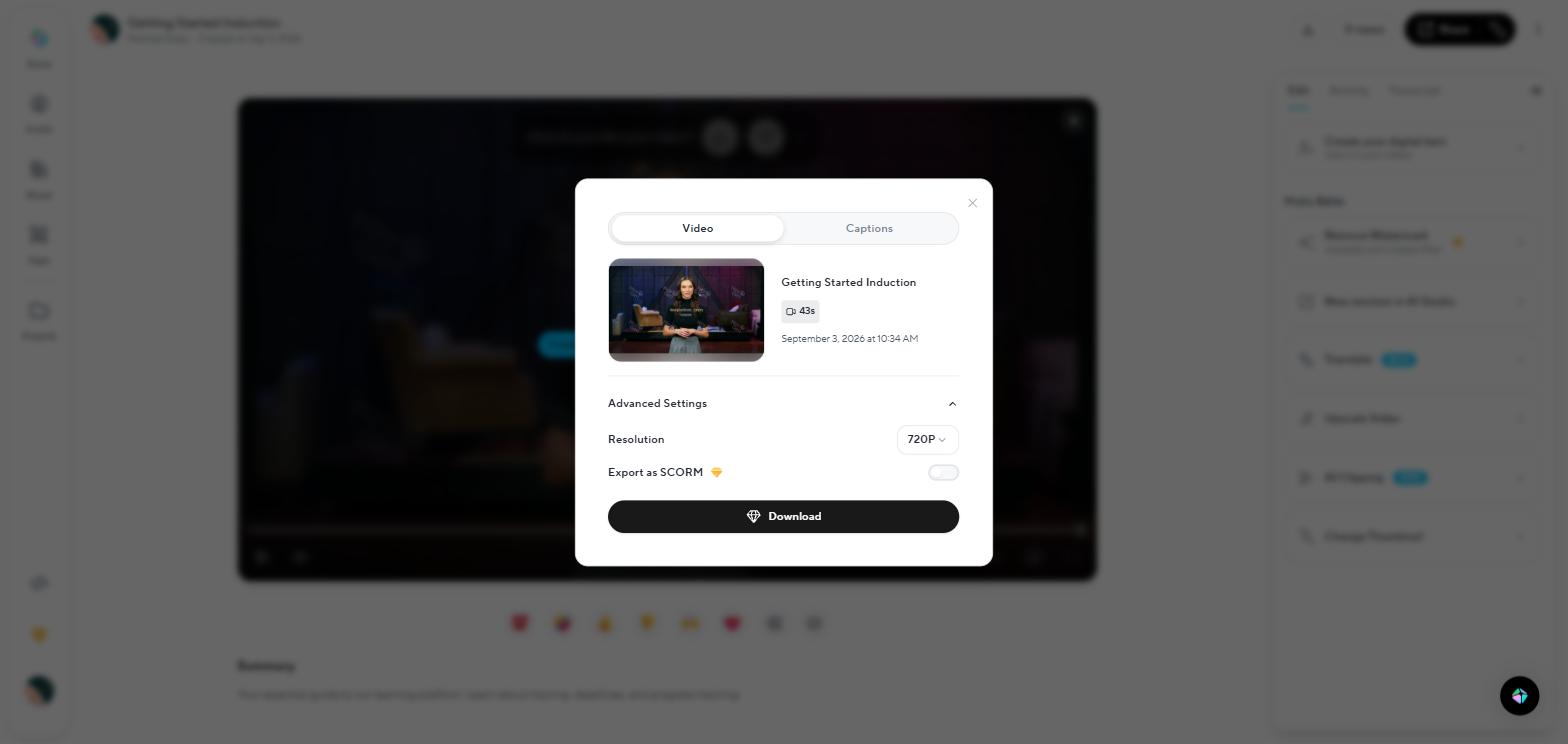
Free downloads stop at 720P, and the SCORM toggle is locked right in the dialog.
SCORM is the packaging standard that lets a finished course or video drop into almost any learning management system (LMS) and be tracked there: who watched it, who completed it, what they scored. If your videos are workplace training that an LMS has to deliver and prove, SCORM export is the feature that decides which plan you need. If you publish to a website or social media, you will never touch it.
Behind all of this sits the credit meter. Every generation spends credits, and the rate depends on the avatar model: the same 600-credit month buys 150 minutes on the standard model and about 12 on the newest one. The credits article prices every feature, and the Creator plan does roll unused credits over.
Where HeyGen is better
- Minutes per dollar. 600 credits a month at $29 buys up to 150 standard-model minutes; the same money buys Synthesia users 10 minutes a month.
- The more natural default voice. Played back to back, HeyGen's stock voice carried far more intonation than Synthesia's flatter default read.
- The free render you can actually ship somewhere. Watermarked, but downloadable; its rival's free output never leaves the platform.
- Becoming your own presenter cheaply. Voice cloning and unlimited photo avatars on the entry plan; my clone also sounded better here in a like-for-like test.
- A listed price for SCORM. $149 a month on Business, visible in the export dialog itself; the rival equivalent is a sales call.
What you get on Synthesia: a studio that works like a slide deck
Synthesia's dashboard offered me a choice straight away: "Start a new project, from template or blank" sat beside "Start with Assistant, prompt a video". The Assistant is Synthesia's AI helper: you give it a prompt and it builds the video for you. I tried both ways in, and they treat your script very differently.
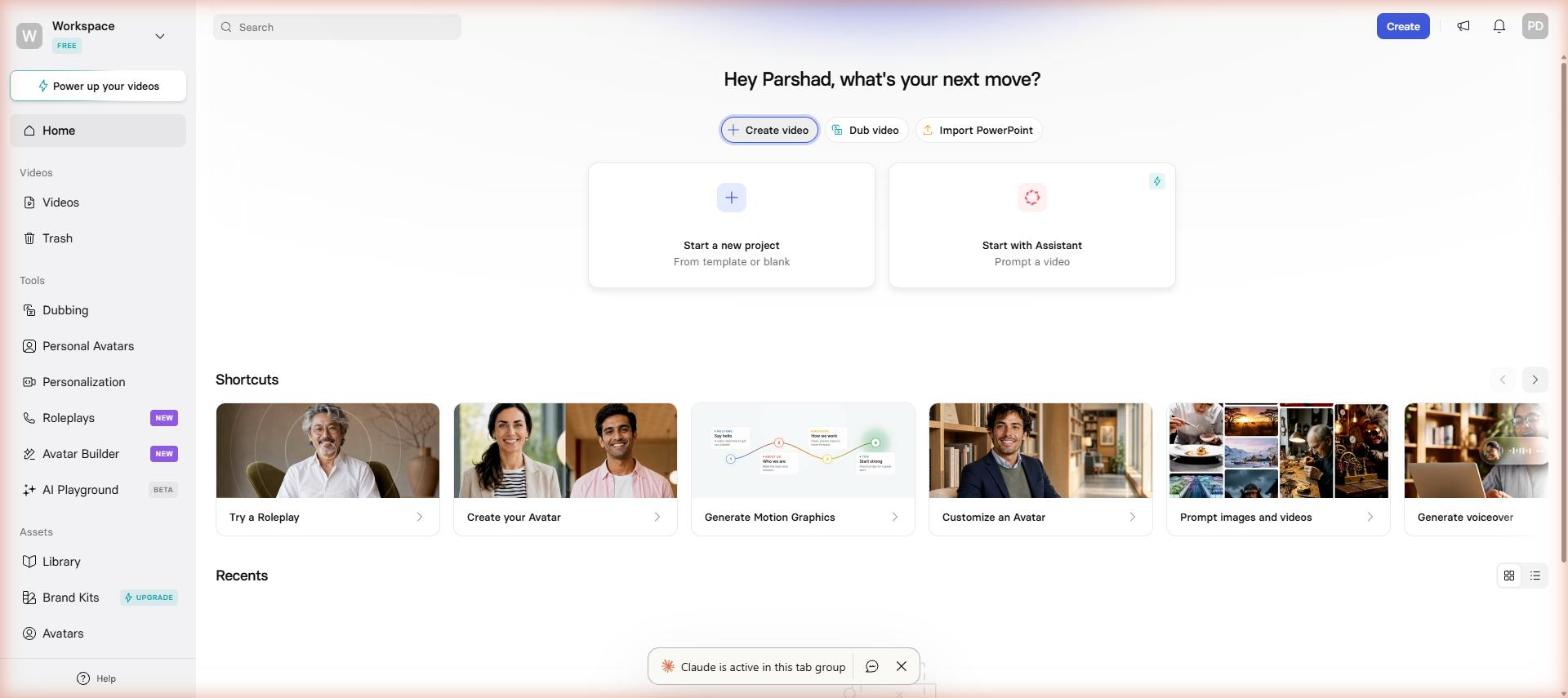
Two ways in: a blank project that keeps your script, an Assistant that rewrites it.
The Assistant, labelled BETA, treated my pasted script as a prompt and rewrote it under its own headlines. The facts survived, but my sentences did not, which annoyed me more than either paywall. For a training team with approved compliance text, that is a silent rewrite of words legal signed off.
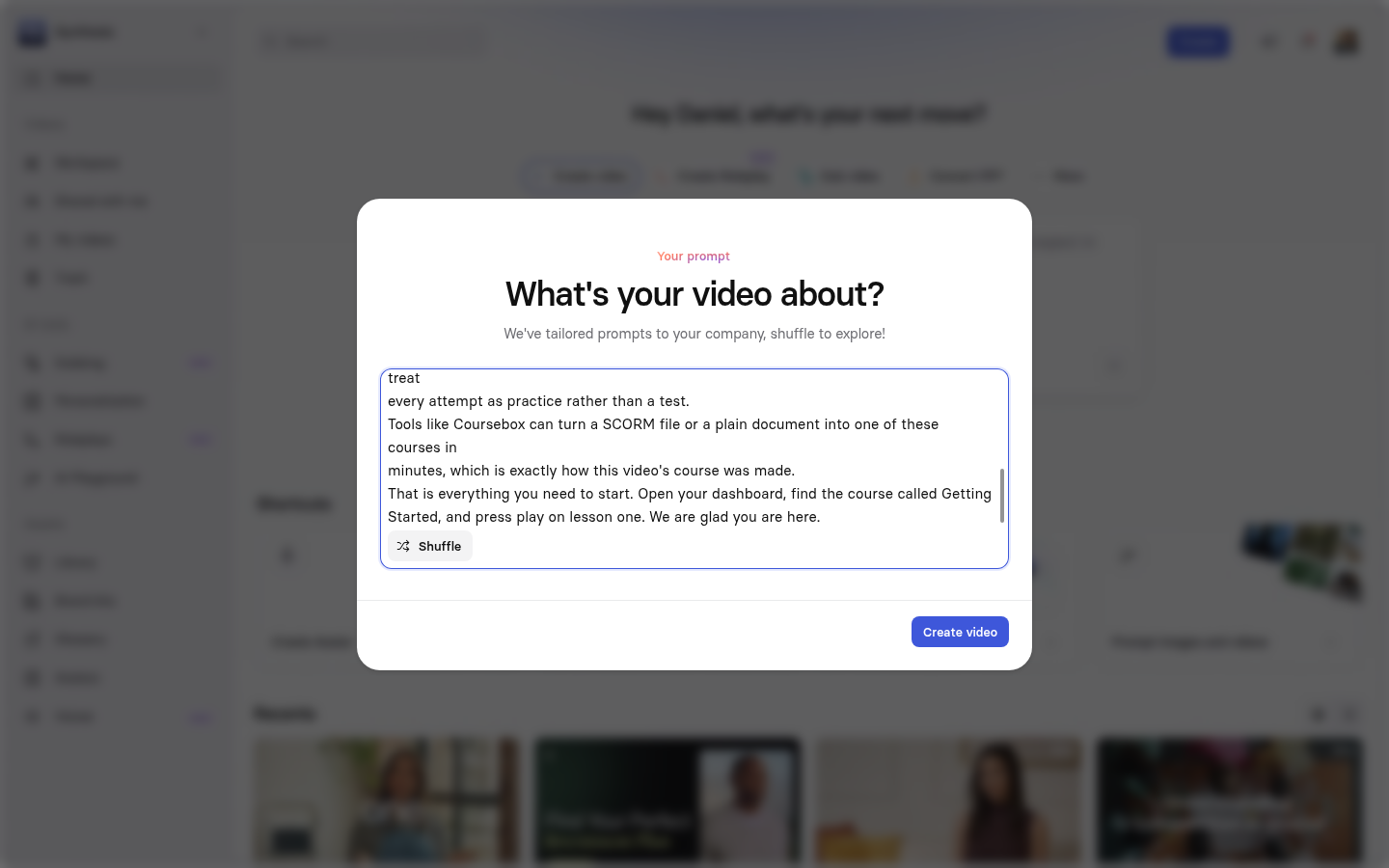
The Assistant flow: my script pasted in, read as a prompt.
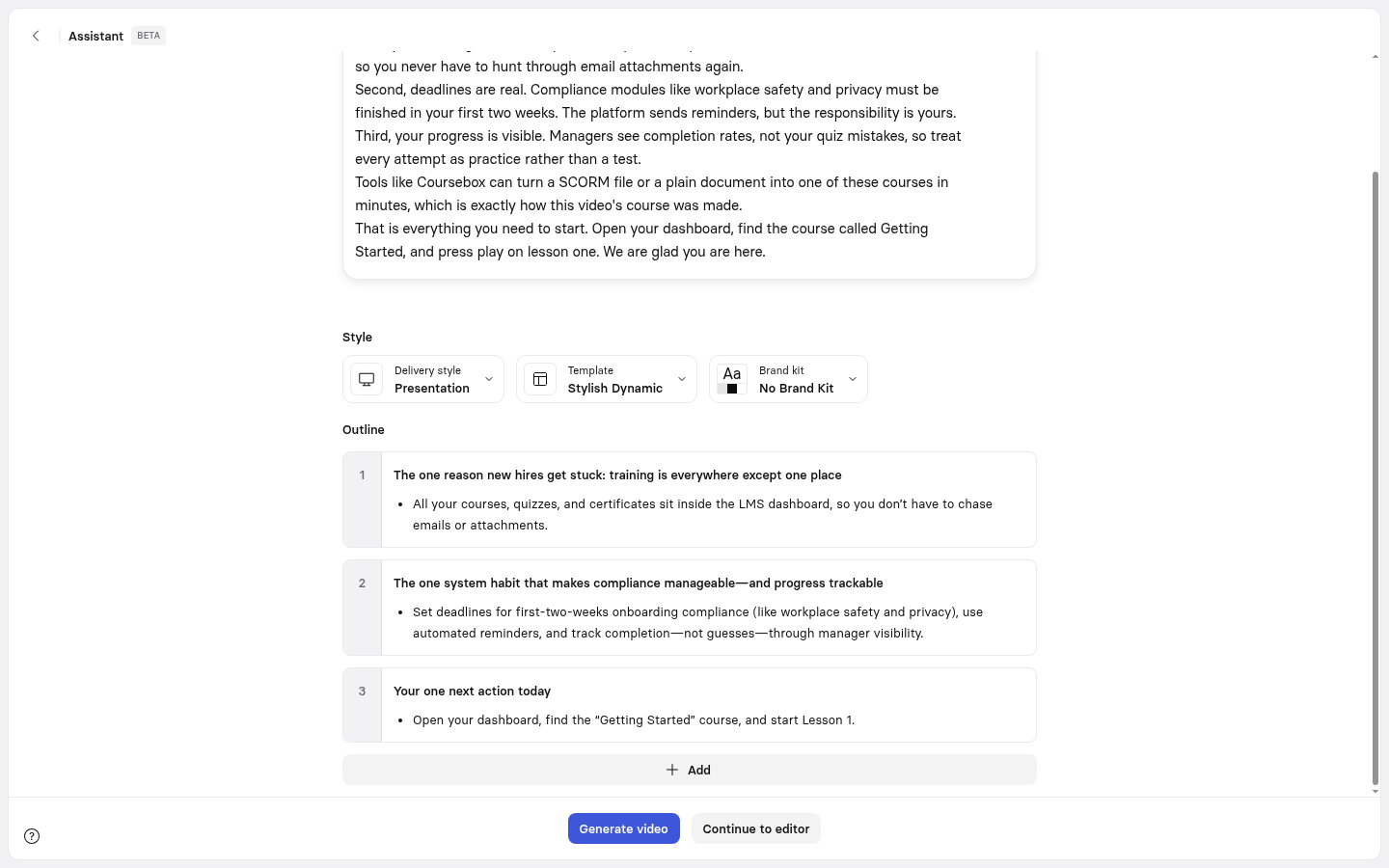
What came back: my wording gone, its own headlines in charge.
In a blank project, the same paste behaved perfectly, which was a relief; the avatar read my sentences exactly as written. If your wording is locked, start here.
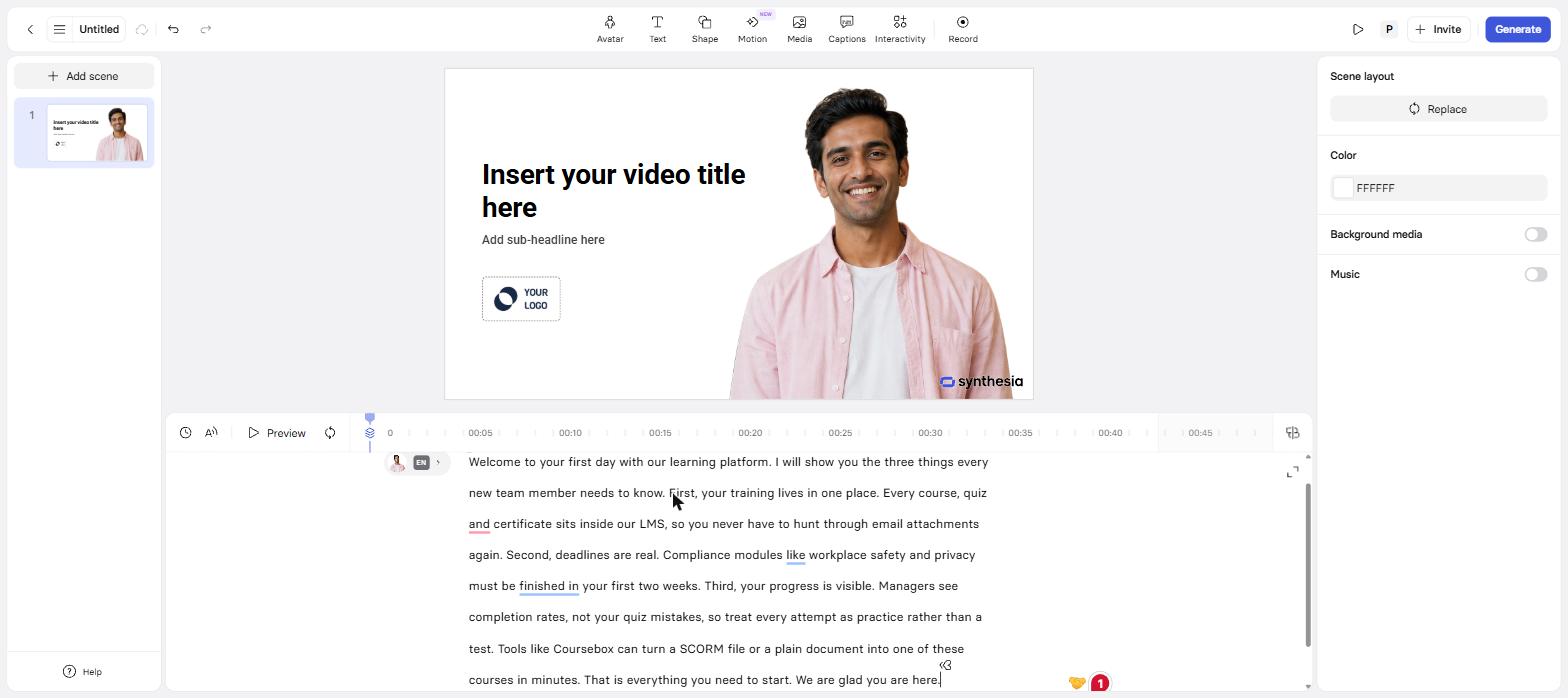
The blank project: the same script, verbatim, in the narration track.
Working in Synthesia's editor felt like building a lesson in PowerPoint that happens to have a presenter, which for a training module is a good thing: scenes map cleanly onto lesson steps. One feature I really liked: on-screen text can be timed to spoken words. I set my title to appear when the avatar said "Welcome" and disappear at the end, and it took under a minute.
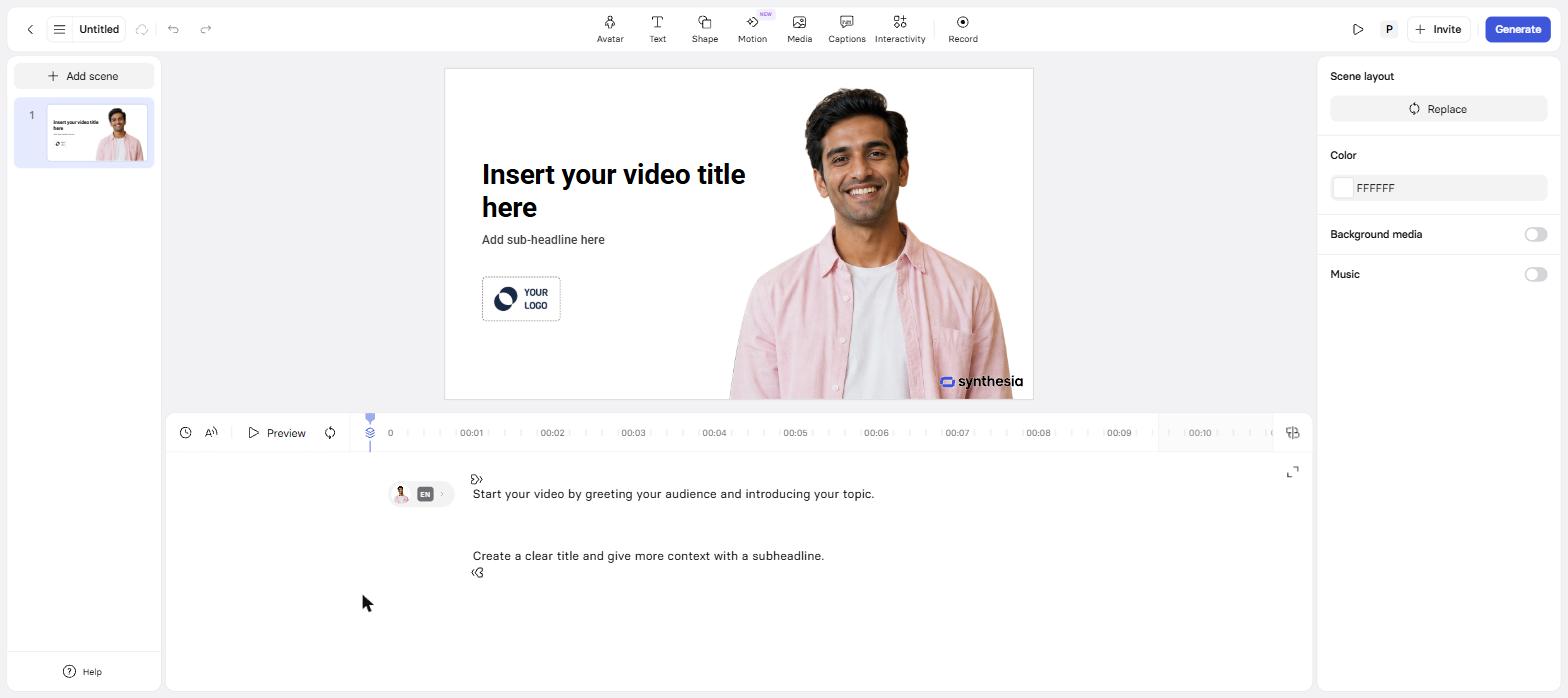
The slide-deck studio: scenes on the left, layers on the canvas, narration on the timeline.
The free plan's avatar picker offered exactly nine avatars, which felt thin after the hundreds HeyGen had just shown me, though I still found a presenter who fit a training video in under a minute. The paid ladder widens the cast to 125+ on Starter, 180+ on Creator and 240+ at Enterprise. The template library is training-first, with interactive quiz and compliance templates ready to fill; I left the BETA AI Playground unused.
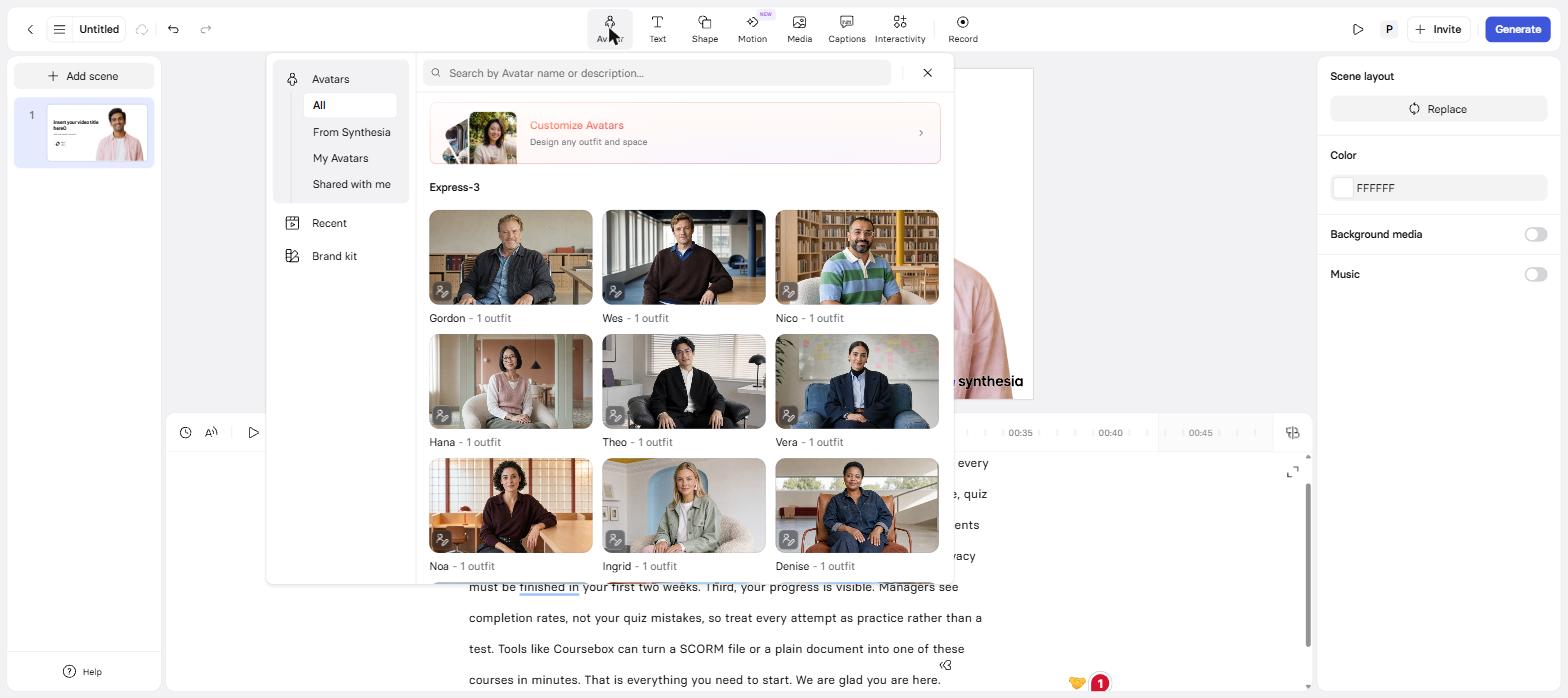
The free plan's whole cast: nine avatars, one outfit each.
The meter appeared before the render did: the moment I submitted, a modal announced "You only have 600 seconds of video creation time left". I had not made a single video yet and the product was already counting down what I had left. This was a bit odd to me. The render then sat at 10% for eleven minutes, so I walked away from the tab. In total, my 45-second video took about fifteen minutes.
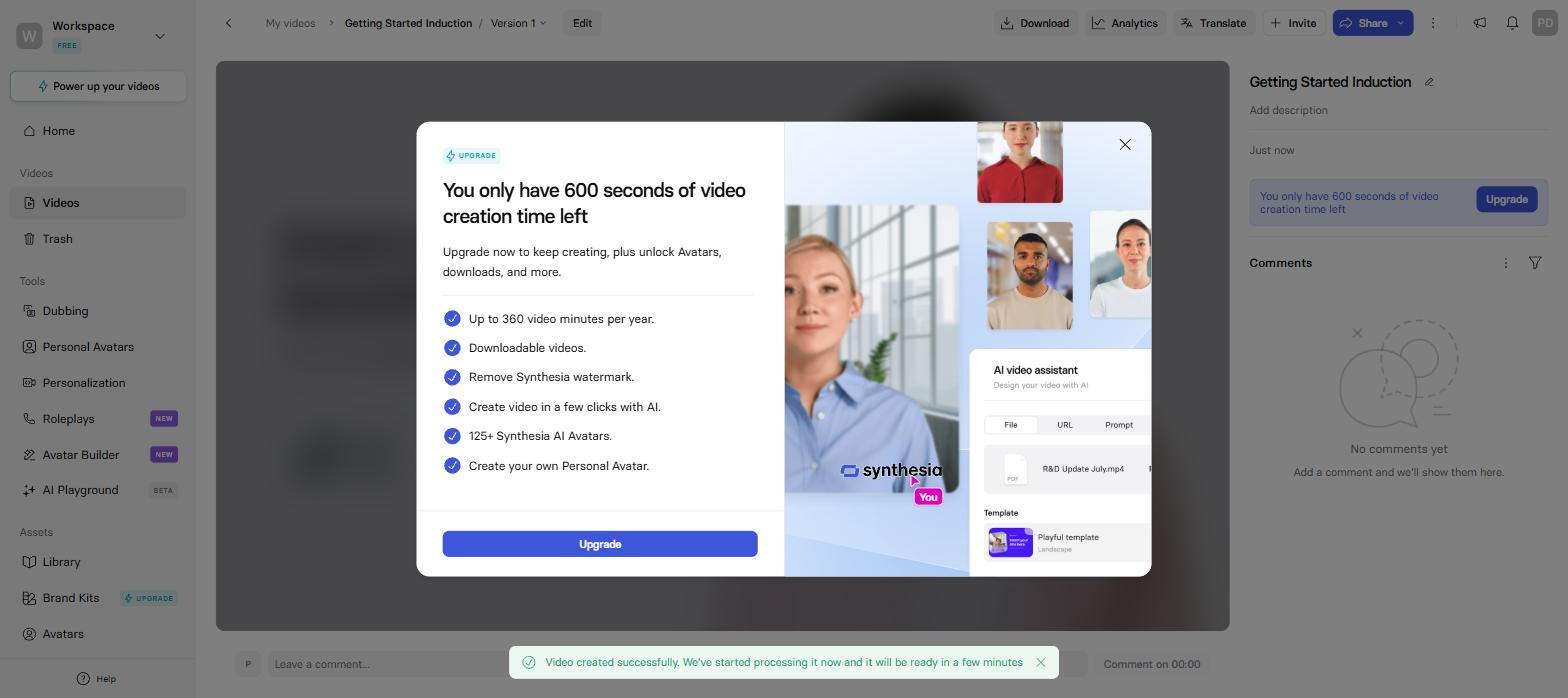
Submitting triggered the meter: 600 seconds of free creation time, downloads sold separately.
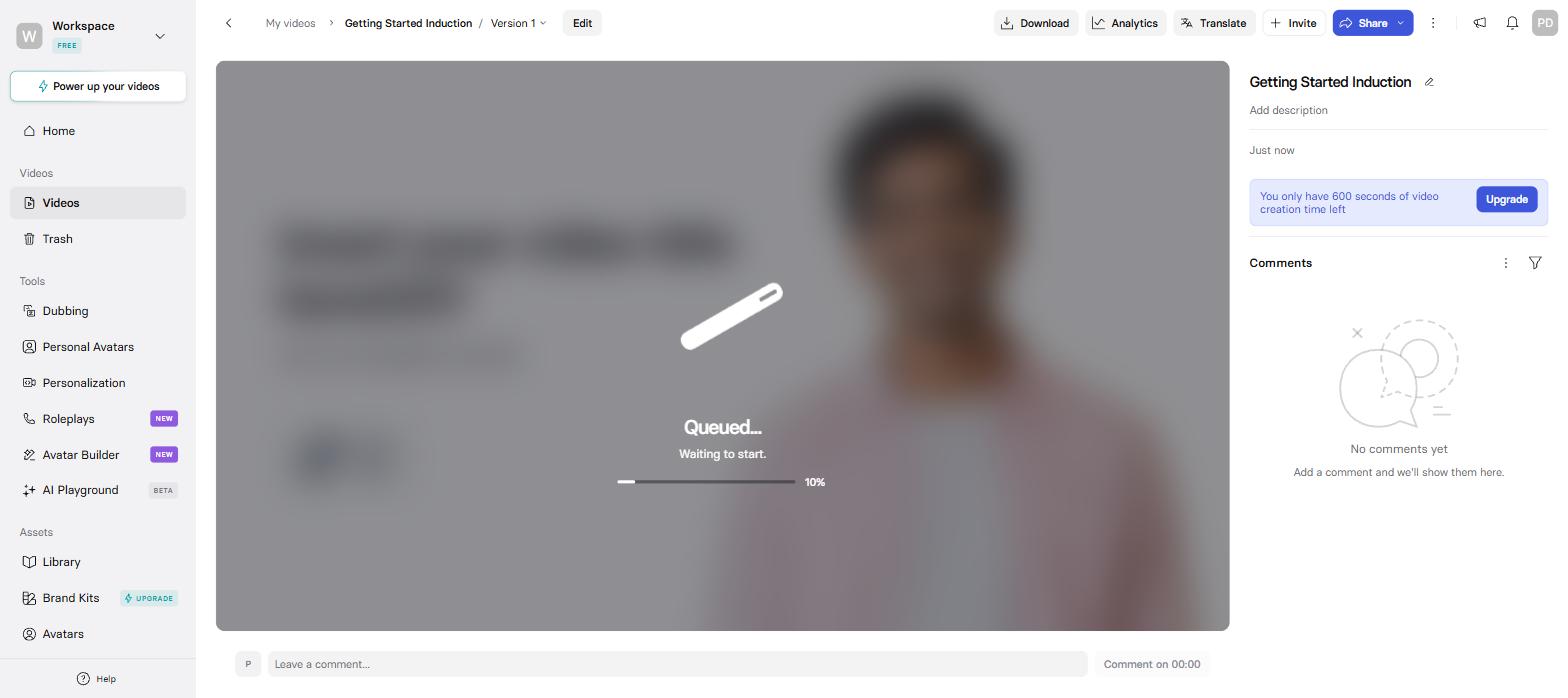
Queued at 10%, where my render waited for eleven minutes.
The output came back the cleaner-looking of the two free renders: only one corner watermark, my title animated in on cue, the avatar composed and steady. It was also the one I could not take with me; clicking Download just opened a Starter+ paywall, and the free plan shares by link only.
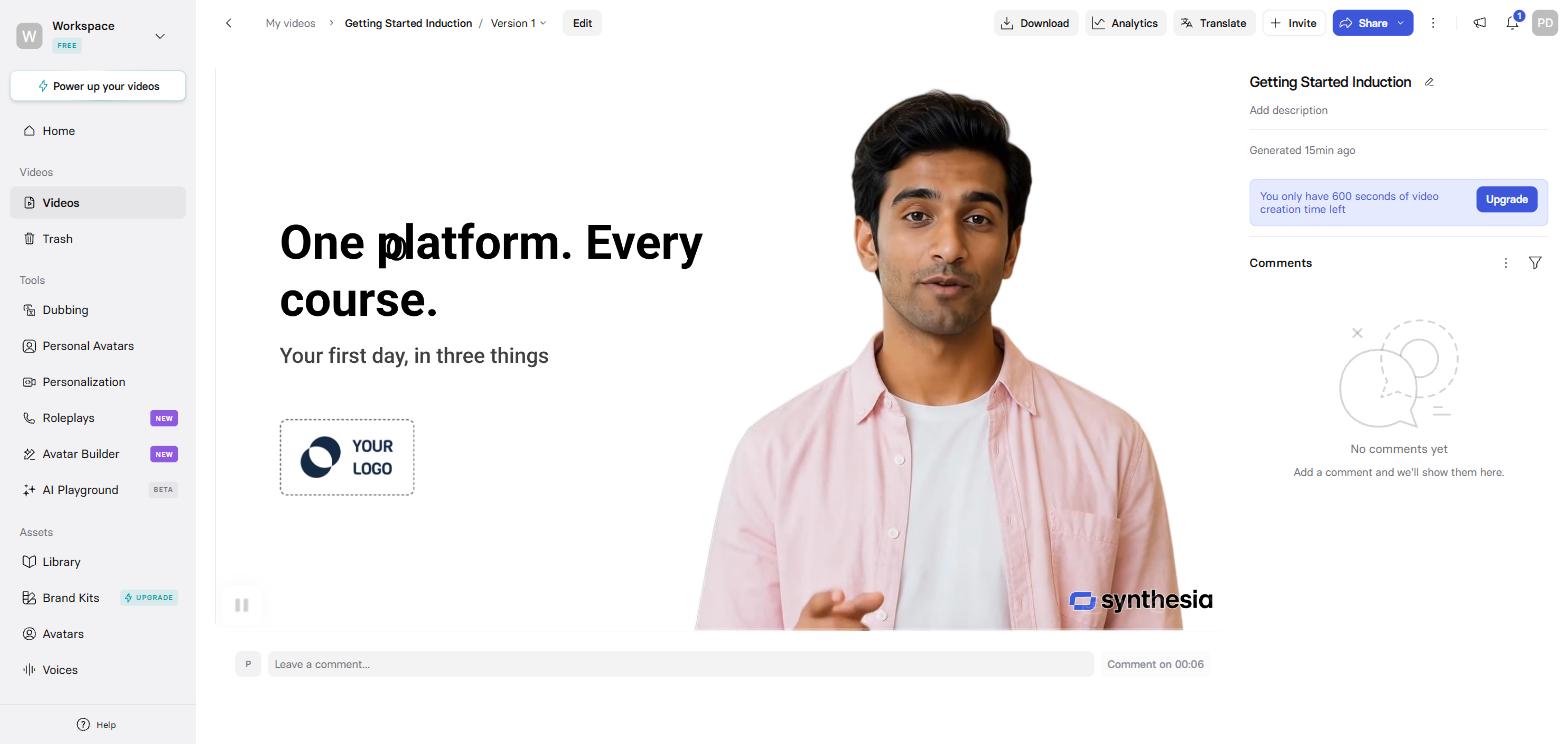
The cleaner free render: one corner watermark, the title animated in on cue.
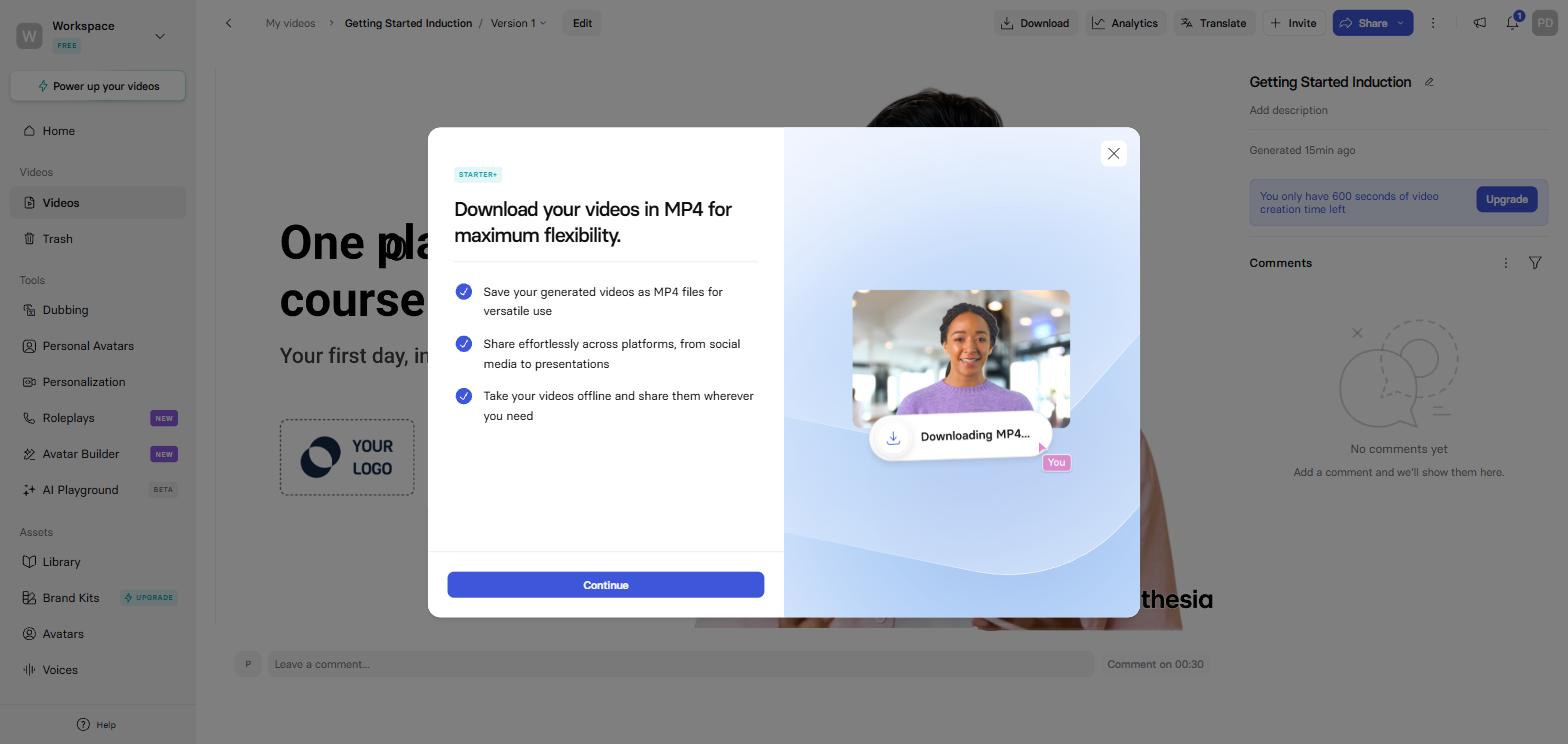
The catch: Download opens a Starter+ paywall. The free video stays on Synthesia.
The big-company features all sit on the custom-priced Enterprise plan: SSO, brand kits, a dedicated customer success manager, SCORM export and 1-click translation into 80+ languages. Its own pricing page leads with a Fortune 100 adoption claim; that is the buyer it is built for.
Where Synthesia is better
- The plain corporate read. Four of my six head-to-head tests went its way, the scripted read and the emotional read among them.
- Structure for real modules. Scene-by-scene editing, training templates, and text that animates on script words rather than stopwatch seconds.
- Enterprise governance. SSO, brand kits, a dedicated customer success manager and SOC 2, plus 1-click translation of one module into 80+ languages.
- The cleaner free preview. One corner watermark and 10 monthly minutes against a tiled frame and three; the catch is you can watch but not download.
Head to head on paid plans: Synthesia four, HeyGen two
After the free runs I paid for both and ran the same script through each, six times, changing one thing every time. I used a cloned presenter and the same voice model on both sides, so any difference came from the platform. The six tests:
- a plain scripted read, the shot most training videos are made of
- an emotionally loaded script, to see whether either avatar can act
- a tongue twister, to strain the lip-sync
- the same script dropped into each platform's own template
- a photo avatar built from the same photos on both
- dubbing one finished video into another language
Synthesia took four of the six, including the plain scripted read and the emotional script. The seated corporate talking-head is its home ground, and the polish showed. Testing it had two catches, though: I hit the Starter plan's allowance in the middle of the first test and had to upgrade to keep going, and I never tested its newest avatar tier, because converting an avatar to it is a $1,000-a-year add-on.
HeyGen won the two tests where movement counts. Its avatars moved more naturally, my cloned voice came back sounding better on HeyGen even though I trained both clones identically, and every render finished faster.
What they cost
HeyGen and Synthesia both moved to credit-based plans in 2026, and their systems do not measure the same thing. Synthesia sells minutes per year. HeyGen sells credits per month, and the credit price of a minute depends on which avatar model you pick:
- Avatar III: 4 credits a minute (7 for a photo look)
- Avatar IV: 31 credits a minute (16 for a photo look)
- Avatar V: 48 credits a minute
- Video translation: 4 to 10 credits a minute depending on mode
HeyGen pricing
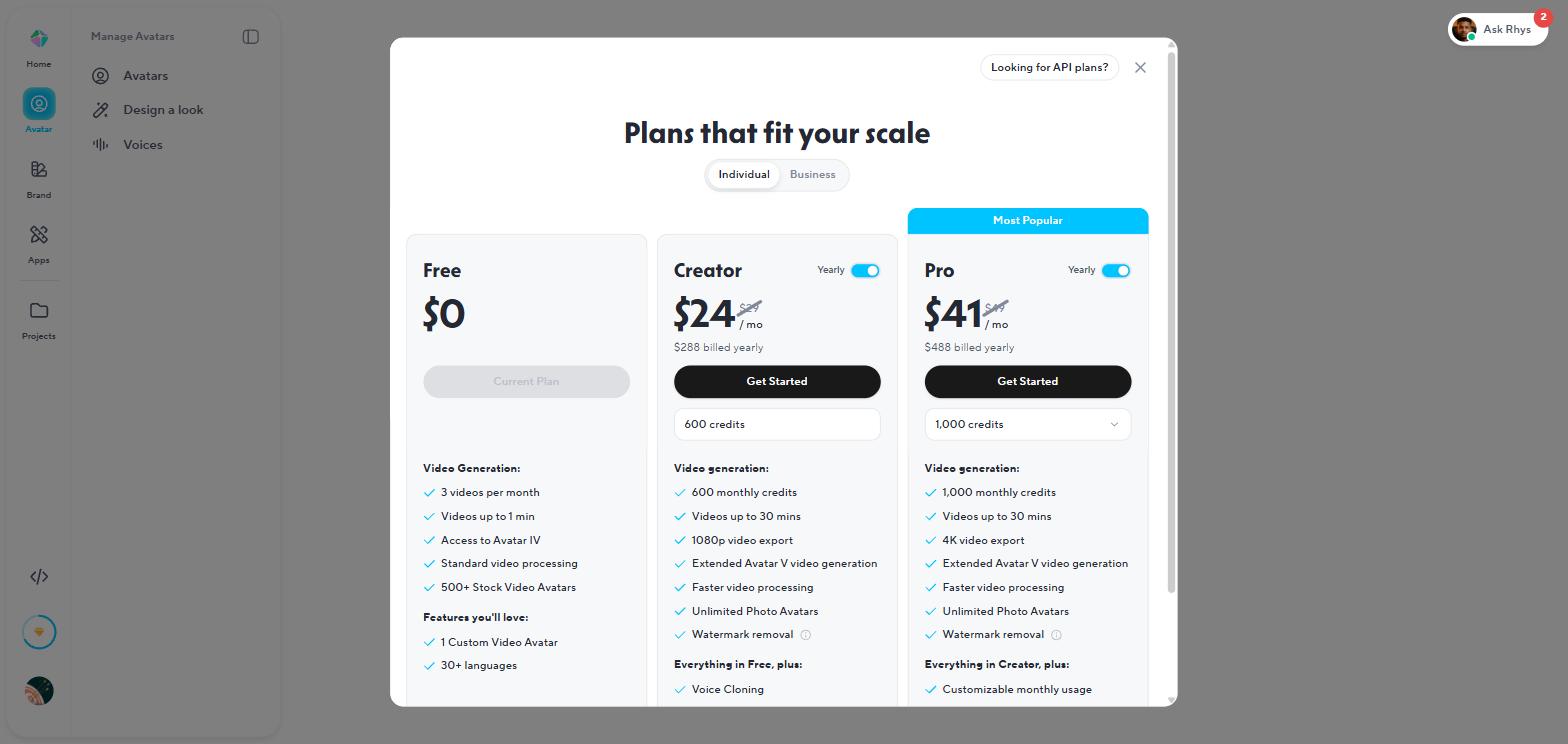
The in-app plans match the public page: $24, $41 and $119 a month billed yearly.
| Plan | Billed monthly | Billed yearly | What you get |
|---|---|---|---|
| Free | $0 | $0 | 3 videos/mo, 1 minute each, Avatar IV included, tiled watermark |
| Creator | $29 | $24/mo ($288) | 600 credits/mo, 1080p, voice cloning, watermark removal, rollovers |
| Pro | $49 | $41/mo ($488) | 1,000 credits/mo and up, 4K |
| Business | $149 | $119/mo ($1,428) | 1,500 credits/mo, SSO, quizzes, SCORM, LMS integrations, $20 per extra seat |
Synthesia pricing
| Plan | Billed monthly | Billed yearly | What you get |
|---|---|---|---|
| Basic | $0 | $0 | 10 min/mo, 25 assets, no downloads |
| Starter | $29 | $18/mo ($216) | 120 minutes per YEAR, downloads, logo removal, dubbing |
| Creator | $89 | $64/mo ($768) | 360 minutes per year, 5 personal avatars, API, interactive video |
| Enterprise | Custom | Custom | Unlimited minutes, SCORM, 1-click translation, SSO, CSM |
- On standard avatars: HeyGen Creator $288, using 40 of its 600 monthly credits. Synthesia Starter $216, using its entire 120-minute annual pool exactly.
- On the newest avatars: HeyGen $288 still covers it, at 310 to 480 of 600 credits a month. Synthesia's minutes do not change with the model, but its newest avatar tier needs the $1,000-a-year add-on.
- With SCORM required: HeyGen Business $1,428 a year, listed. Synthesia Enterprise, price on application.
- For a five-person team with SCORM: HeyGen $2,388 a year, listed ($1,428 plus four extra seats at $20 a month). Synthesia stays price-on-application, per seat, on an annual contract.
Synthesia's pool is annual, so a busy month borrows from a quiet one until the year runs dry; that is exactly how I ran out mid-test on the paid plan. HeyGen's meter resets monthly and Creator rolls unused credits forward, but the model you pick changes the price of a minute by a factor of twelve.
What I wish I'd known before starting
- HeyGen's credit maths depends on one dropdown. The same 600 credits are 150 minutes on Avatar III and about 12 on Avatar V. Decide your default model before you budget.
- Synthesia's free tier lets you try everything and ship nothing. My render came back clean, and the download button opened a paywall. Testing is free; taking the file needs Starter.
- HeyGen's free cap fires at exactly one minute. My 64-second script was refused with an upgrade modal; the 49-second trim went through. Keep a free-plan script under a minute or it will not generate.
- Synthesia's Assistant rewrites pasted scripts. Use the blank-project editor when the wording is approved text; it carried my script verbatim.
- HeyGen's old unlimited plans are closed. Its help centre says legacy-plan users who cancel or switch cannot go back. Whatever your colleague pays on a legacy plan is not what you will pay.
- Synthesia's annual purchase is the one to be careful with. Operators who bought the annual plan by accident could not get it reversed; purchases are treated as final. Buy monthly first.
Where both tools stop, and what Coursebox does
An avatar video is one asset inside a lesson; the course around it still has to be built. If you ship one with either tool, the surrounding work is still open: the module it sits in, the quiz that checks anyone watched, the record that proves completion, and the other languages your team works in. Neither HeyGen nor Synthesia holds any of that; both end at an MP4.
That surrounding work is what Coursebox is for. It generates the course itself from your source material and puts AI avatar video inside the lessons, alongside the quizzes and the completion reporting; the video generator is one block in a structure the platform builds and tracks. HeyGen is one of the AI providers behind our own platform, which is as direct a compliment as we can pay it. Training rarely ships in one language either, and we see the demand on our own platform every month.
For a standalone video, though, either of these tools beats us plainly: if the deliverable is one polished clip for a launch or a social feed, use HeyGen or Synthesia and skip the platform.
The verdict, split by who is asking
Marketing or social video every week: HeyGen. Faster renders, cheaper minutes, rollovers, and your own cloned presenter for $29.
A corporate training library with brand control: Synthesia. The structured editor and its polish on the seated read are built for exactly this, and SSO, brand kits and SOC 2 are there when procurement asks.
Your legal team has locked the wording: HeyGen by default, whose script field is narration verbatim; on Synthesia, use the blank-project editor and keep the Assistant away from approved text.
You need SCORM this quarter on a known budget: HeyGen Business, $1,428 a year, listed in the export dialog. Synthesia's SCORM sits behind an enterprise sales call.
One person testing whether they can be the presenter: HeyGen free, then Creator. Cloning yourself is the entry-plan feature there, and the free render is at least downloadable.
Training that has to be tracked and proven: neither. A video file has no completion record; that is an LMS's job, whichever video tool renders the presenter.
If neither one fits
Colossyan pitches the same corporate-training lane as Synthesia and adds interactive branching; we put that pair through the same hands-on test in Colossyan vs Synthesia. The wider field, AI Studios and the rest, is ranked in our AI training video tools list.
Last updated 3 September 2026. I generated the same script end to end on both free plans that morning, on our own accounts, and timed both renders to the ready screen. Every price, credit rate, plan limit and G2 score came from heygen.com/pricing, help.heygen.com, synthesia.io/pricing and my own admin screens the same day.
Frequently Asked Questions
HeyGen is better for creators and marketing teams: cheaper minutes, faster iteration, voice cloning at $29, a noticeably more natural default voice, and lip-synced translation in 175+ languages. Synthesia is better for structured corporate training: its editor builds modules like slide decks and it took most of my head-to-head quality tests. People argue about which one looks better. The script handling is settled: HeyGen keeps your words, and Synthesia's default Assistant rewrites them.
Synthesia Starter is $29 a month, or $18 a month billed yearly, and includes 120 minutes of video for the whole year. Creator is $89 monthly or $64 billed yearly for 360 annual minutes. The free Basic plan includes 10 minutes a month but no downloads, and Enterprise is custom-priced.
HeyGen exports SCORM on its Business plan at a listed $149 a month; the locked toggle is visible in the free plan's own export dialog. Synthesia exports SCORM only on its custom-priced Enterprise plan. On both, the cheaper tiers hand you an MP4 only.
Yes, HeyGen and Synthesia both translate video, on different terms. HeyGen translates with lip-sync at 4 to 10 credits a minute on ordinary paid plans, across 175+ languages and dialects. Synthesia includes AI dubbing minutes from Starter up, and reserves its 1-click translation workflow into 80+ languages for Enterprise.
Yes, HeyGen and Synthesia both have free plans, and I generated on both. HeyGen's free plan gives you 3 downloadable one-minute videos a month with a tiled watermark. Synthesia's gives you 10 minutes and 25 assets a month with one corner watermark, but downloading needs the paid Starter plan.
HeyGen: voice cloning and unlimited photo avatars sit on its $29 Creator plan, and even the free plan lets you build one custom video avatar. Synthesia's personal avatars start on its $89 Creator plan, and its studio-grade avatar tier is a $1,000-a-year add-on on any paid plan.
Parshad Desai
Driving growth and marketing strategy at Coursebox AI

