

Schoology vs Google Classroom: What’s the Difference and Which One Should You Choose?
Looking for an LMS platform for educational purposes or corporate training? This Schoology vs Google Classroom one-on-one will help you pick the right platform.


Run your own branded LMS with unlimited learners
Some schools want a full LMS with structured grading, analytics, and advanced course organization. Others just need a simple place to assign work and keep learning materials organized. That’s why Schoology vs Google Classroom comes up so often.
Both platforms help educators manage digital learning, but they’re built with very different goals. Many teams pair them with an AI LMS to create structured course content first, and then deliver it through whichever system fits their teaching style.
Let’s break down how Schoology and Google Classroom compare across course creation, usability, customization, and other aspects.
What is Schoology?
Schoology is a full-featured LMS designed for structured teaching environments. Schools use it to organize course content, track progress, run assessments, and manage grading workflows on a centralized platform.
Teachers can create full courses with modules, discussions, quizzes, and multimedia lessons. The platform also supports detailed analytics and structured grading tools. These features make it popular among K-12 districts seeking more formal digital learning processes.
Schoology also integrates with student information systems (SIS). This is why schools prefer the platform for managing large classes and institutional reporting.
What is Google Classroom?
Google Classroom is a lightweight classroom management platform built around simplicity and collaboration. Teachers can quickly create classes, assign work, and share learning materials with Google Workspace tools like Docs, Slides, and Drive.
While you can create structured classes and assignments, Classroom focuses more on workflow efficiency than full LMS complexity. Its biggest strengths come from ease of use and seamless integration with Google tools.
Many schools adopt Classroom because it’s free and easy to learn, especially for teachers new to digital instruction. However, compared with traditional LMS platforms, it offers fewer advanced course-management and analytics features.
Schoology vs Google Classroom: 6 Key Differences Explained
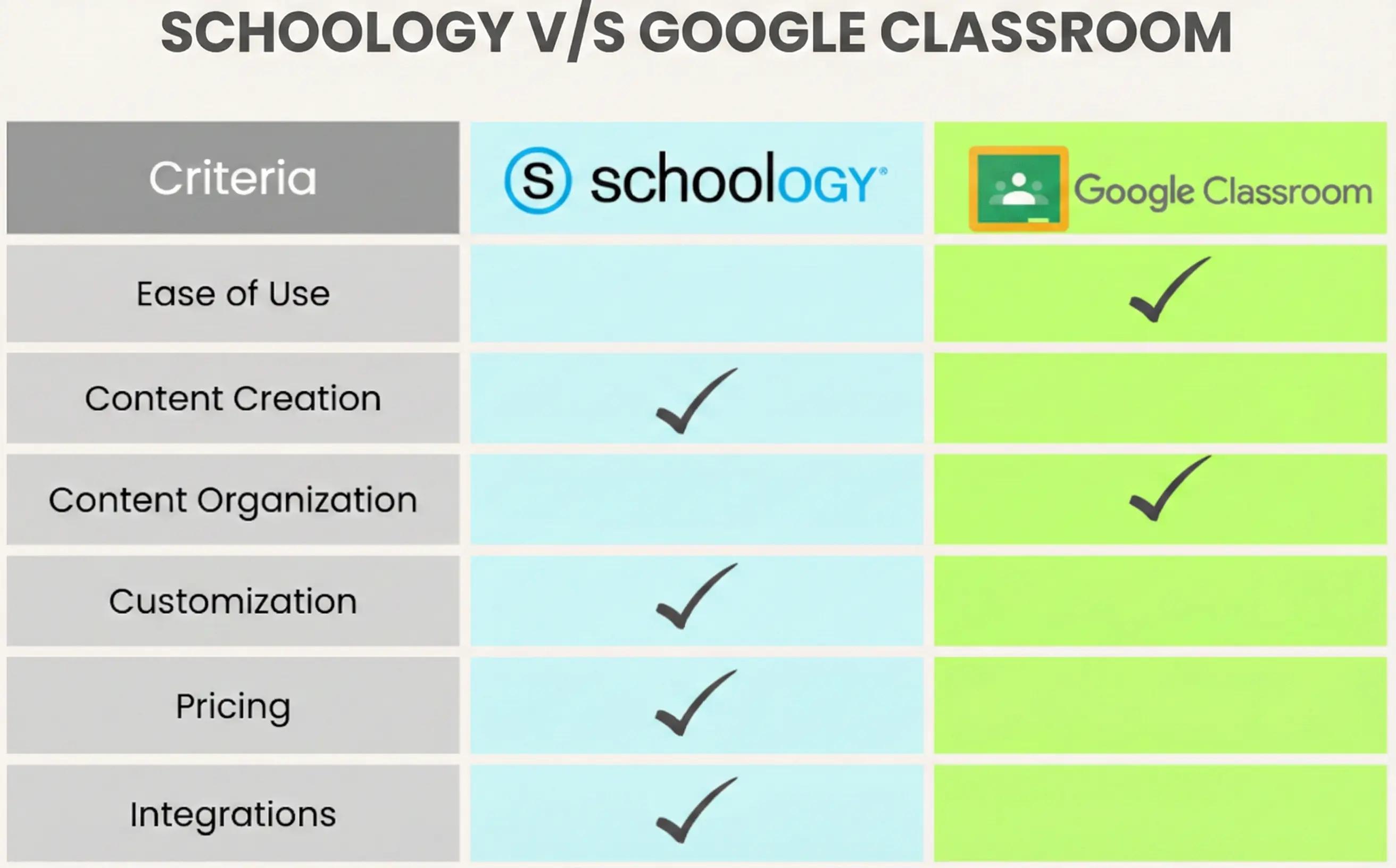
Schoology and Google Classroom truly differ in many aspects of real teaching environments. Here is a detailed overview of their differences:
1. Ease of Use & User Interface (UI)
Overall Experience
Google Classroom focuses on simplicity. Teachers can create a class, upload materials, and assign work within minutes. The interface resembles familiar Google tools, so most users need very little training before getting started.
Teachers switching from traditional teaching methods often find Google Classroom easier to adopt. The layout mirrors familiar productivity tools, and students typically learn the system within minutes.
Schoology, on the other hand, offers more advanced tools, which also means a steeper learning curve. The dashboard includes grading tools, analytics panels, and structured course modules, which may feel overwhelming at first but are powerful over time. However, once you understand its structure, you can manage complex learning programs and track student progress in more detail.
UI Comparison
- Google Classroom: Clean layout, minimal navigation, and quick assignment creation.
- Schoology: Feature-rich dashboards, deeper course structure, and more administrative controls.
2. Course Creation & Organization
Schoology allows teachers to build full digital courses with structured modules, lesson sequences, discussions, and quizzes. You can organize material into units, add prerequisites, and create detailed assessment flows. This makes it well-suited to structured learning programs or district-wide curricula.
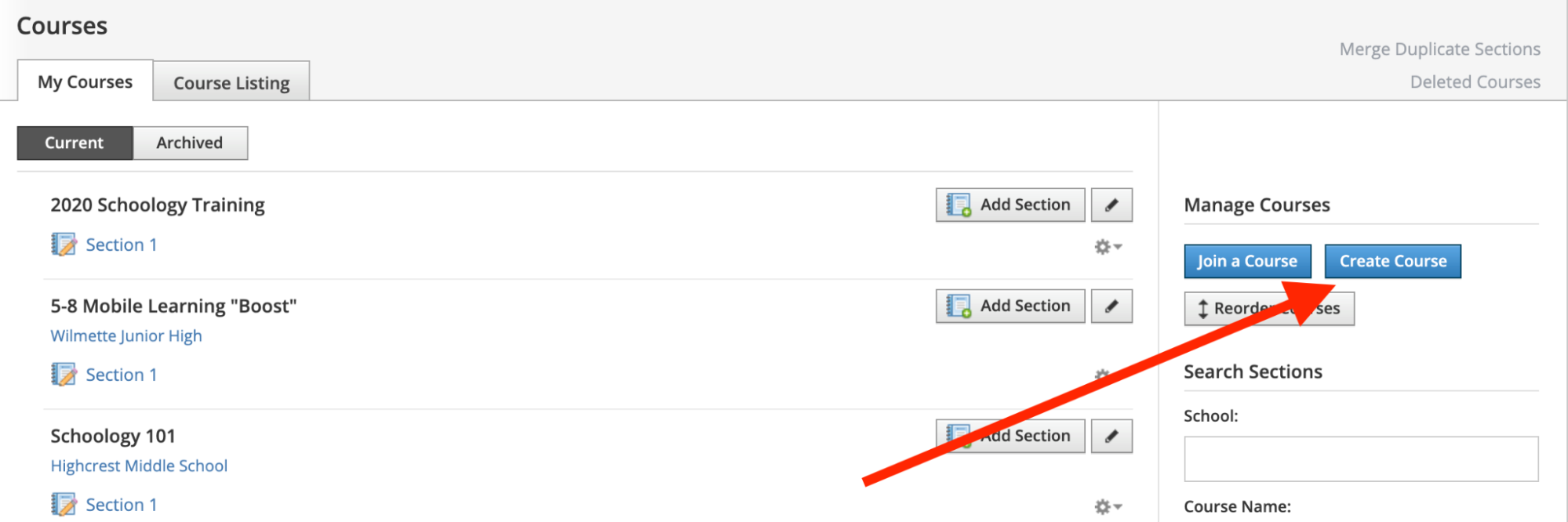
Source: HMS Tech
Google Classroom allows teachers to create classes and add assignments, resources, and announcements. The focus is more on course organization than creation. While you can organize material into “topics,” the structure remains relatively lightweight compared to a traditional LMS.
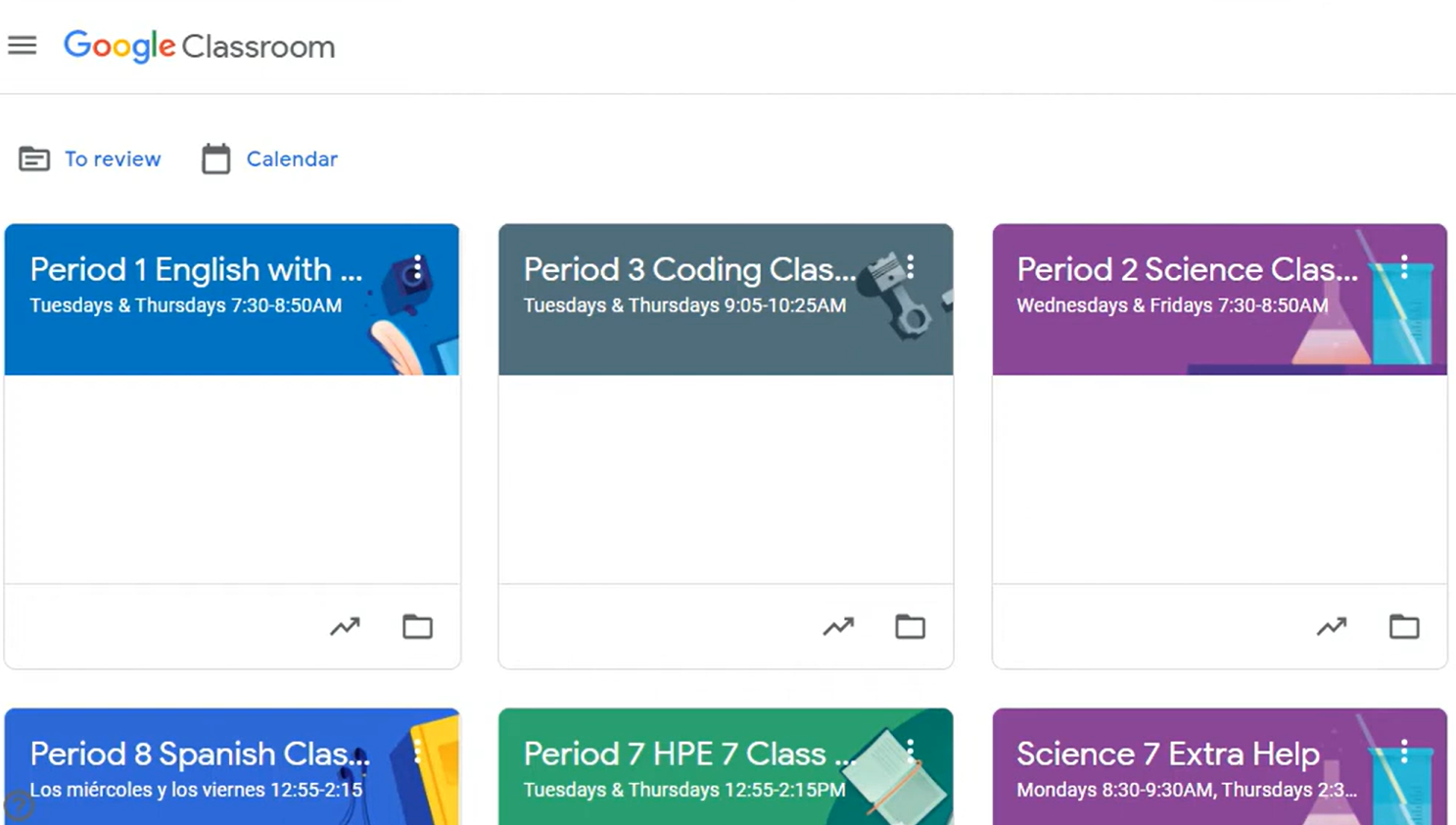
Source: YouTube
Teachers often supplement Classroom with additional tools or structured templates when building complex courses.
3. Customization & Branding
Schoology offers more advanced customization features for course design. Teachers can create structured lesson paths, customize grading workflows, and adjust how students progress through content.
Google Classroom keeps customization minimal. The goal is speed, not deep design control. Teachers can personalize themes and organize content into topics, but layout and learning flow remain relatively standardized.
For schools wanting flexible course experiences, Schoology typically offers more creative control.
4. Integrations & Ecosystem
Google Classroom excels when it comes to integrations within the Google Workspace ecosystem. Docs, Slides, Drive, Meet, and Forms connect seamlessly, creating a streamlined workflow for assignments and collaboration.
Schoology integrates with SIS platforms and educational tools, making it easier to manage large-scale school operations. It also supports external learning apps and analytics tools for deeper educational reporting.
The choice often depends on whether your school prioritizes classroom efficiency (Google ecosystem) or institutional LMS workflows (Schoology).
5. Support & Security
Google Classroom benefits from Google Workspace’s enterprise-level security and admin controls. Schools can manage access, permissions, and data through centralized dashboards.
Schoology also provides structured admin tools, particularly useful for district-wide deployments. Institutions can monitor user activity, manage student records, and maintain centralized learning environments.
6. Pricing
Here is how Schoology vs Google Classroom differs when it comes to pricing:
Google Classroom Pricing
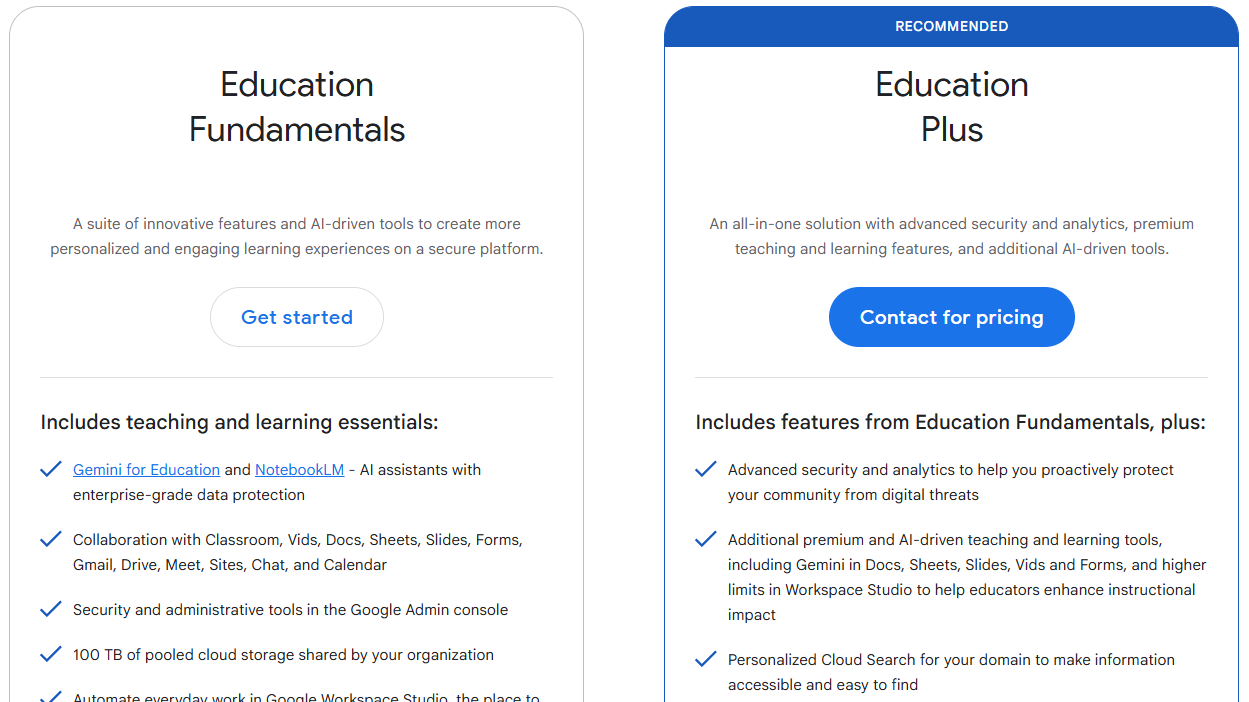
Google Classroom is free for schools using Google Workspace for Education, which makes it highly accessible to smaller institutions or teachers starting digital learning for the first time. For more detailed pricing, you’d need to contact the company.
Schoology Pricing
Schoology pricing varies based on institutional needs and typically requires a paid license for advanced LMS features and administrative tools. You’d need to contact the company for more detailed pricing. For many schools, budget isn’t the main concern, so Schoology can be a better option for its advanced LMS capabilities.
Schoology vs Google Classroom: Which Is Better?
Here’s a side-by-side comparison of Schoology and Google Classroom to help you decide:
| Feature | Schoology | Google Classroom |
|---|---|---|
| Best For | Structured LMS environments | Simple classroom management |
| Ease of Use | Moderate learning curve | Very beginner-friendly |
| Setup Time | Requires initial configuration | Quick setup within minutes |
| Customization | Advanced course structure | Basic layout customization |
| Maintenance | Requires LMS management | Minimal maintenance |
| Pricing | Paid institutional plans | Free with Google Workspace |
- Choose Schoology if you need a full LMS with structured courses, advanced grading tools, and detailed analytics. Schools with larger programs or district-wide curricula often benefit from its deeper feature set.
- Choose Google Classroom if you want a fast, simple way to assign work and manage learning without heavy LMS complexity. It’s ideal for teachers prioritizing ease of use and collaboration.
Where an AI LMS Like Coursebox Fits In
Schoology and Google Classroom help you deliver and manage learning, but many educators need help earlier in the process. Structuring lessons, organizing content, and building engaging course materials are time-consuming and resource-intensive tasks.
That’s where an AI LMS like Coursebox comes in handy. Instead of starting from scratch inside your LMS, you can use Coursebox to generate course outlines and lesson structures. You can even turn documents and videos into structured learning modules and create quizzes, learning paths, and multimedia lessons. This AI LMS prepares ready-to-upload course content in a few minutes.
Once your course is structured, you can upload it to Schoology for advanced LMS workflows or use Google Classroom for simpler delivery. If you want to save time on course creation while still using your preferred LMS, explore Coursebox’s AI LMS tools to build structured learning content faster. Try Coursebox today!
FAQs About Schoology vs Google Classroom
1. What is the main difference between Schoology and Google Classroom?
Schoology is a full LMS with advanced course management and grading tools, while Google Classroom focuses on simple assignment distribution and collaboration. Schools often choose Schoology for structured programs and Classroom for lightweight digital learning. Many educators use an AI LMS to build course content before uploading it to either platform.
2. Can you create courses in Google Classroom?
No, you can’t create courses in Google Classroom, but you can create classes and organize materials into topics and assignments. The structure is simpler than a traditional LMS like Schoology. Teachers who need complex learning paths may prefer an LMS or create structured content beforehand using AI tools.
3. Which platform is easier for teachers to learn, Schoology vs Google Classroom?
Google Classroom is generally easier because of its simple interface and familiarity with Google tools. Schoology has more features but requires more training. Once learned, however, it provides more advanced course management options.
4. Is Schoology better for structured learning programs than Google Classroom?
Yes, Schoology’s LMS features support structured curricula, grading systems, and analytics. It’s commonly used in institutions that need centralized course management. Classroom works better for flexible, everyday teaching workflows.
5. Schoology or Google Classroom, which platform integrates better with external tools?
Google Classroom integrates seamlessly with Google Workspace tools. Schoology integrates well with institutional systems, such as SIS platforms and educational apps. The best choice depends on whether your school prioritizes productivity tools or LMS infrastructure.
6. Can Schoology and Google Classroom be used for corporate or workplace training?
Schoology is sometimes used in corporate or professional training environments because it offers structured course delivery, assessments, and reporting features that resemble traditional LMS platforms. Organizations that need formal learning paths and grading workflows may find it adaptable beyond schools. Google Classroom, however, is primarily designed for K–12 and academic collaboration rather than structured corporate training.
Alex Hey
Alex Hey is a technical marketer with 10 years of hands-on growth and digital marketing experience. He cofounded Coursebox together with Travis Clapp who he met online when looking for a cofounder to build a globally impactful software product. He works in the Perth, Western Australia office as the COO. He built the world's first automated funnel for patient recruitment before building Coursebox. After launching Coursebox in mid 2023, he drove +400k organic sign ups for Coursebox. Alex leads the marketing and digital growth of Coursebox and works with the product development team bringing a passion for data-driven product decision and exceptional user experience. Alex is determined to build the world's easiest way to build the perfect course.

