

LearnWorlds vs Podia: What’s the Difference and Which One Should You Choose?
Want to amp up your training efforts and sell courses quickly? This LearnWorlds vs Podia review will help you find the platform that fulfills both purposes.


Build high quality courses that actually sell
Building an online course today is about more than uploading videos behind a paywall. Creators are now using AI course creators to build digital businesses that combine courses, communities, memberships, email marketing, and sales funnels into one seamless experience. That’s why the comparison between LearnWorlds and Podia is so important.
Both platforms promise an all-in-one solution for selling digital products and courses. However, they serve slightly different types of creators and approach course delivery from different angles.
This LearnWorlds vs Podia guide breaks down their features, usability, customization, pricing, and ideal use cases so you can make a confident decision.
What is LearnWorlds?
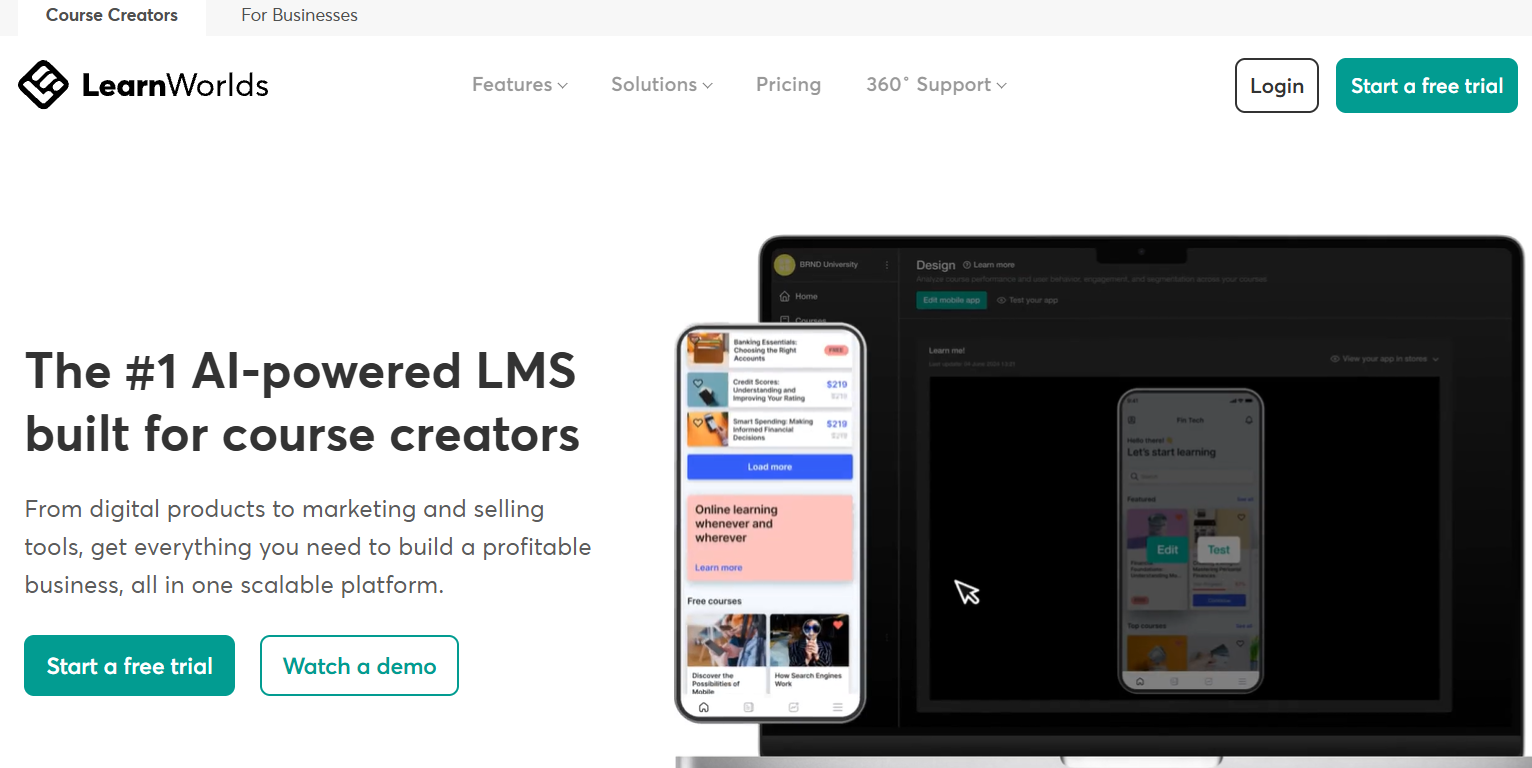
LearnWorlds is a cloud-based learning management system (LMS) designed for educators, training companies, and entrepreneurs who want to create and sell professional online courses. It combines course hosting, website building, marketing tools, analytics, and payment processing in a single platform.
One of LearnWorlds’ standout features is interactive video. Instructors can embed quizzes, buttons, and overlays directly inside video lessons to keep learners engaged. The platform also supports certificates, assessments, SCORM files, subscriptions, memberships, and branded course players.
The platform is fully hosted, so users do not need to worry about technical maintenance, updates, or security infrastructure. Everything runs within the LearnWorlds environment. This makes the platform appealing to businesses seeking a polished, scalable training solution.
What is Podia?
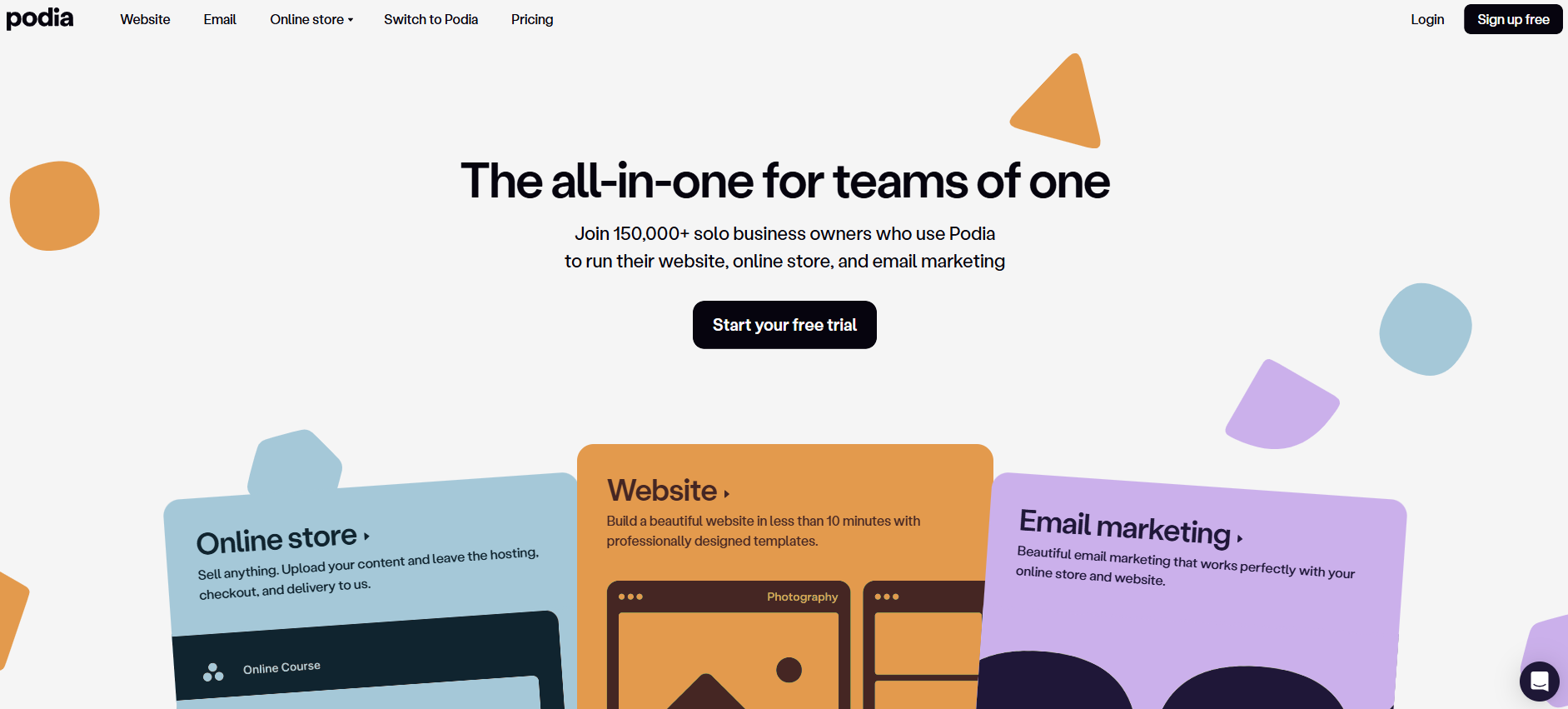
Podia is an all-in-one platform designed for creators who want to sell digital products, online courses, memberships, and coaching services without technical complexity. It focuses heavily on simplicity and ease of use.
Podia allows users to create course content, host downloads, run webinars, build sales pages, and manage email marketing from one dashboard. The interface is clean and beginner-friendly, with minimal setup required.
While it includes course hosting, Podia’s core strength lies in helping creators monetize digital content quickly. It emphasizes selling and marketing rather than advanced academic-style learning structures.
LearnWorlds vs Podia: 6 Key Differences Explained
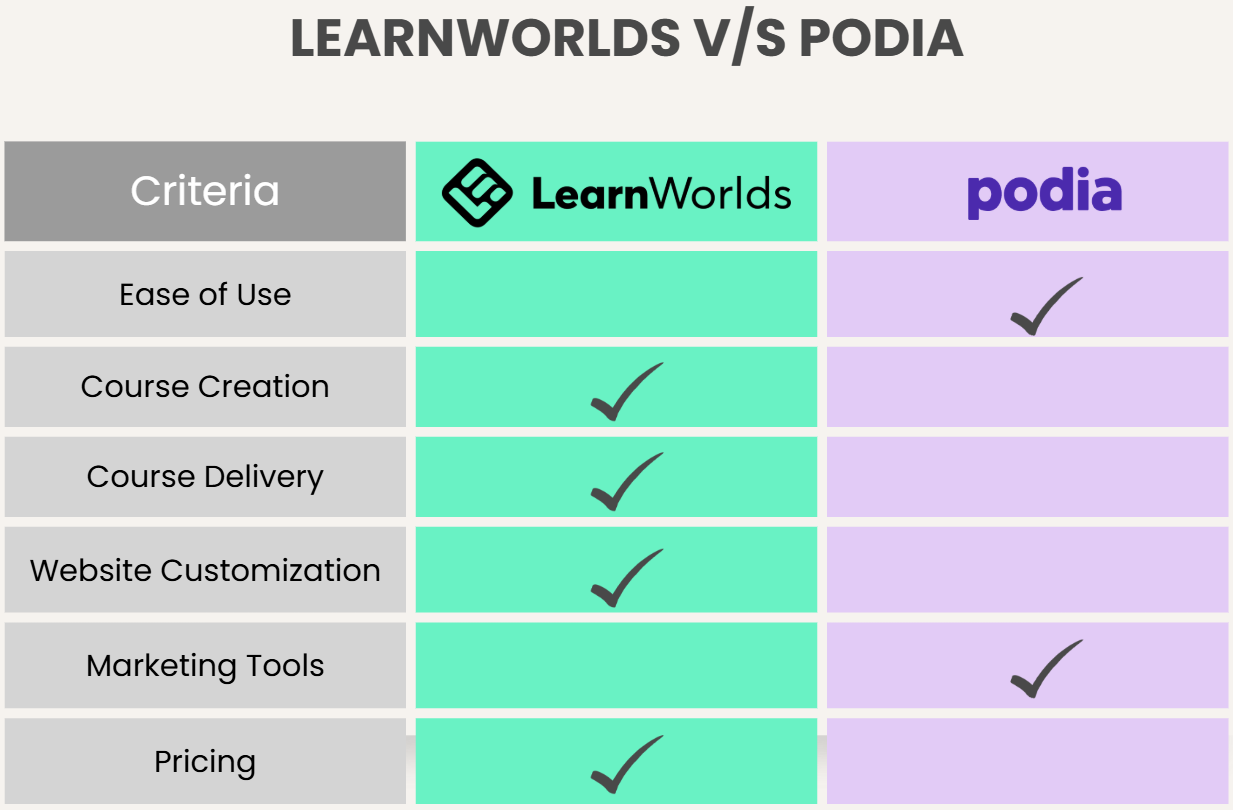
Now that we’ve introduced both platforms, let’s explore how LearnWorlds and Podia differ in practical terms.
1. Ease of Use and User Interface (UI)
Both LearnWorlds and Podia are hosted platforms, which means you do not need external hosting or technical installations. However, their onboarding experiences feel different.
Podia UI
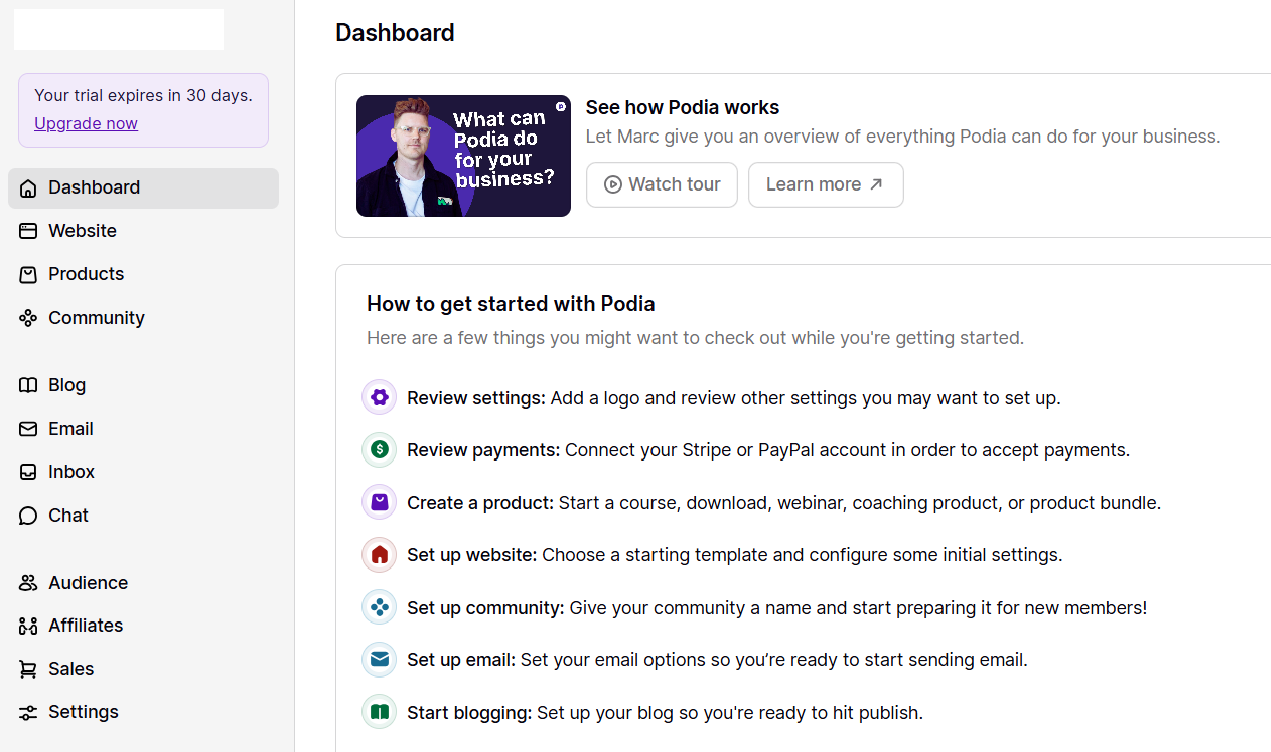
Podia is built for simplicity. When you sign up, the dashboard guides you directly to create a product, upload content, and publish a sales page. The layout is minimal and straightforward, making it ideal for beginners who want to launch quickly without navigating complex menus.
LearnWorlds UI
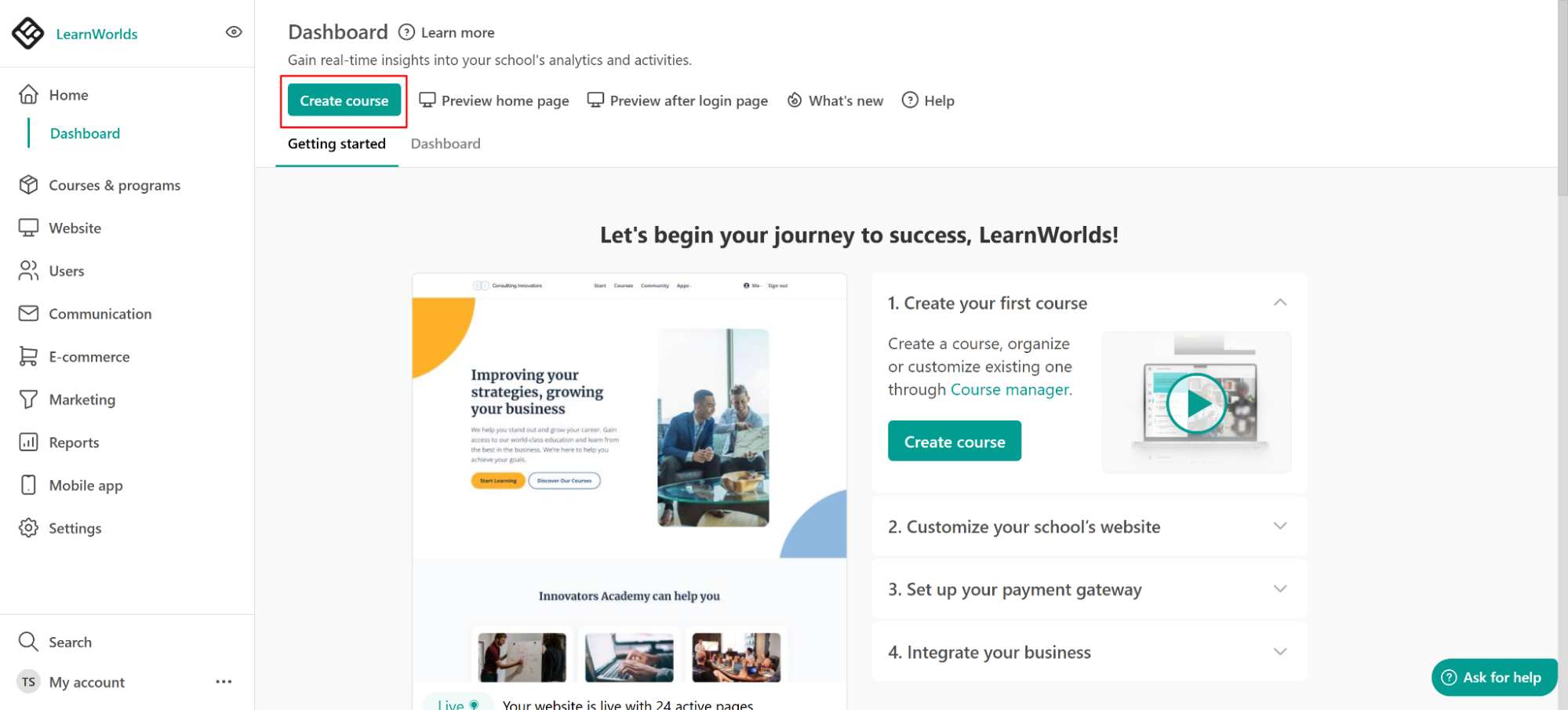
LearnWorlds offers more features, which naturally makes the dashboard more detailed. While it remains user-friendly, there are more customization options, course structures, and settings to configure. For users who want depth and control, this is a benefit. For beginners, it may feel slightly more involved at first.
Source: LearnWorlds Support
If simplicity is your top priority, Podia has the edge. If advanced features matter more, LearnWorlds provides greater flexibility.
2. Course Creation
The way each platform handles course delivery shows a major difference.
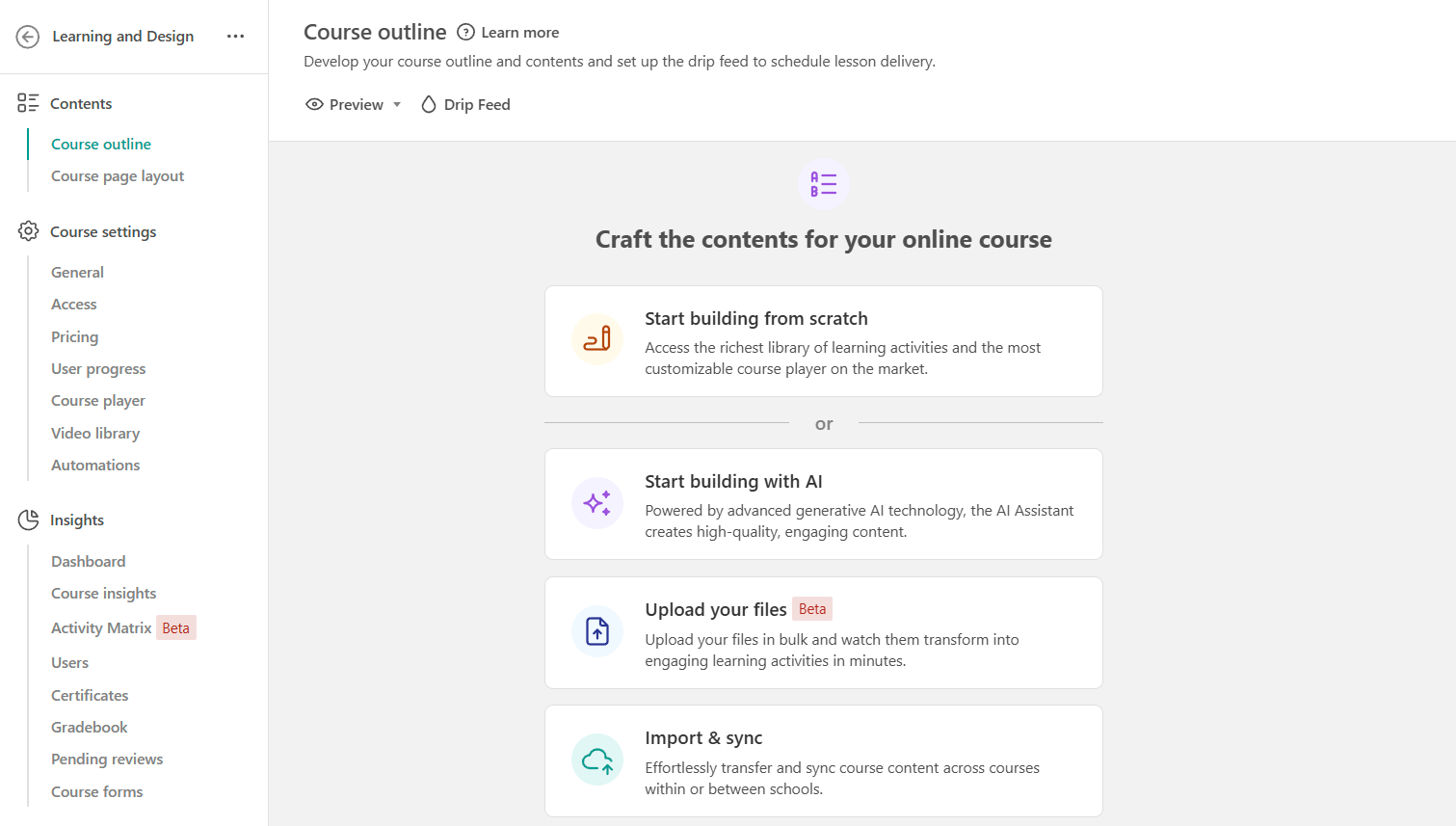
LearnWorlds emphasizes interactive and immersive learning experiences. Its video editor allows instructors to add questions and interactive elements directly into lessons. It also supports certificates, advanced assessments, and structured course progression. The course player itself can be customized with different visual themes to match branding.
Source: LearnWorlds Support
Podia focuses on clean content delivery. You can upload videos, text, files, and links, organizing them into lessons and modules.
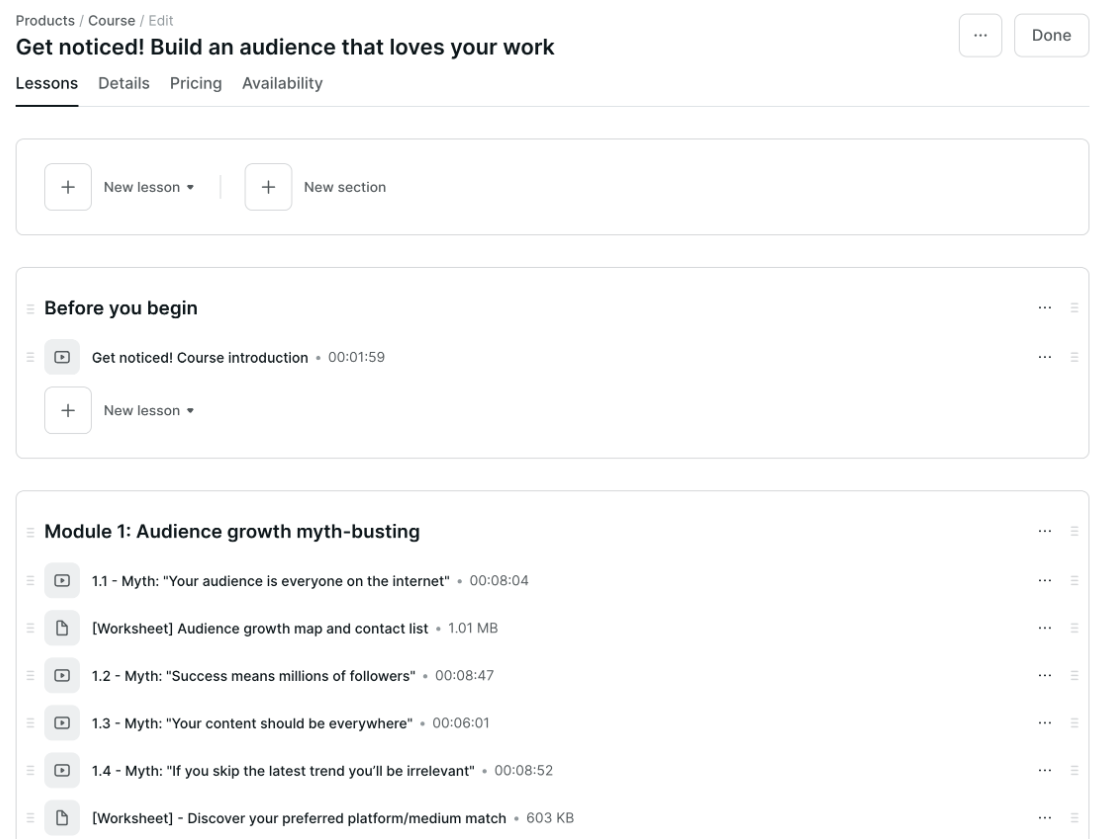
While Podia is effective for straightforward course formats, it does not offer the same level of interactive video functionality or assessment complexity as LearnWorlds.
3. Website Design and Customization
Both platforms allow you to build a website, but customization levels vary.
LearnWorlds includes a drag-and-drop website builder with customizable templates. Users can design landing pages, create funnels, adjust course player skins, and implement branded learning environments. This makes it suitable for businesses that want a professional, fully branded academy.
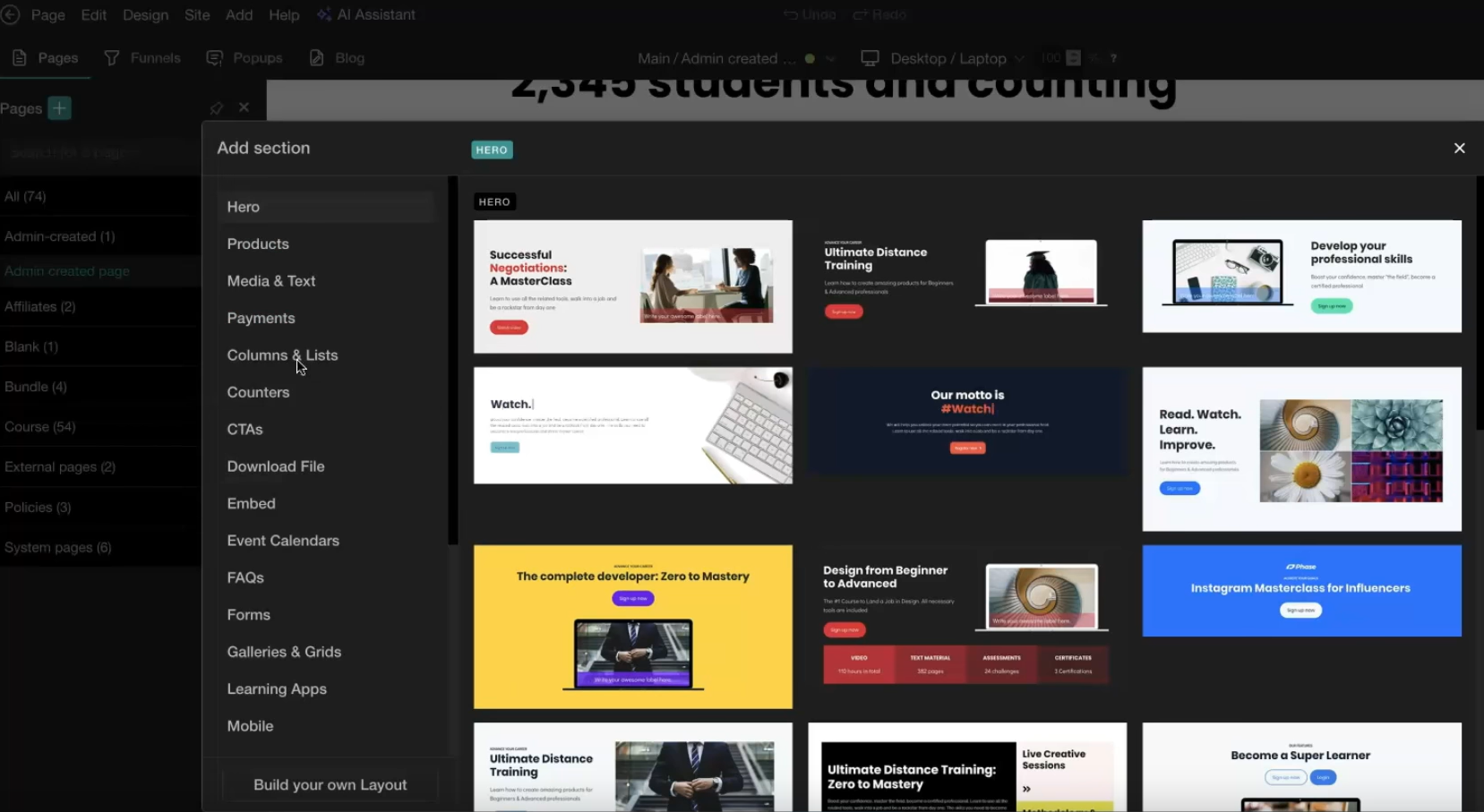
Podia also provides a website builder, but its customization options are more limited. The design tools prioritize ease over depth, so you can create clean pages quickly but may have fewer layout options and fewer advanced styling options.
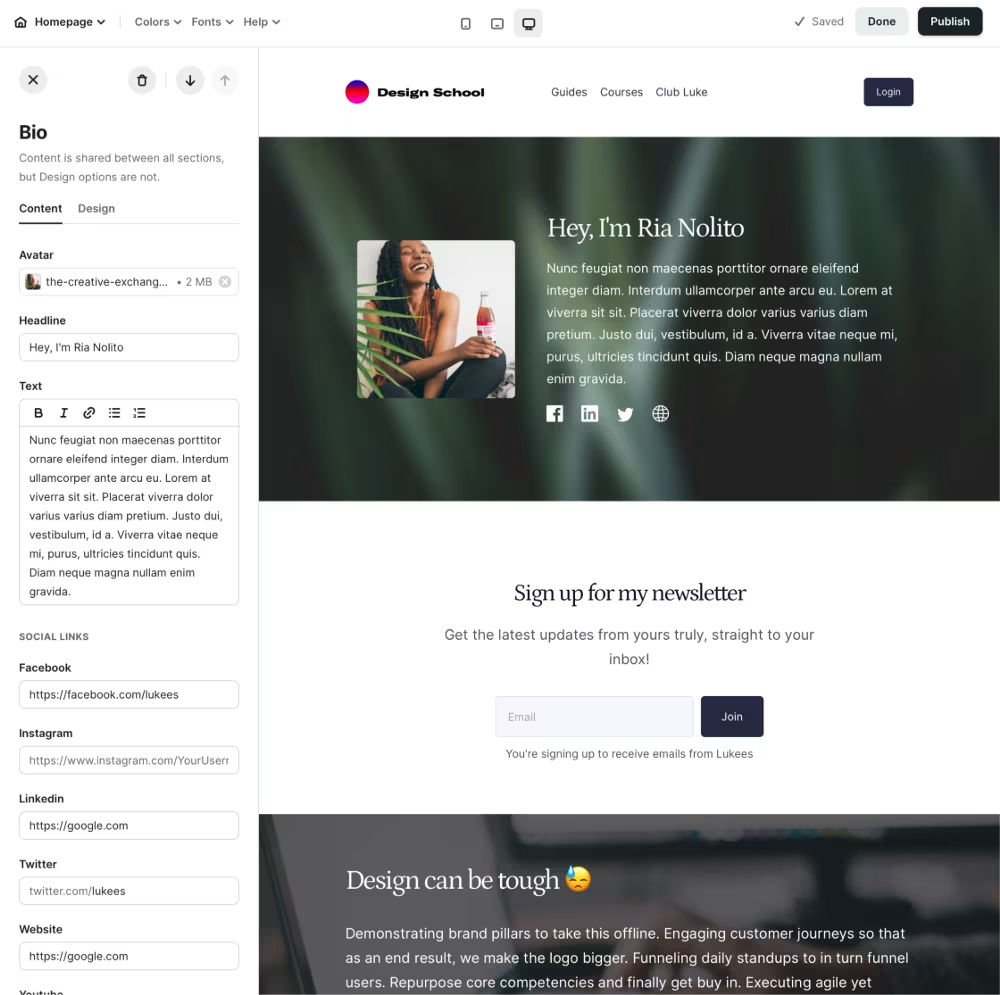
Source: Podia
For creators who want extensive design control, LearnWorlds offers more flexibility. For those who value speed and simplicity, Podia delivers a smooth experience.
4. Marketing and Sales Tools
Assessing marketing tools is crucial when deciding between LearnWorlds vs Podia’s course-creation capabilities.
Podia includes built-in email marketing tools that allow users to send campaigns, automate sequences, and manage subscriber lists directly within the platform. This eliminates the need for third-party email services for many creators.
LearnWorlds integrates with external marketing tools and offers built-in sales pages and funnels. While it may require connecting third-party email platforms for advanced automation, it supports detailed analytics and tracking for course performance.
Podia appeals to solo creators who want marketing and course hosting in one place. LearnWorlds appeals to businesses that may already use established marketing stacks and need integration flexibility.
5. Pricing Structure
Pricing differences can influence long-term decisions.
LearnWorlds Pricing
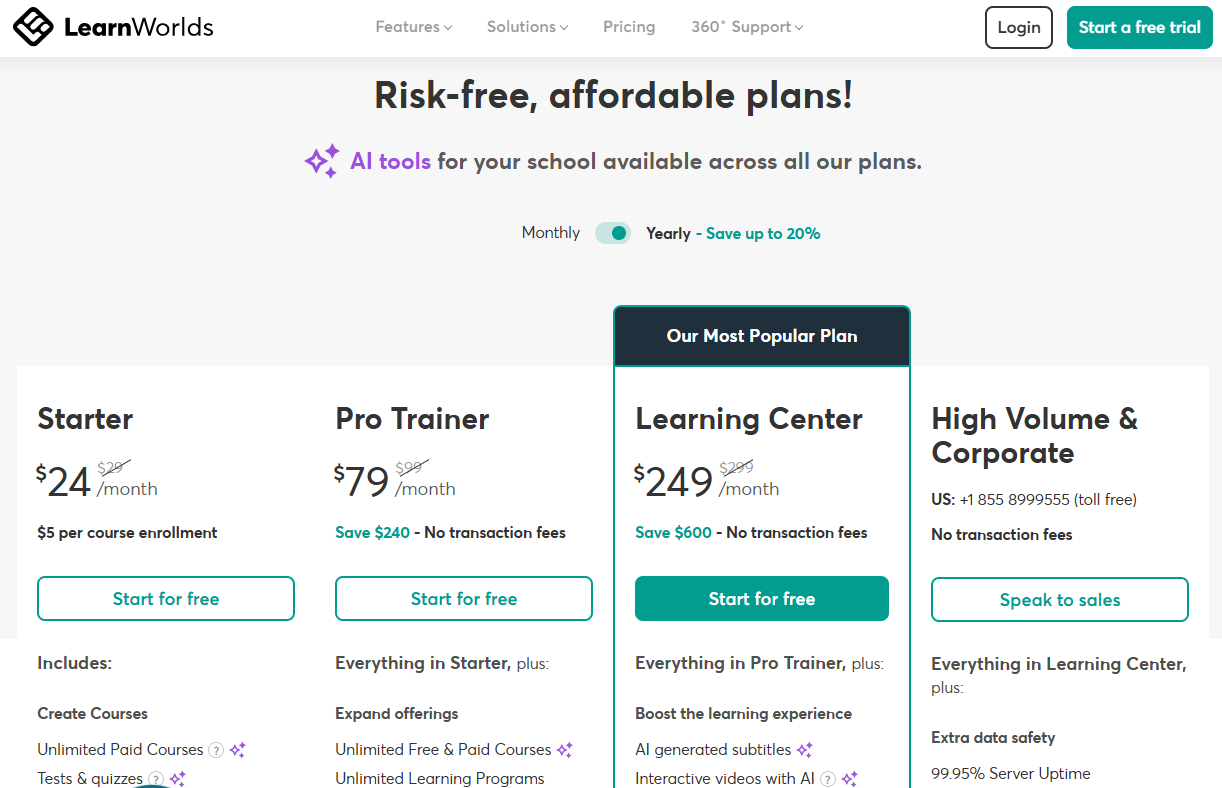
Alt Text: LearnWorlds pricing
LearnWorlds operates on a subscription-based pricing model with tiered plans that vary by features, branding, and advanced capabilities. Hosting is included, and higher plans unlock additional customization and white-label options.
The four subscription plans include:
- Starter: $24 per month ($5 per course enrollment)
- Pro Trainer: $79 per month (no transaction fees)
- Learning Center: $249 per month (no transaction fees)
- High Volume & Corporate: Contact the company for a custom quote (no transaction fees)
Podia Pricing
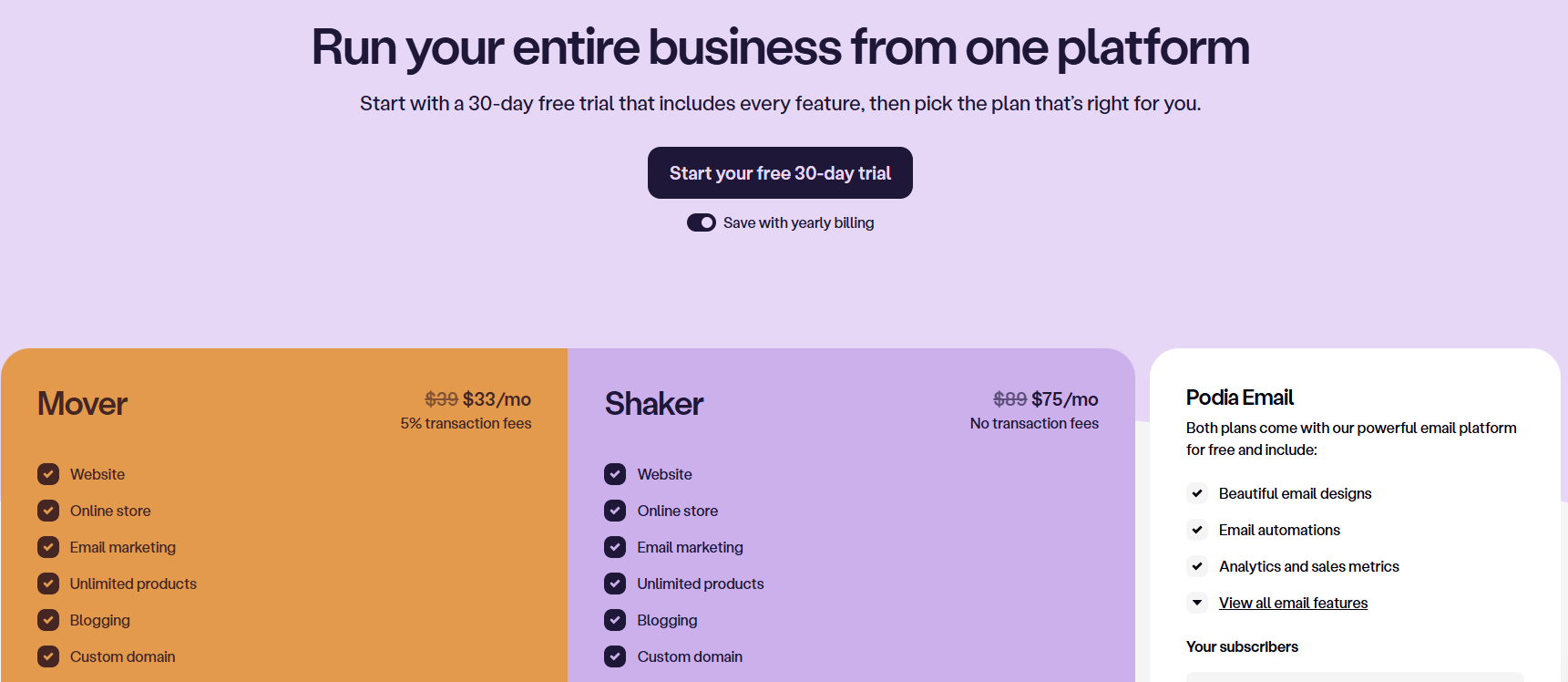
Alt text: Podia pricing
Podia also uses monthly or annual subscription pricing. Its plans typically include unlimited products besides course creation and selling, making it attractive for creators who want predictable costs as they grow.
Podia offers flat pricing and no transaction fees on three types of paid plans:
- Mover: $33/mo with 5% transaction fees (billed annually)
- Shaker: $75/mo with no transaction fees (billed annually)
- Podia Email: Custom pricing
While both platforms offer competitive pricing, Podia’s simplicity may reduce the need for additional tools for beginners. LearnWorlds’ higher-tier plans justify their cost through advanced features and scalability.
6. Ideal Use Cases
LearnWorlds is particularly ideal for training companies, professional educators, and businesses that need structured learning paths and interactive features. It supports more formal education models and scalable course businesses.
Podia works well for independent creators, coaches, and digital entrepreneurs who want to sell courses alongside downloads, memberships, and webinars without managing multiple tools. It is designed for fast monetization rather than academic depth.
Your decision ultimately depends on whether you prioritize advanced learning design or streamlined digital product sales.
LearnWorlds vs Podia: Which Is Better?
There is no single winner in the LearnWorlds vs Podia comparison. The better platform depends on your priorities and business model.
Here is a quick breakdown of both platforms for your ease:
| Feature | LearnWorlds | Podia |
|---|---|---|
| Best For | Training businesses, professional educators, and scalable course brands | Independent creators, coaches, and digital product sales |
| Platform Type | Fully hosted LMS & course business platform | All-in-one creator platform for courses, downloads, and memberships |
| Setup Time | Moderate. More features to configure | Very easy. Minimal setup required |
| Course Delivery | Interactive learning experiences with assessments | Straightforward video/text content delivery |
| Customization | High (templates + flexible course player) | Moderate (clean, simple layouts) |
| Ideal Use Case | Interactive training and learner engagement focus | Simple selling and fast monetization |
| Pricing | Tiered plans based on features and branding | Tiered subscription plans with unlimited products |
- Choose LearnWorlds if you want advanced interactivity, deeper customization, and structured course progression. It is ideal for training and learning.
- Choose Podia if you want simplicity, integrated email marketing, and quick product launches. It is ideal for selling and fast monetization.
Both platforms remove technical barriers by offering hosted solutions. However, they differ in the depth and flexibility they provide as you start scaling.
Why Coursebox AI Is the Better Alternative
LearnWorlds and Podia both simplify course hosting and sales, but they still rely heavily on manual course creation. Building lessons, writing quizzes, and structuring modules can take significant time and effort.
Coursebox changes that process with AI-powered automation. Instead of starting from scratch, you can upload documents, slides, videos, or links, and Coursebox generates structured course materials and quizzes instantly.
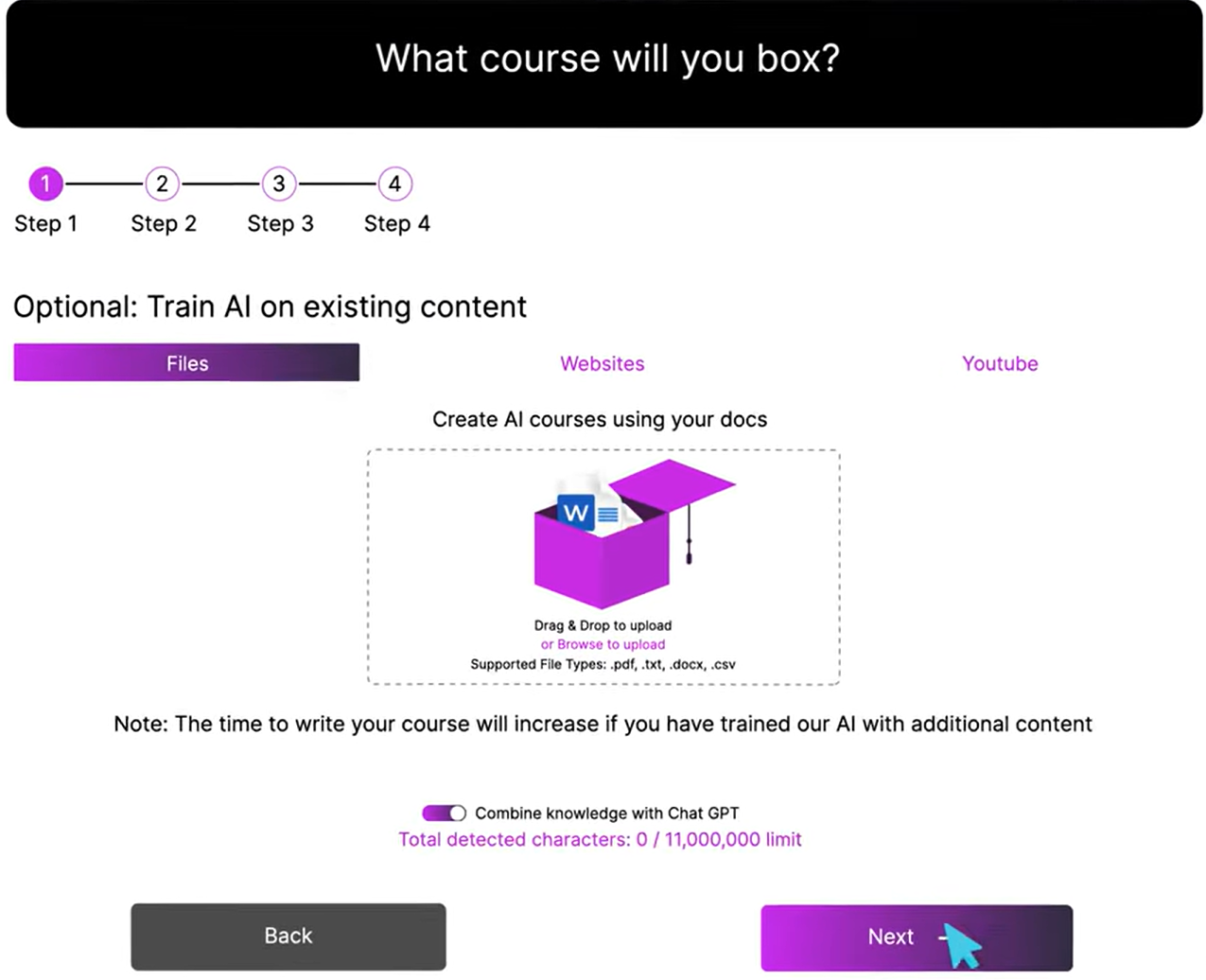
Coursebox supports multiple-choice questions, short-answer questions, and interactive formats, with automatic grading and feedback. It also enables course delivery in over 100 languages, making it ideal for global teams and training programs.
If your goal is to build courses faster while maintaining quality and scalability, an AI course creator like Coursebox offers a powerful advantage. Book a free demo now to get started!
FAQs About LearnWorlds vs Podia
Frequently Asked Questions
LearnWorlds focuses on interactive learning experiences and advanced course features. Podia emphasizes simplicity and digital product sales with built-in email marketing. The choice depends on whether you prioritize advanced education tools or streamlined selling.
Podia is often easier for beginners because of its clean interface and minimal setup process. You can create and sell products quickly without having to navigate advanced settings. LearnWorlds may require slightly more time to configure due to its expanded feature set.
Yes, LearnWorlds includes interactive video features and customizable course players. These tools help create immersive learning experiences that go beyond basic video hosting. Podia focuses more on content delivery than interactive engagement.
Yes, both LearnWorlds and Podia support memberships and subscription models. Podia integrates memberships seamlessly alongside courses and downloads. LearnWorlds offers membership features within a more structured educational framework.
Coursebox goes beyond course hosting by using AI to generate structured course content and quizzes automatically. This dramatically reduces content creation time compared to traditional platforms. For creators looking to scale efficiently, an AI course creator offers a modern, time-saving alternative.
Travis Clapp
Educational technologist and instructional designer

