

Anki vs Knowt: I Put One Deck Through Both (2026)
I studied the same deck on both free apps. Anki wins on scheduling depth and offline use; Knowt gives eight free study modes and AI card drafting. Prices checked.

Knowt suits a student who wants this term's studying varied and free: eight study modes, AI card drafting and a live class game, all on the free plan. Anki suits anyone memorising for years, like medicine, law or a language.
- Neither Anki nor Knowt requires a student to pay. Anki is free on computers and Android with a one-time $24.99 iPhone app, and Knowt's study modes are all free, with its $149.99-a-year Ultra plan selling teacher tools rather than study features.
- Anki wins on scheduling. Every answer sets a per-card interval, printed on the button before you press it, and the optional FSRS scheduler tunes reviews to a retention target. Knowt's spaced repetition uses the same four buttons but goes no deeper.
- Knowt wins on making the cards. Its AI drafts a deck from a PDF, a recording or pasted notes, while Anki has no AI and expects you to type every card, or download one of its free shared decks.
- Neither choice locks you in, and running both is a real strategy: study in Knowt while the exam is close, keep the deck in Anki for the long haul. Both apps import and export plain text, though your review history stays behind.
- Neither Anki nor Knowt produces a training record. To prove that staff completed and passed a course, you need a learning management system with completion reporting; a personal study app cannot do that job.
Answer 3 quick questions to figure out in seconds

Run your own branded LMS with unlimited learners
Anki and Knowt are the two flashcard apps a student can run seriously without ever paying! This was a godsend for my student life when I was busy studying
Turning back the clock a bit, I ran one five-card deck through both on my own free accounts to properly compare how these two platforms actually worked.
Knowt turned my flashcards into eight different study modes, including typed quizzes, a matching game, a practice test and a live class game, with XP for finishing rounds. Anki did one thing with them, over and over: it showed me a card, asked how well I knew it, and set the next review itself, under a minute away when I missed, four days away when it was easy.
If your exam is soon, you want the variety. If you need to still know this material in two years, you want the scheduler. Below is what each free plan holds back, which app won each part of my test, and how to move a deck between them if you change your mind.
The short version
Pick Knowt if:
- Your exam is this term. Learn mode, practice tests, matching and a live game all run free with no round caps.
- You want the app to make the cards. Its AI drafts a deck from your PDFs, recordings or notes. Anki has no AI at all.
- Studying needs to feel like a game. XP, levels and a five-mode live class game keep you coming back.
Pick Anki if:
- You need to remember this for years. Medicine, law, a language. Its scheduler stretches the gap between reviews as you prove you know each card.
- You study offline. The desktop program keeps your decks on your computer. Knowt runs in the browser.
- You never want a subscription. Free on computers and Android; the one price is the $24.99 iPhone app, paid once.
Cannot decide? Use both. Draft and play in Knowt while the exam is close, then move the deck to Anki for the long haul. Both apps move decks through plain text, and I show how below.
How I compared Anki and Knowt
I created a free account on each (Anki on 31 August, Knowt on 1 September 2026) and put the same five-card deck through both: a warehouse safety starter, terms on the front, definitions on the back. On each app I built the deck, studied it to completion, and opened every study mode the free plan offered. Prices come from each vendor's own pages and apps, read on those dates, and every screenshot below is from my own sessions.
- How the cards get made, and who does the work
- What studying actually looks like, mode by mode
- How each app decides when you see a card again
- What the free plans hold back, and what paid costs
- Whether your deck can leave
We build in this space too. Coursebox, our own product, generates flashcards and courses from documents (its AI flashcard maker is the closest neighbour to these two apps), and it appears only in one clearly marked section near the end.
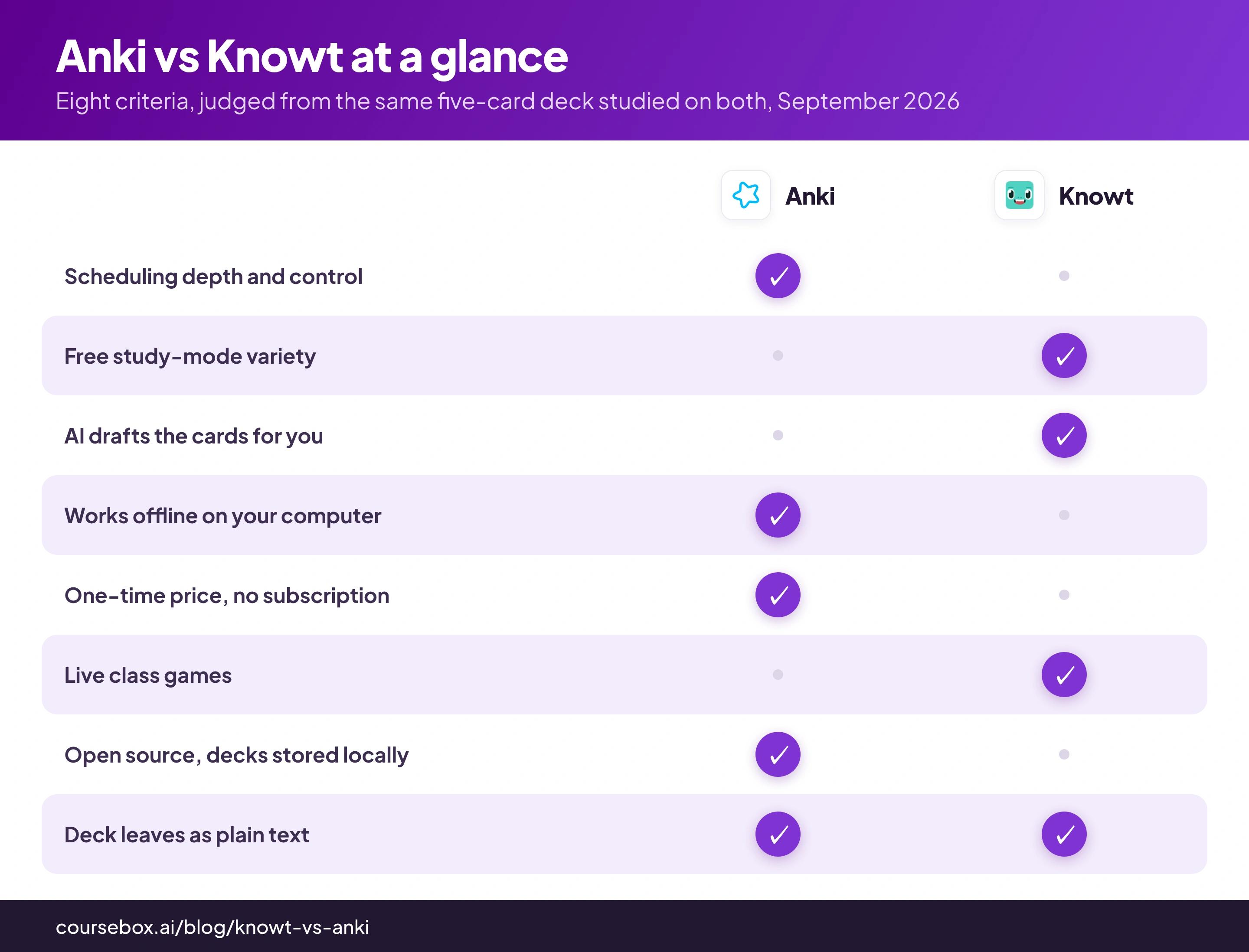
Anki vs Knowt at a glance
| Anki | Knowt | |
|---|---|---|
| Free plan | The whole program, free on computers and Android | All study modes free for students; AI features metered, 20 file creations |
| Spaced repetition | The entire product; intervals printed on every answer button | One mode of eight, with editable Anki-style intervals |
| AI card creation | No | Yes, free but metered; drafts cards from files and notes |
| Study modes | One: review the due cards | Eight, including Learn, practice tests, Match and a live class game |
| Works offline | Yes, the desktop program stores decks locally | No, it runs in the browser |
| Platforms | Windows, Mac, Linux, Android, iPhone, web | Web, iPhone, Android |
| Paid price | $24.99 once, only for the iPhone app | Ultra at $12.49/mo billed as $149.99/yr, aimed at teachers |
| Moving your deck | Imports and exports plain text | Imports and exports plain text |
| App Store rating | 4.0 from 2,320 ratings (the paid iPhone app) | 4.7 from 10,415 ratings |
What you get on Anki: the deepest scheduler, and cards you write yourself
Anki's website describes it as a program that makes remembering things easy, and the first thing I noticed is how minimalistic the interface is. The web app has three menu items: Decks, Add and Search. No feed, no library on the front page, no mascot. It looks a decade out of date and loads instantly.
Adding a card is a four-field form: note type, deck, front, back. I typed my five safety cards in and they landed in the default deck. There is no import button on the web form, no rich-text toolbar and no AI to write cards for you: you type every card yourself.

Anki's whole card editor: four fields and an Add button.
The deck list shows each deck with its due count, and studying happens one card at a time: front, think, Show Answer.
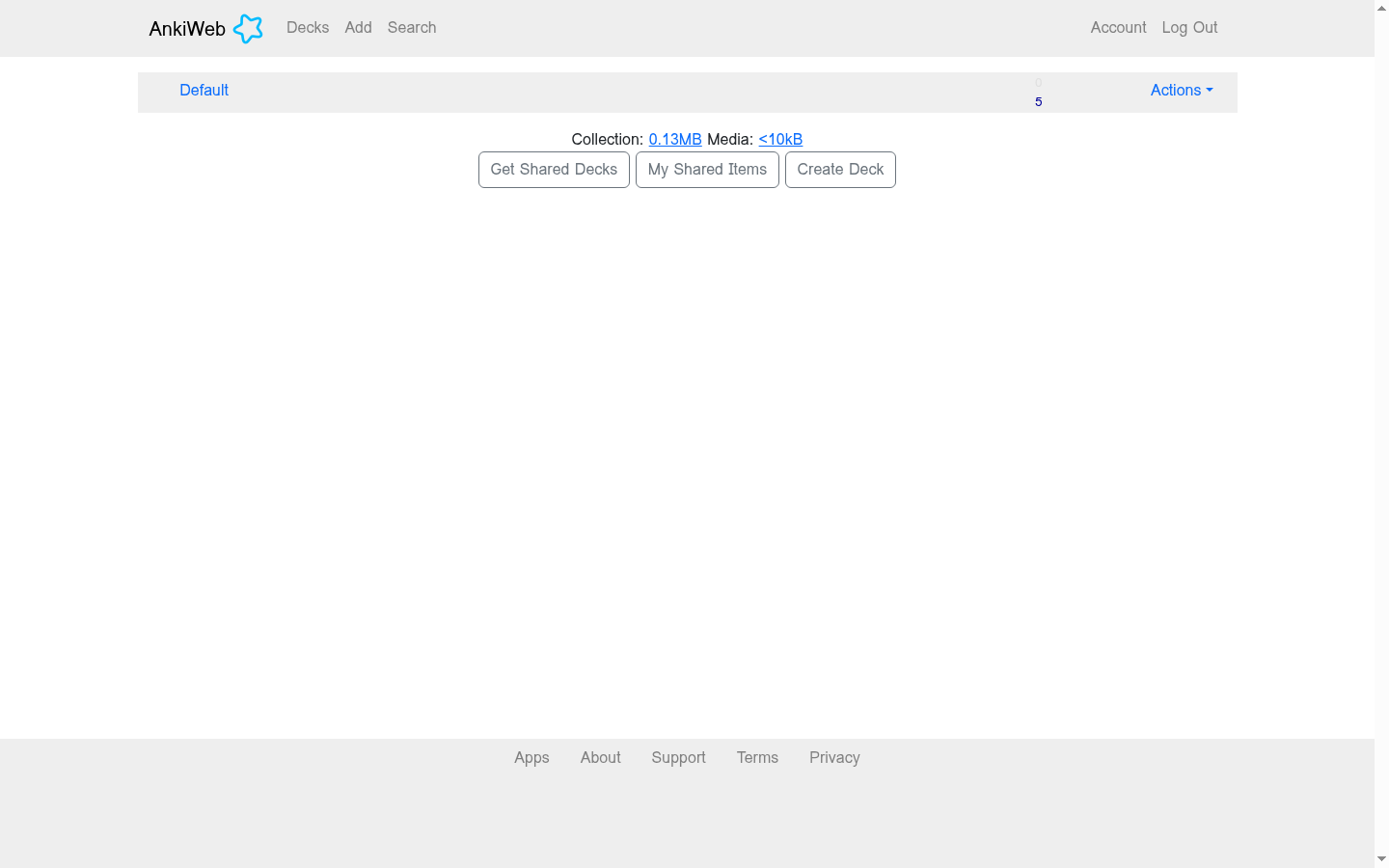
The deck list shows one number per deck: how many cards are due right now.
The study screen is where Anki stops looking like other flashcard apps. When the answer appears, Anki does not ask whether you were right. It asks how hard the card felt, on four buttons, and above each button it prints when you will see that card again.

Mid-study on Anki: the question, and one button.

The screen Anki is built around: four grades, each printing when the card will return.
Press Easy and the card leaves for four days. Press Again and it returns within a minute. Every answer is a scheduling decision, the schedule is per card, and the gaps stretch as you keep answering well. This is spaced repetition, and Anki treats it as the whole job.
Spaced repetition means reviewing a card just before you would forget it, at stretching intervals: a day, then four days, then weeks. Each successful recall at a longer gap hardens the memory. It is the difference between studying for Friday's test and still knowing the material next year, and it is why the apps built on it dominate medical school studying.
You can also tune how that scheduling works. In the deck options, Anki lets you swap its older scheduling method (SM-2) for a newer one (FSRS) and set a goal like remembering 90% of your cards; the program then works out the review gaps to hit it. Most people never touch any of this, and the manual itself recommends a few weeks on the defaults before changing anything.
You do not have to write every card yourself, either. The shared deck library at ankiweb.net covers the classic long grinds, from language vocabularies to the medical decks, downloadable free and sorted by category.

Anki's shared deck library: free downloads, sorted by category, strongest on the long grinds.
Where Anki is better
- Scheduling depth. Per-card intervals, printed before you choose, with an opt-in modern scheduler (FSRS) you can tune to a target retention. Nothing on Knowt's side goes this deep.
- Offline and local. The desktop program stores decks on your computer and syncs through the free AnkiWeb service when you connect.
- The price never recurs. Computers and Android are free; the one purchase is the $24.99 iPhone app, once. There is no subscription to cancel.
- Open source and old. The code is public, the file formats are documented, and decks made fifteen years ago still work. Your studying does not depend on a startup's business model.
What you get on Knowt: eight study modes and an AI helper, for free
Knowt offered the exact opposite experience. The dashboard was modern and slick, an onboarding checklist was waiting for me, and the create menu offered to build my set from a PDF, a lecture recording, a Google Drive file, from scratch, or with AI. I brought my deck in through the paste importer, which accepts plain rows of text with configurable separators, and all five cards arrived intact in seconds. One friction: the imported set arrives untitled, so you name it in the editor.
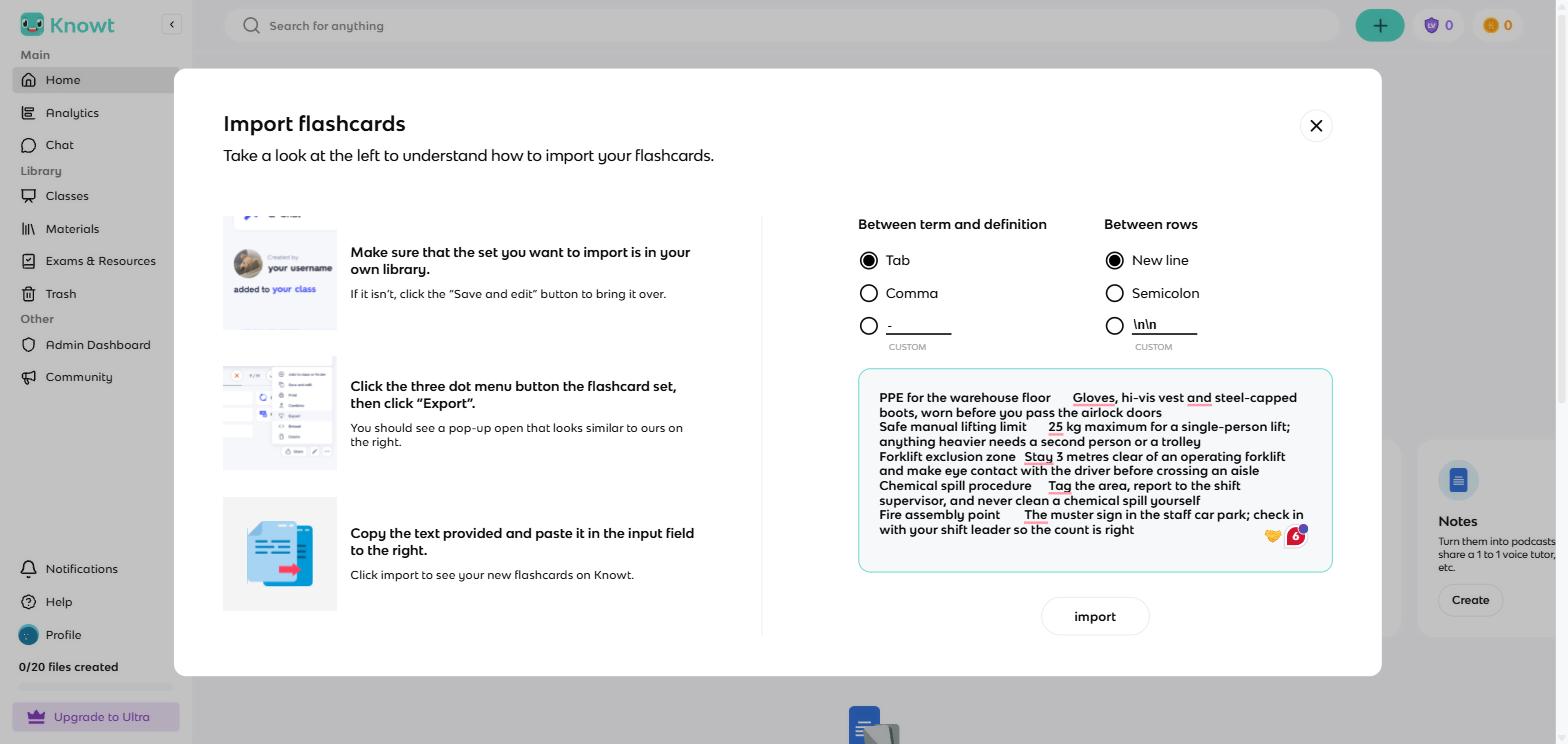
Knowt's paste importer took my five rows and built the set in seconds.
The editor is a proper card workbench: a rich-text toolbar per card, image and audio-record buttons on both sides, and autosave. On the right sits an AI sidebar called Kai, offering to regenerate cards, create more, or take instructions on how to improve the deck; I left the AI features unused in my test.
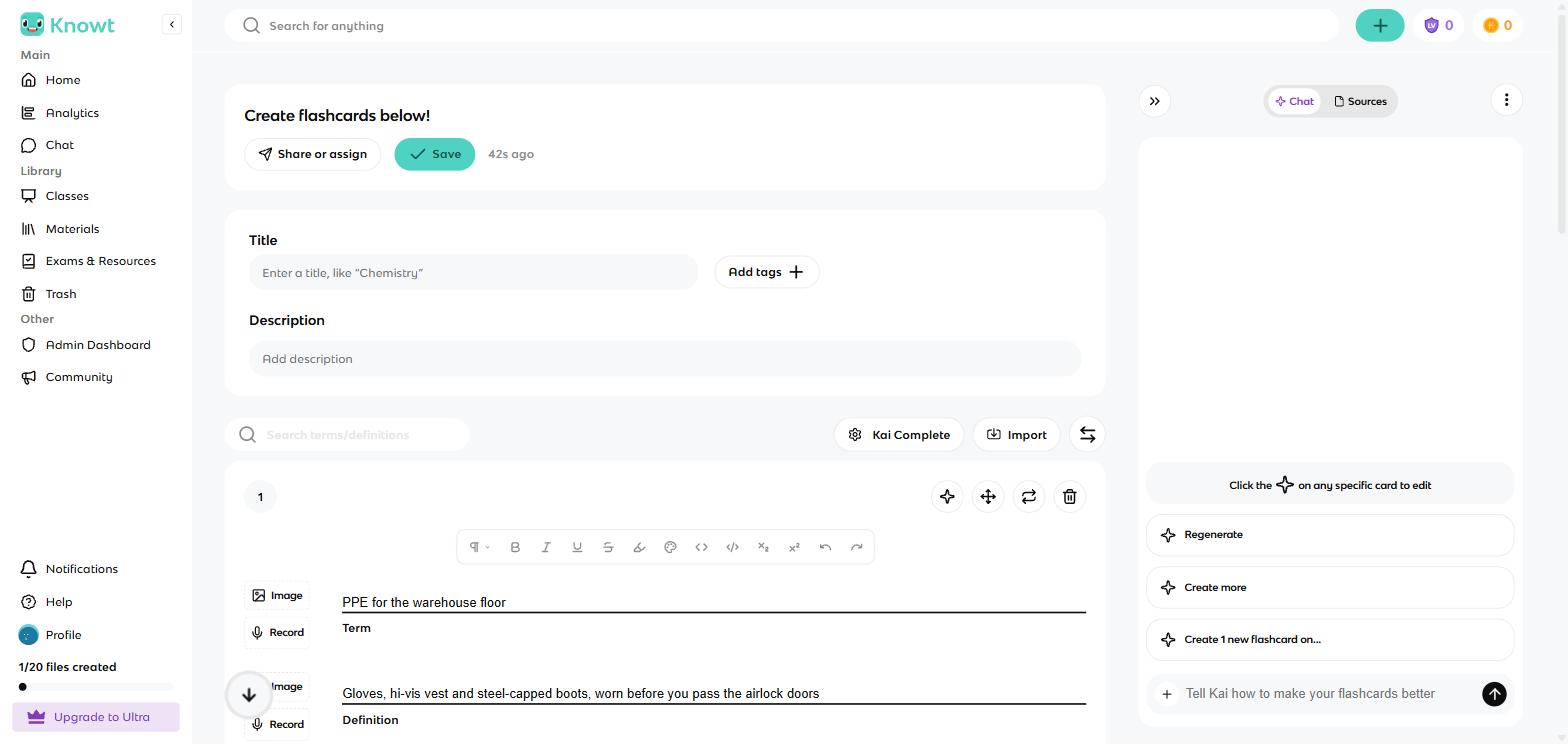
Knowt's editor: rich text, image and audio per card, with the Kai AI sidebar on the right.
Save the set and Knowt lists eight ways to study it, all on the free plan:
- Learn: rounds of multiple choice, written answers, true and false, and flips
- Practice Test: a proper test view with a question sidebar
- Spaced Repetition: the Anki-shaped mode, covered below
- Match: a timed tile grid
- Flashcards: the classic flip-through, with hints and audio
- Knowt Play: a live class game with a join code and five game types
- Call Kai and Podcast: an AI voice tutor and a generated audio recap, the two I left unused
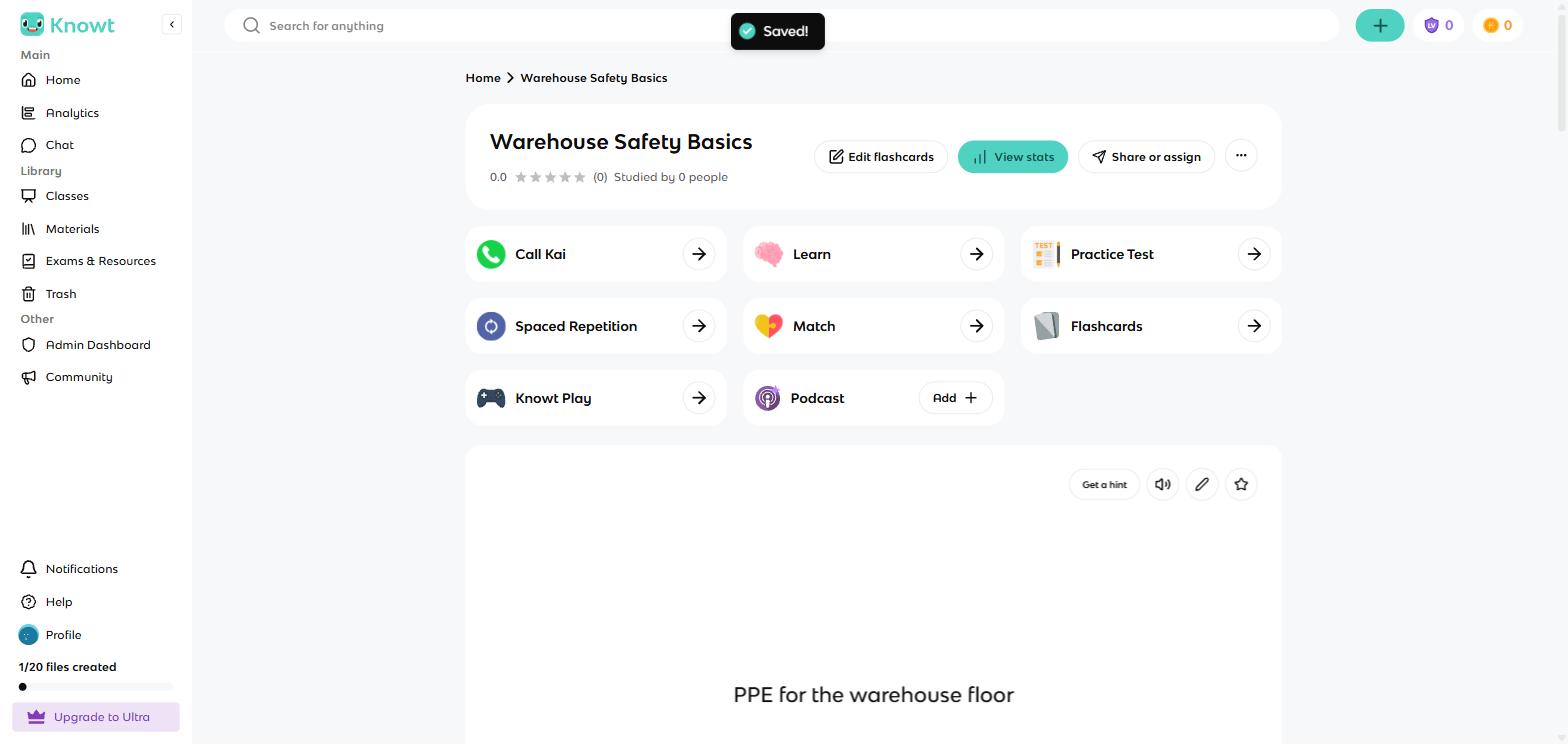
One saved set, eight ways to study it. This is Knowt's pitch in a single screen.
I ran Learn to completion. Multiple choice first, then written answers once a card progresses, with mastery stages per card and no round caps on the free plan.
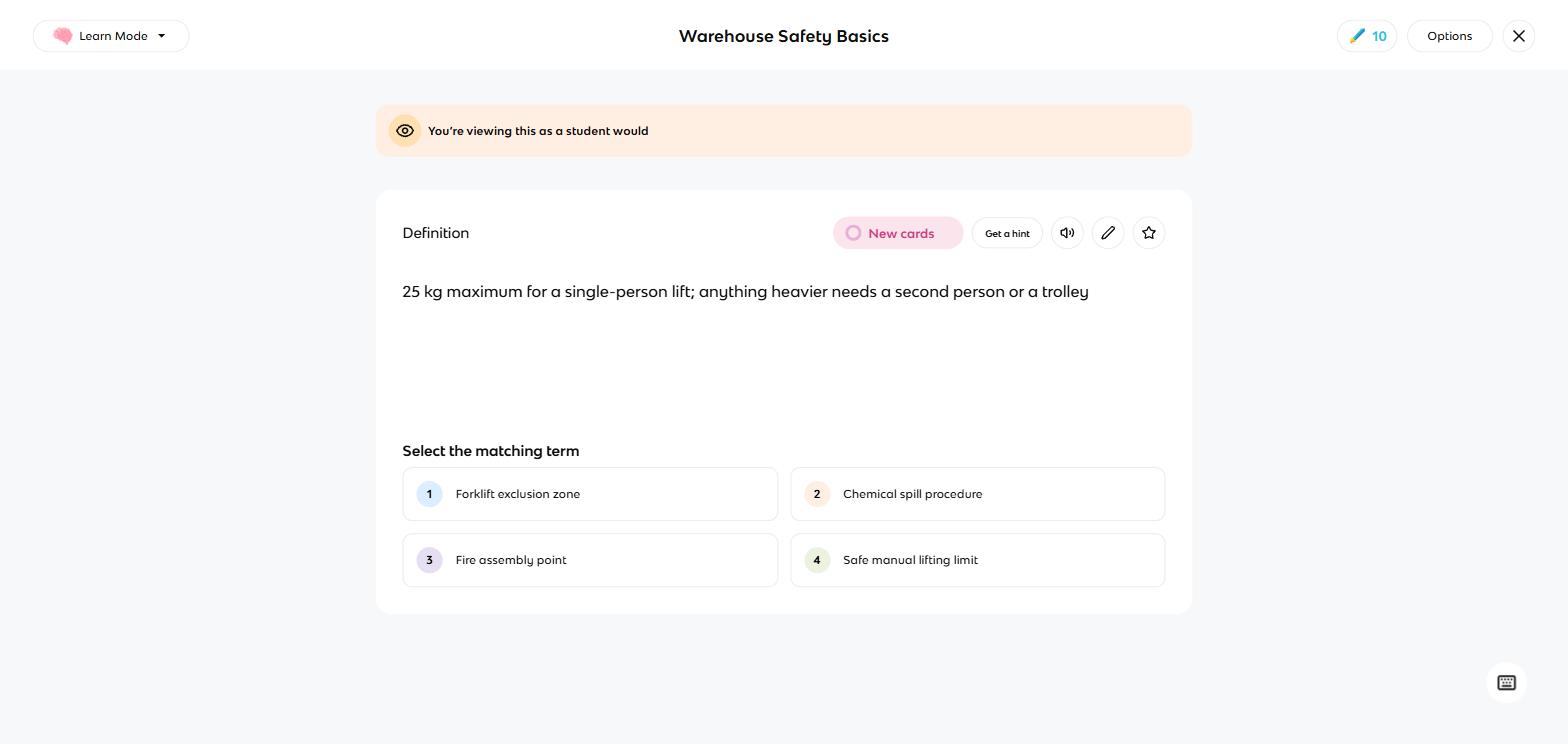
Learn mode running multiple choice on my safety deck, free and uncapped.
Knowt keeps score in XP and levels, with a mascot cheering you on. Finishing a round earned me 20 XP and a progress bar, and quitting a mode mid-round raises a modal with a crying mascot warning you will lose the XP. Whether that charms or grates depends on the student. In a classroom it reads as motivation; if you find streak mechanics manipulative, it is the same lever.
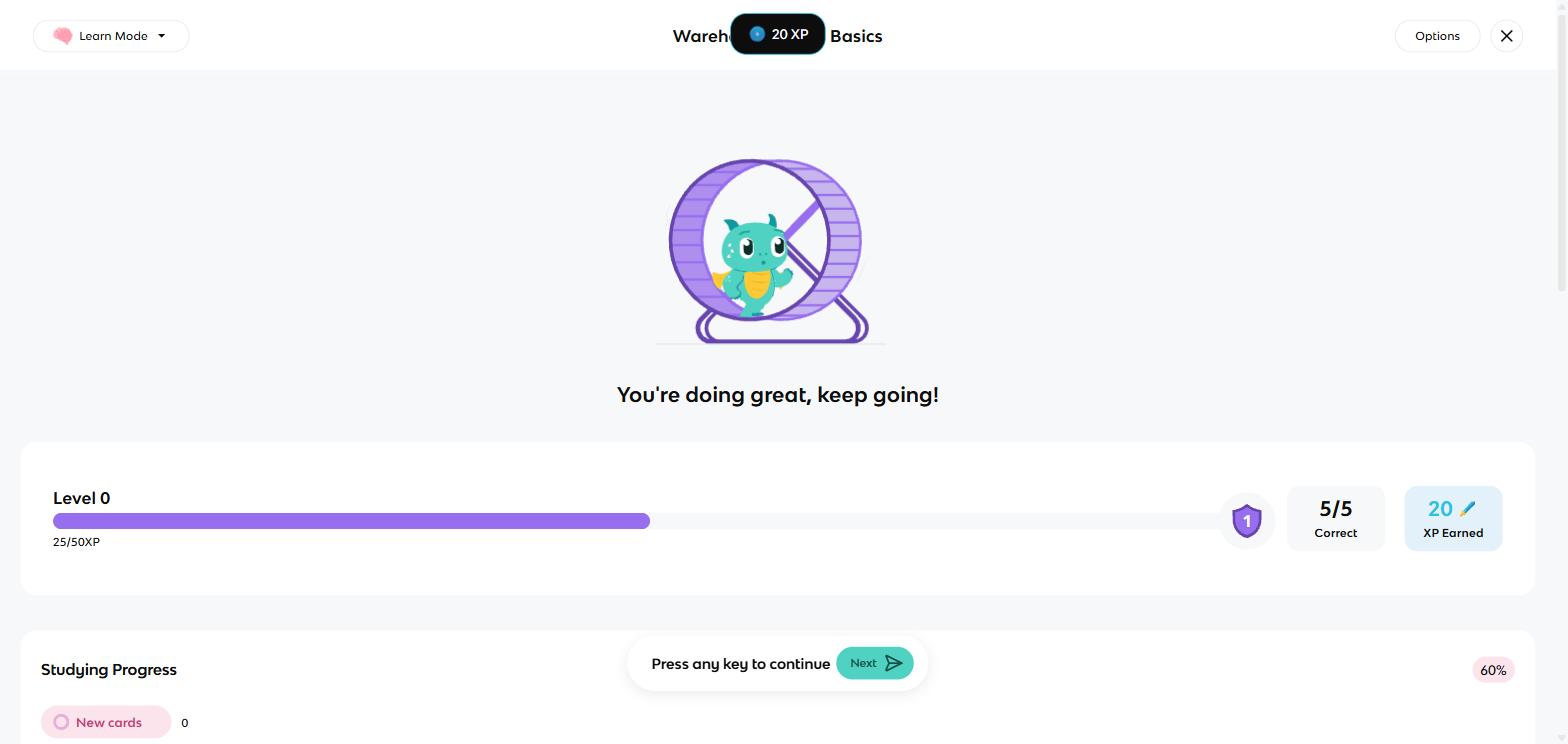
Five out of five earned 20 XP and a cheering mascot. Quitting mid-round costs XP.
The mode this comparison turns on is Spaced Repetition. Knowt's version asks you to type the answer rather than flip and self-grade, then shows four familiar buttons: Again, Hard, Good, Easy, with the next interval on each and keyboard shortcuts 1 to 4.
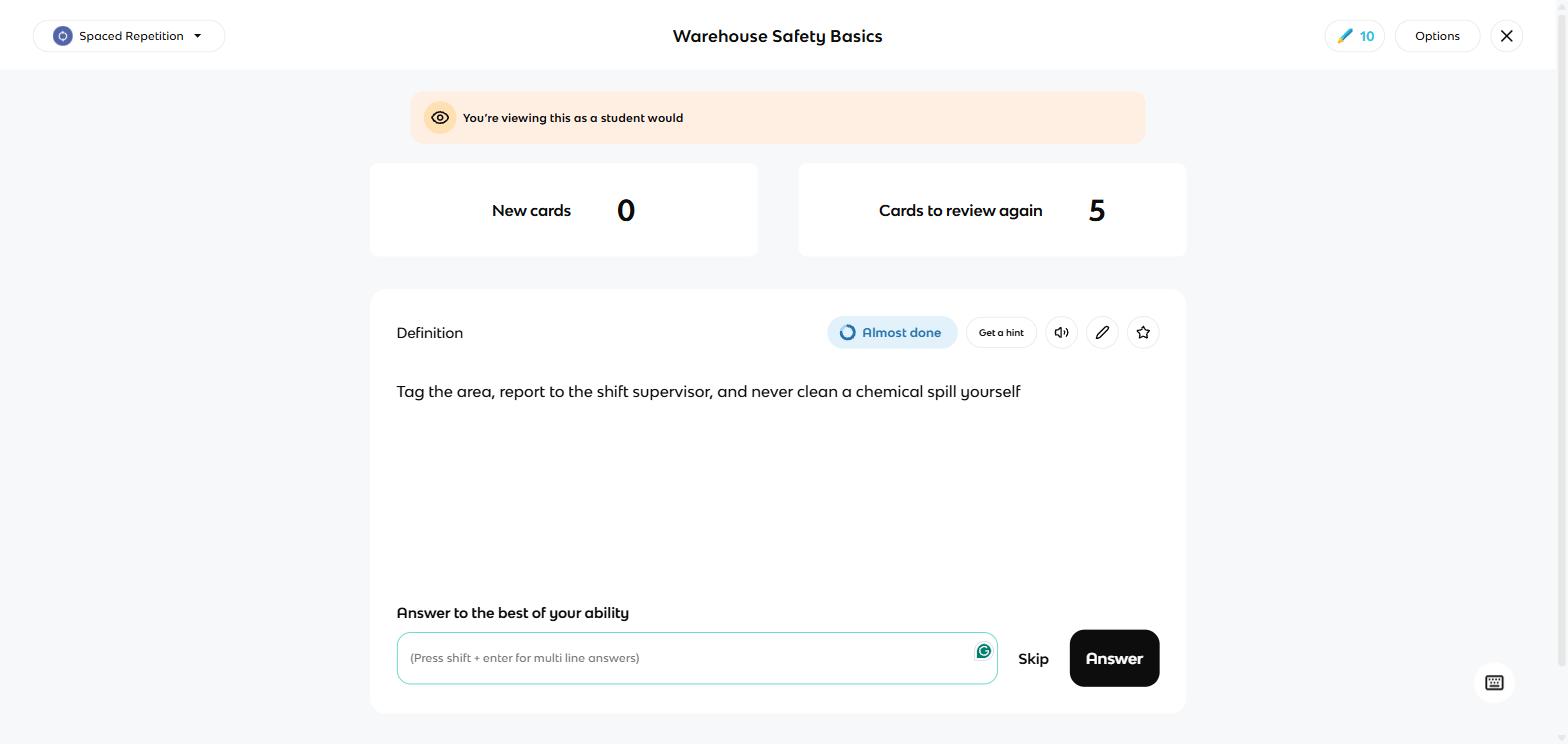
Knowt's spaced repetition makes you type the answer before it grades you.
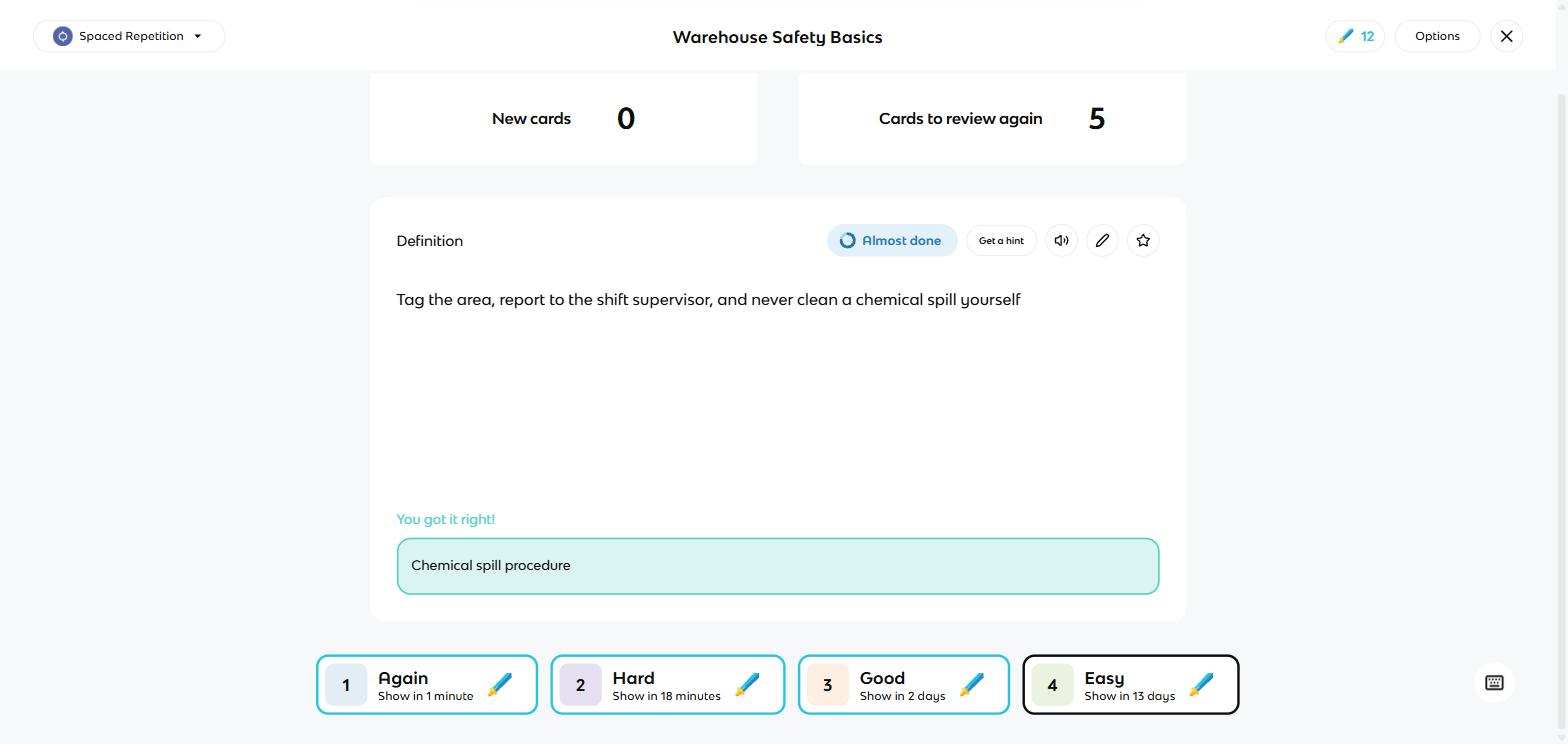
The same four buttons as Anki, intervals included, inside Knowt's spaced repetition mode.
The settings even expose the intervals for editing, plus new cards per day. It is a real spaced repetition system, and typing the answer is a stricter test than grading yourself. It goes no deeper than that, though: there is no retention goal to set, no choice of scheduling method, and your review history lives in your Knowt account online rather than in a file on your computer.
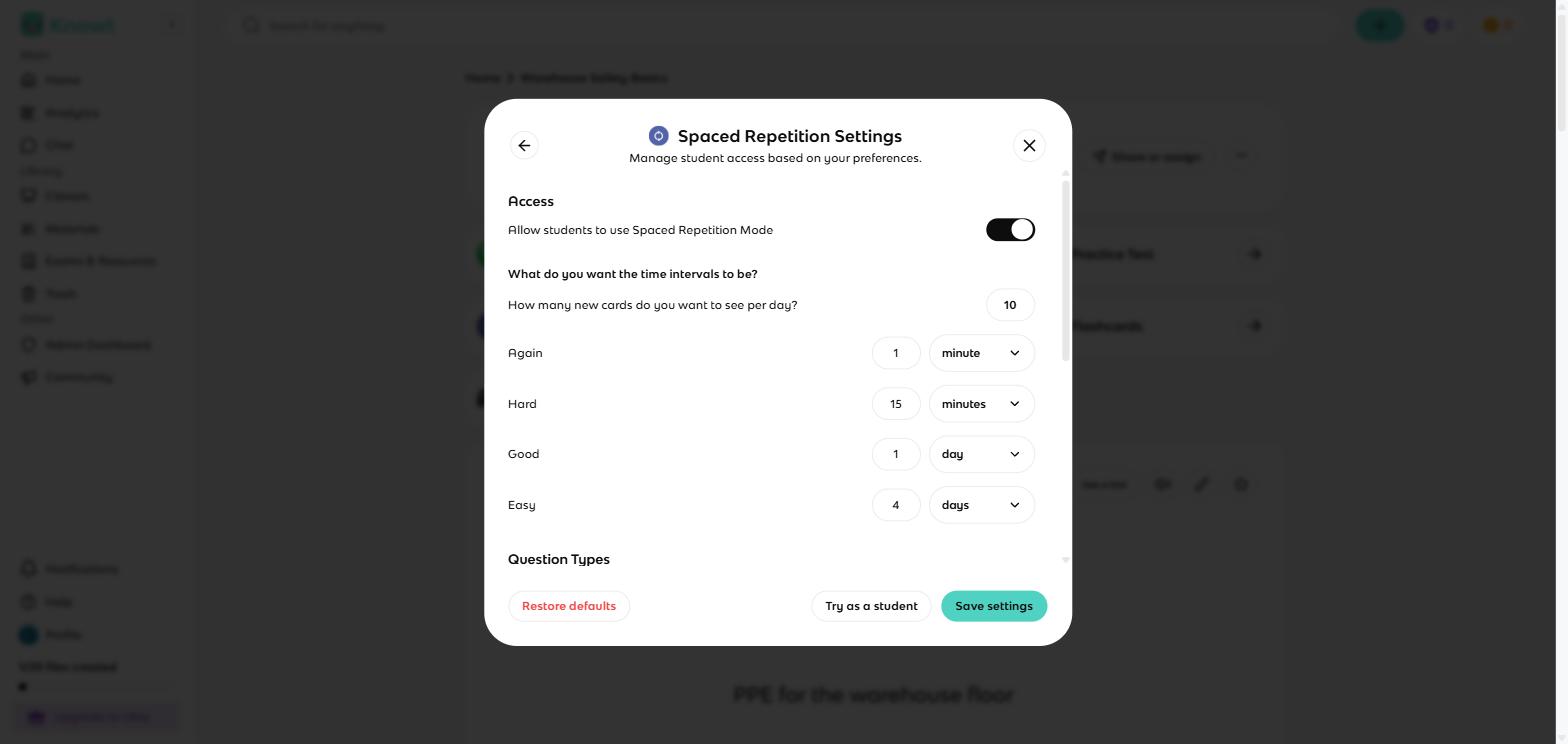
Knowt exposes its intervals for editing: new cards per day, and the gap behind each button.
For a class, Knowt Play turns any set into a hosted live game: students join with a code or QR at knowt.com/join, and the host picks from five game types. It ran free with no visible player gate in my session.
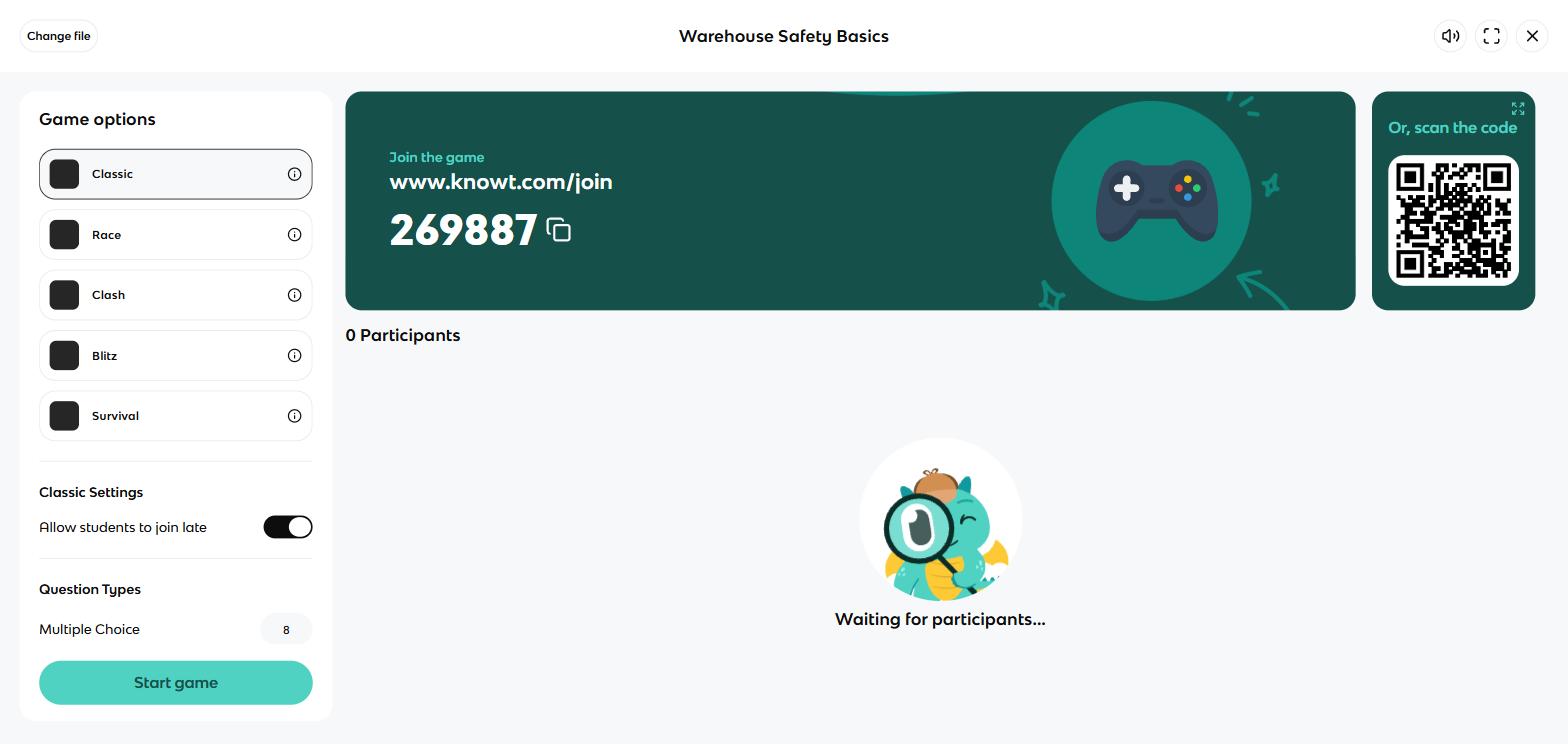
Knowt Play's host lobby: a join code, a QR and five game types, free in my session.
Where Knowt is better
- Free-tier breadth. Learn, practice tests, Match, spaced repetition and the live game all ran uncapped on my free account. The metered part is the AI, at 20 free uses a month.
- The AI does the drafting. Cards from a PDF, a recording or a pasted wall of notes. Anki will never write a card for you.
- Studying can feel like a game. XP, levels, Match, and a five-mode live class game. For a student who dreads flashcards, that is the difference between studying and not.
- Teachers get real tools free. Per-student progress tabs on every set, an analytics page, and classes for delivering sets. The upgrade modal literally says teachers should not pay for tools.
What they cost
Anki and Knowt can both be used seriously by a student who never pays. Where money appears, it appears differently: Anki charges once, on one platform; Knowt sells a subscription mostly aimed at teachers.
Anki pricing
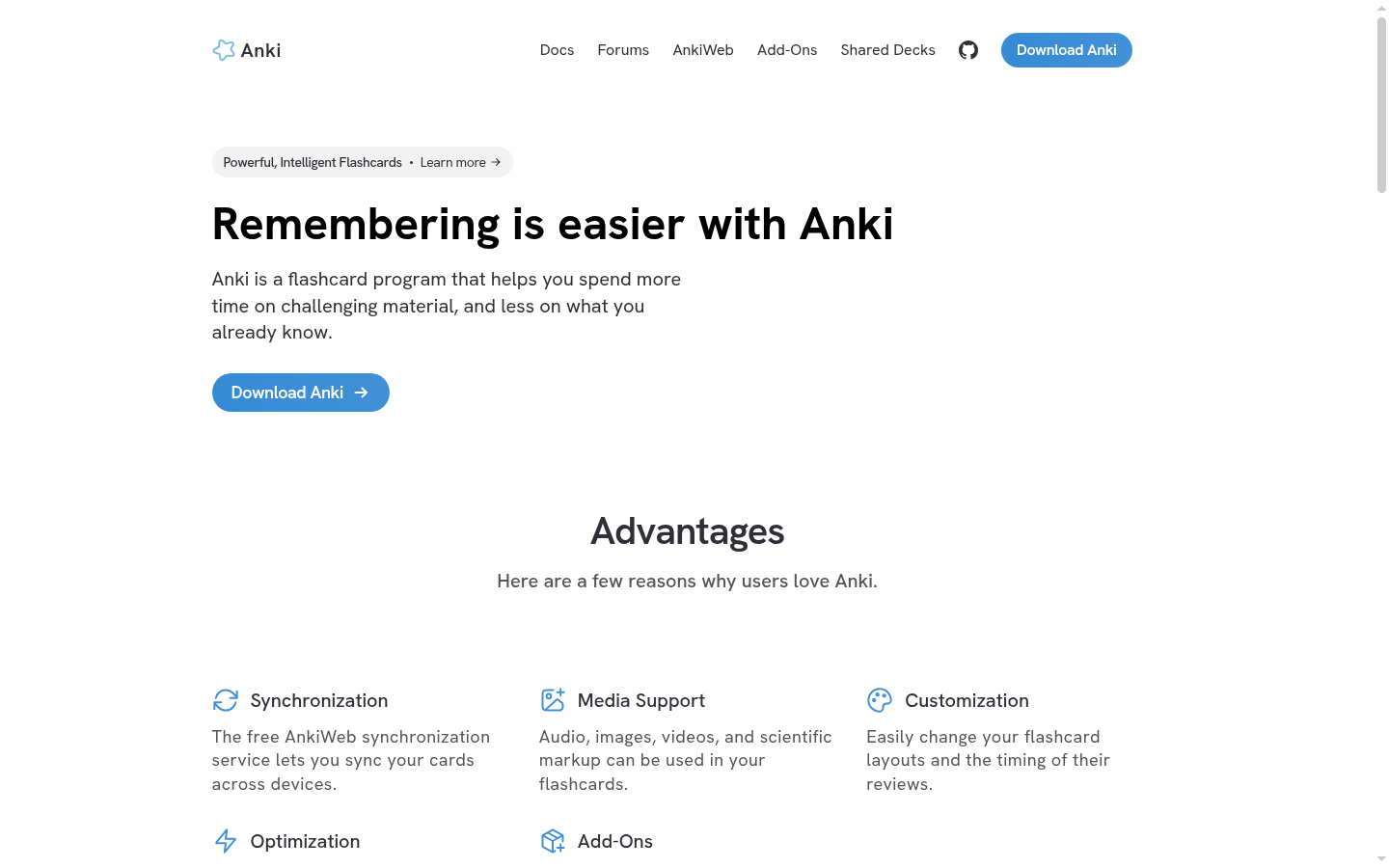
Anki's platform list: free everywhere except the $24.99 iPhone app.
| Platform | Price |
|---|---|
| Windows, Mac, Linux | Free |
| Android (AnkiDroid) | Free |
| AnkiWeb (browser + sync) | Free |
| iPhone/iPad (AnkiMobile) | $24.99, one-time |
The account area has no plans, no upgrade and no billing controls at all; I looked. The $24.99 iPhone app is how the project funds itself, and you pay it once; nothing renews.
Knowt pricing
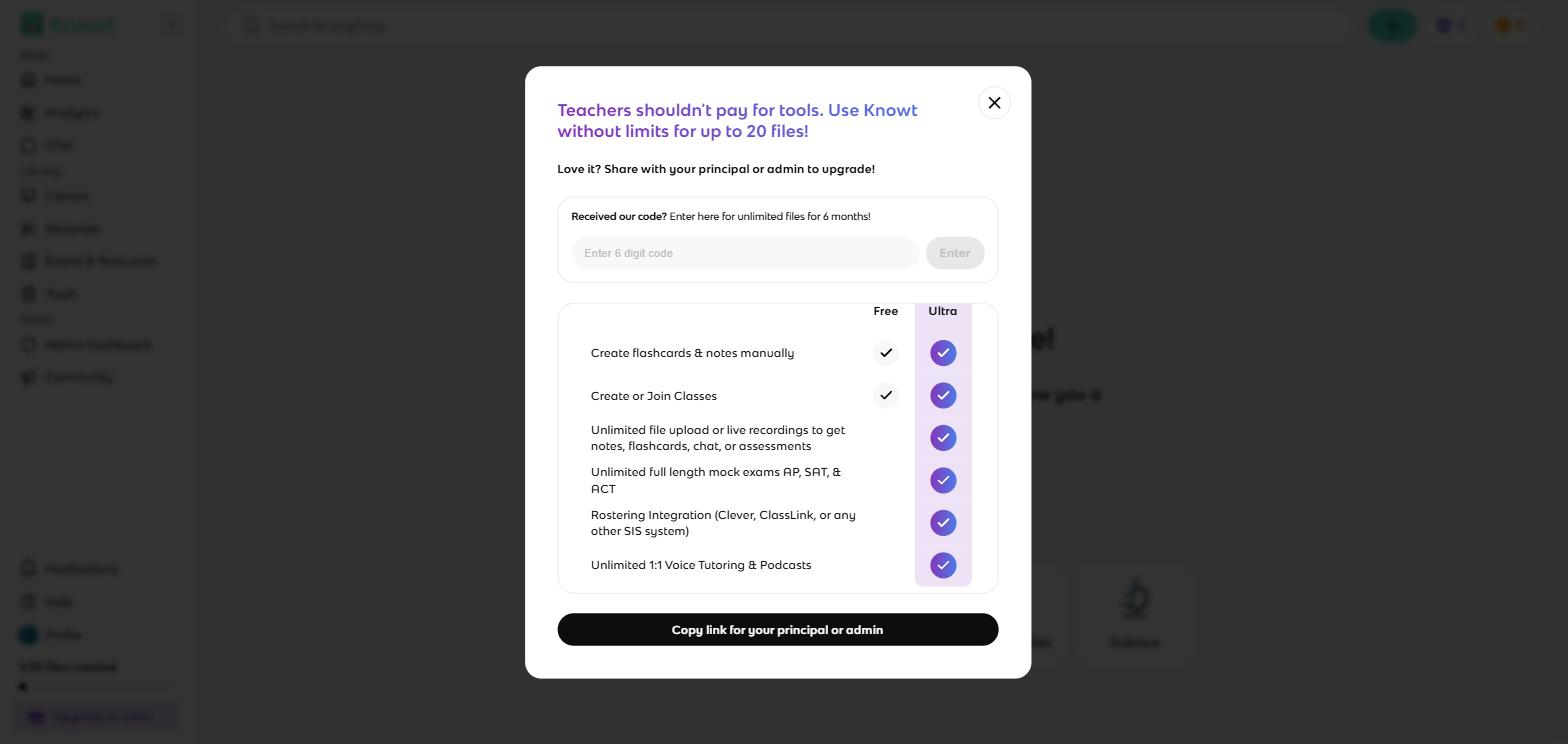
Knowt's free-versus-Ultra table. Most of the paid column is teacher tooling.
| Plan | Price | What it adds |
|---|---|---|
| Basic (students) | Free | All study modes, uncapped; AI metered |
| Basic (teachers) | Free | Unlimited sets and live games, 20 ultra uses/month |
| Ultra | $12.49/mo billed upfront at $149.99/yr, or $24.99 for one month | Unlimited AI, mock exams, monitored student AI chat, auto-graded assessments |
Look at what Ultra actually sells: monitored AI chat for students, auto-graded assessments, mock exam banks, rostering. That is a teacher's shopping list. A student deciding between these two apps can treat Knowt as free, with two real limits I hit or verified in-product: 20 file creations on a free account, and the monthly meter on AI features.
- A year of studying on a laptop: $0 on either app.
- A year on an iPhone: Knowt $0, Anki $24.99 once, then $0 every year after.
- A year of unlimited AI drafting: Knowt Ultra $149.99. Anki has no AI at any price.
- Five years of daily review: Anki $0 to $24.99 total. Knowt free, if its free tier still looks like today's.
One caution on that last line: Knowt is free because the company is growing, and nothing stops it from changing its free plan later. If you build years of cards in Knowt, export a copy every so often.
Your deck can leave either app, in plain text
Knowt and Anki both move decks through plain text, in both directions, and I checked the pieces on my own accounts and in the vendors' docs. Knowt's set menu has an Export option that produces separated text with the same configurable separators as its importer. The Anki manual says any plain text file with fields separated by commas, semicolons or tabs can be imported, and Anki's own export writes tab-separated "Notes in Plain Text".
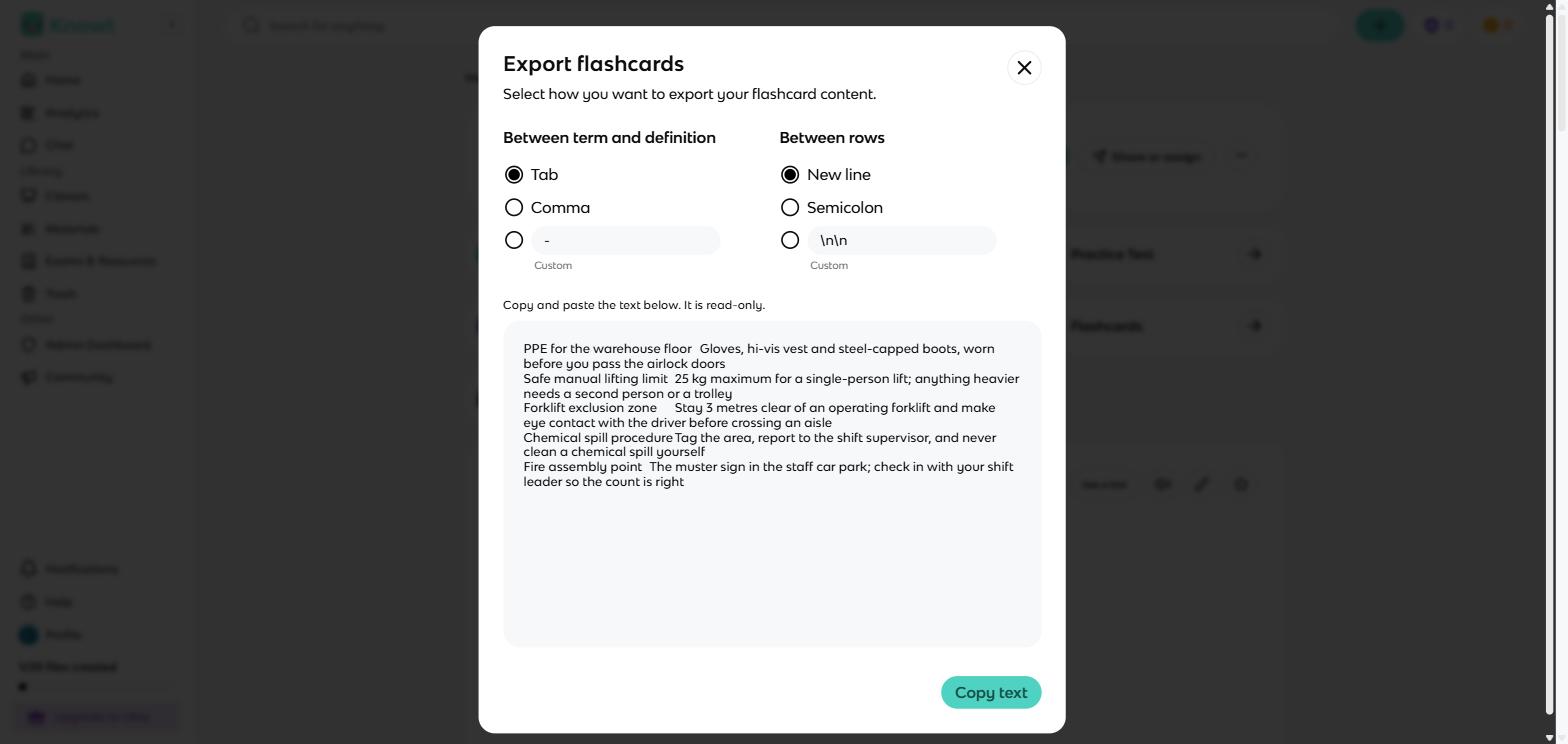
Knowt's export dialog: the whole deck leaves as plain text, separators configurable.
Moving a deck from Knowt to Anki
- Open the set in Knowt, open the set menu, choose Export, and copy the text with tab separators.
- Save it as a plain .txt file.
- In the Anki desktop program, choose File then Import and point it at the file.
Moving a deck from Anki to Knowt
- In Anki desktop, export the deck as Notes in Plain Text.
- In Knowt, create a set with the paste importer, paste the file's contents, and set the separator to tab.
- Name the set; the paste flow does not carry a title.
What does not travel either way: scheduling history. The cards move; the app's memory of how well you knew them does not, so the receiving app starts you from scratch.
What I wish I'd known before starting
- Anki's website version is only for adding and reviewing cards. Importing files, images and formatting all live in the free desktop program, so install that if you are building decks.
- Knowt's free plan counts files rather than cards. My first set showed 1/20 files created. A 200-card set is still one file, so twenty covers a term easily; a whole degree will push against it.
- Anki stops you when the day's reviews are done. Finish them and the study screen says you are done until tomorrow. You can switch on extra practice in the settings, but out of the box Anki decides how much you study each day, and that is deliberate.
- Knowt looks a little different on a teacher account. I tested as a teacher, so every study mode first opened a window for managing student access. Student accounts get the same modes without that step.
- Anki's buttons only work if you are honest. Press Easy on a card you half-knew and it disappears for four days. Knowt makes you type the answer, so you cannot mark yourself kindly; Anki trusts you to.
Where both apps stop, and what Coursebox does
Anki and Knowt both answer to one student studying their own deck. Neither answers to the person responsible for other people's learning at work: put a safety induction or a compliance refresher through either app and there is no course around the cards, no pass mark, and no record an auditor would accept. Knowt's teacher analytics track study activity for a classroom; activity is still not completion.
That is the job Coursebox was built for. Hand it the manual your deck came from and it writes the course around the material, lesson by lesson, with its AI quiz generator drafting the assessments. The Reports dashboard then records completions and scores per learner. Flashcards are one step of that pipeline rather than the whole product, and a year of learner activity on our platform puts a number on how much studying happens inside tracked courses.
For one person memorising for one exam, the two apps in this article beat us: a personal deck belongs in a flashcard app, and Anki's scheduler in particular does something we do not attempt.
The verdict, split by who is asking
A test in the next month: Knowt. Import or AI-draft the deck, run Learn and a practice test, and let the XP loop drag you back tomorrow.
Medical school, law, a language: Anki. You will still be reviewing these cards in two years, and per-card scheduling with a tunable retention target is built for exactly that. Start with a shared deck for your field.
A teacher running a classroom: Knowt. The live game, per-student progress on every set, and a vendor that tells teachers not to pay.
An iPhone-first student deciding where to invest: either, but do the arithmetic once. Anki costs $24.99 exactly once; Knowt is free until you want unlimited AI, which costs $149.99 a year.
Anyone still torn: run both. Knowt for the term's variety, Anki for the years, moved between them as plain text in the five minutes shown above.
Training a team at work: neither one. Cards without completion records cannot prove anyone finished; that needs a course platform with reporting behind it.
If neither one fits
If what you actually want is Quizlet's library and polish, we have run this same hands-on format on that side of the fence: Knowt vs Quizlet and Anki vs Quizlet cover both matchups. If you take heavy structured notes and want the cards living inside them, look at RemNote. And the wider field of AI deck builders is ranked in the AI flashcard generators list.
Last updated 2 September 2026. Anki was driven hands-on on 31 August and Knowt on 1 September 2026, both on my own free accounts with the same five-card deck, and every price was read from the vendors' own pages, apps and in-product screens on those dates. App Store ratings were read from Apple's US store on 2 September 2026.
Frequently Asked Questions
Yes, Knowt is free for students in a way that held up in my testing: Learn, practice tests, Match, spaced repetition and the live game all ran without caps on a free account. The real limits are 20 file creations and a monthly meter on the AI features. The paid Ultra plan at $149.99 a year sells mostly teacher tools.
For long-term memorisation, Anki: per-card scheduling with printed intervals and a tunable modern scheduler. For making studying varied and bearable this term, Knowt: eight free modes and AI drafting. The honest answer for many students is Knowt now, Anki for the long grinds.
The multi-year decks, the shared medical decks and the scheduler depth all sit on Anki's side, which is why it dominates that world. Knowt's exam hubs aim at AP, SAT and ACT students instead.
Yes, both directions, through plain text: Knowt exports separated text that Anki's desktop program imports, and Anki exports tab-separated text that Knowt's paste importer accepts. Your review history does not move, only the cards.
Yes, Knowt has a real spaced repetition mode: typed recall, then Again, Hard, Good and Easy buttons with intervals you can edit in settings. It lacks Anki's depth, with no retention target and no alternative scheduler, but the mechanism is the same.
Usually, yes: the counter reads files rather than cards, so one set of 200 cards costs the same one file as my five-card starter. Twenty covers a heavy term; a whole degree's worth of subjects will press against it.
Parshad Desai
Driving growth and marketing strategy at Coursebox AI

