

Blooket vs Kahoot: I Hosted Live Games on Both (2026)
I hosted the same quiz on both. Blooket gives free 60-player games and 13 modes; Kahoot has the polish but caps free rooms at 40. Prices checked hands-on.

Blooket suits classrooms running on a free plan: one game takes 60 players across 13 game modes, with no time limit. Kahoot suits anyone who wants the classic shared-screen show and the widest range of question types.
- Blooket wins on free player caps. It allows 60 players, while Kahoot allows 40 on its free school plan and just 15 on its free work plan, which also ends every session after 15 minutes.
- Kahoot wins at creating the quiz. Its AI can build a game from a 150-page PDF, a topic, a web address or a Wikipedia article, and its editor offers more than 10 question types; Blooket's editor only makes multiple-choice questions.
- Neither Kahoot's nor Blooket's scoring is better outright; they do different jobs. Kahoot rewards speed, giving up to 1,000 points for a fast correct answer. Blooket rewards correct answers with random chests, gold and steals, so slower students can still win.
- Neither Blooket nor Kahoot shows full per-question analytics on a free plan. Blooket hides every question's accuracy behind its Plus plan, and Kahoot shows only the first 3 questions before blurring the rest.
- Neither Blooket nor Kahoot creates a training record. To prove that 20 staff completed and passed a course, you need an LMS with completion tracking, not a game leaderboard.
Answer 3 quick questions to figure out in seconds

Generate engaging quizzes in seconds
Teachers keep asking the same question: Blooket or Kahoot!? Both run live quiz games that a class joins with a short code, and on paper they sound identical.
They are not. I created one five-question quiz, loaded it into each platform, hosted a live game on each, and played every game as a student from a second screen. Kahoot puts the question on the big screen and rewards the fastest correct answer. Blooket puts the question on each player's own screen, rewards correct answers with random prizes, and offers 18 different game modes. The free plans are far apart too: 60 players on Blooket, 40 on Kahoot's school plan, 15 on its work plan.
Below is what each one does well, what the free tiers hold back, and which one fits your room.
The short version
Pick Blooket if:
- You do not want to pay. A free Blooket game takes 60 players and includes 13 game modes, with no time limit. Kahoot's free plans stop at 40 or 15 players.
- Your class is bored of quiz shows. Right answers earn random chests and gold, so the fastest students do not win every game.
- You do not have a projector. The whole question shows on each player's own screen, so the game works in any room, or from home.
- You want to set quiz homework. Any quiz becomes a homework game with a link and a QR code, free for up to 14 days.
- You want the results as a file. The free report downloads as a spreadsheet.
Pick Kahoot if:
- You want the classic big-screen game. Question on the projector, music playing, podium at the end. Most classes already know it.
- You need more question types. Kahoot has sliders, puzzles, type-the-answer, polls and word clouds. Blooket only has multiple choice.
- You want AI to write the quiz. Give Kahoot a PDF, a topic, a link or a Wikipedia article and it writes the game. Blooket cannot do this itself.
- You run paid work events. Kahoot! 360 handles thousands of participants and adds slides, Q&A and surveys.
- You want ready-made quizzes. Kahoot's library is huge; one search returned 11,000 results.
How I compared Blooket and Kahoot
- how the quiz gets built, by hand or by AI
- what a live game looks like from the player's seat
- how the games keep players engaged, luck against speed
- what the free tiers really allow before they stop you
- what the reports show the teacher afterwards, free and paid
- what each one costs when you outgrow free
I tested the free plan of both platforms with the same five questions, hosting each live game from one tab and playing it from another. One note: my Kahoot account is registered as a work account, so where Kahoot showed me its business tier instead of the school one, I say so.
We build in this space as well. Coursebox is an AI-powered learning management system (LMS) whose AI quiz generator writes quiz questions from your documents, inside full courses with completion tracking. It is not one of the two tools here and it is not what I recommend below, so treat that as a disclosure rather than a pitch.
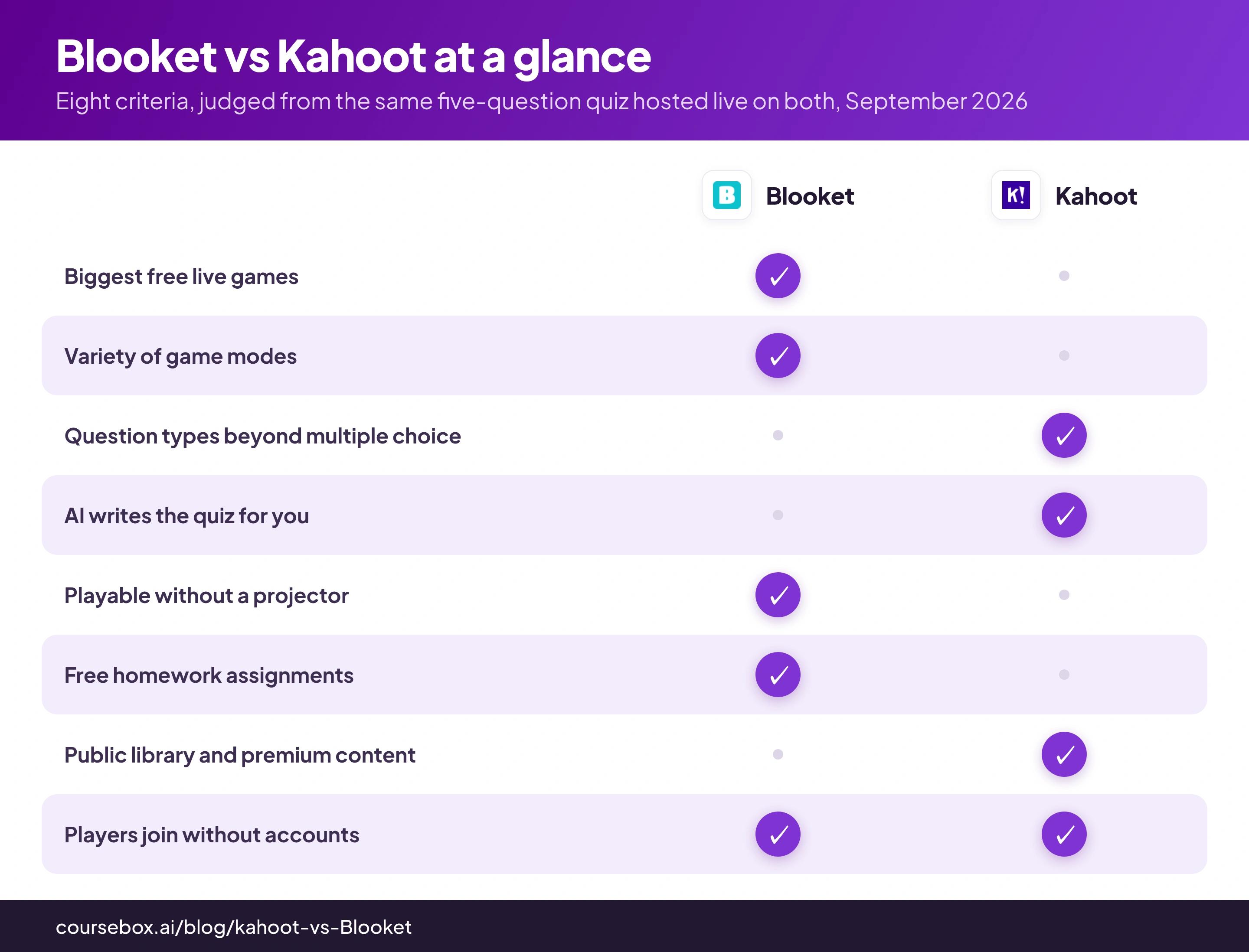
Blooket vs Kahoot at a glance
| Blooket | Kahoot | |
|---|---|---|
| What it is | A quiz game platform with 18 game modes and a collectible economy | The original live quiz show, now a school and business platform |
| Free live game size | 60 players | 40 players on the free school plan; 15 participants with a 15-minute session limit on the free work plan |
| Price | Plus $4.99/mo charged yearly ($59.88), or $9.99 month to month | School plans from $5/mo; work plans from about $26-$29/mo per host, rising with audience size |
| Where questions appear | On each player's own screen | On the shared screen; players see four blank shape buttons in the classic mode |
| Scoring | Luck plus knowledge: correct answers earn chest picks, steals and random gold | Speed plus knowledge: faster correct answers earn more points, with streak bonuses |
| Game modes | 18 (13 free, 5 Plus-only) | Five "experiences" on my work account (Classic, Teams, Accuracy, Confidence, Professional); school plans list more play modes |
| Question types | Multiple choice in the editor | Quiz, true/false, type answer, slider, pin answer, puzzle, polls, word clouds and more; the free school plan gets quiz and true/false only |
| Building the quiz | Manual, Quizlet import, CSV, or Khanmigo AI | Manual, AI from PDF/topic/URL/Wikipedia, slides import, templates |
| Free reports | Totals, per-student accuracy, spreadsheet download; per-question data is Plus | Summary, per-player scores, per-question accuracy for the first three questions only |
| Homework | Free self-paced games, up to 14 days per assignment | Assigned kahoots on paid plans; capped at 15 participants on the free work plan |
| Public library | Community sets; no total shown, top sets have six-figure plays | 11,000 results for one search, with publisher channels and a paid content marketplace |
| Player accounts | Not needed to join | Not needed to join |
| Best for | Free classrooms and variety | Polish, question types and big paid events |
What you get on Blooket: more game for free, scored by luck
The test worked like this. I wrote the same five multiple-choice questions about warehouse safety (protective gear, lifting limits, forklifts, spills, fire assembly) into each platform's quiz editor, then hosted a live game on each and joined it as a player named TestLearner from a second browser tab. Everything below comes from those sessions.
Blooket's set creator offers four ways to get a quiz in:
- type the questions yourself
- import a set from Quizlet
- upload a CSV file
- hand the job to Khanmigo, the Khan Academy AI
I typed mine. The editor itself is simple: the question sits at the top, the four answer choices sit in coloured tiles below it, a tick marks the correct one, and each question carries its own timer.
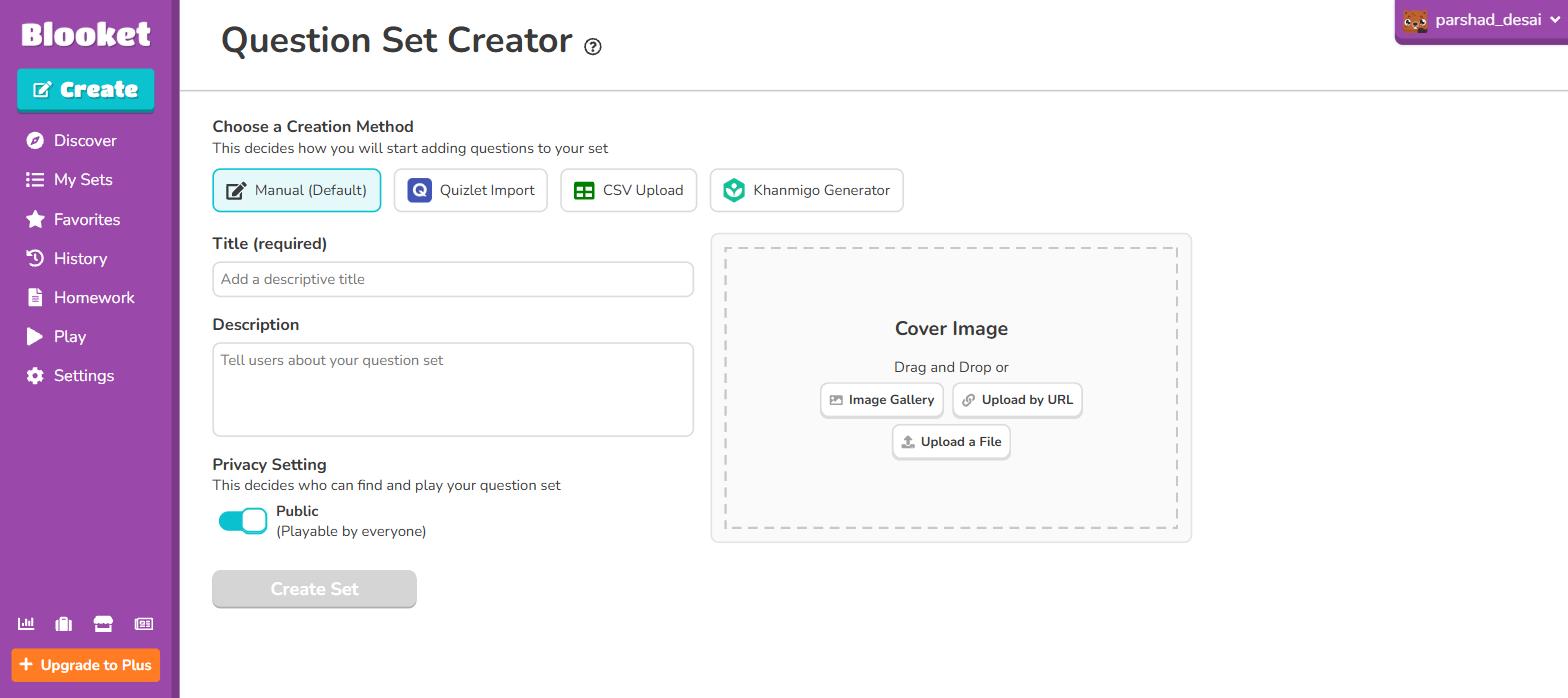
Blooket's four ways in: type it, import from Quizlet, upload a CSV, or hand it to Khan Academy's AI.
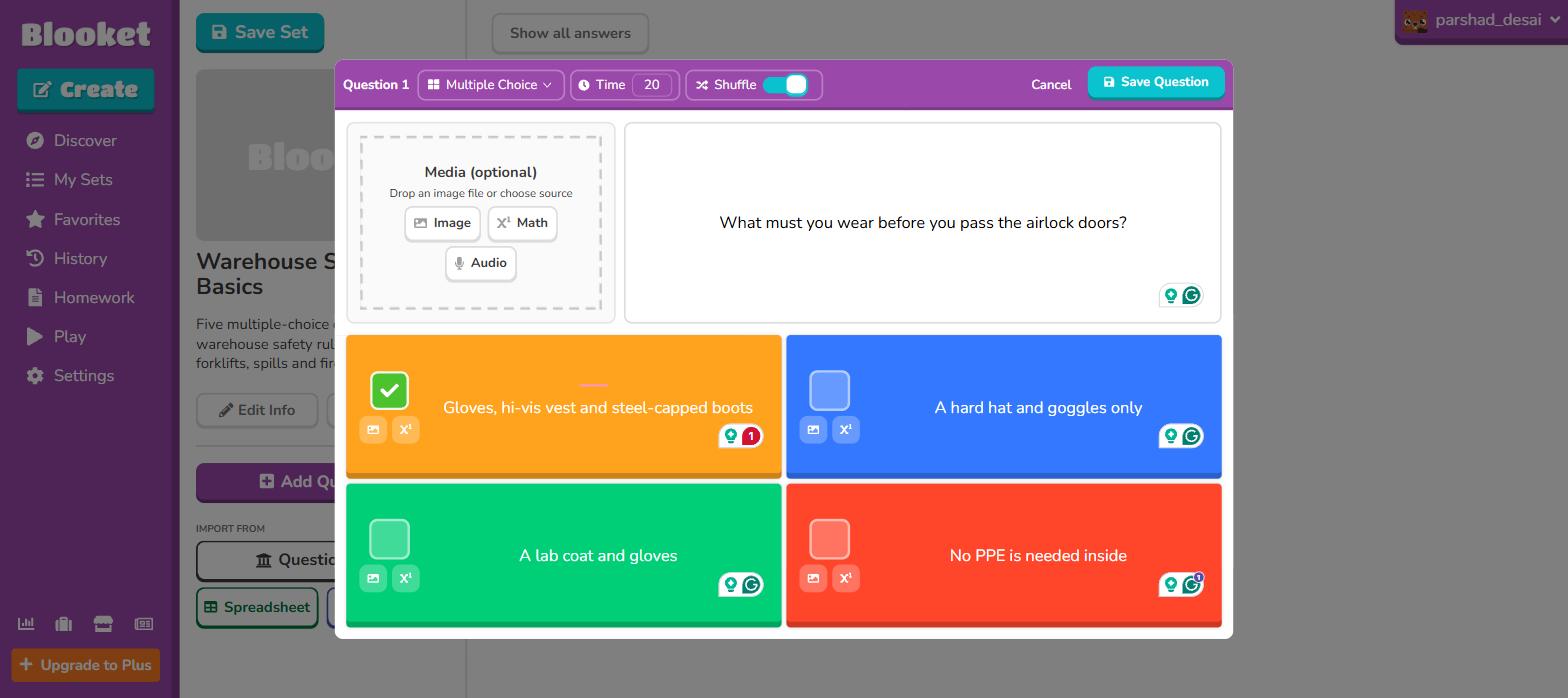
The first safety question in Blooket's editor, with the green tick marking the correct tile.
Hosting starts with the most striking screen in the product: a full grid of 18 game modes, drawn like arcade titles, with names like Gold Quest, Fishing Frenzy, Cyber Hack, Tower Defense, Battle Royale and Racing. Five of the tiles carry a Plus-only tag, and every card prints its own difficulty, ideal time and player caps. Gold Quest, the default, takes 60 players free and 300 on Plus.
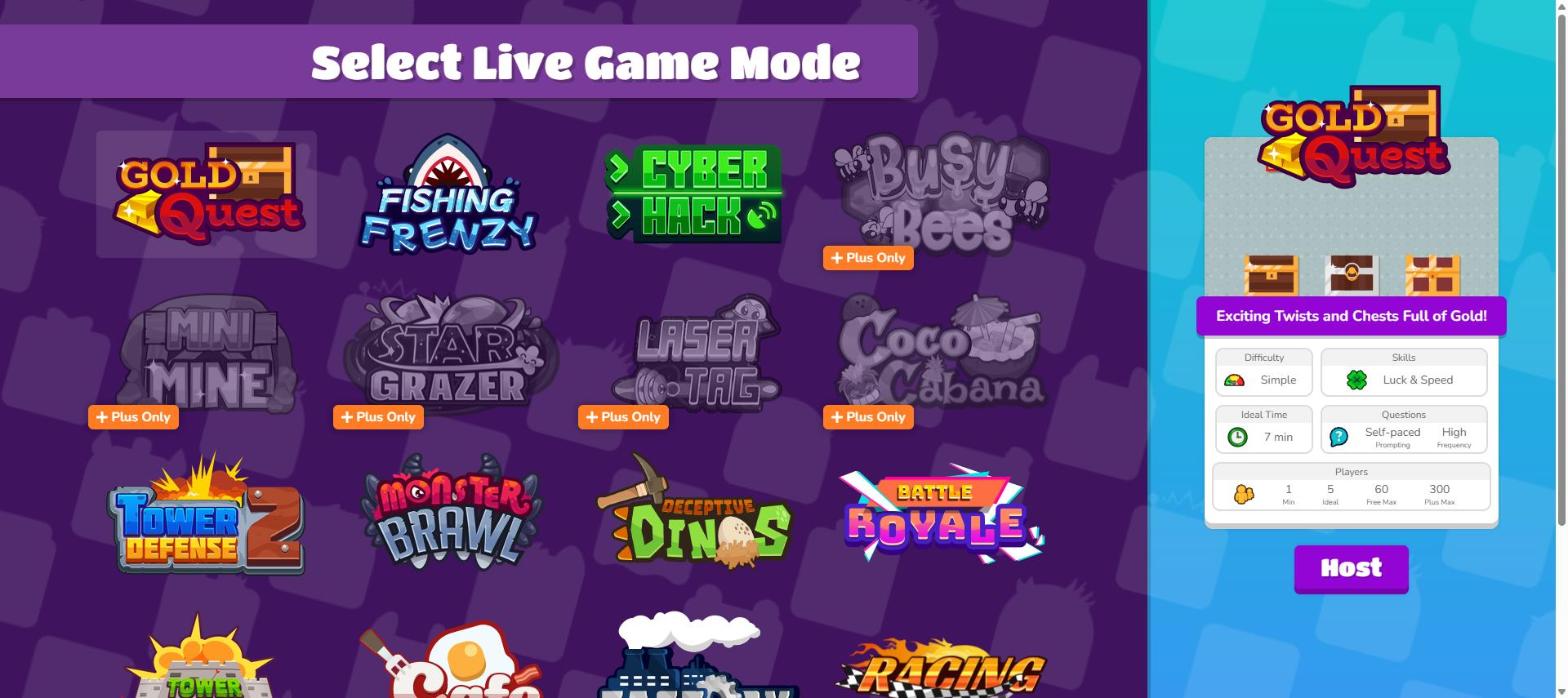
The game mode grid is Blooket's whole pitch; every card prints its free and Plus player caps.
The lobby shows a QR code, a join address (play.blooket.com) and a six-digit game ID. Players join with a nickname, and no player account is needed.
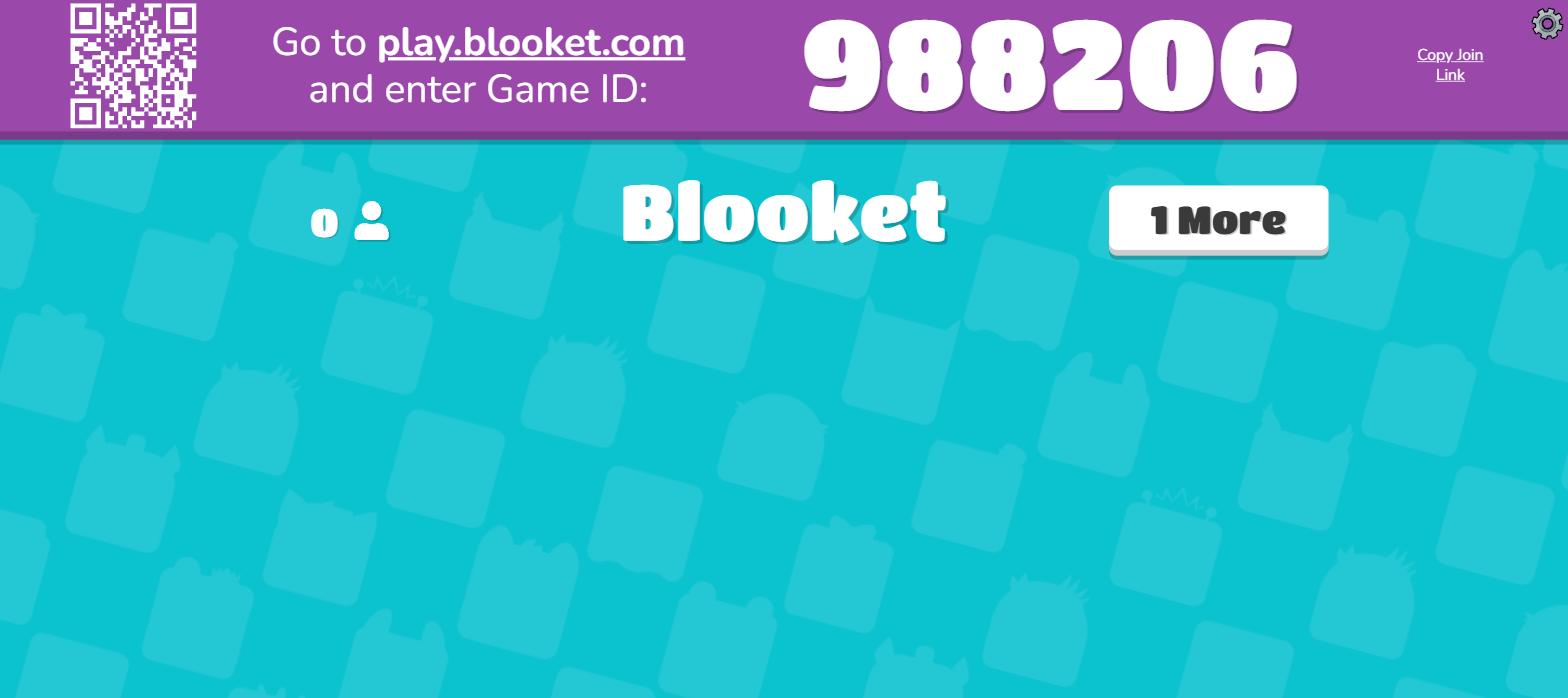
Blooket's lobby: a QR code and a six-digit game ID, no player accounts.
Before the game starts, each player gets assigned a "Blook", a cartoon avatar from a grid where most tiles are padlocked. The locked grid shows that Blooket is also a collecting game: playing earns tokens, tokens open boxes, and boxes hold rarer Blooks. My player got a common Seal.
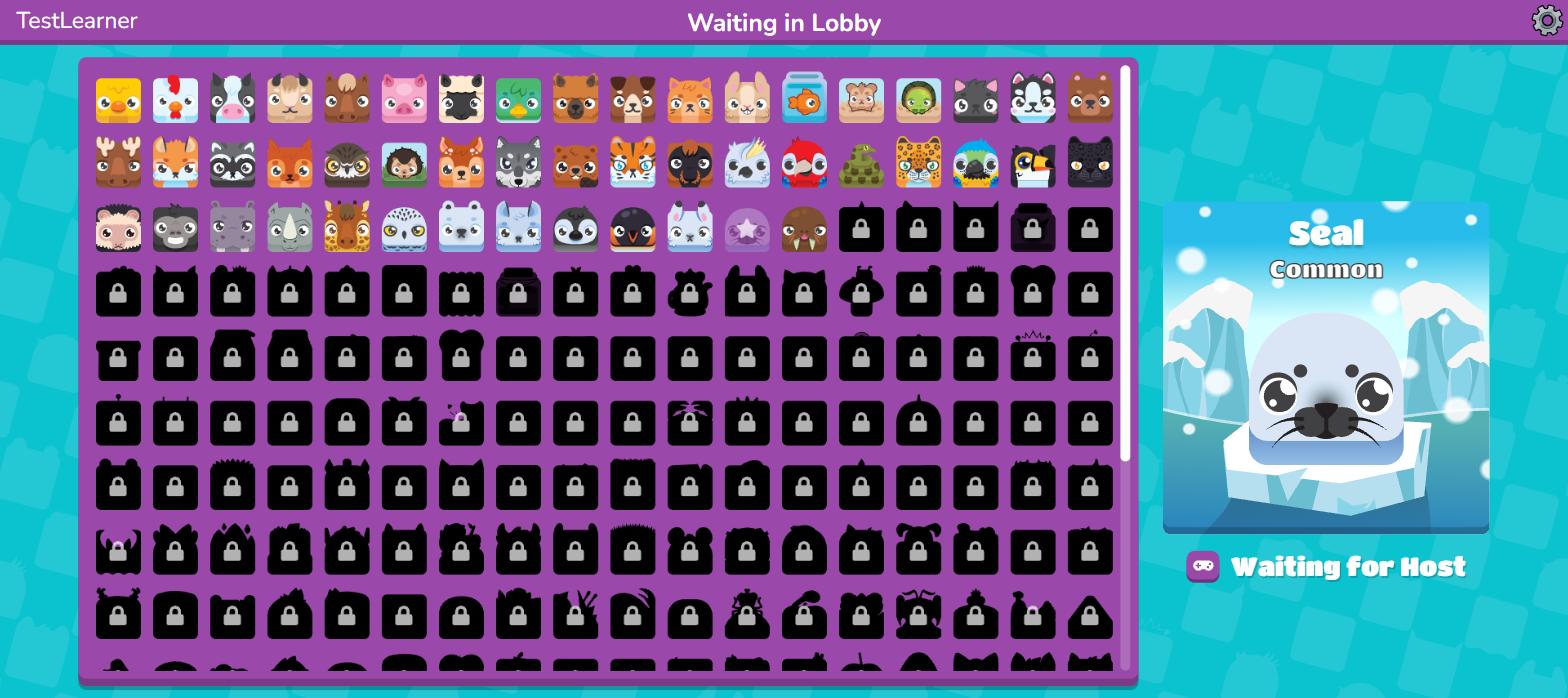
The Blook picker before the game: my player got a common Seal; most of the grid is locked.
Then the quiz began, and the whole question appeared on my player screen: full text, four full answers, at my own pace. The host screen showed a leaderboard and a countdown instead. Blooket never needed the projector at all.
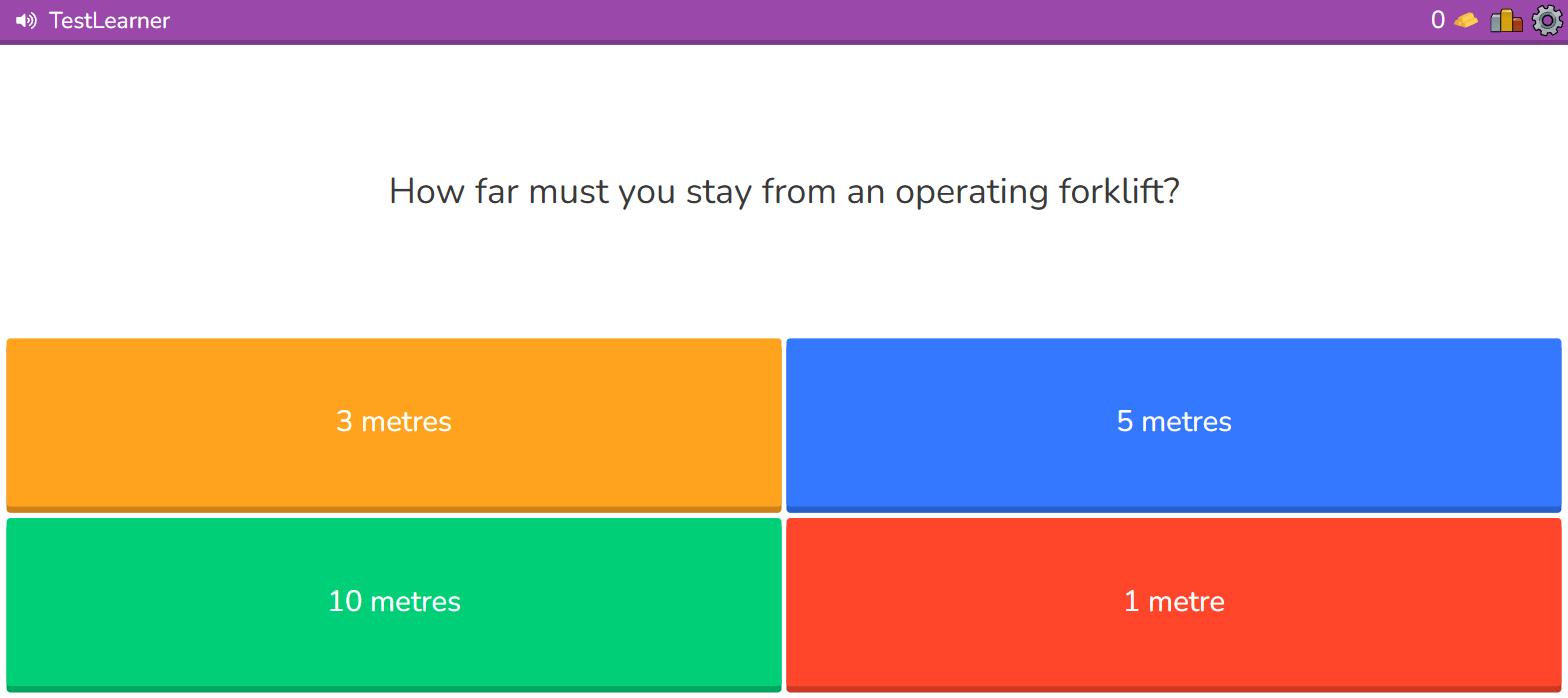
A Blooket question lands in full on the player's own screen, no projector needed.
Quiz games put the question in one of two places. Shared-screen games (Kahoot's classic mode) show it on the projector, and player devices are just buzzers; everyone moves through the same question at the same moment, which builds the show but needs every eye on one display. Own-screen games (every Blooket mode) put the full question on each player's device; the room can be remote, the pace can vary per player, and no projector is required. Which one you need decides more than any feature list below.
A correct answer in Gold Quest does not earn points. It earns a pick from three treasure chests, and the chests are random: mine revealed "Take 25%", which steals a quarter of another player's gold, while other chests give flat gold or swap totals. A slow student who answers correctly can still take the lead from the fastest player, which keeps the whole room in the game. This is gamification doing a real job, not decoration: the randomness exists so that students who fall behind keep answering. With only one player joined, the steal chests displayed "No Players to Interact With"; the economy needs a full class.
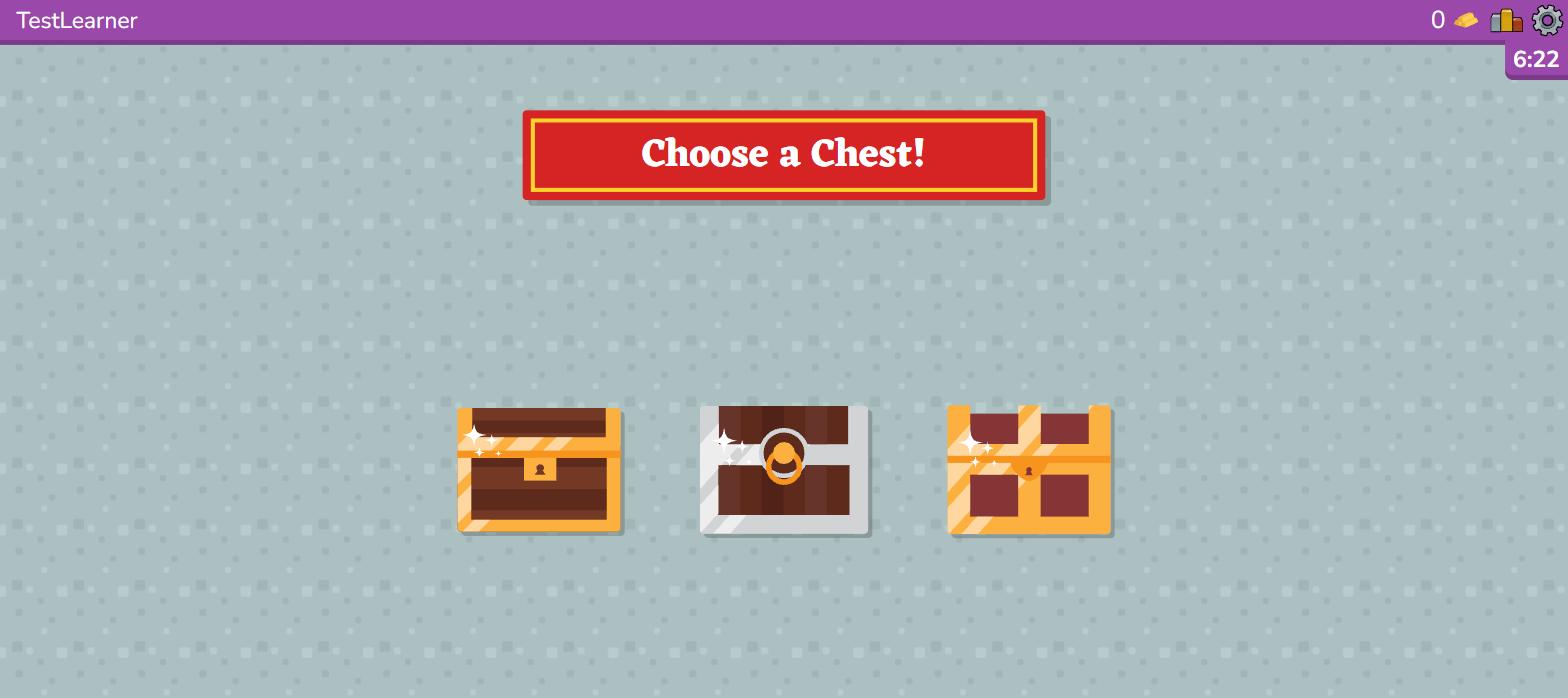
A right answer in Gold Quest earns a chest pick, and the chests are random.
The game ends on a podium, and the player side keeps going: my TestLearner got a daily wheel spin for bonus tokens and progress on a "Class Pass" XP track. The collect-and-return economy runs even on teacher-hosted games, which is exactly why students open Blooket unprompted and why some schools block it.
Afterwards, the free report gave me an accuracy donut, totals, a per-student accuracy bar and a spreadsheet download. The per-question column, though, printed "?/?" with an upsell: question-level accuracy and answer distribution are Plus features.
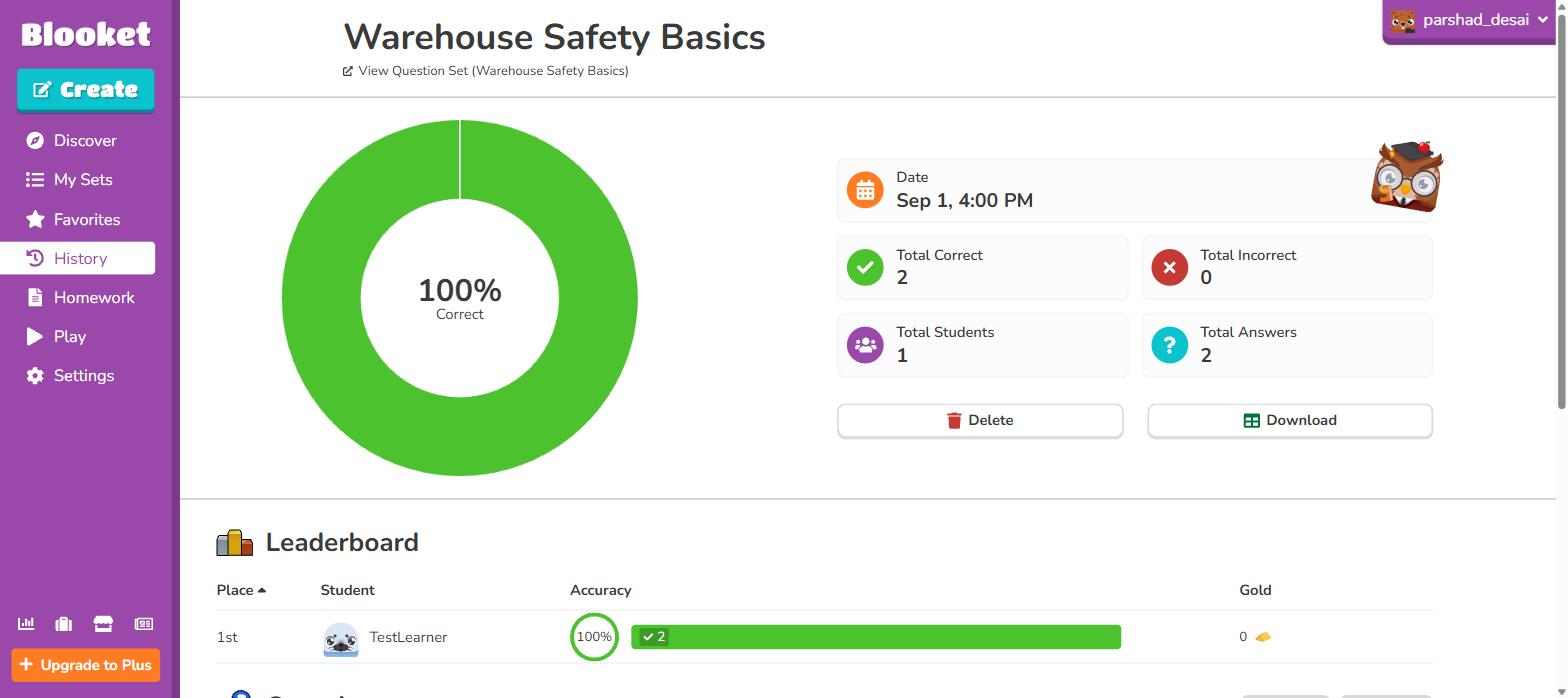
Blooket's free report: donut, totals, per-student accuracy and a download; question detail is Plus.
Homework rounds it out: any set becomes a self-paced game behind a link and QR code, free for deadlines up to 14 days, with live progress updates. All of the above comes at no cost, and being the free one is the centre of Blooket's own pitch.
Where Blooket is better
- The free tier. 60-player games, 13 modes, homework assignments and a report download at $0; Kahoot's free plans stop at 40 or 15 players.
- Variety. 18 game modes against Kahoot's short list of experiences; the same quiz replays for weeks without feeling repeated.
- Own-screen play. Full questions on player devices mean no projector, remote-friendly games and self-paced answering.
- Kinder scoring. Luck-based rewards keep weaker quizzers in contention instead of cementing the fastest hands.
- Cheaper paid tier. Plus costs $59.88 a year against Kahoot's school Gold at roughly four times that and work plans far beyond.
What you get on Kahoot: the classic quiz show, with tight free limits
The same five questions took a few more minutes on Kahoot, mostly because the creator kept offering to do the work for me. Kahoot's home screen leads with its AI panel: drag in a PDF of up to 150 pages, or point the generator at a topic, URL or Wikipedia article, and it drafts the kahoot. I chose the blank canvas for a fair test and typed the questions into the shape-and-colour tiles Kahoot invented. The editor even suggested Getty stock photos matched to my question text.
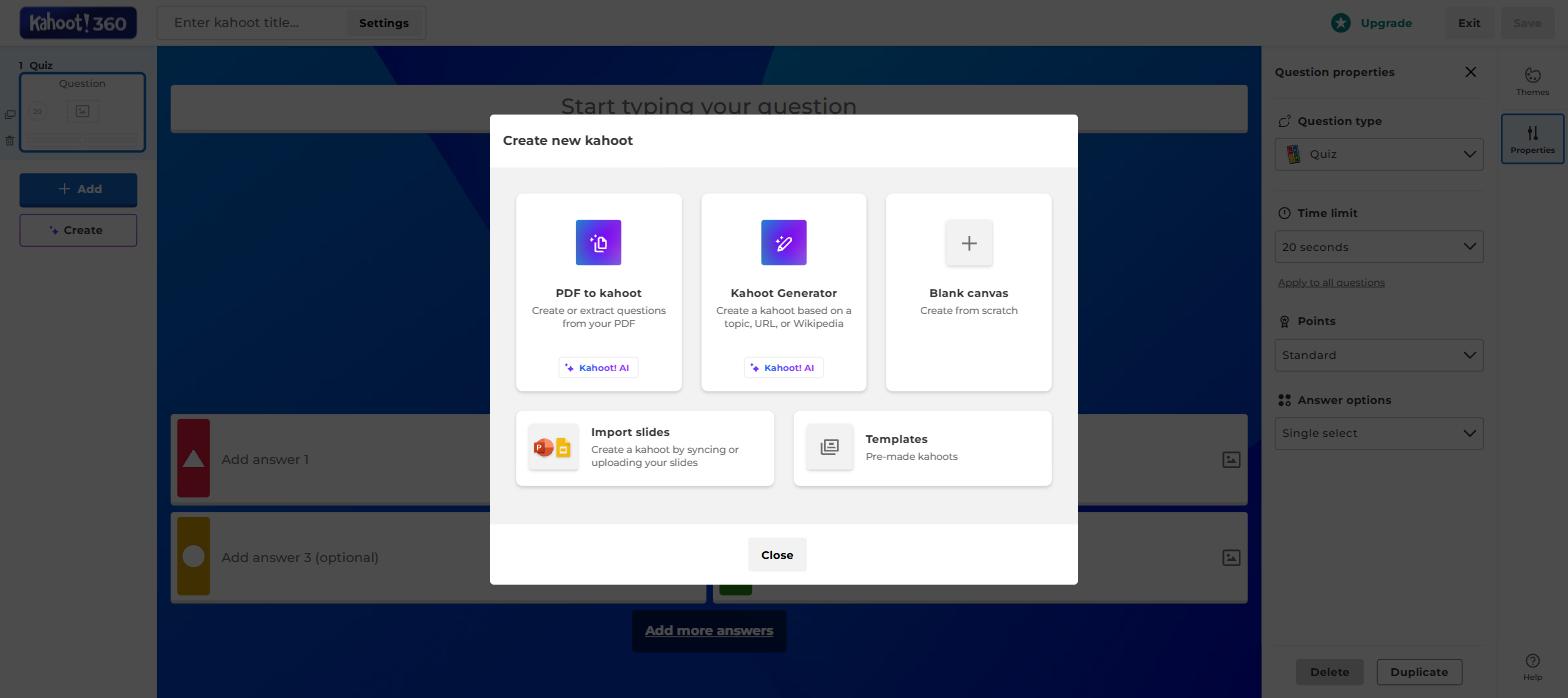
Kahoot's create menu: two of the five paths are AI generators.
The question-type menu is the widest in this category, and Kahoot groups it into three families:
- Test knowledge: quiz, true/false, type-answer, slider, pin-the-answer on an image, and puzzle ordering
- Collect opinions: polls, scales, word clouds, open-ended prompts and brainstorms
- Present: slide types for mixing teaching into the game
On my work account all of them were open; on the free school plan the public feature table lists quiz and true/false only.
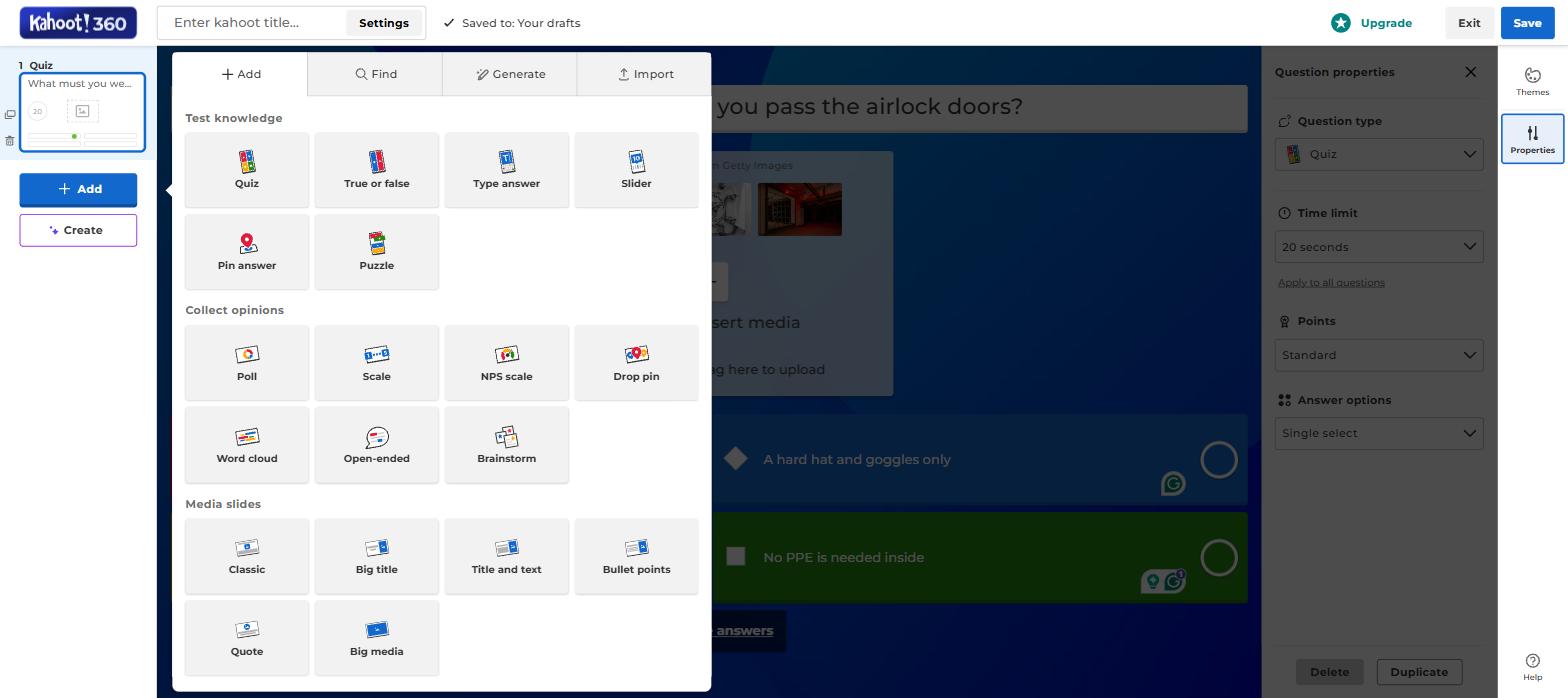
The widest question-type menu in the category, from sliders and puzzles to word clouds.
Hosting starts with picking an "experience" (Classic, Teams, Accuracy, Confidence, or the presentation-flavoured Professional), and each card on my account printed the same ceiling: up to 15 participants. A second limit appeared the moment the game started: a 15-minute session countdown ticking in the header.
Kahoot signs you up as a school teacher, a work user or a home user, and each type gets different plans and different free limits. A free school account (called Kahoot! Go) hosts up to 40 players with basic question types. A free work account (Kahoot! 360 Express, the type I tested) hosts 15 participants and ends sessions after 15 minutes. Prices differ between the types too, so make sure you are reading the ladder that matches your account.
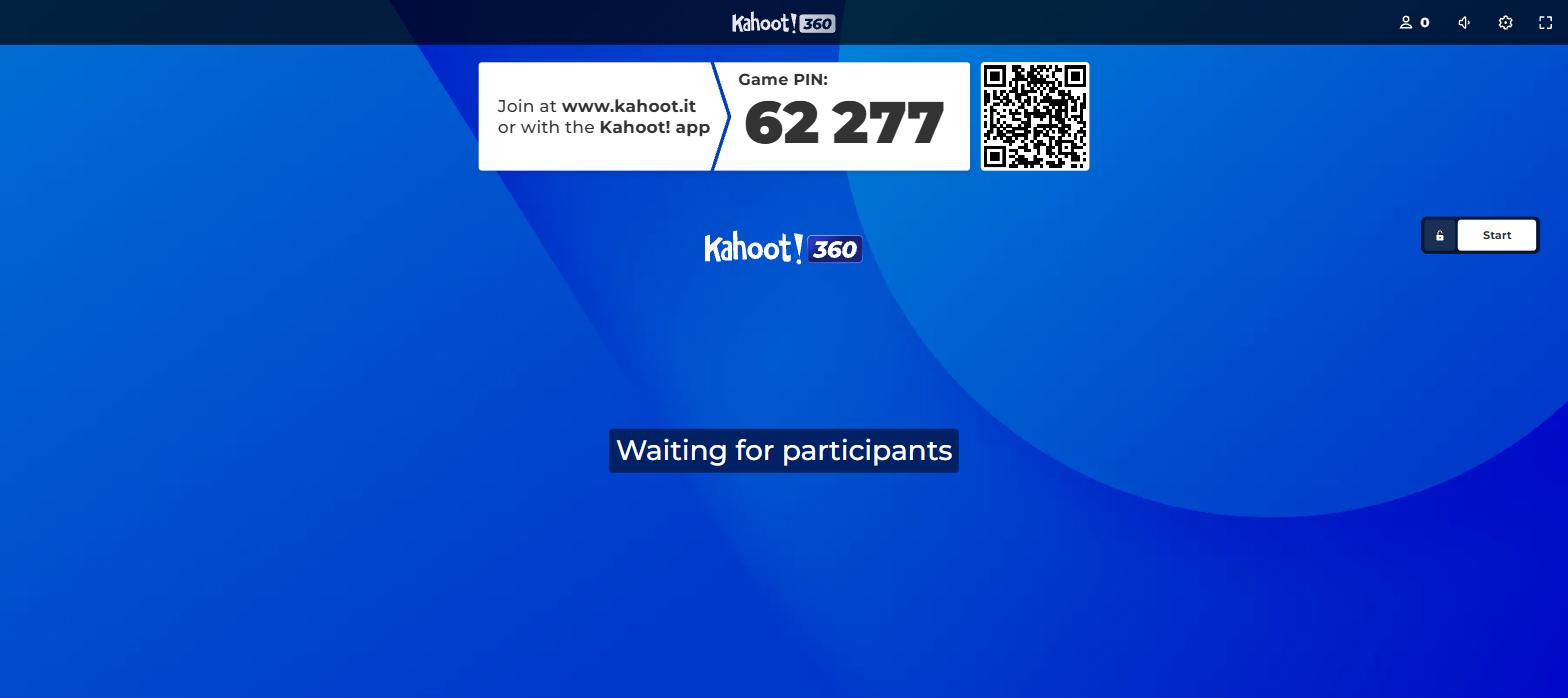
Kahoot's lobby: join at kahoot.it with the game PIN.
The game itself is the show everyone knows. My player joined at kahoot.it with a PIN and a nickname, no account. Then the classic split happened: the host screen carried the question and the four answers, while my player screen showed four blank coloured shapes and nothing else. In Kahoot's classic mode the game cannot run without a shared screen everyone can see.
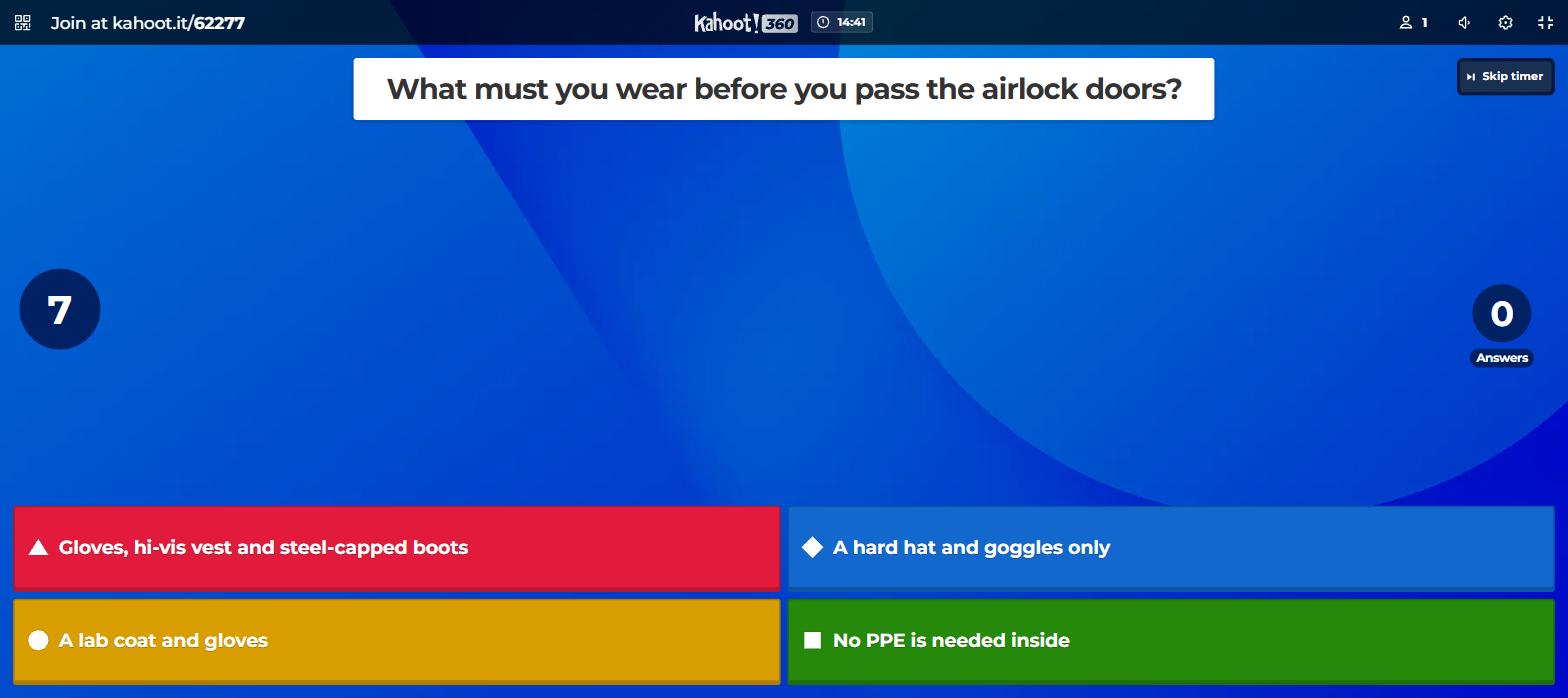
The host screen carries the question and every answer...
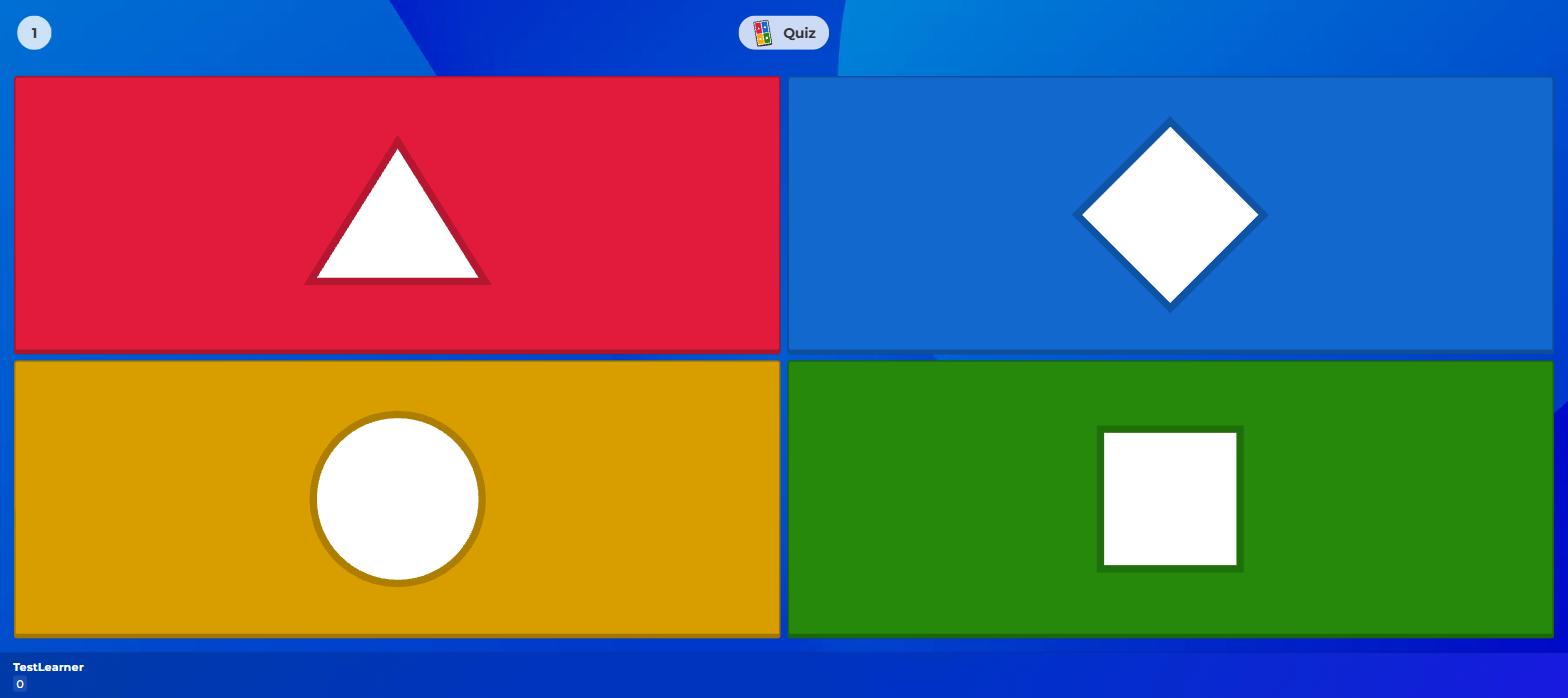
...while the player holds four blank shapes; without the shared screen there is no game.
Scoring is pure speed. My first correct answer earned 913 points out of a possible 1,000, the number shrinking the longer I took, plus an answer-streak bonus for consecutive hits. Miss one and the screen consoles you ("We believe in you!"). It ends on the podium with confetti and, for the player, an "Unbeatable!" title. The presentation beats Blooket's: tighter music, cleaner transitions, and a format most classrooms have run for years.
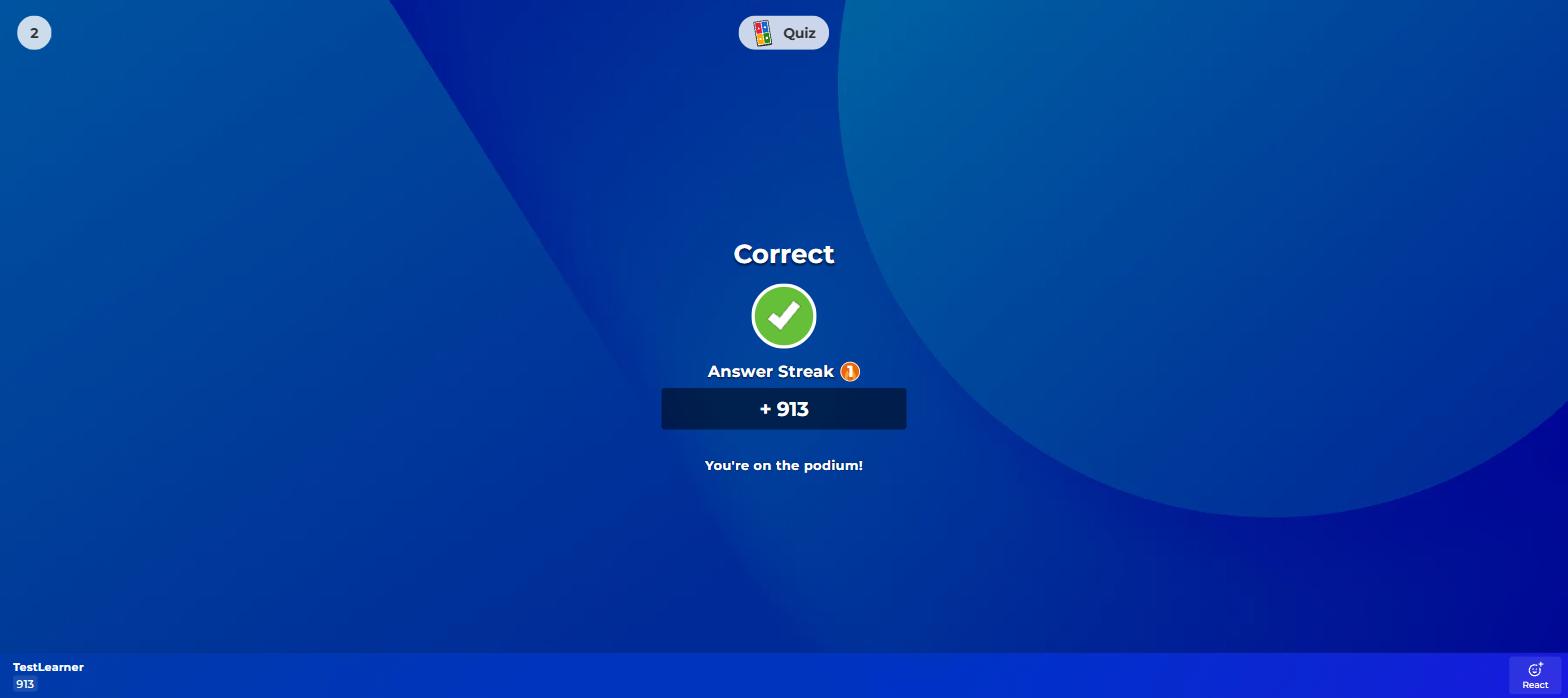
913 of a possible 1,000 points: the faster the correct answer, the bigger the reward.
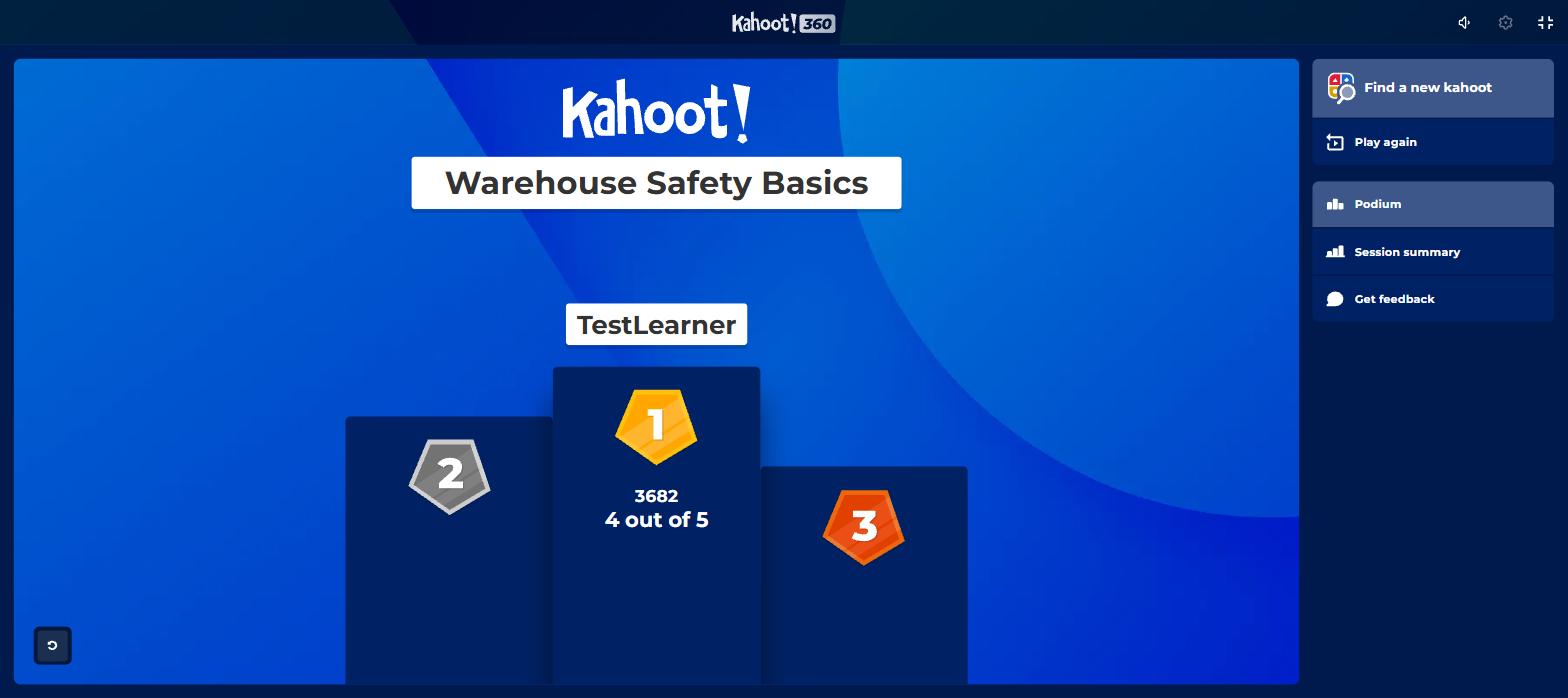
The podium after five questions: 3,682 points, 4 out of 5 correct.
The report afterwards had the same shape as Blooket's, with a stingier gate. Summary and per-player scores are free. Per-question accuracy showed for exactly three of my five questions; the last two sat blurred behind an Upgrade button, alongside blurred "Difficult questions", "Need help" and "Didn't finish" panels.
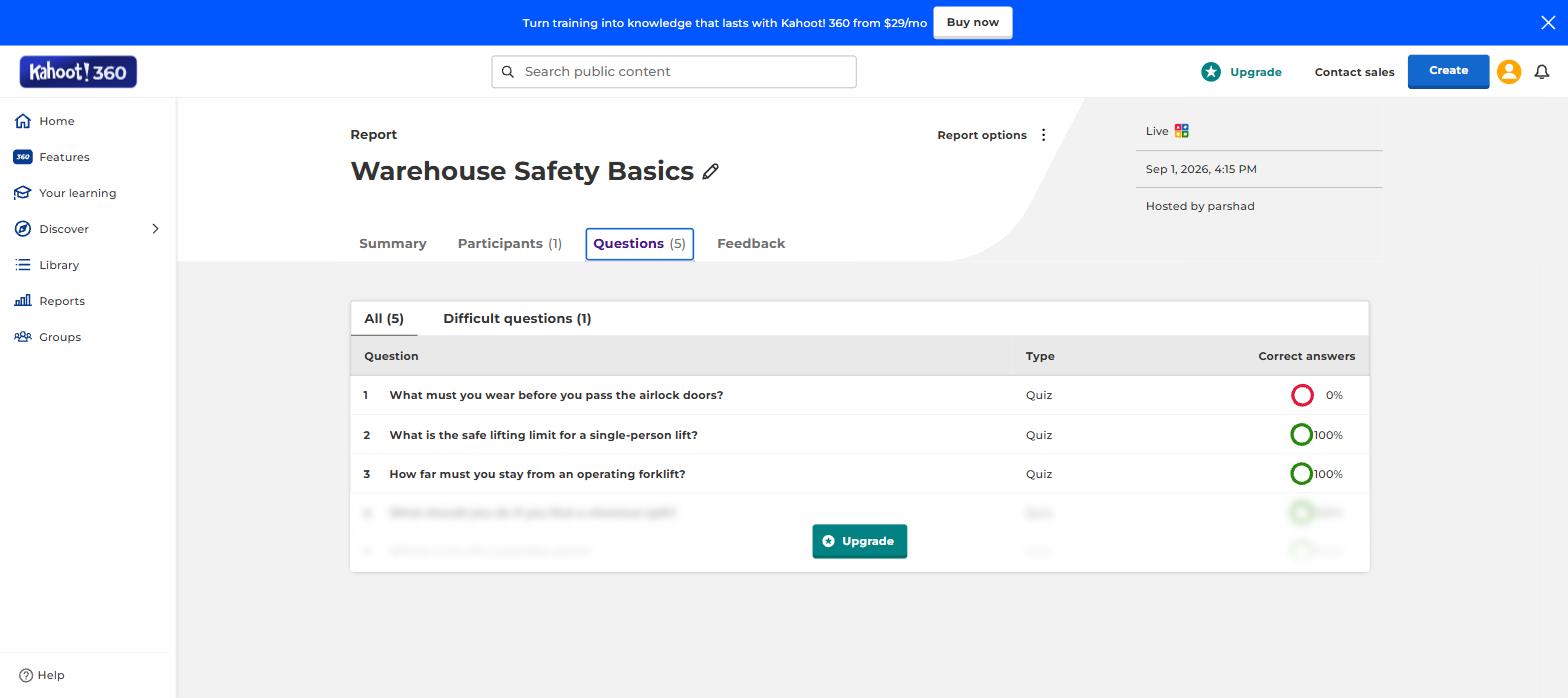
Kahoot's free report stops at question three; the rest hides behind an upgrade.
The upsell is constant. In one session, the same full-screen Kahoot! 360 Pro modal interrupted me three times, on save, on host and on assign, each time reciting my limits: "15-minute sessions for 15 participants."
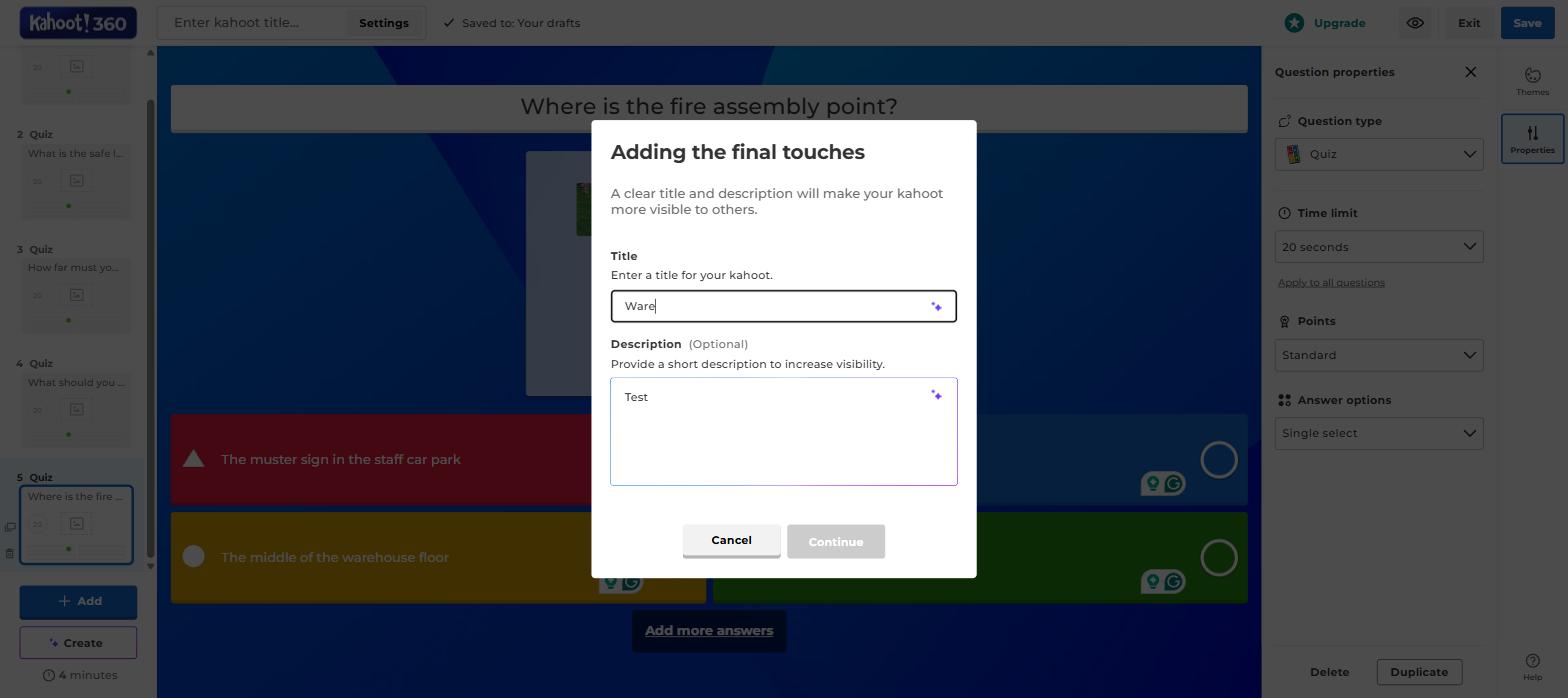
The 360 Pro upsell that interrupted save, host and assign, quoting the 15-minute, 15-participant limits.
One thing Blooket cannot answer: reach. Kahoot's library search for "biology" returned 11,000 results including verified publisher channels (Marvel, Disney) and single sets with 825,000 plays, plus a paid content marketplace called AccessPass. On the work side, paid 360 tiers climb to 2,000 and even 5,000 participants per session, with slides, Q&A, surveys and NPS (net promoter score) polls built into the host flow. Blooket has no answer to any of that scale.
Where Kahoot is better
- Question types. Sliders, puzzles, pins, type-answers, polls and word clouds against Blooket's multiple choice.
- AI creation. A quiz from a PDF, topic, URL or Wikipedia page in one step; Blooket's AI route hands you to Khanmigo.
- Polish. The pacing, sound and podium of the original quiz show, with none of Blooket's popup clutter.
- The library and marketplace. 11,000 hits on one search, publisher channels, and paid premium content.
- Pacing control. The shared screen moves the whole room through each question at the host's pace; Blooket's modes hand pacing to the players.
- Scale when paid. Up to 5,000 participants, slide sync, Q&A and NPS on the 360 tiers; Blooket tops out at 300.
What they cost
Free is where Blooket and Kahoot differ most, so the examples come first:
- A class of 30, live game: $0 on either, but on Kahoot's free work plan only 15 could join and the session would cut off at 15 minutes. Blooket free fits all 30 twice over.
- A class of 50, live game: Blooket $0 (its cap is 60). Kahoot needs a paid plan: school Bronze at $5/mo (cap 50) or work Standard at about $26-$34/mo (cap 200).
- A year of full features for one teacher: Blooket Plus $59.88. Kahoot school Gold about $238. The work 360 tiers run $348 to $1,320+ a year per host.
Blooket pricing
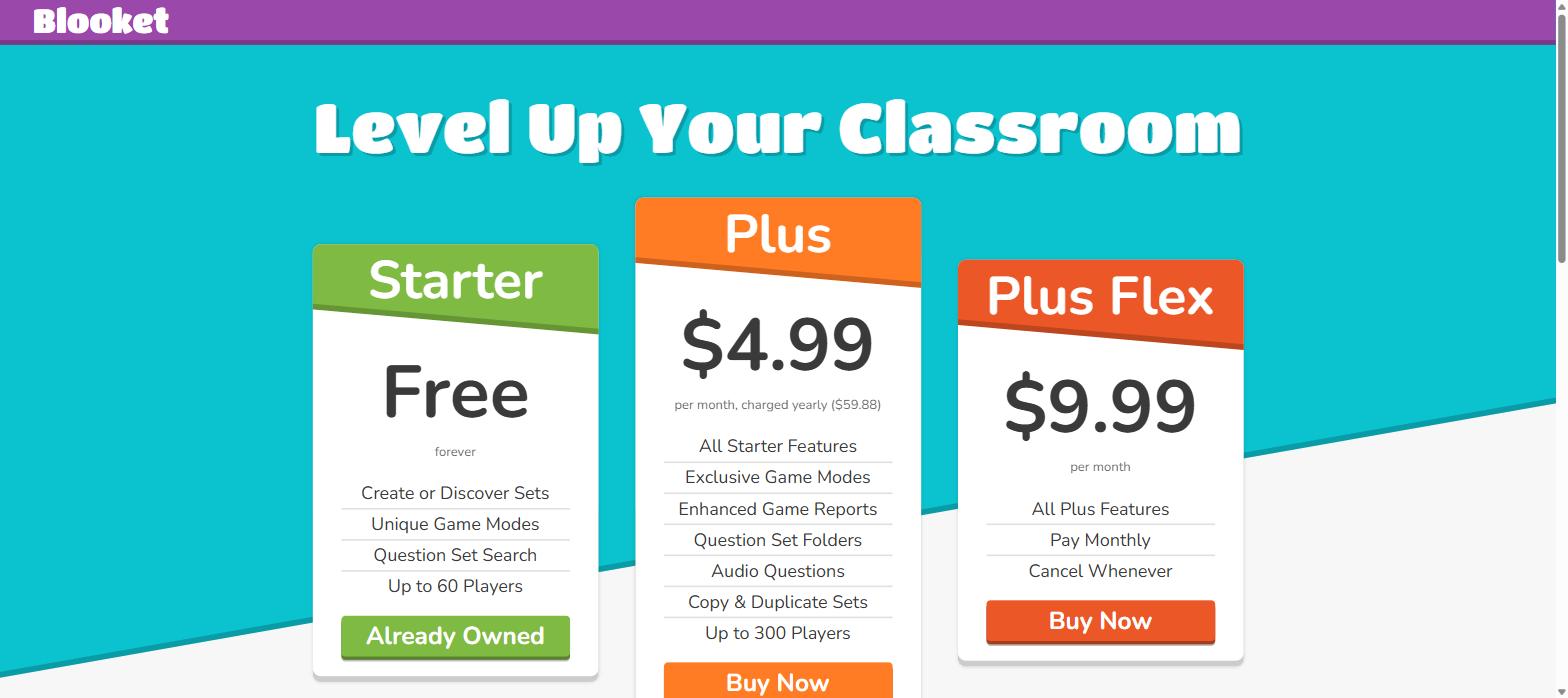
Blooket's whole price list: free Starter, $4.99-a-month Plus charged yearly, $9.99 Flex.
| Plan | Price | What it allows |
|---|---|---|
| Starter (free) | $0 forever | Create and discover sets, 13 game modes, 60-player games, homework up to 14 days, reports with download |
| Plus | $4.99/mo charged yearly ($59.88) | 5 more game modes, 300-player games, question-level reports, folders, audio questions, copy and merge sets, 365-day homework |
| Plus Flex | $9.99/mo, monthly | The same, cancel whenever |
Kahoot pricing
Kahoot sells three ladders, and which one you see depends on who you are:
| Ladder | Free tier | Paid steps |
|---|---|---|
| School (teachers) | Kahoot! Go: 40 players, quiz and true/false questions only, no AI generator | Bronze $5/mo (50 players), Silver $12/mo (100), Gold $20/mo (200, advanced reports), Kahoot! One $31.50/mo (800, everything) |
| Work (Kahoot! 360) | 360 Express: 15 participants, 15-minute sessions | Pro Standard about $26-$34/mo (200), Pro Plus $69/mo (1,000), higher tiers to 5,000 participants |
| Home and study | Basic app access | Family and study plans sold separately in the apps |
Count your players before you pick. Blooket free stops at 60 players and never clocks your session. Kahoot free stops at 40 (school) or 15 (work), the work plan cuts sessions at 15 minutes, and the free school plan locks the question types that make Kahoot interesting. Every one of those numbers is printed inside the products themselves.
What I wish I'd known before starting
- Blooket's per-question analytics are paid. The free report shows who scored what, but each question's accuracy prints "?/?" until you have Plus.
- Kahoot's free work plan is an evaluation plan. 15 participants, 15 minutes, and the countdown runs on screen during your game; the school free tier is the real free product.
- Blooket's steal mechanics need a crowd. With one or two players the chests literally report "No Players to Interact With"; the economy comes alive with a full class.
- Kahoot's upsell interrupts constantly. The same 360 Pro modal blocked save, host and assign in a single session.
- Blooket has no official mobile app. It runs in the browser on any device; Kahoot ships real iOS and Android apps for hosts and players.
- Kahoot's school free tier locks question types. Quiz and true/false only; the sliders, puzzles and word clouds on its brochure start on paid plans.
- Blooket's student economy is the hook and the distraction. Tokens, daily wheels and locked Blooks make students come back unprompted, and some schools block it for the same reason.
- Kahoot prices shift by region and audience. Three ladders, local currencies, frequent promos; the number your colleague quotes is probably from a different ladder than yours.
Where the class games stop, and what Coursebox adds
A quiz game is a moment. Blooket and Kahoot both make that moment loud and fun, and then the game ends and the learning record is a leaderboard screenshot. Reports are exactly where both free tiers squeeze hardest, and even the paid reports describe one game at a time, not whether a team is actually trained.
Our product picks up where the games leave off. Coursebox is an AI-powered LMS with a built-in quiz generator: give it the manual or slide deck your quiz came from and it writes the questions and wraps them in a full course, with AI grading for the answers that need marking. Completion and score records then persist per learner for as long as you need them. Tracking is not an upsell for us; it is the core job, and our usage numbers show how heavily that side of the product gets used.
For a live game in a classroom, though, the two tools above are the right choice. Coursebox is not built to run a class game. Pick your game, host it, and come back when someone asks you to prove the training happened.
The verdict, split by who is asking
Teaching a class on a budget of zero: Blooket. Sixty free seats, thirteen free modes, free homework games and a downloadable report beat everything on Kahoot's free ladders.
Teaching younger students, or a class tired of quiz shows: Blooket again. The luck-based scoring and the collectible Blooks were built for exactly this crowd.
Running the classic big-screen review game: Kahoot. The shared-screen show is the genre it invented, the pacing is still the best, and the 40-player free school cap covers most single classes.
Needing sliders, puzzles, polls or AI-written questions: Kahoot, on a paid school plan. Blooket's editor stops at multiple choice.
Running work training or large events: Kahoot! 360, priced per host and per audience size. Blooket tops out at 300 players and has no slides, Q&A or survey layer.
Training a team and needing proof it happened: neither; this is the job we built Coursebox for. A game is not a training record, so you want the quiz inside a course with completion tracking, which is what Coursebox generates from your documents.
If neither one fits
Blooket and Kahoot share their category with two siblings that come up in the same decision: Gimkit, whose modes play like Blooket's with heavier strategy and team mechanics, and Quizizz, which leans toward self-paced quizzes and homework.
If the live-game format itself is the problem, the gamification tools list covers platforms that build lasting game mechanics into training, and the AI quiz generators list ranks tools that write the quiz questions for you.
Last updated 1 September 2026. Both platforms were driven hands-on that day with the same five-question quiz, live games were hosted and played on each, and every price and player cap was read from the products or the vendors' own pricing pages on that date.
Frequently Asked Questions
Yes, Blooket's Starter plan is free forever: creating sets, 13 of the 18 game modes, live games for up to 60 players, homework assignments up to 14 days, and reports with a spreadsheet download. The $4.99-a-month Plus plan (charged yearly at $59.88) adds the other five modes, 300-player games and question-level analytics.
Blooket is better for free classroom use: bigger free games (60 players against 40 or 15), more game modes, and scoring that gives slower students a chance. Kahoot is better at the classic shared-screen show, question variety, AI quiz creation and large paid events. Most teachers who switch to Blooket do it for the free tier and the novelty; most who stay on Kahoot stay for the format and the library.
Blooket allows 60 players on a free account. Kahoot allows 40 on the free school plan (Kahoot! Go) and 15 on the free work plan (Kahoot! 360 Express), which also caps sessions at 15 minutes. Paid plans raise the caps: Blooket Plus to 300, Kahoot's ladders to 800 for schools and up to 5,000 for business events.
Kahoot came first: its own company page counts participants since 2013, and it invented the shared-screen quiz-show format. Blooket arrived years later as an independent company; it is not a Kahoot product, and the two remain separate businesses competing for the same classrooms.
The real difference between Blooket and Kahoot is where the question lives and what a right answer earns. Kahoot's classic mode shows the question on the shared screen, players answer on blank shape buttons, and faster answers earn more points. Blooket puts the full question on each player's own screen and rewards correct answers with random prizes (gold, chests, steals) inside 18 different game modes. Kahoot is a synchronized show; Blooket is a set of self-paced games.
Gimkit plays closest to Blooket, with strategy-heavy game modes built around in-game currency, while Quizizz sits closer to Kahoot but leans self-paced with a strong homework and assessment focus. Teachers who want maximum game variety usually land on Blooket or Gimkit; those who want structured quizzing land on Kahoot or Quizizz.
Parshad Desai
Parshad is a full stack technical marketer based in our Perth office. He began his Coursebox career as a marketing intern. After impressing the founders with his incredible work, he later transitioned into a full time position coordinating digital marketing. His focus lies in managing our website, product analytics, and email marketing. Recently he has taken a keen interest in applying AI to digital marketing and growth.

