

10 Best Free AI Tools for Learning in 2026 (Tested)
I tested the 10 best free AI tools for learning: which are actually free, where each free tier runs out, and how to use them so the material sticks.

The best free AI tools for learning in 2026 include ChatGPT and Gemini for tutoring, NotebookLM for your own notes, and Anki for repeated recall. Each serves a different part of studying.
- Use free plans for a representative study session before upgrading. Chat, uploads, research and audio have different allowances.
- Check source-grounded answers too. Citations make a claim easier to inspect; they do not guarantee it is correct.
- Grammarly includes basic corrections for free. Otter limits conversation length and file imports; Anki’s official iOS app is paid.
- Coursebox combines course creation, assessments, delivery and learner support when you want to teach or share what you know. Its free plan includes unlimited learners with defined course-size and AI limits.
Compare four starting options in three steps. These are preferences, not a check of required features. Use the entries to confirm access, pricing and your essential requirements.

Learn faster with AI powered courses, quizzes, and flashcards
I learn something new almost every week for work, a new tool, a new tactic, some concept I should already know, and these days I do most of it with free AI tools. Not the paid tiers. The free ones are good enough now that I rarely hit a wall before I have learned what I came for.
Free does not always mean the same thing. A study session might fit comfortably inside one tool’s allowance and run straight into another’s upload limit. I compared these ten on what you can learn without paying, and what happens when you reach the free tier’s boundary.
The habit I would keep across all ten is explaining the answer back in your own words. An AI explanation can feel clear while it is on screen; recalling it without the screen is a better check of what you understood.
If you want to share a lesson rather than keep private study notes, our AI course creator turns your material into lessons, assessments and a learning space you can review before inviting anyone.
What “free” actually means here (and the one habit that makes any of these work)
Two things decide whether a free AI tool is worth your time: how free it really is, and how you use it.
- Free access and its limits. Anki’s desktop software is free and open source; its official iOS app is paid. ChatGPT, Gemini and NotebookLM offer free access with usage limits. Otter limits recording length and imports. I have separated an ongoing free plan from a time-limited trial.
- Practice after the explanation. Ask for a question, answer without help, then use the tool to check your reasoning. That gives the AI a useful job without outsourcing the part you need to practise.
So the best free AI learning tool is the one whose free tier covers what you actually do and pushes you to do the thinking, not the one that answers fastest. That is the lens for all ten.
In a classic retrieval-practice experiment, students recalled 61% of a prose passage after a week following repeated testing, versus 40% after repeated study. That result from Roediger and Karpicke’s 2006 experiment is why I would pair an AI explanation with a question you answer from memory.
How I picked these
I compared the free workflow for each tool: starting a study session, using your own material and continuing after an allowance runs out. The testing observations below explain where each helped me and where I would use something else. Limits and upgrade prices were checked against current vendor information; region, account and rollout can change what you see.
The 10 tools at a glance
| Tool | Best for | Free access | Where free stops | Watch out for |
|---|---|---|---|---|
| ChatGPT | Tutoring any concept | Free Study Mode; usage limits | Messages and tools have allowances | Can be confidently wrong |
| Google Gemini | Research + study in Google apps | Free Guided Learning and selected features | Model, research and account limits | Flagship model rationed |
| NotebookLM (Gemini Notebook) | Learning from your own material | Free with a Google account | 50 sources/notebook, 3 audio/day | Grounding can still contain errors |
| Perplexity | Researched answers with sources | Free, unlimited basic answers | Deep research + Pro Search paid | Verify citations (errors) |
| Anki | Long-term memorization | Free & open-source | Official iOS app is paid | You make the cards |
| Knowt | A free replacement for Quizlet | Free: flashcards, Learn, tests, AI | Heavy AI generation is capped | Newer, less polished |
| Grammarly | Tightening your writing | Free proofreader | Broader rewrites and style tools paid | Basic corrections are free |
| Duolingo | Daily language practice | Free forever (with ads) | AI speaking is Max (paid) | Energy cap pauses you |
| Otter.ai | Capturing lectures as text | Free, 300 min/month | 30-min cap per recording | 90-min lecture won't fit |
| Coursebox | Turning learning into a course | Free plan (watermarked) | Course size, AI usage and branding | For teaching and sharing learning |
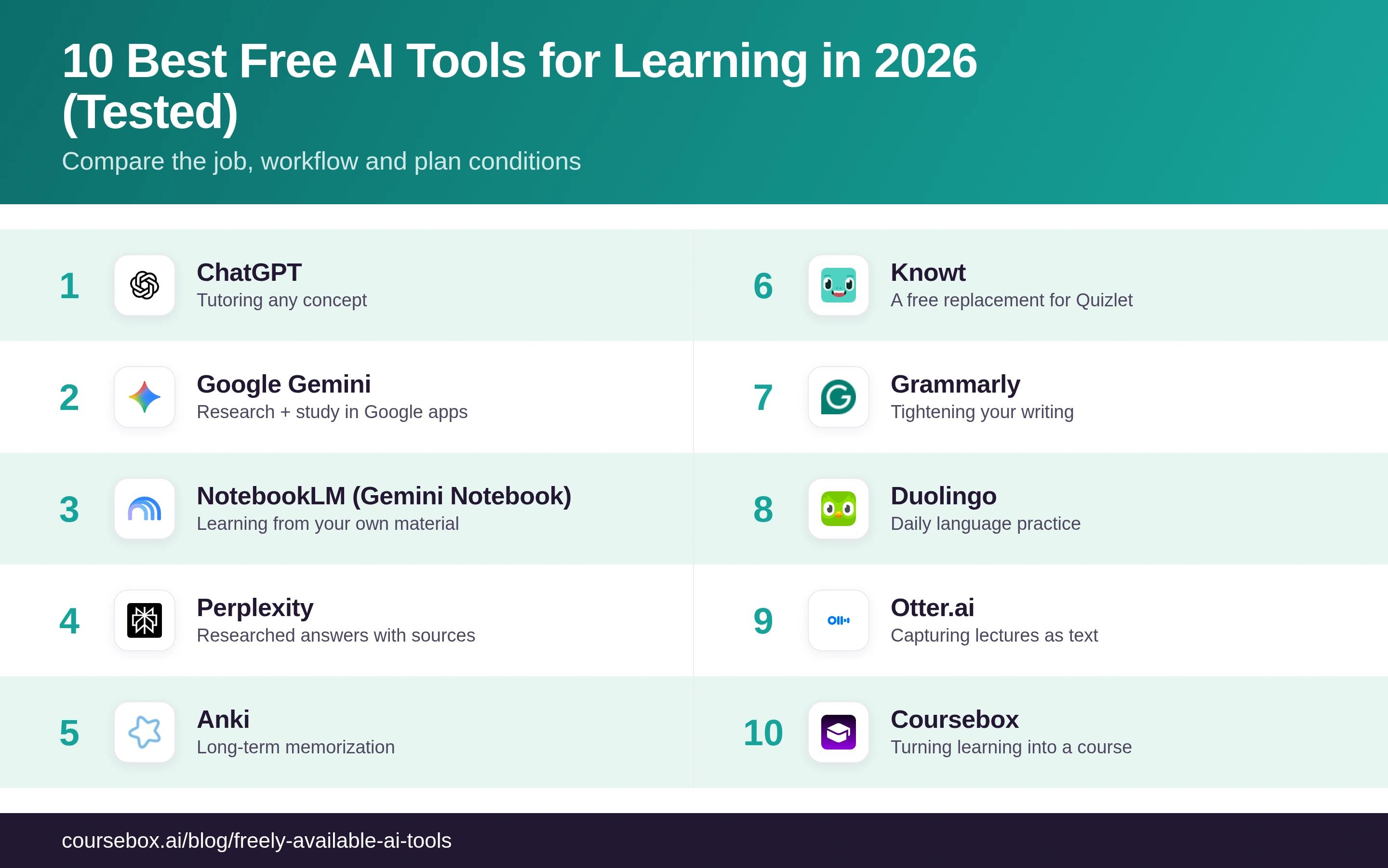
Compare a real study session with the free allowance before upgrading. Each tool below covers a different part of learning; their free plans are not interchangeable.
The 10 best free AI tools for learning
1. ChatGPT
ChatGPT is the one I reach for first when a concept needs explaining several different ways. Its free Study Mode can ask questions, work through an example and help you check your reasoning. I would start there for a problem you can explain in a short conversation, rather than assuming you need a paid tutor immediately.
Free access is rate-limited. Messages, uploads, research and other tools have allowances, so a long study session can pause or fall back to a different available experience. Study Mode can still make mistakes. For an assessed calculation, work it through yourself and compare the steps with your course material.
What I found: I use it most to understand things fast, I paste a concept I half-know and ask it to explain it like I have never seen it, then to quiz me. Study Mode is the free feature I would point any learner to first; it stops you just collecting answers.
Verdict: the best free all-round tutor, and Study Mode is the reason. Use it to explain and test, not to hand you finished answers, and check anything factual.
2. Google Gemini
Google Gemini offers free conversational help, Guided Learning and access to selected research and image features. I use it when I want to ask follow-up questions or connect a topic to material in my Google account. Access inside Gmail and Docs has its own account and subscription conditions; a free Gemini app account does not promise every Workspace integration.
Google applies model and feature allowances, including rolling usage limits. Those vary by account and demand. I would try a representative PDF and a few Guided Learning questions before paying; that shows whether the free allowance fits your study sessions better than a headline claim about the most generous plan.
What I found: I lean on Gemini when what I am learning touches something in my Google account, a doc, a long PDF in Drive. Guided Learning is the mode to turn on if you want it to make you think; left in normal mode it will just answer.
Verdict: a useful free tutor, particularly for people already working with Google services. Try Guided Learning, then check the specific account integrations and limits you would use.
3. NotebookLM
NotebookLM, now presented by Google as Gemini Notebook, is my pick for studying a defined set of material. Add your slides, PDFs or notes, then ask questions with references back to those sources. Study guides, quizzes and Audio Overviews give you several ways to revisit the same content.
The free allowance includes 50 sources per notebook, 50 daily chat queries and three Audio Overviews per day in Google’s published standard limits. A long course may need several notebooks. Source grounding helps you inspect an answer; it does not guarantee the summary or citation supports every claim correctly.
What I found: I found it useful to turn a small group of PDFs into questions and an Audio Overview, then return to the cited passages for anything unclear. The audio is convenient on a walk; I still use a closed-book question to check what I retained.
Verdict: my strongest free starting point for studying your own material. Keep the original sources available and verify consequential answers against them.
4. Perplexity
Perplexity is an answer engine: ask it anything and it searches the live web and gives you a synthesized answer with numbered citations you can click. For the research phase of learning, understanding a new topic and seeing where each claim comes from, it is free to use, the standard search mode is unlimited and needs no card.
Advanced models, research and uploads have separate allowances; paying raises access rather than making every answer reliable. A linked source is a reading lead. Open it and check that it supports the specific claim before using the answer in an assignment.
What I found: I use free Perplexity to map a topic quickly and get pointed at real sources, then I open the sources. Treated as a fast index into reading, it is excellent; treated as the final word, it will occasionally burn you.
Verdict: the best free way to research a topic with sources attached. Use it to find what to read, then actually read it, do not take the summary as gospel.
5. Anki
Anki is free and open source on desktop, with free AnkiWeb syncing and the separately maintained AnkiDroid app on Android. The official iOS app is a paid purchase, with local pricing shown in the App Store. Its scheduling adapts card intervals to your reviews; you write or import the cards. AI generation needs a separate tool or add-on.
The setup is the trade-off: a clear question and a correct answer take work. I would use AI to suggest cards, then check and simplify them before importing. Anki is a retention companion to a tutor, not a conversational explanation tool.
What I found: Daily review is the useful part for me. Marking a card honestly as forgotten produces a better schedule than clicking through to protect a score. For a difficult concept I return to an explanation first, then review a smaller, clearer card.
Verdict: a strong free choice for repeated recall on desktop or Android. Allow time to prepare accurate cards and check the official iOS price separately.
6. Knowt
Knowt lets you create or import flashcards and practise with study modes on its free tier. AI summarising, voice tutoring and higher generation access have separate limits and paid options. I would try one of your own PDFs before assuming the whole AI workflow is free.
The useful saving is repeated study of a checked set, without treating every AI feature as included. The current Ultra annual plan is billed upfront at US$149.99; the monthly option is $24.99. Stay free if your existing sets and study access cover the job.
What I found: The day I hit Quizlet’s Learn paywall I moved my sets into Knowt in about a minute, and the exact mode I was about to pay for was sitting there, free. That is the whole pitch, and it held up.
Verdict: the free way to get Quizlet’s study modes without the paywall, and it imports your old sets. Newer and rougher than Quizlet, but free where Quizlet now charges.
7. Grammarly
Grammarly is worth having open whenever you are writing to learn, essays, reports, discussion posts, because it catches grammar, spelling and clunky phrasing as you type. The free plan is real, no trial clock, and does the basics: it flags mistakes and shows your tone, plus a small allowance of AI prompts.
Free includes spelling and grammar corrections, tone information and 100 AI prompts per month. Pro adds full-sentence rewrites, broader style support and higher AI allowances. I would read the explanation before accepting a correction, especially when the original wording has a technical meaning.
What I found: I keep it on for anything I write. Free is a solid proofreader; I have never felt the need to pay, partly because fixing my own flagged sentences is better practice than letting it rewrite them.
Verdict: a useful free proofreader that can correct basic errors. Pay only if the broader rewriting and style features solve a recurring problem.
8. Duolingo
Duolingo offers ongoing free language lessons with ads and usage constraints. Its streaks, XP and short exercises make it easy to keep a daily routine. Energy is used during practice, not simply lost for each mistake, so even accurate learners can run into the allowance.
Paid tiers remove ads and raise practice access; Max includes AI features such as Video Call and Roleplay where available. I would use the free lessons for vocabulary and basic practice, then check whether speaking practice in your language is available before choosing an upgrade.
What I found: I have kept a streak going on the free version for longer than I would admit, and it works for the basics. The ads and energy cap are mildly annoying, never a real wall for casual daily practice.
Verdict: if you want to learn a language day to day, this is free and it works. The paid tier is only worth it if you specifically want the AI speaking practice.
9. Otter.ai
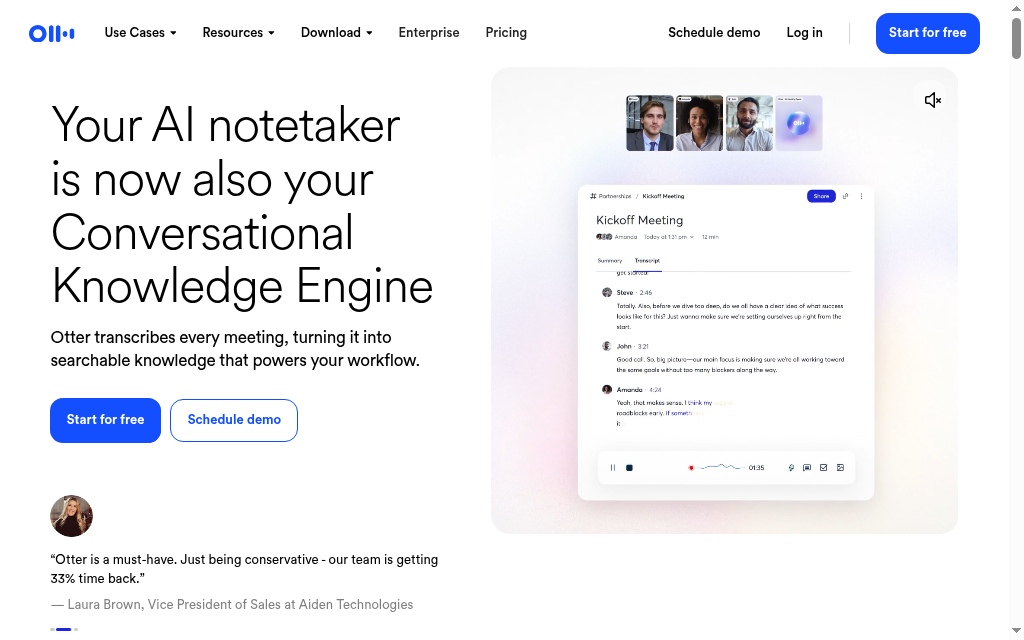
Otter.ai records a lecture, seminar or study-group call and turns it into a live, searchable transcript with a summary, so you can listen properly instead of scrambling to take notes. For anyone learning from spoken content, that is a real help, and the Basic plan is free forever, no card.
Basic includes 300 transcription minutes per month, a 30-minute conversation limit and three lifetime audio/video file imports. That last limit is easy to miss if you plan to upload recorded lectures rather than record live. Pro’s standard US annual rate is $8.33 per user per month, with monthly billing and regional promotions priced separately.
What I found: Handy for capturing a talk and searching it later instead of re-watching. The 30-minute-per-recording cap on free is the thing to watch, I got caught by it once on a long session and had to split the recording.
Verdict: a free, useful way to turn short talks into searchable notes. Watch the 30-minute and 300-minute caps if your lectures run long.
10. Coursebox

Coursebox is ours. It belongs here when studying turns into teaching: upload the material you want to explain, review the drafted lessons and assessments, then share a course with learners. It combines authoring, delivery, tracking and an AI tutor rather than only generating a set of notes.
Pricing: Free includes three mini-courses of up to five pages each, unlimited learners, defined AI allowances and a Coursebox watermark. Paid capacity, branded LMS, exports and integrations depend on the plan. For a small workshop or a short explanation you want others to study, the free plan is a usable starting point. Check the course-size allowance before planning a longer programme.
What I found: The useful step for me is editing a structured draft instead of starting with a blank course. I would check whether the quiz tests understanding and whether the tutor answers correctly from the finished material before inviting learners.
Verdict: choose it when you want other people to learn from your material, with assessments and delivery included. For a private study conversation, start with one of the tutors above.
After the AI explanation, close it and answer a question unaided. Then reopen the source or explanation to correct what you missed. Keep this step even when the generated notes sound convincing.
How to actually study with these, not just get answers
The tools are the easy part. The method is what makes them work, and it is the same loop whichever ones you pick. The core of it is testing yourself instead of re-reading, which is what actually builds memory, and it is exactly the step AI tempts you to skip.
- Understand it first, with the AI. Use a tutor (ChatGPT’s Study Mode, Gemini’s Guided Learning) or NotebookLM on your own notes to get a concept explained until it clicks. Ask it to explain the same idea three different ways, and to give you an analogy.
- Then close the tab and recall. Write down what you remember from a blank page, or explain it out loud as if you were teaching it. This is the part that builds memory, and it is the part no AI can do for you.
- Quiz yourself, then review what you missed. Generate practice questions or use a checked Anki or Knowt deck. Retrieval practice can help long-term retention; re-reading is still useful for correcting a misunderstanding after an attempt.
- Work with a manageable section. Give the tool a chapter or a clear set of notes, then inspect the generated questions and source passages. A smaller input makes checking easier without promising that the output will be error-free.
Notice the AI only shows up in steps one and three. Step two, the recall that moves something into long-term memory, is on you. Skip it and the tools just make you feel productive.
Which should you use
For studying your own material, I would begin with NotebookLM’s free allowance. For repeated recall, use Anki on a free platform. Both have a clear job; neither needs to replace the explanations, reading and practice already in your course.
For everything else, match it to the job. Start with a free general tutor, ChatGPT for step-by-step explaining (turn on Study Mode), or Gemini if you live in Google Workspace (turn on Guided Learning). To learn from your own materials, NotebookLM. To research a new topic with sources, Perplexity, then read the sources. To remember things long term, Anki, or Knowt if you want the set built for you and Quizlet’s study modes without the paywall. For writing, Grammarly; for a language, Duolingo; for capturing lectures, Otter. And if you cross from learning into teaching, Coursebox.
If you are a student specifically, our list of the best AI tools for university students goes deeper on the learn-not-just-answer angle.
And if you are deciding between Quizlet and its free replacement, our Quizlet vs Knowt comparison breaks them down. Whichever you pick, the free tiers here will take you a long way. Just remember the tool is the easy part, the learning is still the thinking you do with it.
Frequently Asked Questions
ChatGPT Study Mode and Gemini Guided Learning suit conversational help. NotebookLM is a strong starting point for your own PDFs and notes. For repeated recall, Anki adds a different skill: remembering an answer without the explanation in front of you.
These tools offer ongoing free access with different limits. Anki’s desktop software is free and open source; its official iOS app is paid. ChatGPT, Gemini and NotebookLM meter usage. Grammarly includes basic corrections; broader rewrites are paid. Otter limits recordings and file imports.
Anki’s desktop software and AnkiDroid have no subscription cost. Anki’s official iOS app is paid. The other services offer ongoing free access with limits or optional upgrades; do not treat a current free plan as a promise of unlimited access forever.
It can help explain, generate practice and give feedback. Ask a question, attempt it unaided and check the answer. AI can also give an incorrect explanation, so keep course materials and primary sources available.
NotebookLM. You upload your PDFs, slides, or a lecture video and it becomes a tutor grounded only in your sources, answering with citations and turning your notes into a study guide or an audio overview. It is free with a Google account, with caps of 50 sources per notebook and a few audio overviews a day.
Try ChatGPT Study Mode and Gemini Guided Learning with the same topic. Both have free access and usage limits. Choose on the quality of the explanation, how well you can inspect it and whether the free allowance fits your study session.
No. For most learning, the free tiers here are enough: a free tutor (ChatGPT or Gemini), a free way to study your own material (NotebookLM), and a free way to remember it (Anki). You would pay only for specific extras, heavy document research, Otter for long lectures, Duolingo’s AI speaking practice, or Grammarly’s rewrites. Start free and upgrade only where you actually hit a wall.
Parshad Desai
Parshad is a full stack technical marketer based in our Perth office. He began his Coursebox career as a marketing intern. After impressing the founders with his incredible work, he later transitioned into a full time position coordinating digital marketing. His focus lies in managing our website, product analytics, and email marketing. Recently he has taken a keen interest in applying AI to digital marketing and growth.

