

8 Best TalentLMS Alternatives in 2026: What I Found
Eight TalentLMS alternatives reviewed for 2026, with practical workflows, plan limits and migration checks to help you decide whether to switch.

The best TalentLMS alternatives in 2026 include Docebo, Absorb LMS, Coursebox, 360Learning, iSpring LMS, Litmos, Cornerstone and LearnUpon. Choose the improvement your current configuration cannot provide.
- TalentLMS already offers AI authoring, reporting and automation. Compare the actual creation, assignment and follow-up workflow rather than feature names alone.
- Coursebox brings creation, delivery, tutoring and assessment together with unlimited learners. Enterprise and multi-portal alternatives need a configuration and cost comparison.
- TalentLMS standard user limits and flexible active-user billing are different options. Check which model you are comparing before estimating a saving.
Answer three questions to compare the four tools below. The result balances your preferences; the entries explain the features, limits and costs to check.

Run your own branded LMS with unlimited learners
TalentLMS can be enough for a growing training programme. If your current setup struggles with a particular reporting, assignment or content workflow, compare the replacement against that task first. The eight alternatives below cover enterprise control, collaborative creation, AI-supported learning and separate audience portals.
I’m Alex. I have set up, run and moved teams off these platforms. I’d want to see how the replacement handles the request that prompted the search, whether that is a manager’s report, another audience or a growing course backlog. That gives me a better reason to move than a longer feature list.
I work at Coursebox, whose AI LMS is included here. Our corporate eLearning guide covers broader platform choices; Docebo alternatives looks at replacing an enterprise suite.
How I picked these TalentLMS alternatives
TalentLMS already offers reporting, automation and AI authoring. I compared how each alternative handles the specific workflow a team needs to improve, using these criteria:
- Reporting and administration. The fields, permissions and follow-up actions your managers need.
- Build or buy content. Author your own with AI, or license a ready catalog.
- Automation. Whether enrolment rules cover the triggers you actually use.
- Multi-audience. Separate branded academies for staff, partners and customers.
- Cost model. User counts, usage allowances and required add-ons, because that sets what you pay as you scale.
I would switch for a workflow improvement I can demonstrate, rather than a longer feature list.
TalentLMS standard user limits and flexible active-user billing are different options. Compare those with monthly, yearly or registered-active-user contracts elsewhere. A quote is a pricing method, not a definition of which learners count. Ask how inactive accounts, occasional learners and peak usage affect the charge.
TalentLMS alternatives compared at a glance
| Tool | Best for | Category | Starting price |
|---|---|---|---|
| Docebo | Enterprise step-up | Enterprise LMS | Quote-only |
| Absorb LMS | Enrolment controls and manager reporting | Mid-market LMS | Quote-only |
| Coursebox | AI creation, delivery and learner support | AI LMS | Free; paid tiers |
| 360Learning | Experts co-authoring | Collaborative LMS | From $8/user/mo |
| iSpring LMS | PowerPoint authoring + LMS | SMB LMS | Per active user (quote) |
| Litmos | Compliance + ready content | Corporate LMS | From $8K/yr |
| Cornerstone | Enterprise + talent | Enterprise suite | Quote-only |
| LearnUpon | Multi-portal academies | LMS | Quote-only |
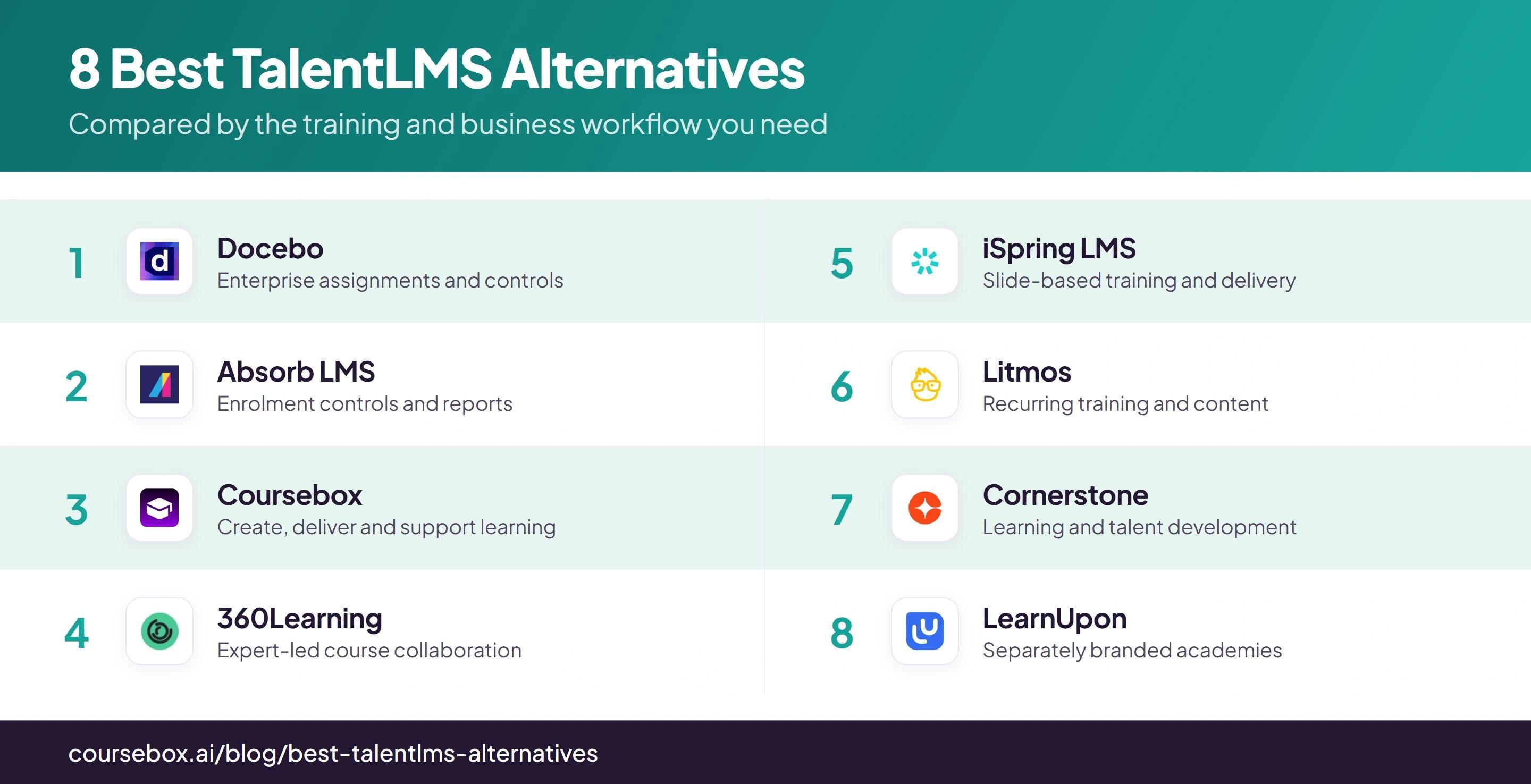
Prices are in USD unless stated otherwise, checked against public vendor pages on 8 October 2026. Annual-billing equivalents are labelled. Quote-only entries need the same learner population, features and implementation scope before their totals can be compared.
The 8 best TalentLMS alternatives
1. Docebo
Docebo is an enterprise learning platform for employees, customers and partners. It deserves a look when your existing LMS cannot handle the combination of audience separation, automated assignments and delegated administration you need.
Groups can reflect employee attributes, and enrolment rules assign courses or learning plans to those groups. Power Users give local administrators defined permissions and resources. That allows a regional lead to follow up their learners while a central team controls the platform.
The employee-data connection is a setup priority because those records determine who receives training. One detail in the enrolment rules is easy to miss: a new rule does not automatically enrol everyone who was already in the group. Existing employees need an explicit enrolment step.
My pick: That existing-member behaviour is what I would include in a migration trial. Test a new starter, an existing employee and a role transfer, then check the assignment and manager view for each. Docebo is a stronger candidate when you need that control and can give someone responsibility for maintaining it.
Cost and plans: Custom pricing across the standard and enterprise packages, with monthly, yearly or registered-active-user models. The minimum contract is one year; Docebo says many customers choose three to five. Itemise implementation, AI tools, analytics and content rather than assuming all are included.
2. Absorb LMS
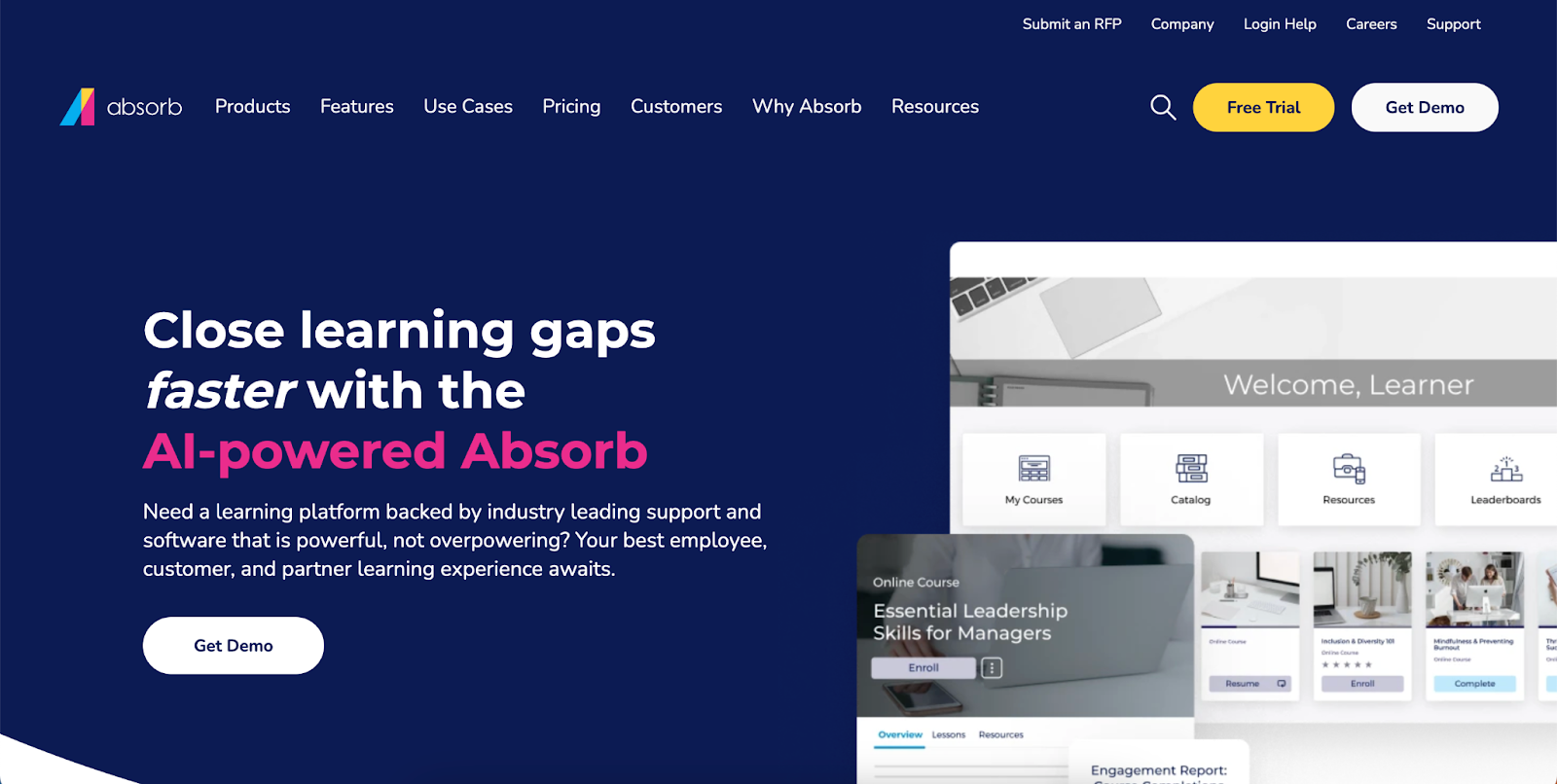
Absorb LMS is a candidate when your TalentLMS setup no longer gives administrators the permissions, enrolment controls or reports they need. I would compare those specific workflows before treating a larger platform as an automatic upgrade.
Automatic enrolment, self-enrolment and manager enrolment can serve different courses. Prerequisites and approval steps control access. Departments organise people and reporting, so a move starts with mapping your employee records and administrator responsibilities, not simply uploading the course library.
That structure is useful when regional managers need to follow up their own teams while central L&D manages the programme. Course creation through Absorb Create and advanced analytics through Absorb Analyze should be checked separately from the LMS licence. Ask which reports your proposed package actually includes.
What stood out: The report-to-action flow is the part I would keep from this review: an administrator can work from the learner record into an assignment or follow-up. My shortlist would depend on whether a local manager can find the overdue learners they own without seeing another department’s records.
The real cost: Quote-only. Have the proposal specify the learner-count basis, administrator permissions, portals, integrations, authoring and analytics. A lower LMS quote is not a saving if the reports or course-building tools you need are separate purchases.
3. Coursebox

Coursebox combines AI course creation with delivery, learner support and assessment. TalentLMS also has AI authoring, so the comparison is how your material becomes usable training and how learners are supported after enrolment.
A document or policy becomes an editable course outline and lessons. You can add quizzes and training videos, publish the course and give learners an AI tutor trained on the material. Rubric-based grading supports written answers, so the workflow can assess an explanation rather than only a multiple-choice response.
Groups, pathways and reporting support delivery after the course is built. Enterprise adds API access and multiple portals, with SSO available as an add-on. Review the generated material against your source policy, and confirm any approval, record-retention or HR-system requirements in the configuration you plan to buy.
My verdict: I see the biggest benefit in keeping creation, delivery, learner questions and assessment together. A useful evaluation follows one policy through all four stages. That shows more than a course-generation demo and makes it easier to judge whether the platform can replace your current workflow.
The real cost: Unlimited learners on every plan. Free includes three mini courses of up to five pages each and limited AI usage. Pro + LMS adds the branded LMS configuration; Enterprise is quoted, with API access and SSO at US$3,000/year as an add-on. AI allowances and admin seats still affect the plan you need.
4. 360Learning
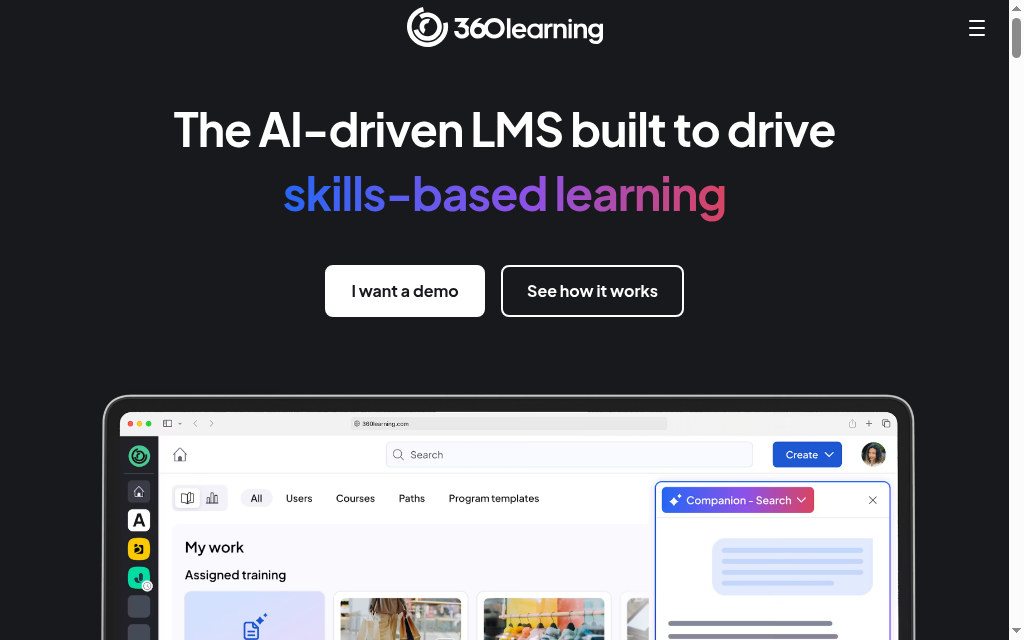
360Learning puts expert collaboration at the centre of an LMS. It is a candidate when the limitation in your TalentLMS workflow is how people contribute and update knowledge, rather than simply whether it has an editor.
An author can bring co-authors into a course, collect feedback beside the content and publish learning for a defined audience. Learners can flag a confusing or outdated section rather than sending a disconnected email. The same platform handles assignment and progress tracking.
The practical change is responsibility. A product specialist can maintain a product lesson, but someone still needs to approve the material and follow up feedback. Co-authoring permission also does not automatically give an expert the right to enrol learners or manage the wider catalogue.
My take: For me, this is a choice about how courses stay current. I would give each course an owner and a review date before inviting more contributors. Without that, a collaborative editor adds people to the process without fixing the update backlog.
Cost and plans: Team is US$8 per user per month for up to 100 users, including authors and administrators. Larger deployments require a quote. Confirm the integrations, support and specialist features included in that package instead of assuming every add-on has a standard per-user price.
5. iSpring LMS
iSpring LMS, formerly iSpring Learn, is an alternative for teams whose existing TalentLMS content starts as PowerPoint decks. Its authoring and delivery stack also supports supervisor sign-off for practical work.
iSpring Suite converts slides into tracked courses with quizzes and role-play exercises. In the LMS, learning tracks sequence courses and enrolment rules assign training to departments or groups. A supervisor dashboard shows overdue and failed work, while on-the-job checklists support an observed task alongside online learning.
Those are different parts of the purchase. The desktop Suite needs Windows and PowerPoint; the LMS is web-based. Existing slide content still needs editing into a usable lesson, and the practical checklist needs an agreed standard for a supervisor to assess.
My experience: The slide-based authoring route is the reason I would compare it here. The supervisor checklist adds a different kind of evidence from an online completion. I would keep those records separate enough to see whether someone passed the course, demonstrated the task, or still needs both.
Cost and plans: Billed annually by active users, defined as people who log in at least once during the month. The published Business feature package includes Suite AI. Confirm the current user band, author seats and any implementation costs in the quote.
6. Litmos
Litmos is an alternative when recurring training and sourcing ready-made content are the jobs you want to improve. Compare the relevant library and reassignment setup with the TalentLMS configuration you already use.
You can upload packaged courses, assign training to teams and use expiry and reassignment settings for recurring requirements. The content library is a separate buying decision: its topics, language coverage and update process need to match the policies and jurisdictions your learners work under.
Foundation, Platinum and Platinum AI provide different feature packages. Authoring and advanced administration sit in the higher packages, while the content library has its own allowance or add-on. A library course can cover a general subject; you still need your own material for the organisation’s procedure and escalation route.
My verdict: The library is useful when it saves relevant production work, not just because it is large. My check would be a recurring course with a local policy attachment: can the administrator assign it again, preserve the earlier record and identify who still needs to complete the new cycle?
Cost and plans: Foundation starts at US$8,000/year and Platinum at US$15,000/year. Platinum AI requires a quote. Confirm content licensing, authoring, additional tenants and integration charges for the working setup.
7. Cornerstone
Cornerstone is a candidate when the desired move is from a standalone training LMS to learning connected with talent development. More learners alone do not establish that need; the role, skills and employee-development workflow should justify the wider suite.
Dynamic Learning Assignments use organisational criteria to assign training as people join or change roles. Removal and reassignment are configurable, so the rules need to reflect the intended transcript behaviour. Skills data can inform recommendations, and content subscriptions can supply courses alongside your own material.
A role-based rollout depends on reliable employee data and a named administrator who owns those rules. For example, a transfer between divisions raises two separate questions: what new training should appear, and what should happen to the old assignment? That is the sort of governance a basic feature comparison misses.
My call: I would shortlist Cornerstone when learning needs to share a process with talent development. It needs an owner with time to configure and maintain it. If the reason for switching is simply too much administration, a wider suite can leave you with the same problem.
The real cost: Quote-only. Price the learning product, content subscriptions, talent modules, implementation and integrations as separate components where applicable. An individual marketplace package is not a universal starting price for the configuration your organisation needs.
8. LearnUpon
LearnUpon is a candidate when customer or partner academies need their own users, branding and administration. TalentLMS also supports branches, so compare course sharing and administrator boundaries before treating portals as a new capability.
A top-level portal and its sub-portals form a realm. You can create a course centrally and license it to another portal with enrolment and time limits. That lets a training team maintain shared content while a customer or regional administrator manages their own learners.
Portal availability depends on the plan. Copying a portal’s settings does not copy its API keys, webhooks or integrations, so another branded academy still creates setup work. Licensed content is managed centrally; check the learning-path behaviour before assuming a client can rearrange that content freely.
What stood out: Central course maintenance is the benefit I would test first. Take one shared course, license it to two audiences and check what each administrator can change or report on. A portal count alone does not tell you how much duplicated work the system removes.
The real cost: Quote-only, annual. Employees starts at 100 users, Customer Education at 300 and Associations at 150. LearnUpon says it is not a fit below 100 users. Include the required portals and integration setup in the proposal.
Before you switch from TalentLMS
| What you are moving | What to confirm |
|---|---|
| Packaged courses | Keep the original SCORM or other supported package. A course made in the old LMS may need rebuilding rather than a file import. |
| People and groups | Map identifiers, departments, permissions and audience membership. Test duplicate accounts and a role change. |
| Completion and certificates | Export the evidence. Importing a learner is not the same as restoring their completion, score or certificate record. |
| Assignments and integrations | Rebuild enrolment rules, SSO and connectors. Check existing employees as well as new starters. |
| Go-live | Pilot with a manager and a few learners, reconcile records, then move the next group. Keep the old records accessible for the retention period you need. |
I would reconcile the same small cohort in both systems before moving everyone. A missing completion record or a duplicate account is easier to fix for ten learners than after a company-wide launch.
Check the learning problem before buying more platform
LinkedIn’s 2025 Workplace Learning Report puts the skills concern at 49%. For a replacement LMS, I would translate that into a specific task: which course, assessment or manager observation will show that someone can do the work? A better completion dashboard alone cannot answer that.
Gallup found that only 45% of US employees participated in that kind of development in 2024. Include a learner in the trial: finding an assigned course, completing it on their usual device and getting help are as important to the rollout as the administrator’s setup.
Which TalentLMS alternative should you choose?
Eight tools, matched to the wall you hit in TalentLMS:
| If your priority is | Go with |
|---|---|
| Full enterprise scale and governance | Docebo |
| Enrolment controls and manager reporting | Absorb LMS |
| Creation, delivery and learner support | Coursebox |
| Internal experts co-authoring | 360Learning |
| PowerPoint authoring plus delivery | iSpring LMS |
| Compliance with a ready library | Litmos |
| Learning plus talent management | Cornerstone |
| Separate branded academies | LearnUpon |
Whichever you pick, buy for the thing you outgrew, not the longest feature list. For adjacent reading, our best LMS for HR guide is the HR-buyer angle and our online employee training tools roundup covers the wider delivery landscape.
Frequently Asked Questions
Teams look for a replacement when their required reporting, audience setup, content production or cost model no longer fits the current configuration. TalentLMS already supports reporting, automation and AI authoring, so identify the actual gap before migrating.
Coursebox has a free tier with unlimited learners, which is a different model from TalentLMS’s free five-user cap. Moodle is free to self-host if you have the technical resources. Most other strong alternatives are paid or quote-only.
Docebo offers an enterprise approach to assignments, permissions, audiences and integrations. It is a better fit only when those workflows justify the configuration and quoted cost. Compare a representative task in both products rather than assuming that enterprise branding means better results.
Coursebox is a candidate when a small team needs course creation, delivery, tutoring and assessment together. iSpring LMS can fit a team maintaining PowerPoint-based content. Price the actual learner band and required authoring tools; a larger enterprise suite needs a reason beyond company growth alone.
Original SCORM packages can be imported if the destination supports them. Courses built natively inside the old LMS may need rebuilding. Learner accounts, progress, certificates and historical evidence need their own export and import plan; importing a course does not restore those records.
Alex Hey
Alex Hey is a technical marketer with 10 years of hands-on growth and digital marketing experience. He cofounded Coursebox together with Travis Clapp who he met online when looking for a cofounder to build a globally impactful software product. He works in the Perth, Western Australia office as the COO. He built the world's first automated funnel for patient recruitment before building Coursebox. After launching Coursebox in mid 2023, he drove +400k organic sign ups for Coursebox. Alex leads the marketing and digital growth of Coursebox and works with the product development team bringing a passion for data-driven product decision and exceptional user experience. Alex is determined to build the world's easiest way to build the perfect course.

