

10 Best LMS for Nonprofits in 2026: Free Plans and Discounts I Compared
The 10 best LMS for nonprofits, ranked on real cost, free tiers, verified nonprofit discounts, and the per-user billing trap that makes volunteers expensive. Plus how to claim each discount.

The best LMS for nonprofits in 2026 includes Moodle, TalentLMS, Coursebox, OWL and other tools with different hosting, content and audience requirements.
- Model registered and active volunteers before comparing a starting price or discount. Include maintenance and content work.
- TalentLMS publishes a 20% annual nonprofit discount; LearnWorlds offers 15% on Pro Training and above. Confirm eligibility directly.
- Coursebox offers a limited free plan and unlimited learners; course capacity, branding and AI usage depend on the plan.
- OWL’s free library and branded custom-course account are different offers. Blackbaud’s LMS is primarily relevant to nonprofit schools.
Use three preferences to compare four starting options. Check the entries for required capabilities, prices and plan conditions.

Run your own branded LMS with unlimited learners
Picture a small charity: 15 paid staff and 200 volunteers who cycle in and out every season. A registered-user plan may bill for all 215 people, while an active-user plan counts a different audience. I would model that rotation before comparing a discount. A low starting price is less useful if it does not cover the people you need to train.
Two more walls come with it. You are training different groups at once: staff who need compliance records, volunteers who turn over constantly, sometimes the community you serve. That is really three training jobs under one roof. And you probably have no IT team, so a platform that is "free" to license but needs a server admin is not free at all. The real question on every tool below is simple: how are you billed (per registered user, per active user, or a flat rate), and can one non-technical person keep it running?
Below, I have ranked ten platforms on that reality, and flagged every verified nonprofit discount with how to claim it.
Disclosure: we build Coursebox, which connects course creation and learner delivery with unlimited learners. Compare the free limits and paid branding scope below.
What decides it for a nonprofit (it is rarely the feature list)
I compared the billing model, upkeep, audiences, discount eligibility, records and accessibility.
- The billing model. Compare registered users, monthly active users and volunteer turnover using the same forecast. Unlimited learners remove a headcount fee, but course, AI and integration capacity still need to fit.
- Free is not always free. Open-source (Moodle, Chamilo) has no license fee, but you host it, patch it and keep it online, which is real cost measured in staff or volunteer hours. Weigh the total cost of running it, not just the zero on the invoice.
- Three audiences, one platform. Training paid staff on compliance is a different job from orienting churning volunteers, which is different again from educating the community you serve. The tools that fit run separate, branded spaces for each rather than forcing everyone into one.
- TechSoup is the main channel, but several vendors handle it directly. TechSoup verifies your charitable status and is how you claim a lot of nonprofit software deals, so set up an account early. Several vendors here run their own nonprofit offer instead (TalentLMS, Docebo OWL, Coursebox), so check each one.
- Reporting your board and funders will accept. Grants and audits need proof, exportable completion records tied to real people, not just a dashboard. If you report to funders, check what the platform lets you export before you commit.
- Accessibility. Test keyboard navigation, captions, screen-reader use and the actual course content with your learners. Ask for current accessibility documentation and check the requirements of your programme and funding. A WCAG claim or US Section 508 reference alone does not establish that every deployment is accessible.
If volunteer turnover is the real problem, the fix is as much program as platform. Our guide to training volunteers covers the onboarding side no LMS solves on its own.
How I compared these
I ranked these on the things that decide it for a nonprofit, not generic LMS features: the real cost (free tiers, published nonprofit discounts, and whether billing is per-user or flat), how well each handles a mixed staff-and-volunteer audience, and whether a small team can run it without IT. I checked pricing and every nonprofit-discount claim on each vendor’s own site, and pulled user ratings from G2 and Capterra. Where a tool is free to license but costly to run, or where a "discount" is quote-only rather than published, I have said so.
The 10 platforms at a glance
| Platform | Best for | Free / nonprofit price | Billing |
|---|---|---|---|
| Moodle | Free open-source flexibility | Free to license (you host it) | Free / self-host |
| TalentLMS | Easy and cheap, no IT | 20% off annual for nonprofits | Selected user band (small free plan) |
| Coursebox | Staff + volunteers, flat cost | Limited free plan; plan capacity varies | Flat; unlimited learners |
| Docebo OWL | Free ready-made courses, small charities | Eligible charities; 300-active-user limit | Free (curated library) |
| Google Classroom | Lightweight training on Google | Free with Workspace | Free |
| Absorb LMS | Larger, funded nonprofits | No published discount (quote) | Quote; per user |
| LearnUpon | Separate staff/volunteer/member portals | No published discount (quote) | Audience-specific quote |
| Blackbaud | Nonprofit schools using Blackbaud | Nonprofit-native (quote) | Quote |
| Chamilo | Free, simpler than Moodle | Free to license (you host it) | Free / self-host |
| Connecteam | Frontline/deskless volunteers | Free plan (small teams) | Selected user band |
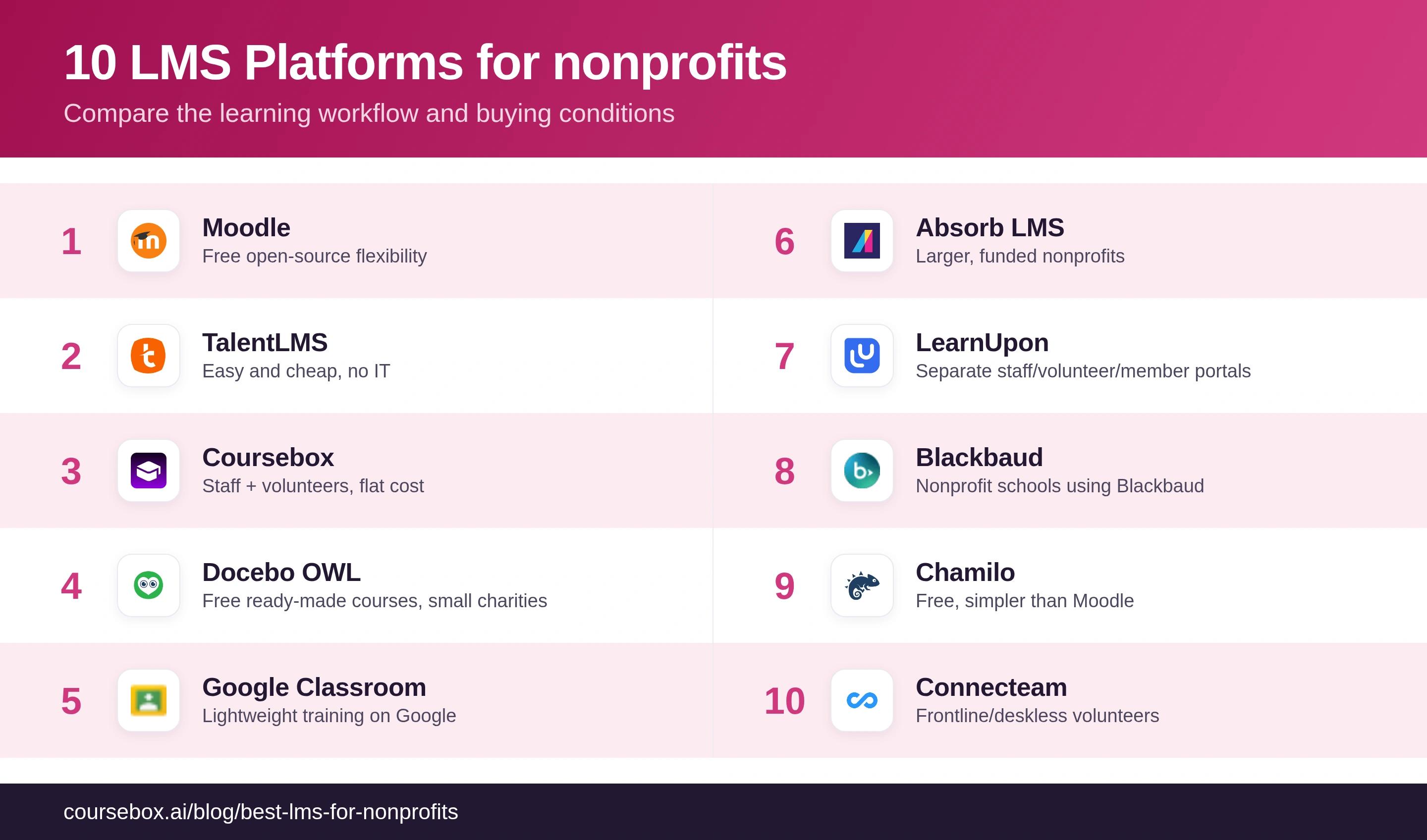
Compare current plan conditions and eligibility directly. A general software discount does not establish that a particular LMS feature or user band is included.
The 10 best LMS platforms for nonprofits
1. Moodle
Moodle is where a huge share of nonprofits start, because the software is free: it is the open-source LMS that runs a large part of the education and nonprofit world, endlessly flexible, with a plugin for almost anything. You can build courses, track completions, issue certificates and shape it to a program that is truly yours, at no license cost.
Best for a nonprofit with a bit of technical help, or a volunteer who is comfortable with servers. The honest catch is the one this whole list warns about: free to license is not free to run. You host it, patch it, manage plugins and updates, and it needs someone technical to keep it online, which is real cost in a place that measures cost in staff hours. MoodleCloud is a paid hosted option if you want the software without the server.
My testing experience: The flexibility came with work: learning the admin structure, configuring reports and checking plugins before upgrades. Managed hosting can move the server work elsewhere, but compare its user, storage and plugin limits with the support you need.
Verdict: The free, flexible pick when you have technical help to run it. If nobody on your team can manage a server, the real cost lands on you later.
2. TalentLMS
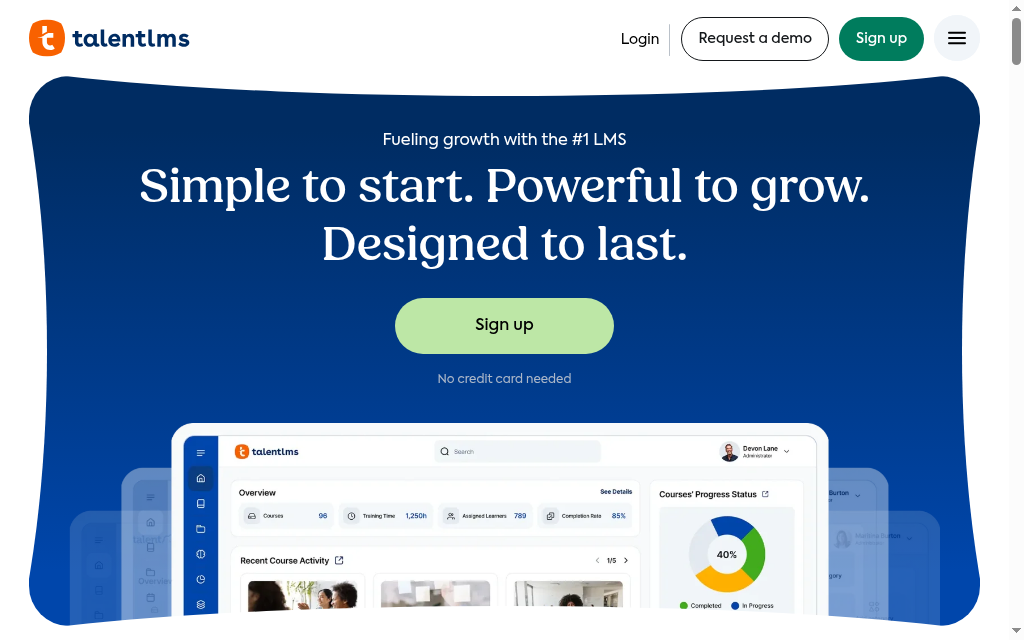
TalentLMS is the easiest paid option here for a nonprofit with no IT: a simple cloud LMS you can brand and launch in days, with a small free plan to start and, importantly, a published nonprofit discount of 20% off the annual plan. You get clean course delivery, certificates and reporting without touching a server, in a tool a single admin can run.
Best for a small or mid-size nonprofit that wants something live fast, cheap and low-maintenance. The 20% nonprofit discount and the free starter plan keep the entry cost down. The catch is the model: pricing is per-user in tiers. As a large volunteer base signs up, the cost climbs, so watch it if you are training hundreds of volunteers, not just staff.
My testing experience: A small academy was quick to set up. The five-user, ten-course free allowance is a pilot rather than a programme for hundreds of volunteers. Test learning paths, branch managers and current custom reporting before relying on old claims that team or curriculum reporting is absent.
Verdict: The simplest cheap pick for a small nonprofit with no IT, and it publishes a real 20% discount. Per-user pricing is the thing to watch as volunteers scale.
3. Coursebox

Coursebox, which is ours, is a nonprofit LMS that connects AI creation with assessment, tutoring and delivery. Turn a volunteer handbook into a reviewed learning sequence, then track progress. Unlimited learners remove a per-person fee; course and AI capacity, branding and integrations depend on the plan.
Best for staff, volunteer or member learning built from your own material. Free includes three mini-courses of up to five pages each, unlimited learners, defined AI allowances and a Coursebox watermark. Paid capacity, branded LMS, exports and integrations depend on the plan. If a fundraising CRM connection or a specific funder report is required, test that exact workflow.
My testing experience: The handbook became a draft quickly, but the review took more thought: which procedure needed a demonstration, which question checked a real decision and what a new volunteer might misunderstand. That editing work is the part I would plan for.
Verdict: Compare Coursebox for creating and delivering your own learning with unlimited learners. Trial the required reporting, branding and integrations alongside the content workflow.
4. Docebo OWL
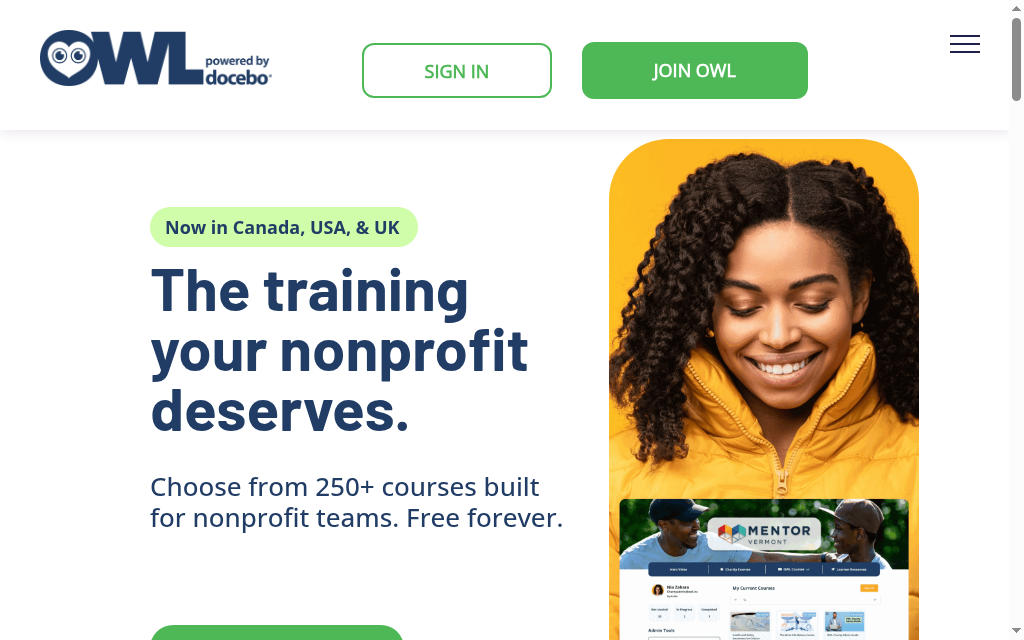
Docebo OWL is the most interesting free option here: a program from Docebo that gives registered charities free access for organizations under 300 active users a month (in the US, Canada and the UK). Instead of an empty platform you have to fill, it comes with a curated library of professionally made courses, funded through an impact program, so a small charity gets real training content at no cost.
Best for an eligible charity wanting a maintained learning library. OWL’s standard shared account is different from its branded-account option, which eligible charities can ask about for their own courses. Confirm eligibility, countries, active-user allowance and custom-upload terms with the programme.
My testing experience: it is a curated course library, not free Docebo. You get pre-built courses (HR compliance, board governance, DEI, fundraising), each ending in a shareable certificate, but to load your own material you apply separately for a branded charity account. Onboarding runs through one "charity lead" who grants access by uploading a CSV of users, so there is no self-serve signup for a churning volunteer base, and the free tier caps at under 300 active users a month for registered charities in the US, Canada and UK.
Verdict: A useful free library for eligible charities. If you need to upload your own courses, ask about the branded account before assuming the shared-library offer supports it.
5. Google Classroom
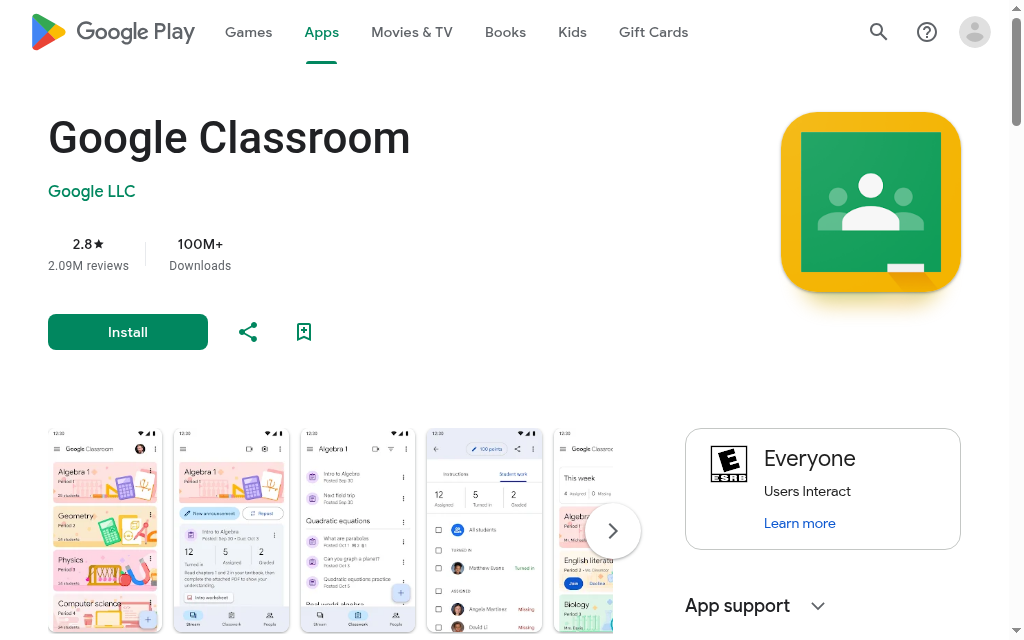
Google Classroom is the free, lightweight option for a nonprofit already living in Google: a teacher-style tool where you set up a class, hand out materials and assignments, collect work and give feedback, all inside Google Workspace. It turns on the same day, costs nothing with a qualifying account, and there is nothing to host.
Best for simple, low-stakes training or community education when you already use Google and do not need a real LMS. Be clear on the limits: no SCORM, no proper course-authoring, and thin certification and reporting, so it complements structured training more than it replaces it. Nonprofits can also get Google Workspace itself free or heavily discounted through Google for Nonprofits, which is worth claiming regardless.
My testing experience: if everyone is already on Google Workspace it turns on the same day. The limits come fast: no SCORM, no role-based enrolment (you add people by hand), and no concept of a recurring or expiring course, so annual compliance recertification falls back to spreadsheets. The one that bites a nonprofit hardest is access: anyone without a Google account cannot join, and a Workspace for Education setup can lock a class to your own domain, so volunteers on outside email may be shut out depending on your settings. There are also no native certificates or clean audit records to export.
Verdict: Right for free, simple coursework if you already use Google Workspace. Too light to be a real LMS for compliance or grant-ready reporting.
6. Absorb LMS
Absorb LMS is a polished, managed cloud LMS that scales well, which suits larger, funded organizations more than shoestring ones. It gives you branded portals, AI-assisted admin, e-commerce if you sell training, and clean completion and score reporting you can export for a board or funder, without you running any infrastructure.
Best for a bigger or well-funded nonprofit that wants a dependable, professional platform and can afford it. The honest catch for the sector: Absorb does not publish a nonprofit discount, and pricing is quote-based and per-user, so it is out of reach for a small volunteer-run org, but comfortable for a national charity with a training budget.
My testing experience: The learner experience was clear, but the admin menus took time to learn. Create a sample funder report in the demo and separate standard reports from Analyze. Compare implementation, learner counting, support and any nonprofit offer in the actual quote.
Verdict: Built for a larger funded nonprofit that needs scale and funder-grade reporting. No published nonprofit discount, and quote-based pricing prices out a small org.
7. LearnUpon
LearnUpon is built around multi-portal delivery, which maps neatly onto how nonprofits train: separate, branded spaces for staff, volunteers and members, each with its own courses and reporting, all from one account. It is well supported, cloud-hosted and comes with real onboarding help, so several audiences can be run without stitching tools together.
Best for a mid-size nonprofit training a few distinct audiences that wants them cleanly separated but centrally managed. Two catches: LearnUpon states a minimum (around 100 users) and prices by quote, with no published nonprofit discount, so a small volunteer-run org is below its floor, but for an established nonprofit with staff plus a large volunteer or member base, the multi-portal model is worth it.
My testing experience: Separate portals helped organise staff and member learning. Trial the roles, course-version updates and central content sharing you need. LearnUpon quotes by audience and package; employee, customer and association starting sizes differ, so do not assume one universal minimum or annual bill.
Verdict: Compare LearnUpon for several managed audiences, with the actual user minimum, portals and implementation scope confirmed in the quote.
8. Blackbaud
Blackbaud’s learning management product is primarily a school learning system. That can be relevant to a nonprofit school already using its student systems, but it is a different job from onboarding charity staff and volunteers. Do not assume its fundraising tools provide an integrated staff LMS.
Best for nonprofit schools comparing student coursework with their existing Blackbaud systems. A general charity should compare the staff and volunteer platforms elsewhere in this list rather than buy a school LMS for the familiarity of the vendor name.
My testing experience: I would ask which exact Blackbaud product is being demonstrated. Check student, employee and donor workflows separately, because a fundraising dashboard is not evidence of staff-learning features or a donor-linked training integration.
Verdict: Keep Blackbaud on the shortlist for a nonprofit school’s student learning. For charity staff and volunteers, choose a platform built for that audience.
9. Chamilo
Chamilo is a free, open-source LMS like Moodle but lighter and simpler, with a focus on being easy to use out of the box. For a nonprofit that wants the zero-license-cost of open-source without Moodle’s complexity, it is a real alternative: course delivery, tracking and certificates, with a gentler learning curve.
Best for a small nonprofit that wants free and open-source but finds Moodle heavy. The same honest caveat applies, it is self-hosted, so you (or a volunteer) run the server, and its community and plugin ecosystem are smaller than Moodle’s, so there is less to fall back on. Simpler to use, but still your responsibility to host and maintain.
My testing experience: Chamilo’s course setup felt lighter than Moodle’s. Installation, backups, upgrades and integration still need an owner. I would compare a managed offer with the time a volunteer can reliably commit, rather than assume a smaller interface removes server maintenance.
Verdict: A simpler free, open-source alternative to Moodle for a small org that wants zero license cost. Still self-hosted, with a smaller community behind it.
10. Connecteam
Connecteam comes at nonprofit training from a different angle: it is built for deskless, frontline teams, so its training lives in a mobile app your volunteers already have in their pocket. Rather than a full course platform, it pairs bite-size mobile training and quizzes with the operational tools frontline volunteers need (scheduling, chat, checklists), and it has a free plan for small teams.
Best for a nonprofit whose people work in the field rather than at desks: event volunteers, community health workers, drivers. For them, short phone-first training beats a formal LMS. The trade-off is depth: it is more an operations app with training inside it than a full LMS, so for rich assessment, branching or serious certification it is thinner than the dedicated platforms. For getting a churning frontline volunteer team trained on their phones, it fits.
My testing experience: Having short training alongside scheduling and chat was useful for a frontline team. Test the actual SCORM content, quiz type, completion export and connectivity you need. Paid pricing starts with a block of users, then adds users; that is different from assuming every seat is individually priced from the first person.
Verdict: The mobile-first option for training deskless, frontline volunteers, with a free plan for small teams. Thin as a full LMS if you need structured courses and certification.
The nonprofit discounts, and how to claim them
Here is who offers a nonprofit deal, what it is, and how you get it, covering the platforms above plus a couple of others nonprofits often ask about. Confirm the current terms on the vendor’s own page before you sign, and note that "no published discount" usually means the price is negotiable by quote, not that none exists.
| Vendor | Nonprofit offer | How to claim it |
|---|---|---|
| Moodle / Chamilo | Free and open-source (no license fee) | Download and self-host, or pay for managed hosting |
| TalentLMS | 20% off the annual plan for registered nonprofits | Sign up for the free plan, then request the nonprofit discount |
| Docebo OWL | Eligible charities: 300-active-user/month allowance (US, Canada, UK) | Apply at join.owl.inc; standard library; ask about branded custom-course account |
| Google Workspace | Free and heavily discounted plans (Google Classroom is free) | Verify via Google for Nonprofits, usually through TechSoup |
| Litmos | Nonprofit discount for verified 501(c)(3) organizations | Through TechSoup (the discount size is not published) |
| LearnWorlds | 15% lifetime discount for registered nonprofits (Pro Training and higher) | Contact LearnWorlds with proof of charitable status; not available on the Starter plan |
| Coursebox | A real free plan, open to everyone | Just sign up; no nonprofit verification needed |
| Connecteam | Free plan for small teams | Sign up for the free plan; no nonprofit verification needed |
| Absorb, LearnUpon, Cornerstone, Blackbaud | No published nonprofit discount | Quote-based; negotiate directly (LearnUpon starting sizes differ by audience) |
Do you need a TechSoup account? For many of these discounts, yes. TechSoup is a nonprofit that verifies your charitable status (your 501(c)(3) in the US, or the equivalent) and acts as the channel vendors trust to confirm you qualify. Setting up an account once gets you discounted and donated software across a lot of vendors, not just LMSs. The catch: fiscally-sponsored projects and organizations with a pending status often do not qualify, so check your eligibility before you count on a specific deal.
Funding the LMS: one-time cost versus a monthly subscription
Map the cost to your actual grant or operating budget before signing. Check whether the funder covers setup, recurring licences, content updates and staff time, and whether the renewal falls outside the funded period. Self-hosting still has ongoing support and infrastructure costs.
Ask for a quote and invoice period that match the grant, and include ownership of maintenance and course updates in the budget. An annual subscription is not automatically ineligible and a self-hosted LMS is not automatically a one-time capital purchase.
When a full LMS is overkill
A shared policy acknowledgement may be enough for a simple task. An LMS becomes useful when you need structured learning, assessments, recurring assignments or consistent records across staff and volunteers. Choose the lightest workflow that meets those needs, then test it with a small cohort.
Before the features, before the price, ask how a platform counts your people. Per-registered-user pricing makes volunteers expensive, an org with a handful of staff and hundreds of volunteers pays like a large company. If your volunteer or member base is big or growing, a flat or unlimited-learner model can save more than a percentage discount. Check the billing model first, then compare everything else.
Which should you use
If you want one answer: most nonprofits with no IT should start with TalentLMS and claim its 20% discount, and anyone training a big or churning volunteer base that needs costs to stay flat should look hard at Coursebox. If you have technical help and no budget, Moodle is hard to beat on control. And a small charity that just needs good courses handed to it should grab Docebo OWL’s free tier before paying for anything.
Most nonprofits are really weighing "free but I run it" against "paid but someone else does". If that open-source-versus-managed question is the one you are stuck on, our Moodle alternatives guide walks through it in detail. Before you commit, check the billing model, claim any discount through TechSoup, and make sure you can export the records your funders will ask for.
Frequently Asked Questions
It depends on your budget and who you train. Moodle and Chamilo are free and open-source if you can host them; TalentLMS is the easiest cheap paid pick and publishes a 20% nonprofit discount; Coursebox is the flat-cost option with a real free plan and no per-learner fee; Docebo OWL gives small charities free ready-made courses. For larger funded orgs, Absorb or LearnUpon.
Moodle and Chamilo have no software licence fee but need hosting and maintenance. Coursebox and TalentLMS offer limited hosted free plans. OWL offers eligible charities a free library, with separate branded-account terms to ask about. Classroom access depends on the account and administration setup.
Many do, but you usually claim them through TechSoup, which verifies your charitable status. TalentLMS publishes 20% off its annual plan; Google offers free and heavily discounted Workspace; Litmos discounts for verified 501(c)(3) organizations via TechSoup; Docebo runs the free OWL program for small charities. Others, like Absorb, LearnUpon and Cornerstone, do not publish a nonprofit price and negotiate by quote.
TechSoup is a nonprofit that verifies your organization’s charitable status and acts as the trusted channel through which many software vendors deliver nonprofit discounts and donations. For a lot of the deals above, you need a TechSoup account to claim them. Setting one up once gets you discounted software across many vendors. Note that fiscally-sponsored projects and orgs with pending status often do not qualify.
Budget for the platform, hosting or implementation, content, administrator time and updates. Model staff and volunteer activity at the same scale. A free plan can support a pilot, but its user, course or AI limits may not cover the full programme.
Alex Hey
Alex Hey is a technical marketer with 10 years of hands-on growth and digital marketing experience. He cofounded Coursebox together with Travis Clapp who he met online when looking for a cofounder to build a globally impactful software product. He works in the Perth, Western Australia office as the COO. He built the world's first automated funnel for patient recruitment before building Coursebox. After launching Coursebox in mid 2023, he drove +400k organic sign ups for Coursebox. Alex leads the marketing and digital growth of Coursebox and works with the product development team bringing a passion for data-driven product decision and exceptional user experience. Alex is determined to build the world's easiest way to build the perfect course.

