

Moodle vs Google Classroom: What’s the Difference and Which One Should You Choose?
Moodle and Google Classroom are helpful platforms for trainers and educators. This Moodle vs Google Classroom comparison breaks down their differences.


Run your own branded LMS with unlimited learners
A learning management system (LMS) gives you strong flexibility and control over your training and learning strategies. When searching for the best AI LMS, you might have come across Moodle and Google Classroom. While the former is a powerful open-source LMS, the latter is a streamlined classroom management tool built for simplicity.
Both are widely used in education, but they serve very different purposes. So, which one actually fits your institution, training program, or organization? Let’s break down the real differences between Moodle vs Google Classroom, so you can choose one with confidence.
What Is Moodle?
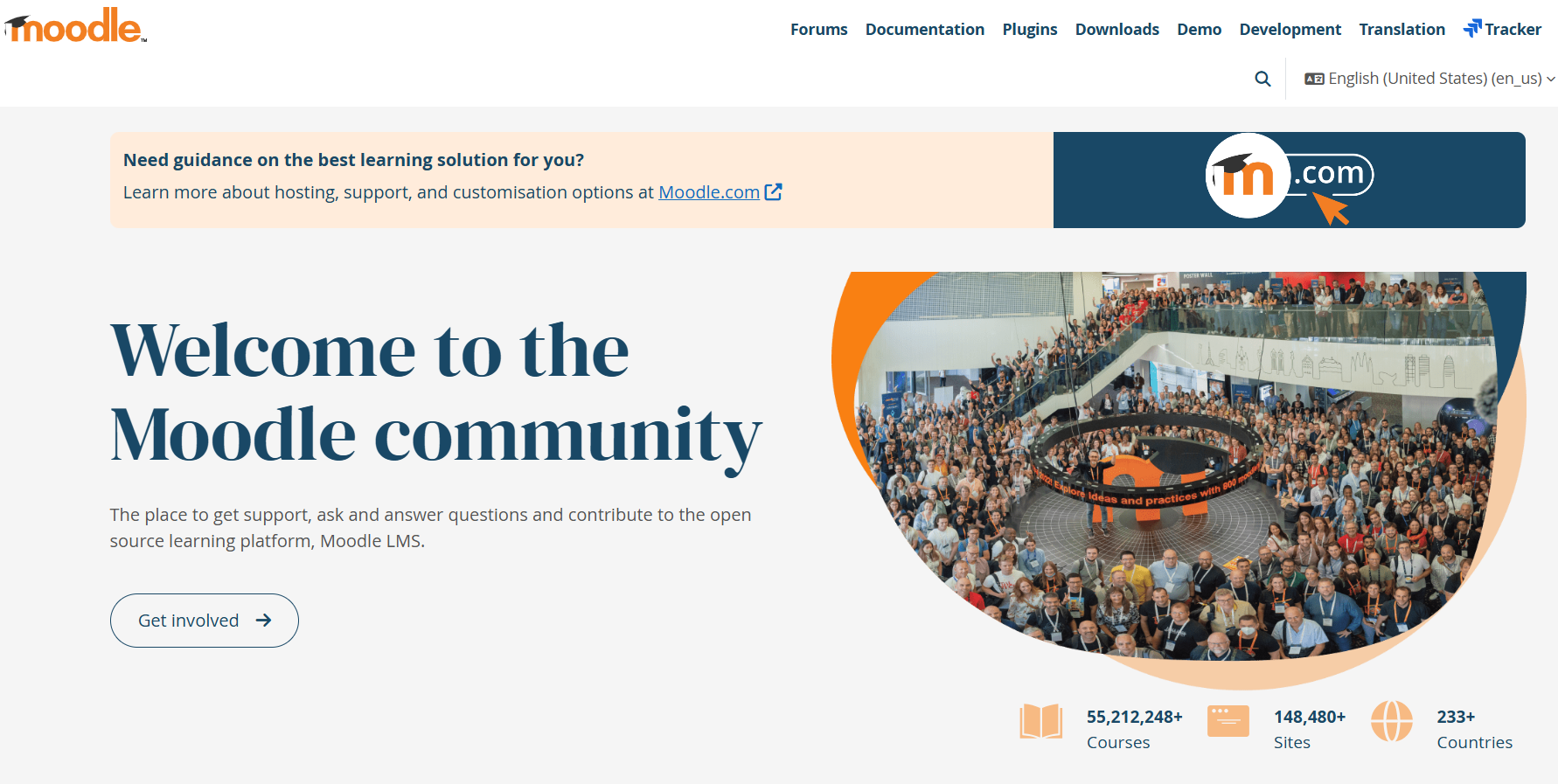
Moodle is an open-source LMS designed for schools, universities, and organizations that need full control over their learning environment. Since it is open source, institutions can host it on their own servers or choose a certified hosting partner. That flexibility makes Moodle highly customizable but also more technical to manage.
Moodle supports structured course creation, assessment, and grading. It also facilitates competency tracking, certificates, SCORM packages, and detailed reporting. It’s commonly used in higher education and enterprise training where compliance, accreditation, or structured curriculum management matters.
The platform can be tailored extensively through themes, plugins, and integrations. However, that customization often requires administrative expertise or IT support.
What Is Google Classroom?
Google Classroom is a cloud-based classroom management tool built by Google. It integrates seamlessly with Google Workspace tools like Docs, Drive, Slides, and Meet, making it extremely easy for teachers and students to collaborate.
Google Classroom focuses on assignment distribution, announcements, grading, and communication. Teachers can post materials, collect submissions, provide feedback, and manage class communication through a single, simple interface.
Unlike Moodle, Google Classroom is not a fully structured LMS. It does not offer advanced course architecture, deep analytics, or complex competency tracking. Instead, it prioritizes simplicity and ease of use for K-12 and lightweight academic environments.
Moodle vs Google Classroom: 6 Key Differences Explained
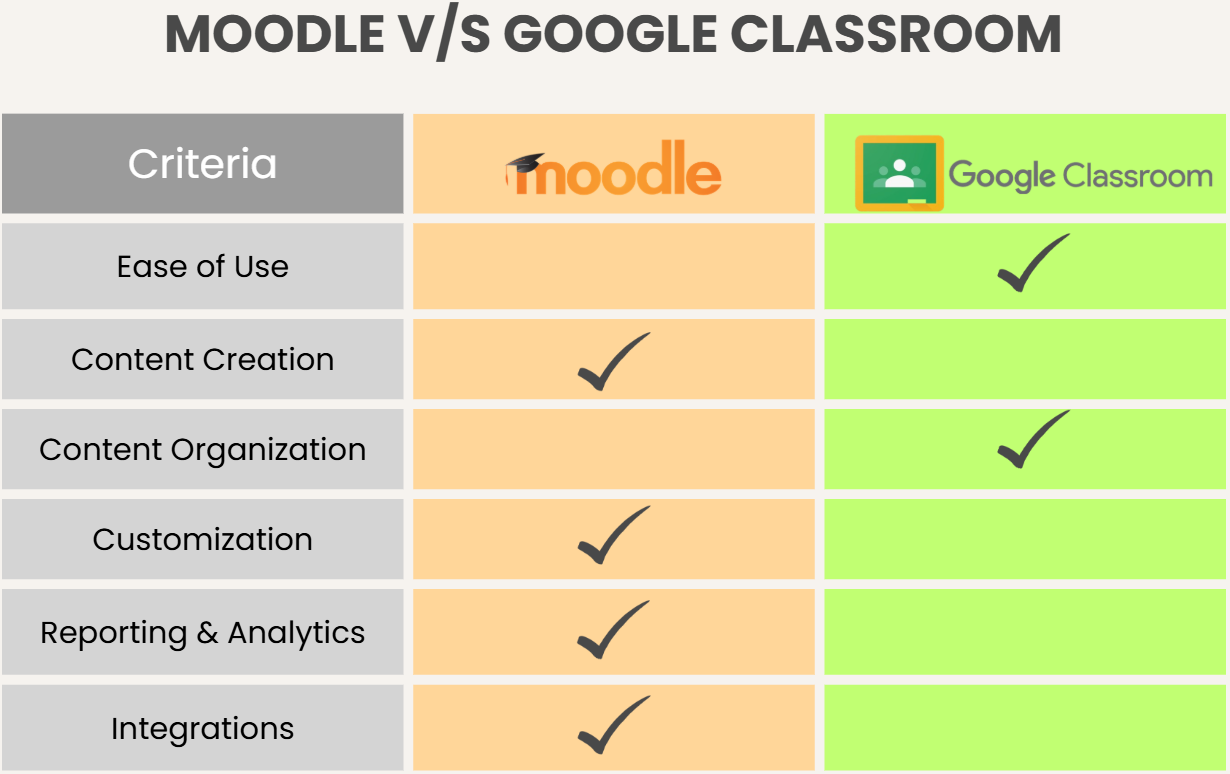
Now that we understand what each platform does, let’s explore the most important differences between Moodle and Google Classroom in depth.
1. Ease of Use & Interface
Ease of use is one of the biggest distinctions between Moodle and Google Classroom.
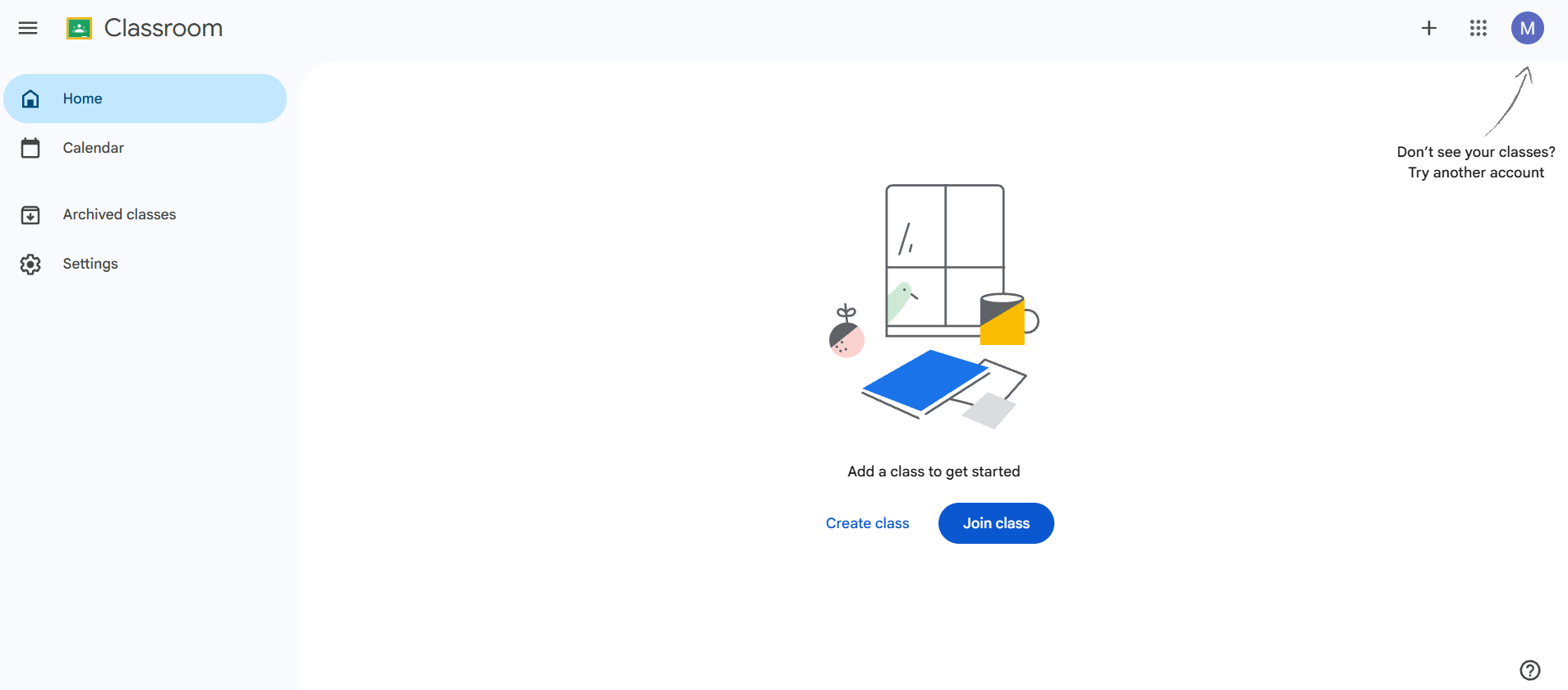
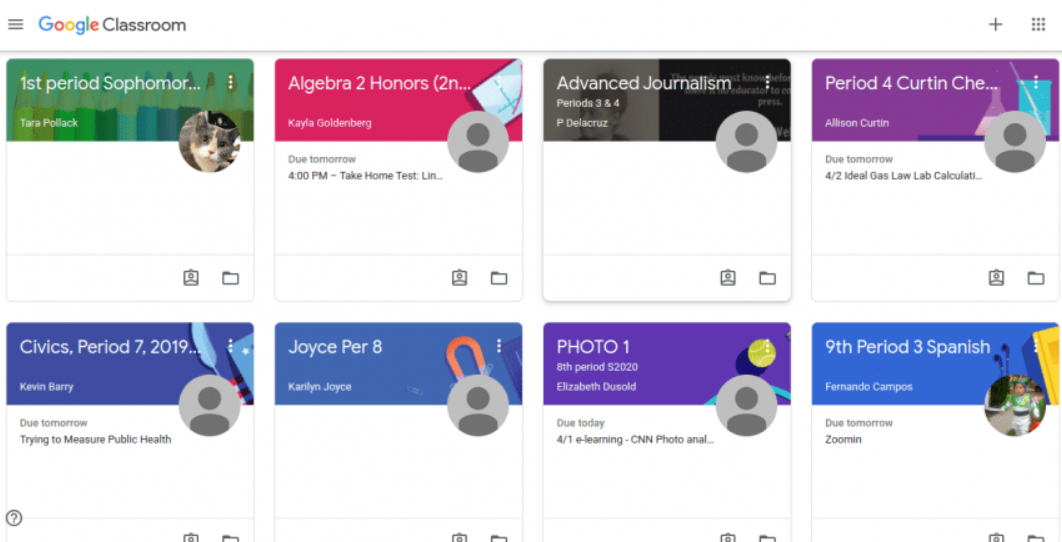
Google Classroom is built for simplicity. The interface is clean, minimal, and intuitive. Teachers can create a class in minutes, invite students with a code, and begin posting assignments almost immediately. Navigation is straightforward, which reduces training time significantly.
Moodle, on the other hand, offers a more complex interface. It includes advanced tools for grading, tracking, and course structuring, which can make the platform feel overwhelming for new users. While experienced administrators appreciate its depth, first-time users require onboarding and support.
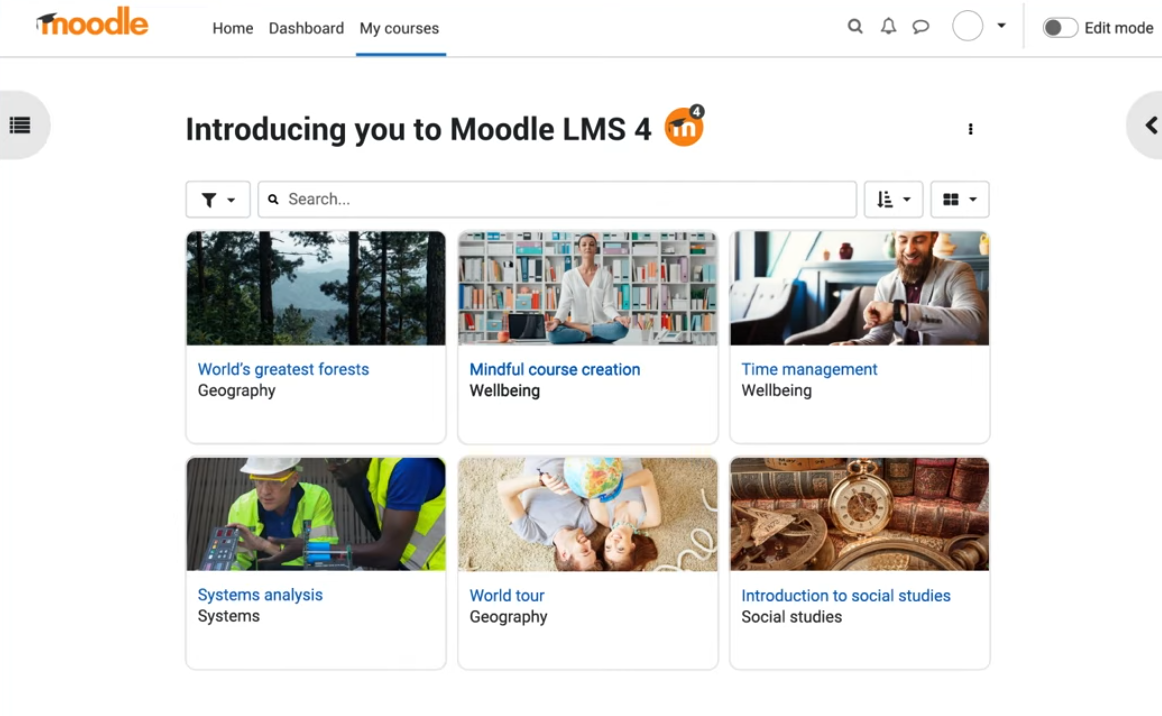
Source: Moodle
In short, Google Classroom wins for immediate usability, while Moodle offers depth at the cost of a steeper learning curve.
2. Course Creation & Organization
This is where the differences become more pronounced in this Moodle vs Google Classroom comparison.
Moodle’s Course Creation
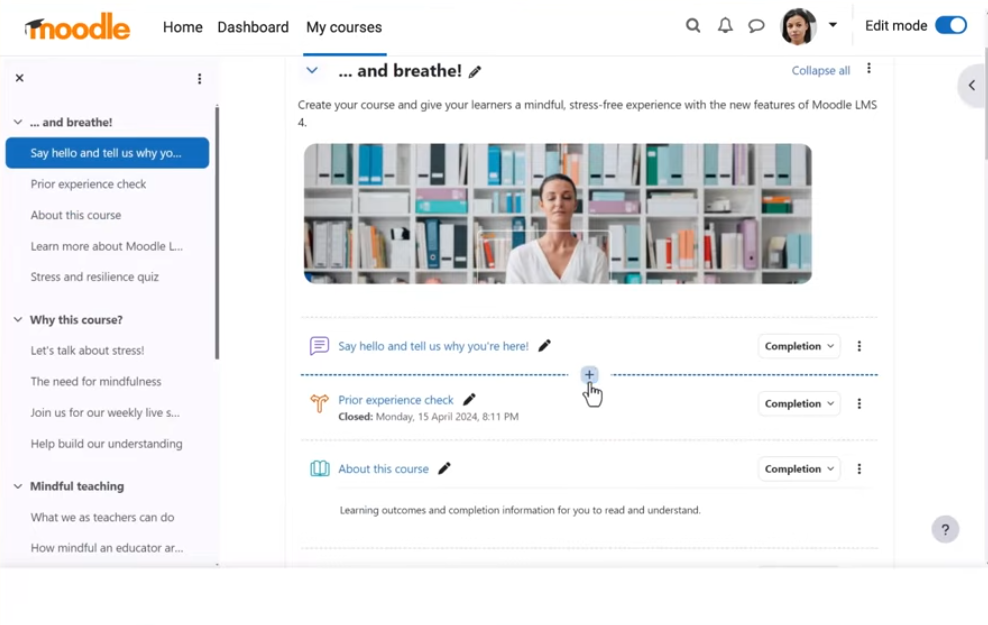
Moodle allows educators to design fully structured courses with modules, prerequisites, completion tracking, quizzes, discussion boards, gradebooks, and learning paths. It supports SCORM packages and external content integration, which makes it suitable for formal education programs and compliance-based training.
Google Classroom’s Content Organization
Google Classroom does not offer advanced course structuring. Instead, it organizes content chronologically within a stream or by topic folders. While teachers can group assignments under topics, the platform lacks structured learning paths or progression logic.
If you need detailed curriculum management, Moodle provides stronger tools. If you simply want to distribute assignments and materials, Google Classroom works well.
3. Customization & Branding
Customization is another area where Moodle stands apart. Since Moodle is open source, institutions can customize themes, branding, workflows, and even develop custom plugins. Universities also adapt Moodle to match institutional branding and specific academic policies.
Google Classroom provides very limited customization. Branding options are minimal, and the layout is standardized across all users. While this ensures consistency and simplicity, it does not allow institutions to create a unique learning environment.
Organizations that require white-label capabilities or custom workflows typically prefer Moodle.
4. Integrations & Ecosystem
Google Classroom integrates deeply with Google Workspace. Teachers can attach Docs, Slides, Sheets, and Forms directly into assignments. Integration with Google Meet enables seamless live classes.
Moodle integrates with a wide range of third-party tools, including Zoom, Microsoft Teams, external content libraries, plagiarism detection systems, and enterprise software. Because of its plugin ecosystem, Moodle’s integration capacity is broader but may require configuration.
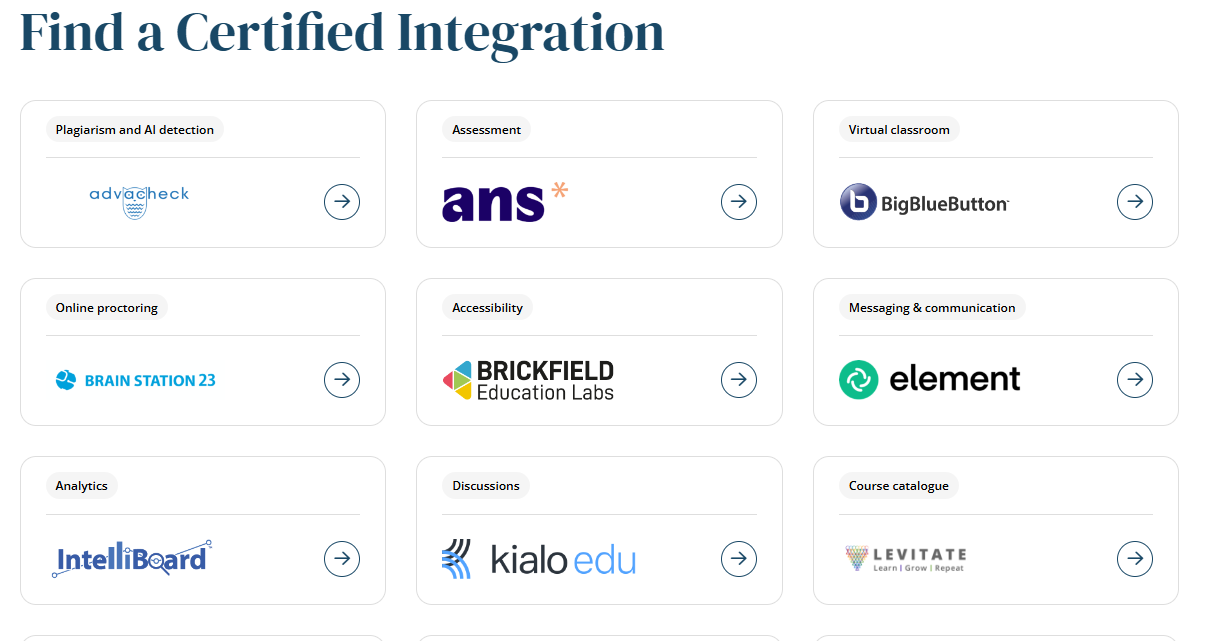
Google Classroom excels in simplicity and native Google integration. Moodle offers wider ecosystem flexibility.
5. Reporting & Analytics
Moodle includes advanced reporting features. Administrators can track course completion, assessment performance, competency progress, and engagement trends. This makes it suitable for institutions that require measurable learning outcomes.
Google Classroom offers basic grading and assignment tracking, but lacks in-depth analytics. Teachers can see who submitted work and view grades, but advanced learning analytics are not built in. For compliance-heavy or data-driven environments, Moodle has the advantage.
6. Pricing
Pricing structures differ significantly between the two platforms.
Moodle Pricing
Moodle itself is free as open-source software. However, institutions must account for hosting, maintenance, security, customization, and administrative support. Total costs can vary depending on implementation scale.
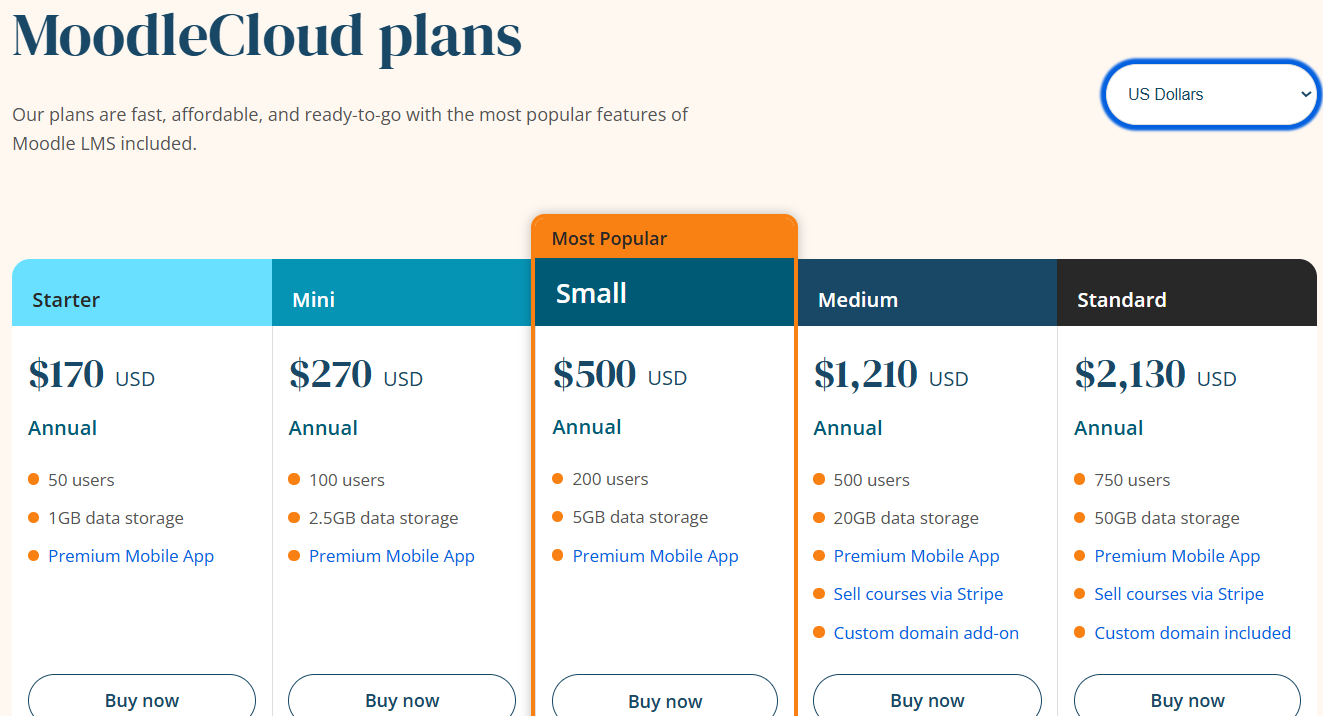
The platform offers five plans with annual payment, including:
- Starter: $170 for 50 users
- Mini: $270 for 100 users
- Small: $500 for 200 users
- Medium: $1,210 for 500 users
- Standard: $2,130 for 750 users
Google Classroom Pricing
Google Classroom is free for schools using Google Workspace for Education. Paid Workspace tiers may include additional features, but the core Classroom tool remains accessible without separate licensing fees.
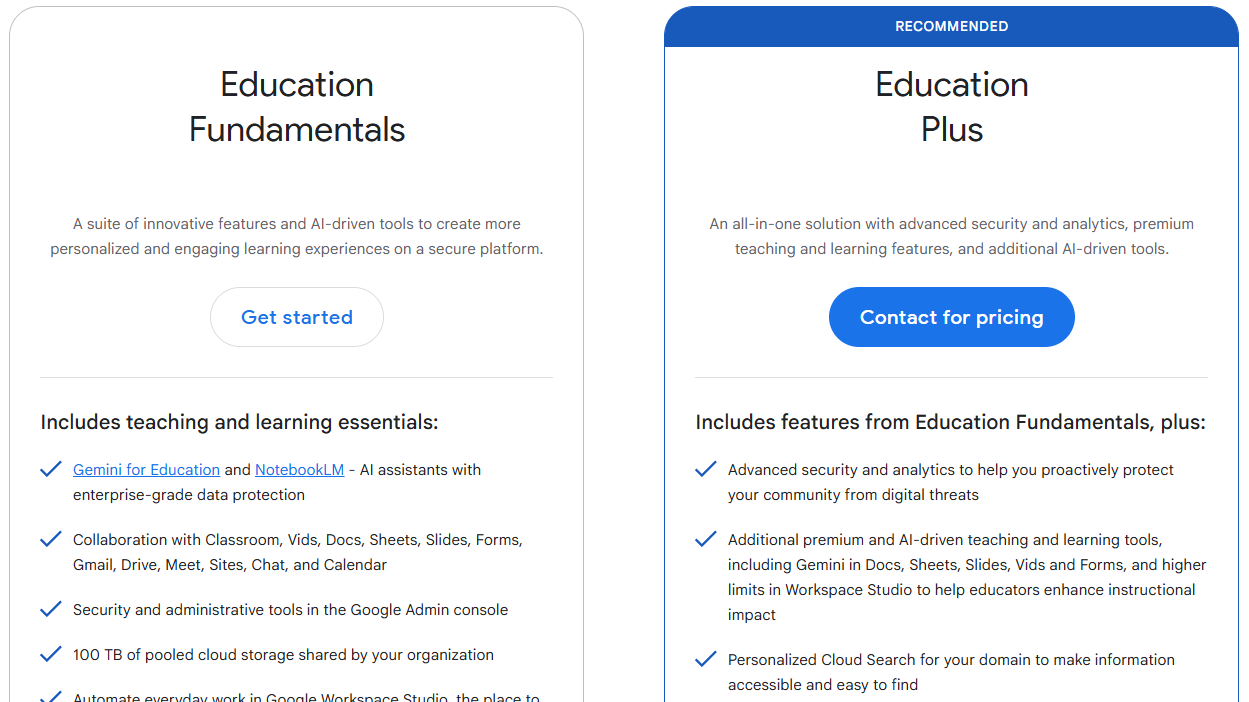
Google Classroom has lower upfront costs, while Moodle may require infrastructure investment.
Moodle vs Google Classroom: Which Is Better?
The answer to whether Google Classroom is better than Moodle depends on your goals and institutional needs. Here is a brief comparison of both platforms:
| Feature | Moodle | Google Classroom |
|---|---|---|
| Best For | Universities, enterprises, structured training | K-12 and simple classroom management |
| Ease of Use | Moderate to complex | Very easy |
| Course Structure | Advanced and modular | Basic topic-based organization |
| Customization | Highly customizable | Minimal |
| Maintenance | Requires hosting and admin support | Fully cloud-managed |
| Pricing | Free software, hosting costs apply | Free for education users |
- Choose Moodle if you need structured course design, compliance tracking, deep analytics, and full customization control. It works best for higher education institutions and organizations managing large-scale learning programs.
- Choose Google Classroom if you want a quick, easy-to-use platform for managing assignments and communication without technical setup or maintenance responsibilities.
Where an AI LMS Like Coursebox Fits In
Both Moodle and Google Classroom provide valuable tools for delivering education. However, neither is built around AI-driven course creation or automated content development.
This is where an AI LMS like Coursebox changes the game. Coursebox helps educators and training teams instantly generate structured courses, assessments, and learning materials using AI.
You don’t have to build modules, quizzes, and lessons from scratch manually. With Coursebox, you can create structured learning content in minutes. You can then deploy that content inside Moodle, Google Classroom, or your own training ecosystem.
For organizations looking to reduce course development time while maintaining structure and quality, an AI LMS adds a powerful layer of efficiency. If you're building structured learning experiences and want to accelerate development, exploring Coursebox’s AI LMS capabilities could significantly streamline your workflow.
Book a free demo for Coursebox’s AI LMS today!
FAQs About Moodle vs Google Classroom
Frequently Asked Questions
The main difference lies in complexity and structure. Moodle is a full learning management system designed for structured programs, detailed tracking, and customization. Google Classroom is a lightweight classroom management tool focused on assignment distribution and communication.
Moodle supports structured course creation with modules, assessments, completion tracking, and advanced grading systems. Google Classroom allows teachers to organize assignments and materials, but does not provide complex course architecture or learning paths. Many organizations use an AI LMS like Coursebox to create courses and then upload them to either platform for better management.
Moodle generally has a steeper learning curve because of its advanced features and customization options. Institutions often require administrative support or onboarding for new users. Google Classroom is simpler and easier for teachers and students to adopt quickly.
Universities typically prefer Moodle because it supports accreditation requirements, competency tracking, detailed reporting, and structured curriculum design. Google Classroom is more commonly used in K-12 environments or for lightweight course management. For higher education scalability, Moodle often provides stronger institutional tools.
Google Classroom can function as a basic learning management tool, but it does not replace a full-featured LMS for complex academic programs. It lacks advanced reporting, structured learning paths, and extensive customization. Institutions with sophisticated learning requirements often need more comprehensive systems.
Moodle is generally better suited to corporate training because it supports structured learning paths, compliance tracking, certifications, and detailed reporting. Organizations can customize workflows and integrate third-party tools to meet regulatory or internal training requirements. Google Classroom, while easy to use, lacks the depth and analytics that most corporate training programs require.
Moodle offers a broad range of integrations through plugins, including video conferencing tools, content libraries, HR systems, and assessment platforms. Since it is open source, organizations can also build custom integrations if needed. Google Classroom integrates seamlessly with Google Workspace tools and some third-party apps, but its ecosystem is more limited compared to Moodle’s extensibility.
Alex Hey
Digital marketing manager and growth expert

