

The 10 Best LMS for Australian RTOs Honestly Ranked in 2026
The 10 best LMS for Australian RTOs, ranked on compliance: unit mapping, competency-based assessment, SCORM delivery and honest pricing.

The best LMS for Australian RTOs in 2026 is Coursebox, which combines AI course building with the compliance an RTO actually needs. Cloud Assess is the pick for assessment-heavy delivery. We compared 10 platforms on AVETMISS reporting, competency mapping, assessment tools, and support.
- Coursebox: the best overall for RTOs, pairing AI authoring with AVETMISS-ready reporting and competency mapping.
- Cloud Assess: best for assessment, purpose-built for competency-based, evidence-driven VET delivery.
- aXcelerate: the best all-in-one, with student management and training admin for RTOs handling thousands of enrolments.
- Skip global LMS platforms like Moodle or Canvas without an AVETMISS layer if you report to ASQA.
Answer three quick questions and we'll point you to the best fit from this list.

Set up your branded LMS and deliver training with AI
I have spent fifteen years designing courses, and I learned VET compliance from the inside. At Open Colleges I mapped content to training package standards and drafted and validated the assessments, which is the exact grind this whole list is really about. Later I led learning design on the University of Adelaide's AdelaideX team, where our edX MOOC Think.Create.Code reached more than 20,000 learners. I also ran the LMS for SA Health's move to the new Royal Adelaide Hospital, training 7,000 staff on unfamiliar systems.
So I have built at both ends: the audited, compliance-bound VET world and the polished, well-resourced one. What never changed is the one thing that makes an RTO's LMS different from every other: it is judged not on how it looks or what it costs, but on whether it holds up in front of an auditor. So that is what I ranked these on.
How I ranked these
An RTO's LMS has one job the others do not: it has to survive an ASQA audit. So I did not rank these on features or looks. I ranked them on the five things that decide whether a platform actually works for a Registered Training Organisation, in this order. Every tool below answers the same five.
- Compliance. How close it gets you to audit-ready training and assessment: unit-of-competency content mapped to training.gov.au, a mapping matrix you can print and hand an auditor, trainer and learner guides, and competency-based marking (Satisfactory / Not Yet Satisfactory). This is weighted heaviest, because it is the first question every RTO asks and the one that costs the most to get wrong. An honest platform gets you most of the way and says so; none of them get you to 100%.
- Delivery and fit. SCORM and LTI so content plays anywhere, a mobile experience for on-the-job learners, and whether it slots into the systems you already run rather than forcing a rip-and-replace. You should be able to keep your current setup and add to it.
- The real cost. What is actually included versus what is a paid add-on. RTOs have been burned by platforms where the plugins cost more than the licence, so transparent, all-in pricing counts for a lot.
- Data, security and IP. Australian or closed hosting, confirmation your learner data is not used to train someone's AI, a security pack you can file for your own compliance, and clear ownership of the content you create.
- Making it yours. White-label branding on your own domain, the ability to speak your learners' language (calling a "course" a "unit"), pathways with certificates and badges, and a login your learners can actually use.
One thing that is not a column but runs through every verdict: whether the vendor is Australian, supports you locally, and understands VET. For this sector that lands harder than any feature.
The best LMS for RTOs compared
| Platform | Compliance | Delivery and fit | The real cost | Data, security and IP |
|---|---|---|---|---|
| 1. Coursebox | Generates mapped unit content, RTO Pack and S/NYS assessment. ~90-95%, you finalise | LMS, or embed in any LMS via SCORM/LTI | Flat, unlimited learners. Published | Closed Azure, GDPR, you own the content |
| 2. Cloud Assess | Purpose-built for RTOs, AI assessment, AVETMISS, audit-ready records | Own LMS, SCORM, mobile-first with offline | Quote-based, from about $99/mo historically | Australian, ISO-aligned |
| 3. eSkilled | All-in-one SMS + LMS + RTO materials, AVETMISS 8.0, CRICOS | SCORM, xAPI, H5P; own LMS | Quote-based | ISO-certified Australian servers |
| 4. Cloudemy | LMS + assessment + QMS, AVETMISS 8.0, USI and training.gov.au | SCORM, H5P, Zoom; own LMS | Per-student, historically about $2.50/student/mo | Australian (QLD) |
| 5. Catapult | Australia's largest VET content library, 1,200+ units mapped | Own LMS, contextualisation tools | Quote-based | Australian |
| 6. aXcelerate | Strong compliance, but wrapped in a heavy full-SIS platform | LMS + SIS, integrates with Moodle and Canvas | Quote-based | Australian, ISO 27001 |
| 7. Didasko | Ready-made VET content library, delivered on Moodle | Moodle-based LMS, SCORM | Quote-based | Australian |
| 8. Moodle | Capable, but every compliance feature is yours to build | Open-source, SCORM/LTI, endless plugins | Free software, you pay hosting and setup | Wherever you host it |
| 9. Canvas | A great LMS with no VET-specific compliance | Strong SCORM/LTI, polished delivery | Quote-based, enterprise | US-hosted by default |
| 10. Wisenet | Compliance-strong, but as an SMS more than an LMS | Light LMS; records and admin first | Quote-based | Australian |
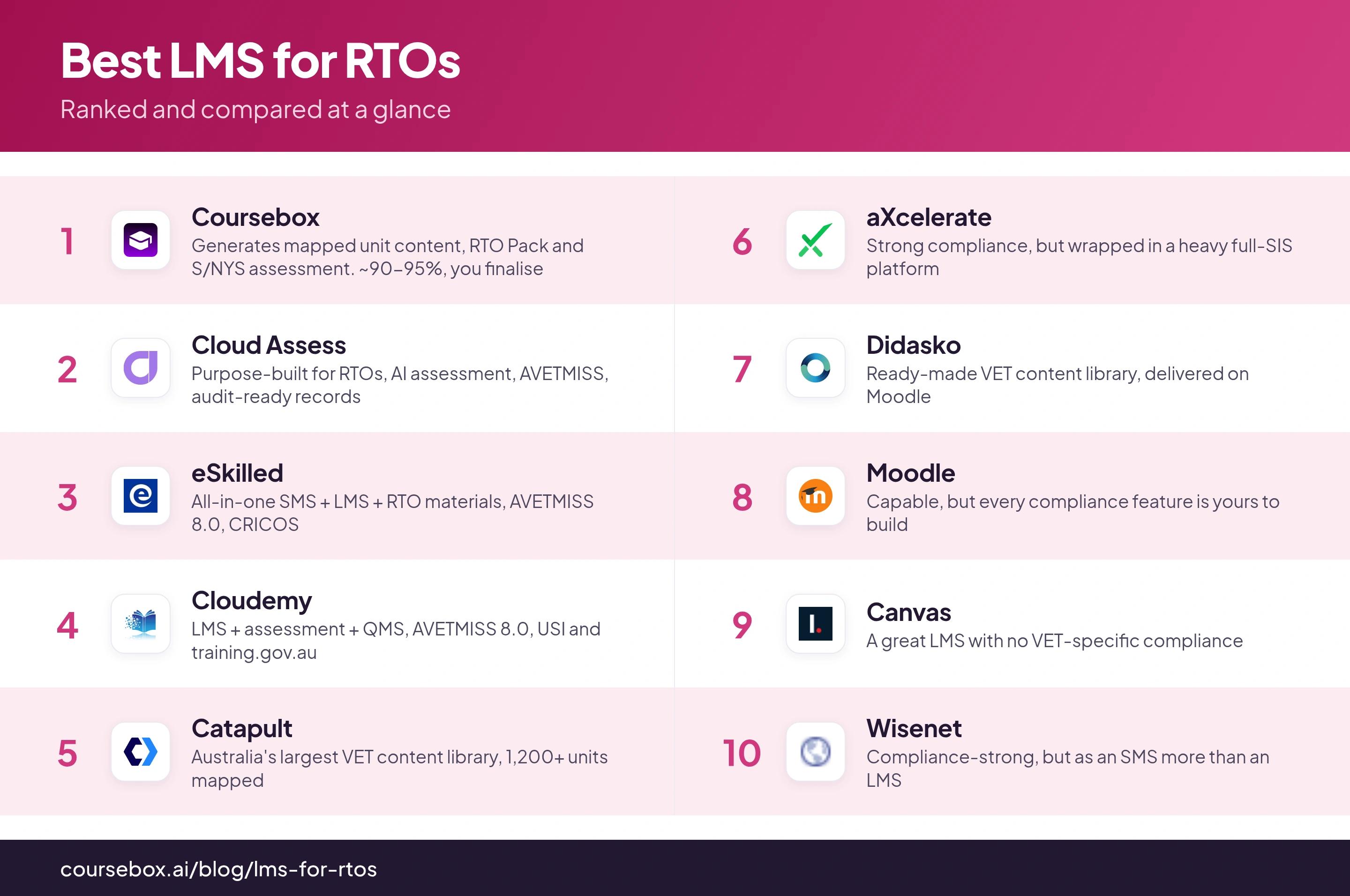
Compliance leads the table because it decides everything else. A beautiful LMS that cannot produce a mapping matrix for your auditor is not a shortcut, it is a second project.
1. Coursebox
Best for: RTOs that want the compliant content and assessment built for them, then delivered anywhere.
Coursebox is ours, so weigh this accordingly. It is also the only tool here that generates the compliant training itself rather than just hosting content you have to build or buy, which is why it leads on the one thing this list is judged on.
- Compliance. Paste a training.gov.au unit URL or upload the Unit of Competency and Coursebox builds a mapped training package: learner guide, trainer guide, session content and assessment, with a mapping matrix against the elements and performance criteria. Assessment is competency-based, marked Satisfactory or Not Yet Satisfactory. The honest part, and we say it plainly: it gets you roughly 90 to 95% of the way, and your instructional designer finalises and contextualises the rest in a day or two. Anyone promising 100% has not been audited.
- Delivery and fit. Deliver it as a full LMS, or keep the LMS you already run and embed Coursebox courses via SCORM 1.2/2004 or LTI 1.3 (Moodle, Canvas, Schoolbox and others). Integrations with the student management systems RTOs use (Wisenet, aXcelerate, JobReady, VETtrak) are via the Open API, Zapier or a bespoke build, not one-click native, and it is fair to want that spelled out before you commit.
- The real cost. Unlimited learners and unlimited courses on every plan, with the free Shopify and WordPress plugins included. The only real add-ons are SSO and bespoke apps. Pricing is published rather than quote-only, which in this sector is rare.
- Data, security and IP. Hosted on closed Azure, GDPR-aligned, and your learner data is not used to train any AI model. There is a security pack you can file for your own compliance, and you own the IP of everything you create.
- Making it yours. White-label with your logo, colours and your own domain, branded certificates, and learner logins with password reset. Australian owned, with ex-RTO and instructional-design people on the support team.
The honest limits: there is no native xAPI export (use SCORM, LTI, PDF or HTML), and the SMS integrations are build-based rather than native. If your bottleneck is producing compliant content and assessment fast, this is the one I would start with. If your bottleneck is student-records administration and AVETMISS submission, that is a different tool: our RTO management software page covers that layer.
In practice: I will be honest since it is ours. RTOs use Coursebox to generate mapped unit content and competency assessments fast, then export SCORM into their own LMS, and being Perth-based helps with local support. The honest scope note is that it is the content and assessment layer, not the AVETMISS reporting engine, so you still run student records and NAT-file reporting through a dedicated SMS. Treat it as the fast content half of your stack, not the whole compliance system.
2. Cloud Assess
Best for: RTOs whose priority is assessment and workplace-based training done properly.
Cloud Assess is a purpose-built RTO LMS rather than a generic platform adapted for VET, and it shows in the assessment tooling.
- Compliance. AVETMISS reporting, automated evidence collection, revision control and audit-ready record retrieval. AI can draft assessments from your documents, which you then validate. Strong on the evidence trail an auditor actually asks for.
- Delivery and fit. Its own LMS with SCORM support and a genuinely good mobile-first app with offline capability, which matters for trades and workplace assessors out of signal. Integrates with the likes of Employment Hero and SAP SuccessFactors.
- The real cost. Quote-based; historically around $99 a month at entry, but confirm current pricing for your learner numbers.
- Data, security and IP. Australian and ISO-aligned.
- Making it yours. Branded certificates with QR validation, configurable learner journeys.
If practical, workplace-based assessment is the core of your delivery, Cloud Assess is the strongest specialist here. It does not generate your content the way Coursebox does, so you still bring or build the learning.
In practice: One RTO that set up in 2019 wanted paperless assessments and to operate nationally, with trainers logging in from different airports rather than a single office. They built their own knowledge questions and practical observations into Cloud Assess, and chose it specifically because it was built for the Australian RTO market and its compliance requirements.
3. eSkilled
Best for: RTOs that want the LMS and the student management system from one Australian vendor.
eSkilled is an all-in-one: SMS, LMS and a library of RTO materials in one platform, built by people from the VET sector.
- Compliance. AVETMISS 8.0 and CRICOS reporting, USI verification, and RTO materials you can deploy. Compliance is a first-class citizen here because the SMS and LMS are the same product.
- Delivery and fit. The LMS supports SCORM, xAPI and H5P, so content portability is a strength. Because the SMS is built in, you are not stitching two systems together.
- The real cost. Quote-based, with a free entry tier advertised; confirm what the free tier actually covers before you rely on it.
- Data, security and IP. ISO-certified Australian servers, 99.99% uptime claimed.
- Making it yours. Branded portals and certificates.
The trade-off is the opposite of Coursebox's: eSkilled gives you the admin and delivery spine but you are not getting AI-generated, pre-mapped unit content out of the box. Strong if you want one Australian vendor for the whole stack.
4. Cloudemy
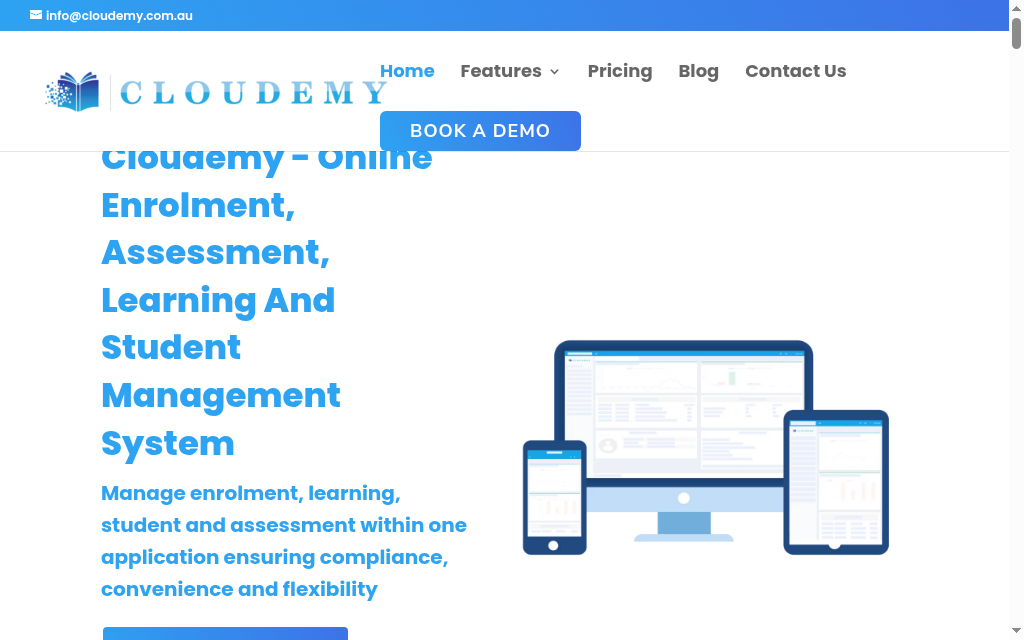
Best for: RTOs that want learning, assessment and quality management in one place.
Cloudemy combines an LMS, an SMS, an assessment engine and a quality-management module aimed squarely at ASQA standards.
- Compliance. AVETMISS 8.0, USI and training.gov.au integration, and an assessment engine that handles auto-marked quizzes, case scenarios, simulated and workplace observations, and RPL. The QMS module is a genuine point of difference.
- Delivery and fit. SCORM and H5P content, live sessions via Zoom, and integrations with Xero, Stripe and Microsoft Teams.
- The real cost. Per-student pricing, historically around $2.50 per student per month, which suits smaller or seasonal cohorts. Confirm the current rate.
- Data, security and IP. Australian, based in Queensland.
- Making it yours. Configurable course management and enrolment.
A well-rounded all-in-one for a mid-sized RTO. Like the others in this tier, it delivers content rather than generating compliant content for you.
5. Catapult
Best for: RTOs that want ready-made, mapped VET content off the shelf.
Catapult's pitch is content. It holds one of the largest libraries of VET resources in Australia, over 1,200 units across 140 qualifications, with a feature-rich LMS to deliver them.
- Compliance. The library is already mapped to the units, which is a real head start, and contextualisation tools let you adapt it to your delivery. You are buying compliance-ready content rather than building it.
- Delivery and fit. Its own LMS, with the customer-success team promising setup within hours.
- The real cost. Quote-based, and content licensing is the main cost driver rather than the LMS itself.
- Data, security and IP. Australian. Note that with a content-library model, the underlying resources are licensed, so check what you own versus what you licence.
- Making it yours. Contextualisation tools to brand and adapt the library content.
The best option if you would rather licence proven content than create it, with 26 years in the sector behind it. The flip side of a licensed library is that the IP is not entirely yours, which is the opposite of the Coursebox model.
6. aXcelerate
Best for: larger RTOs that want one heavy platform for records, finance and delivery.
aXcelerate is the incumbent all-in-one, trusted by more than 1,300 Australian training organisations, combining a student information system, compliance, finance and an LMS.
- Compliance. Comprehensive, with NCVER integration and full student, compliance and finance management. This is a serious compliance and administration engine.
- Delivery and fit. The LMS sits inside a large SIS, and it integrates with Moodle and Canvas as well as EZYPAY, QuickBooks and Stripe. Powerful, but the LMS is one module of a big platform rather than the star.
- The real cost. Quote-based, and it sits at the enterprise end.
- Data, security and IP. Australian, ISO 9001 and ISO 27001 certified.
- Making it yours. Extensive configuration, as you would expect from an enterprise SIS.
If you want a single heavyweight platform and have the budget and the team to run it, aXcelerate is the safe incumbent. For a smaller RTO it can be more system than you need, and the learning experience is not its strongest suit.
In practice: For assessment mapping, I could see that aXcelerate pulls elements, performance criteria and knowledge evidence straight from training.gov.au, so you tie individual quiz questions to unit subcomponents inside the system rather than in a separate spreadsheet. The mapping view flags unmapped questions, and you can export it per unit or qualification with the full question text rendered for an auditor to read.
7. Didasko
Best for: RTOs, especially in hospitality, that want polished content on a familiar LMS.
Didasko pairs an award-winning content library, strongest in the hospitality (SIT) space and broadened through its RTO Works partnership, with a Moodle-based LMS.
- Compliance. Mapped, ready-to-deliver VET resources across many training packages, plus professional-development and compliance content. You validate and contextualise as with any purchased library.
- Delivery and fit. Delivered on Moodle, so it is a familiar, standards-based experience with SCORM support.
- The real cost. Quote-based, content-led licensing.
- Data, security and IP. Australian; licensed content, so confirm ownership terms.
- Making it yours. Custom branding on the LMS, bring your own resources alongside the library.
Strong for hospitality-heavy RTOs and anyone who wants proven content on Moodle without running Moodle from scratch.
8. Moodle
Best for: RTOs with the technical capability to build and maintain their own platform.
Moodle is the open-source LMS a large share of Australian RTOs already run, usually through a hosting partner.
- Compliance. None out of the box. Moodle is a capable LMS, but every VET compliance feature, unit mapping, competency marking, AVETMISS, is a plugin, an integration or a build you own. Powerful, but it is a platform, not a compliance solution.
- Delivery and fit. Excellent standards support, SCORM and LTI, and an enormous plugin ecosystem. It integrates with almost anything, given the work.
- The real cost. The software is free; the real cost is hosting, a partner, plugins, upgrades and the person who maintains it. This is where the "the plugins cost more than the LMS" warning is most real.
- Data, security and IP. Wherever you choose to host it, which is a strength if data residency matters and a responsibility either way.
- Making it yours. Endless, if you have the capability.
The right answer for an RTO with real technical resources that wants total control. The wrong answer for one that wants compliance handled rather than assembled.
In practice: Moodle rewards budget-conscious teams, but two honest snags surface once you scale. In my experience, new staff hit a real learning curve, with people struggling to master features or even locate a file. And content accumulates with no natural housekeeping, so documents pile up and clutter the space until finding what you need gets genuinely hard. Budget it, but plan for admin discipline.
9. Canvas
Best for: larger or dual-sector providers that already run Canvas.
Canvas is a polished, widely used LMS, common in universities and dual-sector providers.
- Compliance. No VET-specific compliance. Like Moodle, it is a strong general LMS with nothing built in for training.gov.au mapping or AVETMISS.
- Delivery and fit. Excellent SCORM and LTI support and a genuinely good learner and teacher experience.
- The real cost. Quote-based and enterprise-priced.
- Data, security and IP. US-hosted by default, which is worth checking against your data-residency requirements.
- Making it yours. Strong branding and configuration.
Sensible if you are a dual-sector provider already standardised on Canvas. For a standalone RTO it brings none of the compliance scaffolding you would otherwise have to add.
In practice: Canvas sells itself as a blank canvas, and that flexibility cuts both ways for a training organisation. Even reviewers who love it are blunt that it is not built for beginners, and that making courses look decent needs some CSS and HTML. The subscription may be comparable, but the real cost sits in the skills or the coder you need to use it well.
10. Wisenet
Best for: RTOs that lead with student administration and want light learning delivery attached.
Wisenet is a long-standing Australian RTO platform, but its centre of gravity is the student management system, not the LMS.
- Compliance. Strong on the administration side: enrolments, records, CRICOS and compliance reporting. This is genuinely good SMS territory.
- Delivery and fit. SCORM is supported, but the LMS is light next to the dedicated learning platforms on this list.
- The real cost. Quote-based.
- Data, security and IP. Australian.
- Making it yours. Configurable enrolment and portals.
Wisenet earns its place because so many RTOs run it, but on an LMS list it is honestly the records-first option. If student management is your priority, it belongs in the RTO management systems conversation rather than this one.
Which of these tools are on the AVETMISS register?
There's a distinction that trips up a lot of RTOs, and neither of the big comparison guides spells it out: an LMS is not a student management system (SMS). The LMS delivers training and assessment. The SMS handles enrolments, USI validation and the AVETMISS reporting you lodge with NCVER, and most RTOs run one of each. The official NCVER AVETMISS-compliant software register only lists tools that generate compliant NAT files, which is an SMS job. So a pure LMS not appearing on it is expected, not a red flag.
Read the matrix below in that light. “On the register” tells you which tools do your NCVER reporting for you: Cloud Assess, eSkilled, Cloudemy, aXcelerate and Wisenet all appear on it. The LMS-first tools, including Coursebox, Moodle, Canvas, Didasko and Catapult, deliver the learning and hand results to whatever SMS you report from. SCORM and xAPI show whether you can move content between systems, and data residency matters because ASQA audits and Australian privacy expectations sit more comfortably with onshore hosting. For the source of truth on any unit or qualification, training.gov.au is the reference; NCVER updates the register through the year, so re-check it before you commit.
| Tool | On the NCVER register? | AVETMISS reporting | SCORM / xAPI | AU data residency | Rating |
|---|---|---|---|---|---|
| 1. Coursebox | No (it's an LMS, not an SMS) | No; pair it with an SMS | SCORM 1.2/2004 + LTI; no native xAPI | EU (Azure) by default; custom on Enterprise | Capterra 4.7 (87) |
| 2. Cloud Assess | Yes | Native | SCORM; xAPI not stated | Australia (AWS) | Capterra 4.7 (76) |
| 3. eSkilled | Yes (eSkilled SMS) | Native | SCORM + xAPI | Australia (ISO-certified) | Few public reviews |
| 4. Cloudemy | Yes | Native | SCORM; xAPI not stated | Australia (not independently confirmed) | No verified reviews |
| 5. Catapult | No (content + LMS) | No; via SMS | SCORM/xAPI (vendor-unverified) | Not stated | No verified reviews |
| 6. aXcelerate | Yes | Native (uploads to NCVER AVS) | SCORM + xAPI | Australia (ISO 27001) | Capterra 3.3 (small sample) |
| 7. Didasko | No (content + LMS) | No; via SMS | SCORM; xAPI not stated | Australia (AWS) | No verified reviews |
| 8. Moodle | No — it's an LMS | No; via SMS | SCORM 1.2; partial xAPI | Configurable (Sydney option) | Capterra 4.3 (3,378) |
| 9. Canvas | No — it's an LMS | No; via SMS | SCORM via LTI; minimal xAPI | Australia zone (AWS Sydney) | Capterra 4.5 (4,309) |
| 10. Wisenet | Yes (Wisenet LRM) | Native | Via a connected LMS | Australia (AWS Sydney) | Capterra 3.0 (1 review) |
My final take
If there is one thing fifteen years of building courses has taught me, it is that RTOs buy LMS platforms backwards. They choose the nicest interface, then discover that compliance, the mapping matrices, the competency marking, the audit trail, was never in the box and is now a second project. Almost every platform on this list is good at hosting and delivering training. That was never the hard part.
The hard part is producing compliant, mapped content and assessment in the first place and keeping it current when the training package changes. Judge any LMS on that before anything else. Book the demo, then hand the vendor a real unit of competency from your scope and ask them to show you the mapped assessment and the matrix you would put in front of an auditor. The ones that can do it in the room are worth your money. The rest are asking you to do the hard part yourself.
Frequently Asked Questions
Yes. Paste the unit's training.gov.au URL or upload the Unit of Competency, and Coursebox generates a mapped training package: learner guide, trainer guide, session content and competency-based assessment. It comes with a matrix against the elements and performance criteria, gets you roughly 90 to 95% of the way, and your instructional designer contextualises the rest.
Yes. Coursebox exports SCORM 1.2 and 2004, including a self-hosted package you can upload to Moodle, Canvas or any SCORM-conformant LMS, so you are never locked into delivering inside Coursebox. You can also embed courses in your existing LMS via LTI 1.3.
Coursebox is the training and assessment layer, not the AVETMISS reporting engine. It builds and delivers compliant, mapped courses, while AVETMISS submission and NCVER reporting sit in a dedicated student management system you run alongside it.
Yes. You own the IP of everything you produce on Coursebox, it is yours to export and keep, and your learner data is not used to train any AI model.
Yes. On the Business plan and above you get a white-label portal on your own domain, with your logo, colours and branded certificates, plus learner logins and group reporting for your trainers and cohorts.
Coursebox runs on closed, GDPR-aligned cloud hosting, and there is a security pack you can file for your own compliance and vendor-risk reviews. Enterprise buyers can also request further documentation, such as a penetration-test report.
By Travis Clapp, CEO and co-founder, Coursebox
Travis Clapp
Educational technologist and instructional designer

