

8 Best Teachable Alternatives in 2026, Compared on Fees and Features
My review of eight Teachable alternatives for 2026: course features, selling workflows, payment fees and the real cost of upgrading or moving.

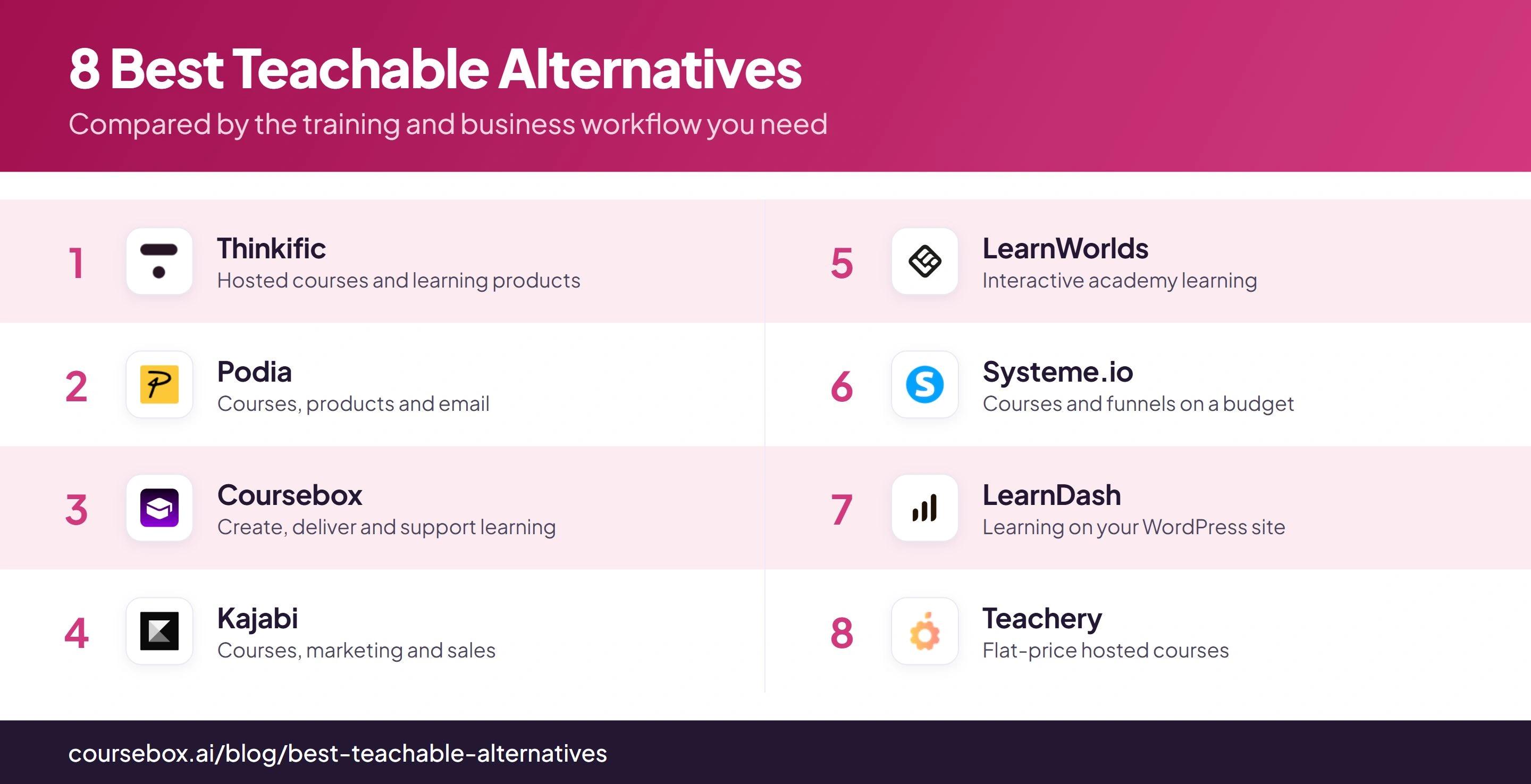
The best Teachable alternatives in 2026 include Thinkific, Podia, Coursebox, Kajabi, LearnWorlds, Systeme.io, LearnDash and Teachery, covering different course, marketing and learning workflows.
- Compare upgrading Teachable with migrating: Builder removes the Starter platform fee when using Teachable Payments, and the break-even depends on billing frequency and sales.
- Thinkific’s gateway fee depends on payment route and region. Podia’s entry plan takes 5%, while LearnWorlds Starter charges US$5 per paid enrolment.
- Coursebox combines course creation, sales, tutoring and assessment with unlimited learners and no sales commission. Check the learning and selling configuration you need.
- Test subscriptions, checkout, student access and migration before moving the business. Processing and any added services remain part of the bill.
Answer three questions to compare the four tools below. The result balances your preferences; the entries explain the features, limits and costs to check.

Build, launch and sell quality courses in minutes
Teachable’s Starter plan takes 7.5% of sales, so fees are a sensible place to start a comparison. They are only part of the decision: your courses, subscriptions, checkout, learner support and existing students also need to work after the move. These eight alternatives suit different kinds of course business.
I’m Pritam. I have built and sold online courses and moved between these platforms. I compared the course-building and selling workflow, then checked how subscription prices, platform fees and payment routes affect the bill. My recommendations follow the business you want to run, rather than treating every “0% fee” claim as the same offer.
Coursebox supports course creation and sales. I work at Coursebox, one of the platforms reviewed here. Our best LMS for selling courses guide covers the wider platform choices if you are also considering a training-provider or business academy setup.
How I picked these Teachable alternatives
I compared the complete course business, including the fee, using these five criteria:
- The real fee. The platform cut at the entry plan, when it reaches 0%, and whether processor fees apply on top.
- Course creation and learning. Lessons, assessment, learner support and the work needed to maintain them.
- All-in-one or focused. Courses only, or courses plus email, funnels and memberships.
- Ownership. A hosted platform, or your own site that you control.
- Price as you grow. A flat fee, per-tier pricing, or a meter like contact count.
I give total cost a close look, but the platform still needs to deliver the course and customer journey you sell.
Teachable’s monthly Starter-to-Builder price gap is US$50. At 7.5%, that equals about US$667 in monthly sales. On annual billing the US$40 monthly gap equals about US$533 in sales. Above those points, Builder’s lower platform fee offsets the extra subscription, assuming Teachable Payments and excluding processing. Check that option before paying to migrate.
Teachable alternatives compared at a glance
| Tool | Best for | Platform fee | Starting price |
|---|---|---|---|
| Thinkific | Hosted course-first business | No gateway fee with Thinkific Payments; Stripe fee may apply | $54/mo ($40 annual) |
| Podia | All-in-one + email | 5% Mover, 0% Shaker | US$42/mo, billed annually |
| Coursebox | Create, sell and support learning | 0% (AI LMS) | Free; paid tiers |
| Kajabi | Premium all-in-one | 0% sales cut; provider surcharge may apply | $179/mo |
| LearnWorlds | Interactive + SCORM | $5/sale Starter, 0% Pro | $24/mo (annual) |
| Systeme.io | Free all-in-one funnels | 0% all plans | Free; from $17/mo |
| LearnDash | Own your site (WordPress) | 0% (self-hosted) | $259/yr |
| Teachery | Flat-fee simplicity | 0% all plans | $49/mo |
Prices are in USD unless stated otherwise, checked against public vendor pages on 8 October 2026. Annual-billing equivalents are labelled. Quote-only entries need the same learner population, features and implementation scope before their totals can be compared.
The 8 best Teachable alternatives
1. Thinkific

Thinkific is a hosted course platform for selling your own learning products. It is a close Teachable alternative when you want a course site and checkout without managing WordPress.
The editor organises lessons, video, quizzes and discussions into a course. Basic includes unlimited published courses and one community. Paid community memberships, bundles and payment plans require Start or above, so a subscription-based business should compare that working tier rather than Basic alone.
The fee claim needs care. Thinkific Payments avoids the third-party gateway fee. In supported regions, keeping your own Stripe connection adds a fee of 5% on Basic, 2% on Start and 1% on Grow, on top of processing. Outside regions where Thinkific Payments is available, that gateway fee does not apply.
My take: I would choose it for a course-first business, then price the payment route before migrating. A “0%” headline is useful only if the supported checkout works for your country and business. Moving a recurring offer also means checking how existing subscribers will regain access.
Pricing: Basic is US$54/month monthly or US$40/month billed annually. There is a trial rather than an ongoing free entry plan for new customers. Budget the required sales features and any gateway or processing fees alongside the subscription.
2. Podia

Podia puts courses, downloads, a website, community and email marketing in one hosted service. It suits a creator selling several kinds of product who wants customers and email activity in the same system.
You can publish a course, build its sales page and send follow-up email without connecting a separate email platform. The included subscriber allowance is small, though: Mover includes 100 email subscribers and Shaker 500. A larger mailing list needs additional email capacity.
The selling features also change by tier. Shaker adds affiliate marketing, upsells, PayPal and Zapier. Podia offers migration help for content and customer email addresses, but those imports are not the same as moving recurring payment agreements or every learner’s progress.
What I ran into: Mover still takes 5% of sales. The annual-billing gap between Mover and Shaker is US$42 a month, so that fee alone reaches the gap at US$840 in monthly sales. I would use that as a starting calculation, then factor in the email list and the selling features actually needed.
Pricing: Mover is US$42/month billed annually (US$504/year), with a 5% platform fee. Shaker is US$84/month billed annually (US$1,008/year), with no Podia transaction fee. Processor fees and extra email subscribers are separate; monthly billing costs more.
3. Coursebox
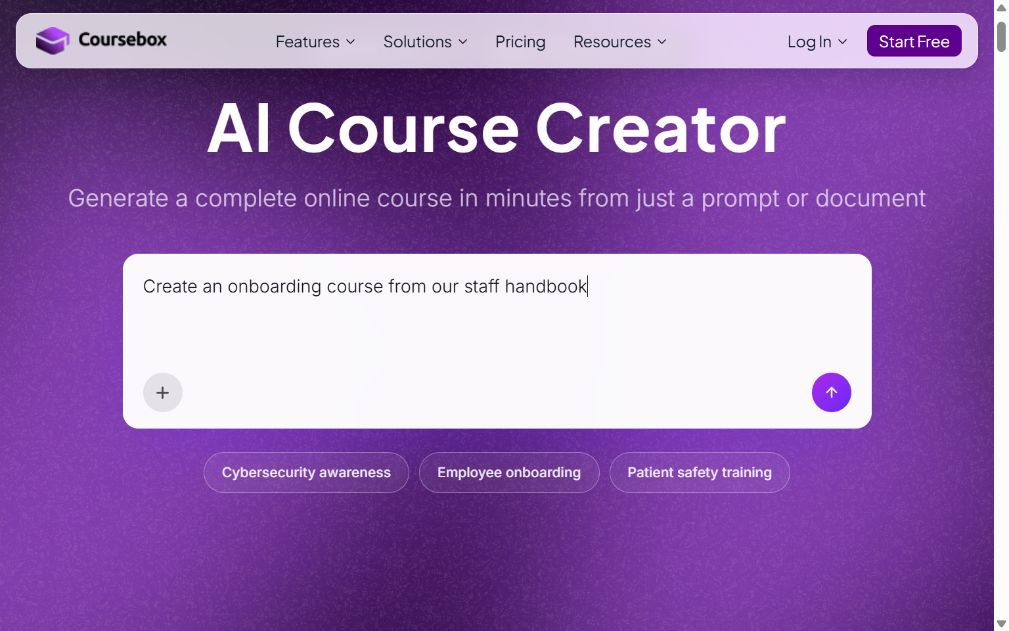
Coursebox combines course creation, selling and learner support. It suits creators who want to turn their expertise or source material into a course and keep assessment and delivery in the same platform.
A document, PDF or video supplies the starting material for editable lessons and quizzes. An AI tutor answers questions from the course, and rubric-based grading supports written responses. You can host the learning in Coursebox rather than needing a separate LMS for the finished course.
It also supports course sales, including one-time and subscription offers, with zero Coursebox commission and unlimited learners. For a creator moving from Teachable, the useful comparison is the whole journey: the offer, payment, learner access, tutor and progress record. Check affiliate arrangements, tax handling and any existing recurring subscriptions against your actual setup.
The bottom line: I would compare it when both producing the course and supporting learners consume your time. The tutor and assessment tools give it a role after checkout, too. A representative course and a paid enrolment reveal more than comparing storefront themes or generating an outline.
Pricing: Free includes unlimited learners, three mini courses of up to five pages and limited AI usage. Paid plans expand authoring capacity; Pro + LMS adds the branded LMS setup. Coursebox takes no course-sales commission, while payment processing still has its own charges.
4. Kajabi
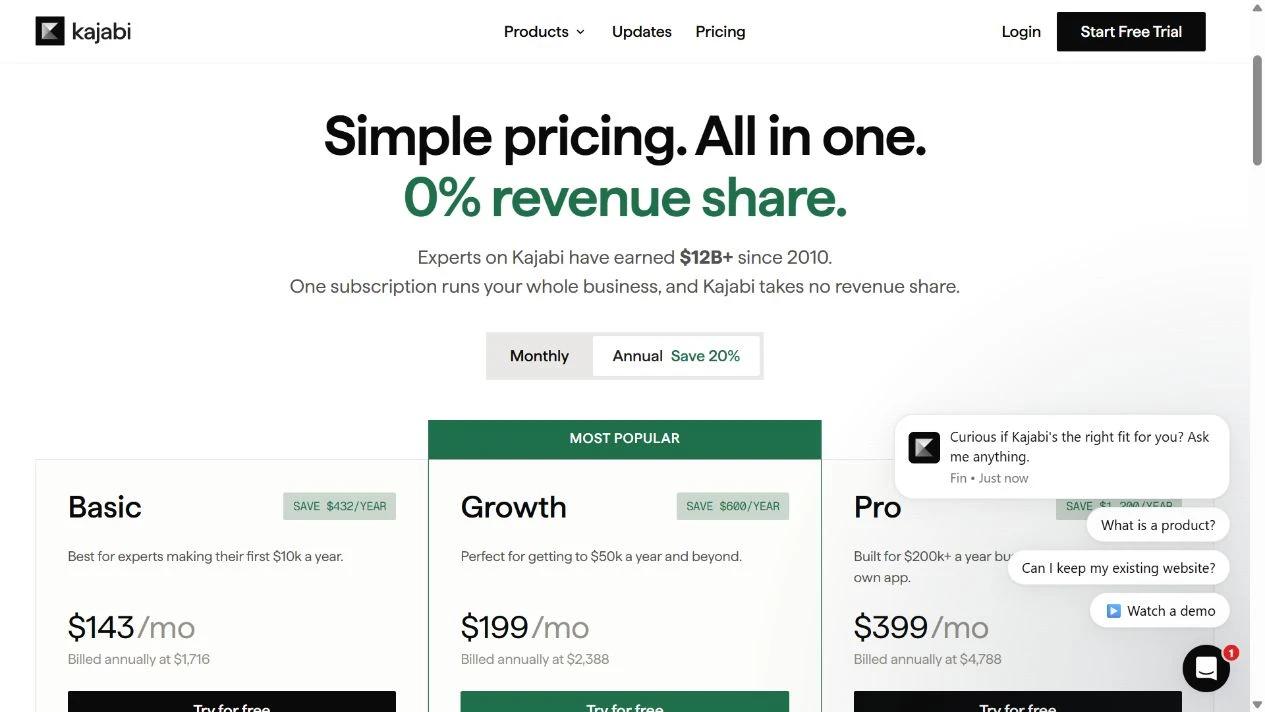
Kajabi combines courses, coaching, community, sales pages, email and funnels. It suits creators who want their customer journey in one system and already have enough business to justify its subscription.
A funnel can connect an opt-in, an email sequence, an offer and a checkout. That reduces the separate connections you maintain when marketing and course delivery live in different products. Basic includes five products and 2,500 contacts, so the limits apply to the business you run, not only to student numbers.
The payment route changes the economics. Kajabi lists a third-party provider surcharge of 2% on Basic, 1% on Growth and 0.5% on Pro where Kajabi Payments is available. PayPal is excluded. Kajabi Payments has its own processing rates, which vary by country and plan.
What I ran into: The larger bill is easier to assess when I subtract the tools it would replace. If you already have email and funnels working elsewhere, you may be paying for duplicate capacity. If those connections are the source of your admin work, the integrated customer journey is the reason to consider it.
Pricing: Basic is US$179/month monthly or US$143/month billed annually. Growth is US$249 monthly or US$199 on annual billing. The trial converts to the plan you selected. Model contact and product limits plus the chosen payment route.
5. LearnWorlds

LearnWorlds is a hosted academy platform for creators and training providers who want more control over learning activities. Interactive video, assessment and imported training packages are reasons to compare it with Teachable.
A lesson can combine video, questions and other activities rather than just play a recording. Pro Trainer provides basic interactive video, certificates, subscriptions and up to 20 SCORM packages. Learning Center adds more advanced interactive video and removes the package cap.
Those plan boundaries affect the course you can actually deliver. Starter is for a smaller paid-course launch and carries a US$5 fee per paid enrolment. If your offer needs certificates, recurring access or SCORM, the Pro Trainer configuration is the more relevant comparison from the outset.
What I ran into: The per-enrolment fee behaves differently from a percentage: selling a US$20 course gives up a much larger share than selling a US$500 course. I would choose the plan from the learning design first, then check its fee against expected enrolments. Cheap hosting is little help if it cannot deliver the lesson you promised.
Pricing: Starter is US$29/month monthly or US$24/month billed annually, plus US$5 per paid enrolment. Pro Trainer is US$99 monthly or US$79 on annual billing, with no enrolment fee. Processor charges remain separate.
6. Systeme.io
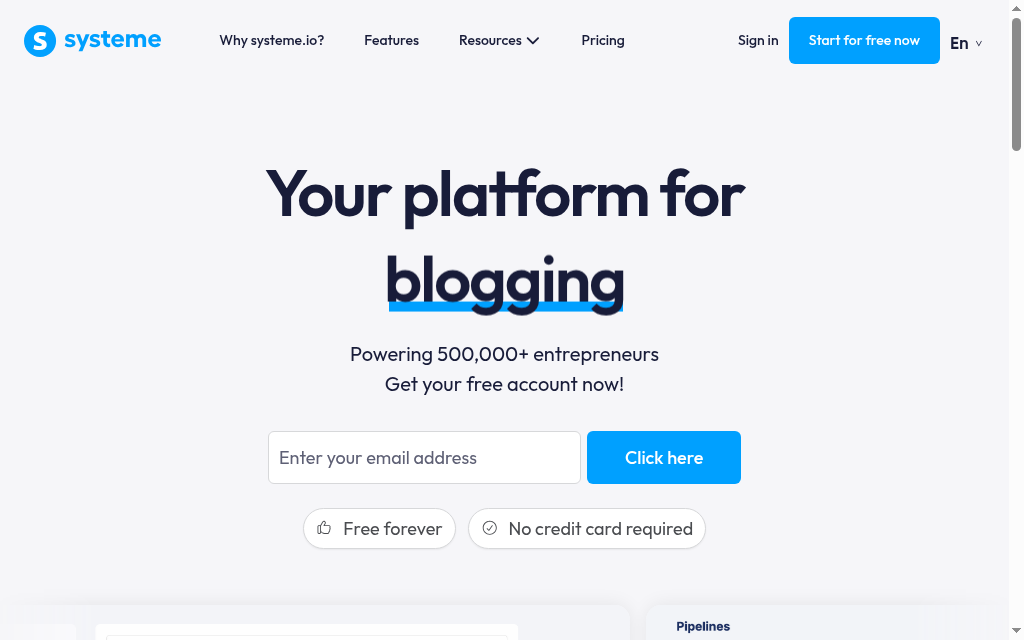
Systeme.io combines funnels, email, course delivery and affiliate management. It is a practical starting point for a creator who needs to launch one paid course with a small contact list.
An order form sells the course and grants access after purchase. You can release lessons at once or on a drip schedule, then use tags and automation rules for follow-up email. The free plan includes one course, three funnels and up to 2,000 contacts, with no platform transaction fee.
Contacts include your audience, not just paying students. A lead-generation campaign can therefore fill the allowance before course sales become large. The account-restriction policy says that exceeding limits on the free plan can stop payments and learner access after warnings; paid accounts can be moved automatically to a higher tier.
What I ran into: That contact limit belongs in the launch plan. I would monitor the whole email list and leave room for the next campaign before opening enrolments. For a course business, keeping paid students’ access available is a more useful check than whether the first funnel costs nothing.
Pricing: Free supports 2,000 contacts and one course. Startup is US$17/month for 5,000 contacts and five courses; Webinar US$47 and Unlimited US$97. All have 0% platform transaction fees, with processor charges separate.
7. LearnDash

LearnDash is an LMS plugin for WordPress. It suits a creator who wants to control the site, course structure and checkout and is willing to maintain the software behind them.
Courses contain lessons, quizzes and progression rules. The Essentials package includes memberships, subscriptions, bundles, certificates and Stripe or PayPal integrations. You can build around a site you already own rather than move the whole business to a hosted school.
That control brings separate responsibilities: hosting, backups, security updates and compatibility between the theme, payment tools and plugins. A course completion also depends on your quiz and progression settings; owning the site does not make the learning design automatic.
My verdict: I would choose it when customising the website is a requirement, not just to avoid a sales fee. A cheaper licence can become expensive if every checkout change needs developer time. For an established WordPress business with someone maintaining it, those costs may already be part of the operation.
Pricing: Essentials is US$259/year; Pro US$399 and Elite US$599. The plugin charges no platform sales commission or per-student fee. Hosting, payment processing and any other paid plugins sit outside that licence, so compare the full annual stack.
8. Teachery

Teachery is a hosted course builder with a flat price and no platform transaction fee. It suits a creator who wants a branded course site without comparing a long set of feature tiers.
Its editor builds lessons and sales pages, with course hubs, memberships, custom domains and embedded content. All plans include the feature set, and there are no course or customer caps. That makes a growing catalogue easier to budget than a product-limited entry tier.
The learning and marketing requirements still need checking. If your offer depends on graded exams, detailed learner reporting or an elaborate email funnel, run that specific workflow before choosing it for the flat fee. Unlimited course slots are not a substitute for the learning activity you need to deliver.
My call: I would shortlist it for a straightforward learning product whose sales page and lessons do most of the work. The predictable subscription is the benefit. For a more complex academy, I would compare the assessment and customer follow-up process before assuming simplicity is a saving.
Pricing: US$49/month or US$470/year. A US$950 lifetime offer is currently advertised as a limited-time deal. Teachery takes no platform transaction fee; payment processing and any external services have their own costs.
Before you leave Teachable
Teachable does some things well, and a lower fee is not worth a painful move, so check these before you switch.
- Content and learners. Export your videos, files and student data. Ask which content and progress records the new platform imports and which need rebuilding.
- Existing subscriptions. Agree how paying students keep access, how recurring charges continue and when the old checkout closes. A contact import does not transfer a payment agreement.
- Payments and tax. Compare supported countries, currencies, refund handling and tax calculation or remittance. Price the email and marketing tools you would keep or replace.
Before cancelling Teachable, complete a test purchase and refund, then sign in as a student and check access to the promised course.
What the sales fee changes in a real month
These are subscription plus platform fees at US$1,000 and US$10,000 of monthly sales. They exclude processing, tax, extra services and migration. Payment-route conditions are shown so the totals do not hide a gateway fee.
| Configuration | Billing assumption | US$1,000 sales | US$10,000 sales |
|---|---|---|---|
| Teachable Starter | US$39 monthly + 7.5% | US$114 | US$789 |
| Teachable Builder | US$89 monthly; Teachable Payments | US$89 | US$89 |
| Thinkific Basic | US$54 monthly; Thinkific Payments | US$54 | US$54 |
| Thinkific Basic with Stripe | US$54 monthly + 5% where gateway fee applies | US$104 | US$554 |
| Podia Mover | US$42 monthly equivalent, paid annually + 5% | US$92 | US$542 |
| Podia Shaker | US$84 monthly equivalent, paid annually | US$84 | US$84 |
A lower fee is not the whole saving. Include the email service, video hosting, developer work and subscriptions you would need to add, and subtract the services the new platform replaces.
Test the checkout and the course, not just the builder
Baymard’s 2026 checkout research reports that 17% of US online shoppers abandoned an order because checkout was too long or complicated, while 18% cited being required to create an account. These are ecommerce findings rather than course-platform conversion rates. They make a useful trial brief: complete a purchase on a phone, check when an account is required and confirm the learner reaches the paid course without another support request.
Create a representative lesson, add the assessment or discussion your offer needs, make a test purchase and issue a refund. Then check course access, the receipt and the learner’s progress record. Include a recurring offer if that is how you sell.
Which Teachable alternative should you choose?
Eight tools, matched to why you are leaving Teachable:
| If your priority is | Go with |
|---|---|
| A hosted course-first business | Thinkific |
| All-in-one with built-in email | Podia |
| Creation, sales and learner support | Coursebox |
| A premium all-in-one business | Kajabi |
| Interactive or corporate content | LearnWorlds |
| Starting free on a budget | Systeme.io |
| Owning your whole site | LearnDash |
| The simplest flat fee | Teachery |
Whichever you pick, buy for the fee and the fit, not the longest feature list. If you are comparing the wider platform field rather than Teachable switchers, our best LMS for selling courses guide is the companion to this one.
Frequently Asked Questions
Fees, product limits, course features and the desired marketing workflow can all drive a switch. Starter is US$39/month monthly or US$29 on annual billing, plus 7.5%. Builder removes that platform fee when using Teachable Payments, so compare an upgrade with the cost and effort of migrating.
LearnDash, Teachery, Systeme.io and Coursebox do not charge a course-sales commission. Thinkific avoids its third-party gateway fee when using Thinkific Payments; retaining Stripe in supported regions can add a plan-based fee. Payment processing is a separate cost in either case.
Systeme.io has a real free plan (one course, up to 2,000 contacts), and Coursebox has a free tier with unlimited learners. Thinkific and Podia have retired their free plans and now start with a trial.
Systeme.io is free within its contact and course limits. Coursebox also has a free plan for trying course creation and learning delivery. LearnDash has a US$259/year licence but needs hosting and maintenance. Compare the working configuration, not just the subscription.
Course videos and files usually move; your student list, their progress and purchase history often do not transfer cleanly. Export your data and confirm what each platform imports before you commit.
Pritam Shrestha
Pritam joined Coursebox a couple years ago as a Developer Intern. He quickly upgraded our AI video feature and then later returned to Coursebox to continue work as a full-time developer. He is a detail orientated and open minded engineer with a passion for learning new things. He is always learning and looking for more opportunities to grow and take Coursebox to the next level. Besides the AI avatar video feature, he built gamification, slides to video, assessment features and more.

