

Die 10 besten iSpring Suite-Alternativen 2026
Suchen Sie ein Tool zur Kurserstellung mit vielseitigen Funktionen und Integrationsmöglichkeiten? Entdecken Sie hier die besten iSpring Suite-Alternativen von 2026.


Betreiben Sie Ihr eigenes LMS mit unbegrenzt vielen Lernenden.
Die iSpring Suite ist seit vielen Jahren ein zuverlässiges Werkzeug zur Erstellung ansprechender E-Learning-Kurse. Wenn Sie jedoch neue Möglichkeiten erkunden oder Funktionen benötigen, die über die PowerPoint-Integration hinausgehen, sollten Sie Alternativen in Betracht ziehen.
Vielleicht suchen Sie eine günstigere Alternative, eine Plattform mit speziellen Funktionen oder einfach mal etwas Neues. In jedem Fall gibt es viele spannende neue Alternativen zur iSpring Suite.
In diesem Leitfaden stellen wir Ihnen die 10 besten Alternativen zur iSpring Suite vor, mit denen Sie im Jahr 2025 effiziente Kurse mit Ihrem Team erstellen können. Legen wir also los.
Was ist iSpring Suite?
iSpring Suite ist ein leistungsstarkes Tool zur Erstellung ansprechender Online-Kurse. Es basiert auf der vertrauten PowerPoint-Oberfläche, sodass Sie Ihre bestehenden Präsentationen ganz einfach in interaktive Lektionen umwandeln können. Mit iSpring Suite können Sie Quizze, Simulationen und weitere interaktive Elemente hinzufügen, um Ihre Kurse noch effektiver zu gestalten.
Die Kurse der iSpring Suite werden im HTML-Format erstellt und können daher auf PCs, MacBooks, Tablets und Smartphones geöffnet werden. Die fertigen Kurse sind mit den gängigsten Lernmanagementsystemen (LMS) kompatibel. Sie unterstützen Standards wie SCORM, xAPI, AICC und cmi5, sodass Sie sie problemlos mit Ihren Studierenden teilen können.
Zu den Funktionen der iSpring Suite gehören:
- PowerPoint-Integration: Die iSpring Suite integriert sich nahtlos in die vertraute PowerPoint-Oberfläche. Das bedeutet, dass Benutzer bestehende Präsentationen mit wenigen Klicks in interaktive E-Learning-Inhalte umwandeln können.
- Interaktive Quizze und Tests: Nutzer können ansprechende Quizze mit allen Fragetypen erstellen, darunter Multiple-Choice-, Lückentext- und Drag-and-Drop-Fragen, was die Beteiligung der Lernenden und die Bewertung verbessert.
- Video- und Screencast-Erstellung: Die Plattform umfasst Werkzeuge zur Aufzeichnung von Videovorlesungen und Screencasts. Nutzer können ihren Bildschirm zusammen mit dem Webcam-Bild aufnehmen, um einen Bild-in-Bild-Effekt für Tutorials zu erzeugen.
- Inhaltsbibliothek: Die iSpring Suite bietet Zugriff auf über 110.000 E-Learning-Ressourcen, darunter Vorlagen, Charaktere und Symbole. Dadurch wird die schnelle Kursentwicklung ohne Neustart möglich.
- Adaptiver Player: Die erstellten Inhalte können im HTML5-Format veröffentlicht werden, um eine optimale Wiedergabe auf jedem Gerät zu gewährleisten.
Vollständige Offenlegung: Dieser Blog wird von Coursebox betrieben. Obwohl wir uns selbst in diese Liste aufgenommen haben, weil wir von unserer Plattform überzeugt sind, bieten wir eine objektive Aufschlüsselung der Funktionen, um Ihnen die Auswahl des passenden Angebots zu erleichtern.
Die 10 besten Alternativen zur iSpring Suite 2026
iSpring Suite ist ein professionelles Tool zur Erstellung von E-Learning-Kursen, das jedoch stark von PowerPoint abhängig ist. Wenn Sie bei der Kursentwicklung mehr Freiheit wünschen, finden Sie hier zehn Alternativen zu iSpring Suite:
1. Artikulieren Sie den Aufstieg
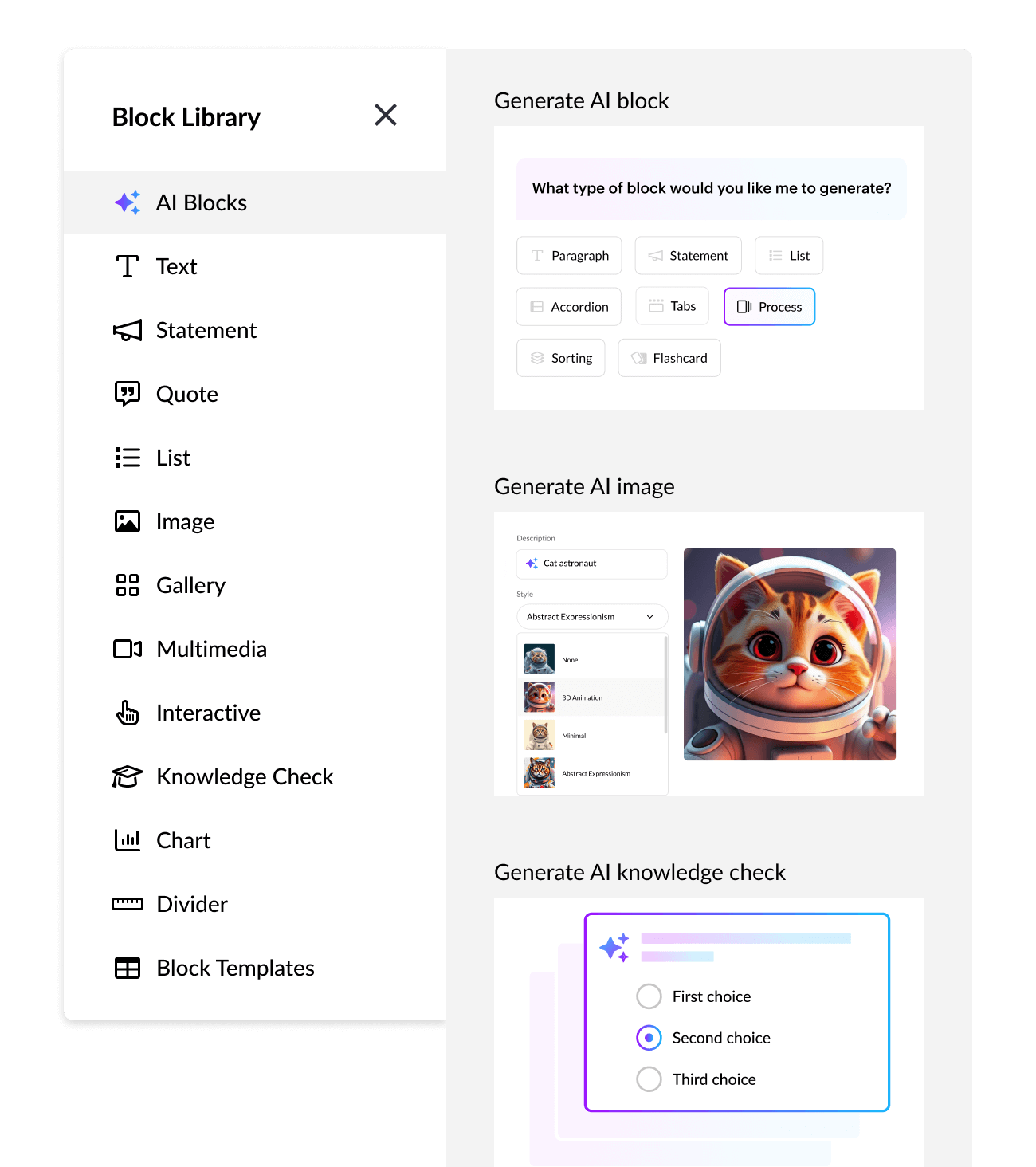
Artikulierter Aufstieg Rise ist ein benutzerfreundliches Online-Tool, mit dem die Erstellung ansprechender Kurse zum Kinderspiel wird. Ganz ohne Downloads können Sie sofort mit der Kursgestaltung beginnen. Als Teil der Articulate Suite 360 ist Rise ideal für Entwickler, die einzigartige und responsive Online-Kurse erstellen möchten.
Mit Funktionen wie Drag-and-Drop-Erstellung, responsivem Design, Bewertungstools und kollaborativer Bearbeitung vereinfacht Rise die Kurserstellung. Über 1000 Kursvorlagen stehen zur Auswahl, sodass Sie schnell loslegen und im Handumdrehen Kurse erstellen können.
Merkmale
- Drag-and-Drop-Blockgenerator
- Gemeinsames Erstellen von Dokumenten für Teams
- Einhaltung der WCAG 2.1-Standards
Preisgestaltung
- Articulate 360 Standard: 1.749 US-Dollar/Benutzer pro Jahr
- Reach Pro: 3.600 $/Jahr
2. Adobe Captivate
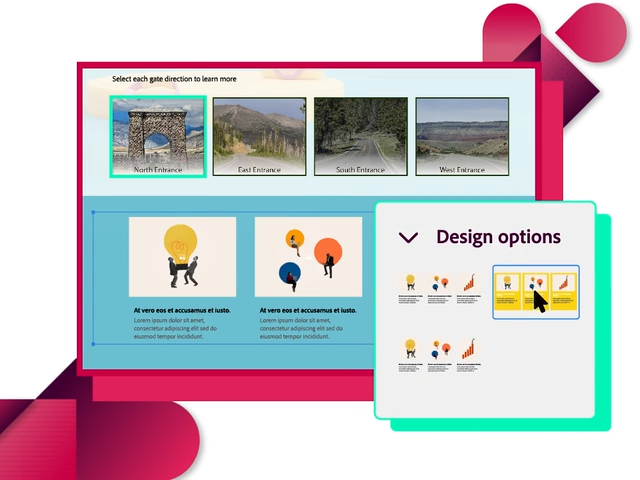
Adobe Captivate Adobe Captivate ist eine bemerkenswerte Alternative zur iSpring Suite für die Erstellung von E-Learning-Kursen. Beide sind für ihre schnelle und effektive Kursstruktur bekannt, Adobe Captivate ist jedoch deutlich benutzerfreundlicher.
Es eignet sich perfekt für Instructional Designer, die komplexe Simulationen und responsive Designs erstellen oder Multimedia-Elemente in ihre Kurse integrieren möchten. Mit Adobe Captivate erwecken Sie Ihre Kurse dank erweiterter Funktionen und Anpassungsmöglichkeiten zum Leben. Sie können damit Virtual-Reality-Erlebnisse (VR) mit 360°-Bildern und -Videos gestalten.
Merkmale
- Softwaresimulationen für interaktive Tutorials
- Responsive Kurse für alle Geräte
- Interaktive Videos und Quizze
Preisgestaltung
Besuchen diese Seite um weitere Preisoptionen zu erkunden.
3. Coursebox AI
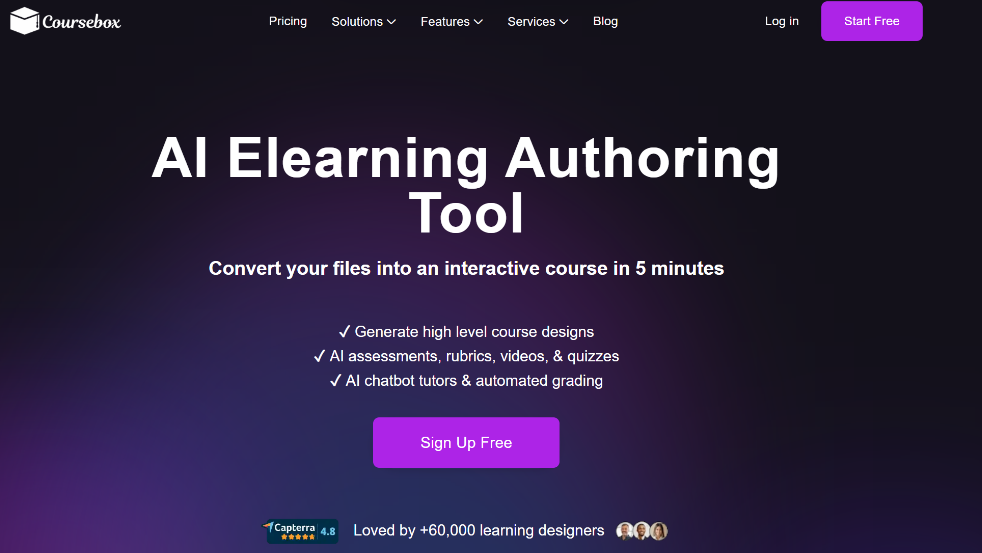
Basierend auf der Erstellung cloudbasierter KI-Kurse, Coursebox Articulate 360 verwandelt Lerninhalte in interaktive Kurse – ganz ohne Downloads oder Installationen. Ein KI-Assistent unterstützt die Erstellung, individuelle Anpassungsmöglichkeiten und ein integrierter Quizgenerator dienen der Fortschrittskontrolle. Die Lösung eignet sich ideal für Teams, die KI-gestützte Kurserstellung ohne lange Einarbeitungszeit in Desktop-Software wünschen. Instructional Designer und Autorenspezialisten, die Wert auf hochwertige, interaktive Kurse mit umfassenden Bearbeitungsmöglichkeiten legen, entscheiden sich in der Regel für Articulate 360. Teams, die fortgeschrittene Verzweigungsszenarien, Simulationen und responsives HTML5 benötigen, ziehen hingegen mitunter Adobe Captivate in Betracht.
Merkmale
- Videos, PDFs und Dokumente in bearbeitbare Quiz umwandeln
- KI-gestützte Quiz-Erstellung
- Vielseitige Testmöglichkeiten
- KI-bewertete Aufgaben für schnelles Feedback
Preisgestaltung
- Eine kostenlose Version ist verfügbar.
- Experte: 83 $/Monat (jährliche Abrechnung)
- Teams: 417 $/Monat (jährliche Abrechnung)
Besuchen diese Seite um weitere Preisoptionen zu erkunden.
4. LMS absorbieren
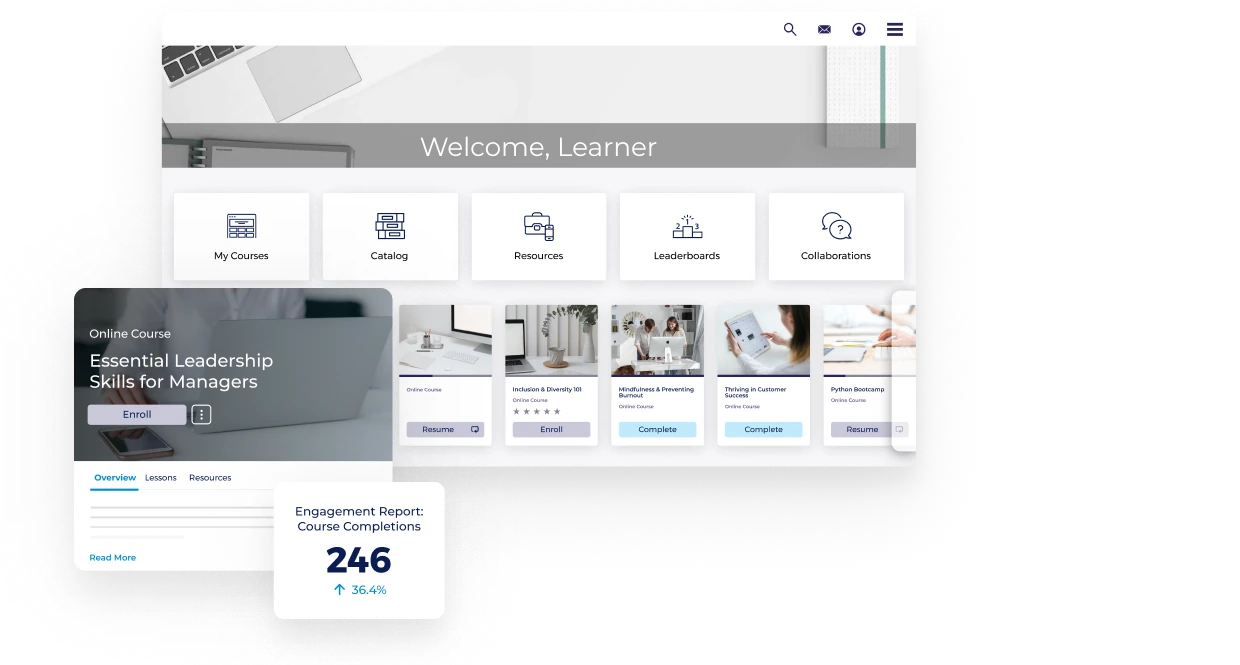
Wenn Sie mit der Verwaltung Ihrer Trainingsprogramme überfordert sind, Absorb LMS Das könnte ein Lebensretter sein. Es ist eine fantastische Option, besonders wenn man sehr viele Kurse hat und alles gut organisieren muss.
Mit dem integrierten Kursgenerator können Sie Programme mit Quizzen, Tests und Multimedia-Elementen gestalten und so das Lernen unterhaltsam machen. Und das Beste daran? Sie können den Lernfortschritt Ihrer Teilnehmer verfolgen und diese Daten nutzen, um Ihre Kurse kontinuierlich zu verbessern.
Merkmale
- Benutzerfreundliche Oberfläche
- Anpassbare Lernpfade
- Mobile Kompatibilität
- Reporting- und Analyse-Dashboard
Preisgestaltung
Besuchen diese Seite Um mehr über die Preisoptionen zu erfahren.
5. Erläutern
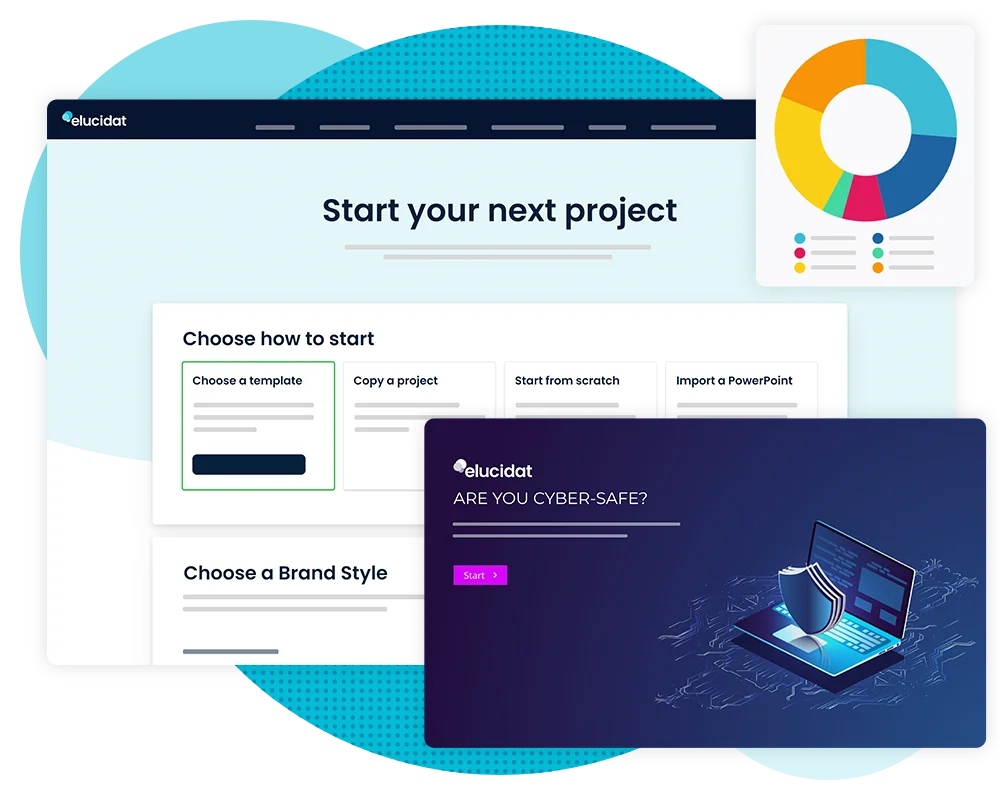
Erklären Elucidat ist eine kollaborative Plattform, die sich ideal für große Teams mit hohem Content-Bedarf eignet. Dank der benutzerfreundlichen Oberfläche mit Drag-and-Drop-Funktion und WYSIWYG-Editor kann jeder mühelos ansprechende Inhalte erstellen. Mit Elucidat lassen sich mehrere Kurse im Handumdrehen aktualisieren. Es ist mit Abstand das beste Tool, um Ihrem Team Zeit und Aufwand zu ersparen.
Merkmale
- Cloudbasiertes Autorentool
- Verfolgt die von verschiedenen Autoren vorgenommenen Änderungen.
- Detailliertes Analyse-Dashboard
- Vorgefertigte Vorlagen und Assets
Preisgestaltung
Besuchen diese Seite um sich über die Preisoptionen zu informieren.
6. Lernprozesse anpassen
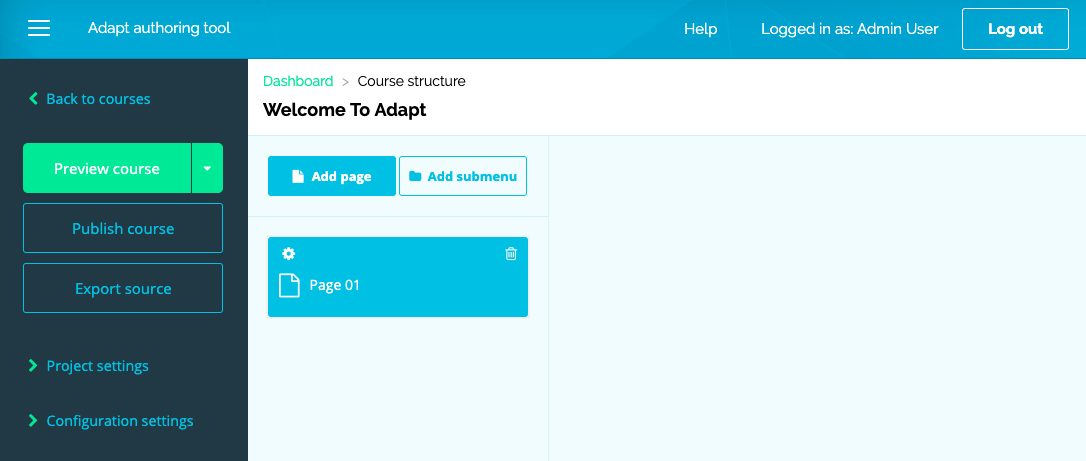
Lernen anpassen ist eine vielseitige Plattform zur Erstellung moderner, interaktiver Online-Kurse. Sie ist für alle Geräte optimiert, sodass Ihre Lernenden von überall auf ihre Schulungen zugreifen können. Da es sich um ein Open-Source-Tool handelt, profitieren Sie von maximaler Flexibilität und zahlreichen Anpassungsmöglichkeiten.
Das Beste daran ist, dass Entwickler und Instructional Designer CSS und JavaScript nutzen können, um ihre Kurse an persönliche Bedürfnisse anzupassen.
Merkmale
- Passt sich jedem Gerät an
- Open-Source-Tool
- Erweiterbares HTML5-E-Learning-Framework
Preisgestaltung
Adapt Learning kann kostenlos genutzt werden.
7. Gomo Learning
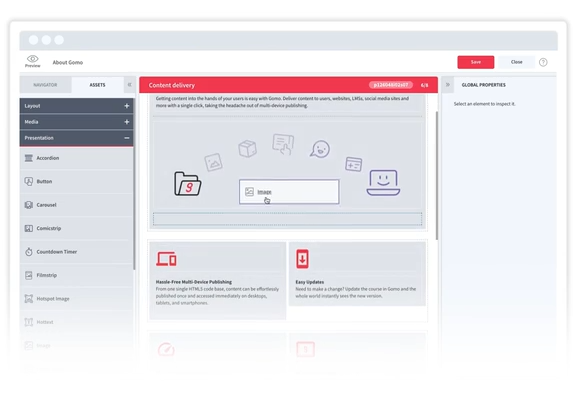
Gomo Learning Gomo ist eine benutzerfreundliche Alternative zur iSpring Suite, mit der die Erstellung interaktiver Online-Kurse zum Kinderspiel wird. Dank der einfachen Drag-and-Drop-Oberfläche von Gomo können Sie auch ohne Vorkenntnisse schnell ansprechende Lektionen erstellen – ideal für Einsteiger in die Kurserstellung!
Mit Funktionen wie verzweigten Szenarien, Gamifizierung und Analysen können Sie Ihre Kurse an die Bedürfnisse der Lernenden anpassen und deren Fortschritte verfolgen. Da Gomo cloudbasiert ist, können Sie außerdem mit Ihrem Team zusammenarbeiten und Ihre Inhalte weltweit in mehreren Sprachen bereitstellen.
Merkmale
- Passt Inhalte automatisch an verschiedene Geräte an
- Funktionen für die gemeinsame Erstellung von Inhalten
- Cloudbasierte Plattform
- Bietet detaillierte Analysen zum Lernverhalten
Preisgestaltung
Besuchen diese Seite um sich über die Preisoptionen zu informieren.
8. Lectora Online
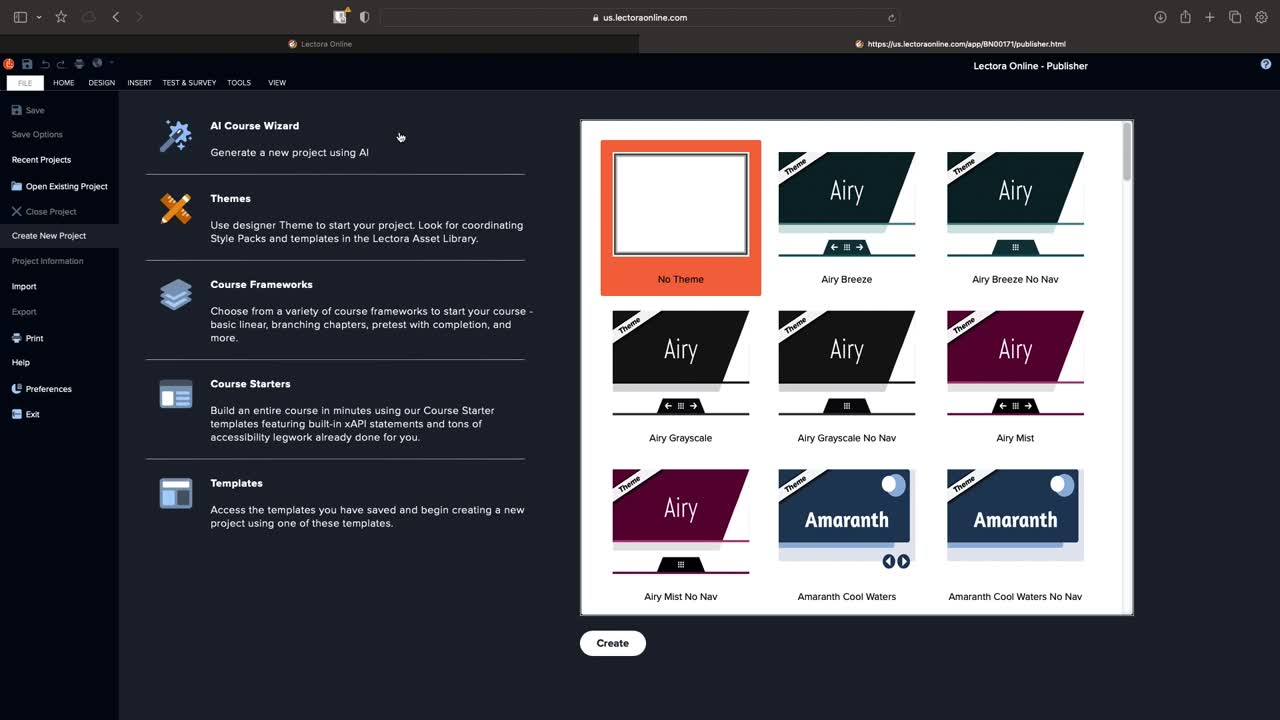
Lectora Online ist ein hervorragendes Tool, mit dem sich dynamische Online-Kurse in wenigen Schritten erstellen lassen. Es bietet fortschrittliche Funktionen und Anpassungsmöglichkeiten – perfekt für Instructional Designer, die komplexe und gleichzeitig ansprechende Lernerfahrungen gestalten möchten.
Da Lectora Online cloudbasiert ist, können Sie von überall aus an Ihren Projekten arbeiten und problemlos mit Ihrem Team zusammenarbeiten. Im Vergleich zur iSpring Suite ist Lectora Online besonders attraktiv für Teams, die Wert auf Zusammenarbeit und individuelle Anpassung legen.
Merkmale
- HTML5-Unterstützung
- Komplexe Entscheidungsszenarien innerhalb von Kursen
- Entspricht WCAG 2.0
- Unterstützt die Standards SCORM, xAPI und AICC.
Preisgestaltung
- Ab 117 $/Monat
9. Lackmos
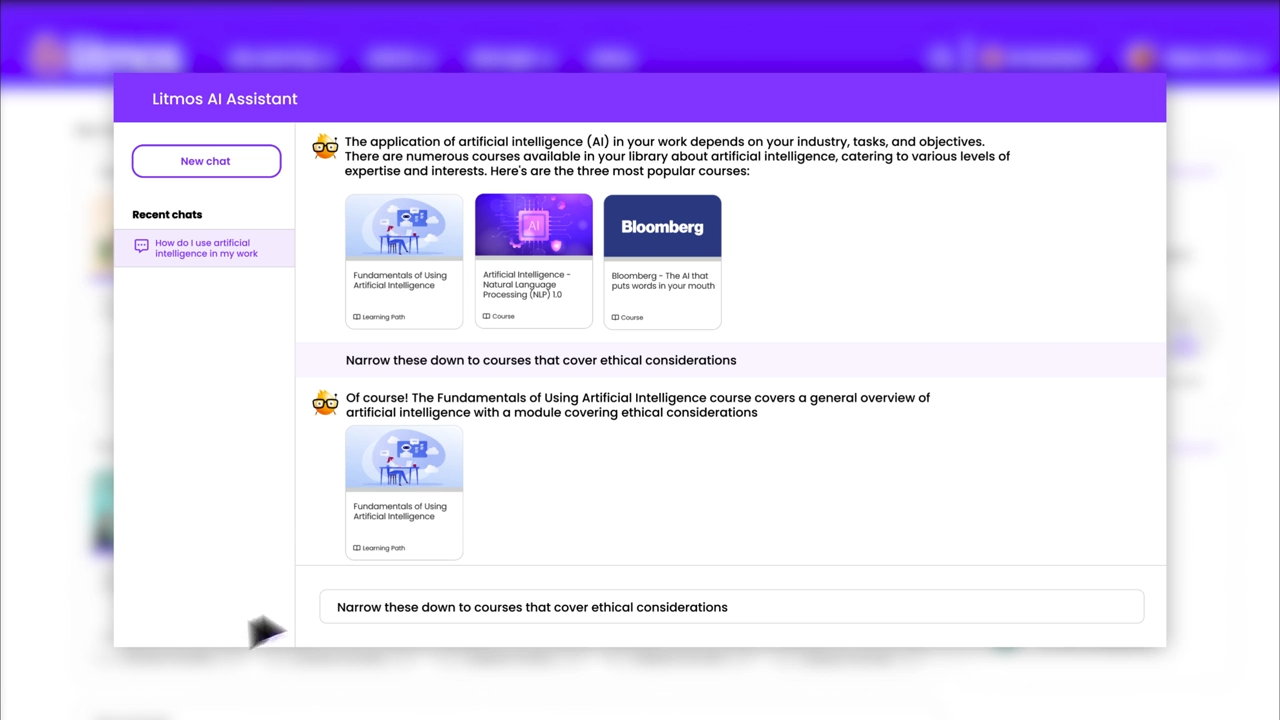
Litmos ist mehr als nur eine benutzerfreundliche Software – sie ist der persönliche Lernassistent Ihres Teams. Sie vereinfacht E-Learning durch die unkomplizierte Erstellung und Verwaltung von Kursen. Die detaillierte Analysefunktion hilft Ihnen, die Effizienz Ihrer Schulungsprogramme zu verfolgen.
Merkmale
- Integrierte Autorenwerkzeuge
- Schnelle Navigation und Kurszugriff
- Beinhaltet Gamifizierungselemente
- Automatische Erinnerungen für die Erneuerung von Zertifizierungen
Preisgestaltung
Besuchen diese Seite Um mehr über die Preisoptionen zu erfahren.
10. EasyGenerator
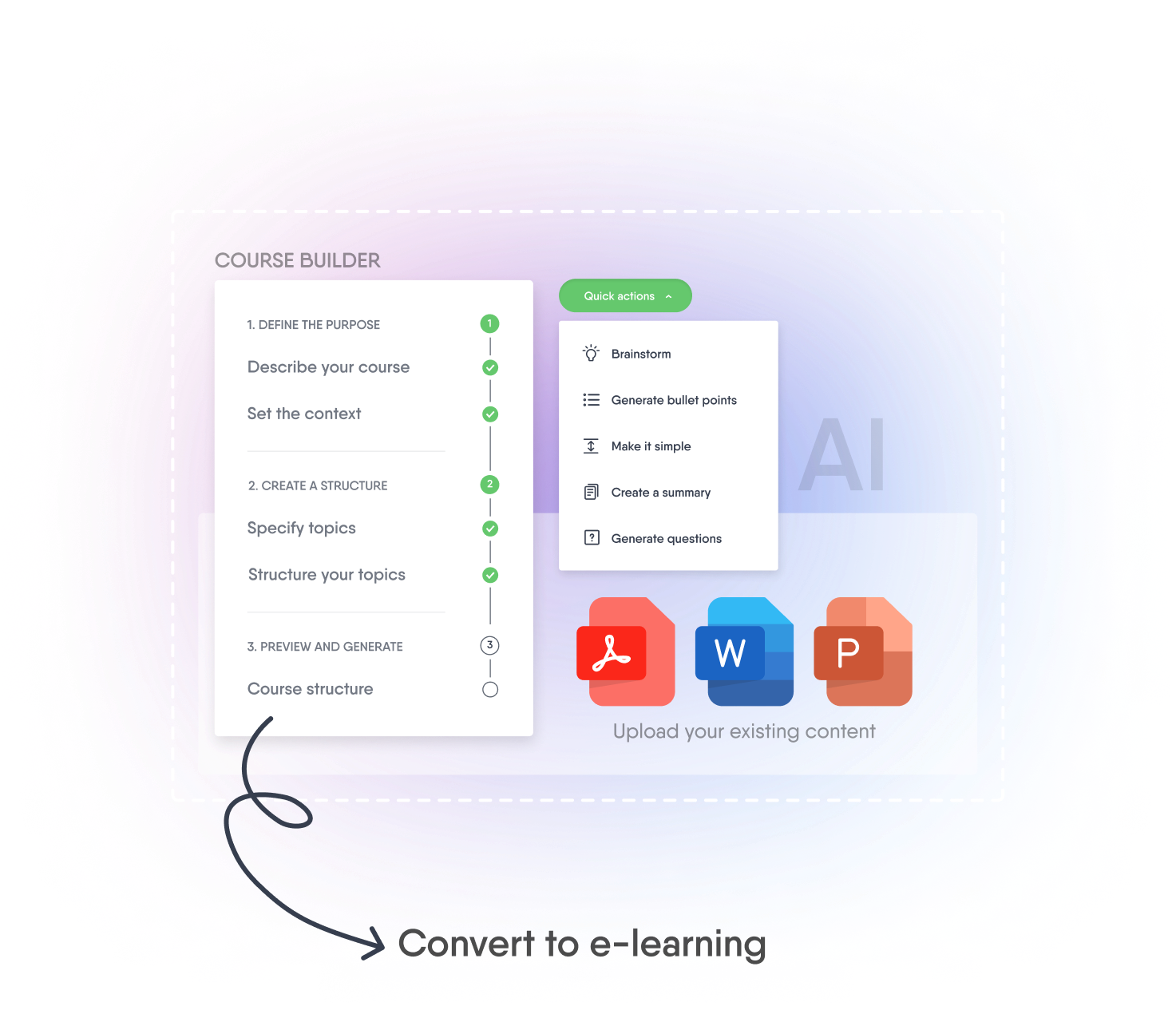
EasyGenerator EasyGenerator ist ein benutzerfreundliches Tool zur Erstellung von Online-Kursen. Auch ohne technische Vorkenntnisse können Sie auf dieser Plattform ganz einfach ansprechende Kurse und Quizze erstellen. Dank der Drag-and-Drop-Oberfläche von EasyGenerator lassen sich Inhalte, Fragen und interaktive Elemente schnell hinzufügen.
Außerdem können Sie Ihre Kurse online anbieten oder in verschiedene Formate exportieren. Sie möchten ein internationales Publikum erreichen? Easygenerator bietet automatische Übersetzungen in über 75 Sprachen.
Ganz egal, aus welchem Land Sie es nutzen, Easygenerator ist ein unglaublich einfach zu bedienendes Tool zur Kurserstellung.
Merkmale
- Konzipiert für Anwender ohne technische Vorkenntnisse
- Werkzeuge für die kollaborative Texterstellung
- Passt die Kurse automatisch an jedes Gerät an
- Unterstützt die Veröffentlichung in verschiedenen Formaten
Preisgestaltung
- Pro108 $/Monat
- Team541 US-Dollar/Monat
- UnternehmenAnrufen, um mehr zu erfahren
Besuchen diese Seite um sich über die Preisoptionen zu informieren.
Abschluss
Die iSpring Suite eignet sich zwar hervorragend für die Erstellung einfacher Online-Kurse, bietet aber möglicherweise nicht die erweiterten Funktionen und Anpassungsmöglichkeiten, die größere Organisationen benötigen. Falls Sie nach einer anderen Lösung suchen, haben wir eine Liste der 10 besten Alternativen zur iSpring Suite zusammengestellt.
Für Teams, die Wert auf ein gutes Preis-Leistungs-Verhältnis legen und maßgeschneiderte, kollaborative Kurse erstellen möchten, ist Coursebox AI eine hervorragende Option. Die benutzerfreundliche Plattform ermöglicht die Erstellung ansprechender Kurse zu einem fairen Preis. Kontaktieren Sie uns noch heute, um mehr zu erfahren!
Travis Clapp
Bildungstechnologe und Unterrichtsdesigner

