

LearnWorlds vs LearnDash: What’s the Difference and Which One Should You Choose?
Want to transform your training and learning approach? Try an AI LMS today. This LearnWorlds vs LearnDash comparison will help you choose the best platform.


Run your own branded LMS with unlimited learners
Are you looking for a learning management system (LMS) that lets you think beyond just uploading videos and quizzes? Your search should end at LearnWorlds and LearnDash. Both platforms offer features that modern creators, training managers, and education businesses demand.
With both platforms, you can build full digital academies, complete with branded websites, communities, automation, and advanced assessments. You can also create and sell online courses on either platform. However, there are a few differences.
Let’s explore LearnWorlds vs LearnDash in depth to find out their differences and pick the one that best suits your needs.
What is LearnWorlds?
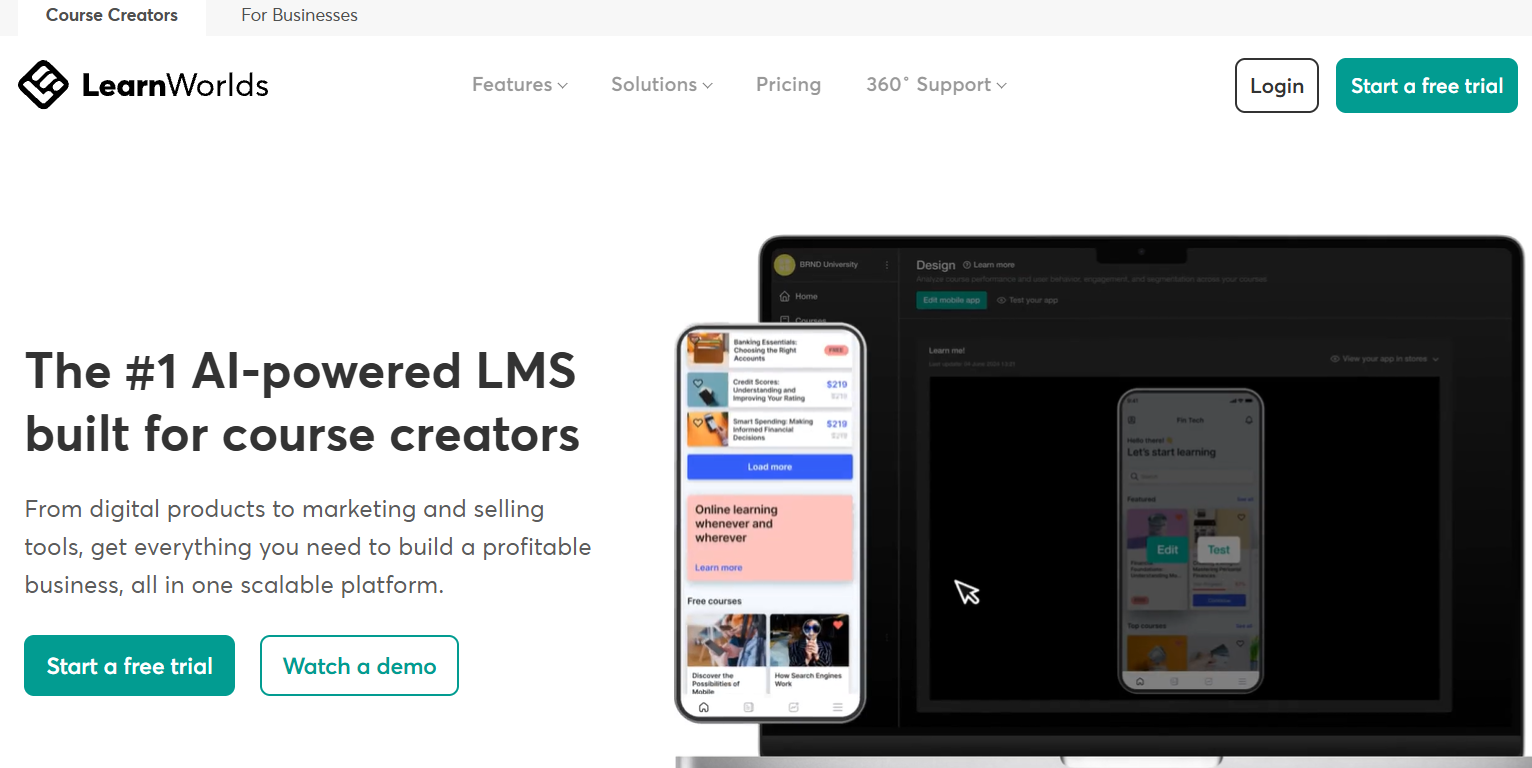
LearnWorlds is a cloud-based, all-in-one learning platform designed for entrepreneurs, educators, and businesses that want to create, market, and sell courses without managing technical infrastructure. It is fully hosted, so users do not need to arrange separate web hosting, install software, or manage updates. Everything runs inside the LearnWorlds environment.
The platform combines course-creation tools with website-building, payment processing, marketing funnels, memberships, and analytics. One of its most distinctive features is interactive video, which allows instructors to embed quizzes, buttons, and prompts directly inside video lessons. This makes the viewing experience more dynamic and keeps learners engaged without switching screens.
LearnWorlds also supports certificates, subscriptions, community features, and branded course environments. Since the system is centralized, users can manage their content, learners, sales pages, and performance reports from one place. For many creators, that convenience is a major advantage.
What is LearnDash?
LearnDash is a WordPress plugin that turns an existing WordPress site into a fully functional learning management system. Instead of being a hosted platform, it integrates directly into your website. This means you retain complete control over design, hosting, and site functionality.
LearnDash is widely used by universities, training organizations, and developers who prefer flexibility over convenience. Because it operates within WordPress, it can connect with thousands of themes and plugins, enabling advanced customization.
The platform is particularly strong in structured course progression and advanced quizzing. You can build multi-layered courses with lessons, topics, assignments, and timed assessments.
Detailed reporting tools track learner progress, quiz performance, and completion rates. However, since LearnDash depends on your WordPress environment, you are responsible for managing hosting, updates, and security.
LearnWorlds vs LearnDash: 6 Key Differences Explained
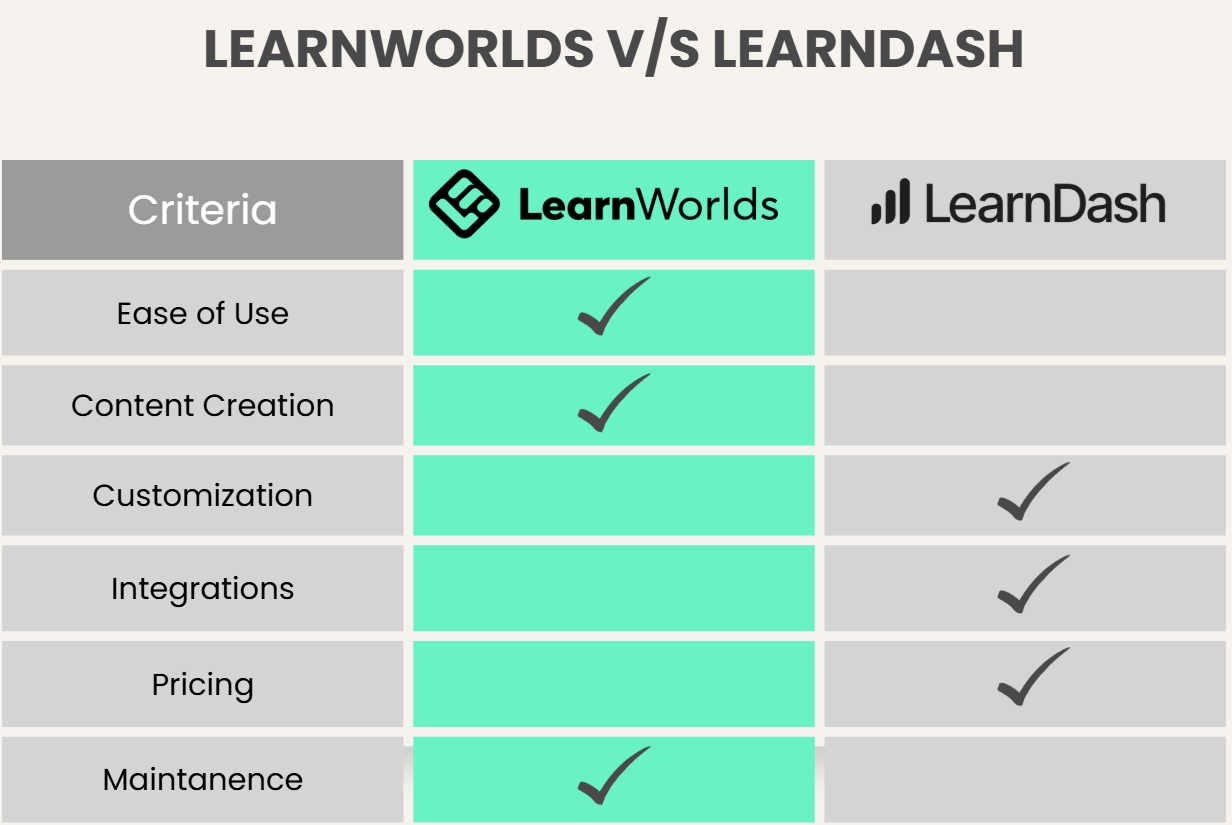
Now that we understand the foundations of both tools, let’s examine how they differ in practical terms.
1. Ease of Use and Setup
The most immediate difference between LearnWorlds and LearnDash appears during setup.
LearnWorlds UI
LearnWorlds is designed to get users up and running quickly. Once you create an account, your platform is ready. Hosting, backups, system updates, and security are handled automatically. The dashboard walks you through creating your first course and publishing your site, which makes the experience approachable even for beginners.
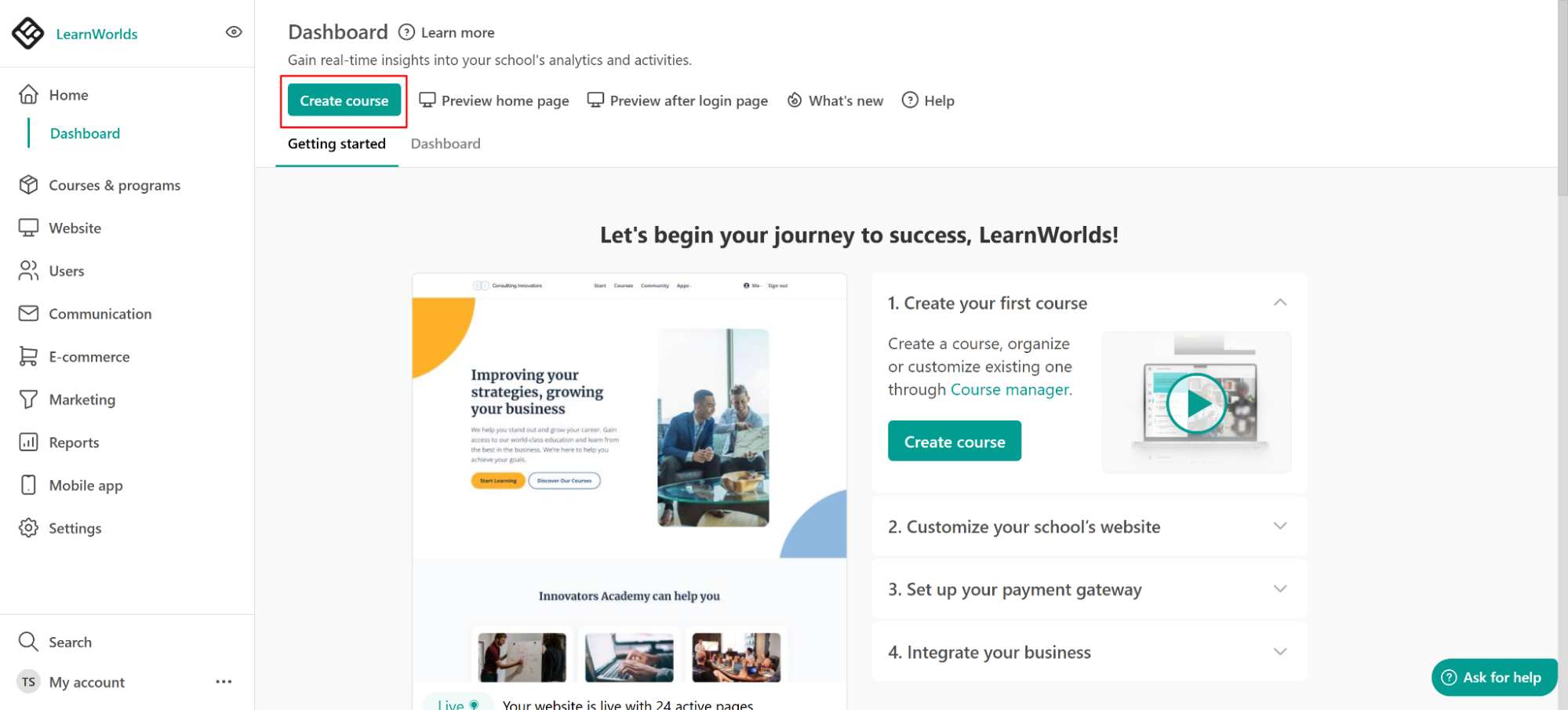
Source: LearnWorlds Support
LearnDash UI
LearnDash requires more preparation. Before installing the plugin, you need a WordPress website, a hosting provider, a domain, and a compatible theme. While many users are comfortable with WordPress, the setup involves multiple steps.
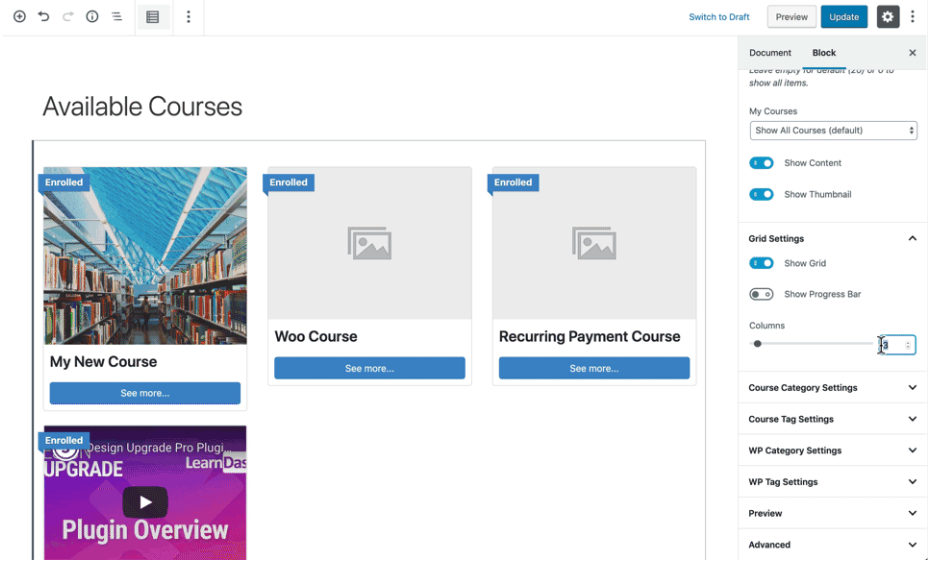
Updates, plugin compatibility, and site maintenance remain your responsibility. For technically confident users, this is manageable. For others, it may feel complex.
2. Course Creation and Learning Experience
Both platforms provide powerful course-building tools, but they prioritize different aspects of learning.
LearnWorlds focuses heavily on multimedia engagement. You can create interactive videos, embed assessments within lessons, upload SCORM files, host live sessions, and design visually rich course players. The interactive video editor stands out because it allows you to insert questions and clickable elements directly into a video timeline. This keeps learners engaged without interrupting the flow.
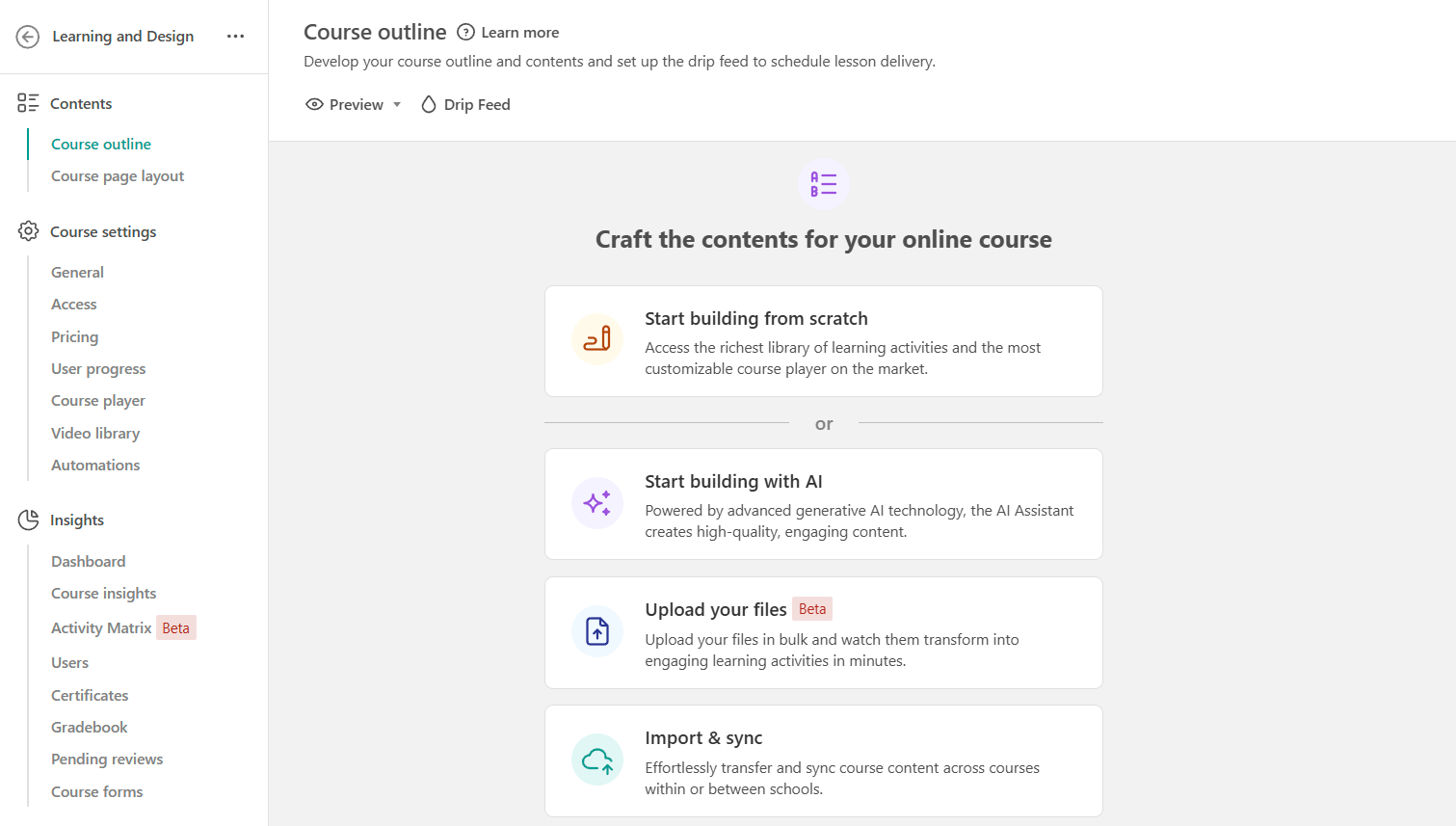
Source: LearnWorlds Support
LearnDash, by contrast, emphasizes structured learning paths. Courses are organized into lessons and topics, supported by advanced quizzes and assignments. Its quiz builder allows detailed control over question types, timers, grading logic, and conditional progression. This makes LearnDash particularly strong for academic-style courses or compliance training where assessment rigor matters.
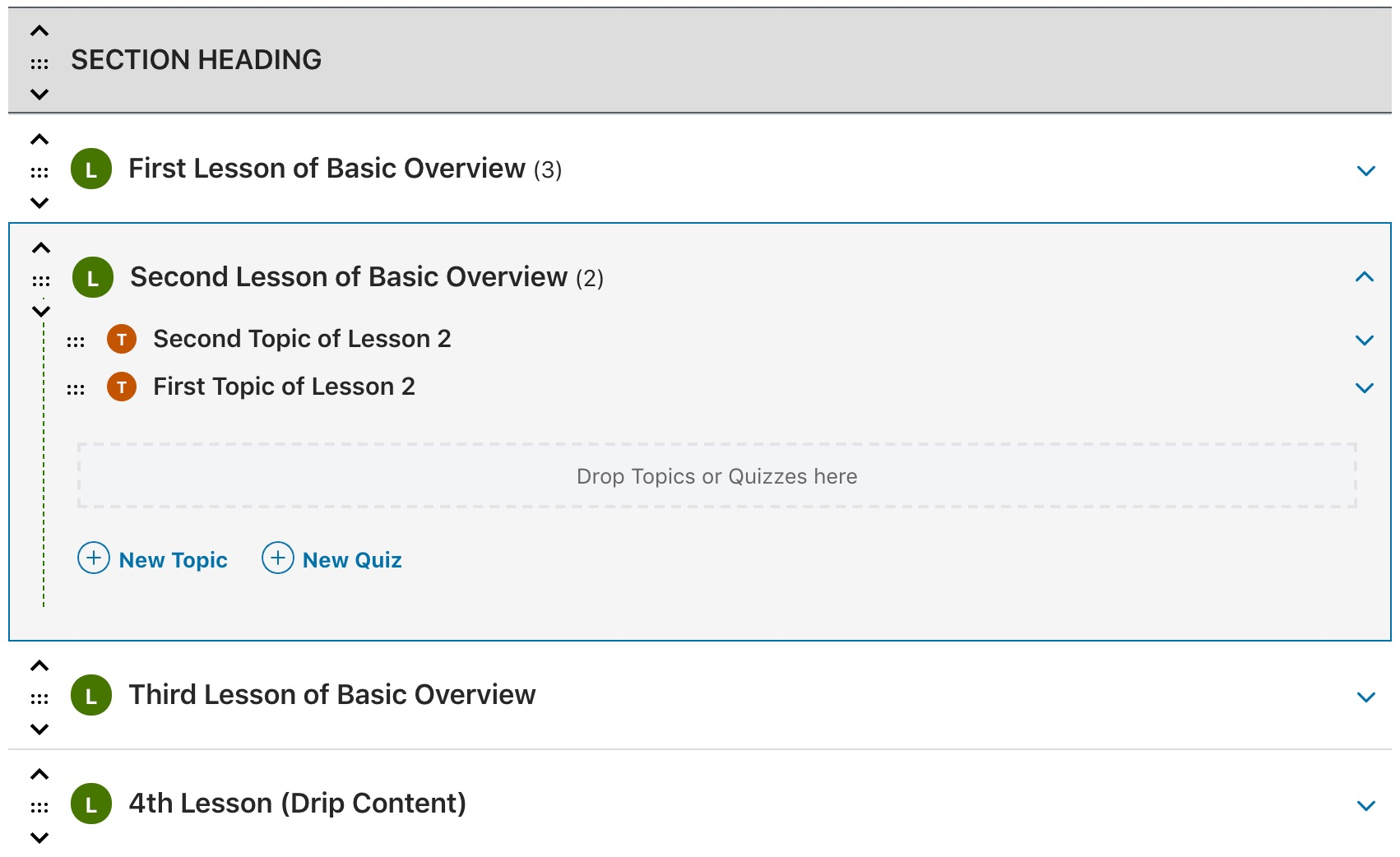
Source: LearnDash Support
If engagement through media and design is your priority, LearnWorlds has an edge. If structured progression and complex testing are central to your program, LearnDash may be a better fit.
3. Customization and Design Flexibility
Customization is one of the biggest distinctions in the LearnWorlds vs LearnDash debate.
LearnWorlds includes a built-in website builder that allows you to design landing pages, create sales funnels, customize course layouts, and adjust branding without external tools. You can modify colors, layouts, and page elements using drag-and-drop functionality. However, customization is limited to the features provided within the platform.
LearnDash offers nearly unlimited flexibility because it operates within WordPress. You can use custom themes, page builders like Elementor, and additional plugins to create highly tailored learning environments.
Developers can even modify code to achieve specific functionality. This level of control is powerful but requires technical knowledge and ongoing management.
The choice here depends on whether you value convenience or complete design freedom.
4. Integrations and Ecosystem
Both platforms connect with external tools, but their ecosystems differ in scope and complexity.
LearnWorlds integrates with payment gateways, email marketing services, CRM systems, analytics platforms, and automation tools. Since it is hosted, integrations are managed within a controlled environment, reducing compatibility risks.
LearnDash benefits from WordPress’s massive ecosystem. It can integrate with WooCommerce, membership plugins, marketing automation systems, and thousands of other WordPress extensions. While this opens up enormous possibilities, it also introduces the risk of plugin conflicts and additional maintenance responsibilities.
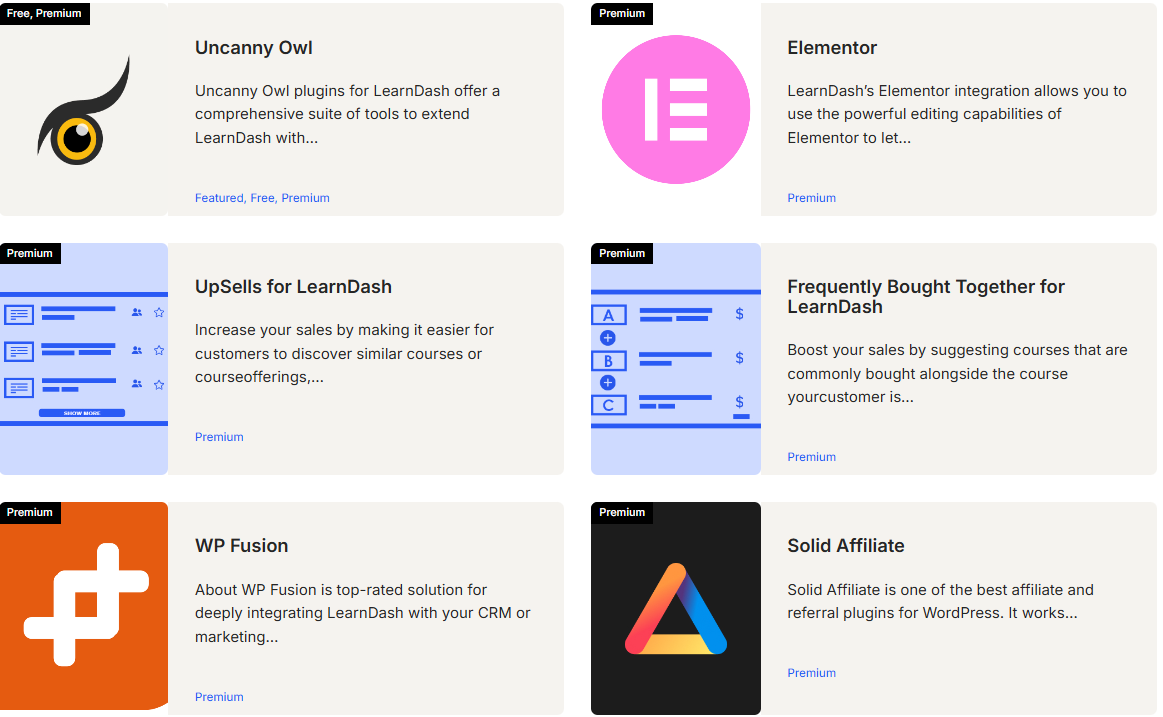
If you want stability with fewer moving parts, LearnWorlds offers simplicity. If you want extensive customization with third-party tools, LearnDash offers more flexibility.
5. Pricing Structure
Pricing can look straightforward at first, but the long-term costs differ.
LearnWorlds Pricing
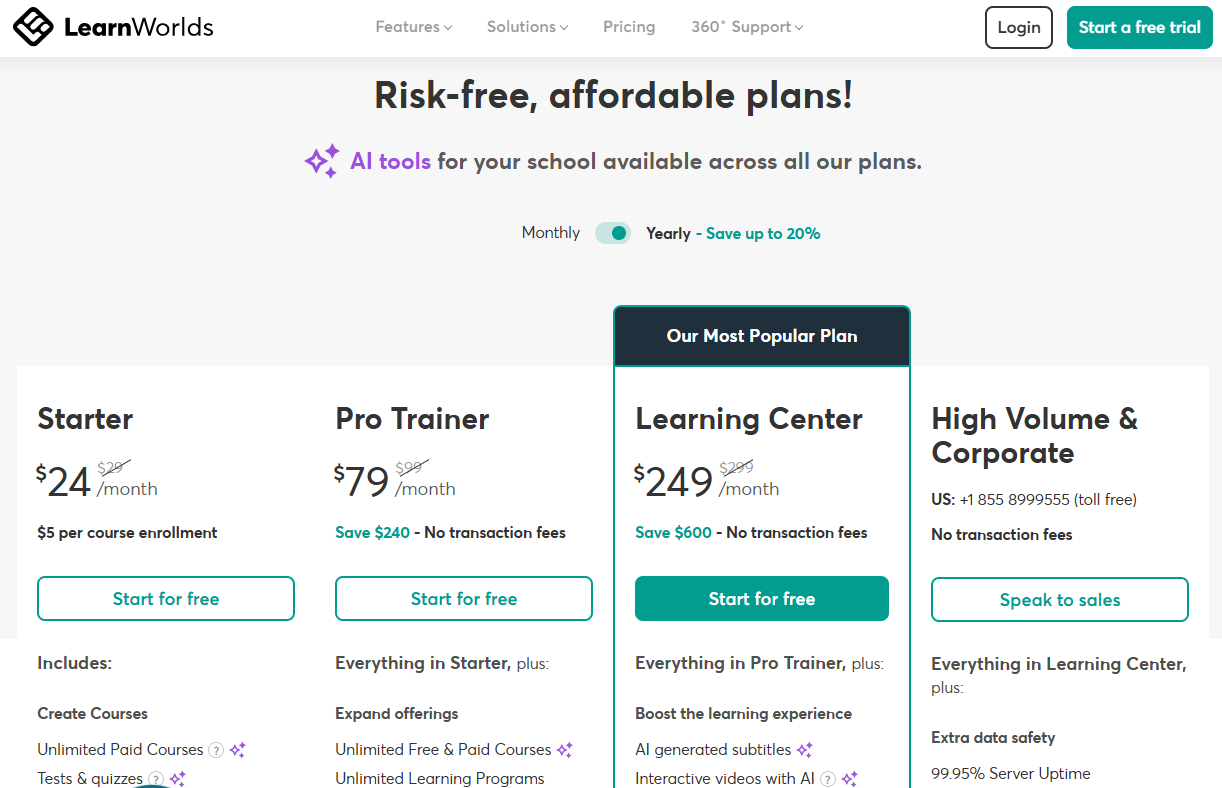
LearnWorlds operates on a subscription model, with monthly or annual plans that include hosting, updates, and built-in tools. Pricing tiers typically vary based on advanced features, white-label options, and API access. Because hosting is included, there are no separate server expenses.
LearnDash Pricing
LearnDash uses annual licensing. However, you must also account for hosting costs, premium themes, page builders, and potential developer assistance. While the base license may seem affordable, total expenses can increase as your site becomes more customized.
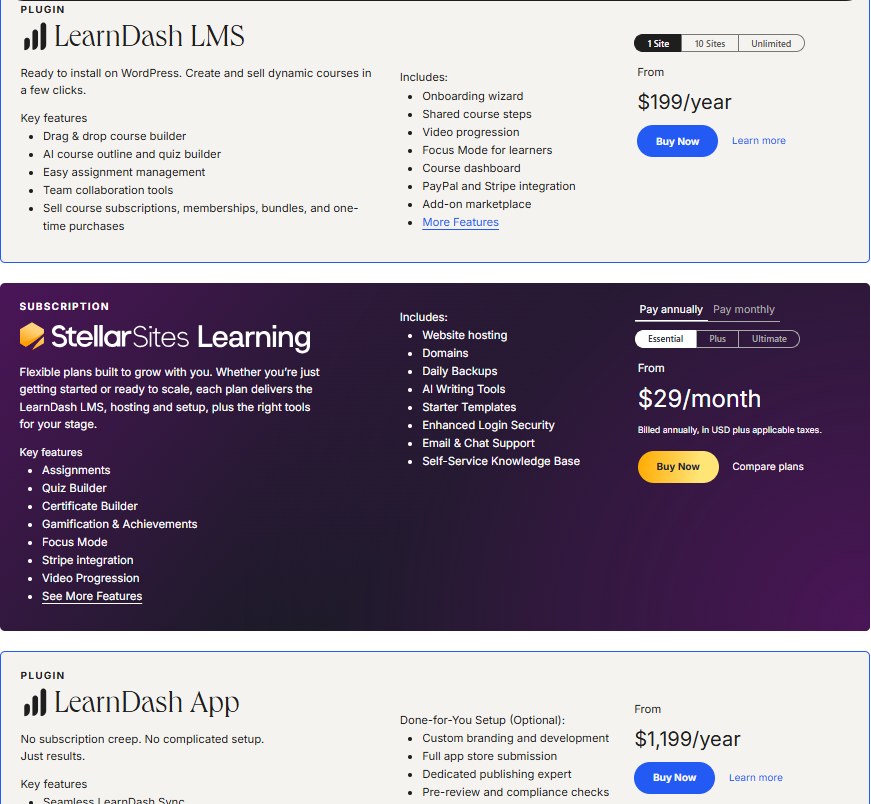
Understanding the total cost of ownership is essential when comparing these platforms.
6. Maintenance and Technical Responsibility
Maintenance is often overlooked during selection but becomes critical over time.
With LearnWorlds, the company manages system updates, hosting infrastructure, and security protocols. This allows course creators to focus on content and marketing instead of technical upkeep.
With LearnDash, you are responsible for updates, backups, and security monitoring. WordPress requires regular maintenance, and plugin compatibility must be managed carefully. For teams with technical resources, this is not a problem. For solo creators, it may become time-consuming.
LearnWorlds vs LearnDash: Which Is Better?
There is no universal winner in the LearnWorlds vs LearnDash comparison. The better choice depends on your priorities, technical skill level, budget structure, and long-term scalability plans.
| Feature | LearnWorlds | LearnDash |
|---|---|---|
| Best For | Course businesses, coaches, training companies | WordPress users, developers, and universities |
| Platform Type | Hosted LMS | WordPress Plugin |
| Setup Time | Very short | Moderate |
| Customization | Built-in builder | Nearly unlimited (WordPress-based) |
| Maintenance | Fully managed | User-managed |
| Technical Skill Needed | Low to medium | Medium to high |
| Pricing | Monthly/annual subscription | Annual license + hosting costs |
- Choose LearnWorlds if you want a streamlined, all-in-one system that minimizes technical complexity. It works well for entrepreneurs, coaches, and businesses that prefer simplicity and built-in marketing features.
- Choose LearnDash if you’re a WordPress user who values flexibility and customization. It is particularly strong in structured education environments where detailed assessment and integration control are important.
Why Coursebox AI Is the Better Alternative
While LearnWorlds and LearnDash are powerful LMS platforms, both rely heavily on manual course creation. Modern learning environments increasingly demand speed, automation, and global scalability.
Coursebox introduces AI-driven course and quiz generation that dramatically reduces setup time. Instead of building lessons and assessments from scratch, you can upload PDFs, Word documents, PowerPoint slides, videos, or links, and the system generates structured quizzes instantly.
Coursebox supports multiple-choice, short-answer, and drag-and-drop formats with automatic grading and instant feedback. It also enables multilingual delivery in over 100 languages, making it suitable for international teams. Instructors can adjust difficulty levels, edit generated questions, and refine assessments within seconds.
In contrast to traditional LMS platforms that require significant manual input, Coursebox leverages AI to streamline development while maintaining quality control. If your goal is not just to host courses but to generate them intelligently and deploy them globally, Coursebox represents the next evolution of LMS technology.
Book a free demo now to get started!
FAQs About LearnWorlds vs LearnDash
Frequently Asked Questions
The main difference is that LearnWorlds is a fully hosted, all-in-one platform, while LearnDash is a WordPress plugin that requires separate hosting and setup. LearnWorlds manages security, updates, and infrastructure for you. LearnDash gives you more control but requires ongoing technical management.
LearnWorlds is generally easier for beginners because everything is built into one system. You can launch a course without dealing with hosting, plugins, or technical configurations. LearnDash is better suited for users already comfortable with WordPress.
Yes, LearnDash offers greater design flexibility because it runs on WordPress. You can use custom themes, page builders, and plugins to create a fully tailored learning experience. However, that flexibility comes with added complexity and maintenance responsibility.
Both platforms can support corporate training, but they approach it differently. LearnWorlds simplifies deployment with built-in tools and managed hosting. LearnDash is often preferred by organizations that need structured assessments and deep integration within existing WordPress systems.
Unlike traditional LMS platforms, Coursebox uses AI to automatically generate quizzes and course materials from documents, slides, and videos. This significantly reduces manual course-building time while maintaining quality and structure. For teams seeking faster content creation and multilingual delivery, Coursebox offers a more modern, automation-driven approach.
Alex Hey
Digital marketing manager and growth expert

