

Pictory vs InVideo: What’s the Difference and Which One Should You Choose?
Struggling to choose between Pictory vs InVideo? We break down the key differences in AI capabilities and pricing to help you pick the right video editor.


Create polished training videos instantly
Creating videos no longer requires editing skills or expensive software. With AI tools like Pictory and InVideo, course creators can turn their ideas, scripts, and content into videos in just a few minutes.
However, when it comes to creating videos for training, onboarding, or internal education, the requirements for a video editor or generator change. So, it’s important to understand how each platform differs in features, video generation, pricing, etc.
In this Pictory vs InVideo one-on-one, we will discuss each platform’s video creation, customization, and user interface capabilities to help you select the best one. We will also discuss how an AI training video generator can transform your basic videos into structured training content.
What is Pictory?
Pictory is an AI-powered video creation platform designed to turn long-form content into short, engaging videos. It’s especially popular with marketers, content creators, and businesses that want to repurpose existing material quickly.
One of Pictory’s standout features is its ability to convert blog posts, scripts, PPTs, URLs, or audio into videos. You paste in text or upload content, and Pictory uses AI to summarize, select visuals, add captions, and generate a polished video.
Pictory can be useful for creating short training clips or explainer videos, especially when repurposing written material. However, it’s primarily a video creation tool, not a training-focused platform. There’s limited support for organizing videos into learning paths or structuring them as part of a larger training program.
What is InVideo?
InVideo takes a more hands-on approach to video creation. Instead of focusing mainly on content repurposing, it offers a powerful editor with thousands of templates for ads, promos, YouTube videos, and social media posts.
InVideo is ideal for users who want more creative control. You can choose templates, manually edit scenes, add animations, customize transitions, and fine-tune timing. It feels closer to a traditional video editor, just simplified for non-professionals.
InVideo works well for producing polished training videos with strong visuals and branding. That said, it focuses on the video itself, not the training experience around it. Teams creating onboarding or compliance content often need additional tools to structure, manage, and deliver those videos effectively.
Pictory vs InVideo: 5 Key Differences Explained
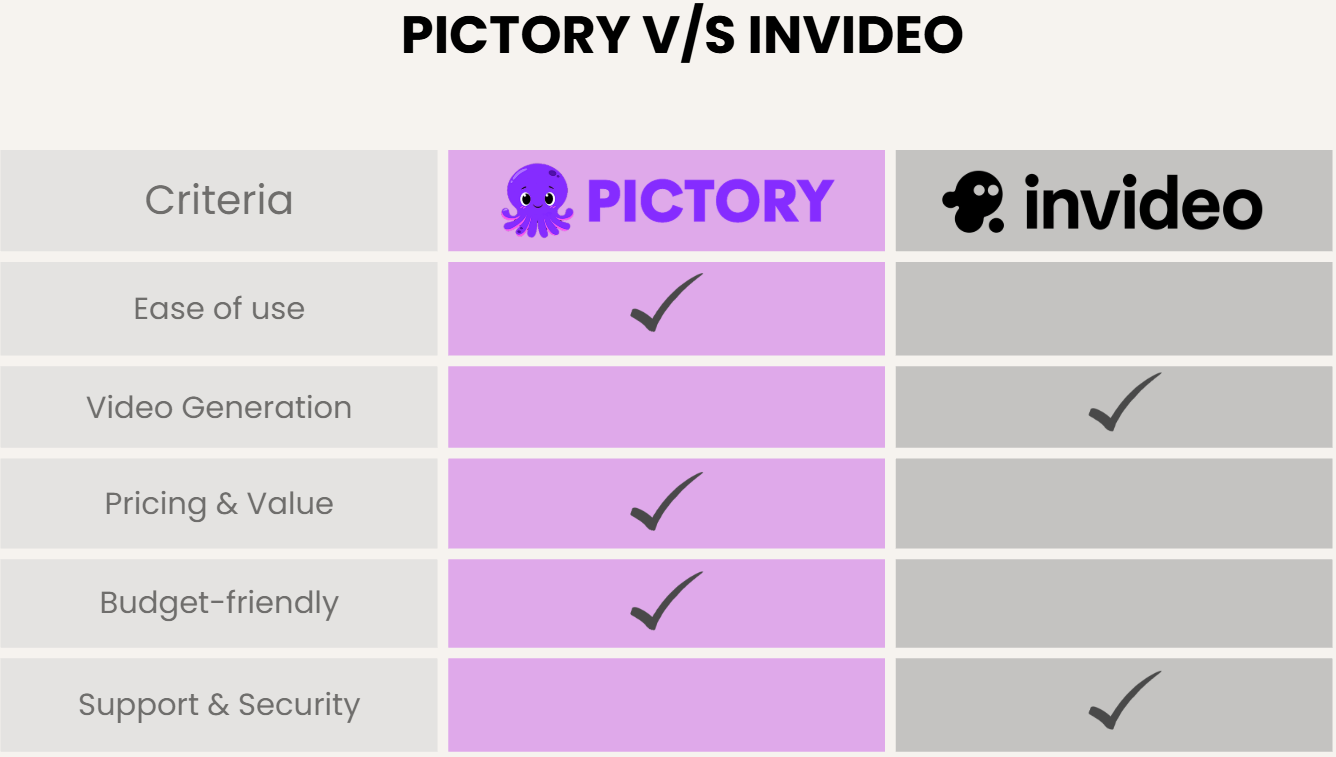
Let’s look at how Pictory vs InVideo compare across different learning and budgeting areas:
1. Ease of Use & Interface
Both Pictory and InVideo are designed for non-editors, but the way they guide users through video creation feels very different.
Overall Experience
Pictory focuses heavily on simplicity. From the moment you log in, the platform nudges you toward quick actions like converting text to video or summarizing long content. You don’t need prior editing knowledge, and the system handles most decisions. First-time users can go from idea to finished video in under 10 minutes.
InVideo also welcomes beginners, but the interface assumes you’re willing to spend a bit more time learning. You’re immediately presented with templates, layouts, and editing options. While this adds flexibility, it can feel slightly overwhelming at first, especially if you’ve never edited a video before.
User Interface (UI)
Pictory’s navigation is minimal. Fewer buttons, fewer menus, and fewer chances to get lost. That’s great for speed, but it also limits exploration.
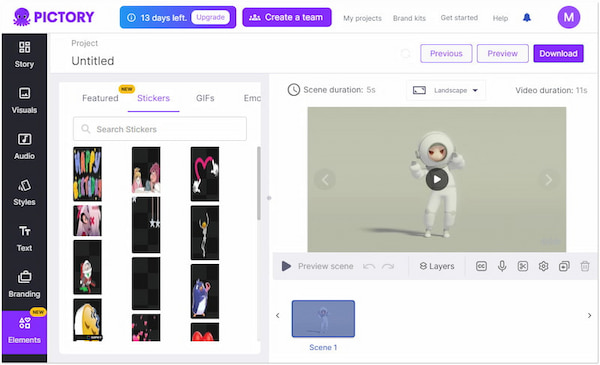
InVideo’s interface resembles a simplified professional video editor. Timelines, layers, and scene-level controls are easy to access once you understand them.
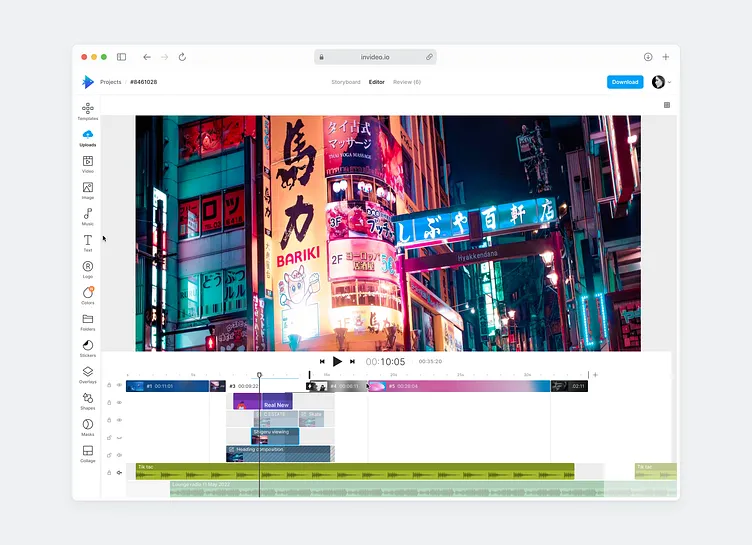
If you value speed and simplicity, Pictory is easier to use. If you want control and flexibility, InVideo gives you more room to experiment.
For teams building training content at scale, ease of use also means being able to generate consistent training videos quickly. That’s something basic video editors don’t fully address without help from an AI training video generator.
2. Video Creation Workflow
The workflow is where the Pictory vs InVideo difference becomes very clear.
Pictory’s AI-Driven Workflow
Pictory is built around automation. You start by adding text, a script, or a URL, and the platform generates a video outline. AI selects visuals, captions, and scene transitions, and you can make light edits afterward.
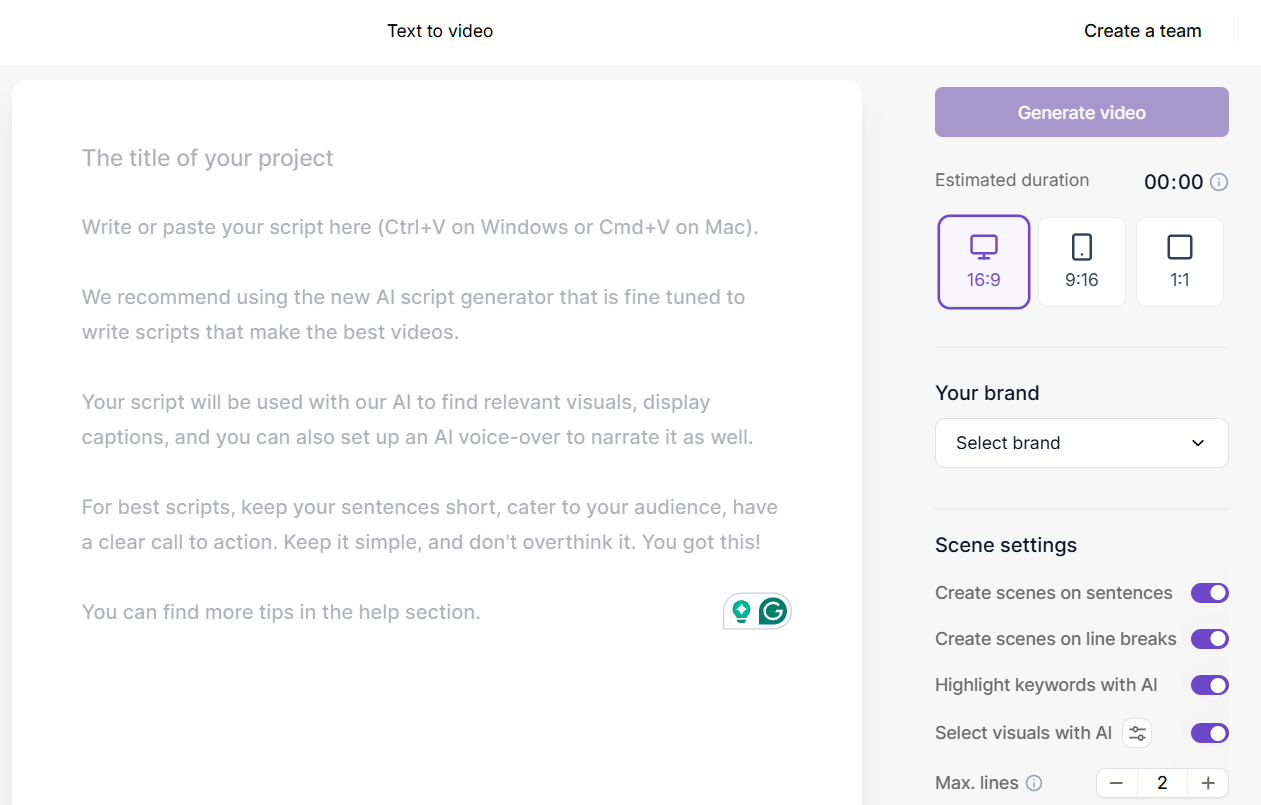
This workflow works especially well for turning blog posts into videos, summarizing long recordings, and creating short educational clips.
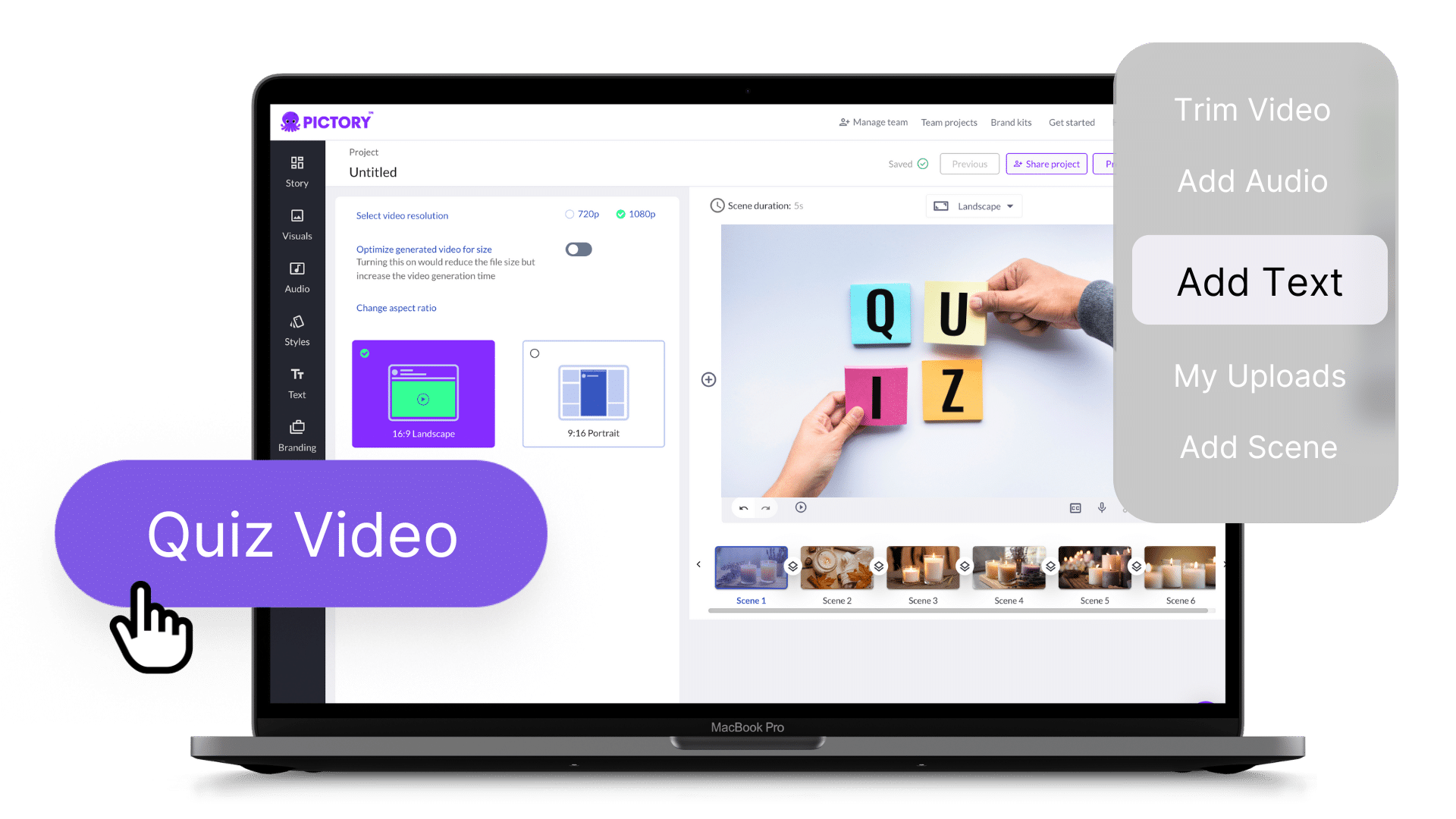
Pictory’s Quiz Video Maker allows creators to insert simple quiz questions directly into videos. These are useful for learner engagement, but they remain manual and limited in scope. They don’t function as adaptive AI quizzes that assess understanding or track progress.
InVideo’s Template-First Workflow
InVideo flips the process. You begin by choosing a template based on your goal, such as a YouTube intro, ad, or explainer video. From there, you build each scene manually.
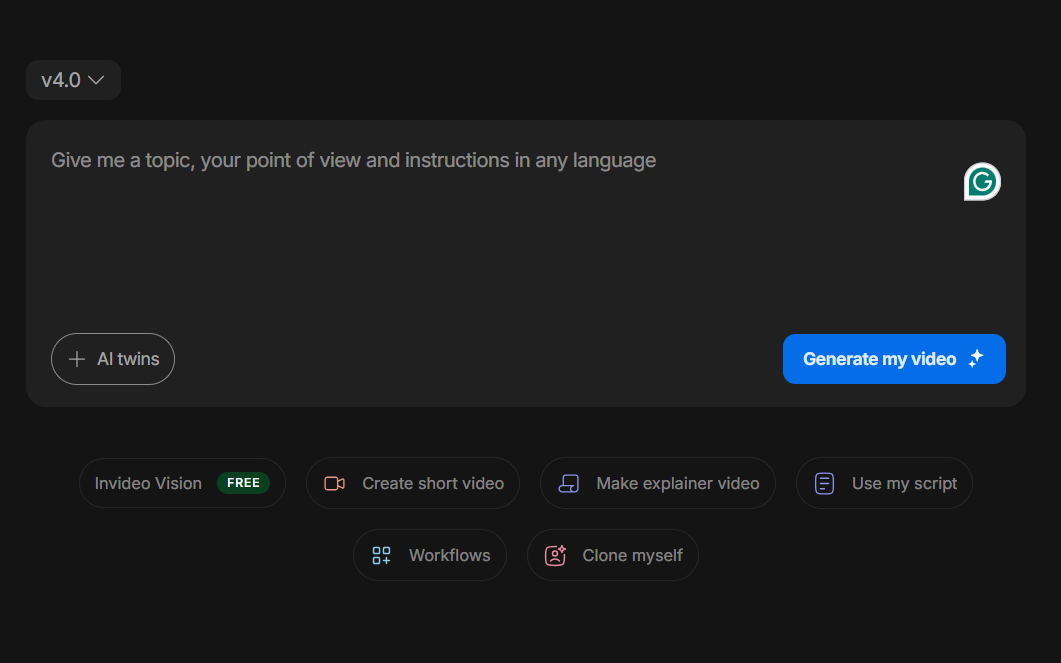
This approach gives you more control over pacing, visuals, and storytelling, but it also requires more involvement. You’re responsible for timing, transitions, and overall flow. For users who enjoy creative input, this workflow feels empowering.
Fun Fact: Studies have found that active recall and retrieval techniques can boost long-term memory retention in learners compared to repeated studying methods.
3. Customization & Creative Control
Customization often determines whether a tool scales with your needs or becomes limiting over time.
Visual Customization
Pictory allows light customization. You can edit text, swap visuals, adjust captions, and choose voiceovers. However, the AI controls the overall structure, which limits creative experimentation.
InVideo excels here. Users can modify templates extensively and adjust animations and transitions. They can also customize fonts, colors, and branding, and create videos from scratch. This makes InVideo more suitable for branded marketing campaigns and social media strategies.
Interactive Elements & Engagement
Pictory’s Quiz Video Maker adds an interactive layer by embedding questions within videos. These quizzes are useful for keeping viewers attentive, especially in educational or explainer content.
InVideo does not offer native quiz or interaction features, focusing purely on visuals and storytelling.
4. Pricing & Value
Let’s take a look at the pricing of both platforms:
Pictory Pricing
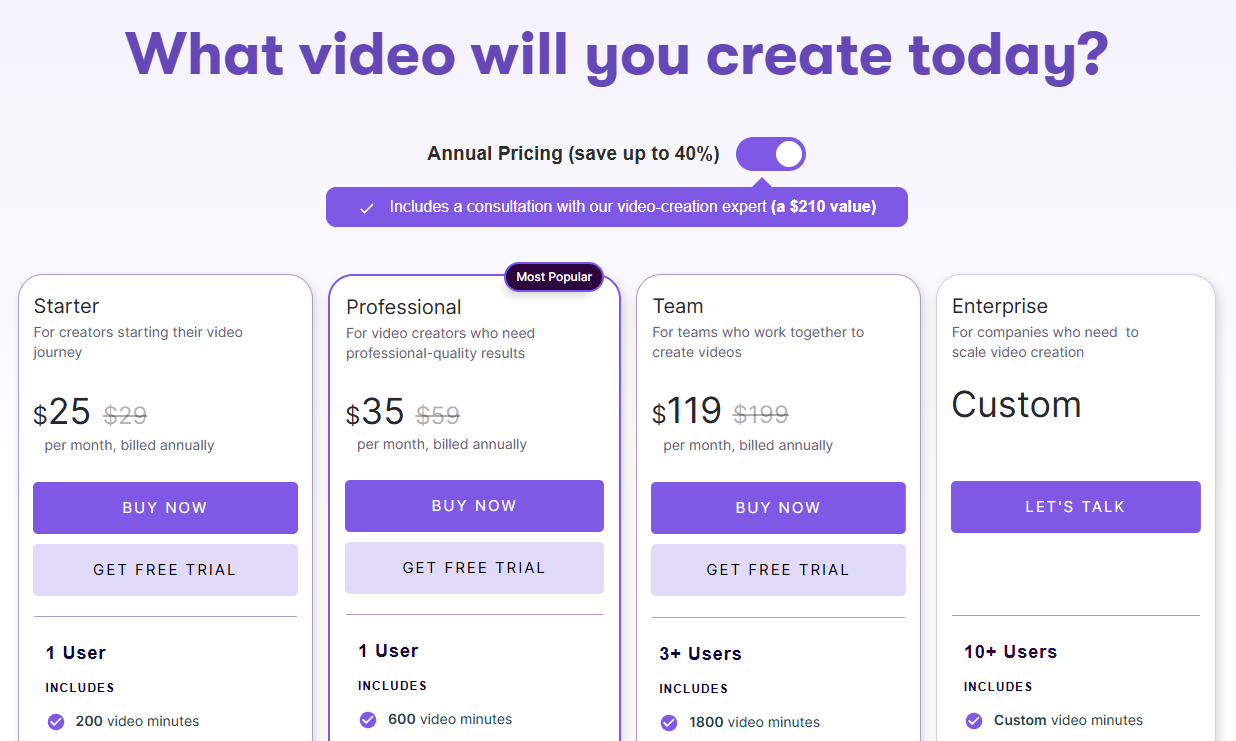
Pictory offers a wide range of plans (billed annually) with different features, including:
- Starter: $25/month for 1 user
- Professional: $35/month for 1 user
- Team: $119/month for 3+ users
- Custom: For enterprises with 10+ users
Pricing scales with video length and usage, making it suitable for individuals, small agencies, and large enterprises.
InVideo Pricing
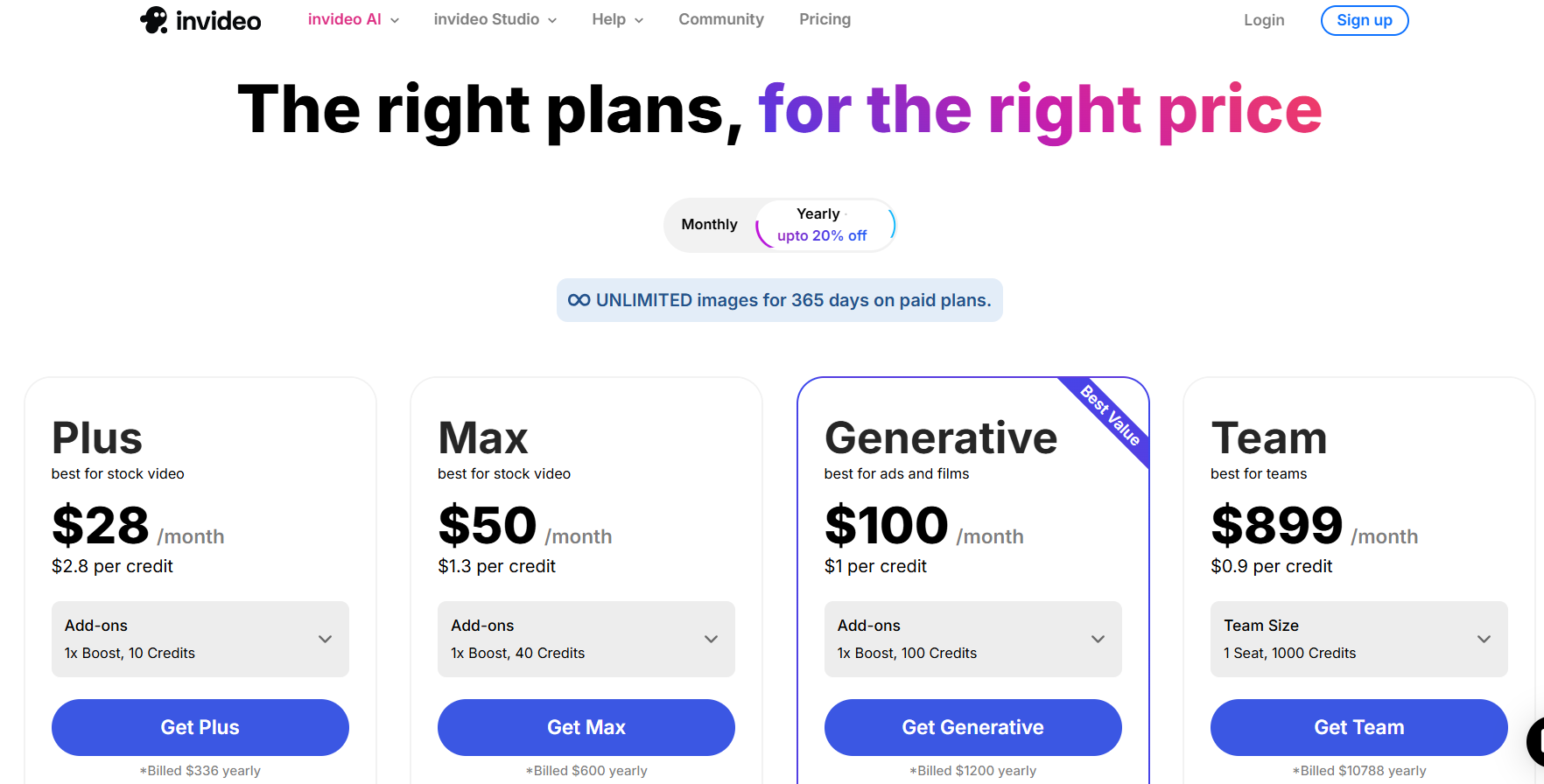
InVideo also offers four plans (billed annually), including:
- Plus plan: $28/month with 10 credits
- Max plan: $50/month with 40 credits
- Generative: $100/month with 100 credits
- Team: $899/month with 1000 credits
5. Support & Reliability
Both platforms offer solid support options. Pictory provides documentation, tutorials, and email support. Because the tool is simpler, most users don’t need extensive help.
InVideo offers a large knowledge base, video tutorials, and responsive support channels. The community and learning resources are particularly helpful for beginners.
From a reliability standpoint, both platforms are stable and cloud-based, with no installation required.
Pictory vs InVideo: Which Is Better?
The table below shows the pros and cons of both platforms.
| Feature | Pictory | InVideo |
|---|---|---|
| Best For | Content marketers, bloggers, coaches, and businesses repurposing long-form content into short videos. | Marketers, social media teams, and creators who want more creative control over video design. |
| Ease of Use | Very easy to use. AI handles most of the video creation process. | Easy to use, but with a slightly higher learning curve due to advanced editing tools. |
| Setup Time | Extremely fast. Videos can be created within minutes from text or existing content. | Quick setup, but requires more manual editing and template selection. |
| Customization | Limited customization; mainly text, visuals, captions, and voiceovers. | High customization; templates, animations, transitions, fonts, and branding options. |
| Maintenance | Low maintenance; minimal updates required once videos are generated. | Moderate maintenance; videos often need edits and refinements for branding or campaigns. |
| Pricing | Subscription-based pricing depending on usage and video length. | Free plan available; paid plans unlock premium assets and higher export limits. |
- Choose Pictory if you want fast, automated video creation to repurpose your existing content without heavy customization.
- Choose InVideo if you want creative control with light editing features. It is also suitable for building branded marketing videos.
While both Pictory and InVideo offer strong video creation features, neither is built specifically for training. Teams creating onboarding or internal education content often use an AI training video generator to streamline video creation and ensure learning consistency.
Why Teams Use an AI Training Video Generator Like Coursebox
Pictory and InVideo are great for creating videos, but training requires more than visuals. Training videos need structure, consistency, and clarity, especially when used for onboarding, compliance, or skill development.
With Coursebox’s AI training video generator, you can turn your existing content, including videos, documents, slides, and links, into structured training videos automatically. Instead of manually editing every video, teams can generate training-ready content that’s easy to update and scale.
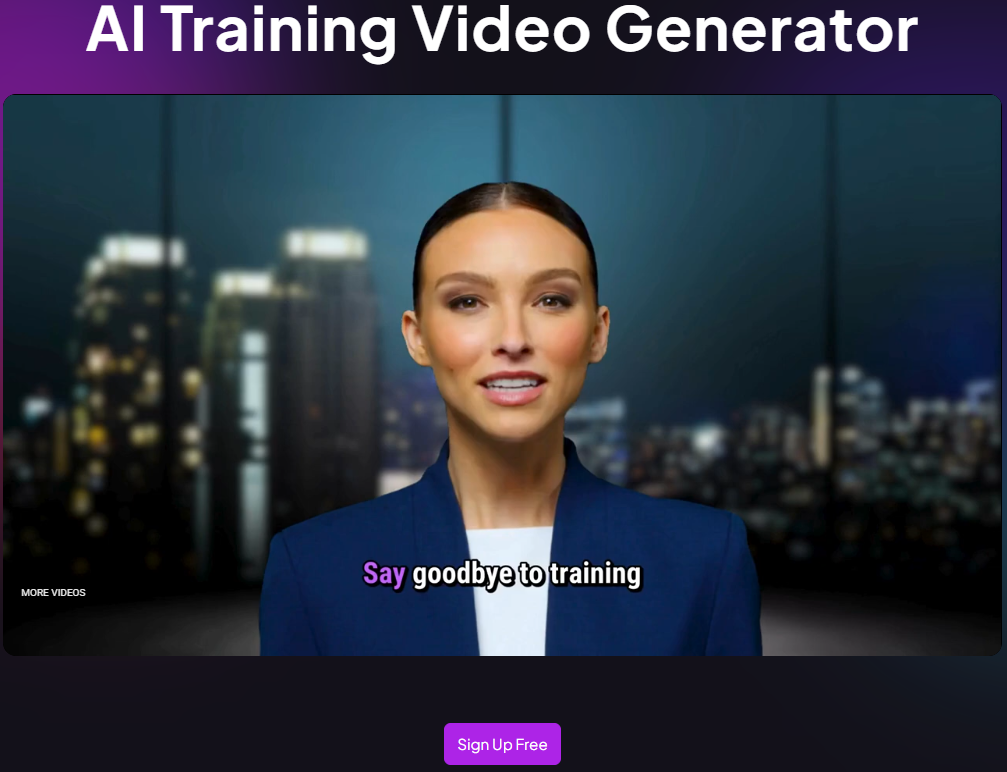
The platform also comes with advanced interactive features like AI quizzes. It helps learners actively engage with the content, check understanding, and retain information.
Training teams prefer Coursebox’s Video Generator to:
- Create standardized training videos quickly
- Convert written material into video lessons
- Maintain consistency across training programs
- Prepare videos for onboarding, upskilling, or internal education
Coursebox primarily offers four plans, starting from $30/month to $600/month or the Business plan. You also get tailored pricing for a custom plan.
Coursebox doesn’t replace video creation tools like Pictory or InVideo. Instead, it complements them by focusing on training-first video creation, not just video production. Try Coursebox AI to create your first course today.
FAQs About Pictory vs InVideo
What is the main difference between Pictory and InVideo?
Pictory focuses on AI-driven video automation from text or long-form content. Meanwhile, InVideo offers more manual control and customization through templates and editing tools.
Do Pictory or InVideo support AI quizzes?
InVideo lacks an in-built quiz generator, but Pictory offers a Quiz Video Maker that lets creators add simple quiz questions to videos to boost engagement. However, these are not full AI quizzes built for assessment, adaptive learning, or progress tracking. Platforms like Coursebox are better suited for structured learning with AI-generated quizzes.
Are Pictory or InVideo suitable for training videos?
Pictory and InVideo can be used to create training videos, but they’re not built specifically for training workflows. Teams often pair video tools with an AI training video generator like Coursebox to structure content, maintain consistency, and scale training programs efficiently.
Which platform is better for long-term content creation: Pictory or InVideo?
Pictory works well for long-term content creation when the goal is to quickly repurpose existing material. Its AI-driven workflow makes it easy to produce consistent videos with minimal effort. InVideo is better suited for creators who plan to build ongoing video campaigns with strong branding. It offers more creative control and flexibility for repeated customization over time.
Is Pictory easier to use than InVideo?
Yes. Pictory is generally easier for beginners who want fast results. InVideo has a slightly steeper learning curve due to its advanced editing options.
Alex Hey
Digital marketing manager and growth expert

