

Microsoft Forms vs Google Forms: What’s the Difference and Which Should You Choose?
Compare Microsoft Forms vs Google Forms for quiz creation. Explore features, strengths, pricing, and which platform fits your workflow best.


Generate engaging quizzes in seconds
Many organizations use an online quiz generator to create quizzes and short assessments. Microsoft Forms and Google Forms both fit this role well, especially for quiz creation.
Both these tools offer ready-made question types, automatic scoring, sharing links, and tight ties to their wider software suites. Microsoft Forms comes with Excel, Teams, and Microsoft 365 accounts, while Google Forms feels at home with Drive and Gmail.
The choice between them comes down to workflow habits and how quizzes need to look and behave. The Microsoft Forms vs Google Forms comparison will help you in this decision.
What is Microsoft Forms?
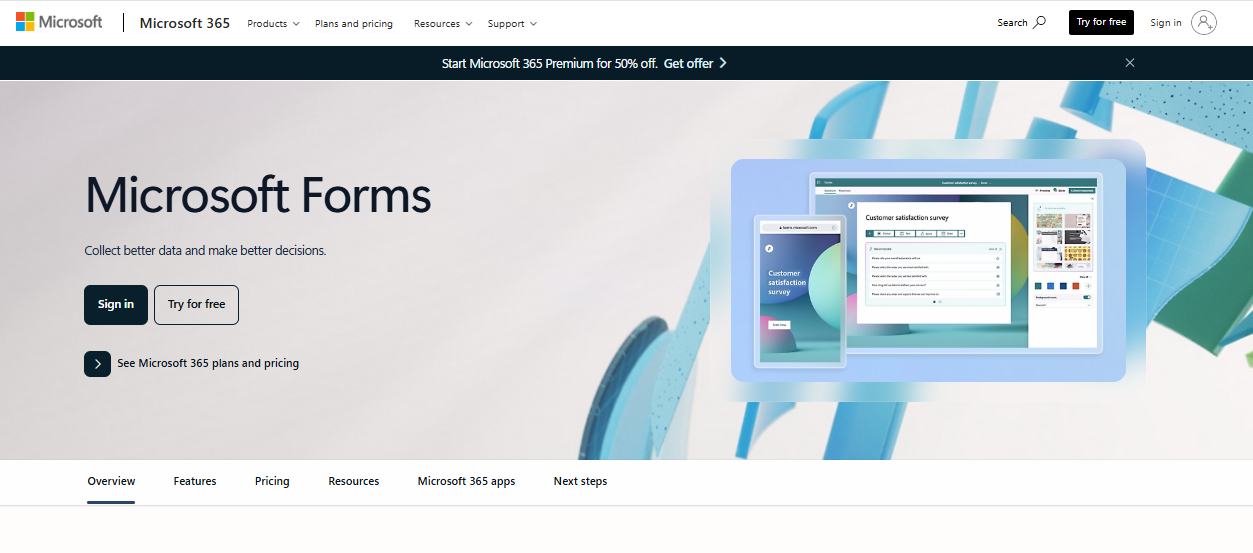
Microsoft Forms is a web‑based tool from Microsoft that lets you build surveys, polls, and quizzes. It runs in a browser, so you can open it on desktops, tablets, and phones without extra software. Forms include several question types such as multiple choice, short answer, ratings, or dates.
You can mark correct answers on quiz questions and assign points for scoring. Results appear live after people start submitting them, with basic charts and summaries that update instantly.
Data from forms and quizzes can be sent to Excel for deeper review or record-keeping.
What is Google Forms?
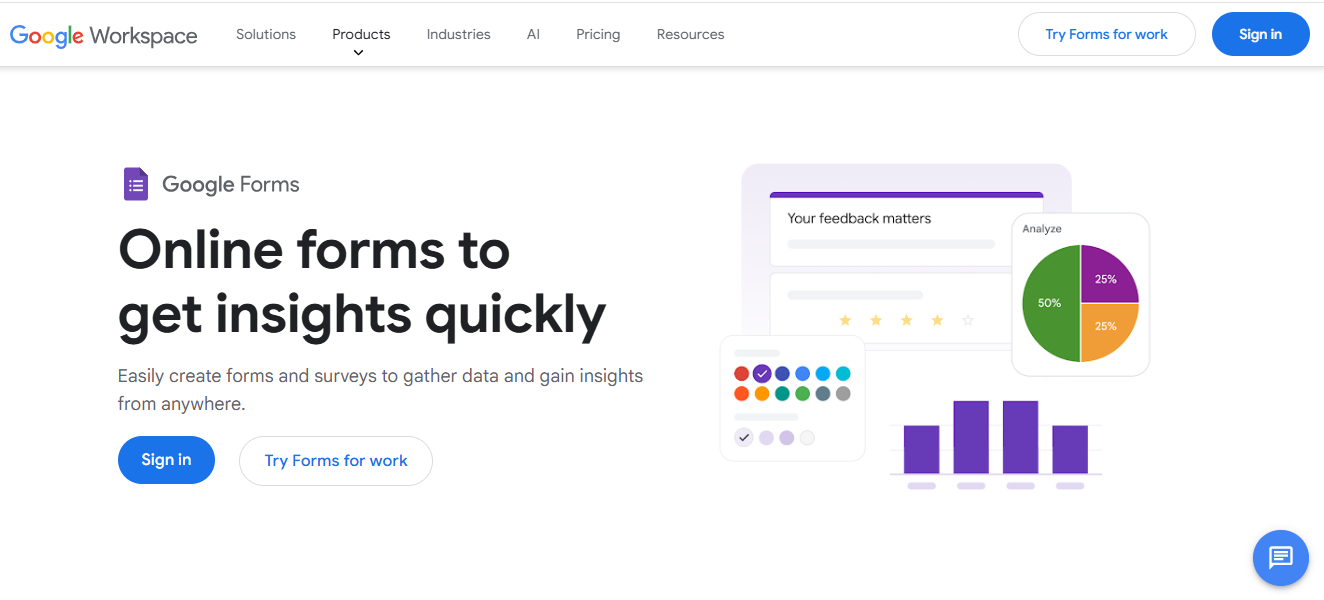
Google Forms is a free, web‑based tool from Google that’s quite similar to Microsoft Forms. You design questions in a browser by adding different fields like multiple choice, short answer, or drop‑downs.
After people respond, their answers gather in real time, and you can view summary charts right in the app. Exporting responses into a spreadsheet in Google Sheets gives you more ways to work with the data. People can work together on the same form at the same time, and you can send forms by link, email, or embed them on a website.
Microsoft Forms vs Google Forms: 5 Key Differences Explained
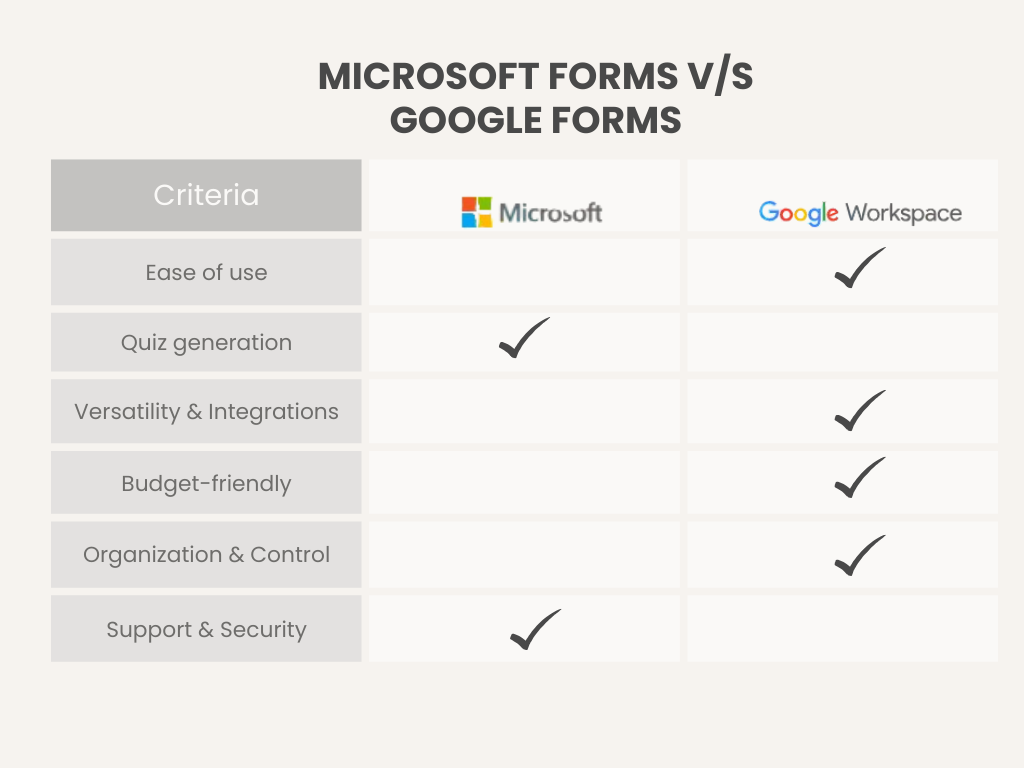
Although Microsoft Forms and Google Forms are quite similar, they differ slightly in how they work. Let’s see closely.
1. Ease of Use & Interface
First, we compare both platforms in terms of user interface and ease of use.
Overall Experience
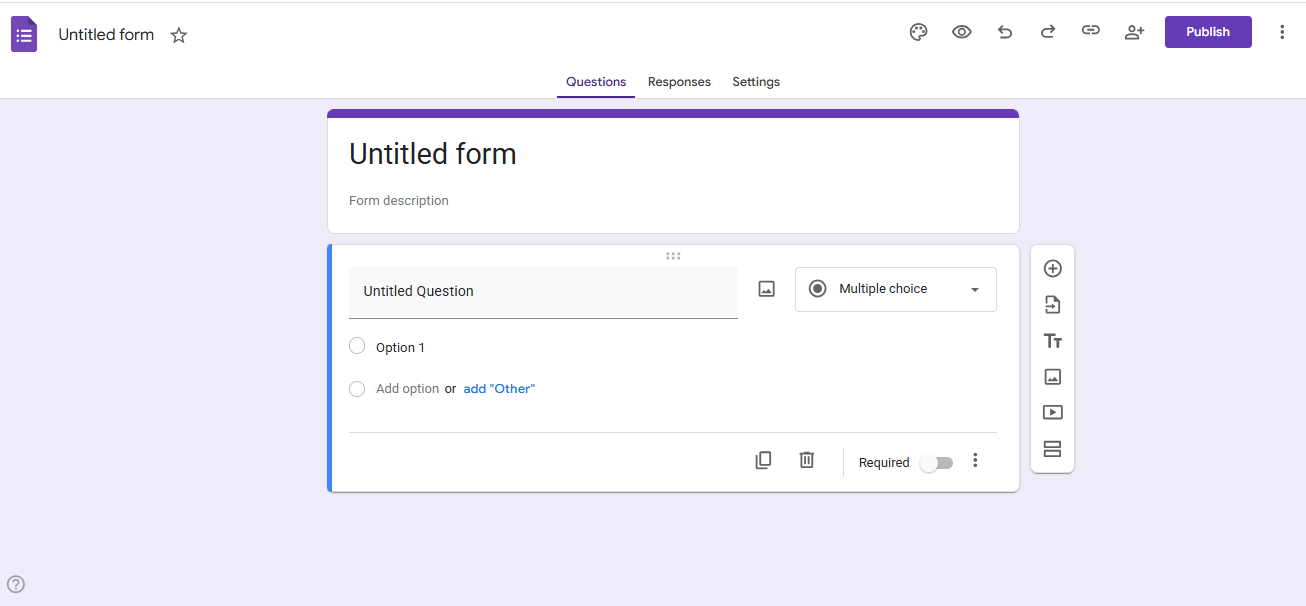
Google Forms stands out for its minimal, web‑based layout that most people pick up fast. You can add questions, rearrange items, insert images or videos, and see a preview of the form as you build it. The steps feel simple, even for first‑time users.
Microsoft Forms also works in a browser and uses a clean style that users of Microsoft 365 may find familiar. Forms follow the look of other Office products, which can help businesses that already use those apps.
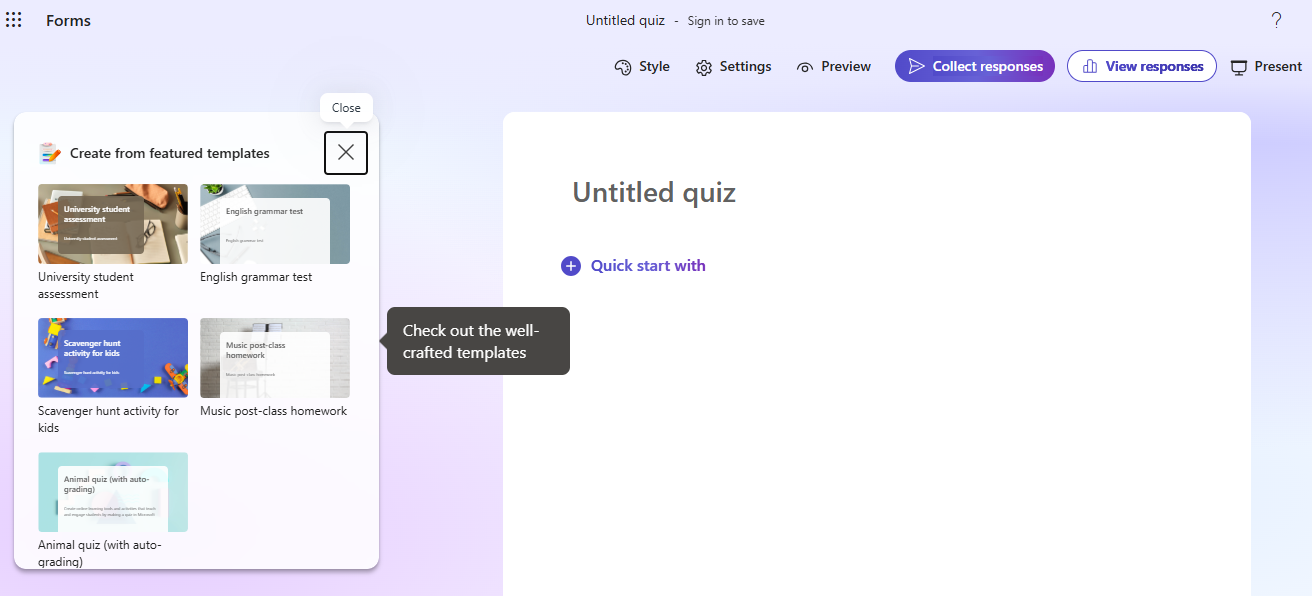
UI Comparison
- Microsoft Forms: A broader Microsoft 365 design language. The layout groups controls logically, but sometimes requires more navigation through menus to find specific options.
- Google Forms: A straightforward, minimal user interface with clear labels and icons. Its toolbar stays simple, and drag‑and‑drop question ordering works without extra clicks.
2. Quiz Generation & Management
Both Microsoft Forms and Google Forms support quiz creation and basic management features. Here’s how.
Question Creation
Microsoft Forms also covers common question types, such as choice, text, rating, ranking, Likert scales, and date fields. It supports branching logic and allows automatic scoring for quizzes.
Google Forms lets you add multiple-choice questions, checkboxes, dropdowns, short and long answers, linear scales, grids plus date, and time fields. You can place images and videos inside questions.
Access Management and Attempts
- Microsoft Forms: It includes controls to limit responses to people within an organization or specific groups. Start and end dates can be set for quizzes, and you can shuffle questions to vary the experience for participants.
- Google Forms: The platform lets you control who can respond and limit to one response per person. You can allow respondents to edit submitted answers and submit additional responses.
Reuse and Organization
Microsoft Forms saves quizzes in OneDrive or within Microsoft 365 and integrates with Teams and SharePoint. Organization in Microsoft 365 can help keep forms structured.
Google Forms allows question import from other forms and keeps all quizzes accessible in Google Drive. You can reuse content across projects and maintain a library of templates and past quizzes.
3. Customization & Integrations
Microsoft Forms and Google Forms vary in how much you can tailor their look and how they connect to other apps. Let’s see closely.
Customizations
Microsoft Forms keeps style choices simpler. You can use a limited set of themes and background images, but the focus is on a clean, professional look that matches other Microsoft 365 tools.
Google Forms gives you more visible control over how a form appears. You can change themes, add custom images and brand elements, and adjust colors across your quiz.
Integrations
Microsoft Forms connects smoothly with Microsoft 365 apps, including Excel and Teams. It also links into Microsoft Power Automate, which lets you create workflows that move form data into other systems automatically.
Google Forms works closely with Google Sheets, so responses appear in a spreadsheet instantly. You can build on this with scripts or third‑party platforms like Zapier.
4. Pricing
The pricing for Google Forms and Microsoft Forms is slightly different from other tools that generate quizzes.
Microsoft Forms Pricing
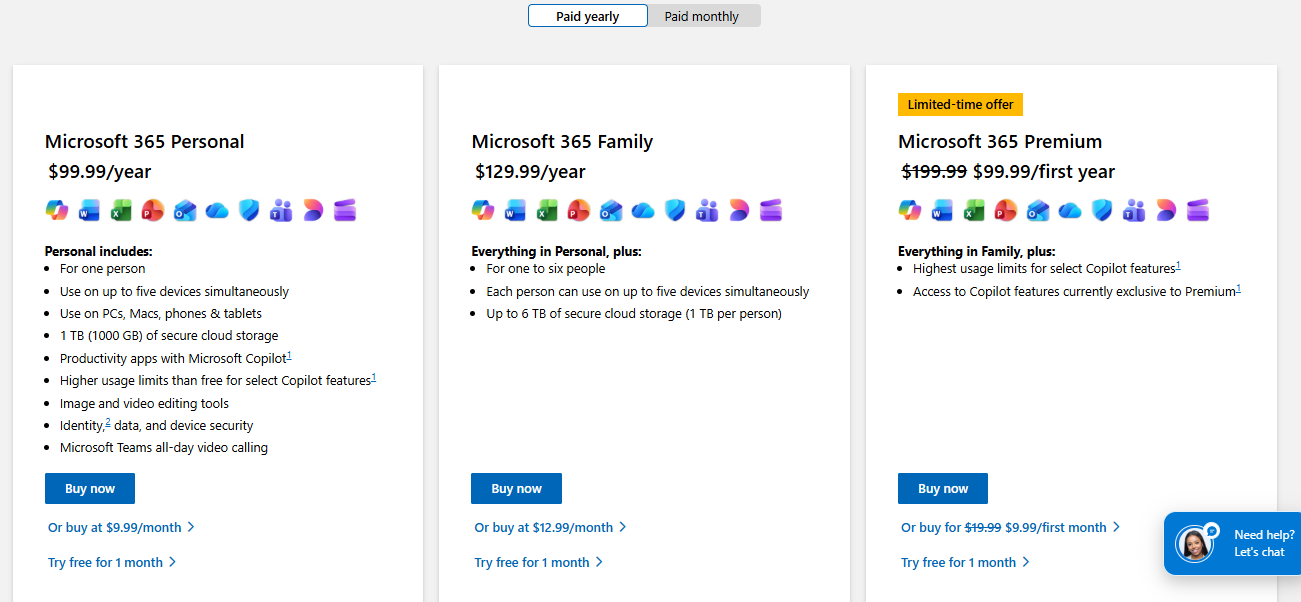
Microsoft Forms is not sold on its own. It comes with Microsoft 365 subscriptions, so you get it as part of a larger suite of applications. The plans cost as follows:
- Microsoft 365 Personal: $9.99 per month or $99.99 per year
- Microsoft 365 Family: $12.99 per month or $129.99 per year
- Microsoft 365 Premium: $19.99 per month or $199.99 per year
Google Forms Pricing
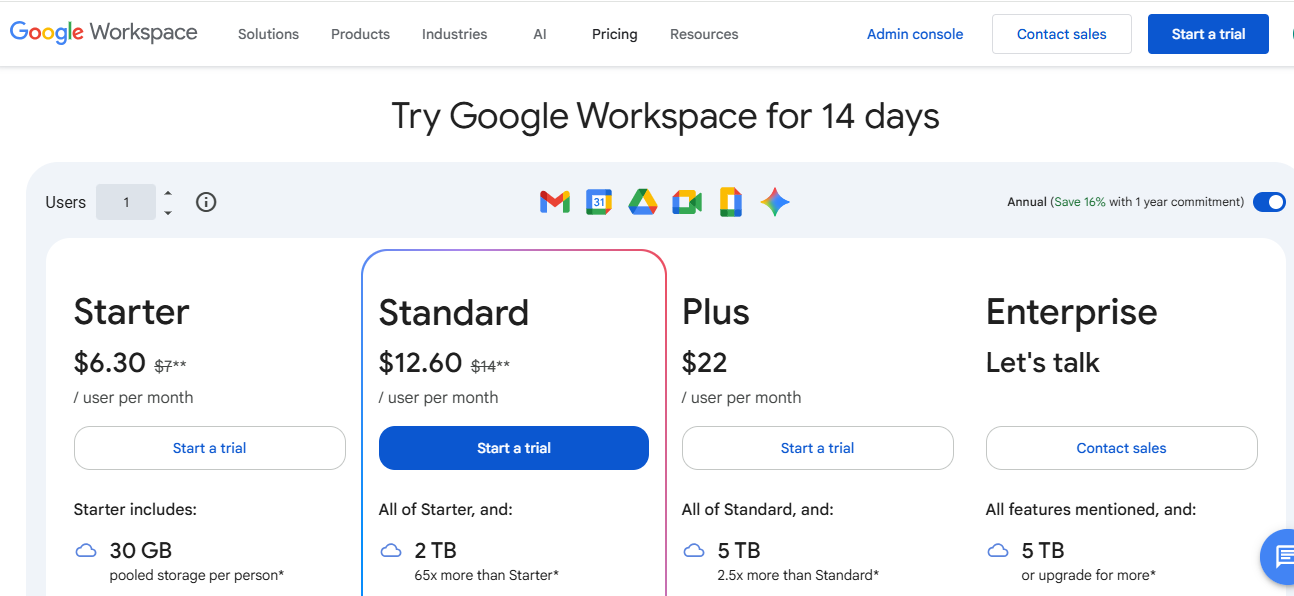
Google Forms stands apart because the core form builder is free for anyone with a Google account. There is no separate fee to create and share forms or quizzes on a free account.
If you need a business-grade account with more storage, admin controls and other Google tools like Gmail and Drive, you can subscribe to Google Workspace. The most popular plan is Business Standard, which costs $14 per user per month.
5. Support & Security
Both platforms provide help resources and protect data, but they take different approaches in how support works and how secure or compliant they are.
Support
You can search Microsoft’s online help site for articles about using forms, handling responses, or troubleshooting common issues. Business and enterprise plans include access to Microsoft support through the Microsoft 365 admin center, where you can open support tickets or use phone and chat assistance depending on your plan.
Google Forms support is mostly online. You can find help articles in the Google Workspace Learning Center, help threads in community forums, and documentation for administrators on the Google Workspace Admin Help site.
Security & Compliance
Microsoft Forms operates within Microsoft 365’s security framework. It uses encryption for data in transit and at rest and supports standard compliance regimes like GDPR and FERPA.
Google Workspace can meet major standards such as ISO 27001, SOC 2, and GDPR with proper settings and agreements in place. When used inside a managed Google Workspace domain, administrators can restrict form sharing, enforce sign‑in, and apply multi‑factor authentication at the account level.
Microsoft Forms vs Google Forms: Which is Better?
Here’s a comparison table to show where both platforms shine.
| Feature | Microsoft Forms | Google Forms |
|---|---|---|
| Best For | Businesses using Microsoft 365 | Users in Google Workspace or free accounts |
| Ease of Use | Moderate | Intuitive and quick to pick up |
| Setup Time | Short | Short |
| Customization | Limited themes | More themes and color options |
| Maintenance | Managed via Microsoft 365, updates automatic | Managed via Google, auto-saved in Drive |
| Pricing | Included with Microsoft 365 plans | Free with Google account, Workspace optional |
- Choose Microsoft Forms when you work primarily within Microsoft 365 or want quizzes integrated with Excel and Teams.
- Choose Google Forms when you need a free, lightweight option, want more visual customization, or rely on Google Workspace for collaboration and data management.
Why Coursebox AI is the Better Alternative
Microsoft and Google Forms are good options for quick quizzes, but Coursebox AI takes assessment creation further. It turns existing content, such as PDFs, slides, documents, or videos, into auto-graded quizzes in seconds.
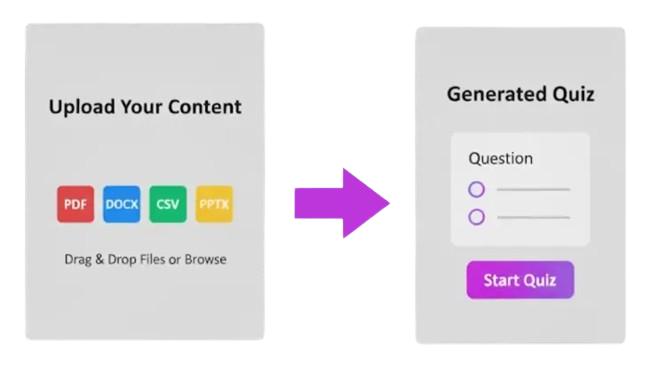
You can choose from multiple choice, short answer, or drag-and-drop question types and edit answers to adjust difficulty. Coursebox supports quizzes in over 100 languages and delivers real-time scoring with instant feedback.
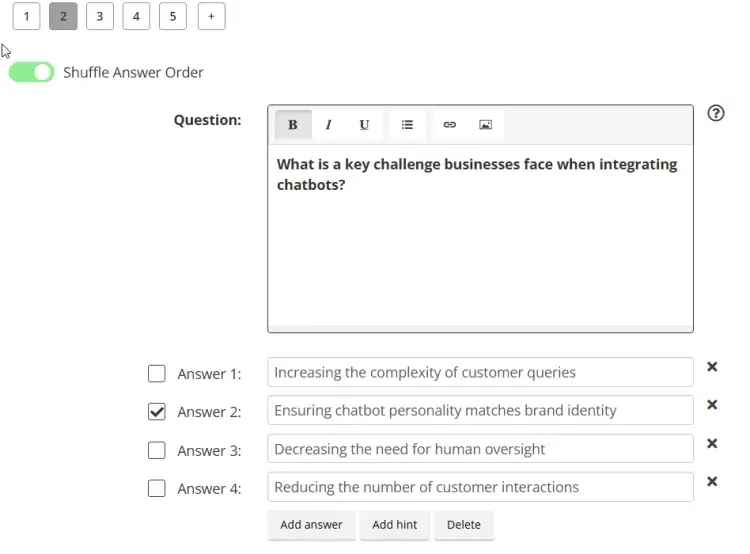
All quiz management happens in one platform, saving hours previously spent formatting or reusing questions manually. More importantly, the easy-to-understand pricing structure makes it an excellent option for teams of all sizes.
- Creator: $30 per month
- Creator LMS: $200 per month
- Business: $600 per month
- Custom: Personalized pricing
Want to see Coursebox in action? Try Coursebox AI now to see how it supports quiz generation.
FAQs About Microsoft Forms vs Google Forms
How does Google Forms handle quiz creation?
Google Forms lets users build quizzes quickly using multiple-choice, checkboxes, or short-answer questions. It auto-grades submissions, collects responses in Google Sheets, and works well for individual and group assessments.
How customizable is Microsoft Forms?
Microsoft Forms provides basic theme options and limited visual customization. It keeps quizzes consistent with Microsoft 365 branding and uses clean layouts without complex design adjustments. If you want fully on-brand customization, Coursebox is an excellent option that lets you white-label your quizzes.
Does Google Forms support collaboration in quiz creation?
Google Forms allows multiple users to edit the same quiz simultaneously. Teams can collaborate in real time to create quizzes for internal training and assessments.
Can Microsoft Forms quizzes be shared externally?
Microsoft Forms allows sharing quizzes via links or email outside your organization. You can control who responds and track submissions, too.
How does Microsoft Forms integrate with other apps?
Microsoft Forms connects with the Microsoft ecosystem. Responses can be exported for reporting, shared in Teams, or used in Power Automate workflows for broader automation within Microsoft 365 environments.
Travis Clapp
Travis Clapp is the original founder and CEO of Coursebox. As an experienced instructional designer, he has lived through the process of building high quality courses. These experiences brought about his idea to upload all your documents and ideas into a virtual box that could convert those magically into a course. Prior to Coursebox, he successfully founded and built a social based LMS. Travis has 15+ years of experience designing courses and EdTech platforms from university MOOCs to enterprise LMS. Travis has built training for reputable companies like Johnson & Johnson, Electrolux, Michael Hill and SA Health. One of his courses reached 20,000+ learners which was a flagship edX course. He is based in the Adelaide, South Australia office and passionately works on customer support, sales and bringing the original product vision to life every day.

