

What Is Microlearning? Benefits, Pros, Cons and How to Design It
Microlearning is short, focused training built around one job. Here is what it is, its real benefits and limits, and how I decide when to use it.

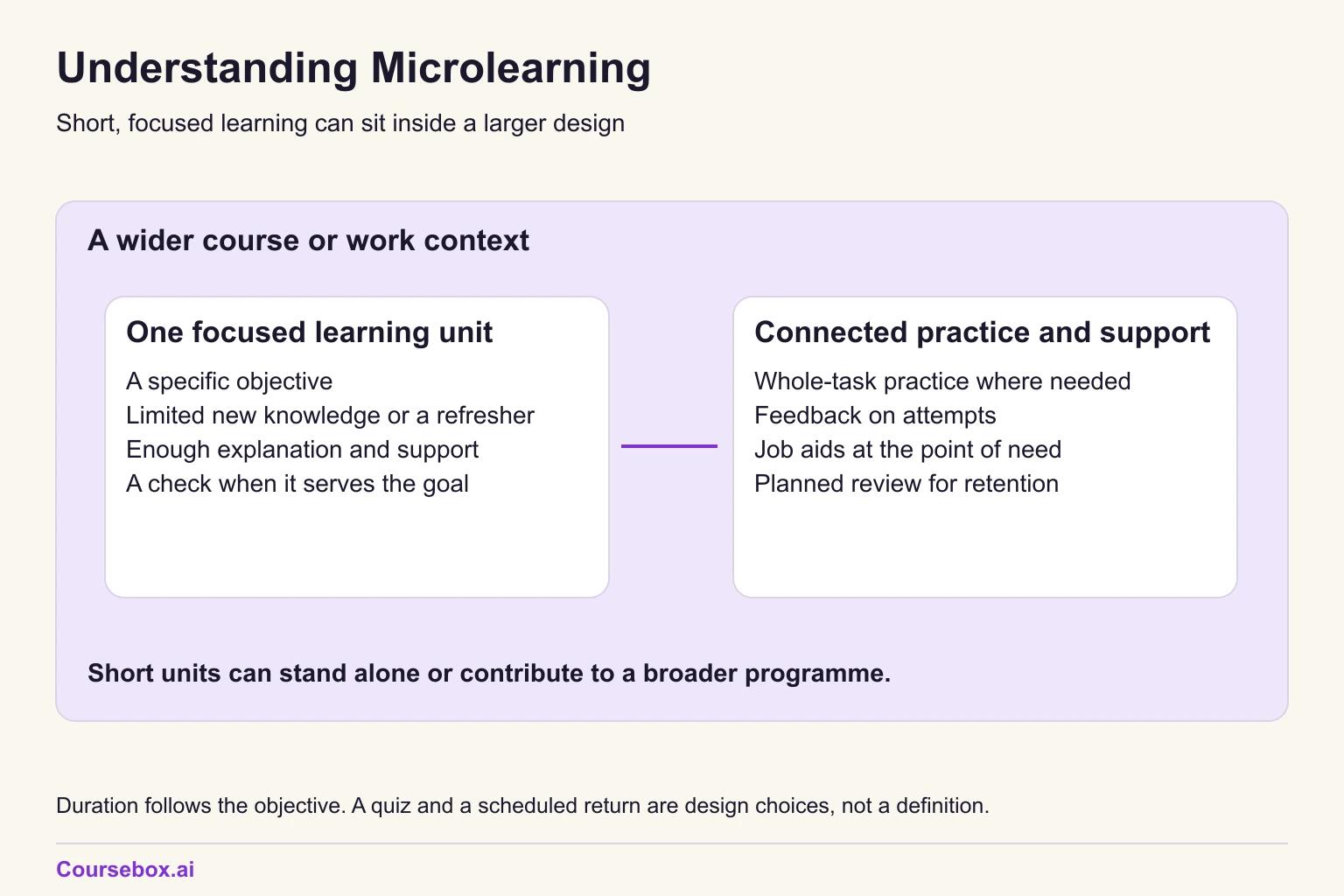
Microlearning is short, focused learning for a specific objective. It can introduce limited new knowledge, refresh an existing skill or support a larger programme.
- Research definitions and durations vary. Fit the lesson to its objective rather than a universal minute limit.
- Segmenting, retrieval practice and spaced review can each help for different reasons. Short duration alone does not establish any of those effects.
- Microlearning can teach a manageable new element or refresh existing knowledge. Complex performance needs connected practice and support.
- The evidence is positive but thin: mostly weaker study designs, almost no head-to-head comparisons with longer training, and one well-liked intervention with no statistically significant treatment improvement detected.

Create bite-sized, high-retention training modules in minutes
About once a week someone asks me to "make it microlearning". Usually it is a new policy that has to go out by Friday, and the request comes with a length attached: five minutes, three slides, one video. My first question is never how long. It is who already knows how to do this job, and what will they forget.
Microlearning is short, focused learning for a specific objective. It can introduce limited new knowledge, refresh an existing skill or support a larger programme. I'm an instructional designer at Coursebox, where we build a microlearning platform, so I'll mention our product where I tested it.
My view: start with the job and the learner's starting point, then choose the length. Short lessons are useful for reminders and manageable new elements. Complex performance also needs connected explanation, practice and feedback; dividing it into clips does not supply those by itself. Below I apply that judgement to the research, one expense policy and an AI course tool.
What is microlearning?
Microlearning is short, focused learning for a specific objective. It can introduce limited new knowledge, refresh an existing skill or support a larger programme.
For the workplace refreshers in this guide, I use four planning prompts. They are my design method, not four conditions every microlearning resource must meet:
- One job: a task the person does, such as submitting a claim or closing a till.
- One behaviour: the single thing they should remember or do differently.
- One check: a question answered from memory that shows whether it stuck.
- One return: a planned moment when the lesson or its question comes back.
It is also called bite-sized learning or learning pills. "Micro" describes scope, not a file type: a 2026 review of microlearning for geriatric education in hospitals counted pocket cards and short bedside teaching.
How long should microlearning be?
There is no agreed universal duration. In their 2025 systematic review of 40 studies, Monib and colleagues found that reported durations varied and an ideal length was not agreed. Use enough time for the objective rather than treating a study's inclusion limit as a rule.
People who build courses do ask for a length. In a sample of 302 English course requests typed into Coursebox over the 90 days to 28 October 2026, 11 asked for short lessons or modules, and several set a limit of about five minutes.
I start by asking whether the objective fits one focused lesson. If it takes longer than expected, I check for separate tasks, missing prerequisites or explanation that should stay together. Five minutes is a planning prompt, not a cutoff.
Microlearning vs macrolearning (a full course)
Macrolearning usually refers to a broader course or programme. The comparison below describes common choices, not exclusive categories: a short lesson can sit inside a full course, and either can serve beginners or experienced staff.
| Decision | Microlearning | Full course |
|---|---|---|
| Job size | One task or one rule | A whole role or skill |
| Learner starting point | New or experienced, depending on objective and support | New or experienced; broader scope or connected performance |
| Where it happens | On a suitable device in a protected work slot | Scheduled time, often with a facilitator |
| How it is checked | A focused check or task when it serves the objective | Practice tasks and an assessment |
| How it is updated | Update the lesson and check linked resources | Revise and re-release the course |
| What it costs to maintain | Low per lesson, but many lessons to track | High per release, fewer pieces |
Most programmes need both. The full course builds the skill and the short lessons keep it fresh, and the benefits of blended learning come from planning that mix on purpose. The worked example below shows the split for one policy.
Where the idea came from
In 2005 Elliott Masie wrote a Chief Learning Officer column called Nano-Learning: Miniaturization of Design, calling for "three-minute or shorter learning elements". By the late 2000s "microlearning" was in common use, and smartphones made it practical to deliver at work.
Benefits of microlearning
Each benefit below comes from a design choice, not from shortness itself.
It fits the time people actually have
A short lesson on one changed rule can fit a protected work slot more easily than a 45-minute module. The manager still needs to make time for it. Shortness does not solve a workload problem or make learning cost-free.
It is easier to remember when it comes back
A lesson that returns days later is spaced practice, and the check question is retrieval practice: pulling the answer from memory strengthens it. Both depend on the return and the check, not the length. For the intervals, see spaced repetition and how to practise it.
Smaller pieces are easier to process
Splitting material into learner-paced segments helps. A 2019 meta-analysis by Rey and colleagues, covering 56 investigations, found a segmenting effect with small to medium gains for retention and transfer (using what was learnt in a new situation). That works inside a long course too, and it ties back to cognitive load theory.
It reaches people where they work
Frontline staff in retail, hospitality, logistics and care rarely sit at a desk. A lesson that opens on a phone in two minutes reaches them in a way a desktop module does not.
It is quicker to update one piece than a whole course
A focused lesson can be quicker to update when one rule changes. Check linked lessons, questions, job aids and translations too, so the revised rule does not conflict with an older one.
A short explanation can still help when used once. Spaced review and a suitable check add different benefits when retention is the goal; neither follows automatically from the lesson's length.
Disadvantages and limitations of microlearning
Short lessons alone are insufficient for many complex performances
A difficult conversation, clinical assessment or machine changeover is a connected performance. Short lessons can prepare component skills or support recall, but learners also need supported practice of the whole task. Scenario-based learning or coaching can supply that practice.
Fragments without a thread
Thirty lessons with no sequence leave people with facts and no picture of how they connect. Every set of lessons needs an order and a reason for that order.
A short quiz cannot prove mastery
A one-question check tells you whether someone remembered one rule today. It cannot tell you whether they apply it under pressure, or whether they can do the whole job.
Less contact with a person
A 2019 scoping review of microlearning in health professions education by De Gagne and colleagues named three downsides: "pedagogical discomfort, technology inequalities, and privacy concerns". In plain terms, some learners are unsure how to study this way, access to devices is uneven, and phone-based tools raise data questions. Some learners want a person to ask, and not everyone has a reliable phone or data plan.
It cannot fix a problem that is not about knowledge
If people know the rule but cannot follow it because of workload, missing tools or a manager who says otherwise, more lessons will not help.

Case study: Text-message reminders for health workers in Malawi
Malawi wanted health workers at its health facilities to treat malaria, and pneumonia and diarrhoea in children under five, by the national guidelines. An earlier trial in Kenya had improved malaria treatment with short text-message reminders, so researchers tested the same idea in Malawi.
- What they did: 105 health facilities were randomly assigned to three arms (a cluster-randomised trial): one got texts on malaria, one got texts on all three illnesses, and one got no messages. Health workers in the message arms got short guideline reminders by text twice a day for six months, starting in April 2015.
- Evidence and result: The cluster-randomised trial by Steinhardt and colleagues, published in 2019, found "no significant improvements in malaria, pneumonia, or diarrhea treatment after HW reminders". In interviews reported by Kaunda-Khangamwa and colleagues in 2018, 45 of 50 health workers viewed the messages favourably. They blamed "the high workload, drug stock-outs, lack of supervision" for limiting what they could do.
- Limitation: This was one health system with its own constraints. The Kenya trial reported gains, while the Malawi trial did not detect statistically significant gains. Comparing two settings does not identify which contextual factor caused the different result.
- Lesson: Before you build lessons, ask whether people already know the rule and something else stops them. If so, fix the workload or the supply first.
So measure what people do after the lesson, not whether they liked it.
Pros and cons of microlearning at a glance
| Pros | Cons |
|---|---|
| Fits into the time people have at work | Cannot build a complex skill from nothing |
| Easier to remember when lessons return with a check | Fragments without a sequence leave gaps |
| Small segments are easier to process | A one-question check cannot prove mastery |
| Reaches frontline staff on their phones | Less contact with a trainer or peers |
| Quick to update one lesson when a rule changes | Cannot fix workload, tools or supply problems |
Does microlearning work?
The reviews find mostly positive results, mostly from weaker study designs. A 2026 systematic review of microlearning for geriatric education in hospitals found "no studies that had head-to-head comparison of microlearning against traditional didactic methodologies", meaning no study tested it against ordinary teaching. In De Gagne's review, only 5 of 17 studies measured whether learners' behaviour changed, and none measured results for the organisation.
One trial that measured what health workers actually did, in Kenya, found real gains in malaria treatment (written up in our microlearning examples guide). Its replication in Malawi, described above, did not detect a statistically significant improvement.
My verdict: focused lessons are useful candidates for reminders, refreshers and manageable new elements. The reviews do not establish that short lessons universally outperform longer teaching. Choose the structure by the task and test whether people can use what they learn.
Types and formats of microlearning
Choose the format from the job, not from a learner's supposed learning style. Here are the common ones.
Offering every format so each person can pick a "learning style" has no adequate evidence behind it, according to a 2008 review by Pashler and colleagues. Pick formats that fit the job, with alternatives and support for access needs and prior knowledge.
| Format | Best for | Watch out for |
|---|---|---|
| Text card or job aid | A rule or a short procedure used on the job | Turning into a policy summary |
| Short video | Showing a physical step or a screen | Hard to update when one step changes |
| Quiz or flashcards | Recall of rules, numbers and names | Testing wording instead of decisions |
| Scenario question | Applying a rule to a case | Cases with no realistic detail |
| Text or chat message | Reminders and spaced follow-ups | Arriving at the busiest moment |
| Audio | Listening in a suitable, permitted setting | Hard to scan or search later |
| Infographic | A sequence or a comparison | Too much text for a phone screen |
| Simulation | Practising a step on a system | Costly to build and maintain |
| Game elements | Repeat practice and streaks | Points that reward speed over accuracy |
This guide covers formal microlearning, which is planned and assigned. Informal microlearning is what people find for themselves, such as a how-to video.
For nine lessons written out end to end, see the microlearning examples guide. For video, see how to make microlearning videos in 10 steps. For tools, see the best microlearning platforms.
How to design microlearning
1. Start from the job and the moment
Name the task, who does it and when they need the rule. A training needs analysis questionnaire helps you find the job before you look at the content.
2. Write one behaviour per lesson
Write a focused objective, such as attaching the required itemised receipt under this company policy. Split separate tasks, but keep connected actions and necessary context together; the word "and" is not a lesson-count rule.
3. Cut to what the person will use
Keep the rule, one example and the check. Link to background and less-used detail, but keep exceptions learners need for the decision beside the rule.
4. Write the check before the lesson
Write one question answered from memory, about a decision rather than a definition. "Can this card slip for a $92 dinner be submitted?" tests the rule. "What is the receipt threshold?" tests memory of a number.
5. Decide when it comes back and what sends it
Pick the day the question returns and the channel that sends it, such as a message, an email or a scheduled post. A lesson with no planned return is a one-off reminder.
This is the step that gets skipped most. When I classified the same 302 requests and checked every flagged one by hand, the classification identified none asking for a lesson or question to come back later. This does not establish that no such request was missed.
A planned return creates another opportunity to retrieve and correct the answer, so decide when and how it will arrive before writing the series.
6. Measure the check, the follow-up, then one behaviour
Track the check result and the follow-up result. Then pick one behaviour at work to count, such as rejected claims. The Kirkpatrick model sets out the levels, and behaviour at work is the one most microlearning studies never reach.
When not to use microlearning
Use these four questions to decide what support a focused lesson needs. A yes is a reason to investigate or add support, not an automatic ban on microlearning.
- Has the learner done the task? Check relevant prior knowledge or a sample attempt. Teach and support any missing prerequisites; a short lesson can introduce one manageable new element.
- Does the task require connected judgement or physical performance? Combine focused lessons with whole-task practice and coaching.
- Are workload, tools or instructions also in the way? Fix those alongside any knowledge gap. The Malawi case illustrates why reminders alone may be insufficient; it does not identify one universal cause.
- Will people have a safe, usable work slot and the right device? Adjust timing and access before assigning the lesson.
Four planning questions about prior knowledge, whole-task practice, non-training barriers and timing, followed by lesson cards. The fictional expense-policy example is filled in, with blank pages for your own request. A judgement aid, not a validated yes/no eligibility test. Editable Word file, no email required.
Worked example: one expense policy, two audiences
The situation (a hypothetical example): a 300-person company replaces its expense policy. The finance lead asks for "a microlearning on the new expense policy" for everyone. Using the four planning questions suggests two designs.
Audience 1, the 300 staff who submit claims (including the 12 approvers) (microlearning fits): they already submit claims and need three changes. That makes three lessons, one per change.
- Lesson 1, the receipt rule: "Under this fictional company policy, claims over $75 need an itemised receipt, not a card slip."
- Check: a photo of a card slip for a $92 dinner. "Can this be submitted as it is?"
- Comes back: day 7, the same question with a $60 taxi receipt.
- Lesson 2, the 30-day limit: "Claims older than 30 days are rejected."
- Check: "You paid for a client lunch 40 days ago. What happens to the claim?"
- Comes back: day 30, at the first month-end close.
- Lesson 3, the approver change: "Claims now go to your cost-centre owner, not your line manager."
- Check: "Your manager is in Sales, and your project is billed to Marketing. Who approves?"
- Comes back: day 14.
The day-7 question flips the answer on purpose: a $60 receipt is under the threshold, so it can go in as it is. A learner who answers "no" to everything has learnt a reflex, not the rule.
Audience 2, the 12 approvers, need more than reminders: they must apply exception rules, spot split claims and handle disputes. Here the designer chooses a 45-minute supported session with three cases and Q&A, followed by focused reviews. This is one design choice, not evidence that microlearning cannot contribute. Before using each case, supply the approved exception authority, purchase-aggregation rule and meal cap so an answer can be justified.
- Case 1: one $1,200 purchase submitted as two $600 claims. Supply the approval threshold and rule for aggregating a purchase, then ask the approver to apply them.
- Case 2: a 45-day-old claim with a request for an exception. Supply who can approve an exception and what evidence is required before asking what to do.
- Case 3: a dinner over the company meal cap. Show the actual cap and permitted exception process before the approver decides.
After the course, the approvers get two follow-up microlessons: one on spotting a split claim and one on wording a rejection. Those work because by then the approvers can already do the job.
Building microlearning with an AI course tool: what I found
I wanted to see what an AI course tool does with a request like the finance lead's, so I tested it in Coursebox's document to course builder.
What I asked. I pasted a one-page sample expense policy written for the test, a different one from the worked example with its own receipt and approval rules (ten clauses on deadlines, receipts, meal caps, approvals and gifts) and asked: "Turn this into three microlessons for staff who already submit claims. One behaviour per lesson, under three minutes to read on a phone, one scenario check question per lesson, and a follow-up question for day 7."
What it produced. Without asking me anything, it planned four pages: three lessons of about 220, 250 and 215 words, plus a "Day 7" page of one short question. Each lesson was well under three minutes to read. The checks were real scenarios, not recall of wording, for example: "An employee has one $1,200 purchase and considers submitting two $600 claims. What should they do?" Its own summary said each lesson "teaches one behaviour".
What was wrong. It did not. The first lesson was a six-row table covering meals, alcohol, flights and hotels, transport, client gifts and non-claimable items, checked by one question about a minibar snack. The second combined the claim deadlines with the receipt rules. The tool had tried to cover the whole policy in three lessons instead of picking three behaviours. The day-7 question was a fourth page in the same course, so learners would see it straight after lesson 3, not a week later. When I asked the AI editor whether that page could be released seven days later, it said it could not configure that in the chat and could not confirm whether Coursebox supports it. I did not set up a learner group to test scheduled sending, so that part is unresolved.
The fix and how I checked it. I sent one message to the AI editor: cut the first lesson to one behaviour, whether a meal is claimable, remove the other five rows, and replace the minibar question with a meal scenario. Two things still needed hand edits afterwards. The edit added the meal rule as text above the table, so it now appears twice. The new question uses amounts that match the caps exactly, so it tests memory of the numbers more than judgement, and I would rewrite it around a borderline case such as a $48 dinner. The second lesson still holds two behaviours; I left it alone to show one fix, not three. After reloading, I confirmed the page now covers meals only, the table has a single Meals row, and the quiz holds one new meal question about an overnight work trip.
Putting microlearning to work
Microlearning is a way to focus learning, not a promise attached to a duration. Use it for a manageable objective, check the starting knowledge and add the wider practice or support the task needs. Spaced review helps when retention is important. A short lesson cannot remove workload or supply constraints by itself.
For the next request, use the four planning questions to identify the learner, objective and support. Pilot one focused lesson, check what people can do afterwards and plan an appropriate revisit. Then decide whether to extend the series or change the approach.
Frequently Asked Questions
Microlearning is short, focused learning for a specific objective. It can introduce limited new knowledge, refresh an existing skill or support a larger programme. Its fit depends on prior knowledge, scope and the support needed.
Reviews find mostly positive results, mostly from weaker study designs, and a 2026 hospital geriatric-education review found no head-to-head comparisons with ordinary teaching. Few studies measure behaviour after training. It is a good bet for refreshers and single procedures, and unproven as a course replacement.
Short lessons alone are insufficient for many complex performances, a pile of lessons without a sequence leaves gaps, a one-question check cannot prove mastery, learners get less contact with a person, and it cannot fix problems caused by workload, tools or supply.
A three-minute phone lesson telling staff that claims over $75 need an itemised receipt under the fictional company policy, checked with a photo of a card slip for a $92 dinner, with a follow-up question on day 7. The microlearning examples guide has nine more.
There is no agreed ideal duration. Use enough time to explain, practise and check the focused objective. If it grows, look for separate tasks or missing prerequisites, but keep connected explanation together rather than splitting at a five-minute cutoff.
Carolina Martin
Carolina is a highly experienced learning designer with tech start-up experience. She is based in Sydney and previously designed courses alongside Coursebox founder Travis in a previous job. She is passionate about delivering engaging learning experiences and brings the same perspective to customer experience too. She manages our customer support documentation and product testing processes.

