

LearnWorlds vs Thinkific: What’s the Difference and Which One Should You Choose?
Looking for an LMS that offers customizable and scalable course creation? Check out this LearnWorlds vs Thinkific comparison to find the platform you need.


Run your own branded LMS with unlimited learners
The right learning management system (LMS) allows trainers and creators to build courses according to their preferences and learners’ backgrounds. However, choosing one is easier said than done. Different AI LMSs come with varying features and specialities, making it hard to select one that best fits your needs.
LearnWorlds and Thinkific are two well-established LMS platforms among creators, educators, and businesses. Both platforms enable course building and selling, but they approach course creation, customization, and scaling very differently.
In this post, we break down LearnWorlds vs Thinkific, feature by feature. So, let’s dive in.
What Is LearnWorlds?
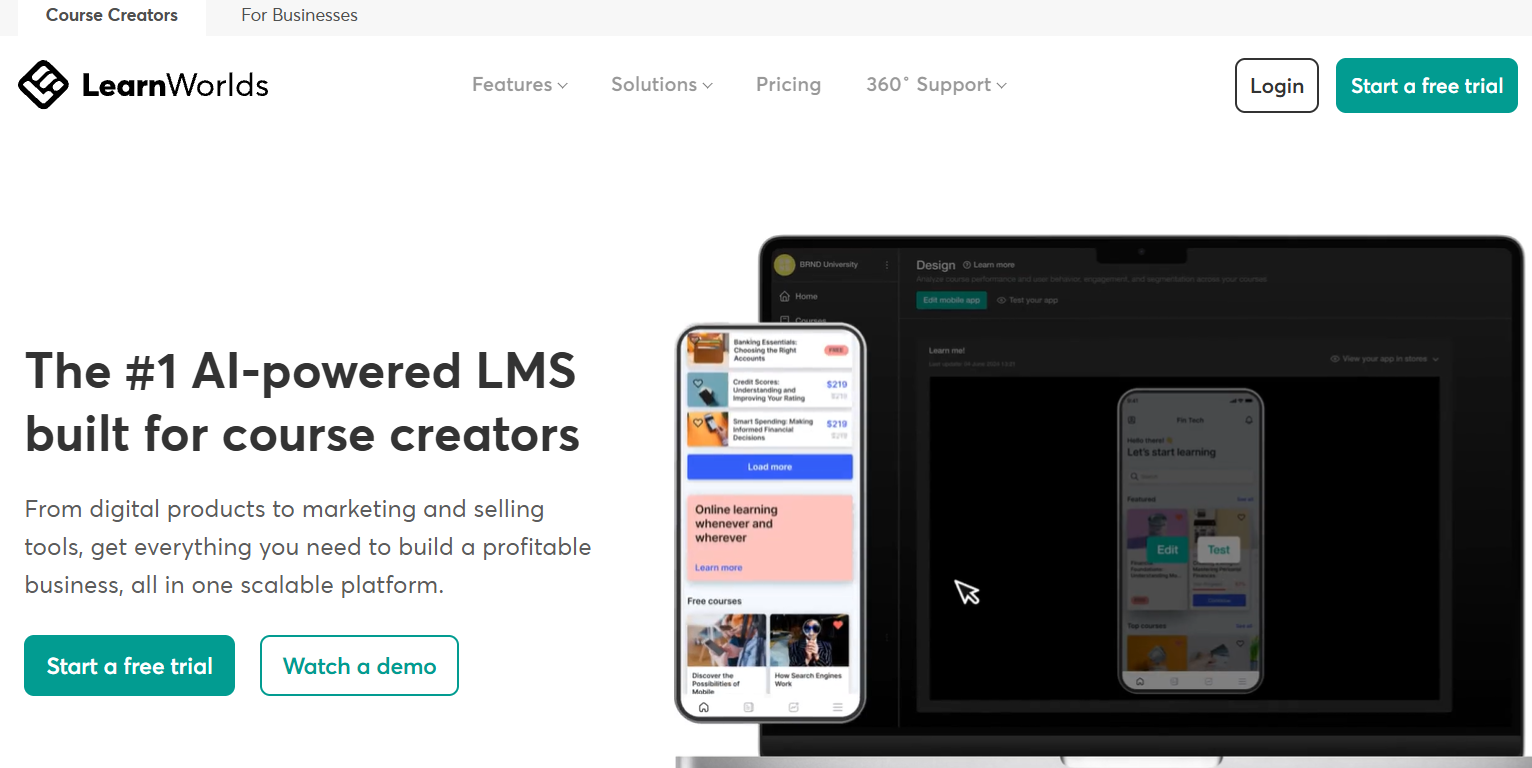
LearnWorlds is a powerful LMS designed for course creators who want deep control over content, branding, and learner experience. It supports building courses from scratch and incorporating interactive elements such as quizzes and gamification. The platform also comes with certificates and personalized learning paths tailored to each learner.
One standout feature of LearnWorlds is its interactive video capability. You can add buttons, questions, and overlays directly into videos, which works well for engagement-heavy learning experiences. The platform also includes a website builder, analytics tools, and support for subscriptions and bundles.
LearnWorlds is ideal for training companies, coaches, consultants, and businesses running branded academies. It is also suitable for educators who want advanced customization features.
What Is Thinkific?
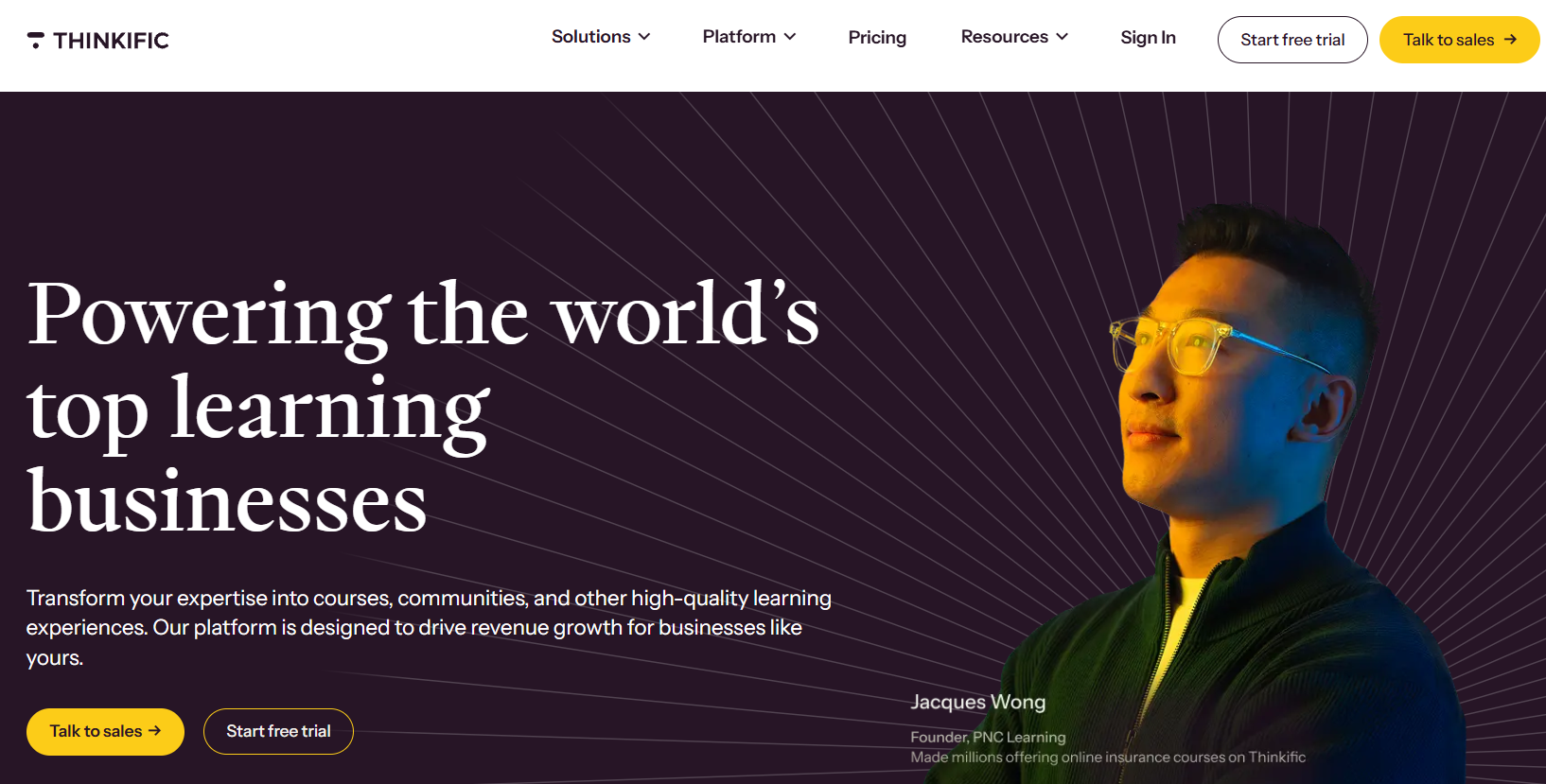
Thinkific is known for its simplicity and reliability. The LMS helps creators build courses using videos, lessons, quizzes, surveys, and downloads without needing technical expertise.
Thinkific focuses on making course creation approachable. Its drag-and-drop builder, clean interface, and guided setup make it popular with first-time course creators. The platform also supports communities and memberships, as well as integrations with common marketing tools.
Thinkific is popular among solo creators, entrepreneurs, small businesses, coaches, and online educators. It is also ideal for teams launching their first training programs.
LearnWorlds vs Thinkific: 6 Key Differences Explained
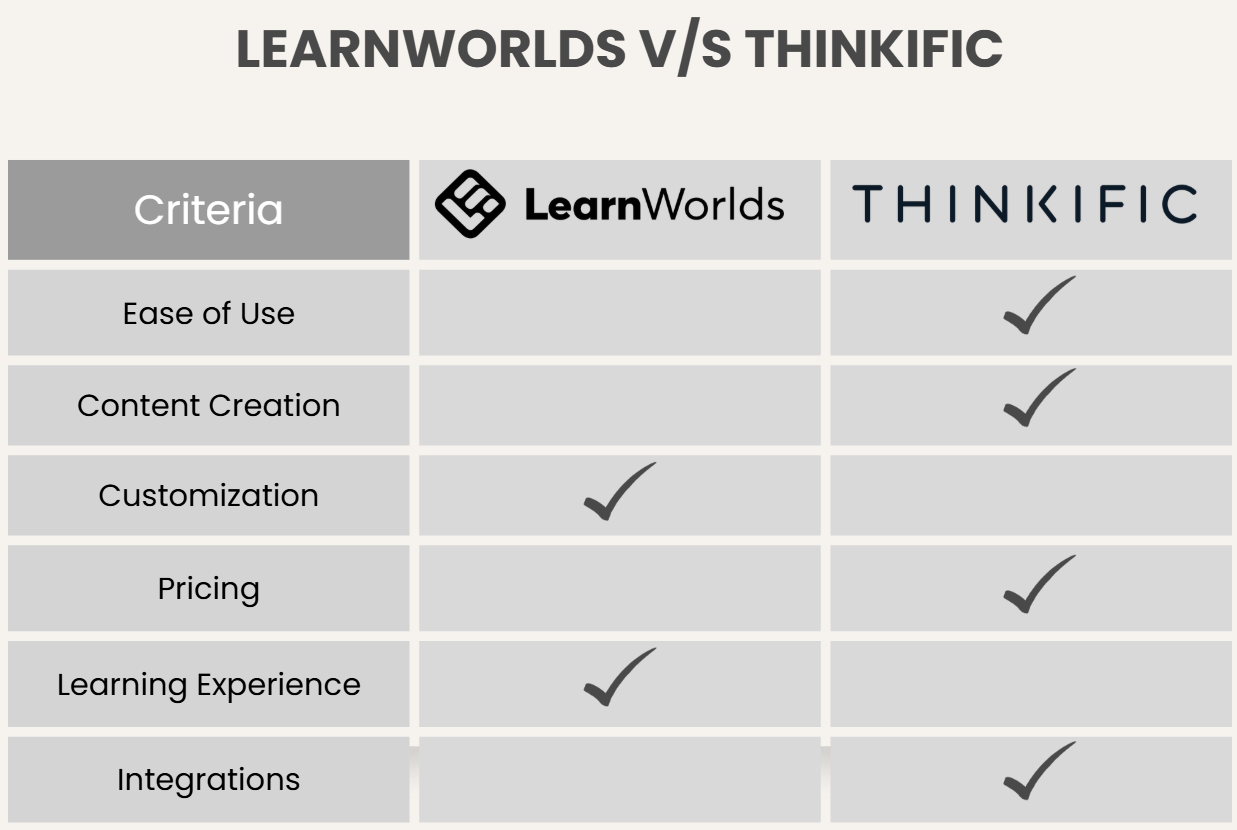
Both platforms are capable LMS solutions. The differences lie in how much control you want, how complex your courses are, and how much time you’re willing to spend building them.
1. Ease of Use & User Interface (UI)
Ease of use is usually the first thing anyone notices when choosing an LMS. Thinkific keeps things simple. It is easier to learn and faster to start. The dashboard is clean, the menus are intuitive, and the course builder walks you through each step.
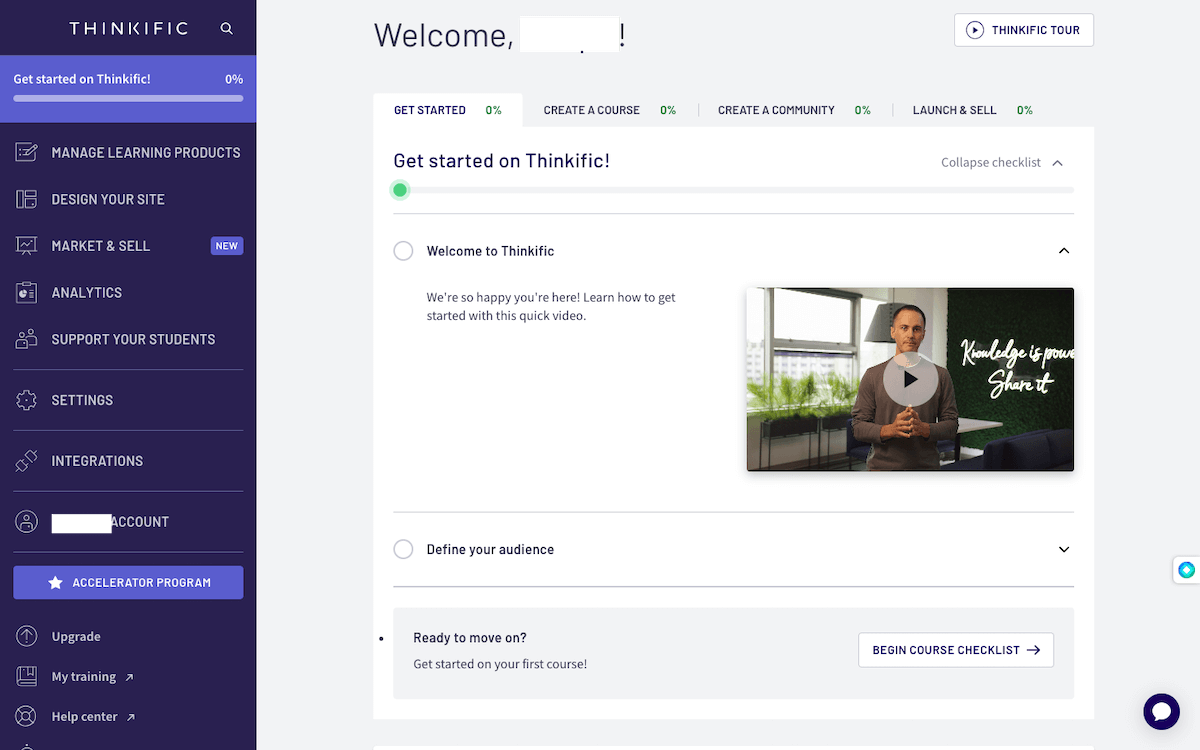
LearnWorlds, on the other hand, offers more features, but that comes with a slightly steeper learning curve. It takes longer to master the tool. The interface is well-designed, but there are more settings, customization options, and advanced tools to explore.
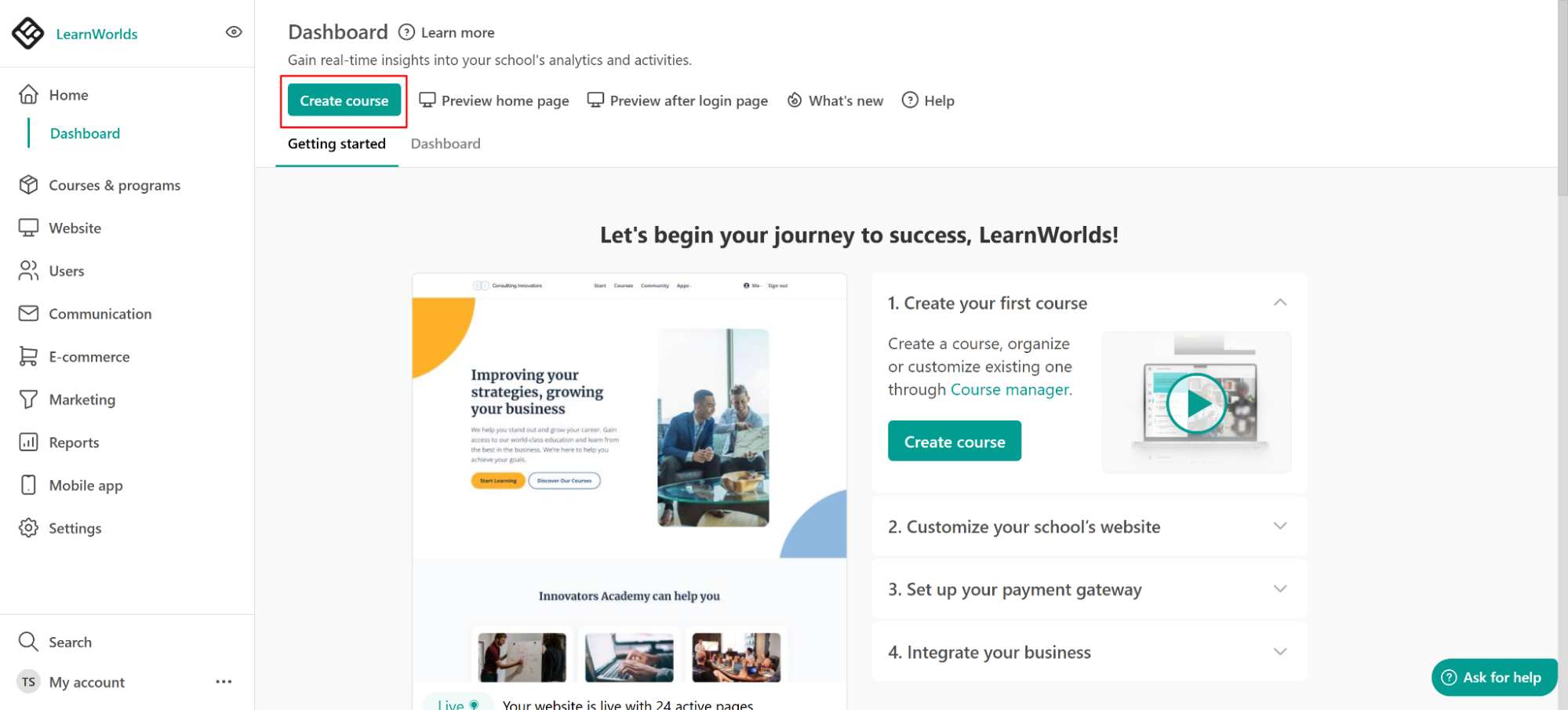
If you’re creating your first online course, Thinkific feels approachable and easy to navigate.
2. Course Creation & Content Structure
Both platforms let you build complete courses, but they handle structure differently.
Content Creation
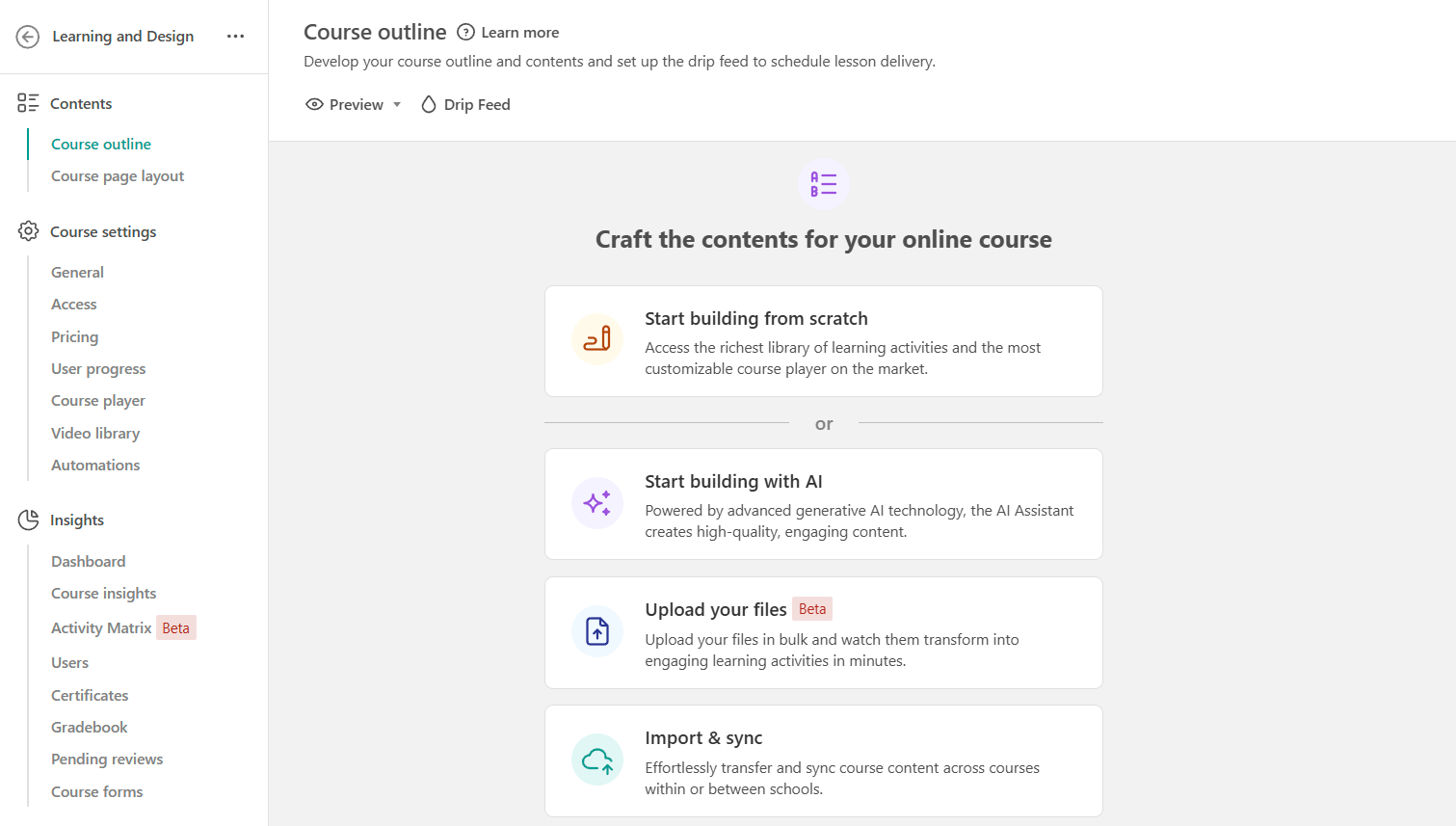
LearnWorlds offers a highly structured approach to course creation. Instructors can build complex learning paths with multiple levels, prerequisites, and drip-fed content. The platform encourages detailed course design, allowing creators to embed videos, assessments, certificates, and interactive elements directly into lessons.
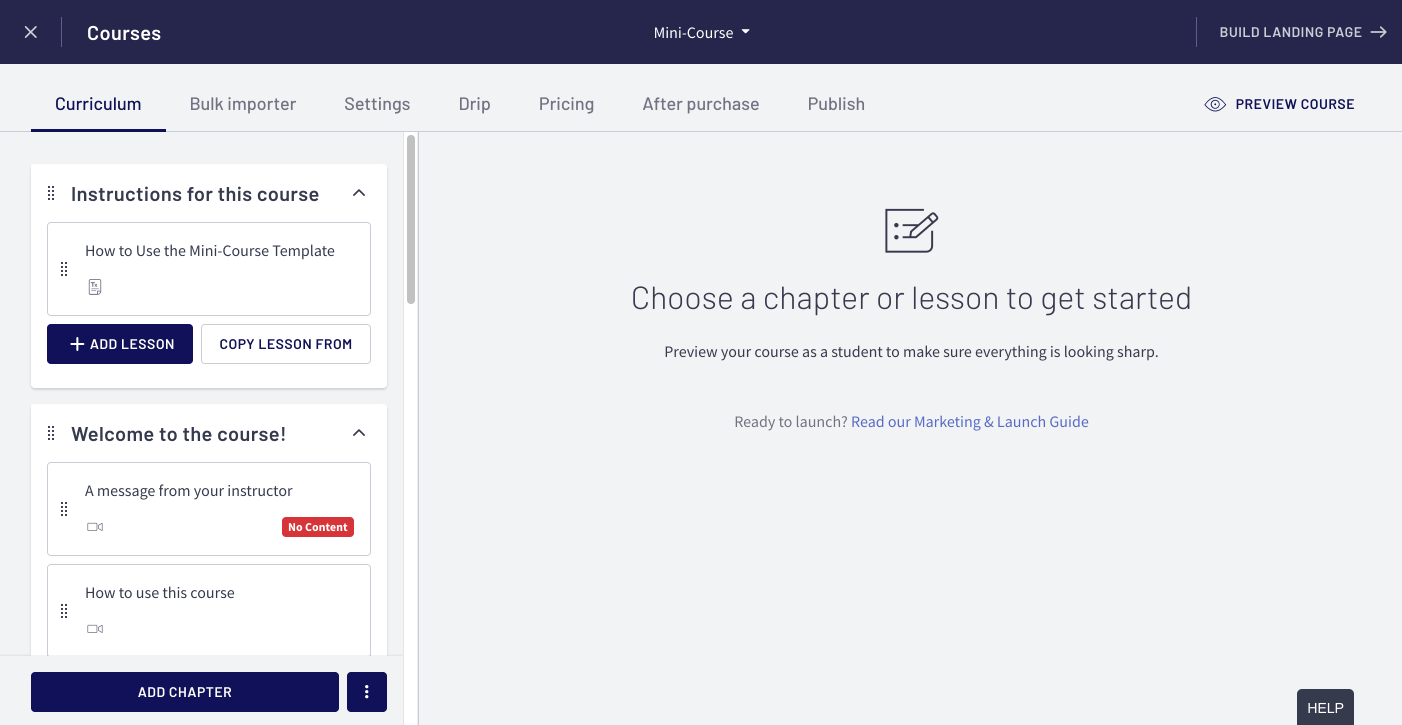
Thinkific takes a more streamlined approach to content creation. Course creators can quickly assemble lessons using videos, text, downloads, and quizzes without needing to manage advanced settings. The platform focuses on simplicity and clarity, which helps users launch courses faster.
Content Management
When it comes to managing content over time, LearnWorlds provides more control but requires greater involvement. Updating lessons, adjusting learning paths, and refining engagement settings can take additional time, especially in large course libraries.
Thinkific emphasizes ease of maintenance. Courses are easier to update, duplicate, and repurpose, making them appealing for solo creators or small teams. The trade-off is fewer advanced controls, but many users appreciate the lower ongoing management effort.
3. Customization & Branding
Customization is where the real distinction between LearnWorlds vs Thinkific lies.
Customization is one of LearnWorlds’ strongest areas. Course creators can tailor nearly every aspect of the learning environment, from course player layouts to fonts, colors, and navigation styles. This allows businesses to create fully branded learning academies that align closely with their corporate identity.
Thinkific offers customization through themes and templates, which makes branding straightforward but more constrained. Users can apply logos, colors, and layout changes without technical work, but deeper customization options are limited.
4. Learning Experience & Engagement
LearnWorlds places a strong emphasis on interactive learning. Its standout feature is interactive video, which allows instructors to add prompts, buttons, and questions directly within video lessons. Learners can also take notes, highlight content, and engage more deeply with materials.
Thinkific focuses on a clean and distraction-free learning experience. Engagement is supported through quizzes, surveys, communities, and discussion features rather than in-video interactions.
5. Integrations & Ecosystem
Thinkific integrates easily with a wide range of third-party tools, including email marketing platforms, CRMs, and payment systems. This flexibility makes it easy to fit Thinkific into existing business workflows and marketing stacks.
LearnWorlds also supports integrations, but many features are built directly into the platform. This reduces reliance on external tools and can simplify management for teams that want an all-in-one solution. However, it may limit flexibility for users who rely heavily on specific third-party services.
6. Pricing
Pricing varies depending on features and scale. Both platforms offer multiple tiers based on usage, features, and support levels.
Thinkific Pricing
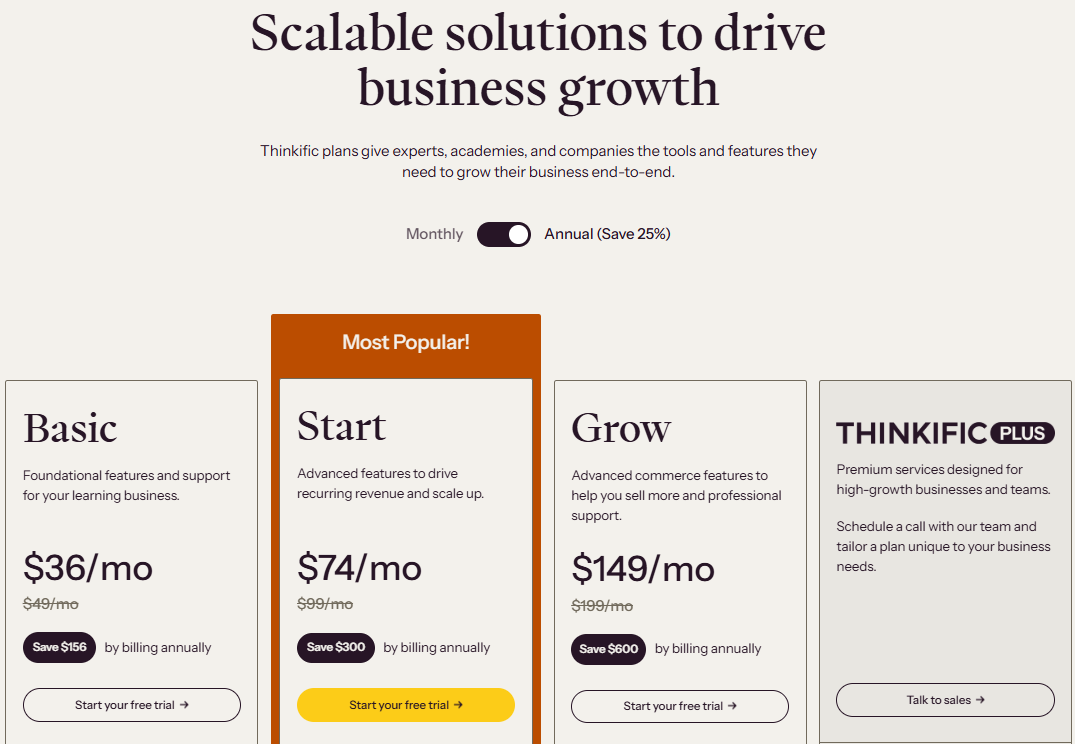
Thinkific pricing is generally more accessible for beginners, with plans that grow as your business grows. It offers 4 plans with 20% savings on the annual subscription:
- Basic: $36/month
- Start: $74/month
- Grow: $149/month
- Thinkific Plus: Custom plan
LearnWorlds Pricing
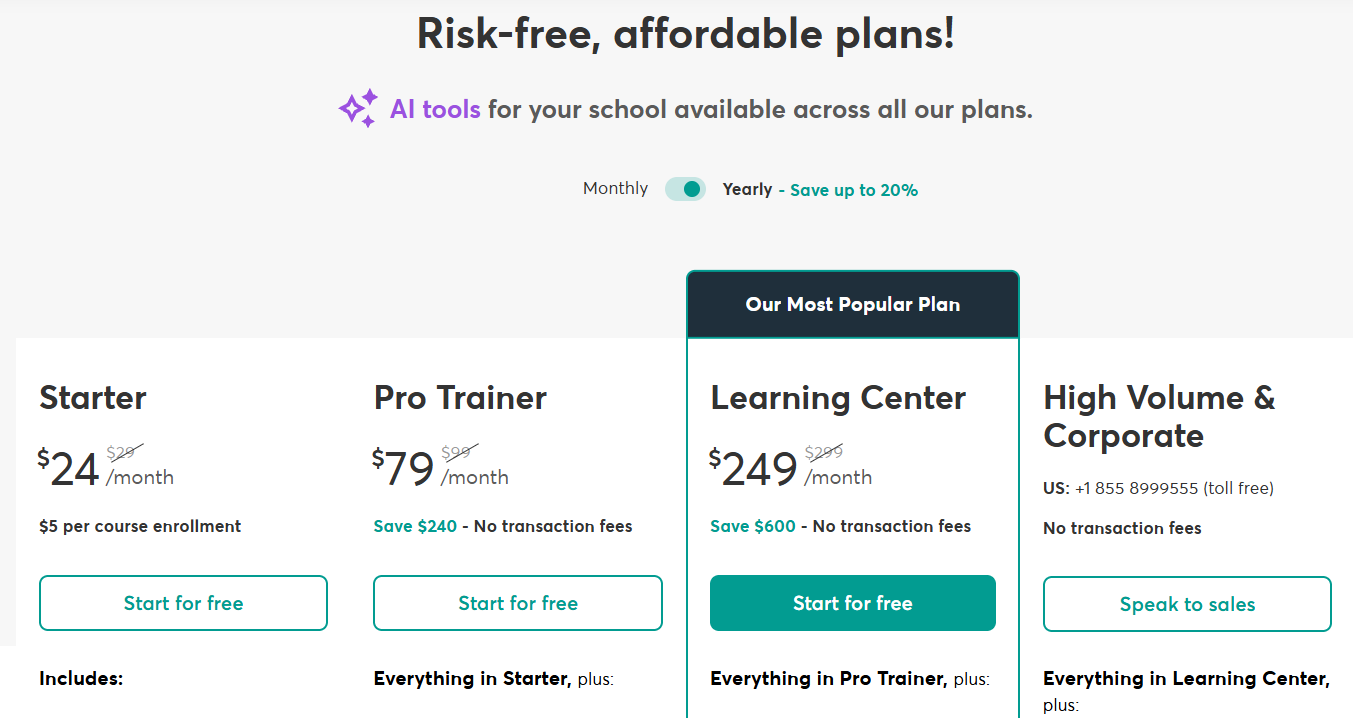
LearnWorlds pricing starts higher but includes advanced features earlier, which can reduce the need for additional tools. It also offers 4 plans with 20% savings on annual subscription, including:
- Starter: $24/month
- Pro Trainer: $79/month
- Learning Center: $249/month
- High Volume & Corporate: Custom Plan
LearnWorlds vs Thinkific: Which Is Better?
The table below shows the pros and cons of both platforms.
| Feature | LearnWorlds | Thinkific |
|---|---|---|
| Best For | Advanced, branded learning platforms | Simple, scalable course creation |
| Ease of Use | Moderate learning curve; needs time to master the tools | Very beginner-friendly |
| Setup Time | Longer due to customization | Quick setup |
| Customization | Extensive control | Template-based |
| Maintenance | More settings to manage | Low ongoing effort |
| Pricing | Higher starting cost | More affordable entry |
- Choose LearnWorlds if you want deep customization of your learning experience. It comes with interactive video features, a branded learning academy for businesses, and detailed analytics and learner insights. It works best for teams and businesses that want full control over how courses look, feel, and function.
- Choose Thinkific if you want to launch courses quickly with minimal setup. It comes with ease of use and a clean interface, ideal for solo creators, coaches, and small businesses.
Why Coursebox Is a Better Alternative
Both LearnWorlds and Thinkific incorporate AI features into their platforms, mainly to support content creation and improve efficiency. However, their AI capabilities are generally assistive rather than foundational. Course creators still handle most of the planning, structuring, and content organization manually.
This is where AI LMS platforms like Coursebox change the game. It takes a more AI-first approach by automating course creation rather than simply supporting it. It uses AI to generate course structure, lessons, and assessments directly from existing materials, reducing the need for manual setup.
Coursebox uses AI to help you:
- Turn documents, slides, videos, and links into courses automatically
- Generate structured lessons in minutes
- Create assessments and learning flows instantly
- Scale training programs without manual work
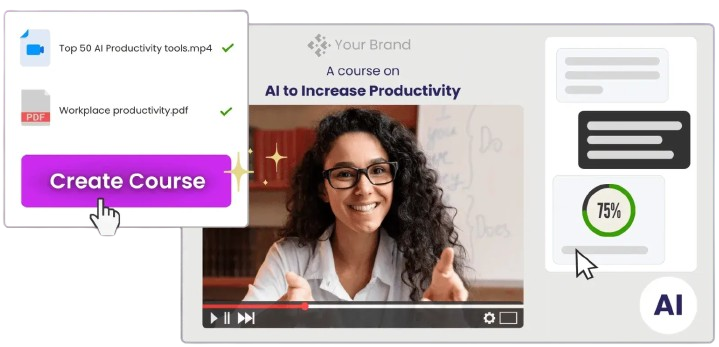
If you’re looking beyond traditional LMS platforms and want a smarter, faster way to create and manage courses, an AI LMS like Coursebox is worth exploring. Try Coursebox AI today!
FAQs About LearnWorlds vs Thinkific
Can you build full courses on both LearnWorlds and Thinkific?
Yes, both LearnWorlds and Thinkific are full-featured LMS platforms that allow you to build complete online courses. You can create structured lessons, upload videos and files, add quizzes, and issue certificates on both platforms. They’re well-suited for educators, businesses, and course creators who want to design and deliver learning programs.
LearnWorlds vs Thinkific: Which platform is easier to use for beginners?
Thinkific is considered easier for beginners due to its clean interface and guided setup process. New users can build and publish courses quickly without needing technical skills or prior LMS experience. LearnWorlds, while still user-friendly, offers more advanced options that can take longer to learn. This makes Thinkific a better choice for first-time course creators who want to move fast.
Is LearnWorlds better for corporate or professional training?
LearnWorlds can be a strong option for corporate and professional training because of its advanced customization and interactive video features. Organizations can create branded learning environments and design more engaging training experiences. However, setting up and maintaining these features requires more time and effort.
What are the limitations of traditional LMS platforms?
Traditional LMS platforms rely heavily on manual course creation. Instructors must plan lessons, write content, structure modules, and upload materials themselves. AI-powered LMS platforms aim to reduce this workload by automating much of the course creation process.
How does an AI LMS like Coursebox differ from LearnWorlds and Thinkific?
An AI LMS like Coursebox uses AI to generate course structures, lessons, and assessments from existing content such as documents, slides, or videos. This reduces the time needed to create and update courses. While LearnWorlds and Thinkific are excellent for delivering courses, Coursebox focuses on making course creation faster, more consistent, and easier to scale.
Travis Clapp
Educational technologist and instructional designer

