

LearnWorlds vs Teachable: Honest Thoughts After Testing Both (2026)
I tested both platforms hands-on. LearnWorlds wins for assessment and premium training, Teachable for quick setup and low-priced selling. Prices verified.

LearnWorlds suits training businesses selling premium or assessed courses; Teachable suits solo creators wanting a few low-priced courses live fast.
- LearnWorlds is better at assessment. Four tools are built into its admin, question banks, a gradebook, certificates and a review centre, where Teachable offers only quizzes.
- Neither platform builds an entire course with AI, with both stopping at a course outline.
- Teachable beats LearnWorlds on selling admin. It calculates and remits sales tax and pays affiliates automatically, while LearnWorlds leaves tax remittance to you via integrations.
- Neither LearnWorlds nor Teachable makes leaving easy. Teachable suggests copying your text into Word, and LearnWorlds imports SCORM without exporting it.
- Fees depend on your course price. LearnWorlds takes a flat $5 per sale and Teachable takes 7.5%, so LearnWorlds is cheaper if you sell courses over about $67 and more costly than Teachable if you sell below $67.
Answer 3 quick questions to figure out in seconds

Run your own branded LMS with unlimited learners
On paper, LearnWorlds and Teachable are the same. They both have branded schools, and they both allow creators to create and sell courses. After testing them both properly, I could see that both of them had their own pros and cons.
Teachable is the simple one. It gets a course online and takes payments fast, and it handles sales tax for you. LearnWorlds is the heavy one. It runs branded academies with graded exams, certificates and interactive video, and it takes longer to master.
They also charge differently. LearnWorlds' entry plan takes a flat $5 every time somebody pays to enrol. Teachable's takes 7.5% of the sale. Which one costs you less depends on what you charge for a course.
I signed up for both, went through both setups and priced every plan and fee I could find documented. There is no overall winner here. The two split by what you sell and how much of it, and a few of the numbers that decide it are not on either pricing page.
The short version
Pick LearnWorlds if:
- You need assessment built in. Question banks, a gradebook, certificates and a review centre are all in the admin, not bolted on.
- You want interactive video and will pay for it. LearnWorlds is the only one of the two that has it, and the interactions are gated to Learning Center at $249 a month, so budget for that plan, not Starter's $24.
- You want a real website, not just course pages. LearnWorlds built my school a ten-page site from a template during setup.
- You charge more than about $67 a course. The flat $5 per enrolment costs less than Teachable's percentage from there up.
- You will import existing SCORM content. LearnWorlds accepts SCORM packages, the e-learning format that lets a course move between systems, though not on the entry plan.
Pick Teachable if:
- You want to be selling this week. Setup is three short steps and the lesson editor is drag and drop.
- You sell into several countries and do not want to handle tax. Teachable calculates, charges and remits sales tax for you.
- You run affiliates. Tracking and payouts stay inside the platform.
- You sell cheap products in volume. On a $30 course Teachable takes $2.25 where LearnWorlds takes $5.
- Your learners want a phone app included. iOS and Android apps come with paid plans rather than as a paid add-on.
How I compared LearnWorlds and Teachable
- what each platform actually does for you, on the build side and the selling side
- what the entry plan allows before it stops you
- how quickly you can get a course built and sold
- what you get for assessment and engagement
- what happens to your content if you leave
- what each one charges on top of the subscription
Everything below comes from my own testing on both platforms.
We build in this space as well. Coursebox is an AI-powered learning management system (LMS) that generates courses from documents you already have. It is not one of the two tools here and it is not what I recommend below, so treat that as a disclosure rather than a pitch. The comparison below is my honest opinion after trying out both platforms.
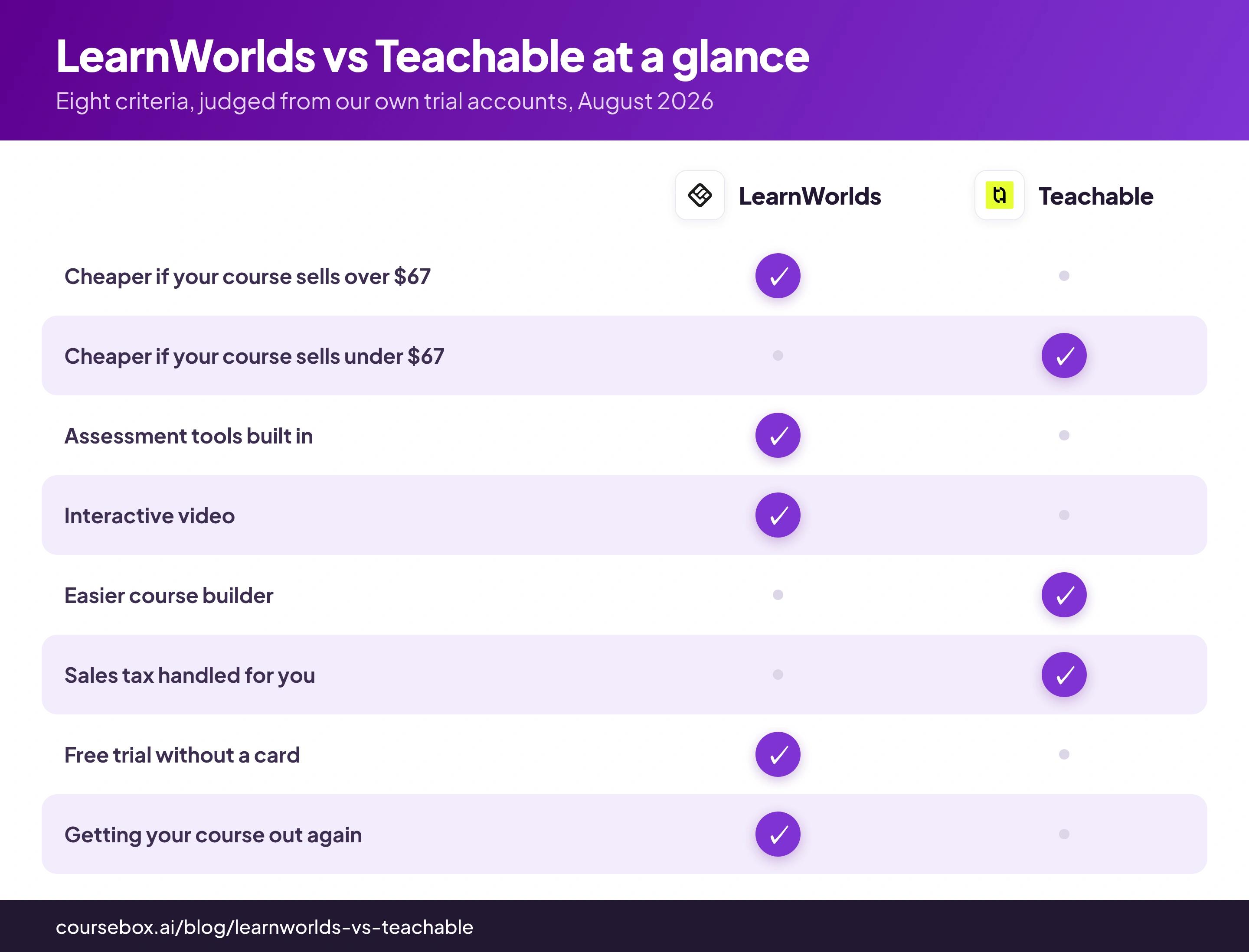
LearnWorlds vs Teachable at a glance
| LearnWorlds | Teachable | |
|---|---|---|
| Entry plan | Starter, $288/yr ($24/mo) | Starter, $348/yr ($29/mo) |
| Fee on every sale | $5 per paid enrolment | 7.5% of the sale |
| Whose fee is cheaper | Above about $67 a course | Below about $67 a course |
| Next tier without sale fees | Pro Trainer, $948/yr ($79/mo) | Builder, $828/yr ($69/mo) |
| Learner limit on entry plan | 1,000 monthly active learners | 100 active students |
| Free trial | 30 days, no card | 7 days, card required |
| Assessment tools | Question banks, gradebook, certificates, review centre | Quizzes |
| Interactive video | Yes, but the interactions need Learning Center at $249/mo | No |
| SCORM | Imports SCORM, Pro Trainer or higher for graded tracking | No |
| Getting your course out | School data export documented | No native course export, docs suggest copy-paste into Word |
| Learner mobile app | Branded app is a paid add-on, price not published | Teachable-branded iOS and Android apps on paid plans |
| Sales tax handled for you | No, Quaderno or Stripe Tax integrations calculate it and you remit | Yes |
| G2, checked 24 August 2026 | 4.7 from 385 reviews | 3.8 from 52 reviews |
| Capterra, checked 24 August 2026 | 4.7 from 194 reviews | 4.2 from 185 reviews |
| Best for | Training businesses and anyone charging real money per seat | Solo creators selling low-priced products quickly |
What you get on LearnWorlds: a full academy with a learning curve
The signup form asked for an email address and gave me a thirty-day free trial, without needing my card details (unlike Teachable). LearnWorlds then built a school before it let me build a course. A setup wizard asked me to pick a template and generated a site for me, all before me making any course.
When it finally appeared, the AI course generator also stopped at an outline for me. This was the biggest letdown for me, as I was expecting my prompt to be converted into a full-fledged course with proper pages fully written out with AI.
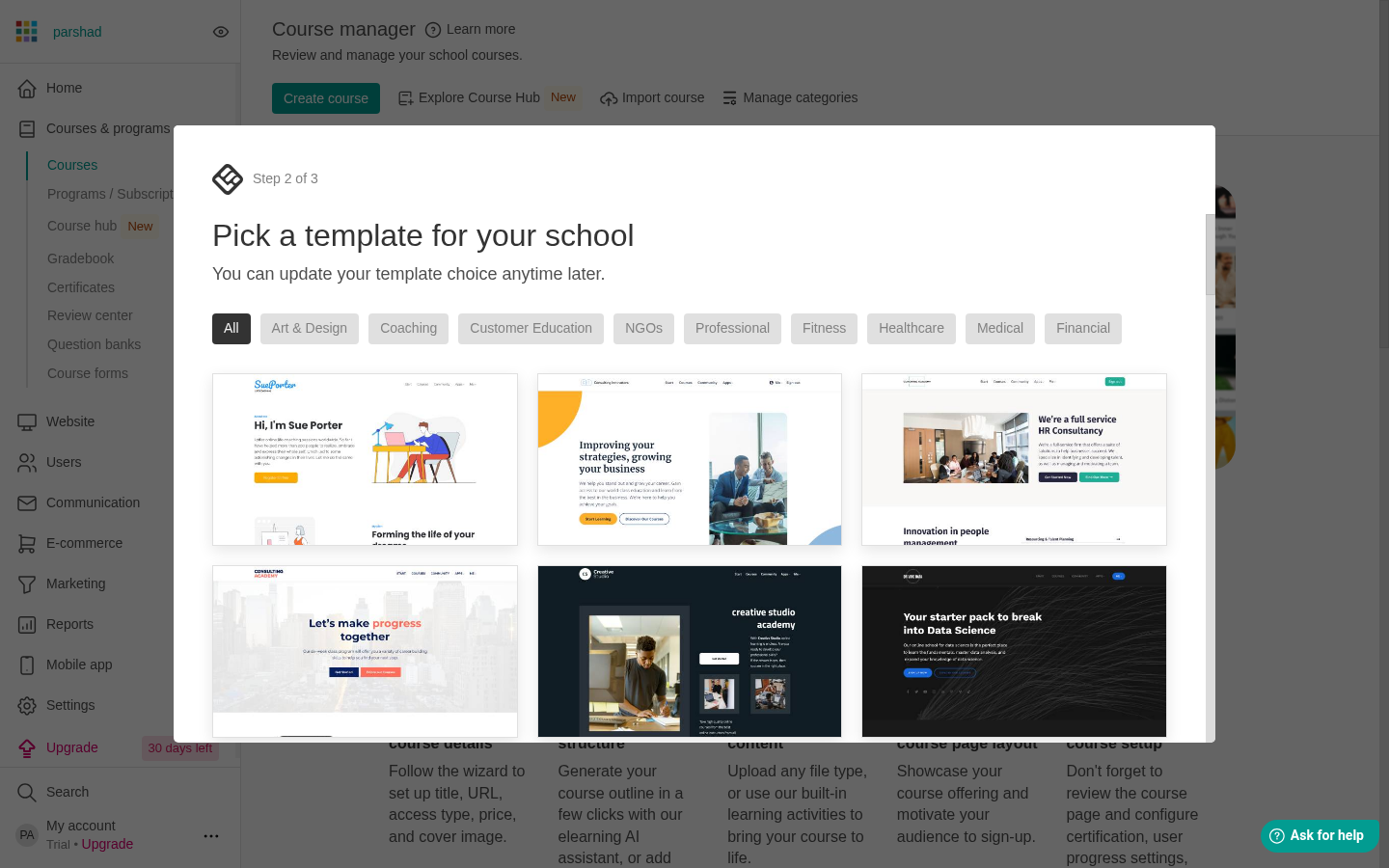
LearnWorlds' setup wizard stops to ask which template the school should use, with the Course manager waiting behind it.
Looking beyond course generation, LearnWorlds is a proper academy in the full sense. The admin runs courses and programs, a website, users, e-commerce, marketing and reports as separate departments, and the learning curve is the most consistent complaint about the platform. One bug from my own trial: uploading a lesson video can throw you out of the course editor into the video library with no route back, which feels like losing your work until you navigate to the course again.
What you get for that difficulty is assessment as a native part of the platform. Question banks, a gradebook, certificates and a review centre sit in the admin navigation next to Courses, and lesson types run past video and PDF into live sessions, ebooks, exams, self-assessments, forms and embeds. If you are running assessed or compliance training rather than selling content, this is the half of the market LearnWorlds was built for, and Teachable has no equivalent for all this assessment work.
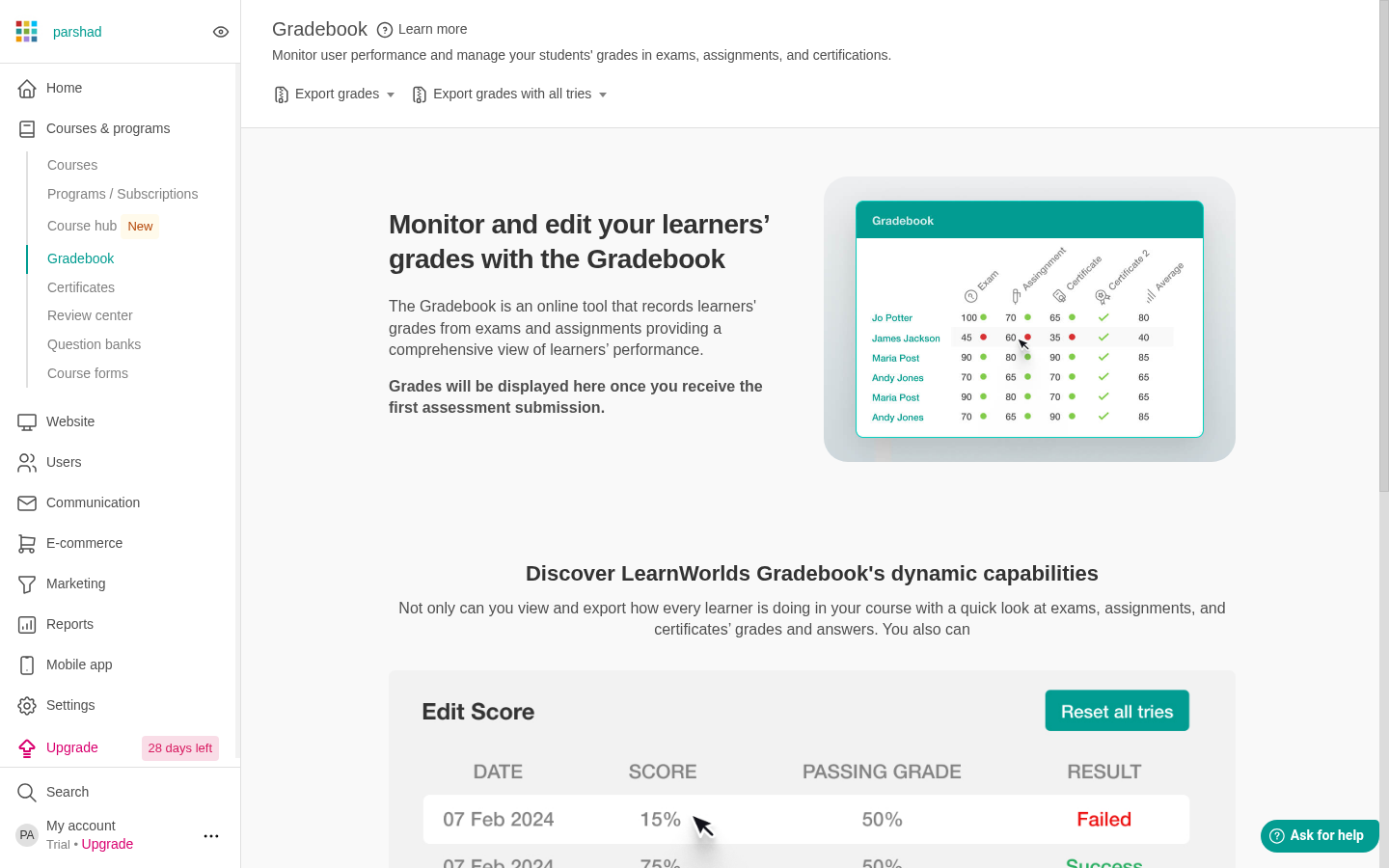
The gradebook in my trial school's admin, empty until the first submission arrives. The whole assessment toolkit sits in the nav under Courses & programs.
Interactive video is the biggest feature gap between the two: LearnWorlds has it and Teachable has nothing like it. You scrub to a point on the timeline and drop a button on the frame. You set how long it stays up, whether the video pauses when clicked, and where it sends the learner. LearnWorlds advertises interactive video everywhere and never says which plan you need. I dug deeper and found out that the interactions only unlocks on Learning Center at $249 a month. On Starter you get comments and emoji reactions.
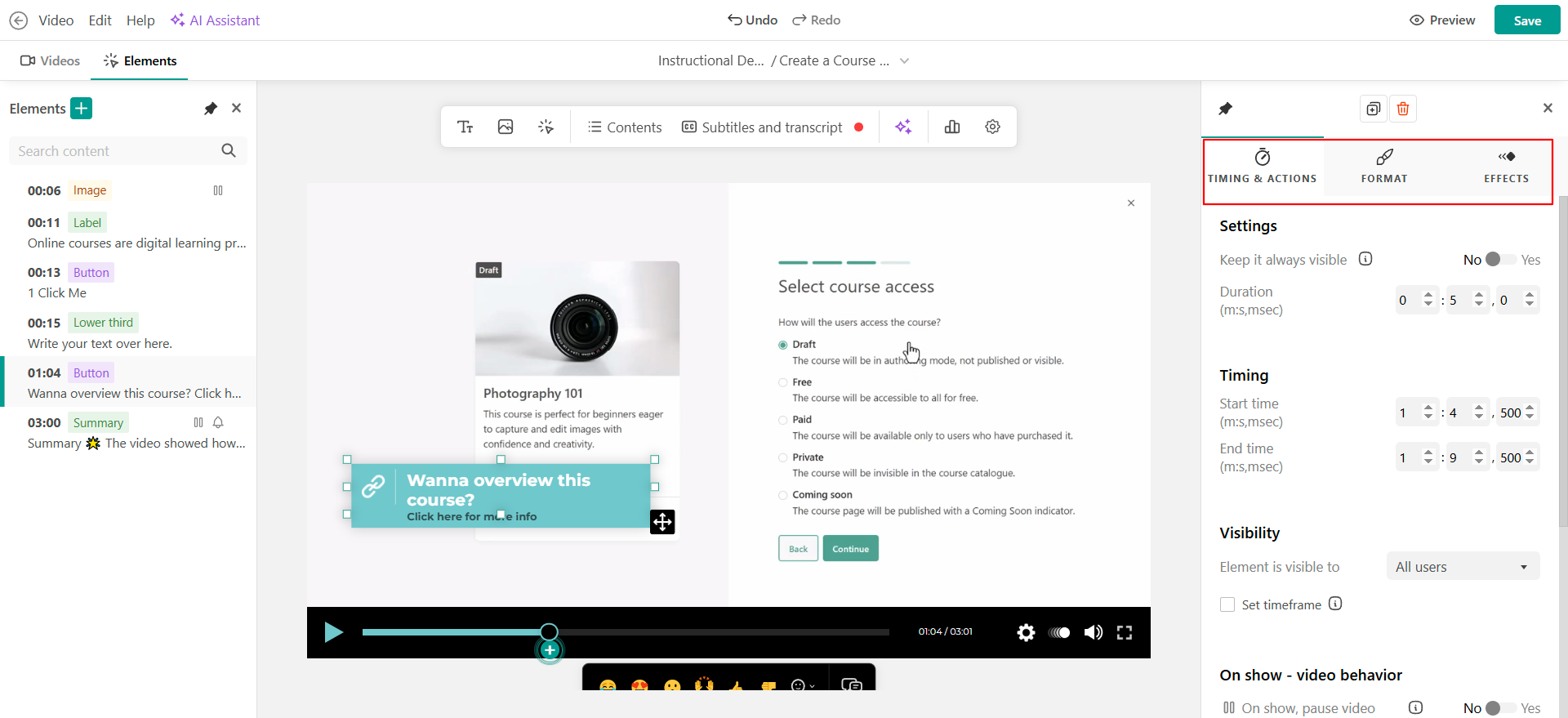
The interactive video editor in LearnWorlds. Image: LearnWorlds documentation.
The website builder makes full sites, not just course pages. My trial school was live with ten pages before I had written a word, built from the coaching template I picked during setup, with a code editor underneath for anyone who wants to edit it further.
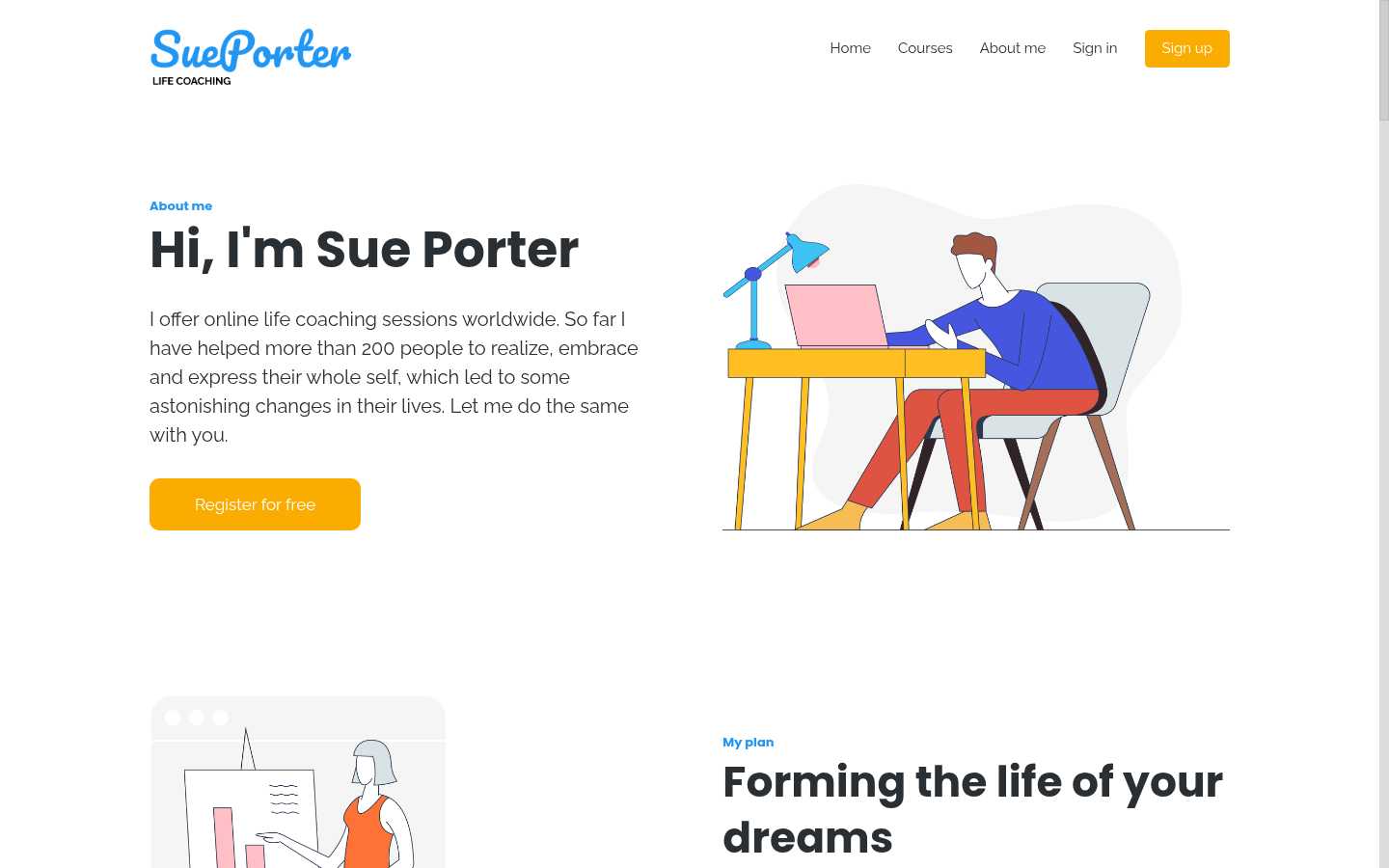
The site LearnWorlds built for my trial school from a template, live before I had written anything.
Where LearnWorlds is better
- Assessment. Question banks, a gradebook, certificates and a review centre against Teachable's quizzes.
- Interactive video. Teachable has nothing like it, but price it at Learning Center, $249 a month.
- The website. A full ten-page school site from a template against Teachable's course pages.
- The trial. Thirty days with no card against seven days with one.
- Fees on premium prices. The flat $5 costs less than 7.5% once a course sells for more than about $67.
- Student capacity. 1,000 monthly active learners on the entry plan against Teachable's 100 active students.
What you get on Teachable: the faster route to a first sale
Here, I faced a lot more friction to start my trial. The signup form first asked for card details, then a confirmation code from my inbox, and then at the end, I was given only seven days of free trial.
The course wizard took three steps, and it would not let me past the first until the course had a title and a description.
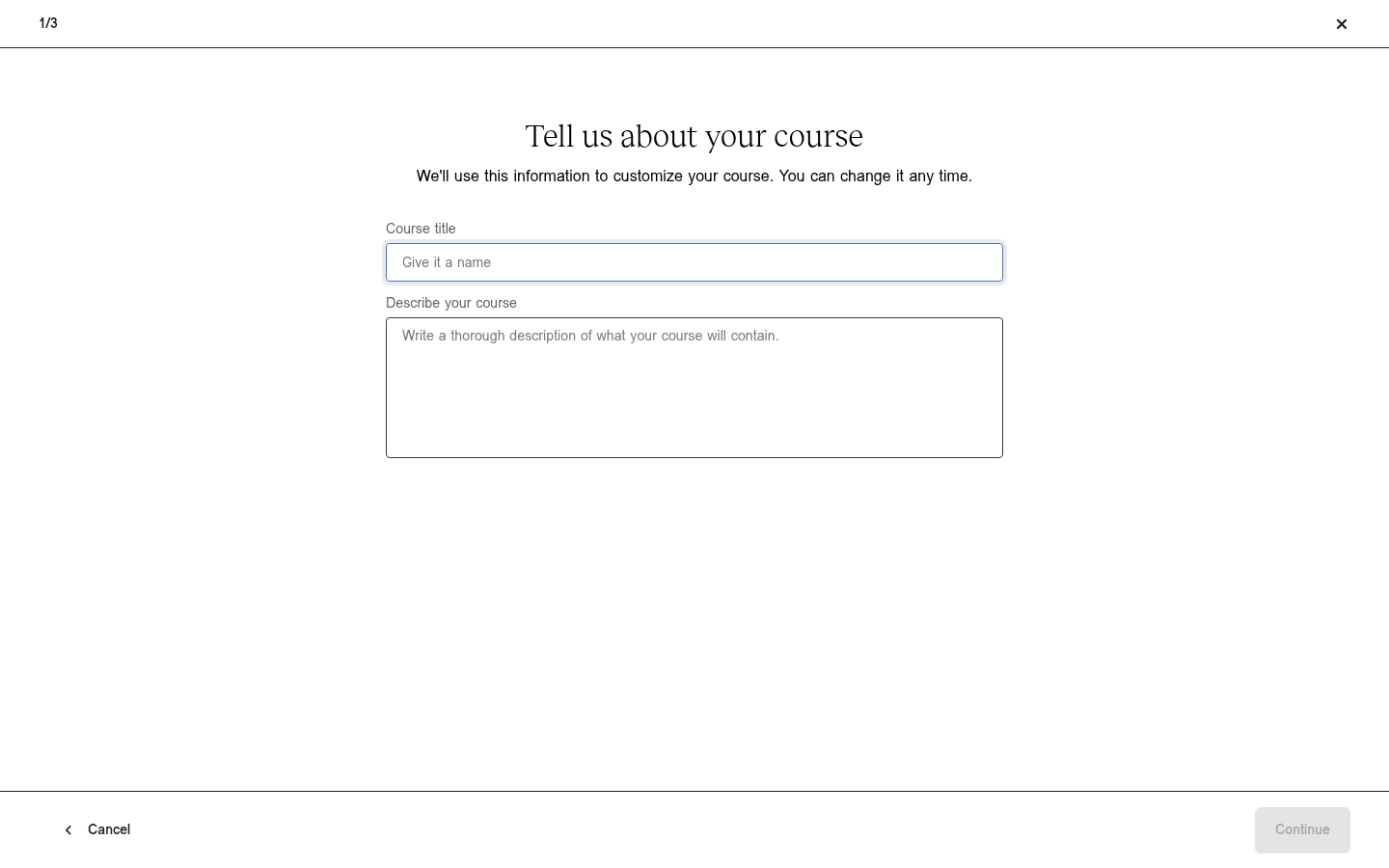
Teachable will not let you past step one until the course has a title and a description.
Its final step arrived with "Generate with AI" already selected. What the AI produced disappointed me on both platforms: an outline, a list of section and lesson titles, with every lesson still mine to write. LearnWorlds' generator has the same limit, so both are limited in this aspect.
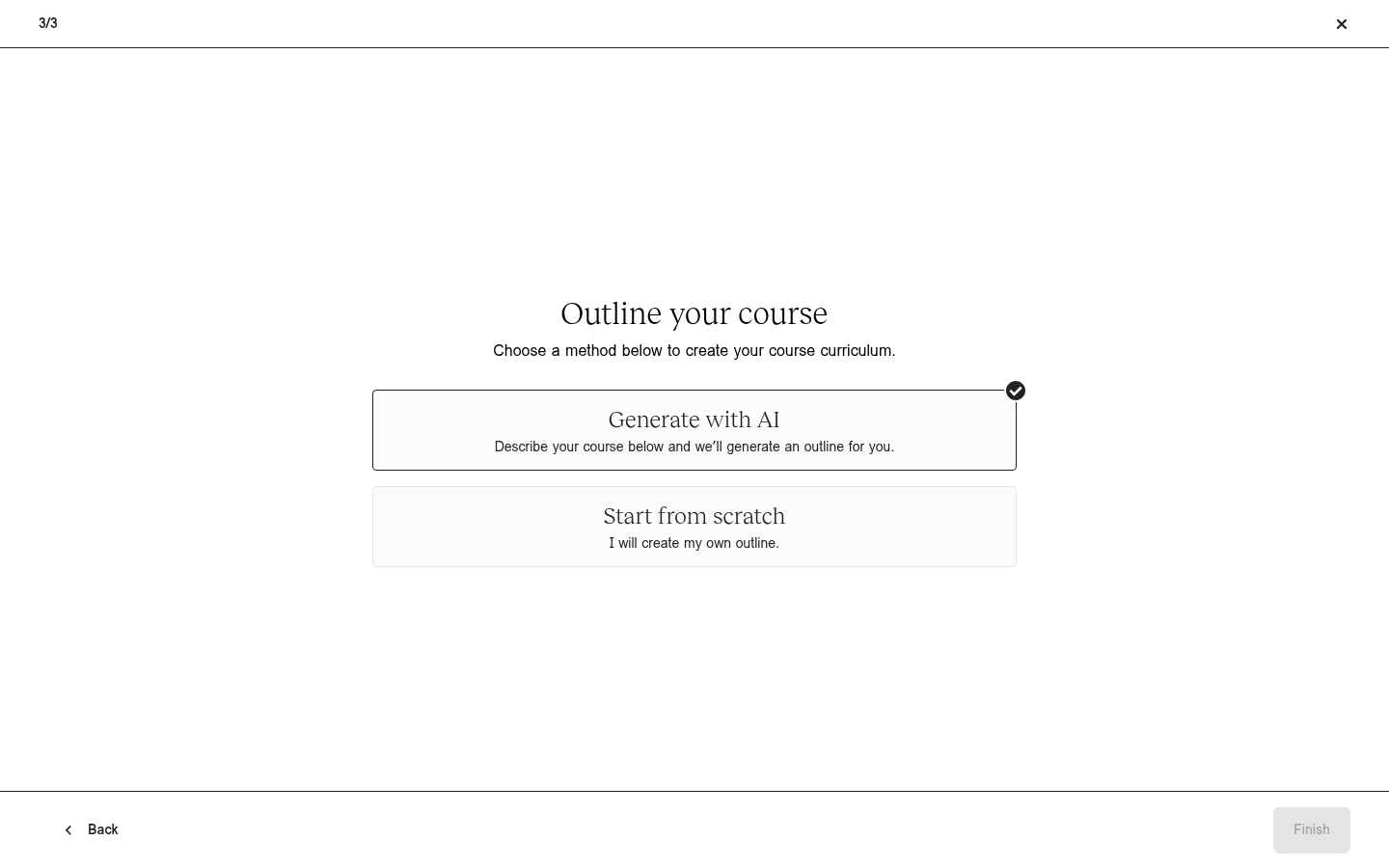
Teachable's course setup, step three of three.
Past the course generating wizard, Teachable is built around getting one course sold with the least friction. One lesson holds video, text and images together as blocks you drag into order, and anyone arriving from a self-hosted WordPress setup finds it obvious. It also allows one more level of grouping than LearnWorlds, so a long course can be broken into sections inside sections. The only caveat is that the content you wish to sell should be ready because there are no tools here to help you create it quickly.
Most of what Teachable does for you is on the selling side. Sections can be released on a delay from each student's enrolment date, with a notification email, so you can start selling before the whole course is created. Checkout supports an order bump (a second product offered at a discount on the payment page itself). Coaching is a first-class product type with the booking calendar wired into the post-purchase flow through Calendly. And a built-in community space is attached to the school, so you do not need to run a separate Facebook group or Discord community beside it.
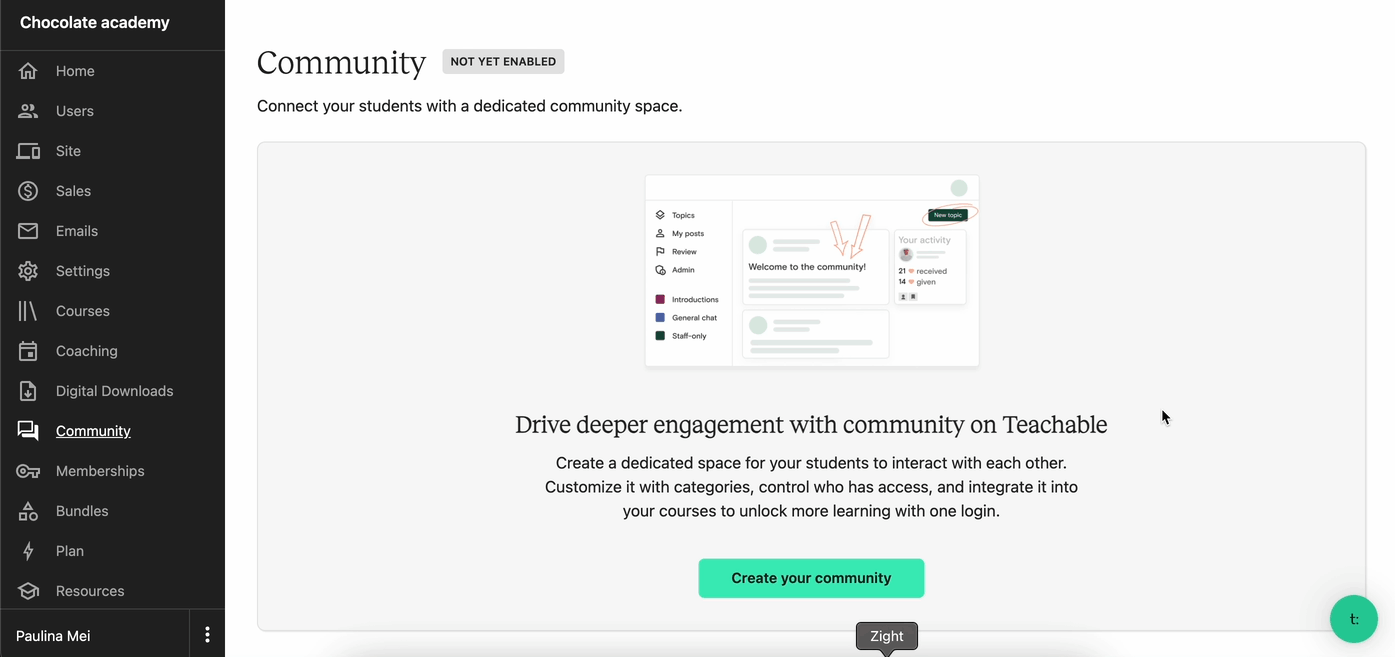
The Community area in the Teachable admin.
Teachable also takes on two jobs itself. It calculates, charges and remits sales tax on your behalf. This can be a very handy feature for international sellers on the platform. And its affiliate program tracks partners and pays them out automatically.
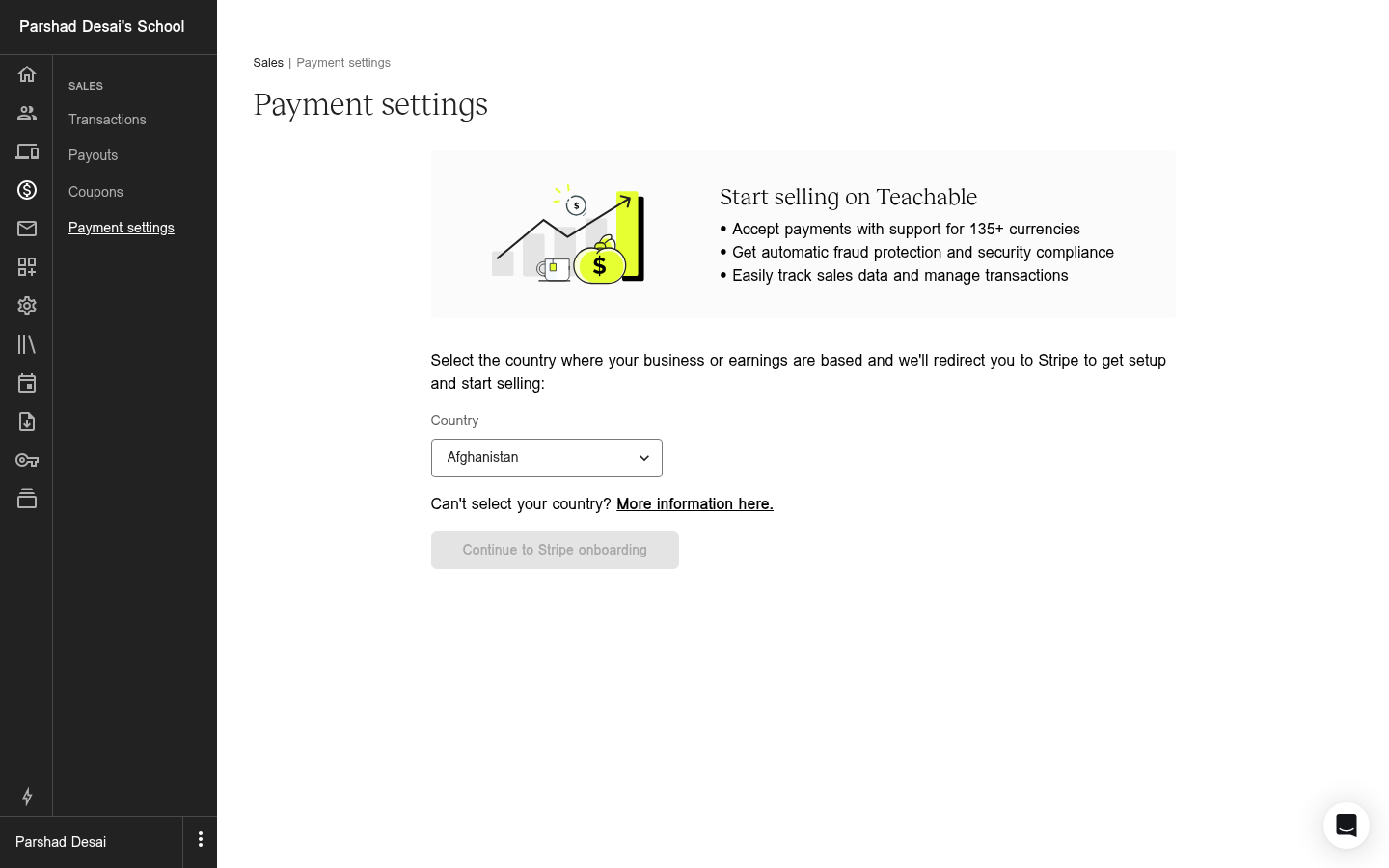
Teachable routes payments through Stripe and quotes support for 135+ currencies, which is where its tax handling starts.
Learners get Teachable-branded iOS and Android apps on paid plans, with lessons downloadable for offline viewing one at a time. The learner view itself is a plain lesson list with a complete-and-continue button, clean rather than remarkable, and there is no search inside the course content.
Where Teachable is better
- Marketing tools. Automated emails, community setup and smart checkout all get the ball rolling for your sales.
- Sales tax. Calculated, charged and remitted for you. On LearnWorlds, integrations calculate it and remitting stays your job.
- Affiliates. Tracked and paid automatically inside the platform.
- Fees on cheap courses. 7.5% costs less than the flat $5 below about $67: $2.25 against $5 on a $30 course.
- Learner mobile apps. iOS and Android included on paid plans, where LearnWorlds sells a branded app at an unpublished price.
What they cost
On their entry plans, LearnWorlds and Teachable both charge a subscription plus something on every sale, and the something is where they differ. Two examples cover most decisions:
- Selling a $100 course: LearnWorlds Starter takes $5. Teachable Starter takes $7.50.
- Selling a $30 course: LearnWorlds Starter still takes $5. Teachable Starter takes $2.25.
- The crossover is about $67. If you charge more than that, LearnWorlds' flat fee is the smaller one. If you charge less, Teachable's percentage is.
LearnWorlds pricing
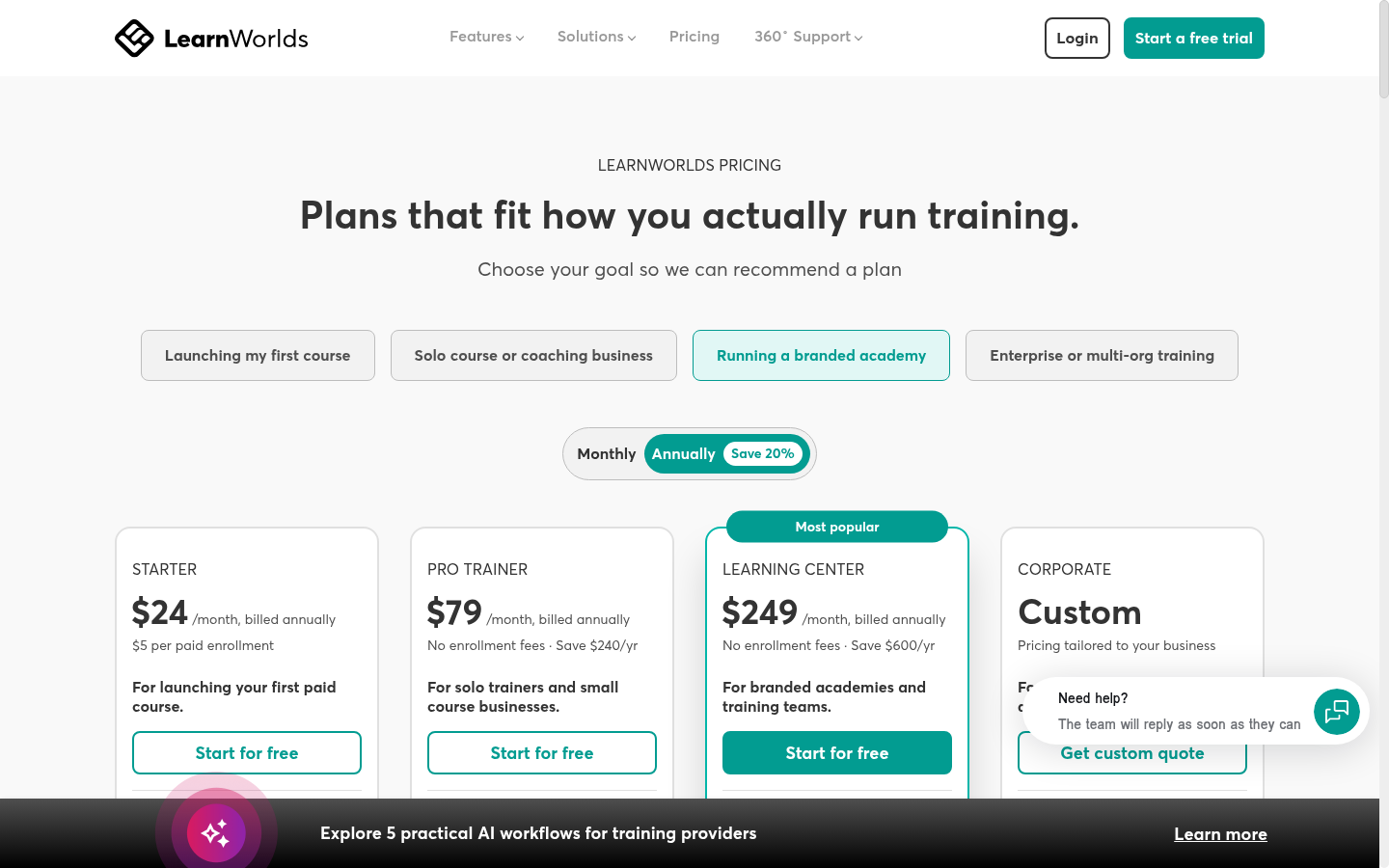
| Plan | Per year, billed annually | Billed monthly instead | The fee on top |
|---|---|---|---|
| Starter | $288/yr ($24/mo) | $29/mo | $5 per paid enrolment |
| Pro Trainer | $948/yr ($79/mo) | $99/mo | None |
| Learning Center | $2,988/yr ($249/mo) | $299/mo | None |
| Corporate | Custom | Custom | Quoted |
Teachable pricing
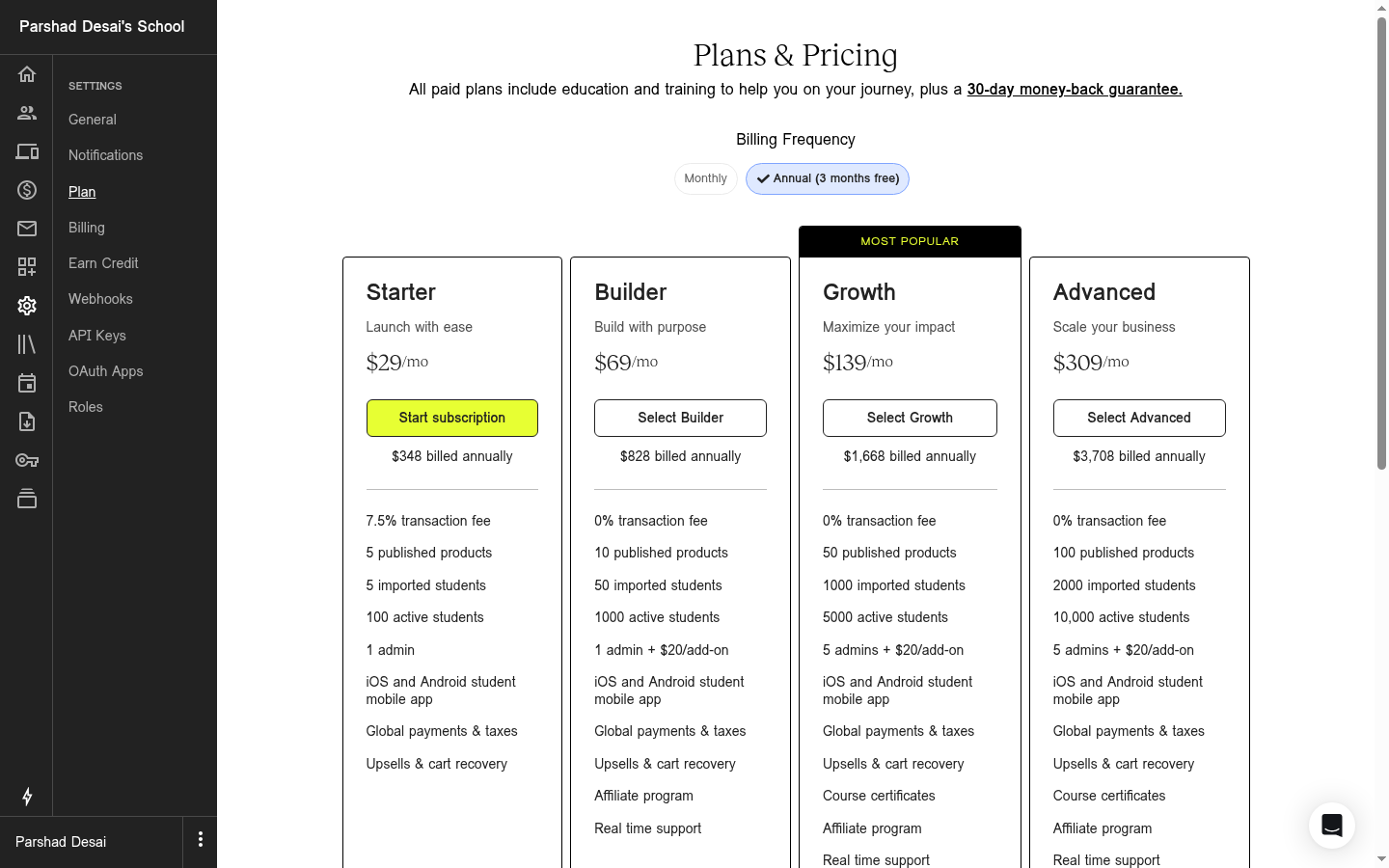
| Plan | Per year, billed annually | Billed monthly instead | What you are capped at |
|---|---|---|---|
| Starter | $348/yr ($29/mo) | $39/mo | 7.5% per sale, 5 products, 100 active students |
| Builder | $828/yr ($69/mo) | $89/mo | 0% base fee, 10 products, 1,000 active students |
| Growth | $1,668/yr ($139/mo) | $189/mo | 0% base fee, 50 products, 5,000 active students |
| Advanced | $3,708/yr ($309/mo) | Not published | 0% base fee, 100 products, 10,000 active students |
Both entry plans are small on purpose. Teachable Starter allows five published products and 100 active students. Its admin counted my allowance, 0 of 5 published, before I had built anything. LearnWorlds Starter allows 1,000 monthly active learners, but the features people choose LearnWorlds for are available only on Pro Trainer, including SCORM import, graded tracking, and most of the assessment depth. Most people selling seriously end up on Pro Trainer or Builder, and both of those drop the per-sale fee to nothing.
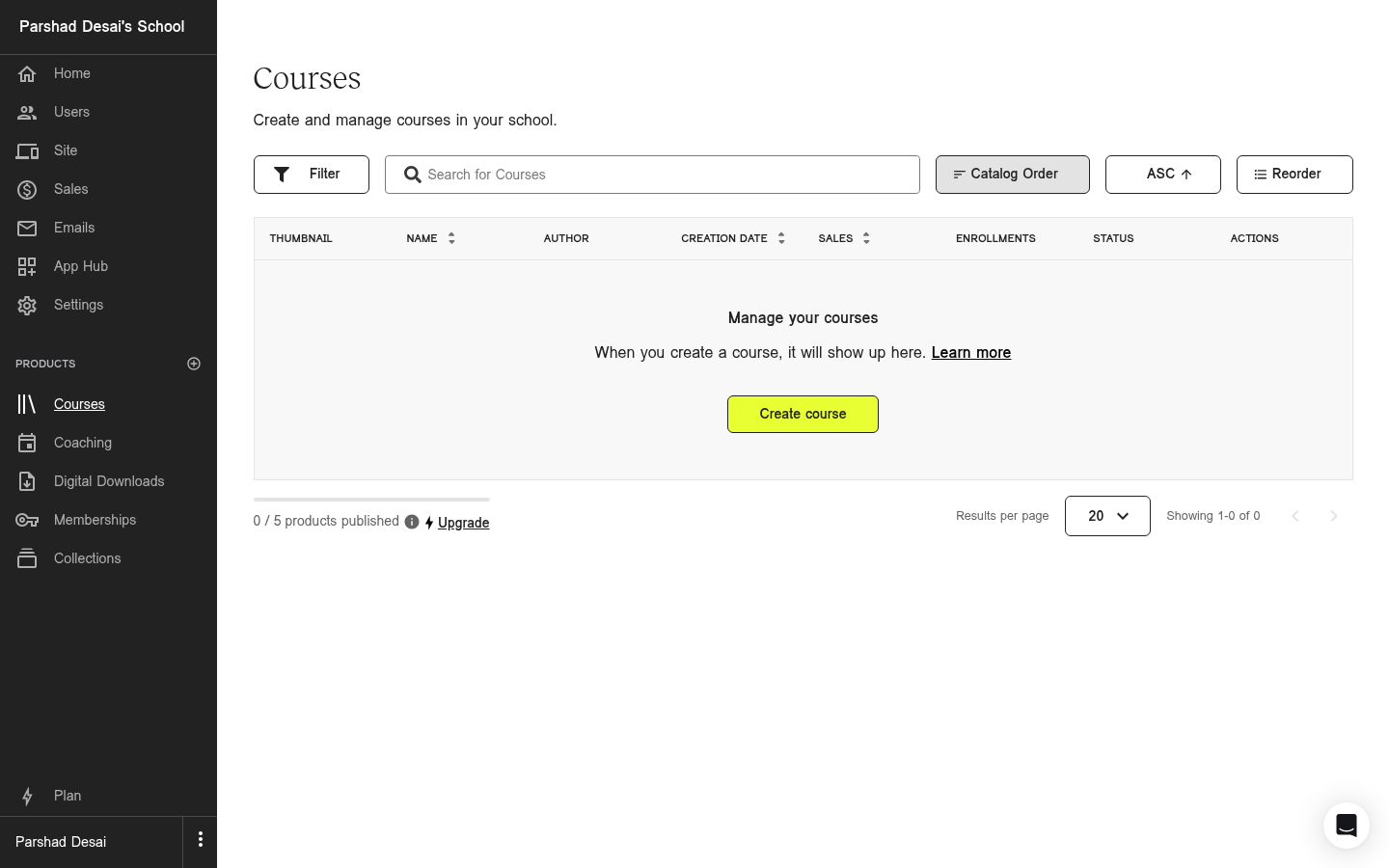
Teachable's Courses screen on a Starter trial, counting down from five published products before I had made one.
LearnWorlds sells its branded mobile app as a paid add-on and does not publish the price anywhere. Its migration service is priced the same way, with no visible numbers. Get both numbers before you budget around either.
What I wish I'd known before starting
- Teachable Starter caps active students at 100. A course that sells steadily will hit it inside a few months and then usage fees start.
- SCORM on LearnWorlds means importing, not exporting. It is also completely absent from Starter, and graded tracking needs Pro Trainer.
- Neither trial is equal. LearnWorlds gives thirty days without asking for a card. Teachable gives seven, takes card details before you see the admin, and when the trial ends the account drops to a free version where your course pages no longer open until you pay.
- Both AI builders stop at the outline. Neither writes the lessons or builds the assessments, so do not pick either platform for its AI.
- Budget for the plan you will end up on. Most buyers move up to Pro Trainer at $79 or Builder at $69 within a few months, and both vendors' own partners say so.
- Buy Teachable monthly until you are sure. Its 3.8 G2 score is driven by billing complaints, not by the product: plan changes announced at short notice, landing hardest on prepaid annual accounts. Paying monthly keeps you clear of that.
What both platforms miss, and where Coursebox fits
We built Coursebox, and the part to judge it on is the course builder. LearnWorlds and Teachable both handed me an outline and left every page to me. Coursebox builds the course itself: you describe it in a prompt box, or upload the PDFs and slide decks you already have, and it builds the structure, the sections, the pages and the learning activities from them, asking follow-up questions as it goes. Quizzes, assignments, avatar videos and audio narration generate the same way. The outline generators you saw on both platforms above are the first step of that process. Ours is the whole process, fully interactive courses built with AI that go beyond outlines.
Coursebox is also a white-label LMS. On its LMS plans and up, your portal runs on your own domain with your own branding, themes and logo, so your learners see your business, not ours. And unlike both platforms above, a course you build in Coursebox can leave with you: SCORM export is built in, both the 1.2 and 2004 standards.
LearnWorlds beats us on commerce. If your business is a public storefront with affiliates, funnels and upsells, it does more of that than we do.
The verdict, split by who is asking
Selling low-priced courses to consumers: Teachable. The percentage fee is on your side at that price, the builder will not slow you down, and the tax handling is worth real money the moment you sell across borders. Move up to Builder before Starter's 7.5% fee and 100-student cap catch you.
Selling premium programmes or per-seat training: LearnWorlds. The flat enrolment fee costs less than a percentage from about $67 a course upward, and the assessment tooling is the part Teachable has no answer to. Price it at Pro Trainer rather than Starter, because most of what you are buying it for sits there.
Running assessed or compliance training: LearnWorlds, without much of a contest. Question banks, a gradebook, a review centre and SCORM import are ordinary features there and absent at Teachable.
Nervous about being locked in: neither is comfortable, and Teachable is the worse of the two. Its own documentation tells you to copy your course text into Word.
If neither one fits
If neither LearnWorlds nor Teachable fits, the wider list of course-selling platforms covers the options either side of them. Start there if you are choosing a platform to sell courses rather than to run training. If it is specifically Teachable you are trying to replace, the Teachable alternatives list is the narrower version of that question.
Last updated 25 August 2026. Both pricing pages were re-checked figure by figure on that date, both help centres were read for fee and export rules, and the G2 and Capterra scores were read on 24 August 2026.
Frequently Asked Questions
It depends on your course price, and the crossover is about $67. Below that, Teachable's 7.5% is smaller than LearnWorlds' flat $5 per enrolment. Above it, the flat fee wins. On subscription alone LearnWorlds Starter is cheaper at $288 a year against Teachable Starter's $348, both billed annually.
LearnWorlds gives you thirty days and does not ask for a card. Teachable requires card details up front and gives you seven days, with a 30-day money-back guarantee on the purchase itself. Teachable no longer has a free plan.
LearnWorlds imports SCORM packages on Pro Trainer and above, and tracks overall completion rather than performance on individual assignments. Teachable has no SCORM support. Neither lets you export a course you built as a SCORM package.
Teachable, on the specific job of building and selling a course quickly. Its wizard walks you straight to a publishable course and the editor works the way page builders everywhere do. LearnWorlds is more capable and correspondingly harder to learn, and its own resellers route absolute beginners elsewhere.
Teachable includes iOS and Android apps on paid plans, though offline downloads are per lesson rather than per section. LearnWorlds sells a branded app as a separate add-on and does not publish its price, so budget a conversation rather than a number.
Teachable states it has no native way to export a course as a single unit and suggests copying the text into a Word document. LearnWorlds imports SCORM packages but documents no course-level SCORM export, so plan for a manual move either way. Keep your original videos, scripts and assessments outside whichever platform you choose.
Parshad Desai
Driving growth and marketing strategy at Coursebox AI

