

Best AI Image Generators in 2026, I Tested 12 So You Don't Have To
I compared 12 AI image generators for campaign visuals, text, editing and training materials. Here’s what worked, what needed fixing and which costs matter.

The best AI image generators in 2026 include Nano Banana Pro and Ideogram for images with text, ChatGPT for easy edits, Midjourney for artistic images, and Coursebox for training visuals. Choose based on the image you need, editing controls and total cost.
- For repeated products or characters, compare reference-image controls in FLUX and Leonardo, then check the outputs for changes to brand details.
- Compare actual generation costs, privacy tiers and export options. Credits and tokens are not fixed image counts, and local generation still has hardware and setup costs.
- Coursebox combines training-image creation, document-image extraction and course authoring, with PNG/JPG exports for presentations, documents and other projects.
- Commercial-use permission is different from copyright protection or indemnification. Check the selected model and plan rather than assume any platform guarantees clearance.
Compare four options from the full list for training images, designs with text, artistic images and Adobe editing.

Produce complex images with one click
I run marketing at Coursebox, so I’m generating images for content and courses every week. A tool that gives me a great campaign image isn’t always the one I want for a labelled diagram or a quick edit.
Here are the 12 AI image generators I’d consider, with the jobs I use them for and the catches that matter before you pay. I’m comparing the image, how easily you can change it, and the work needed to get it into your final design, presentation or course.
Disclosure: I work at Coursebox, which has its own AI image generator. It creates visuals for lessons and lets you export them for presentations, documents and other projects.
How I choose an AI image generator
I start with what the image needs to do, then check these six things:
- Visual style: Midjourney is my preference for artistic images. Compare the result with the look your campaign needs.
- Text: Try Nano Banana Pro, Ideogram or ChatGPT with your exact headline. Check spelling, placement and readability at the size you’ll publish.
- Consistent products or characters: Test FLUX or Leonardo with reference images. Check logos, proportions and colours across the set.
- Training visuals: Coursebox combines image generation, extraction from documents and placement in lessons. PNG or JPG exports let you reuse the images elsewhere.
- Cost and editing: Check credits, resolution and the cost of retries. Canva, Visme and Coursebox can save you a separate editing or upload step.
- Privacy and usage rights: Check the selected model’s terms and the plan’s privacy settings before uploading confidential client references.
Check names, anatomy and small details, and verify charts or diagrams against your source. Commercial permission and copyright protection are separate questions. As the US Copyright Office explained in January 2025, a provider may allow commercial use while a purely AI-generated image lacks copyright protection in the US. Human-authored selection, arrangement or modifications can change that assessment.
By May 2025, Google had marked over 10 billion pieces of content with SynthID—a count that includes more than images. Its image tools embed invisible provenance information, so keep original files and any available credentials when handing work to a client. Asking for “no watermark” won’t remove that embedded information.
How I tested these
I set the tools the same jobs: a photoreal scene, a poster with a specific headline, one product held consistent across three images, and a simple labelled diagram. I used free access where available. The testing notes below describe those runs; they aren’t a fresh benchmark of every current model version. I reviewed the plan details and product documentation in October 2026.
The 12 tools at a glance
| Tool | Best for | Access and cost | Key trade-off |
|---|---|---|---|
| Nano Banana Pro | Images with text | Limited free; Google AI plans | Model, quota and resolution |
| ChatGPT (GPT Image) | Conversational edits | Limited free; Plus $20/mo | Check layout and brand details |
| Midjourney | Artistic visuals | $10/mo; $8/mo annually | Privacy requires Pro/Mega |
| Adobe Firefly | Adobe editing | Limited free; Standard $9.99/mo | Model and plan terms differ |
| Ideogram | Posters and headlines | Limited free; paid tiers | Privacy and uploads by tier |
| FLUX | Reference-led image sets | Credits vary by model | Variant licences differ |
| Stable Diffusion | Local control | Local download; hardware extra | Technical setup and licence |
| Leonardo | Concept variations | 150 free tokens/day; from $12/mo | Free creations are public |
| Magnific (formerly Freepik) | Models, stock and editing | 20 free images/day; paid credits | Record model and settings |
| Canva | Finished design layouts | Limited free; paid credits | Assets and exports by plan |
| Visme | Decks and infographics | 10 free shared credits/mo | Branding and privacy tiers |
| Coursebox | Training visuals and reuse | 2 free images; paid allowances | PNG/JPG exports; check volume |
Prices shown are in USD where a currency is stated, before applicable taxes. Annual billing is marked explicitly. Credits and tokens are not interchangeable with image counts; model, resolution and retries can change how far an allowance goes.
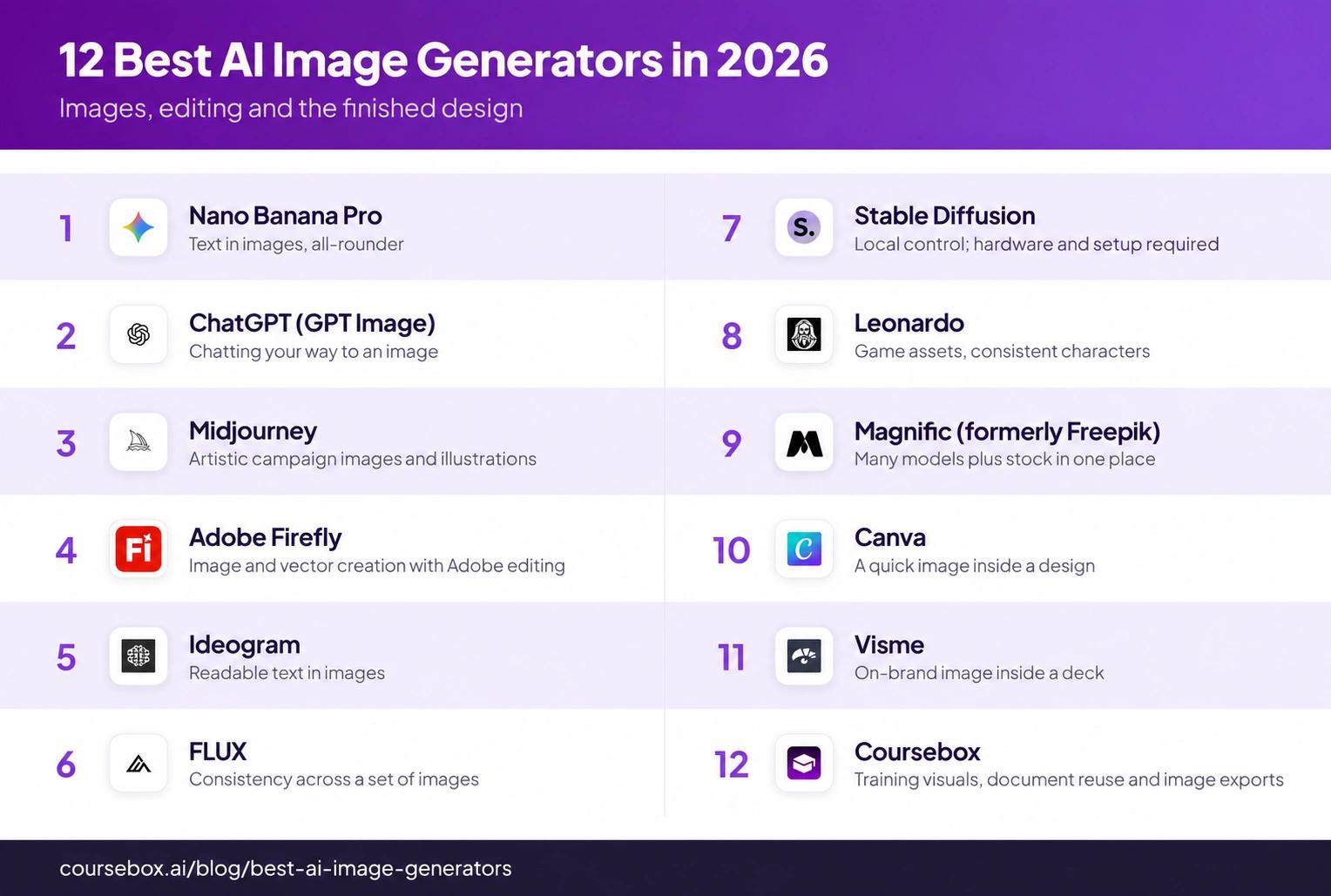
The 12 AI image generators I tested
1. Nano Banana Pro
Nano Banana Pro is Google’s Gemini 3 Pro Image model, available through Gemini and other Google tools. It combines image generation and editing with strong text rendering, and supports output up to 4K through supported access routes. In Gemini, model access and quotas depend on your Google AI plan; check that you’re using Pro rather than another Nano Banana model.
I’d shortlist it for posters and diagrams that combine imagery with labels. Check the quota and resolution available in the app you’re using before committing to a batch. Google embeds SynthID in its generated images; visible watermarks and export options can differ by plan and access route.
My testing experience: I ran an infographic-style layout through it, and the titles, body text and labels came out looking like a designer had typeset them, not the usual AI gibberish.
Verdict: my first stop for a visual that needs substantial text, with a proofreading pass before publication.
2. ChatGPT (GPT Image)
ChatGPT’s image generation lets you describe an image, upload a reference and request changes in the same conversation. That makes it useful for mockups, illustrations and posters where you expect several revisions. Free access has tighter limits; Plus is US$20 per month, with other plans offering different access levels.
Current GPT Image models have much better text rendering than the early models. OpenAI still identifies precise text placement and consistent brand details as limitations. For an exact logo, I’d use the real artwork in the final layout rather than rely on a generated approximation.
My testing experience: The back-and-forth is the appeal. I’d say “make the background darker, move the logo left” and it did it. A brand name on one mockup came back garbled in that run, so I moved that job to Ideogram or Nano Banana. That result is a reason to check your exact wording, rather than rule out today’s ChatGPT for text.
Verdict: an easy starting point if you already use ChatGPT and want to refine an image through conversation.
3. Midjourney
Midjourney is the one I keep coming back to for art-directed campaign visuals and atmospheric illustrations. Style and composition are its appeal to me, rather than a promise that it wins every kind of image. Plans start at US$10 per month, or US$8 per month billed annually.
There’s no free web or Discord trial, so allow for a paid test. Under Midjourney’s plan rules, private generation through Stealth Mode requires Pro or Mega, and companies above US$1 million in annual gross revenue must use one of those plans. That matters if you’re making confidential client work.
My testing experience: I preferred its visual quality in my comparison. Lettering in those runs needed editing, so I’d generate the artwork here and add exact campaign copy in a design editor.
Verdict: buy it for beautiful, art-directed visuals.
4. Adobe Firefly
Adobe Firefly generates and edits images, video and vectors, with workflows in Photoshop and Express. Adobe’s own models are trained on licensed content, including Adobe Stock, and public-domain content. Free access is limited; Firefly Standard starts at US$9.99 per month. Paid Firefly plans include unlimited standard image and vector features, while premium features and partner models use credits.
The reason I’d choose it is the editing workflow and Adobe’s approach to model sourcing. If indemnification matters, check the selected model and your contract: eligibility depends on the plan and feature. Adobe also offers separate coverage for some partner-model use. “Made in Firefly” alone isn’t a guarantee.
My testing experience: The images dropped straight into Photoshop, which made it easy to finish client assets in the tool I was already using. I found the output more stock-like than Midjourney’s; the workflow was the stronger reason to choose it.
Verdict: a strong option for teams already editing in Adobe, especially when model sourcing and contractual coverage are part of the buying decision.
That scale makes the model selector worth understanding: the same Firefly app can offer Adobe models and partner models with different credit use and terms. I would choose the editing workflow first, then check the selected model.
5. Ideogram
Ideogram is worth trying for posters, thumbnails and other images with a precise headline. Text rendering is a particular strength, alongside image editing and reference-based work. There’s a limited free plan; paid subscriptions add capacity and features. Check the current monthly or annual rate on its plans page before buying.
Free creations are public, so don’t put confidential client references or unreleased campaign ideas into that workflow. Ideogram’s paid plans determine private generation and upload access. A correctly spelled headline still needs a check for layout, readability and brand fit.
My testing experience: I gave it a poster prompt with an exact headline and it nailed the spelling on the first try.
Verdict: a useful specialist to compare against Nano Banana Pro and ChatGPT when the wording is central to the design.
6. FLUX
FLUX is Black Forest Labs’ family of image models, available through its playground, API and other apps. Its reference-image editing is useful when several campaign images need to retain the same product or character. You can guide the result with source images rather than rebuild the description from scratch each time.
Hosted generation uses credits, with Black Forest Labs’ pricing varying by model, resolution and input images. Check a representative batch rather than assume a flat per-image rate. Downloadable variants are another route, but their licences and hardware requirements differ; “open weights” doesn’t mean every variant permits unrestricted commercial use.
My testing experience: The multi-reference feature is the reason to pick it: I fed it several shots of one product, and it held that exact identity across a campaign instead of giving me a slightly different version each time.
Verdict: a strong candidate for reference-led product campaigns; inspect each output for changes to logos, geometry and colour.
7. Stable Diffusion
Stable Diffusion is the option I’d consider for local generation, custom fine-tuning and control over where files go. Downloadable models such as SD 3.5 can run on your own hardware. There’s no hosted per-image charge when you run locally, but the GPU, electricity and setup still cost you. Stability’s Community License allows commercial use of covered models for users or organisations with less than US$1 million in annual revenue.
Choose the model variant for your available memory before installing it. Hardware requirements and speed vary substantially by model, settings and optimisation; there isn’t one setup time or GPU specification that fits everyone. A hosted service is easier to start with, but brings its own fees, privacy settings and terms.
My testing experience: Getting it running took an afternoon. Once it worked, I could generate locally without buying credits for each attempt. I’d make the hardware and model choice first; that setup effort is worthwhile when control or repeat volume matters.
Verdict: the pick for technical users who want a local workflow and are willing to maintain it.
8. Leonardo
Leonardo.ai, now owned by Canva but still running as its own app, is built for creators who iterate, game artists, concept artists, anyone generating a lot of variations. Its strengths are character consistency and control features like Character Reference and a real-time canvas you can sketch straight into. The free plan gives you 150 fast tokens a day; paid starts at $12 a month.
Those 150 daily tokens are not 150 images; the model and settings determine consumption. Paid plans add private generation and larger allowances, while free creations are public. Character references help guide a set, but I still check proportions, colours and details across the finished assets.
My testing experience: For generating options and concepting, it was excellent, lots of variations and quick control over style. When I needed a uniform set for a finished pack, I used it to find the direction and then tidied up the final assets in an editor.
Verdict: a strong pick for game art, concepting and heavy iteration.
9. Magnific (formerly Freepik)
Freepik’s AI image generator (now Magnific) puts models including Nano Banana, FLUX and others alongside stock assets and editing tools. You can compare a prompt across models from one account. Its image-generator page offers up to 20 free images daily; paid plans provide credits, with usage varying by selected model.
Judge the selected model rather than treat the whole app as one generator. Quality, editing controls and credit consumption can differ between models. For a recurring job, record the model and settings that worked so you can repeat the process and estimate the cost.
My testing experience: Having every model behind one login is really convenient, since I could try a prompt across three generators without switching tabs. The catch was the opacity: on Auto I couldn’t tell which model made an image.
Verdict: convenient when you want several models, stock and editing in one place. Choose an explicit model when you need a repeatable comparison.
10. Canva
Canva’s AI image generation combines generation with the layout work for slides, social posts and posters. Dream Lab supports reference images and follow-up edits, so you can guide style or composition and keep working in the design. Basic access is available free; paid plans and quality settings affect capacity and credit use.
Its advantage is finishing the asset: generated imagery, editable text and your layout stay together. Dream Lab’s controls let you work with references and refine the result. Don’t assume a paid plan gives the same allowance at every quality setting, or that every premium template is included free. For a branded campaign, check the result at the final export size.
My testing experience: Inside a design it was handy: a quick background without opening another tab. My first outputs felt generic, so I used them for speed. For a distinctive campaign, I’d spend more time on the reference and direction rather than assume the first prompt is finished.
Verdict: a useful option when the finished design matters as much as the generated image, especially if you’re already paying for Canva.
11. Visme
Visme’s AI image generator creates visuals inside presentations and infographics. That lets you generate an illustration and finish the surrounding layout in the same project. Basic includes 10 AI credits per month, shared across AI tools; Starter is US$12.25 per person per month when billed annually, or US$147 per year.
Those credits aren’t ten unrestricted image prompts: different AI features consume different amounts. Check the download format, privacy settings and brand-kit tier before choosing a plan; several of those capabilities sit on Pro rather than Starter. It’s a stronger fit when the deck or infographic is the deliverable.
My testing experience: For a quick on-brand illustration inside a deck it did the job, no stock-library hunting and no separate tool. For anything I wanted to stand out, I generated it elsewhere and dropped it in.
Verdict: worth considering for presentation and infographic workflows; choose the plan by the exports and branding controls you need.
12. Coursebox
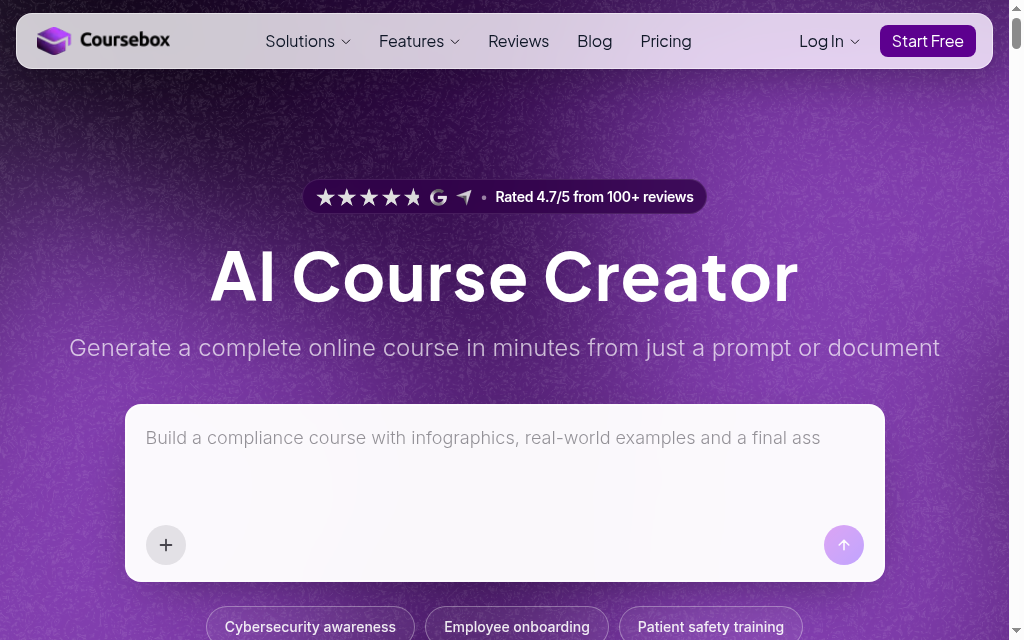
Coursebox’s AI image generator creates photos, diagrams, charts and maps, then places them directly into lessons. It can also extract useful visuals from uploaded PDFs and slide decks. You can download PNG or JPG files for presentations, documents, videos and other projects, so the output isn’t confined to a Coursebox course.
For a training team, that combines visual creation with document reuse and course delivery. Coursebox’s plan allowances include two AI images alongside three mini courses on Free, and 20 AI images per month on Creator, with larger allowances on higher plans. Pick the tier by image volume as well as course needs. For charts and technical diagrams, verify labels and meaning against the source before using them.
My testing experience: Dropping a diagram or chart straight into a lesson saved the trip to another tool and the download-and-upload step. That’s the benefit I value for training work; the PNG and JPG downloads also let me reuse the visual outside the lesson.
Verdict: a strong choice for training visuals when you want image generation, source-document reuse and course authoring together, with exports for work elsewhere.
A specific prompt saves guesswork. Describe the subject, visual style, composition, lighting and aspect ratio. Add a reference image when the product or character must stay consistent, and name any elements you want to exclude.
Prompt to try: “A [subject], [photo or illustration style], [close-up or wide shot], [lighting or mood], [aspect ratio such as 16:9]. No decorative text or visible logos.” Then change one thing at a time so you can see what improved the result.
When you need editable text, charts or vector files
A picture of a chart isn’t an editable chart. Build data graphics from a checked source table, and use separate text layers if the wording must be easy to revise. For editable vector artwork, Firefly’s vector-generation features are an option; asking a raster model for “vector style” still gives you a bitmap.
An image generator makes a picture; an infographic maker gives you an editable, labelled layout. If that’s what you actually need, see our guide to the best AI infographic generators. Whichever generator you pick, check the text and the commercial rights before you publish.
Frequently Asked Questions
Some can, especially with long or small text. Current Nano Banana Pro, Ideogram and GPT Image models can produce readable lettering, but none replaces a proofreading pass. For exact brand copy or text you will revise later, use an editable text layer in the final design.
I’d start with ChatGPT or Gemini for an easy trial, Ideogram for a headline-led image, or Leonardo for concept variations. Their free allowances and privacy settings differ. Magnific, formerly Freepik, offers up to 20 images daily. Coursebox’s free plan includes two AI images for trying a training workflow. Local Stable Diffusion avoids hosted generation fees but needs suitable hardware and setup.
Check the provider’s terms for the model and plan you use, along with any third-party logos, likenesses or source material in the result. Commercial permission is not the same as copyright protection: in the US, purely AI-generated material lacks human authorship, while human selection, arrangement or modifications can be protectable. Contractual indemnification is another separate question. Coursebox supports exporting images for use beyond courses; its output is not confined to training delivered on the platform.
I’d compare Ideogram, Nano Banana Pro and ChatGPT using my actual headline and layout. For thumbnails, test the image at the final small size. For a logo, check that the export is editable in the format you need and that the design is suitable for your brand; a generated picture is not automatically a finished logo.
It remains my preference for art-directed visuals, but that doesn’t make it the best fit for every task. ChatGPT is useful for conversational edits, Nano Banana Pro and Ideogram for text-led images, and Coursebox for creating and reusing training visuals. Compare your real task before committing to a subscription.
Parshad Desai
Parshad is a full stack technical marketer based in our Perth office. He began his Coursebox career as a marketing intern. After impressing the founders with his incredible work, he later transitioned into a full time position coordinating digital marketing. His focus lies in managing our website, product analytics, and email marketing. Recently he has taken a keen interest in applying AI to digital marketing and growth.

